On this page
- Why Run Claude Code Through OpenRouter?
- What You Need
- How to Set Up Claude Code with OpenRouter
- 1. Create an OpenRouter API key
- 2. Add the environment variables
- 3. Reload and log out of Anthropic
- 4. Verify the connection
- How to Switch Models in Claude Code
- Per session: the /model command
- Permanently: map the model slots
- Hands off: openrouter/free
- Best Free Models for Claude Code
- Top picks
- Fast and light
- Skip these for coding
- Quick reference
- Free Tier Rate Limits (and How to Work Around Them)
- Limitations to Know About
- FAQs
- The Bottom Line
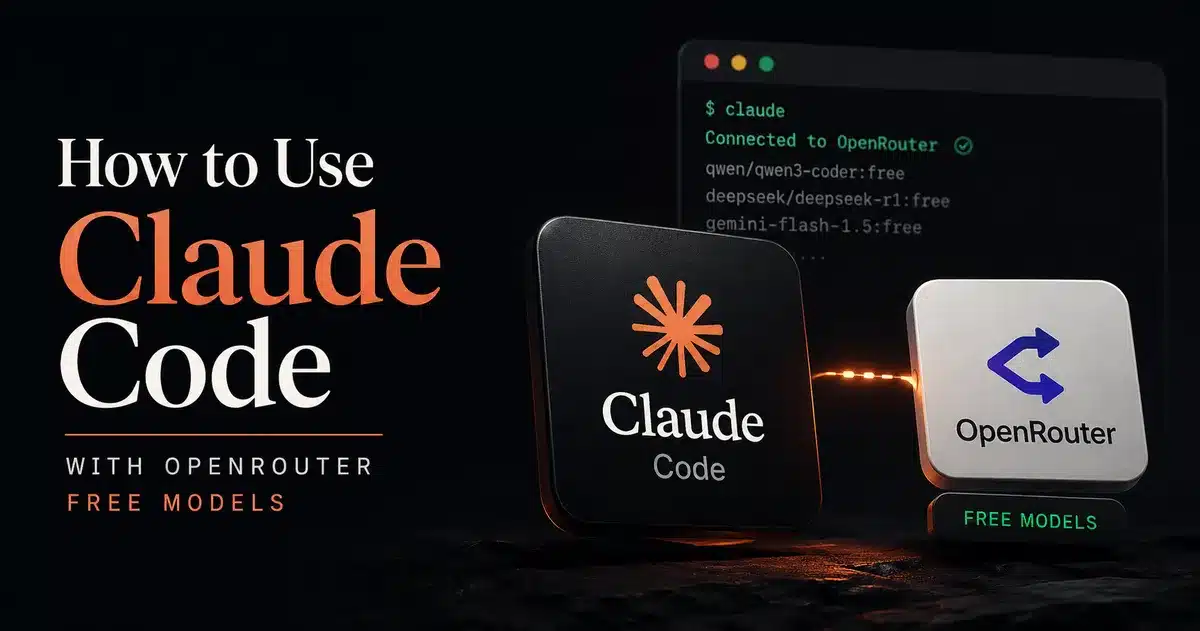
Claude Code is one of the best AI coding agents around, but running it on Anthropic's API gets expensive fast. A long session on Claude Opus 5.5 can cost several dollars before lunch.
The fix is to point Claude Code at OpenRouter, an API aggregator that gives you one endpoint for hundreds of models, including a rotating set of free ones. OpenRouter speaks the same API format as Anthropic, so Claude Code connects to it natively. No proxy, no wrapper script.
Why Run Claude Code Through OpenRouter?
- Free models with real coding ability. Several open-weight coding models are free on OpenRouter, and the best of them score close to last year's paid frontier models on agentic coding benchmarks.
- One key, many models. Swap between free models, cheap paid ones, and Claude itself with a single
/modelcommand. - Automatic failover. If one provider is rate limited or down, OpenRouter reroutes to another instead of throwing an error mid-session.
- Per-task model mixing. Claude Code uses different model slots for heavy reasoning, everyday coding, and quick background jobs. You can fill each slot with a different model.
What You Need
- Claude Code installed (
curl -fsSL https://claude.ai/install.sh | bash, ornpm install -g @anthropic-ai/claude-code) - A free OpenRouter account and an API key
You do not need an Anthropic account or API key for this setup.
How to Set Up Claude Code with OpenRouter
1. Create an OpenRouter API key
Log in to openrouter.ai, open Settings > API Keys, and create a new key. Copy it somewhere safe; it is only shown once.
2. Add the environment variables
Open your shell profile (~/.zshrc, ~/.bashrc, or ~/.config/fish/config.fish) and add:
export OPENROUTER_API_KEY="sk-or-v1-your-key-here"
export ANTHROPIC_BASE_URL="https://openrouter.ai/api"
export ANTHROPIC_AUTH_TOKEN="$OPENROUTER_API_KEY"
export ANTHROPIC_API_KEY=""
export CLAUDE_CODE_ENABLE_GATEWAY_MODEL_DISCOVERY=1
What each line does:
ANTHROPIC_BASE_URLsends every request to OpenRouter instead of Anthropic.ANTHROPIC_AUTH_TOKENis the key Claude Code sends. It must come after theOPENROUTER_API_KEYline, or it expands to nothing.- The blank
ANTHROPIC_API_KEYis intentional. It stops Claude Code from using an Anthropic key that may already be set elsewhere. CLAUDE_CODE_ENABLE_GATEWAY_MODEL_DISCOVERYlets the/modelpicker list OpenRouter models, not just Claude ones.
Prefer per-project config? Put the same values in .claude/settings.local.json in your project root:
{
  "env": {
    "ANTHROPIC_BASE_URL": "https://openrouter.ai/api",
    "ANTHROPIC_AUTH_TOKEN": "sk-or-v1-your-key-here",
    "ANTHROPIC_API_KEY": "",
    "CLAUDE_CODE_ENABLE_GATEWAY_MODEL_DISCOVERY": "1"
  }
}
The .local file is git-ignored by default, so your key stays out of the repo.
3. Reload and log out of Anthropic
source ~/.zshrcIf you were previously signed in to Claude Code with an Anthropic account, run /logout inside Claude Code once, then restart it.
4. Verify the connection
Launch claude in a project folder and run:
/statusYou should see ANTHROPIC_AUTH_TOKEN as the auth source and https://openrouter.ai/api as the base URL. Send a test prompt and watch it appear on the OpenRouter Activity page.
How to Switch Models in Claude Code
Per session: the /model command
/model poolside/laguna-s-2.1:freeThis switches the active model immediately. Use the full OpenRouter ID, in provider/model-name format. Free variants end in :free.
Permanently: map the model slots
Claude Code does not ask for "a model". It asks for an Opus-class, Sonnet-class, or Haiku-class model depending on the job, and spawns sub-agents for side tasks. Each slot has its own variable:
| Variable | What Claude Code uses it for |
|---|---|
ANTHROPIC_DEFAULT_OPUS_MODEL | Planning and harder reasoning |
ANTHROPIC_DEFAULT_SONNET_MODEL | Everyday coding (the one that matters most) |
ANTHROPIC_DEFAULT_HAIKU_MODEL | Quick background jobs like titles and summaries |
CLAUDE_CODE_SUBAGENT_MODEL | Sub-agents spawned during a task |
A free setup that works well:
export ANTHROPIC_DEFAULT_OPUS_MODEL="thinkingmachines/inkling:free"
export ANTHROPIC_DEFAULT_SONNET_MODEL="poolside/laguna-s-2.1:free"
export ANTHROPIC_DEFAULT_HAIKU_MODEL="cohere/north-mini-code:free"
export CLAUDE_CODE_SUBAGENT_MODEL="cohere/north-mini-code:free"
Spreading slots across different providers also spreads the load, so one busy model is less likely to stall the whole session.
Hands off: openrouter/free
OpenRouter's free router picks a free model at random for each request, filtered to models that support what the request needs (tool calling, images, and so on):
export ANTHROPIC_DEFAULT_SONNET_MODEL="openrouter/free"It is the lowest-effort option, but quality jumps around from request to request. Fine for quick questions, frustrating for a long refactor.
Best Free Models for Claude Code
OpenRouter currently lists 17 free models. Some are tiny, some are domain models for health or finance, and one is a content-safety filter. These are the ones that hold up for coding in an agent loop. All support tool calling, which Claude Code needs to read files, edit code, and run commands.
Top picks
Poolside Laguna S 2.1 (poolside/laguna-s-2.1:free)
The best free coding model right now, and the one to start with. It is built specifically as a coding agent: 118B parameters with only 8B active, so it is quick. Poolside reports 70.2% on Terminal-Bench 2.1, ahead of models more than ten times its size, plus 78.5% on SWE-Bench Multilingual. Context is 256K tokens, with up to 32K tokens of output per reply. Weights are open, so you can self-host it later if you outgrow the free tier.
Thinking Machines Inkling (thinkingmachines/inkling:free)
A 975B-parameter general model with a 1M-token context window and image input. It scores 63.8% on Terminal-Bench 2.1, a step below Laguna S for pure coding, but the huge context and image support make it the better choice for planning across a big codebase or working from UI screenshots. A good fit for the Opus slot.
NVIDIA Nemotron 3 Ultra (nvidia/nemotron-3-ultra-550b-a55b:free)
NVIDIA's largest open reasoning model, with a 1M-token context window. It scored 56.4% on Terminal-Bench 2.1, so it trails the two above on coding, but it is a strong reasoner and one of the most-used free models on OpenRouter. Use it as the backup when the top two are busy.
Fast and light
Cohere North Mini Code (cohere/north-mini-code:free)
A small coding model (30B total, 3B active) that Cohere says scores 67.6% on SWE-bench Verified. It is fast, which makes it ideal for the Haiku and sub-agent slots where speed matters more than depth.
Qwen3.8 27B (qwen/qwen3.8-27b:free) and Gemma 4 31B (google/gemma-4-31b-it:free)
Dense mid-size models with 256K context and image input. Both handle boilerplate, docs, tests, and explaining code well. Less reliable on long multi-step edits.
Skip these for coding
liquid/lfm-2.5-2.6b:free: Liquid itself advises against using it for agentic coding.inclusionai/ling-3.0-flash-sante:freeand-fin:free: tuned for health and finance.nvidia/nemotron-3.5-content-safety:free: a moderation filter with no tool calling.
Quick reference
| Model ID | Context | Images | Best slot |
|---|---|---|---|
poolside/laguna-s-2.1:free | 256K | No | Sonnet (daily coding) |
thinkingmachines/inkling:free | 1M | Yes | Opus (planning, big repos) |
nvidia/nemotron-3-ultra-550b-a55b:free | 1M | No | Backup for Sonnet or Opus |
cohere/north-mini-code:free | 256K | No | Haiku, sub-agents |
qwen/qwen3.8-27b:free | 256K | Yes | Boilerplate, docs, screenshots |
google/gemma-4-31b-it:free | 256K | Yes | Fallback, vision + code |
poolside/laguna-xs-2.1:free | 256K | No | Lightweight coding |
openrouter/free | varies | varies | Hands-off, random free model |
Model list and context sizes from the OpenRouter models API, checked 2026-09-26. Benchmark scores are the model makers' own published numbers (Poolside, Cohere).
Free Tier Rate Limits (and How to Work Around Them)
OpenRouter's limits for :free models:
| Account | Per minute | Per day |
|---|---|---|
| Never bought credits (under $10 lifetime) | 20 requests | 50 requests |
| Bought $10+ in credits at any point | 20 requests | 1,000 requests |
Source: OpenRouter API limits docs, checked 2026-09-26.
Fifty a day is tight. Claude Code is chatty: one task can mean a dozen requests as it reads files, edits, and runs commands. Your options:
Buy $10 of credits once. This is the real answer for anyone using Claude Code regularly. The 1,000/day limit is unlocked by your lifetime purchases, not your balance, so free-model use does not burn the credits. They stay available for the occasional paid model call.
Switch models when one is busy. Popular free models get congested, and the provider returns a 429 error even if you are under your own limit. Switching to another free model usually fixes it instantly:
/model thinkingmachines/inkling:freeThis does not raise your daily cap, which is shared across all free models.
Keep cheap jobs off your best model. Mapping the Haiku and sub-agent slots to North Mini Code (as in the setup above) keeps background traffic from competing with your main coding model.
Limitations to Know About
Tool calling is the weak spot. Claude Code's file edits, bash commands, and sub-agents all run on structured tool calls, and Claude models are trained heavily for exactly this pattern. Free models vary: Laguna S and North Mini Code are built for agent loops and hold up well, while general models can loop, forget to call tools, or format edits wrong on long tasks.
Some Claude Code features are Claude-only. Extended thinking, prompt caching, and fast mode are built around Anthropic's models. They may be ignored or behave differently on other models. If output looks strange, switch to anthropic/claude-sonnet-5 briefly: if the problem disappears, it was the free model, not your setup.
Free prompts may be logged. Some free providers log prompts or use them for training. Do not send proprietary code or secrets through free models. Check each model's provider policy on its OpenRouter page.
Not for production. OpenRouter's own docs note that Claude Code is optimised for Anthropic models. Free models are great for side projects, learning, and low-stakes work. For client code or automated pipelines, use a paid model.
For a fully offline alternative on your phone, see our guide to running a local LLM on Android. If you are building your own agents, our look at Google Home MCP for AI agents shows how the same tool-calling protocol reaches beyond code. And for a broader list of free tools to self-host, see our best open source projects for home labs.
FAQs
Is it allowed to use Claude Code with OpenRouter?
Is Claude Code itself free?
Which free model is best for Claude Code?
Can I still use paid Claude models through OpenRouter?
Why do I get 'No endpoints found that support tool use'?
What happens when a free model goes offline mid-session?
Can I use free models in CI/CD pipelines?
How do I switch back to Anthropic's API?
The Bottom Line
Free models on OpenRouter are good enough for real coding sessions now. Laguna S 2.1 in particular handles multi-file edits and terminal work at a level that cost money a year ago.
Setup takes five minutes. The only real decision is whether to buy $10 of credits once to lift the daily cap from 50 to 1,000 requests. If you use Claude Code more than casually, do it.

Sumit
ContributorHi, I'm Sumit, Being an introvert I have always been obsessed with technology-computers and reading dozens of posts to learn, find answers out of my curiosity. I love to write as I explore more.