AppDose – Live Screen Timer
See your screen time while you use your phone. A gentle nudge, not a blocker.
What users say
my god. thank u. guys, buy the lifetime while it's still cheap. Tracking unli apps and opacity is worth it. this is exactly EXACTLY what im looking for.
Excellent. it makes ur 1hr doomscolling sessions to 15min, without forcing u into any schedule or time limit
About AppDose – Live Screen Timer
Ever opened your phone “just for a minute”… and lost 40?
AppDose shows your screen time while you’re using your phone, not hidden inside dashboards.
No blocks. No forced limits. Just awareness.
AppDose is a real-time screen time mirror that stays visible while you use your phone.
Instead of checking reports later, you see time passing right now — gently reminding you to pause, reflect, or continue consciously.
No app blocking. No forced limits. No guilt.
Just awareness.
✅ Why AppDose works
Most screen time apps show numbers after the damage is done.
AppDose works during usage, when habits are actually formed.
That tiny timer is often enough to make you think: “Is this still worth my time?”
🔑 Core Features (100% Free)
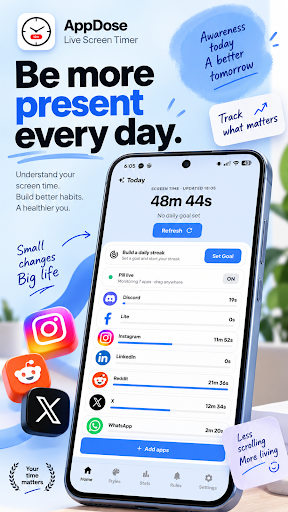
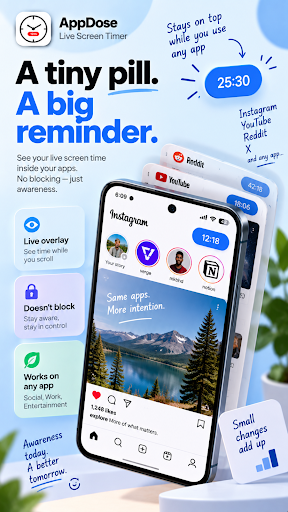
Live Screen Time Overlay - A small, movable pill that floats over your selected apps - Inspired by Google’s live score pill — subtle, not intrusive
Session or Daily View - See how long you’ve been in the current app - Or track your total screen time for the day, always visible
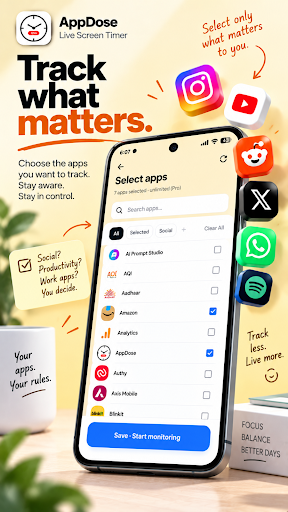
App-Specific or Global - Show the timer only on distracting apps (Instagram, YouTube, etc.) - Or keep total daily screen time visible across your phone
Zero Friction Control - Drag anywhere on screen - Double-tap to hide instantly - Never blocks or force-closes apps
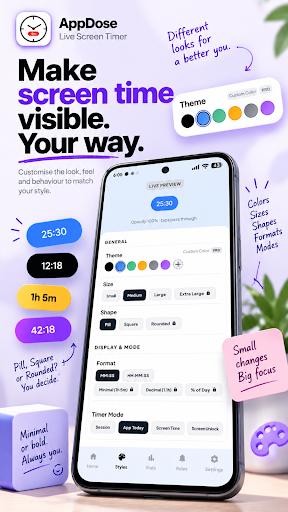
🎨 Customise it your way (Optional)
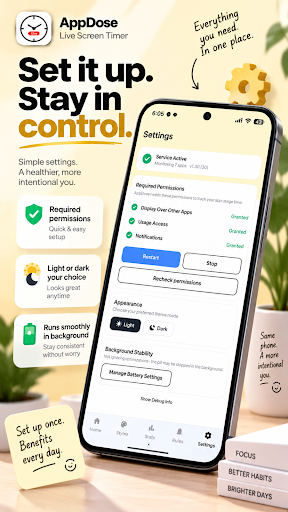
Make AppDose blend into your phone: - Multiple colors & gradients - Digital, rounded, retro timer styles - Adjustable sizes - Advanced time formats (decimal, percentage of day) (Core tracking is always free. Customisation is optional.)
🔒 Privacy-First by Design
- No ads - No account required - Works fully offline - Your usage data stays on your device - Analytics only track basic app actions (onboarding, feature clicks)
💎 AppDose Premium (Optional Upgrade)
- Track unlimited apps (free version supports up to 5) - Unlock all styles, colors, and formats - Animate and Vibrate as a Reminder - Lifetime and yearly plans available - One-time lifetime option at a low price Upgrade only if you love it.
🔔 Smart Reminders & Rules:
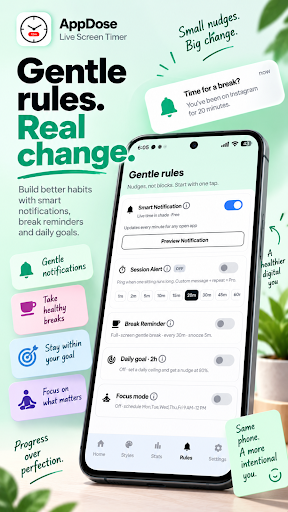
- Long Session Alerts: Get gently nudged when you've been scrolling too long. - Smart Break Previews: See exactly how much time you've spent with non-intrusive overlay reminders. - Customizable Intervals: Set your own limits to match your personal focus goals. - Persistent Nudges: Use the "Keep Repeating" option to ensure you don't ignore your break times. - Seamless Dismissal: Dismiss alerts instantly without opening the app, keeping your routine frictionless.
📊 Screen Time Goals & Streaks:
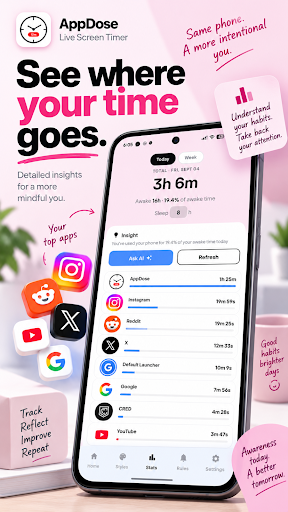
- Daily Screen Time Goal: Set a daily limit and get notified at 80% and 100% usage. - Streak Counter: Build a streak every day you stay under your goal and track your longest run. - Streak Milestones: Celebrate 7, 30, and 100-day milestones (Pro). - Live Trend Chart: See your last 7 days of screen time at a glance in the Stats tab. - 30-Day History: Unlock a full month of trends to spot patterns over time (Pro).
🎯 Focus Mode:
- Always-On Focus: Turn on Focus Mode to see a reminder overlay whenever you open a distracting app. - Scheduled Focus: Set specific days and hours for Focus Mode to activate automatically (Pro). - Snooze Support: Need a quick break from focus? Snooze the reminder for 5 minutes without turning it off. - Custom Focus Message: Write your own motivational message shown during focus sessions (Pro).
Permissions Explained (Transparent & Required) - Display over other apps – to show the timer overlay - Usage access – to detect which app is being used - Notifications – required by Android to keep tracking stable in the background
No sensitive data is accessed.
© 2026 The Tech Basket · AppDose – Live Screen Timer (v1.31) · Available onGoogle Play