On this page
- Who can use Roblox voice chat
- How to turn on voice chat on Roblox
- Step 1: Complete an age check
- Step 2: Check your country
- Step 3: Join a game that supports voice
- Step 4: Connect to voice
- Step 5: Unmute your mic
- Why is voice chat not showing up?
- Your account age is under 13
- You have not completed an age check
- You only verified a phone number
- Your country does not support the selfie route
- The game does not support voice
- You are not connected yet
- A parent turned it off
- Your age check did not finish or came out wrong
- Your device blocks the microphone
- Fix microphone permissions on every device
- Windows 11
- Mac
- Android
- iPhone and iPad
- Xbox
- PlayStation
- For parents: controlling voice chat
- Staying safe on voice
- FAQs
- Why is voice chat not showing up on Roblox?
- Is Roblox voice chat 13+ or 18+?
- Do I need an ID for Roblox voice chat?
- Does phone verification still unlock voice chat?
- Can kids under 13 use voice chat on Roblox?
- Why can I hear others but they cannot hear me?
- How do I turn on voice chat on Roblox on Xbox or PlayStation?
- How do I know if a Roblox game has voice chat?
To turn on voice chat on Roblox, you must be 13 or older and pass an age check (a selfie-based facial age estimate or a government ID). Then join a game that supports voice and tap the headphone icon, or switch on Voice Chat in the in-game settings menu.
If you did all that and still see no voice option, the cause is almost always one of a short list: no age check yet, an old phone verification that no longer counts, your country, the game itself, a parent setting, or a blocked microphone on your device. This guide walks through each one, with the rules as Roblox lists them in November 2026.
Who can use Roblox voice chat
Roblox has two kinds of voice. In-game voice lets you talk to other players inside a game that supports it. Voice chat with friends lets you call friends, including in a Party, outside any single game. The rules for each are different.
| Your verified age | In-game voice | Voice chat with friends |
|---|---|---|
| Under 13 | Not available | Off by default. A linked parent can allow it with trusted friends for ages 9 to 12, in some regions |
| 13 to 15 | Available after an age check, with similar age groups, unless a parent restricts it | On with trusted friends by default. A parent can turn it off |
| 16 to 17 | Available after an age check, with similar age groups | Trusted friends in the same age group, or adult trusted friends added in person |
| 18+ | Available after an age check, with similar age groups | On by default in 1-on-1 chats with other verified 18+ users. No trusted friend link needed |
Trusted friends are people you know in real life. Adults can only add a 13 to 17 year old as a trusted friend through real-life methods, such as phone contacts or scanning a live QR code. Roblox still monitors these chats.
How to turn on voice chat on Roblox
Step 1: Complete an age check
- Open Roblox and go to Settings (the gear icon at the top right on desktop, or More, then the gear icon, on mobile).
- Select Account info.
- Under Age Group, choose Continue with selfie for facial age estimation, or Continue with ID to use a government photo ID (passport, driver's license or residency card).
- Follow the prompts. Roblox's age check partner, Persona, records a short selfie video for the estimate.
ID verification is only open to users 13 and older. Roblox says it deletes the selfie images and video after processing and does not store biometric data.
Step 2: Check your country
Facial age estimation unlocks voice chat only in the countries on Roblox's Voice FAQ list. That list includes the United States, Canada, the UK, most of the EU, Australia, New Zealand, India, Brazil, Mexico, Japan, South Korea, the Philippines, Indonesia and many others.
If your country is not on that list, Roblox says to use ID verification instead. Some regions also need a parent's approval before a teen can do the facial check.
Step 3: Join a game that supports voice
Not every game has voice. Developers choose whether to add it. Check the game's description page before you join.
Step 4: Connect to voice
Voice chat is off by default, even after a successful age check.
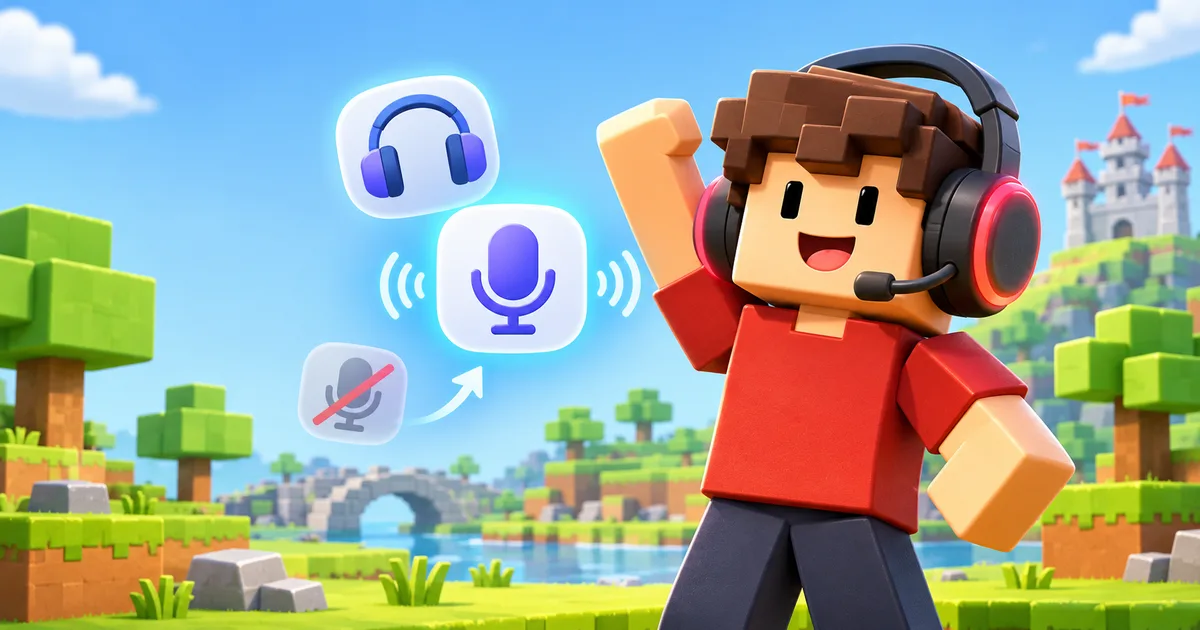
- Tap the headphone icon at the top of the screen to connect to voice, or
- Open the in-game settings menu and set Voice Chat to on (connected).
On PlayStation, use Join Voice in the in-game settings.
Step 5: Unmute your mic
Once connected, a microphone icon appears in the upper left. A red slash means you are muted. Tap it to unmute. A green animation inside the icon shows when Roblox hears you, and a red dot means Roblox is recording audio for moderation. Other players with voice show a speaker icon next to their name and above their avatar.
Why is voice chat not showing up?
Work down this list. Each item is a real reason Roblox hides the headphone icon or the Voice Chat toggle.
1. Your account age is under 13
In-game voice is 13+ only. If you made a mistake with your birthday at sign-up, you can fix it in Settings, then Account info, with the pencil icon next to your birthday. Moving your age above 13 from below it needs ID verification or a parent's consent.
2. You have not completed an age check
Roblox needs a facial age estimate or an ID check for any chat, including voice. Self-reported age is not enough. Go to Settings, then Account info, and look under Age Group.
3. You only verified a phone number
Older guides say a verified phone number unlocks voice. Roblox now states that phone verification is not a valid method to get voice chat. You need a selfie check or an ID check.
4. Your country does not support the selfie route
Roblox says that if the join voice icon is missing after a successful check, the feature may not be available in your region. Outside its listed countries, try ID verification. Some regions restrict voice chat by local law, and no setting changes that.
5. The game does not support voice
Voice works in any game that supports it, but many games do not. Try a game whose description mentions voice to confirm your account works.
6. You are not connected yet
An age check does not switch voice on. Tap the headphone icon or turn on Voice Chat in the in-game settings each time you want to talk.
7. A parent turned it off
For ages 13 to 15, a linked parent can restrict voice features. Ask them to check Parental Controls, then Communication, then Chat and party with friends.
8. Your age check did not finish or came out wrong
Virtual cameras, streaming software and camera effect apps can block the selfie check. Close them and pick your real webcam, or do the check on a phone or tablet. If the estimate placed you under 13 while your account said 13+, there is a 48-hour wait before the change is final. If it is wrong, users 13+ can correct it with an ID check, and a linked parent can change a child's birthday once.
9. Your device blocks the microphone
If you can hear others but they cannot hear you, Roblox likely has no microphone access. The fixes for each device are below.
Fix microphone permissions on every device
Windows 11
- Open Start, then Settings, then Privacy & security.
- Under App permissions, select Microphone and make sure Microphone access is on.
- Turn on Let apps access your microphone.
- In Choose which apps can access your microphone, turn on Roblox if it is listed. For the Roblox Player you download from the website, make sure Let desktop apps access your microphone is on.
- Restart Roblox.
Also check that your headset is the default input under Settings, then System, then Sound.
Mac
- Quit Roblox.
- Open the Apple menu, then System Settings, then Privacy & Security.
- Click Microphone and turn on Roblox.
- Open Roblox again.
On macOS Monterey and older, the path is System Preferences, then Security & Privacy, then the Privacy tab, then Microphone.
Android
- Open Settings, then Apps, then Roblox.
- Tap Permissions, then Microphone.
- Choose Allow only while using the app.
On newer Android versions, also check that the device-wide Microphone access switch is on under Security & privacy, then Privacy, then Privacy controls. If it is off, no app can use the mic.
iPhone and iPad
- Open Settings, then Privacy & Security, then Microphone.
- Turn on Roblox.
- Close Roblox fully and open it again.
Xbox
Voice chat works on Xbox consoles with the same 13+ age check. The check needs a camera, so if your console does not offer it, complete it in the Roblox app on a phone or computer, or on the Roblox website, then sign in on the Xbox with the same account.
If voice still does not work, check the console's own privacy and communication settings, and for a child account, the Xbox family settings that control voice communication. Roblox also supports Xbox party chat with your Xbox friends.
PlayStation
Voice chat works on PS4 and PS5 with the same 13+ age check. If your console does not offer the check, complete it in the Roblox app on a phone or computer, or on the website, then sign in on the PlayStation. In a game, use Join Voice in the in-game settings.
If no one hears you, check that the controller's mute button is not lit (it glows when the mic is muted) and that your headset is the selected input in the console's sound settings. A child account can also have voice blocked by the console's parental controls for communication with other players.
For parents: controlling voice chat
Voice chat settings live in your own linked parent account, not on your child's device:
- Go to Settings, then Parental Controls, and pick your child.
- Under settings you manage, open Communication.
- Select Chat and party with friends.
- Scroll to Voice Chat with friends and choose Trusted friends or No one.
At 13, a child gets access to voice chat and Party chat after an age check unless you restrict it. When they turn 18, their account unlinks from yours automatically. Our Roblox parents guide covers age checks, chat groups, spending limits and screen time in full.
Staying safe on voice
All Roblox voice is recorded for safety and moderation, and there is no way to use voice without it. You can:
- Mute a player by tapping the speaker icon over their head. It only lasts for that session.
- Block a player to stop them reaching you through voice or text chat.
- Report abuse and pick "Voice Chat" as the reason.
You can also stop Roblox using your voice data for product improvements in Settings, then Privacy & content maturity, then Communication, then Voice data usage. Safety use cannot be turned off.
If you are setting up a new account and want to look the part, see our Roblox outfit ideas. Got a Robux card from a toy? Our guide on where to redeem Roblox toy codes explains the steps.
FAQs
Why is voice chat not showing up on Roblox?
The most common reasons are an account under 13, no completed age check, a phone-only verification, a country where the selfie route does not unlock voice, a game without voice, or not being connected yet. Tap the headphone icon or turn on Voice Chat in the in-game settings after your age check.
Is Roblox voice chat 13+ or 18+?
In-game voice chat is 13+. Users 18+ get one extra: voice chat with friends is on by default in 1-on-1 chats with other verified adults, without a trusted friend link. Teens 13 to 17 can use voice chat with friends only with trusted friends.
Do I need an ID for Roblox voice chat?
Not always. In the countries Roblox lists, a selfie-based facial age estimate is enough. Outside those countries, Roblox says to use ID verification. ID verification is only open to users 13 and older.
Does phone verification still unlock voice chat?
No. Roblox states that phone verification is no longer a valid way to get voice chat. You need facial age estimation or ID verification.
Can kids under 13 use voice chat on Roblox?
No for in-game voice. For voice chat with friends, the help center says no, while the parental controls page says a parent can allow it with trusted friends for ages 9 to 12 in some regions.
Why can I hear others but they cannot hear me?
Your mic is muted in the game or blocked by your device. Tap the mic icon in the upper left to unmute, then check that Roblox has microphone permission in your device's privacy settings.
How do I turn on voice chat on Roblox on Xbox or PlayStation?
Complete the age check first. If your console does not offer it, do it in the Roblox app on a phone or computer, or on the website, with the same account. Then join a game that supports voice and use the headphone icon or Join Voice in the in-game settings.
How do I know if a Roblox game has voice chat?
Read the game's description page. Developers decide whether to add voice, so many games do not have it.

Team Tech Basket is made up of many writers, videographers, photographers, and more. We're passionate about all things Tech! This team also publish the submitted content.