On this page
- Which redeem page your toy code needs
- How to redeem a Roblox toy code on roblox.com
- How to redeem PhatMojo game toy codes
- Why a Roblox toy code is not working
- Are there free Roblox toy codes online?
- FAQs
- Where do I redeem Roblox toy codes?
- Do Roblox toy codes expire?
- Can I redeem a Roblox toy code on my phone or Xbox?
- Can I use a toy code if I already have the item?
- Do Roblox toy codes give Robux?
- Can I buy Roblox toy codes on their own?
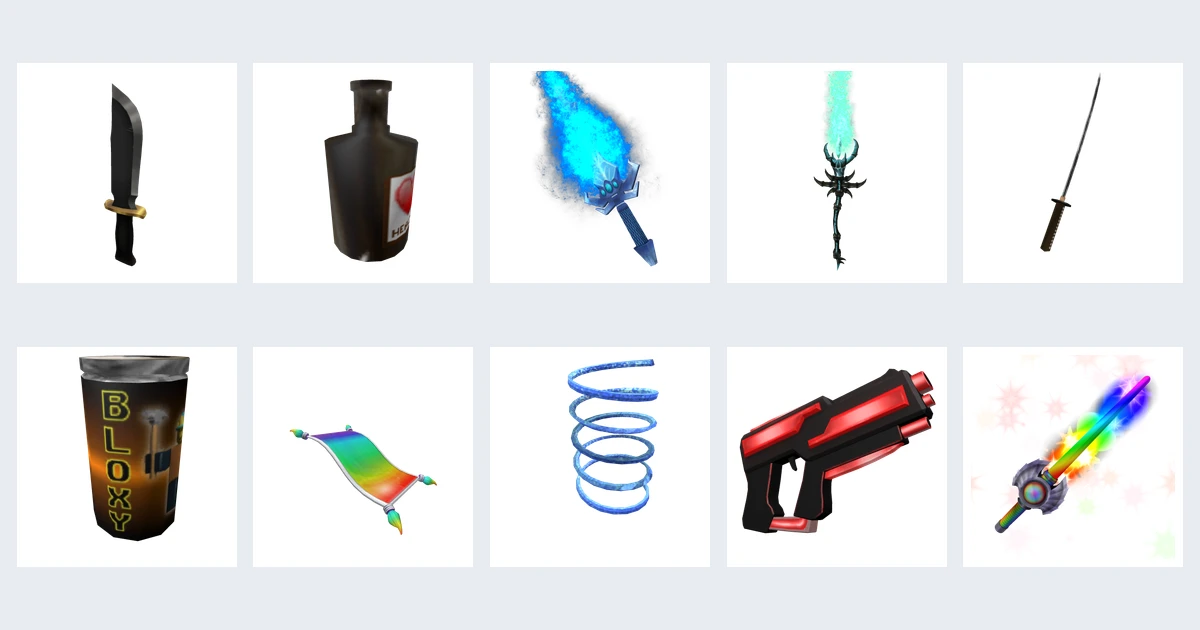
Roblox toy codes are the one-time codes printed on a card, token or hangtag inside a physical Roblox toy. Each one unlocks a virtual item: an avatar accessory for the classic Roblox figures, or an in-game reward for toys based on a single game such as Grow a Garden or Dress to Impress.
The catch is that not every toy code goes to the same place. Classic Roblox figures use Roblox's own redeem page, while most newer game toys use the toy maker's page or the game itself. This guide shows which is which, what you get, and what to do when a code will not work.
Which redeem page your toy code needs
Check the brand on the box first. It tells you where the code goes.
| Toy | Made by | Where to redeem | What you get |
|---|---|---|---|
| Roblox action figures, mystery figures, game packs (2017 to 2023) | Jazwares | roblox.com/redeem | One avatar item (hat, gear, accessory) |
| DevSeries figures and plush | Jazwares | roblox.com/redeem | An exclusive Marketplace item tied to that toy |
| Squishmallows with a Roblox hangtag | Jazwares | roblox.com/redeem | A Squishmallows avatar accessory |
| Nerf blasters and Monopoly Roblox Edition | Hasbro | roblox.com/redeem | One avatar item |
| Grow a Garden, Dress to Impress, Blox Fruits, Adopt Me!, 99 Nights in the Forest, Fisch, Steal a Brainrot toys | PhatMojo | PhatMojo DLC page or inside the game | In-game items for that game only |
If the packaging does not mention a virtual item, a DLC code or a code card, the toy almost certainly has no code.
How to redeem a Roblox toy code on roblox.com
This is the route for Jazwares figures, DevSeries, Squishmallows hangtags and Hasbro Nerf or Monopoly cards.
- Find the code. On Jazwares action figures it sits on a token on the front of the package or on a card stuck inside the plastic. Nerf and Monopoly put it on a card insert. Squishmallows put it on the hangtag.
- Scratch off the silver covering gently with a coin. Scratching too hard can wipe characters off.
- Open a web browser (phone or computer) and sign in to the Roblox account that should get the item.
- Go to roblox.com/redeem.
- Type the code exactly as printed and select Redeem.
- Open your Inventory or the Avatar editor and look in the matching category (hat, back, face, gear and so on).
Roblox says redemption is not available in the standard mobile app or on consoles, so on a phone or console, switch to a web browser. The old roblox.com/toys address now forwards to the same redeem page.
How to redeem PhatMojo game toy codes
Many Roblox toys sold in 2025 and 2026 are game-branded lines from PhatMojo, and their codes unlock rewards inside that one game, not on your avatar. PhatMojo runs its own DLC redemption page:
- Choose your game from the list (Grow a Garden, Dress to Impress, Blox Fruits, Adopt Me!, 99 Nights in the Forest, Fisch or Steal a Brainrot).
- Enter or log in with your Roblox username and confirm the avatar shown is yours.
- Enter the code from the scratch-off token or card.
PhatMojo warns that the code is permanently tied to the account you pick, so double-check the username before you submit. Some games also accept toy codes inside the experience. Grow a Garden's merch site, for example, says token codes can be claimed from the in-game Settings window under Redeem Codes, on desktop only for now.
Looking for the free codes those games post themselves? Those are separate from toy codes. See our Dress to Impress codes, Blox Fruits codes and Adopt Me codes.
Why a Roblox toy code is not working
| Problem | Likely cause | What to do |
|---|---|---|
| "Invalid code" | A look-alike character, or the wrong redeem page | Swap common mix-ups: 0 and O, 1 and I, 2 and Z, 5 and S, 6 and G, 8 and B. Then check the table above: a PhatMojo code will not work on roblox.com/redeem, and a Jazwares code will not work on PhatMojo's page. |
| "Code already redeemed" | Someone used it first, common with second-hand or opened toys | Contact the seller or store. Keep the card and receipt. |
| You already own the item | Roblox only lets each account redeem an item once | The code itself is still unused, so give it to a friend or sibling to redeem. |
| No redeem option in the app | Roblox does not offer redemption in the standard mobile app or on consoles | Use a web browser and sign in there. |
| Item does not show up | It landed in a different inventory category, or in the game rather than on your avatar | Check every category in Inventory. For PhatMojo codes, join the game and check there. |
| Code bought from another country | Rarely the problem: Roblox says its codes redeem worldwide | Recheck the characters and the redeem page instead. |
Jazwares stopped making the main Roblox-branded figure line in 2023, and some of those toys are still on shelves and in resale shops. Roblox's help page still explains how to redeem Jazwares codes and gives no end date for them, so an unused card from an older figure should still be worth trying. If a code was simply typed in wrong, nothing is lost: try again.
Are there free Roblox toy codes online?
No. Every toy code is single-use and printed on one physical card, so a list of "free Roblox toy codes" on a website or video is fake, already used, or bait for a scam. We do not list any codes here for that reason.
If you want a specific item from an old figure, buying the sealed toy from a trusted shop is the safer route. Opened and second-hand toys are where most "already redeemed" codes come from.
For free items that need no toy at all, see our Roblox promo codes, plus the codes posted by 99 Nights in the Forest and Fisch.
FAQs
Where do I redeem Roblox toy codes?
Codes from Jazwares Roblox figures, DevSeries, Squishmallows hangtags and Hasbro Nerf or Monopoly cards go to roblox.com/redeem in a web browser. Codes from PhatMojo game toys go to PhatMojo's DLC page at redeem.collect.it, and some of those games also accept them in-game.
Do Roblox toy codes expire?
Roblox has not published an expiry date for toy codes, and its help page still covers Jazwares codes from toys that stopped production in 2023. A code that was already used, or that belongs to a different redeem page, will fail regardless of age.
Can I redeem a Roblox toy code on my phone or Xbox?
Not in the standard Roblox app or on a console. Open a web browser on your phone or computer, sign in to the same account, and redeem there. The item then shows up on every device you play on.
Can I use a toy code if I already have the item?
Your account cannot get the same item twice, but the code is not used up. Roblox says you can share it with another player, who can redeem it on their account.
Do Roblox toy codes give Robux?
No. Toy codes only unlock virtual items. Robux come from Roblox gift cards or purchases.
Can I buy Roblox toy codes on their own?
Some resellers sell loose code cards, but Jazwares says its codes may not be resold, and you cannot check if a code is unused until you try it. Buying the sealed toy from a known store is the reliable option.

Amit loves new tech and apps that make life easier, he writes about apps, games and useful websites on TheTechBasket.