Best Amazon Price Trackers in 2026: Keepa, CamelCamelCamel, and Tools for Amazon India and Flipkart
Amazon changes prices constantly, and the strikethrough "was" price on a listing is not a reliable guide. A price tracker records real history, plots it on a chart, and alerts you when a product hits your target. These tools work for Amazon US, UK, Europe, and India, plus Flipkart and other Indian stores.
How Amazon price trackers work
Trackers scrape or record listing prices several times a day, then plot Amazon price, third-party new, and used prices separately. Set a target and get an email, push, or Telegram alert when the listing hits it. The chart matters most: you can see whether a sale is real, how low the item went last Prime Day or Big Billion Days, and whether the seller cycles prices to fake discounts. For other shopping shortcuts, see our most useful websites list.
1. Keepa
Most complete
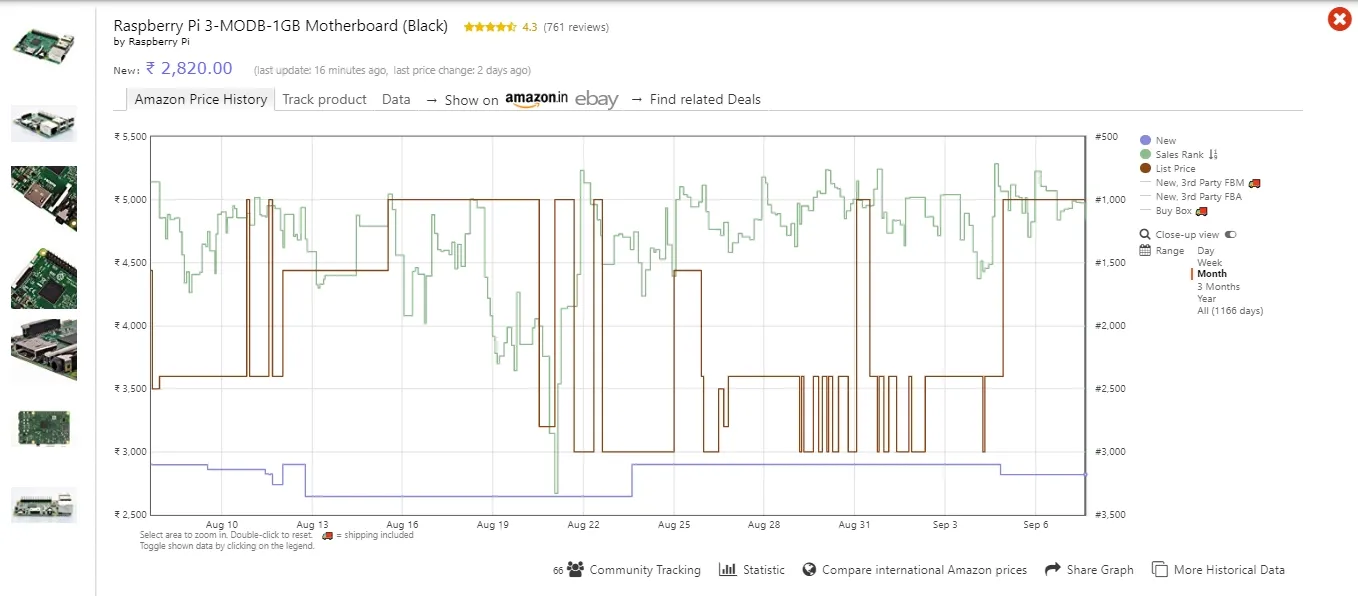
Keepa is the tracker most deal hunters use. It covers Amazon US, UK, DE, FR, IT, ES, CA, JP, IN, MX, BR, and AU, and its browser extension drops the chart under the product title on Amazon so you never leave the page.
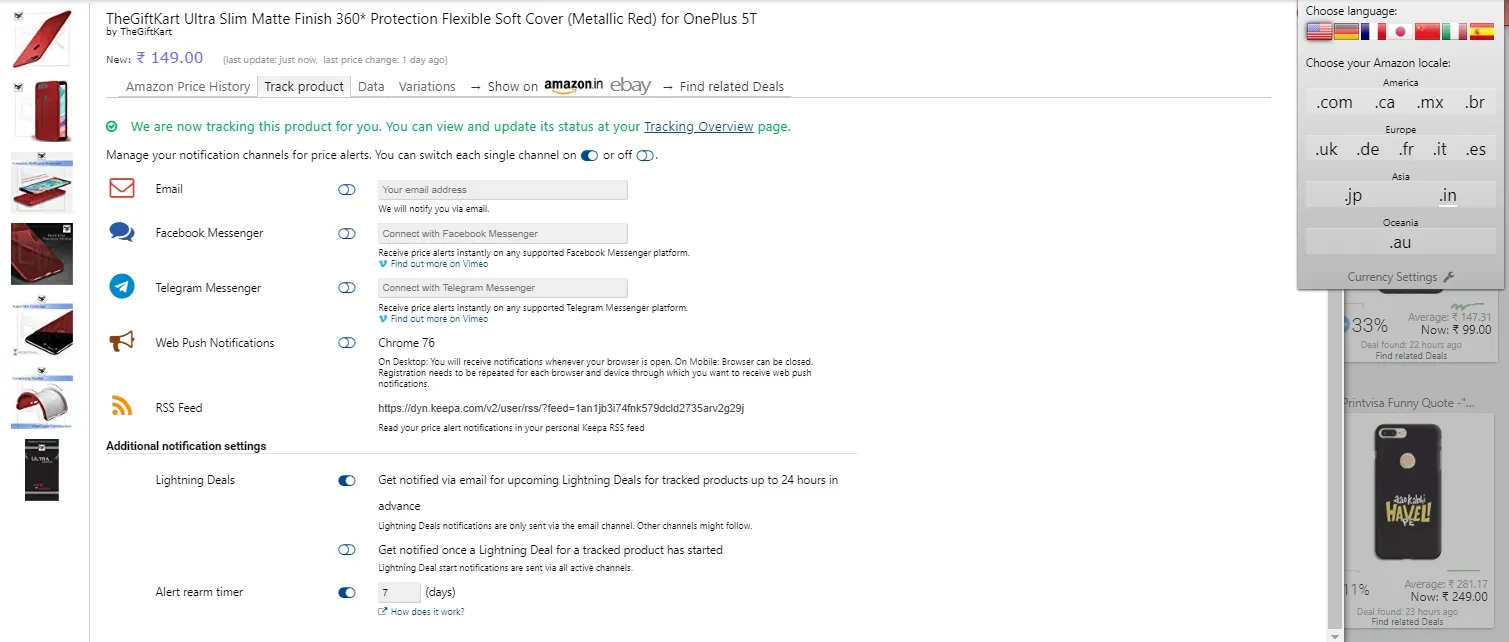
Free tier includes price charts on product pages, email and push alerts, Telegram notifications, wishlist import, and deal search by category. As of early 2026, the free plan limits how many products you can track at once (about 200). The paid Data plan (around 29 euros per month) adds sales rank history, Buy Box history, stock levels, and export tools aimed at sellers.
Keepa has Android and iOS apps, so you can share a product link from the Amazon app and set alerts on your phone.
Best for: detailed charts on the Amazon page, multiple Amazon stores, and Amazon India.
2. CamelCamelCamel
Simple and free
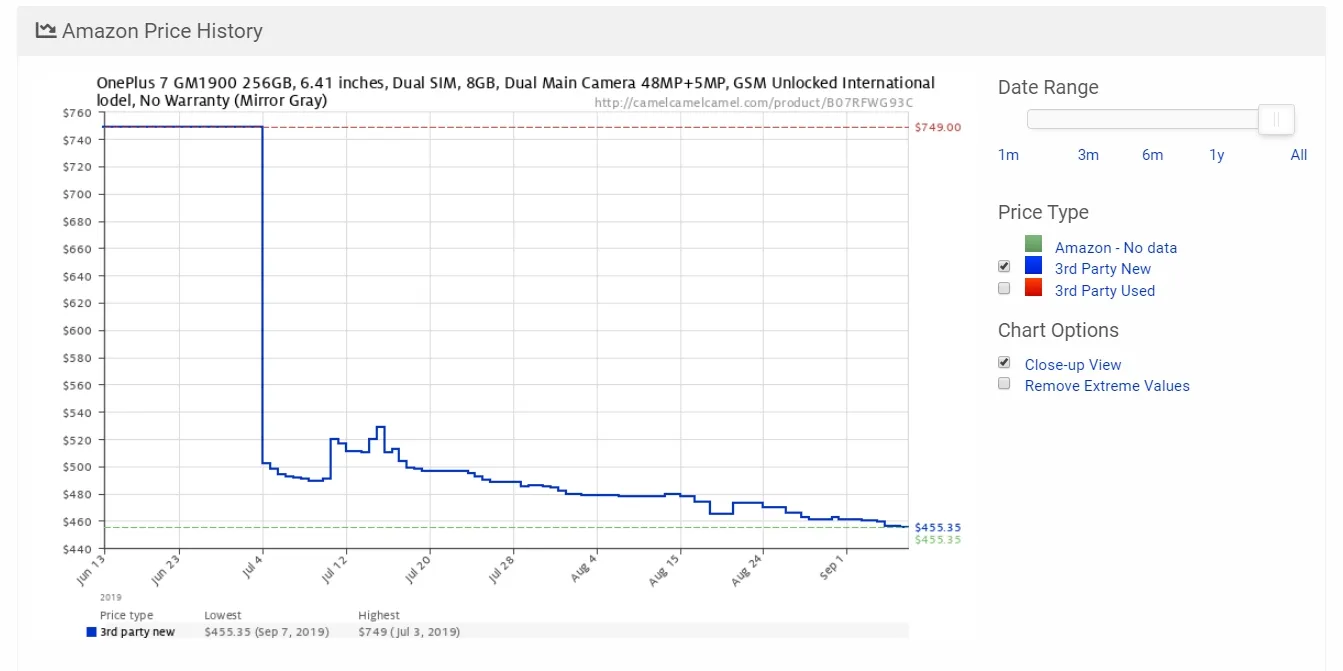
CamelCamelCamel has tracked Amazon since 2008 and stays free. Paste an Amazon URL or search on the site, or install the Camelizer extension for Chrome, Firefox, Edge, and Safari to see history on Amazon itself.
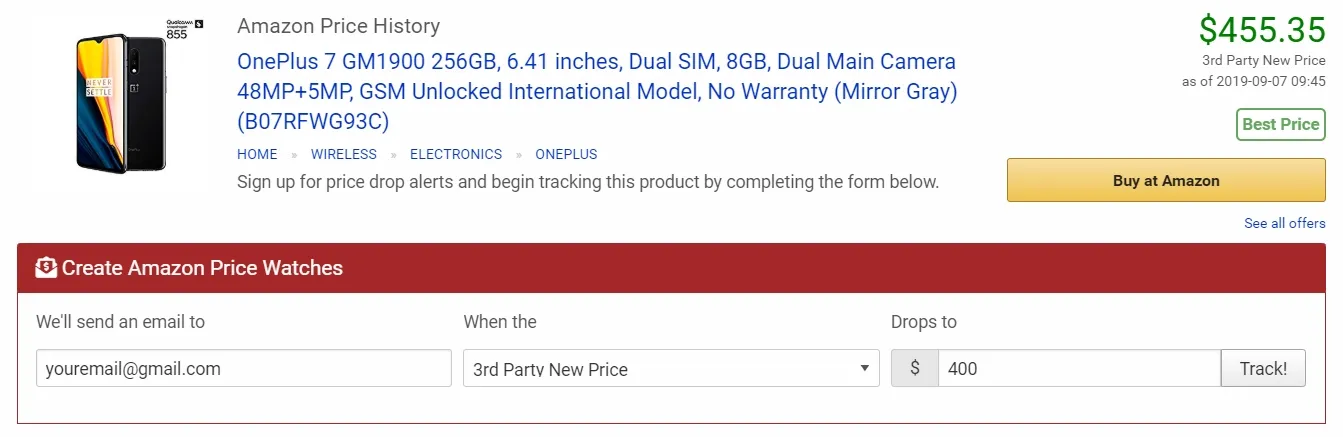
Alerts are email only. You can set a target for Amazon, third-party new, and used prices separately. It supports Amazon US, UK, CA, DE, FR, IT, ES, JP, and AU. There is no Amazon India support and no phone app.
Best for: a quick, no-account check on whether a discount is real.
3. Honey
Already installed?
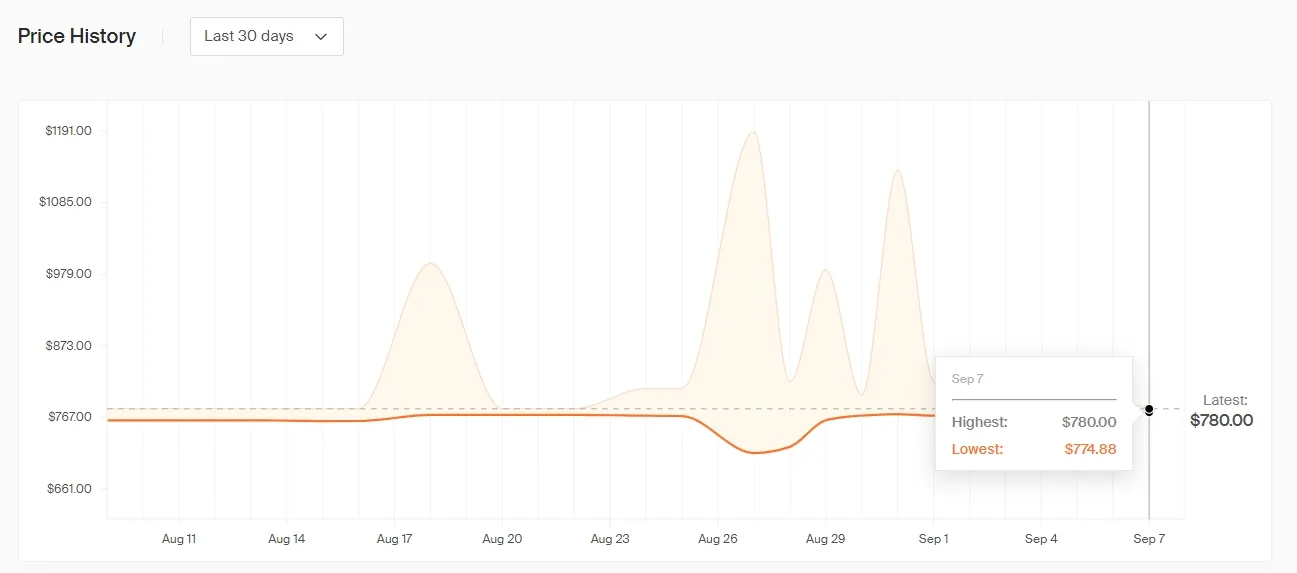
Honey, PayPal's coupon extension, shows roughly 30 to 120 days of Amazon price history and lets you add items to a Droplist for drop alerts. History is shorter than Keepa's and the extension is heavier, but if you already run Honey for coupon codes, the extra chart costs nothing.
Best for: shoppers who already use Honey at checkout.
4. Price History
India multi-store
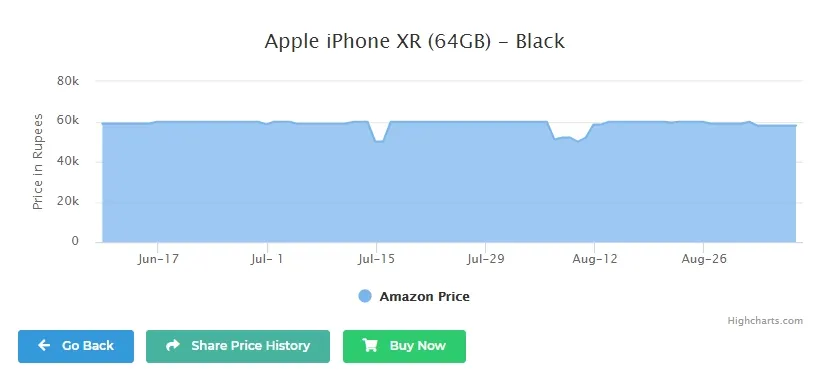
Price History tracks Amazon.in, Flipkart, Myntra, Ajio, Croma, and other Indian stores. Paste a link on the site or share it to the Android app for a chart, lowest-ever price, and drop alerts. Product history pages are ad-free even on the free tier.
Best for: Flipkart and Indian store charts when Keepa is not enough.
5. BuyHatke
Cross-store compare
BuyHatke adds a browser extension that shows price history on the product page, compares the same item across Amazon and Flipkart, and surfaces coupons. The Android app mirrors the same features. Good when you want history plus a side-by-side store check.
Best for: comparing Amazon.in and Flipkart on one screen.
6. Flipshope
Sale alerts
Flipshope is a browser extension and app focused on flash sales and restocks. It can auto-refresh listings and notify you when a sold-out item returns or a price drops across Amazon, Flipkart, Myntra, and Ajio.
Best for: alert-heavy shoppers during Indian sale events.
How to read a price history chart
- Flat line with occasional dips: the item only drops during events (Prime Day, Big Billion Days, Black Friday). Set an alert at the last dip and wait.
- Sawtooth pattern: the seller cycles the price to inflate the discount. Buy at the bottom of the cycle.
- Third-party price far below Amazon's: often a marketplace seller with different condition or warranty. Check the seller before buying.
- No history or a very short one: the listing may be new or relaunched under a fresh ASIN to reset the "was" price. Search the product name to find an older listing's chart.
Before a big purchase, cross-check specs in guides like our MacBook buying guide. More browser helpers live in the best Chrome extensions roundup.
Does Amazon have a built in price tracker?
Is Keepa free?
Which is better, Keepa or CamelCamelCamel?
Can I track Flipkart prices with Keepa?
Do price trackers work inside the Amazon mobile app?

Amit loves new tech and apps that make life easier, he writes about apps, games and useful websites on TheTechBasket.