On this page
- All 9 Chrome alternatives at a glance
- Best Chrome alternatives for privacy
- Firefox: Best Overall Chrome Alternative
- Brave: Best Chrome Alternative With Built-In Ad Blocking
- DuckDuckGo: Best Simple Private Browser for Phones
- Best Chrome alternatives for Windows and Mac
- Microsoft Edge: Best Chrome Alternative on Windows
- Safari: Best Chrome Alternative for Mac and iPhone
- Vivaldi: Best Chrome Alternative Without AI
- Opera GX: Best Chrome Alternative for Gamers
- Zen: Best Arc-Style Browser on Firefox
- Best Chrome alternative on Android
- Samsung Browser: Best Chrome Alternative on Android
- How to switch from Chrome without losing anything
- Who should still use Chrome
The best Chrome alternative for most people is Firefox if you care about privacy and full ad blocking, or Brave if you want Chrome's speed and extensions without Google's tracking. Both are free and run on Windows, Mac, Linux, Android and iPhone.
Chrome is still the most used browser, and it is not a bad one. But many people want out. Chrome now only runs Manifest V3 extensions, so the original uBlock Origin ad blocker no longer works there. Google is also building Gemini deeper into the browser, and Chrome is tied to your Google account and Google's ad business. This list covers 9 free browsers that replace Chrome, with notes on privacy, ad blocking, extension support, AI features and platforms. Every detail comes from the official website, help pages or app store listing. We have not run our own speed tests.
All 9 Chrome alternatives at a glance
Search by browser, platform or feature. Tap any name to jump to its full entry.
| Browser | Engine | Platforms | Built-in ad blocking | Chrome extensions | Built-in AI | Price |
|---|---|---|---|---|---|---|
| Firefox | Gecko (Mozilla) | Windows, Mac, Linux, Android, iPhone | Tracker blocking; add uBlock Origin | No (30,000+ Firefox add-ons) | Optional, can be turned off entirely | Free |
| Brave | Chromium | Windows, Mac, Linux, Android, iPhone | Yes, ads and trackers | Yes | Leo, free (Premium $14.99 a month) | Free |
| Microsoft Edge | Chromium | Windows, Mac, Linux, Android, iPhone | Tracking prevention only | Yes | Copilot, opt-in Copilot Mode | Free |
| Safari | WebKit | Mac, iPhone, iPad | Tracker blocking; extensions from App Store | No (Safari extensions) | None highlighted | Free |
| Vivaldi | Chromium | Windows, Mac, Linux, Android, iPhone | Yes, ads and trackers | Yes | None by design | Free |
| Opera GX and Opera | Chromium | Windows, Mac, Android, iPhone | Yes, plus free VPN | Many run | Opera AI, free | Free |
| Zen | Firefox | Windows, Mac, Linux | Firefox tracker blocking | No (Firefox add-ons) | None built in | Free, open source |
| DuckDuckGo | System engine | Windows, Mac, Android, iPhone | Trackers and cookie pop-ups | No | Duck.ai, optional | Free |
| Samsung Browser | Chromium | Android, Windows | Anti-tracking; ad blockers as add-ons | No (Galaxy Store add-ons) | Galaxy AI tools | Free |
Best Chrome alternatives for privacy
1. Firefox: Best Overall Chrome Alternative
- Android
- iPhone and iPad
- Web browser
Open source, not Chromium · PRIVACY
Firefox runs on Mozilla's own Gecko engine, not Google's Chromium, so Google's extension rules do not apply to it. Firefox still supports the full uBlock Origin, which Chrome dropped with its move to Manifest V3.
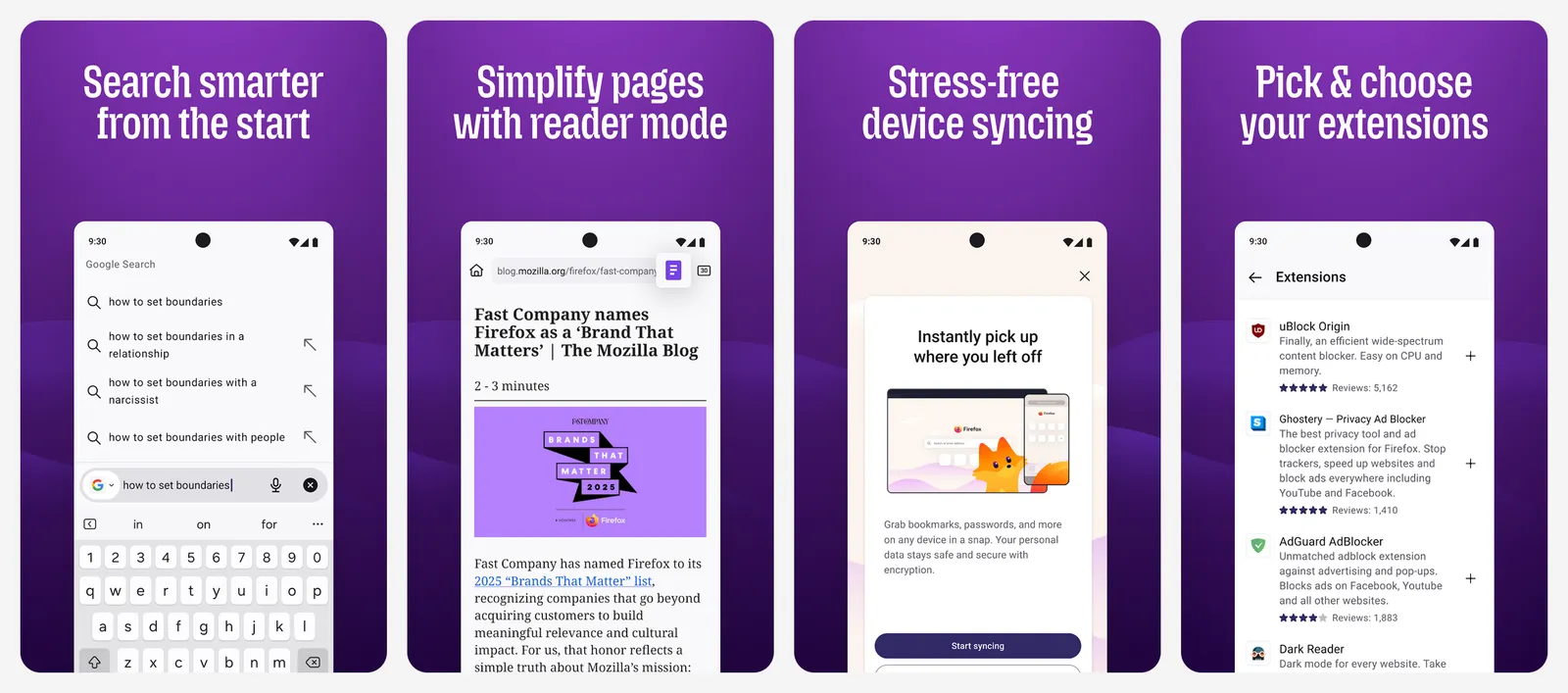
It blocks trackers automatically, syncs tabs, history and passwords with encryption, and offers 30,000+ extensions. Mozilla is adding optional AI features, but its site says you can customize how AI shows up or turn it off entirely. Firefox no longer supports Windows 8.1 or macOS 10.14 and older; those users are pointed to Firefox ESR.
What you lose vs Chrome: a few sites and web apps that are only tested on Chromium, and Chrome Web Store extensions.
- Replaces
- Chrome on every platform
- Runs on
- Windows 10 or later, macOS 10.15 or later, Linux, Android, iPhone
- Licence
- Free and open source (Mozilla)
- Skip if
- You depend on a Chrome-only extension
- Price
- Free
2. Brave: Best Chrome Alternative With Built-In Ad Blocking
- Android
- iPhone and iPad
- Web browser
Chrome, minus the tracking · PRIVACY
Brave is built on Chromium, so it looks and feels like Chrome and runs Chrome Web Store extensions. The difference is Brave Shields: it blocks third-party ads, trackers, fingerprinting and cookie pop-ups on every site, with no extension needed.
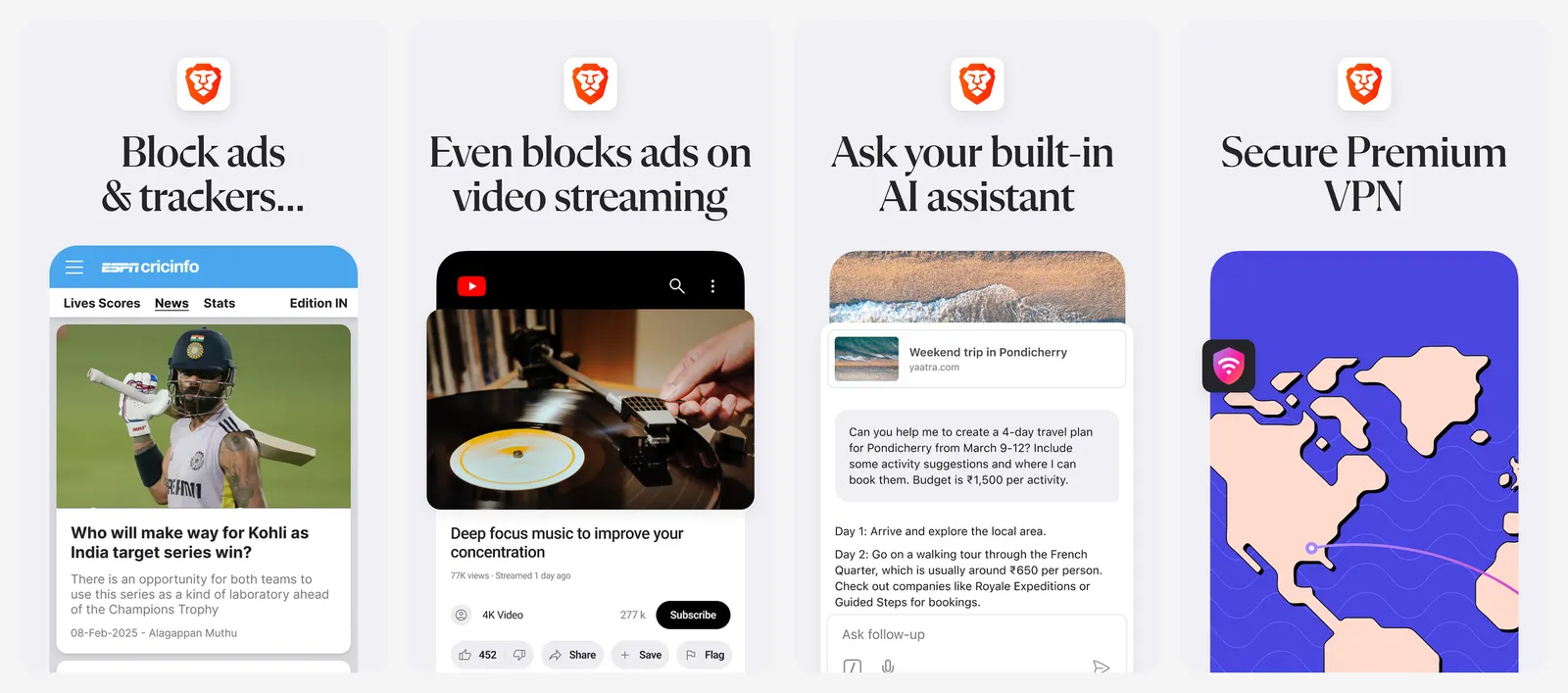
Leo, Brave's AI assistant, is free and needs no account. Leo Premium costs $14.99 a month for more models and faster answers. Brave also bundles optional extras such as Rewards (earn BAT for viewing private ads), a wallet, a VPN ($9.99 a month) and Tor windows. If you want none of that, Brave Origin is a $59.99 one-time upgrade that strips those features out. It is free on Linux.
What you lose vs Chrome: a clean, simple interface. Brave has a lot of extra features to switch off.
- Replaces
- Chrome plus an ad blocker
- Runs on
- Windows, Mac, Linux, Android, iPhone
- Licence
- Free and open source; optional paid extras
- Skip if
- You dislike crypto and rewards features (or pay for Origin)
- Price
- Free (Leo Premium $14.99 a month, VPN $9.99 a month, Origin $59.99 one-time)
3. DuckDuckGo: Best Simple Private Browser for Phones
- Android
- iPhone and iPad
- Web browser
Privacy with zero setup · PRIVACY
DuckDuckGo's browser is built for people who want privacy without touching a single setting. It blocks third-party trackers from Google, Facebook and others by default, and it spots cookie pop-ups and opts you out automatically where it can.
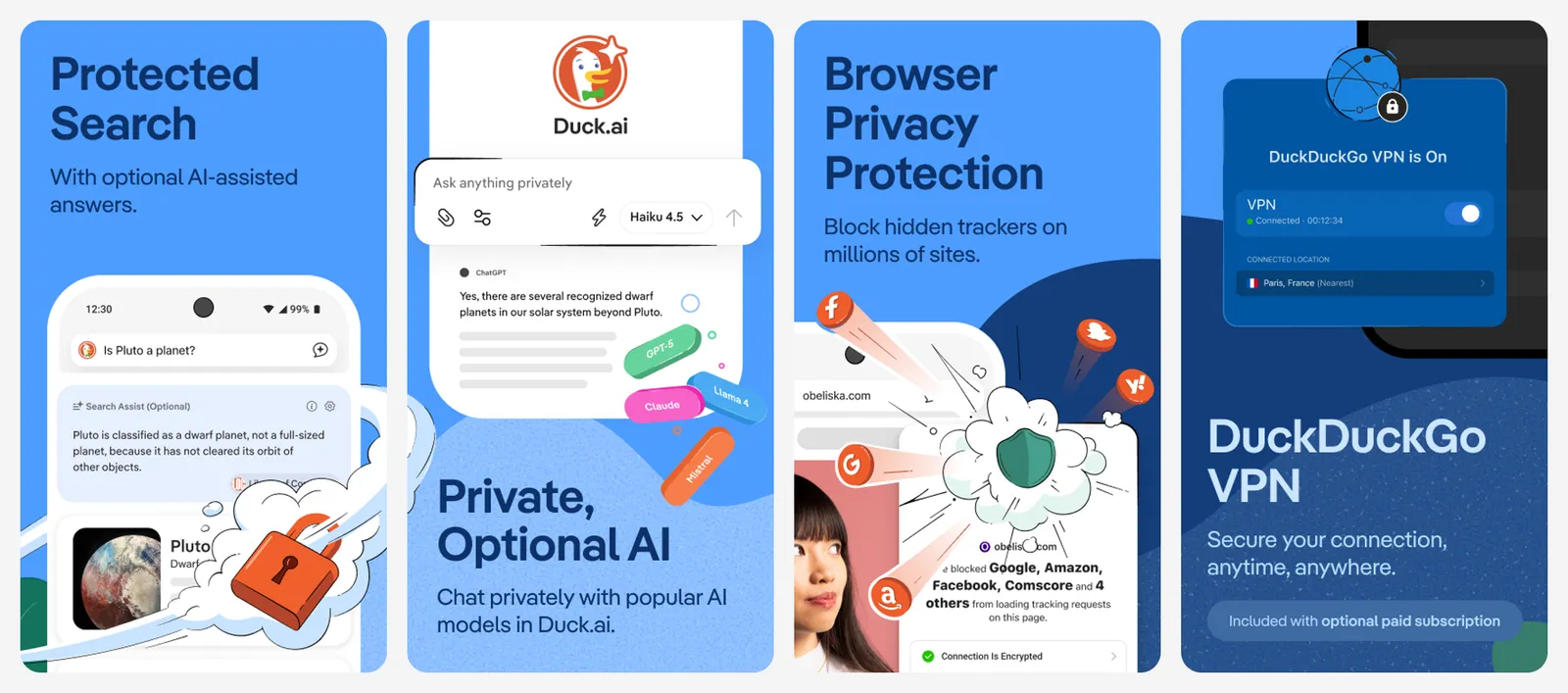
Searches go through DuckDuckGo instead of Google. Duck.ai gives you free, private chats with popular AI models, and DuckDuckGo says those chats are never used to train AI. You can turn the AI features off. A paid subscription adds a VPN, advanced AI models, personal information removal and identity theft restoration.
What you lose vs Chrome: extensions, and the deep customization of Firefox or Brave.
- Replaces
- Chrome for everyday browsing
- Runs on
- Windows, Mac, Android, iPhone
- Licence
- Free; optional paid privacy subscription
- Skip if
- You need extensions
- Price
- Free
For a deeper look at privacy-first browsers, including Tor Browser, see our list of the best secure and private browsers.
Best Chrome alternatives for Windows and Mac
4. Microsoft Edge: Best Chrome Alternative on Windows
- Android
- iPhone and iPad
- Web browser
Chrome engine, Microsoft account · DESKTOP
Edge comes preinstalled on Windows and uses the same Chromium engine as Chrome, so sites behave the same and most Chrome extensions install fine. It adds tab search, page summaries and a Copilot new tab page where you can search or ask questions.
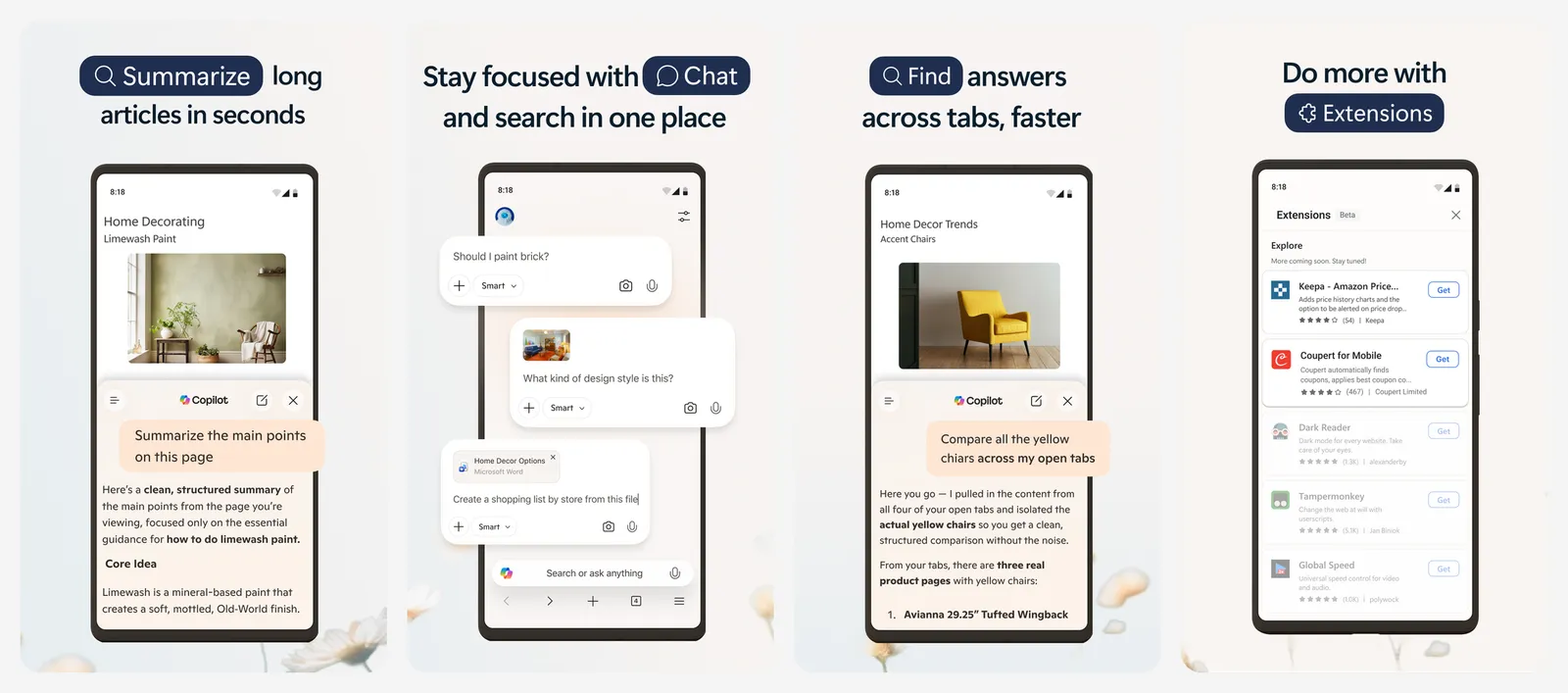
The big AI feature is Copilot Mode, which lets Copilot work across your open tabs. Microsoft says it is free, fully opt-in for signed-in users, available on Windows and Mac, and can be turned off in Edge settings.
What you lose vs Chrome: not much in features. You trade Google's account and data collection for Microsoft's.
- Replaces
- Chrome on a Windows PC
- Runs on
- Windows, Mac, Linux, Android, iPhone
- Licence
- Free
- Skip if
- You want less AI and fewer Microsoft prompts
- Price
- Free
5. Safari: Best Chrome Alternative for Mac and iPhone
- iPhone and iPad
Best battery life on Mac · APPLE
If you use a Mac, Safari is the easiest way to get longer battery life. Apple says Safari plays up to 5 hours more streaming video than Chrome and loads frequently visited sites 35% faster on average, based on Apple's own tests on a MacBook Air.
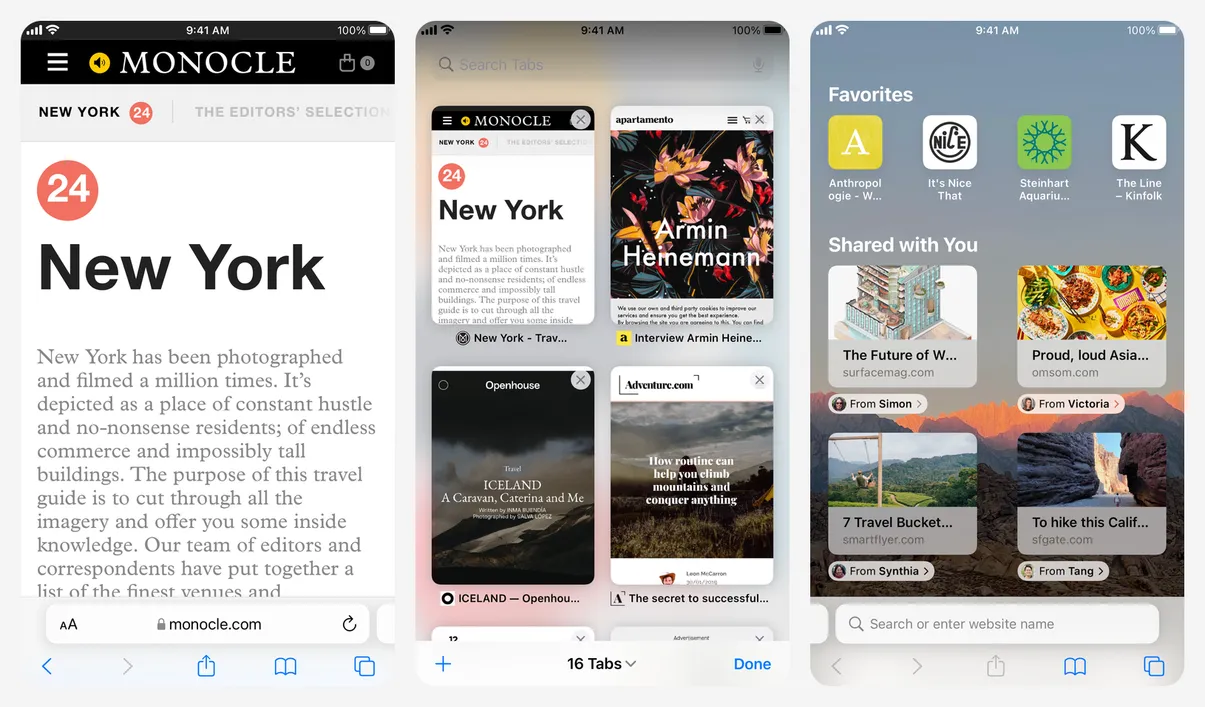
Safari limits cross-site tracking with on-device intelligence, hides your IP address from known trackers and blocks third-party cookies by default, which Chrome does not. A Privacy Report shows what was blocked. Passwords, bookmarks and tabs sync across Mac, iPhone and iPad, and Safari extensions come from the App Store.
What you lose vs Chrome: Windows and Android support, and the huge Chrome extension library.
- Replaces
- Chrome on Apple devices
- Runs on
- Mac, iPhone, iPad
- Licence
- Free, built into Apple devices
- Skip if
- You also use Windows or Android
- Price
- Free
6. Vivaldi: Best Chrome Alternative Without AI
- Android
- iPhone and iPad
- Web browser
No generative AI, by design · POWER USERS
Vivaldi is the browser for people who want every setting. It has built-in ad and tracker blocking, a mail client for multiple accounts, a calendar and an algorithm-free feed reader, all in one window.
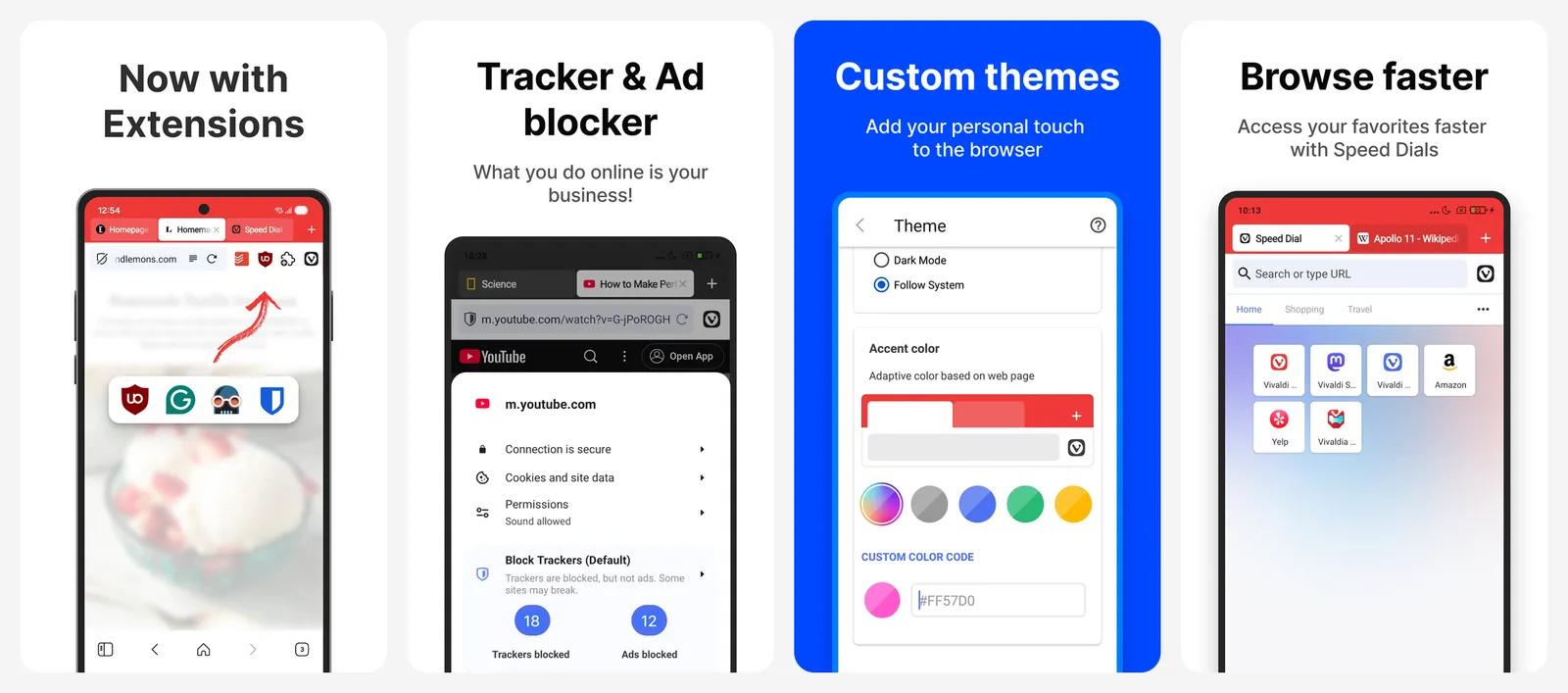
Its stand on AI is clear. In August 2025, CEO Jon von Tetzchner wrote that Vivaldi will not build generative AI into the browser. Because it is Chromium-based, Vivaldi's help page confirms you can install extensions straight from the Chrome Web Store.
What you lose vs Chrome: simplicity. The settings menu can feel overwhelming at first.
- Replaces
- Chrome plus a mail app and an ad blocker
- Runs on
- Windows, Mac, Linux, Android, iPhone
- Licence
- Free (donations optional)
- Skip if
- You want a minimal browser
- Price
- Free
7. Opera GX: Best Chrome Alternative for Gamers
- Android
- iPhone and iPad
- Web browser
Resource limits and free VPN · GAMING
Opera GX is aimed at gamers. GX Control lets you limit how much RAM and CPU the browser uses while you play. It also includes a free VPN, a built-in ad blocker, free Opera AI chat and heavy theming with mods, sounds and wallpapers.
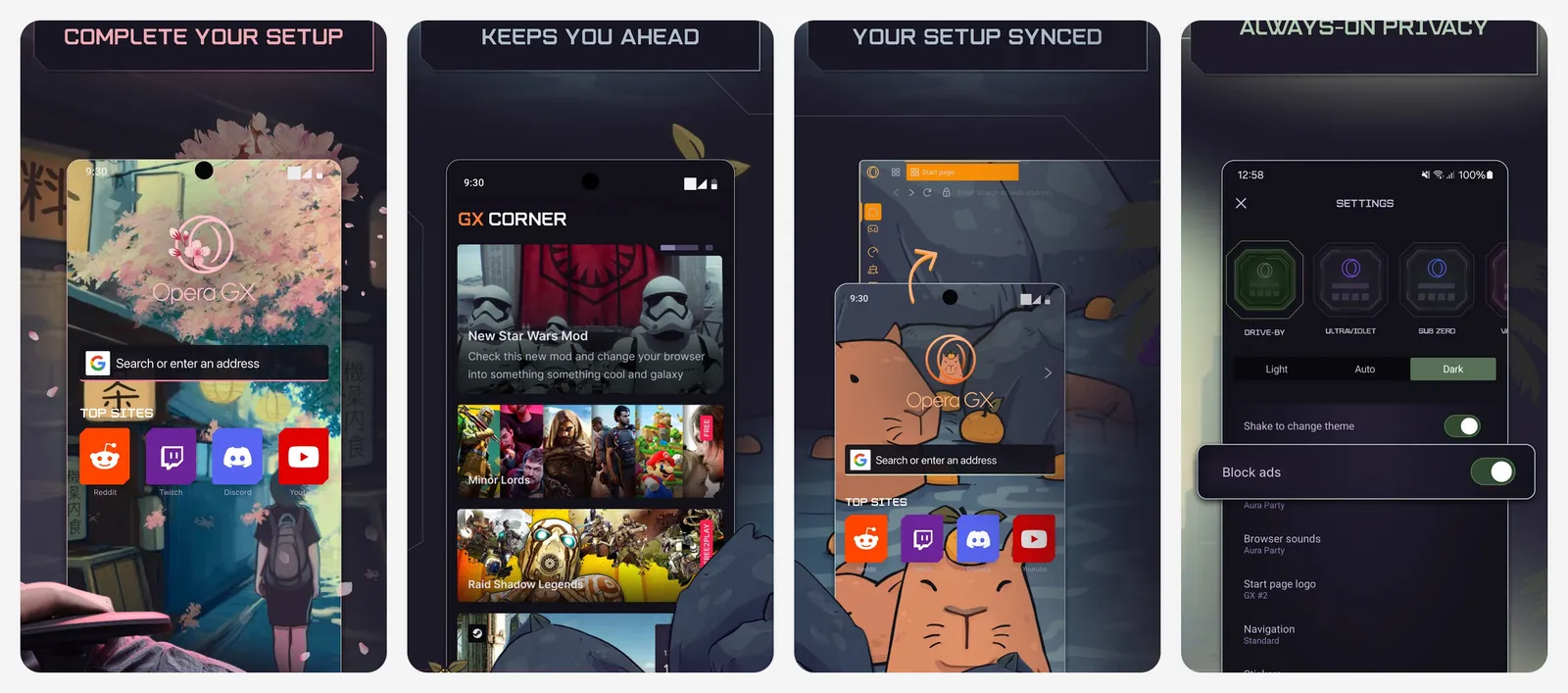
Prefer something calmer? The regular Opera browser has the same free VPN, ad blocker and Opera AI without the gaming look. Opera says its Chromium base lets it run Chrome extension files. Opera also sells Opera Neon, an AI agent browser that does tasks for you, at $19.90 a month. Neither paid product is needed for normal browsing.
What you lose vs Chrome: a quiet interface. GX is loud by default.
- Replaces
- Chrome on a gaming PC
- Runs on
- Windows, Mac, Android, iPhone
- Licence
- Free
- Skip if
- You want a calm, neutral design
- Price
- Free (Opera Neon agentic browser $19.90 a month)
8. Zen: Best Arc-Style Browser on Firefox
Vertical tabs, open source · DESKTOP
Zen is a free, open source browser built on Firefox (the current release is based on Firefox 158). It is the closest thing to Arc's layout: vertical tabs, Workspaces to group tabs by project, Split View for two tabs side by side, Glance for quick previews and Compact Mode to hide the toolbars.
Because it is Firefox underneath, you get Firefox's tracking protection and add-ons, including full uBlock Origin. Zen runs on Windows, Mac and Linux only, so there is no phone app to sync with.
What you lose vs Chrome: mobile apps and the backing of a large company.
- Replaces
- Chrome or Arc on desktop
- Runs on
- Windows, Mac, Linux
- Licence
- Free and open source (MPL 2.0)
- Skip if
- You need a phone app
- Price
- Free
Best Chrome alternative on Android
9. Samsung Browser: Best Chrome Alternative on Android
- Android
- Web browser
Now on Windows too · ANDROID
Samsung Browser (formerly Samsung Internet) is one of the best browsers on Android, and it works on any Android phone, not only Galaxy devices. Smart Anti-Tracking limits third-party trackers, Secret Mode clears cookies and history when you close it, and a Privacy Dashboard shows what was blocked.
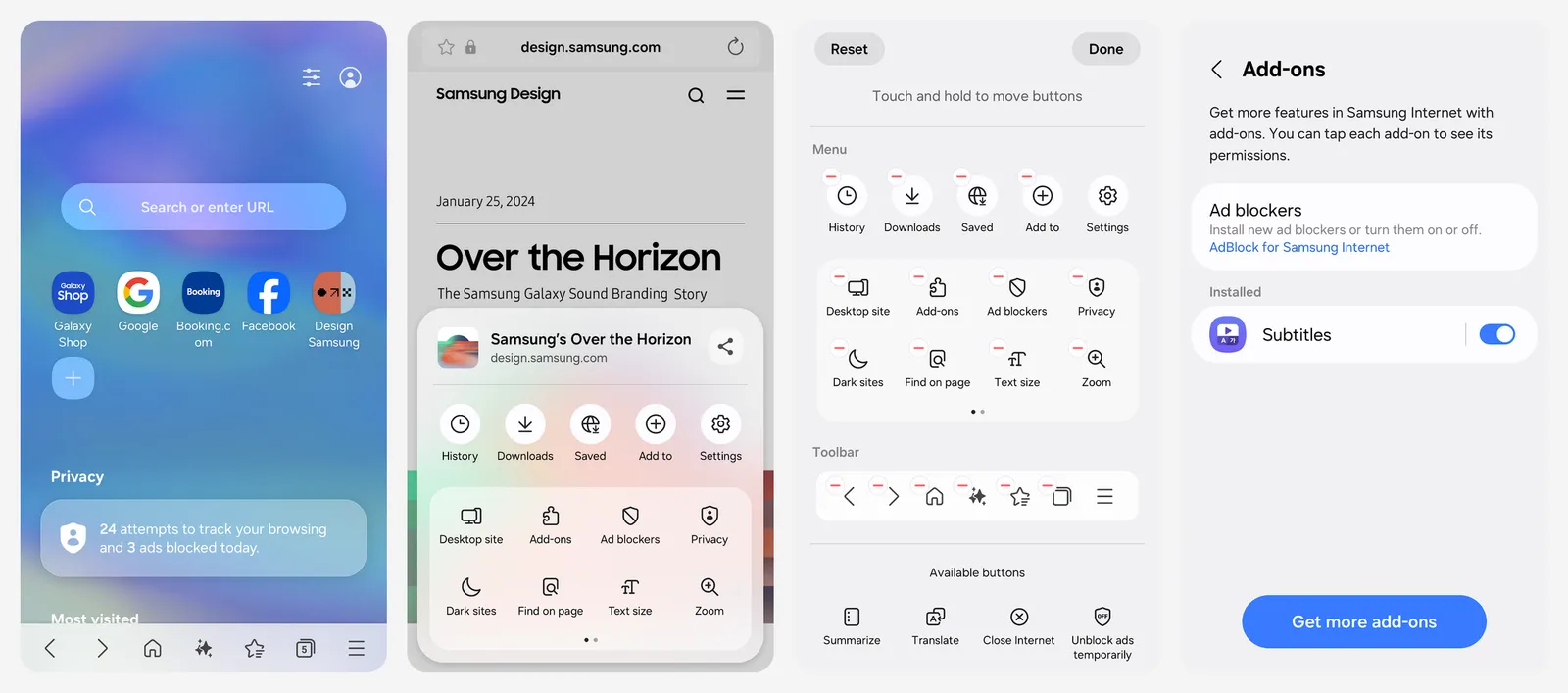
Ad blocking needs a compatible add-on from the Galaxy Store or a third-party app. Galaxy AI tools can summarize and translate pages or answer questions about them, but most need a Samsung account and a network connection. Samsung Browser is now also available for Windows 10 and later, so you can carry your browsing between phone and PC.
What you lose vs Chrome: iPhone and Mac support, and Chrome Web Store extensions.
- Replaces
- Chrome on Android phones
- Runs on
- Android 10 or later, Windows 10 or later
- Licence
- Free
- Skip if
- You use an iPhone
- Price
- Free
How to switch from Chrome without losing anything
Moving browsers takes about five minutes:
- Export your passwords from Chrome (Settings, Passwords, Export) or let the new browser import them on first launch.
- Import bookmarks and history. Every browser on this list offers a Chrome import. Our guide to backing up and exporting Chrome bookmarks covers the manual way.
- Reinstall your extensions. Chromium browsers (Brave, Edge, Vivaldi, Opera) run most of them directly. On Firefox or Zen, look for the Firefox version.
- Set the new browser as your default in your phone or computer settings.
- Keep using two browsers for a while if you like. You can sync bookmarks across browsers.
Who should still use Chrome
What is the best alternative to Google Chrome?
Which browser is most like Chrome?
Does uBlock Origin still work in Chrome?
Which browser has no AI?
Is Arc browser shutting down?
Which Chrome alternative uses the least battery on a Mac?

Sumit
ContributorHi, I'm Sumit, Being an introvert I have always been obsessed with technology-computers and reading dozens of posts to learn, find answers out of my curiosity. I love to write as I explore more.