On this page
Google Photos is free to start, but the free part is small. Every Google account gets 15 GB, and that space is shared with Gmail and Google Drive. Once it fills up, you need a Google One plan. In the US, the Basic plan with 100 GB is $1.99 a month, and Google AI Pro with 5 TB is $19.99 a month.
Storage is not the only reason people leave. Google scans your library to power face grouping, search and AI features. Your photos are not end-to-end encrypted, so Google can read them. Some people want a service that cannot see their pictures. Others want to keep everything on their own hardware and never pay a monthly fee.
This list covers 9 alternatives. Some are cloud services, some are private and encrypted, some run on your own server or NAS, and one is a simple offline gallery. For each one we note the price, free storage, encryption, face search and whether you need an account. Every detail comes from the official website, help pages or app store listing. We have not run our own tests.
Last checked: September 26, 2026. Prices are official US prices unless noted. Prices can differ by country and by account.
- Best private cloud: Ente gives you 10 GB free with end-to-end encryption, on-device face search and apps for every platform.
- Best self-hosted: Immich looks and works most like Google Photos, with phone backup, face recognition and smart search, all free and open source.
- Best for Prime members: Amazon Photos stores unlimited full-resolution photos with Prime. Videos share only 5 GB.
- Best for Apple users: iCloud Photos is built into iPhone, iPad and Mac. Turn on Advanced Data Protection for end-to-end encryption.
- Best for existing archives: PhotoPrism indexes folders you already have without moving files. Synology Photos is free if you own a Synology NAS.
- Best offline gallery: Fossify Gallery is a free, open source Android gallery with no ads, no account and no cloud.
All 9 Google Photos alternatives at a glance
Search by app, platform or feature.
Tap any name in the table to jump to its full entry below.
| App | Price | Free storage | Platforms | End to end encryption | Face and object search | Self-hosted option | Account needed |
|---|---|---|---|---|---|---|---|
| Google Photos (for comparison) | Free, Google One from $1.99 a month | 15 GB shared with Gmail and Drive | Android, iPhone, iPad, web | No | Yes | No | Google account |
| Ente | Free, paid from $2.49 a month | 10 GB | Android, iPhone, web, Windows, Mac, Linux | Yes, always | Yes, on device | Yes | Ente account (or your own server) |
| Immich | Free and open source | Limited by your own disks | Android, iPhone, web (server on Linux with Docker) | No | Yes | Yes, self-hosted only | Account on your own server |
| Amazon Photos | Included with Prime ($14.99 a month or $139 a year) | Unlimited photos and 5 GB video with Prime, 5 GB without | Android, iPhone, iPad, web, Fire TV, Echo Show | No | Yes | No | Amazon account |
| iCloud Photos | Free, iCloud+ from $0.99 a month | 5 GB | iPhone, iPad, Mac, web, Windows | Only with Advanced Data Protection | Yes | No | Apple Account |
| OneDrive | Free, Microsoft 365 Basic $1.99 a month | 5 GB | Android, iPhone, web, Windows, Mac | No | People grouping (rolling out) | No | Microsoft account |
| Proton Drive | Free, Drive Plus from $4.99 a month | 5 GB | Android, iPhone, web, Windows, Mac | Yes, always | No | No | Proton account |
| Synology Photos | Free with a Synology NAS | Limited by your NAS | Android, iPhone, web (runs on the NAS) | No | Yes | Yes, needs a Synology NAS | Account on your NAS |
| PhotoPrism | Free Community Edition, paid tiers optional | Limited by your own disks | Web and PWA (server on Docker) | No | Yes | Yes | Account on your own server |
| Fossify Gallery | Free and open source | None (offline only) | Android | Not applicable, no cloud | No | Not applicable | No |
Cloud backup apps
Ente Photos
- Android
- iPhone and iPad
Ente is the closest private match to Google Photos. Every photo is end-to-end encrypted, so Ente cannot see your library. Face grouping and natural language search still work, because the AI runs on your own device.
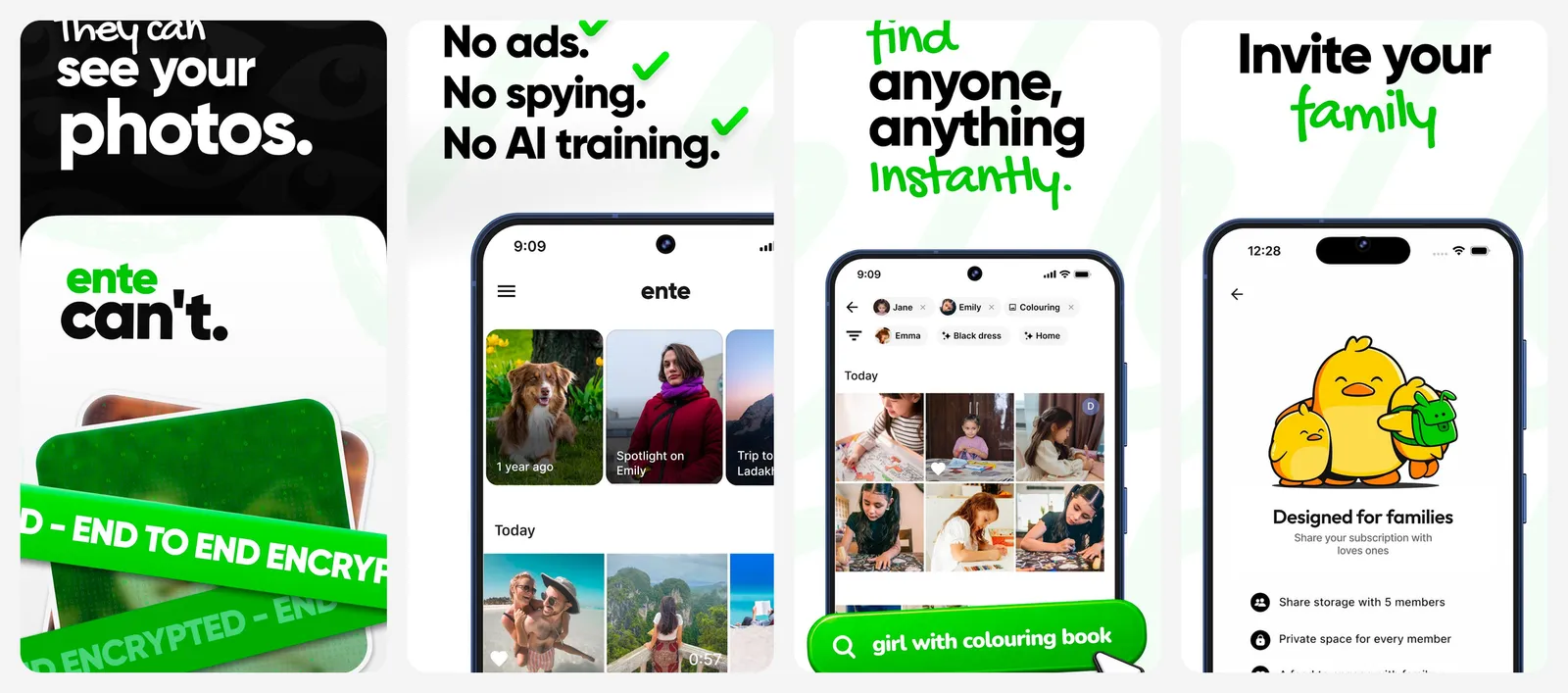
The free plan gives you 10 GB forever. Paid plans are $2.49 a month for 50 GB, $4.99 for 200 GB, $9.99 for 1 TB and $19.99 for 2 TB. Yearly billing is also offered. Apps cover Android, iPhone, web, Windows, Mac and Linux, and all of them are open source. You can also self-host the server if you would rather keep the data at home.
Ente's desktop app can import a Google Takeout export directly and match photos with their metadata.
What you lose vs Google Photos: 5 GB less free space, and Google's editing and AI tools.
- Replaces
- Google Photos backup, face grouping and search
- Runs on
- Android, iPhone, web, Windows, Mac, Linux
- Licence
- Open source, end-to-end encrypted
- Skip if
- You want the cheapest possible price per terabyte
- Price
- Free 10 GB (paid from $2.49 a month for 50 GB)
Amazon Photos
- Android
- iPhone and iPad
If you already pay for Amazon Prime, Amazon Photos is the easiest win. Prime members get unlimited full-resolution photo storage plus 5 GB for video. Without Prime you get 5 GB for everything.
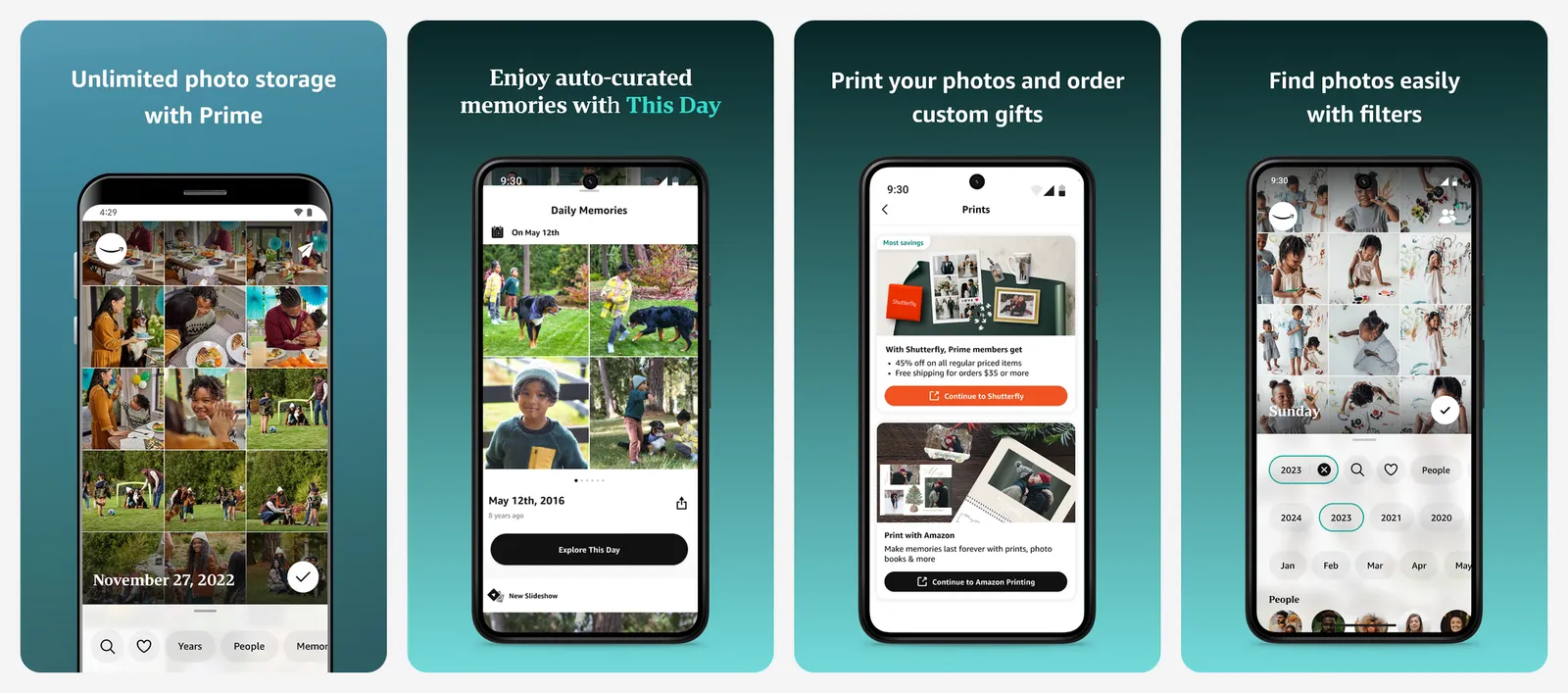
The app can search by people, things and places, and it has natural language search. Family Vault lets you share storage with family, and photos show up on Fire TV and Echo Show. Extra storage for video starts at $1.99 a month for 100 GB.
The catch: if you cancel Prime, your storage drops to 5 GB. Photos are not end-to-end encrypted.
What you lose vs Google Photos: video storage, and your library is tied to your Prime membership.
- Replaces
- Google Photos backup and sharing
- Runs on
- Android, iPhone, iPad, web, Fire TV, Echo Show
- Licence
- Unlimited full-resolution photos with Prime, 5 GB for video
- Skip if
- You shoot a lot of video or do not have Prime
- Price
- Included with Prime ($14.99 a month or $139 a year)
iCloud Photos
iCloud Photos is already on every iPhone, iPad and Mac. It syncs your full library across devices, and the Photos app groups people and searches by objects and scenes.
The free tier is only 5 GB. iCloud+ costs $0.99 a month for 50 GB, $2.99 for 200 GB, $9.99 for 2 TB, $29.99 for 6 TB and $59.99 for 12 TB. Every paid plan can be shared with up to five family members.
By default, Apple holds the keys to your photos. Turn on Advanced Data Protection and Photos become end-to-end encrypted. There is no Android app, though you can view your library at icloud.com.
What you lose vs Google Photos: a proper Android app, and 10 GB of free space.
- Replaces
- Google Photos on iPhone
- Runs on
- iPhone, iPad, Mac, web, Windows
- Licence
- Free tier, iCloud+ subscription for more space
- Skip if
- You use Android
- Price
- Free 5 GB (iCloud+ from $0.99 a month for 50 GB)
Microsoft OneDrive
- Android
- iPhone and iPad
OneDrive is a file storage service first, but its phone app has Camera Upload to back up photos and videos automatically. It makes most sense if you already pay for Microsoft 365, since Personal ($99.99 a year) includes 1 TB.
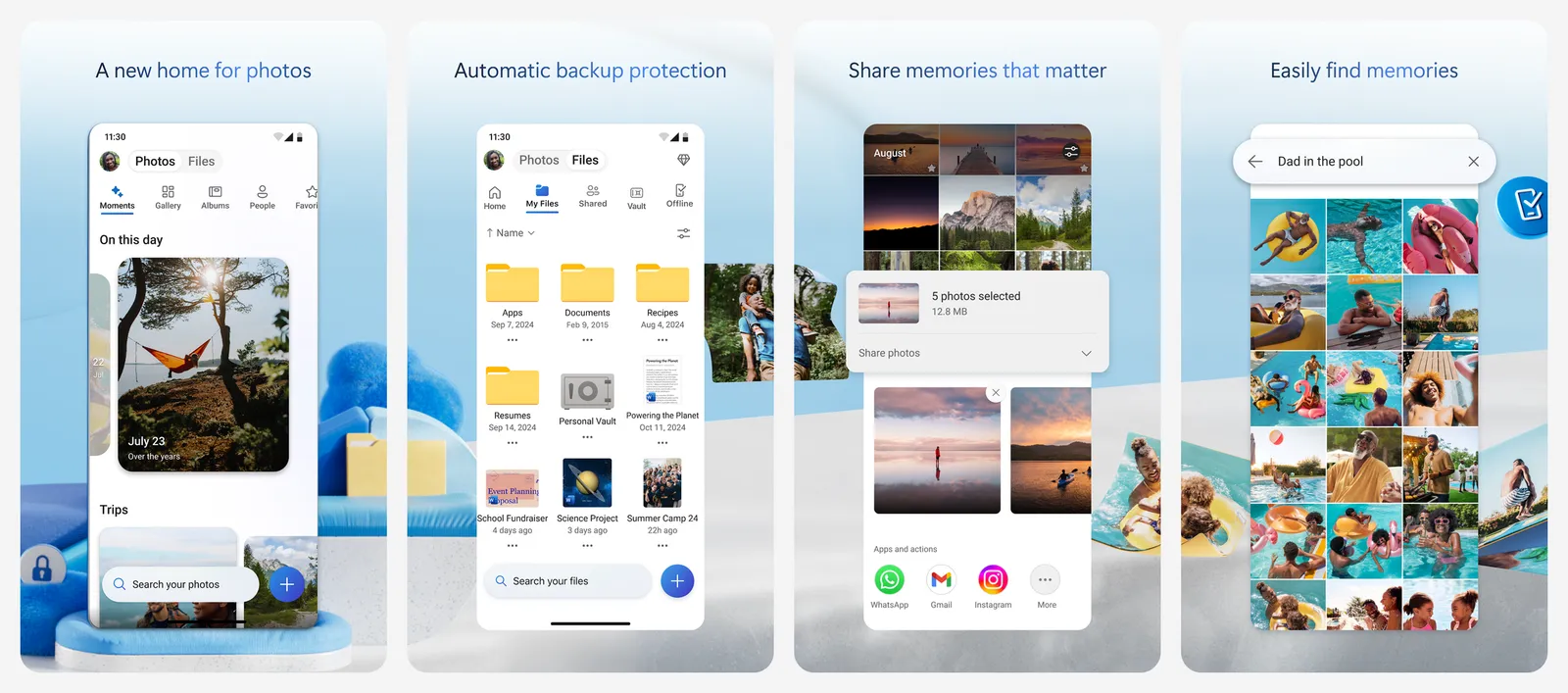
The free plan has 5 GB. Microsoft 365 Basic adds 100 GB for $1.99 a month. Microsoft is rolling out a People view that groups faces in the cloud, but it may not be in your account or region yet. You can turn it off in settings. Files are not end-to-end encrypted.
What you lose vs Google Photos: smart search, memories and a photo-first interface.
- Replaces
- Google Photos backup for Windows users
- Runs on
- Android, iPhone, web, Windows, Mac
- Licence
- Free tier, Microsoft 365 subscription for more space
- Skip if
- You want strong photo search and editing
- Price
- Free 5 GB (Microsoft 365 Basic $1.99 a month for 100 GB)
Proton Drive
- Android
- iPhone and iPad
Proton Drive comes from the company behind Proton Mail. Everything is end-to-end encrypted, and Proton says it does not use your files to train AI. The Android and iPhone apps back up your camera roll automatically. You get albums, a timeline view, favorites filters and shared albums with passwords and expiry dates.
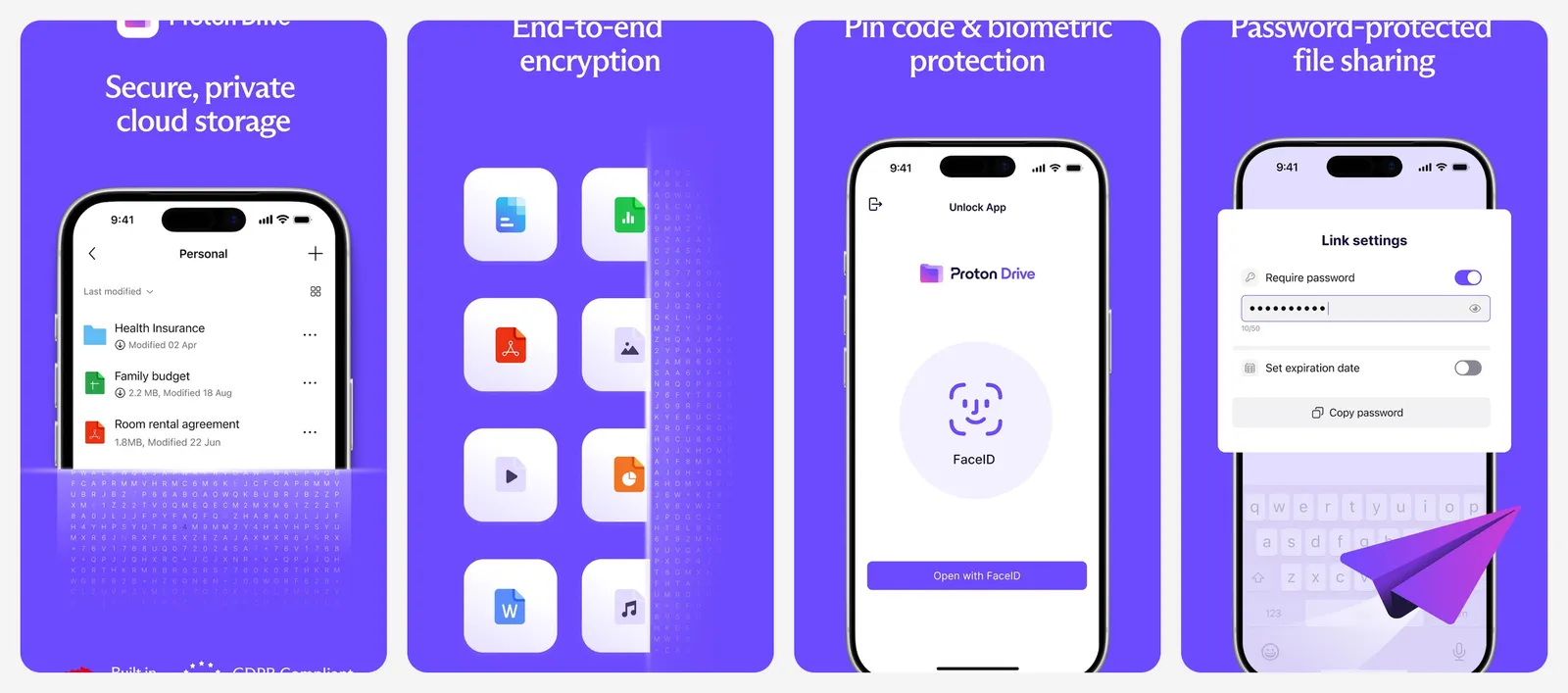
The free plan has 5 GB. The US App Store lists Drive Plus from $4.99 a month and Proton Unlimited at $14.99 a month. Proton also offers a tool to bring in your Google Photos library and albums.
Proton does not offer face recognition or object search. It presents that as a privacy choice.
What you lose vs Google Photos: face and object search, and most of the free space.
- Replaces
- Google Photos backup for privacy-first users
- Runs on
- Android, iPhone, web, Windows, Mac
- Licence
- Free tier, end-to-end encrypted
- Skip if
- You rely on face search to find old photos
- Price
- Free 5 GB (Drive Plus from $4.99 a month)
Self-hosted photo servers
If you have a home server, NAS or spare mini PC, these keep your library on hardware you own. There is no monthly fee, but you handle updates and backups yourself. For a deeper look at the two main open source options, read our Immich vs PhotoPrism comparison.
Immich
- Android
- iPhone and iPad
Immich is the self-hosted app that feels most like Google Photos. The Android and iPhone apps back up new photos automatically to your own server. You get a timeline, shared albums, maps, facial recognition and smart search that understands plain descriptions.
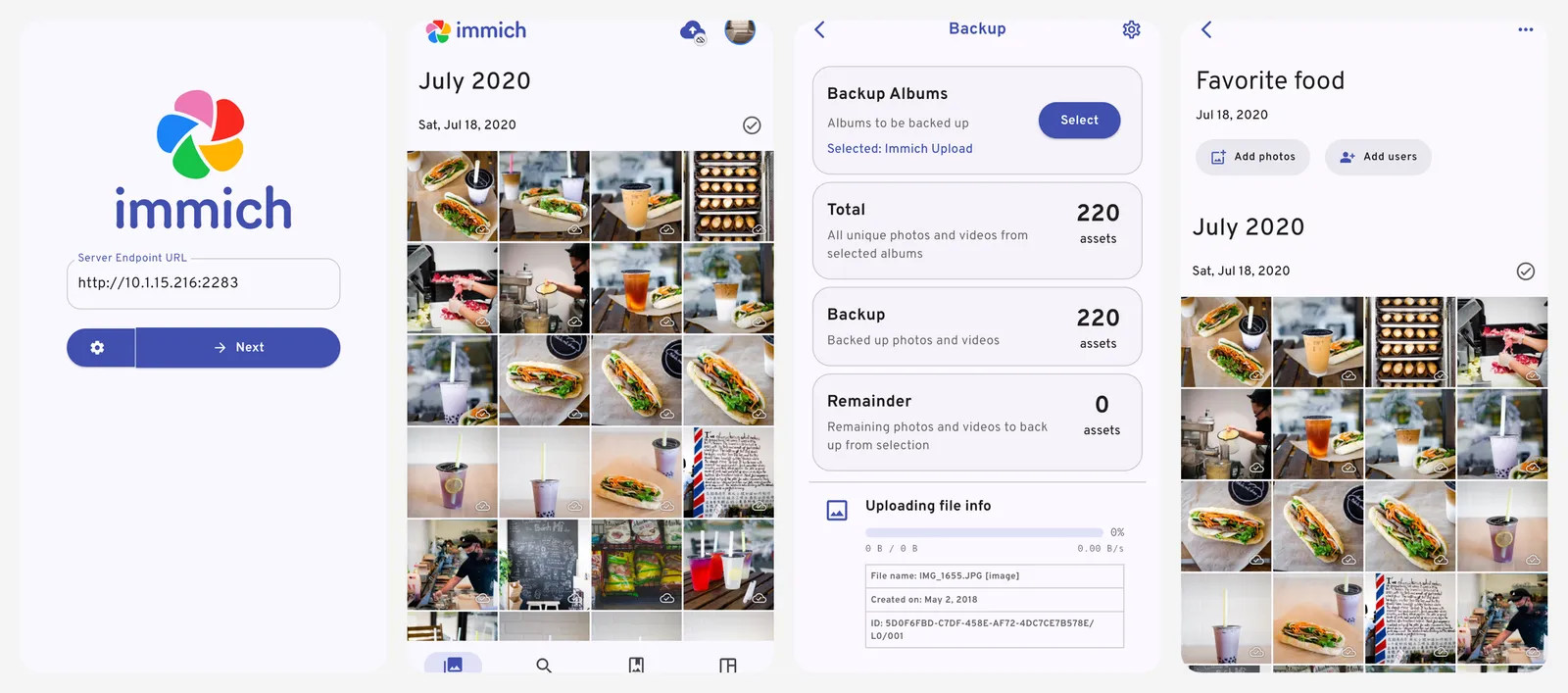
It is free and open source under AGPLv3. The Supporter License is a donation and unlocks nothing. The server needs at least 6 GB of RAM and 2 CPU cores and runs with Docker. Immich moves fast, so plan to keep the server and phone apps updated together.
To move from Google, the community tool immich-go can import a Takeout export and keep albums, descriptions and locations from the metadata files. It is not an official Immich project.
What you lose vs Google Photos: zero setup. There is no official hosted version and no end-to-end encryption.
- Replaces
- Google Photos app, backup, faces and search
- Runs on
- Server needs 6 GB RAM and 2 CPU cores, Docker
- Difficulty
- Medium
- Licence
- Free and open source (AGPLv3)
- Skip if
- You do not want to run and update a server
- Price
- Free (optional Supporter License, no extra features)
Synology Photos
- Android
- iPhone and iPad
Synology Photos is free software that runs on Synology NAS devices. The phone apps for Android and iPhone back up photos in the background to your NAS. It builds albums automatically using faces, objects and location, and you can make conditional albums based on things like camera model.
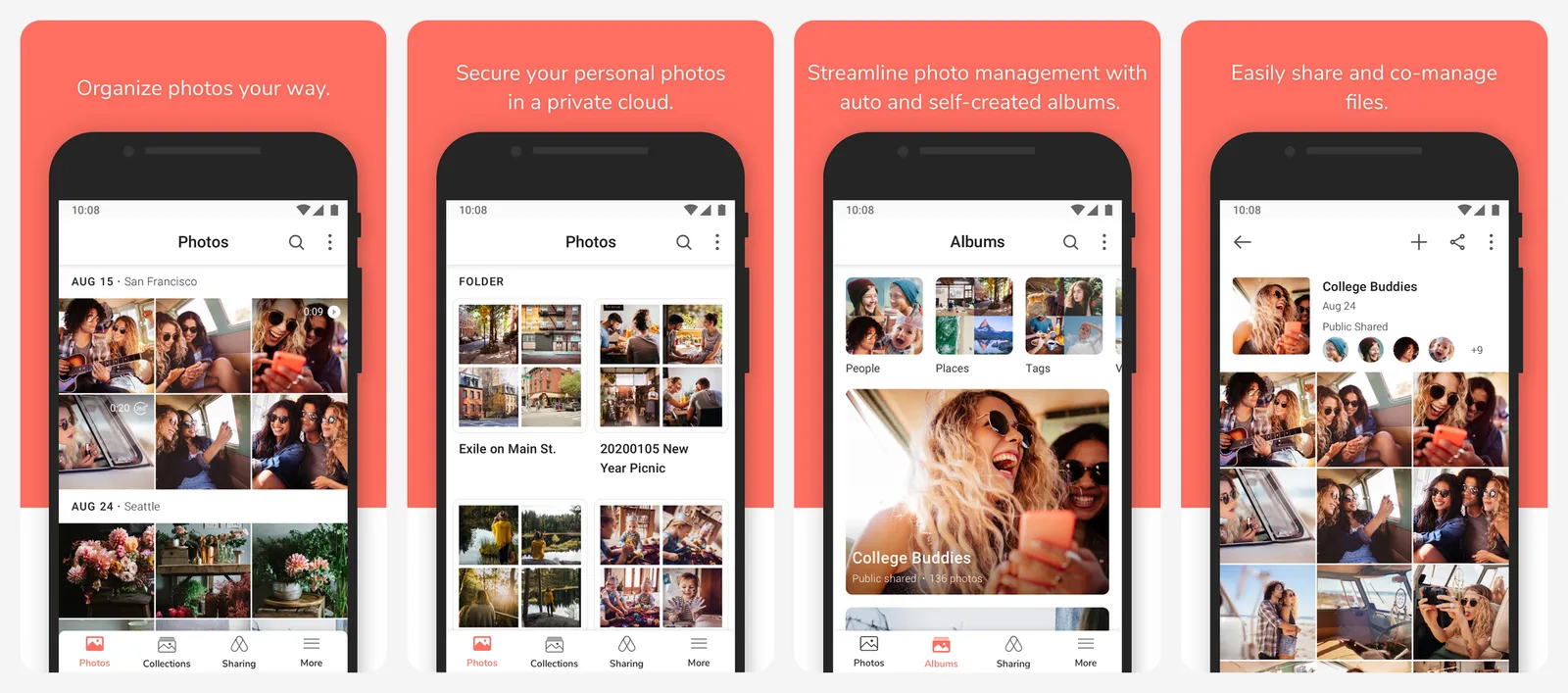
There are no subscriptions or ads. The real cost is the NAS and its drives. It also works on Apple TV and Android TV.
What you lose vs Google Photos: off-site backup by default. If the NAS is lost, so are your photos unless you back it up elsewhere.
- Replaces
- Google Photos backup and smart albums
- Runs on
- Requires a Synology NAS
- Licence
- Free, no subscription
- Skip if
- You do not own, or want to buy, a Synology NAS
- Price
- Free with a Synology NAS
PhotoPrism
PhotoPrism is a web app that indexes photos you already store on disk. It leaves your folders exactly as they are. It adds facial recognition, AI labels, a world map and fast search, and works well with RAW files.
The Community Edition is free and open source. Paid Essentials and Plus tiers add extra user roles, 3D and satellite maps and more AI tools. Managed hosting through PikaPods starts at about €6.50 a month.
There is no dedicated backup app. You use the web app as a PWA on your phone, or send photos to the server with a sync app such as PhotoSync or Syncthing.
What you lose vs Google Photos: automatic phone backup out of the box.
- Replaces
- Google Photos browsing and search for folders you already have
- Runs on
- Docker, runs on modest hardware
- Difficulty
- Easy
- Licence
- AGPL-3.0 Community Edition
- Skip if
- You want automatic phone backup built in
- Price
- Free Community Edition (paid Essentials and Plus tiers)
Offline gallery
Fossify Gallery
- Android
Fossify Gallery is not a backup service. It is a clean gallery app for the photos already on your Android phone. It has no ads, no account and no unnecessary permissions, and it does not need the internet.
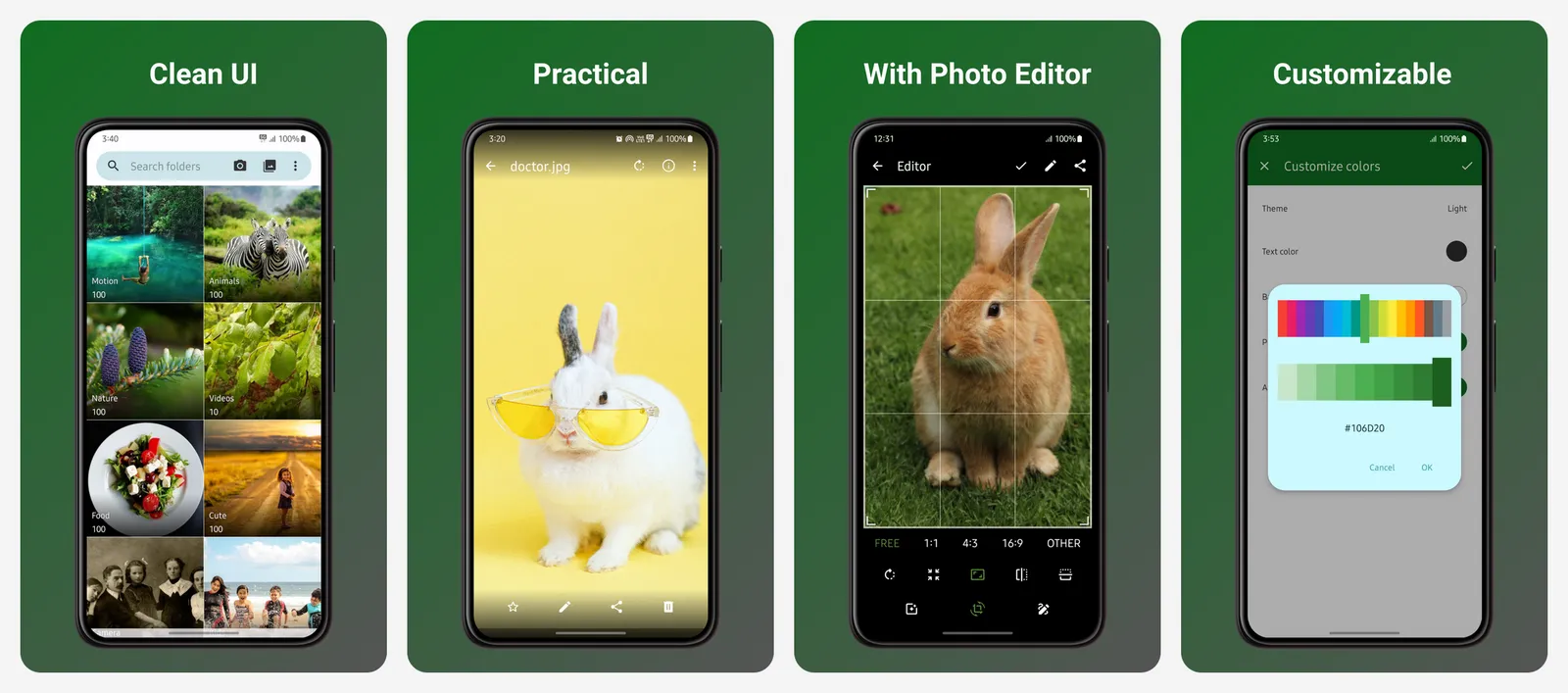
You still get a photo editor, a recycle bin, EXIF metadata removal, PIN or fingerprint locks and support for RAW, SVG and video files. It is on Google Play, F-Droid and IzzyOnDroid.
Pair it with a backup app from this list, such as Immich or Ente, if you want a private gallery and a separate backup.
What you lose vs Google Photos: backup, sync, face search and anything in the cloud.
- Replaces
- Google Photos as the gallery app on Android
- Runs on
- Android
- Licence
- Free and open source (GPL-3.0)
- Skip if
- You need any kind of cloud backup
- Price
- Free
How to export your library with Google Takeout
Before you switch, get a full copy of your photos. Google Takeout does this for free.
- Go to takeout.google.com and click Deselect all.
- Scroll down, tick Google Photos, then click Next step.
- Pick ZIP for the file type. TGZ may need extra software on Windows.
- Pick the largest archive size, 50 GB, so your export is split into fewer files.
- Click Create export. It can take minutes or days, but most people get the link the same day.
Photos and videos come out in their original format. Extra details, such as descriptions, are saved in separate JSON files next to each photo. Keep these files, because tools like Ente's Takeout import and immich-go use them to restore dates, albums and locations.
Download links expire in about 7 days, and each archive can be downloaded 5 times. Google Takeout can also schedule an automatic export every 2 months for a year, which is handy while you move over.
If you also edit photos in Google Photos and want a replacement editor, see our list of Lightroom alternatives.
Who should still pay for Google One
Google One still makes sense for some people:
- Android users who want zero setup. Google Photos is built in, backs up everything and just works.
- People who rely on Google's search and AI tools, like finding a receipt or a pet in seconds, or Google's editing features.
- Families already sharing a Google One plan for Gmail and Drive storage. Up to five others can share one plan.
For everyone else, Ente, Immich or Amazon Photos cover most of the same job with more privacy or less cost.
What is the best free alternative to Google Photos?
How much free storage does Google Photos give?
Which photo backup services are end-to-end encrypted?
Is Amazon Photos really unlimited?
How do I move my photos out of Google Photos?
Can I self-host a Google Photos replacement?

Sumit
ContributorHi, I'm Sumit, Being an introvert I have always been obsessed with technology-computers and reading dozens of posts to learn, find answers out of my curiosity. I love to write as I explore more.