On this page
- All 9 WhatsApp alternatives at a glance
- Mainstream WhatsApp alternatives
- Signal: Best WhatsApp Alternative Overall
- Telegram: Best for Large Groups and Channels
- Google Messages: Best Built-In Option on Android
- iMessage: Best Built-In Option on iPhone
- Viber: Best WhatsApp-Style App With Encryption On
- WhatsApp alternatives that need no phone number
- Threema: Best Paid App With No Phone Number
- Session: Best for Anonymous Messaging
- SimpleX: Best for Zero User IDs
- Element: Best for Communities and Self-Hosting
- How to move from WhatsApp without losing people
The best WhatsApp alternative for most people is Signal: it is free, encrypts every chat and call by default, and collects far less data than WhatsApp. If you do not want to give any messaging app your phone number, Threema, Session, Element and SimpleX all work without one.
WhatsApp already uses end-to-end encryption (only you and the person you message can read the chat), so switching is not about the content of your messages. It is about everything around them. WhatsApp needs your phone number, its privacy policy says it shares some account information with other Meta companies, and since Meta's June 2025 announcement the Updates tab (Status and Channels) carries ads. Your personal chats stay ad-free and encrypted.
This list covers 9 alternatives. For each one we note whether encryption is on by default, whether you need a phone number, how much metadata (who you talk to, when, and from where) the service can see, and what it costs.
All 9 WhatsApp alternatives at a glance
Search by app, price or feature. The first row is WhatsApp, for comparison. Tap a name to jump to its full entry.
| App | Encrypted by default | Phone number needed | Metadata exposure | Price | Platforms |
|---|---|---|---|---|---|
| WhatsApp (for comparison) | Yes | Yes | Some account info shared with Meta companies | Free, ads in Updates tab | Android, iPhone, Windows, Mac, web |
| Signal | Yes, all chats and calls | Yes to sign up; username hides it | Minimal | Free; optional backups $1.99 a month | Android, iPhone, Windows, Mac, Linux |
| Telegram | No, only Secret Chats | Yes | Cloud chats stored on Telegram servers | Free; Premium $4.99 a month or $35.99 a year | Android, iPhone, Windows, Mac, Linux, web |
| Google Messages | Yes, RCS chats between supported users | Yes, it uses your number | Carrier still sees SMS fallback | Free | Android, web pairing |
| iMessage | Yes | Phone number or Apple Account email | iCloud Backup holds the key unless you change settings | Free | iPhone, iPad, Mac |
| Threema | Yes | No, random Threema ID | Low | $6.99 one-time | Android, iPhone, desktop, web |
| Session | Yes | No, not even email | Very low, onion routing | Free | Android, iPhone, desktop |
| Element | Yes | No | Depends on your Matrix server | Free | Android, iPhone, desktop, web |
| SimpleX | Yes | No, no user IDs at all | Very low | Free download | Android, iPhone, Windows, Mac, Linux |
| Viber | Yes, 1:1 and group chats | Yes | Ads in the free app | Free; Viber Plus removes ads | Android, iPhone, desktop |
Mainstream WhatsApp alternatives
1. Signal: Best WhatsApp Alternative Overall
- Android
- iPhone and iPad
Free, nonprofit, encrypted by default
Signal is the app most privacy experts recommend, and it is the closest swap for WhatsApp. Chats, voice notes, group chats, voice and video calls and disappearing messages all work the way you expect.
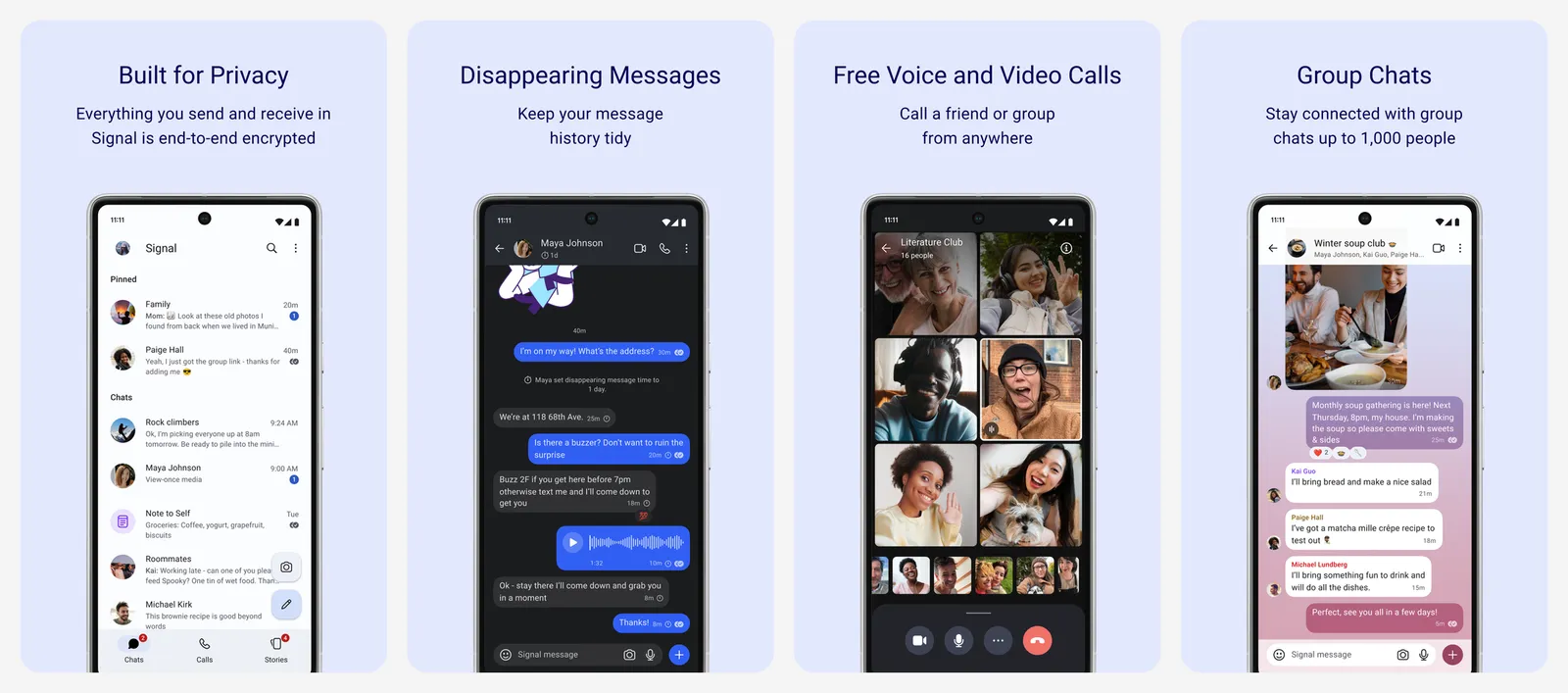
Everything in Signal is end-to-end encrypted by default. WhatsApp itself uses the Signal Protocol for its encryption, but Signal applies the same privacy thinking to the data around your messages, and it is run by a nonprofit with no ads.
- Phone number: you still need one to sign up. Usernames let you start a chat without giving your number out, and your number is now hidden from everyone who does not already have it saved.
- Backups: optional secure backups are free for all text messages (up to 100 MiB) and the last 45 days of media. The paid tier keeps your full history and media, up to 100 GB, for $1.99 a month.
- Desktop: apps for Windows, Mac and Linux, linked to your phone.
What you lose vs WhatsApp: Channels, Status reach and business accounts. Signal has Stories, but far fewer people use it.
- Replaces
- WhatsApp chats, groups and calls
- Runs on
- Android, iPhone, iPad, Windows, Mac, Linux
- Licence
- Free and open source
- Skip if
- Your friends will not move and you need to reach them
- Price
- Free, optional backups $1.99 a month
2. Telegram: Best for Large Groups and Channels
- Android
- iPhone and iPad
Cloud chats, not end-to-end by default
Telegram is the most popular WhatsApp alternative, but it is not the more private one. Its strengths are features: huge groups, public channels, bots, and the same chats synced across every device.
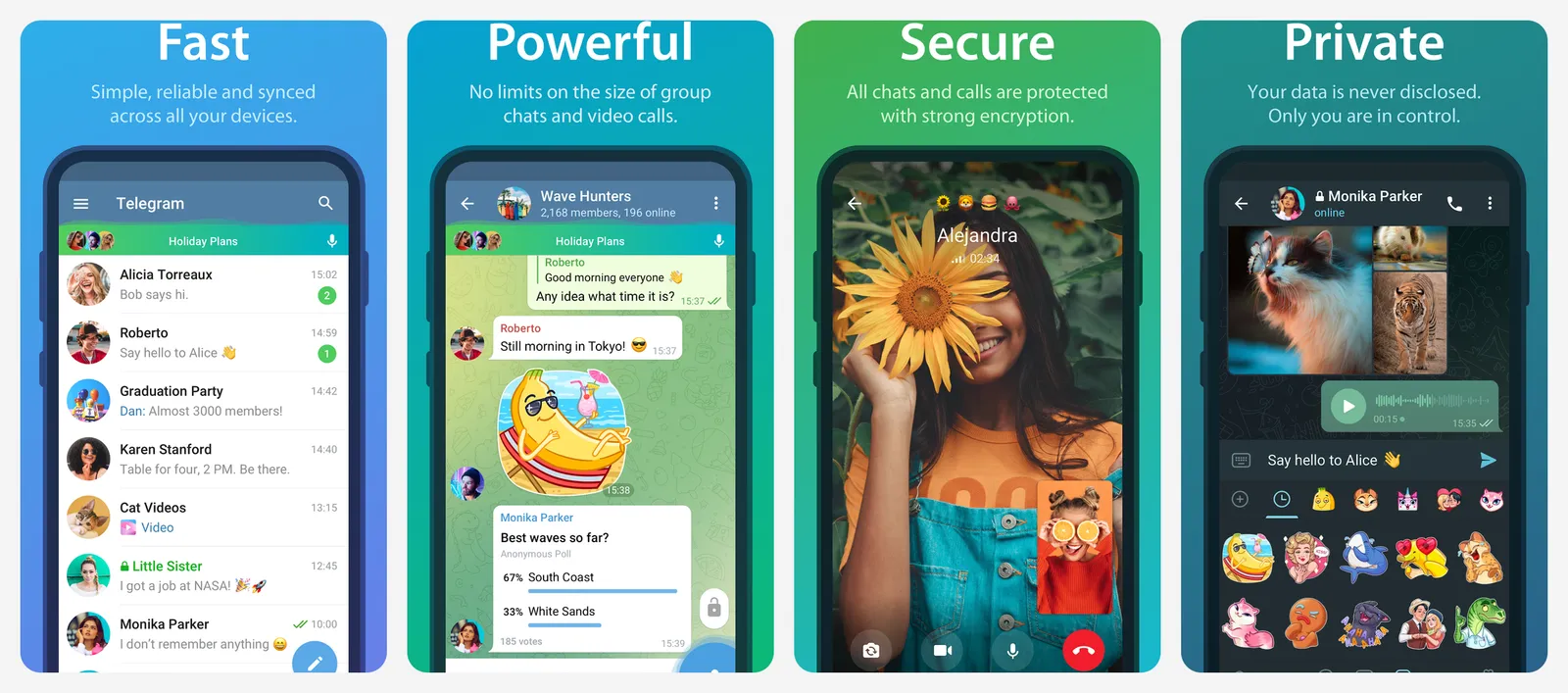
That sync comes at a cost. Normal Telegram chats are "cloud chats" that use server-client encryption, so Telegram's servers can access them. Only Secret Chats are end-to-end encrypted, they work one-to-one only, and you can read them only on the device where you started them.
- Phone number: required. Telegram's FAQ says accounts can only be connected to a mobile number, but you can hide it and let people find you by username.
- Premium: $4.99 a month or $35.99 a year on the US App Store. It adds 4 GB uploads and higher limits.
If you want a different Telegram app on Android, see our list of Telegram client apps for Android.
- Replaces
- WhatsApp Channels and big groups
- Runs on
- Android, iPhone, iPad, Windows, Mac, Linux, web
- Licence
- Free with optional Premium
- Skip if
- Privacy is the main reason you are leaving WhatsApp
- Price
- Free, Premium $4.99 a month or $35.99 a year
3. Google Messages: Best Built-In Option on Android
- Android
Encrypted RCS chats
If most of your chats are with people in the same country, you may not need another app at all. Google Messages uses RCS (Rich Communication Services, the modern replacement for SMS), which gives you typing indicators, read receipts, high-quality photos and group chats over mobile data or Wi-Fi.
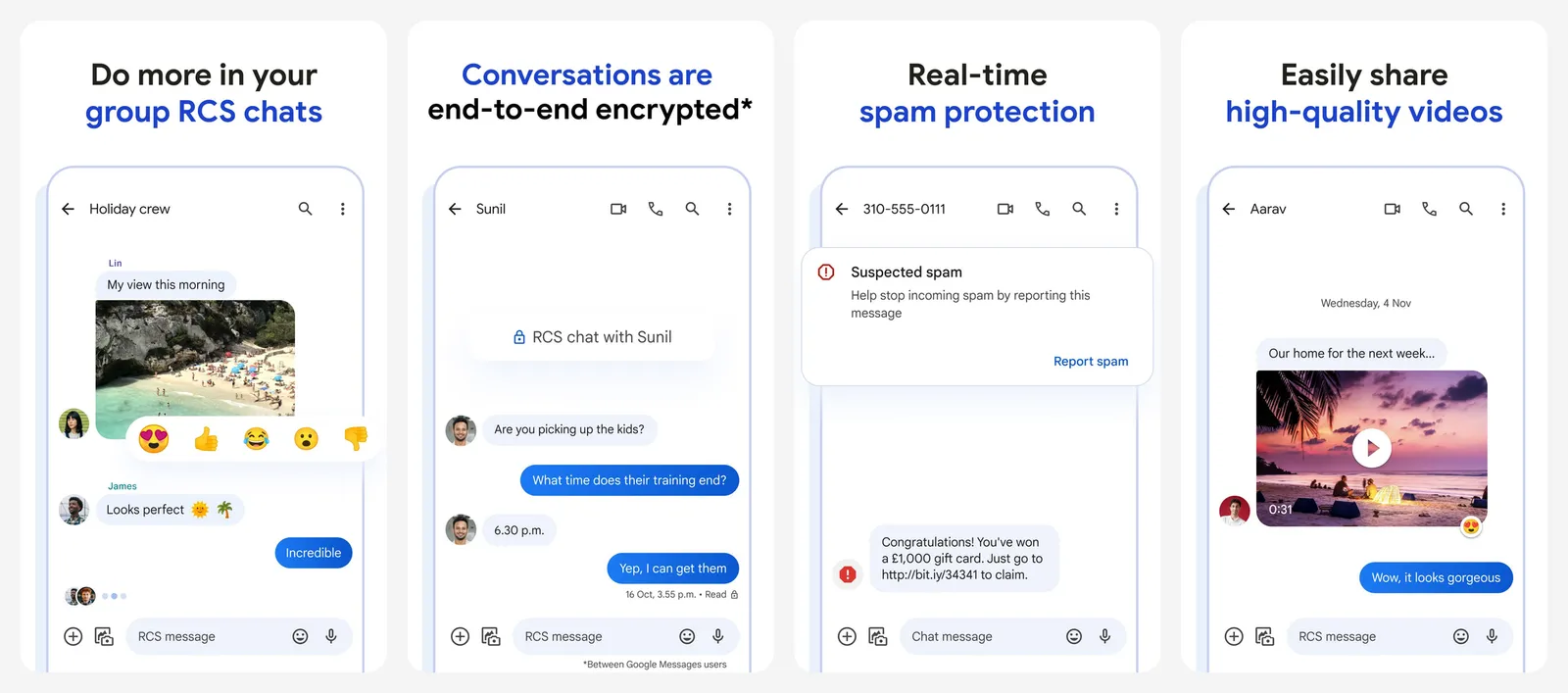
RCS chats between Google Messages users are end-to-end encrypted by default, shown with a lock icon. On May 11, 2026, Google and Apple started rolling out encrypted RCS between Android and iPhone in beta. It needs the latest Google Messages, iOS 26.5 on the iPhone and a supported carrier, and Google says encryption is switched on automatically over time.
- Phone number: yes, Messages works with your mobile number.
- Fallback: without data, a chat drops back to SMS or MMS, which is not encrypted.
For the latest features, see our Google Messages update roundup.
- Replaces
- WhatsApp for everyday texts
- Runs on
- Android phones with RCS
- Licence
- Free, built into most Android phones
- Skip if
- Your contacts are spread across many countries and apps
- Price
- Free
4. iMessage: Best Built-In Option on iPhone
- iPhone and iPad
Encrypted between Apple devices
iMessage is built into the Messages app on every iPhone, iPad and Mac, and chats between Apple devices are end-to-end encrypted.
There is one setting to know about. Apple says Messages in iCloud is end-to-end encrypted only when iCloud Backup is off. With iCloud Backup on, your backup includes a copy of the Messages encryption key, and Apple holds the backup keys. Turn on Advanced Data Protection for iCloud, or turn off iCloud Backup, to keep that key away from Apple.
- Sign-in: your phone number or Apple Account email.
- Android users: chats with them use RCS. Encrypted iPhone-to-Android RCS arrived in beta with iOS 26.5 on supported carriers.
What you lose vs WhatsApp: anyone without an Apple device.
- Replaces
- WhatsApp between iPhone users
- Runs on
- iPhone, iPad, Mac
- Licence
- Free, part of iOS, iPadOS and macOS
- Skip if
- You message Android users often
- Price
- Free
5. Viber: Best WhatsApp-Style App With Encryption On
- Android
- iPhone and iPad
Encrypted by default, with ads
Viber looks and works a lot like WhatsApp, and it is widely used in parts of Eastern Europe, the Middle East and Southeast Asia.
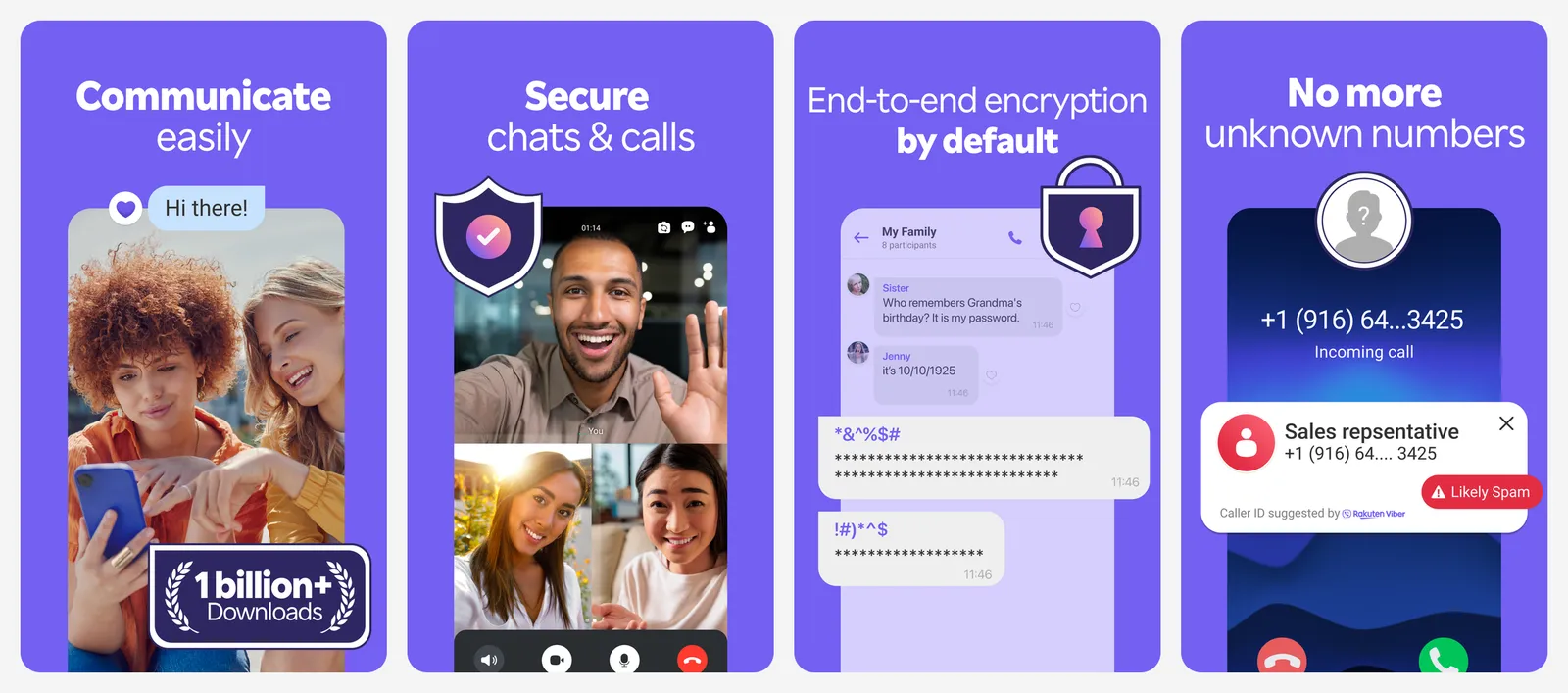
Viber says personal chats, both one-to-one and group chats, are end-to-end encrypted by default, along with one-to-one audio and video calls. Its Hidden-Number Chats let you talk to someone without swapping phone numbers.
- Phone number: required. Viber's terms say you must register with your current mobile number, and internet (VoIP) numbers do not work.
- Ads: the free app shows ads. Viber Plus, sold in selected countries, removes them and adds extras such as an invisible mode. Pricing varies by market and shows in the app.
It is a sideways move from WhatsApp rather than a privacy upgrade, but it is a good choice if your family already uses it.
- Replaces
- WhatsApp in countries where Viber is popular
- Runs on
- Android, iPhone, Windows, Mac
- Licence
- Free, optional subscription
- Skip if
- You want an app with no ads or data collection
- Price
- Free with ads, Viber Plus optional
WhatsApp alternatives that need no phone number
6. Threema: Best Paid App With No Phone Number
- Android
- iPhone and iPad
One-time $6.99, Swiss
Threema is a Swiss messenger you pay for once. In return you get an app with no ads, no data business and no phone number requirement.
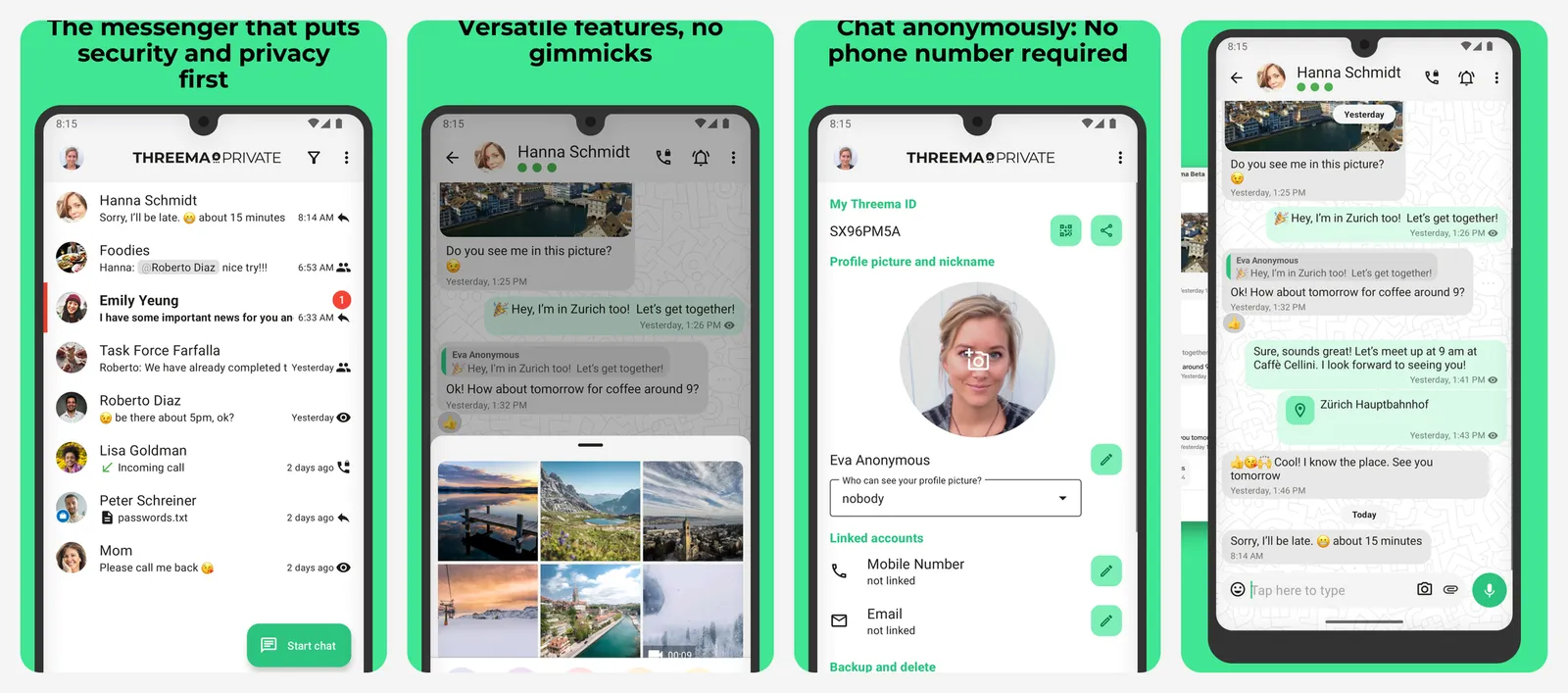
When you set it up, Threema gives you a random Threema ID. You can link a number or email to help friends find you, but you do not have to, and Threema says it can be used anonymously. Chats, groups, calls and file sharing are end-to-end encrypted.
- Price: $6.99 on the US App Store; Threema lists it as a one-time 6.00 in CHF, EUR or USD, depending on store and country.
- Desktop: desktop apps and a web client, alongside the phone apps.
The price is the main hurdle: you have to convince every contact to pay too.
- Replaces
- WhatsApp for private one-to-one and group chats
- Runs on
- Android, iPhone, desktop, web
- Licence
- Paid app, no subscription
- Skip if
- You will not pay for a messaging app
- Price
- $6.99 one-time
7. Session: Best for Anonymous Messaging
- Android
- iPhone and iPad
No number, no email, onion routing
Session needs neither a phone number nor an email address. You get a random ID instead, and messages travel through a decentralized onion routing network similar to Tor. Each message is wrapped in several layers of encryption, so no single server knows both who sent it and who receives it, and the receiving server never sees your IP address.
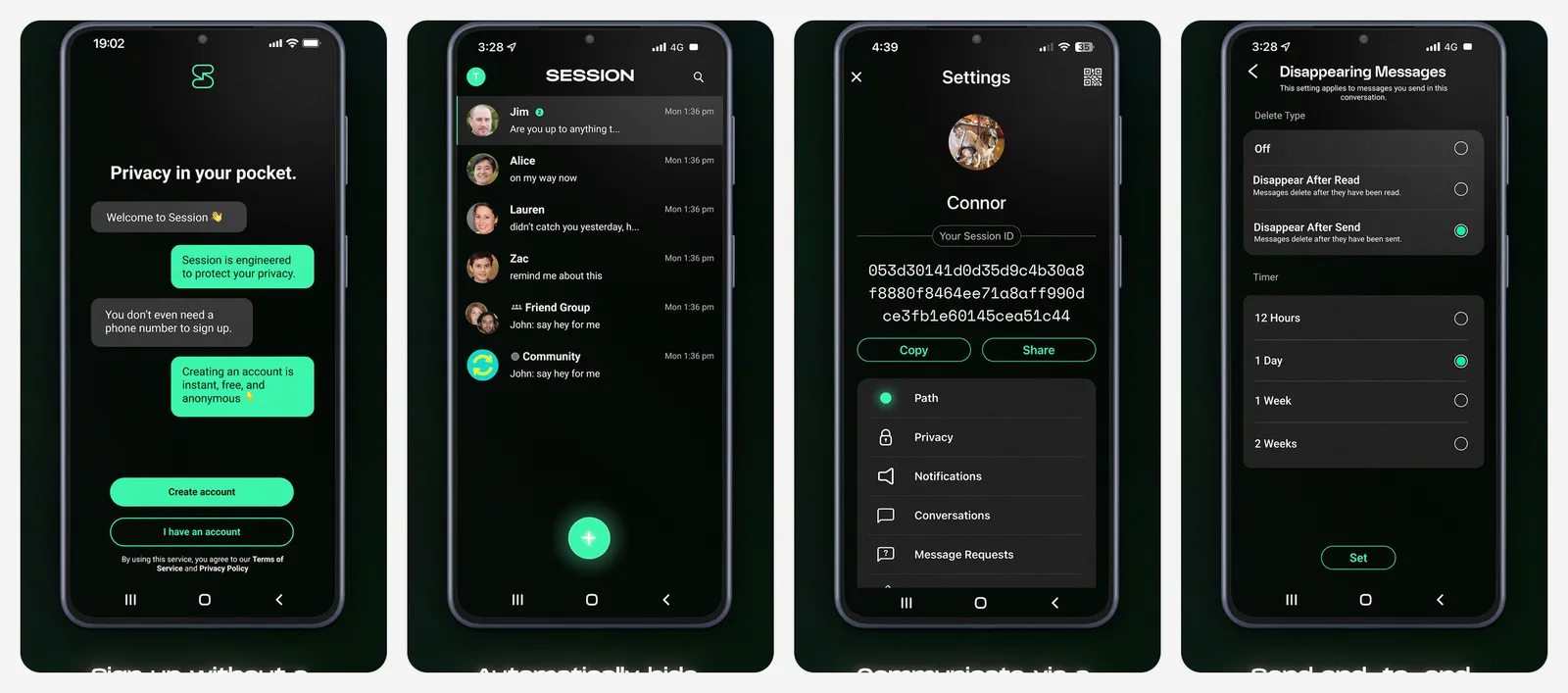
- Price: free, and the Session FAQ says it will always remain free to use.
- Limits: attachments up to 10 MB, groups up to 100 people. Voice and video calls are one-to-one, with contacts only, and still a beta you switch on in settings.
Session is the pick when hiding who you talk to matters more than convenience. It is slower and more basic than WhatsApp.
- Replaces
- WhatsApp for sensitive chats
- Runs on
- Android, iPhone, desktop
- Licence
- Free and open source
- Skip if
- You need group video calls
- Price
- Free
8. SimpleX: Best for Zero User IDs
- Android
- iPhone and iPad
No phone number or username
SimpleX goes further than Session: it calls itself the only messaging network without any user identifiers. There is no phone number, no username and no account ID. You connect by sharing a one-time link or QR code.
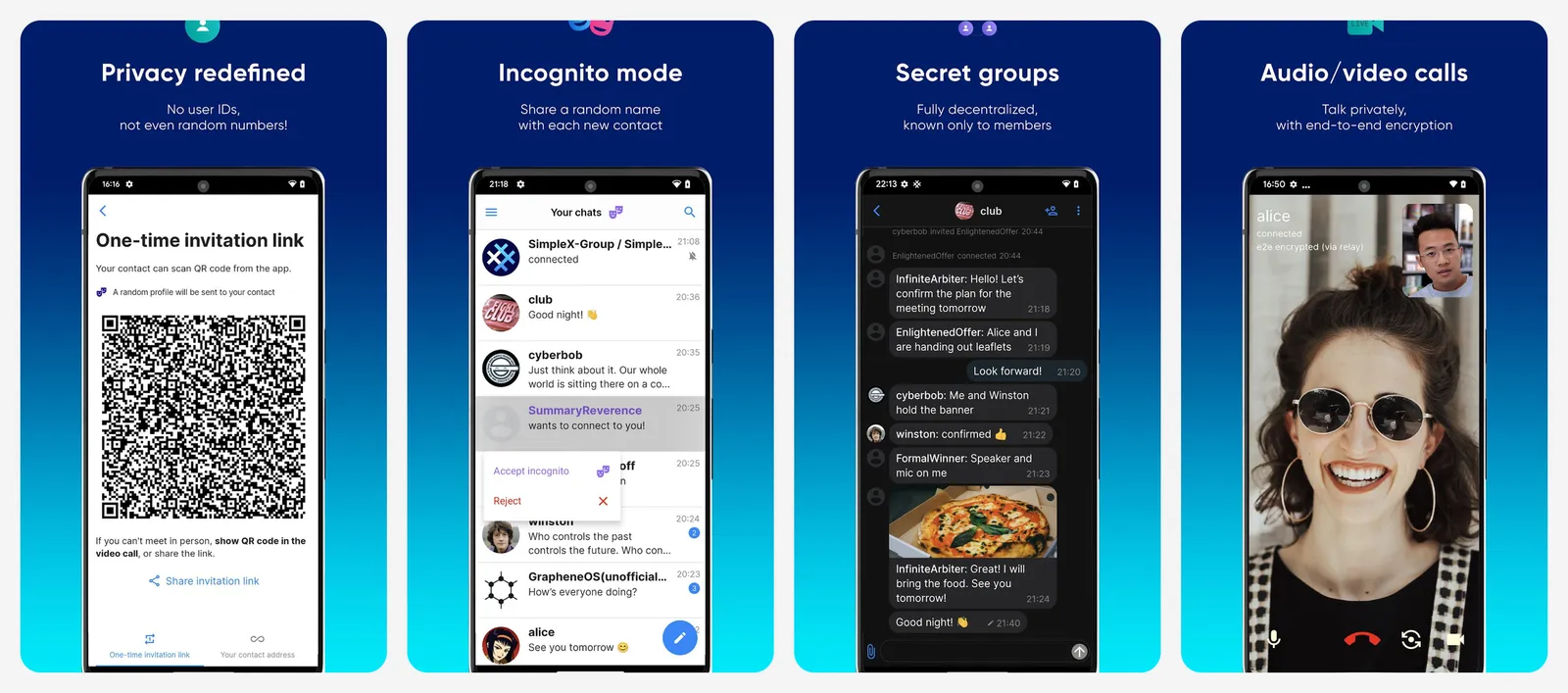
That makes it very hard for anyone, including the server operators, to build a map of who talks to whom. SimpleX was security-audited by Trail of Bits in 2022 and 2024.
- Platforms: Android (Google Play and F-Droid), iPhone, and desktop apps for Windows, Mac and Linux.
- Price: free to download.
The trade-off is that you cannot simply look people up. Every contact needs an invite link from you.
- Replaces
- WhatsApp for private small groups
- Runs on
- Android, iPhone, Windows, Mac, Linux
- Licence
- Open source
- Skip if
- You want to find friends from your contacts
- Price
- Free download
9. Element: Best for Communities and Self-Hosting
- Android
- iPhone and iPad
Matrix network, no number needed
Element is the best-known app for Matrix, an open, decentralized chat network. Anyone can run a Matrix server, and people on different servers can still talk to each other, much like email.
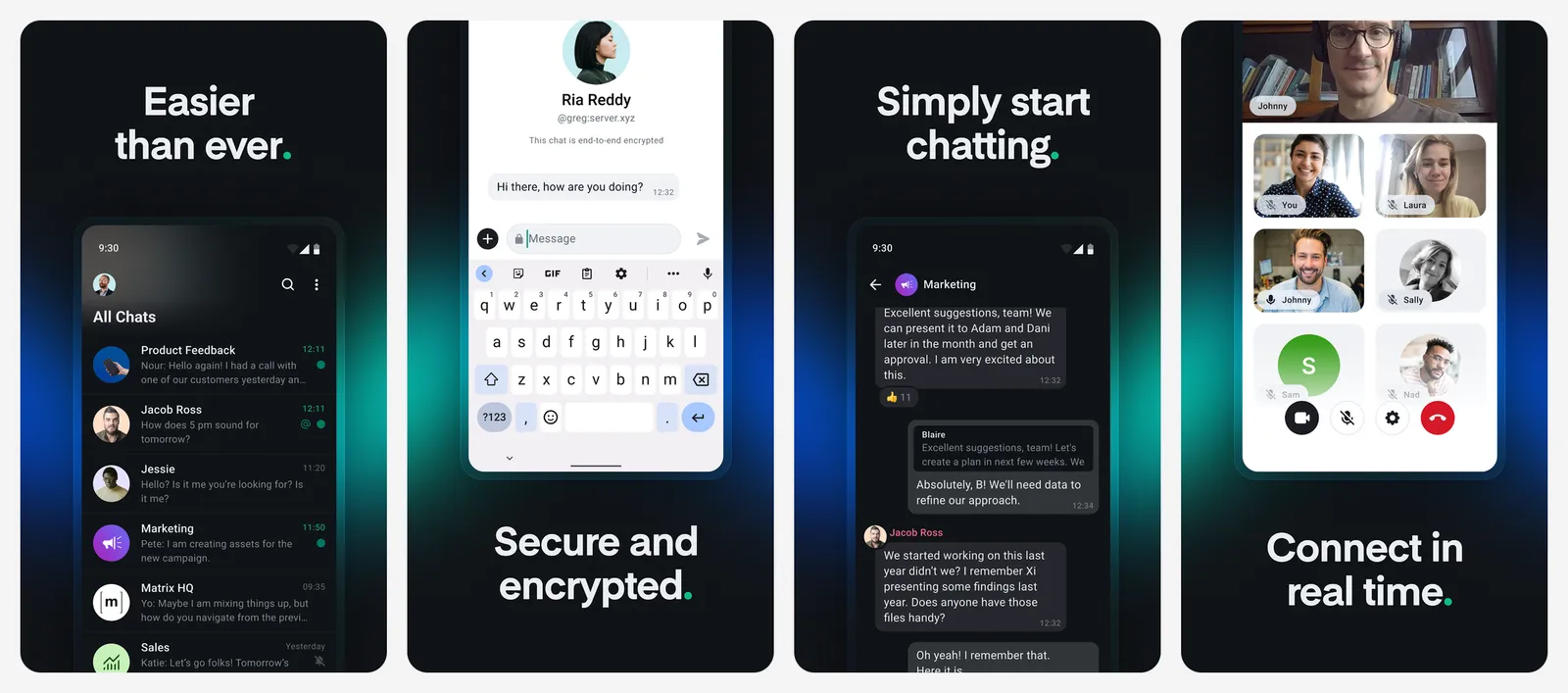
Element says the platform is end-to-end encrypted by default (though non-encrypted rooms can be enabled) and that no personal phone number is needed. The personal app is free. Element X is the newer, faster mobile app.
Element suits groups, clubs, open-source projects and families who want to run their own server. For a simple swap from WhatsApp with your non-technical relatives, Signal is easier.
- Replaces
- WhatsApp Communities and group chats
- Runs on
- Android, iPhone, desktop, web
- Licence
- Free, open source
- Skip if
- You want the simplest possible setup
- Price
- Free
How to move from WhatsApp without losing people
You cannot import WhatsApp chats into Signal, Telegram or the others, so plan the switch:
- Export important chats first: in WhatsApp, open the chat, tap the menu (or the contact or group name on iPhone) and choose Export chat.
- Pick one alternative and ask your closest contacts to install it. Signal is the easiest sell.
- Move one group at a time, starting with family or friends who care about privacy.
- Keep WhatsApp for a few weeks for people who have not switched, then post a "find me on Signal" Status.
- Turn on disappearing messages in your new app for chats you do not need to keep.
Worried about losing messages along the way? Our guide on how to read deleted WhatsApp messages on Android covers what you can recover, and our list of open-source privacy tools has more apps that collect less of your data.
What is the best alternative to WhatsApp?
Is Telegram more private than WhatsApp?
Which messaging apps do not need a phone number?
Is Signal really free?
Are iPhone to Android texts encrypted now?
Does WhatsApp show ads in chats?

Sumit
ContributorHi, I'm Sumit, Being an introvert I have always been obsessed with technology-computers and reading dozens of posts to learn, find answers out of my curiosity. I love to write as I explore more.