On this page
- Can you make money from GTA 6 videos?
- Built-in console capture vs a capture card
- Budget tiers in USD and INR
- Best capture cards for PS5 and Xbox
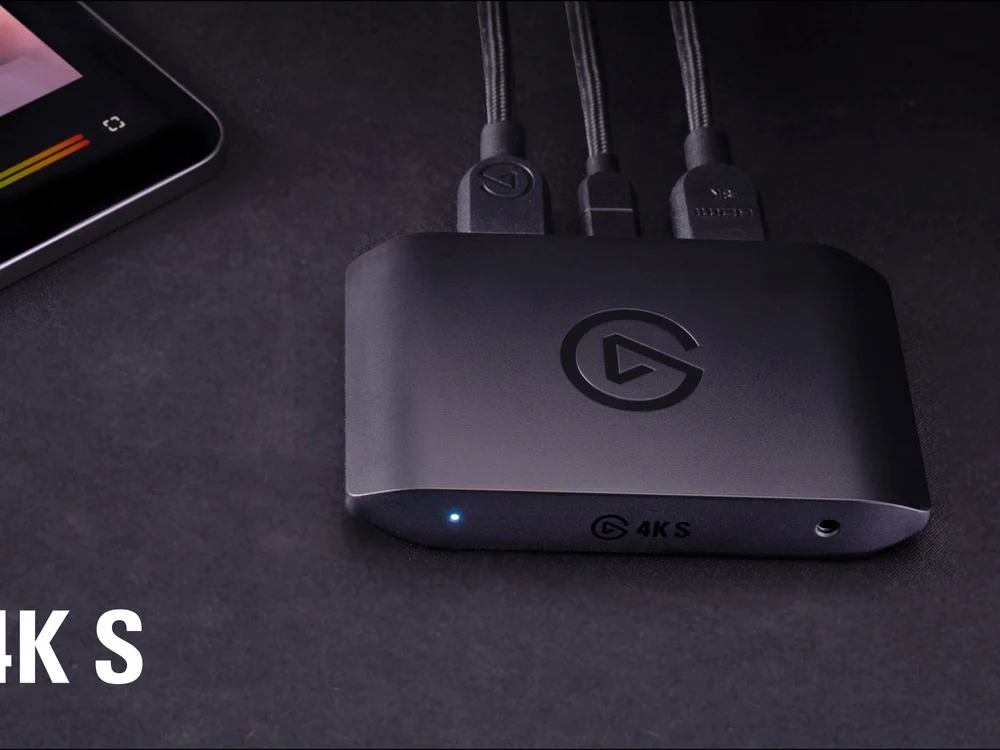
- Elgato 4K S: Best for most GTA 6 channels
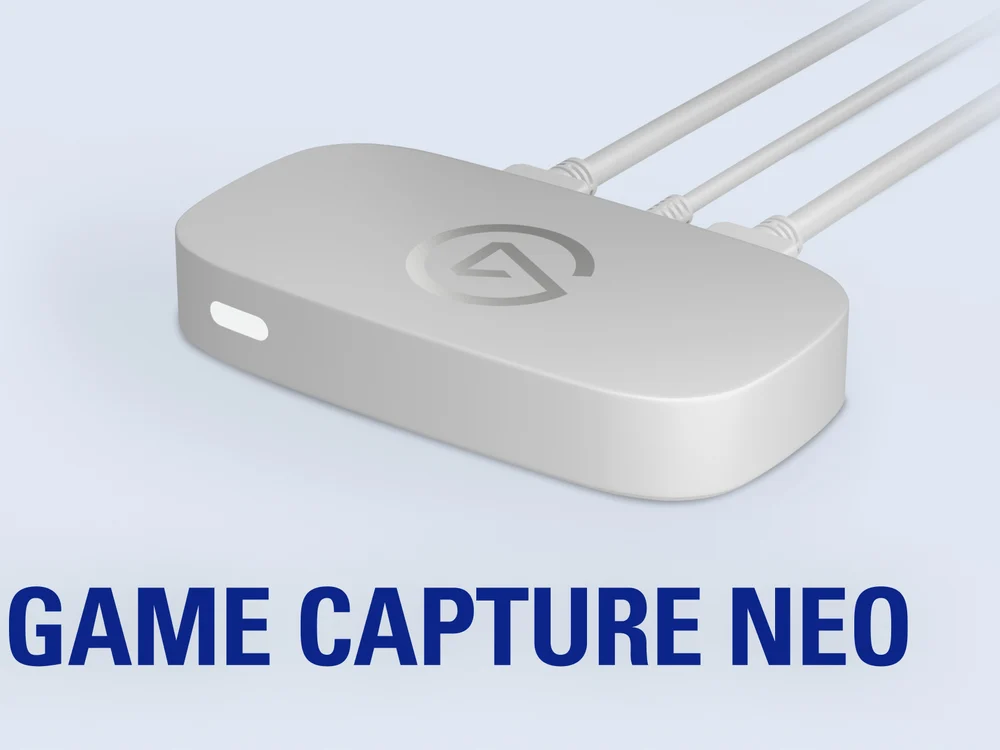
- Elgato Game Capture Neo: Best budget card in the US
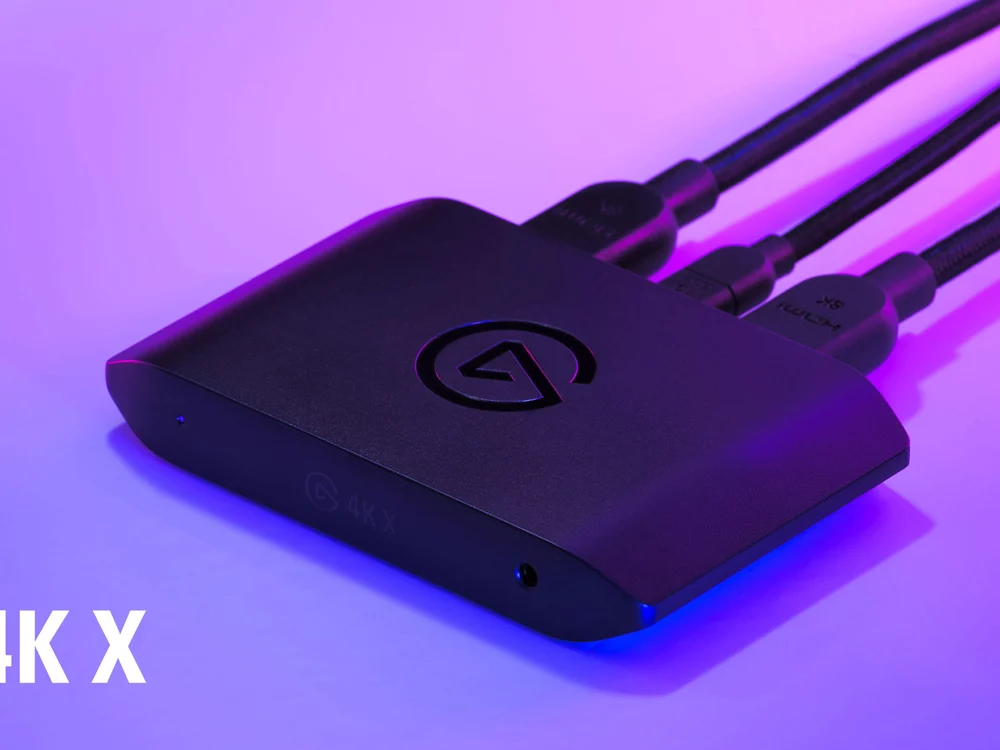
- Elgato 4K X: Best if you also capture PC games
- Microphones
- Fifine AmpliGame AM8: Best first mic
- Maono PD200X: Best in India for the price
- HyperX QuadCast 2: Best for a quiet room
- Headset
- HyperX Cloud III: Best wired headset
- Camera: start with your phone
- Elgato Facecam: Best streaming webcam in the US
- Storage and lighting
- Software (mostly free)
- Setup checklist before your first recording
- What to upload in launch week
- FAQs
You can start a GTA 6 channel with only your console. The PS5 records clips of up to 1 hour, and the Xbox Series X|S records up to 1 hour to an external drive. Buy gear in this order: a microphone first, then a capture card, then a camera. The game is console-only, so any PC you use is for recording software and editing. It does not run the game.
Two settings matter more than any gear. Turn off licensed music in the game, and keep the first 7 seconds of every video free of graphic violence. The first protects your revenue from music claims, and the second protects your ads.
Can you make money from GTA 6 videos?
Monetized GTA channels are common, but Rockstar does not grant monetization in writing. Its policy on posting copyrighted material says Take-Two "does not object" to fan use for non-commercial purposes that do not intentionally spoil the plot. It defines non-commercial as not making money from the footage, and it keeps the right to take any material down at any time. The policy does not mention YouTube ads or the YouTube Partner Program.
In practice this means three rules for a new channel:
- Do not spoil the story. Leave out the ending, mission walkthroughs that show late-story twists, and full cutscene compilations. These are the uploads most likely to be removed.
- No leaks. Do not upload leaked footage, files or datamined content.
- Mute the licensed music. Rockstar Support says radio tracks in uploads can get copyright claims from music owners. A claim does not give your channel a strike, but the owner can take the ad revenue or block the video in some countries.
YouTube adds its own rules. To join the Partner Program today you need 1,000 subscribers plus 4,000 public watch hours in 12 months, or 10 million Shorts views in 90 days. From February 1, 2027, new applicants need 8,000 watch hours or 20 million Shorts views, per YouTube's official blog, August 10, 2026. Start now and the current numbers still apply to you, but only if you qualify before that date.
YouTube's advertiser-friendly guidelines also allow full ads on normal gameplay violence only after the first 7 seconds. Graphic game violence in the thumbnail or in the first 7 seconds gets limited or no ads. For a GTA video, open with the car, the map or your face, not a shootout.
Built-in console capture vs a capture card
| PS5 / PS5 Pro | Xbox Series X|S | Capture card | |
|---|---|---|---|
| Longest recording | 1 hour (choose 15 s to 1 h) | 10 min to internal storage, 1 hour to external | No limit |
| Best quality | 4K HDR, needs a compatible display | 4K HDR on Series X | Depends on the card |
| Blocked scenes | "Some scenes are blocked" | Possible, set by the game | None |
| Voice on a separate track | No | No | Yes, with OBS |
| Extra cost | $0 | $0 | From $129.99 / Rs 4,999 |
Sources: PlayStation Support and Xbox Support capture pages, checked November 19, 2026.
The built-in recorder is enough for your first 10 videos. You will want a capture card when you need:
- recordings longer than 1 hour
- a live stream with a facecam overlay
- your voice on its own track, so you can fix it in the edit
A card also avoids the blocked scenes that console capture can skip.
There is also a detail that saves money. GTA 6 has no performance mode and targets 30 fps on PS5, PS5 Pro and Xbox Series X|S (see our GTA 6 30 fps explainer). A card that records 4K at 60 fps gives you no extra frames in this game, so a 4K30 or 1080p60 card records everything GTA 6 outputs.
Budget tiers in USD and INR
| Tier | What you buy | US total | India total |
|---|---|---|---|
| Starter | Console capture, phone as camera, free editor | $0 | Rs 0 |
| Budget | Entry capture card + Fifine AM8 mic | $186.98 (Elgato Neo + AM8) | Rs 10,689 (UGREEN 4K30 loop-out + AM8) |
| Mid | Elgato 4K S + Maono PD200X + HyperX Cloud III | $298.97 | Rs 31,312 |
| Pro | Elgato 4K X + QuadCast 2 + webcam + light + 1TB SSD | $854.95 | Rs 81,350 |
Prices checked November 19, 2026, on brand stores, Amazon.com and Amazon.in. The Pro tier uses the Elgato Facecam and Key Light Neo in the US, and the Logitech C922 and Ulanzi VL49 in India, where the Elgato models are hard to find.
Best capture cards for PS5 and Xbox
Your capture card connects between the console and the TV, and sends a copy of the picture to your PC or Mac over USB. Before you plug one into a PS5, turn HDCP off: Settings > System > HDMI > Enable HDCP. With HDCP on, the card shows a black screen. Turn it back on to watch Netflix or other video apps. Xbox Series X|S has no HDCP menu option, and its games are not blocked.
1. Elgato 4K S: Best for most GTA 6 channels
Best overall
Elgato
Records 4K at 60 fps with HDR and passes 4K60 HDR to your TV with no lag, over one USB cable. It works with PS5, PS5 Pro, Xbox Series X|S, PC, Mac and iPad. For GTA 6 it records more than the game outputs, so you will not need a new card for later games. India price is the Amazon.in Black Friday price (list Rs 30,625).
- Price
- $159.99 / Rs 19,913
2. Elgato Game Capture Neo: Best budget card in the US
Budget
Elgato
Records 1080p at 60 fps and passes 4K60 HDR to your TV. It cannot record in 4K, but for a 30 fps game shown on YouTube in 1080p, that is enough. Amazon.in does not list it. In India, the UGREEN 4K loop-out card (Rs 4,999) records 1080p60 and costs much less, but it has no HDR capture.
- Price
- $129.99
3. Elgato 4K X: Best if you also capture PC games
Pro
Elgato
Passes up to 4K at 144 Hz and records up to 4K60 HDR. The extra speed helps on a high-refresh PC monitor, not in GTA 6 on console. Buy it only if your channel will cover PC games too. India price is the Amazon.in sale price (list Rs 41,999).
- Price
- $249.99 / Rs 28,763
The Elgato HD60 X still shows up in Indian stores at Rs 18,880, but Elgato lists it as no longer available and points buyers to the 4K S. At that price, buy the 4K S.
Microphones
Viewers forgive a soft picture before bad audio. A dynamic USB mic picks up less room noise and less controller clicking than a condenser mic, which matters when you sit close to a TV and fans.
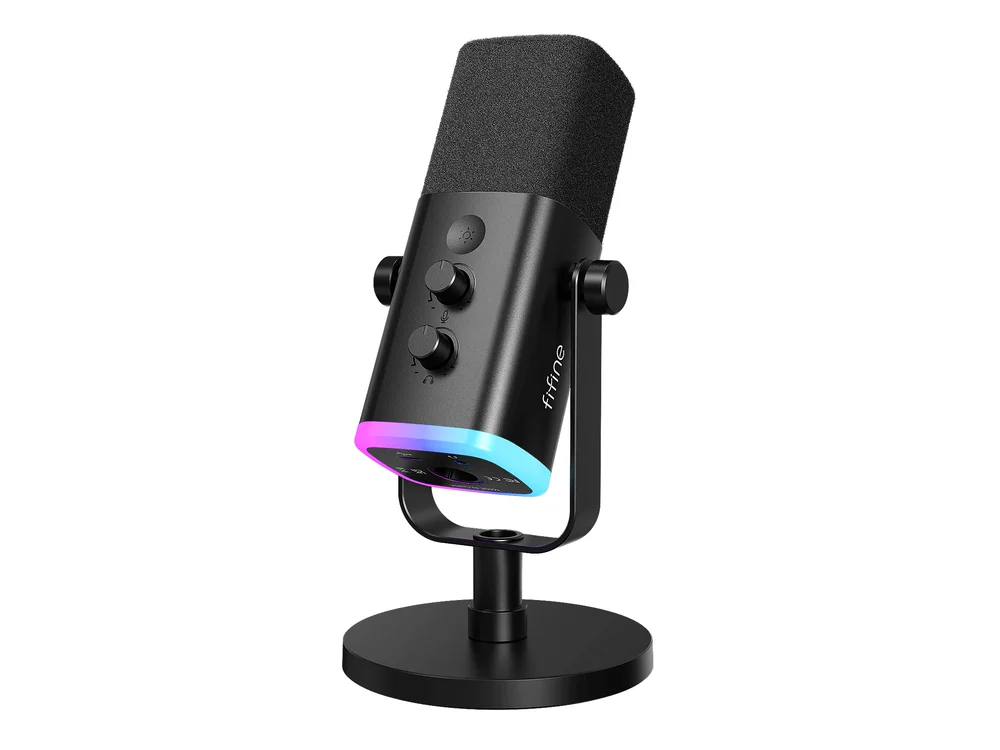
1. Fifine AmpliGame AM8: Best first mic
Best value
Fifine
Dynamic mic with USB and XLR outputs, a headphone jack and a mute button. Use USB now. If you buy an audio interface later, it still works over XLR. The RGB ring can be turned off.
- Price
- $56.99 / Rs 5,690
2. Maono PD200X: Best in India for the price
India pick
Also a USB and XLR dynamic mic, with on-mic gain and monitor controls. On Amazon.in it costs less than the AM8 right now (list Rs 9,999). In the US the AM8 is cheaper.
- Price
- from $80.99 / Rs 4,699
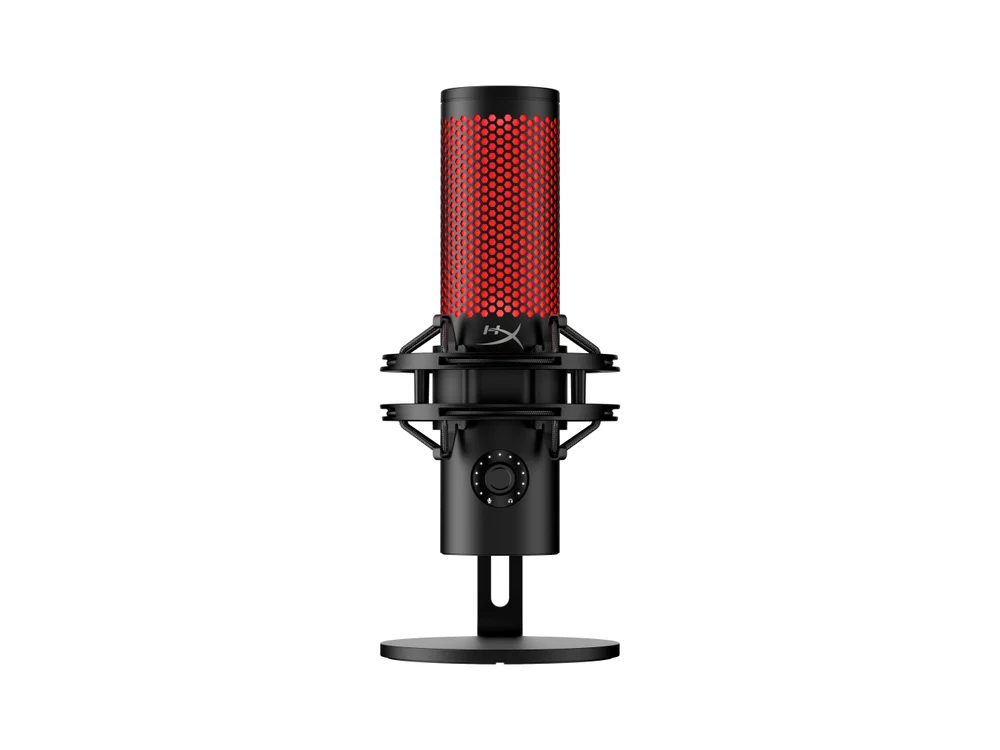
3. HyperX QuadCast 2: Best for a quiet room
Upgrade
HyperX
A USB condenser mic with four pickup patterns and a built-in shock mount. It sounds fuller than the dynamic picks but also picks up the room, so use it only in a quiet, soft-furnished room.
- Price
- $149.99 / Rs 12,499
Headset
You need closed headphones so the game sound does not bleed into your mic. Any wired headset you already own works. If you need one:
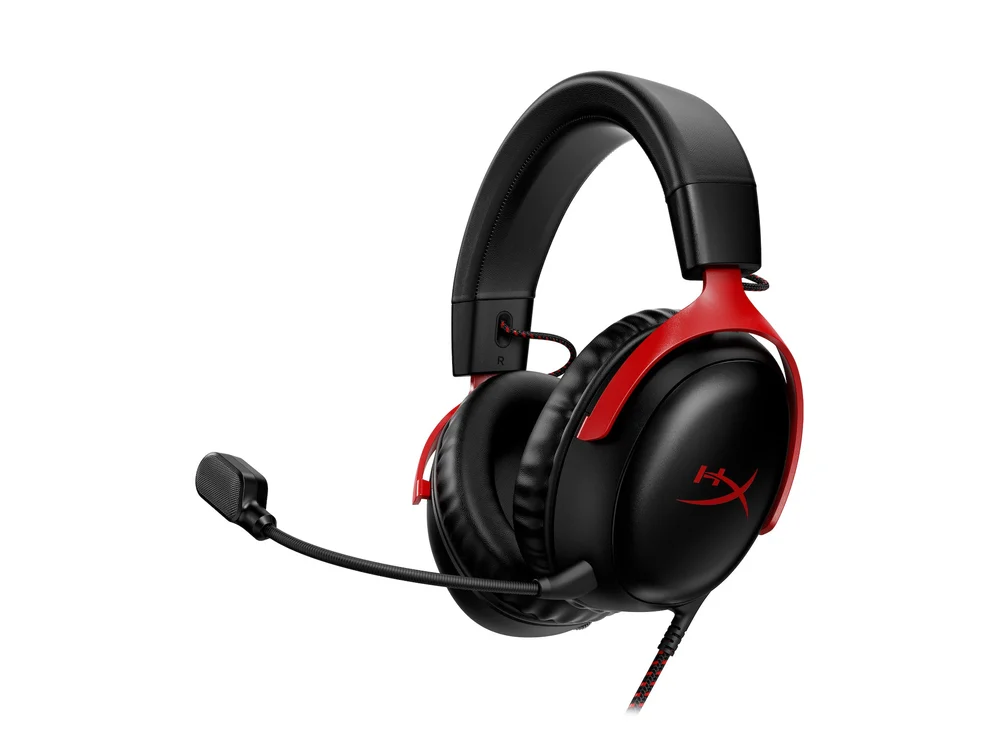
1. HyperX Cloud III: Best wired headset
Headset
HyperX
A comfortable wired headset that plugs into the PS5 or Xbox controller, so you hear the game with no delay. Its MSRP is $99.99. The sale prices change daily during Black Friday.
- Price
- from $57.99 / Rs 6,700
Camera: start with your phone
A facecam is optional for GTA content. Many gameplay channels never show a face. If you want one, use your phone first:
- Android 14 or later: connect over USB and choose webcam mode, where your phone supports it.
- iPhone with a Mac: Continuity Camera makes the iPhone a webcam in OBS.
- Any phone: record yourself as a separate video and line it up with the gameplay in the editor.
Buy a webcam once you stream live every week:
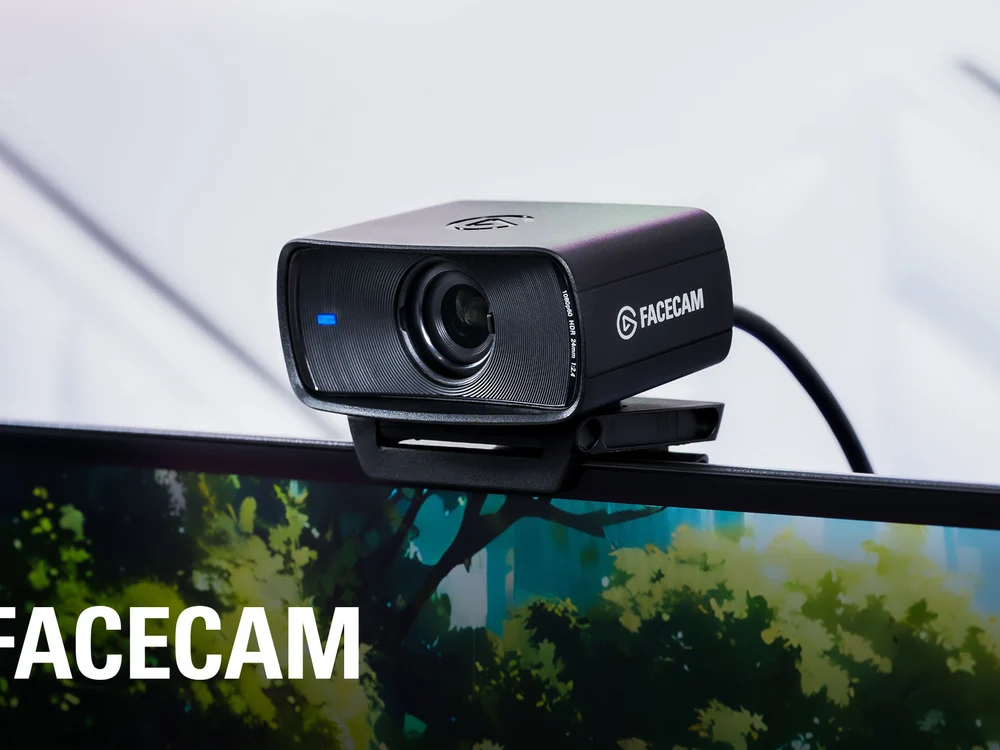
1. Elgato Facecam: Best streaming webcam in the US
Webcam
Elgato
Records 1080p at 60 fps with fixed focus, so it does not hunt for focus when you move. Amazon.in does not list it. In India, the Logitech C922 (Rs 13,799, $119.99 in the US) is the common alternative.
- Price
- $109.99 (list $119.99)
Storage and lighting
Storage. One hour of 4K recording can take tens of gigabytes. If you use the PS5's built-in recorder, save clips to a USB drive and move them to your editing computer. The Samsung T7 1TB costs Rs 24,799 on Amazon.in (list $274.99 on Samsung US). SSD prices are close to double what they were in 2024, so a cheap USB hard drive is fine for storing old footage.
Lighting. A face on camera looks better with one light in front of you than with a better camera. The Elgato Key Light Neo costs $69.99. In India, the Ulanzi VL49 pocket LED costs Rs 1,490 on Amazon.in.
Software (mostly free)
- OBS Studio (free): records the capture card and your mic as separate tracks, and streams to YouTube.
- DaVinci Resolve (free): a full editor. The paid Studio version ($295 list, on sale now) adds features you do not need to start.
- CapCut: fast for Shorts on your phone. The Pro plan is a monthly subscription.
- Canva: for thumbnails. The free plan is enough to start.
Setup checklist before your first recording
- In GTA 6, open Settings > Audio and turn on Mute Licensed Music. Launch-day guides report this toggle and say it is off by default. Rockstar has not published a settings list, so if you do not see it, set Vehicle Radio to Off in the same tab. Our GTA 6 settings guide lists the other options.
- On PS5, turn off HDCP if you use a capture card (Settings > System > HDMI).
- On PS5, set the capture length you want in Settings > Captures and Broadcasts, and choose 4K if your TV supports it.
- In OBS, put the game audio and the mic on separate tracks.
- Record a 1-minute test, then listen to it with headphones before you record a full session.
What to upload in launch week
Search interest is highest right now, and these video types need no spoilers:
- Map and region tours. Use our Leonida map guide to plan the route.
- Settings and performance videos. Show the menus, the 30 fps lock, and how to turn off motion blur.
- Hidden mechanics and tips. Our list of GTA 6 mechanics you might miss is a starting list.
- Cheats. Searches start on day one. Check our GTA 6 cheats tracker before you record, so you do not repeat fake codes.
- Shorts of physics and funny moments. Shorts views count toward the Partner Program.
Do not post radio station showcases with the music playing. Talk about the stations instead, using our GTA 6 radio stations list. Do not upload the ending or late missions in launch week, when the most viewers want to avoid spoilers.
FAQs
What equipment do I need for a gaming YouTube channel?
Do I need a capture card to start a GTA 6 YouTube channel?
Can I monetize GTA 6 videos on YouTube?
How do I mute the music in GTA 6 for YouTube?
Will GTA 6 radio music give my channel a copyright strike?
What capture card is best for GTA 6 on PS5?
Why does my capture card show a black screen with a PS5?

Amit loves new tech and apps that make life easier, he writes about apps, games and useful websites on TheTechBasket.