On this page
- All 9 Evernote alternatives at a glance
- How to export your notes from Evernote
- Free Evernote alternatives from big tech
- OneNote: Best Free Evernote Alternative Overall
- Apple Notes: Best for iPhone and Mac Users
- Google Keep: Best for Quick Notes and Lists
- Evernote alternatives you control
- Obsidian: Best for Owning Your Notes
- Joplin: Best Free Open-Source Evernote Alternative
- Standard Notes: Best for Encrypted Notes
- Evernote look-alikes and all-in-one workspaces
- Notion: Best All-in-One Workspace
- UpNote: Best Cheap Evernote Look-Alike
- Bear: Best Evernote Alternative for Apple Fans
- Which Evernote alternative should you pick?
The best free Evernote alternative for most people is Microsoft OneNote: it has no note limit, syncs across phone and computer, and is free with a Microsoft account. If you want your notes as plain files you own, Obsidian and Joplin are free too, and both can import your Evernote export (an ENEX file) directly.
Evernote's free plan is now very tight: 50 notes, 1 notebook and sync on 1 device, according to its own plan comparison. Paid plans are not cheap either; on the US App Store, Evernote Personal monthly is listed at $17.49. That pushes a lot of long-time users to look elsewhere.
This list covers 9 apps that can replace Evernote. For each one you get the free tier limits, how sync works, the price, and whether it can import your Evernote notes.
All 9 Evernote alternatives at a glance
Search by app, price or platform. The first row is Evernote, for comparison. Tap a name to jump to its full entry.
| App | Free tier | Sync | Imports Evernote (ENEX) | Paid from | Platforms |
|---|---|---|---|---|---|
| Evernote (for comparison) | 50 notes, 1 notebook, 1 device | Evernote cloud | Not applicable | Personal $17.49 a month (US App Store) | Android, iPhone, Windows, Mac, web |
| OneNote | No note limit, 5 GB OneDrive | OneDrive | No official tool since 2022 | Microsoft 365 for more storage | Android, iPhone, Windows, Mac, web |
| Apple Notes | Free, uses iCloud storage | iCloud | Yes, on Mac | iCloud+ for more storage | iPhone, iPad, Mac, iCloud web |
| Google Keep | Free, 15 GB shared Google storage | Google account | No | Google One from $1.99 a month | Android, iPhone, web |
| Obsidian | Free, no limits | Local files; Sync add-on | Yes, Importer plugin | Sync $4 a month (yearly) | Windows, Mac, Linux, Android, iPhone |
| Joplin | Free, open source | Dropbox, OneDrive or Joplin Cloud | Yes, built in | Joplin Cloud from €2.99 a month | Windows, Mac, Linux, Android, iPhone |
| Notion | Unlimited pages for individuals, 5 MB uploads | Notion cloud | Yes, direct from your account | Plus $10 a month | Android, iPhone, Windows, Mac, web |
| Standard Notes | Unlimited devices, encrypted | Standard Notes cloud, encrypted | Yes, built in | Productivity $90 a year | Android, iPhone, Windows, Mac, Linux, web |
| UpNote | 50 notes | UpNote cloud | Yes | $1.99 a month or $39.99 lifetime | Android, iPhone, Windows, Mac, Linux |
| Bear | Free, no sync | iCloud with Pro | Yes | Pro $2.99 a month or $29.99 a year | iPhone, iPad, Mac |
How to export your notes from Evernote
Almost every app on this list imports an ENEX file, Evernote's own export format. Do this first, whichever app you choose:
- Open the Evernote desktop app on Windows or Mac.
- Go to Notebooks, click the More actions (•••) button next to a notebook, and choose Export Notebook.
- Pick ENEX as the format and save the file.
- Repeat for each notebook. An ENEX file does not carry the notebook name or stack, so name each file after its notebook (or add a tag to its notes before exporting).
- Empty Evernote's trash first: Bear warns that trashed notes can be included in an export.
Keep the ENEX files as a backup even after you move. They are plain XML and many apps can read them.
Free Evernote alternatives from big tech
1. OneNote: Best Free Evernote Alternative Overall
- Android
- iPhone and iPad
Free, no note limit
OneNote is the closest thing to old-school Evernote that costs nothing. You get notebooks, sections and pages, free-form canvases where you can type, draw or paste anywhere, and handwriting support on tablets.
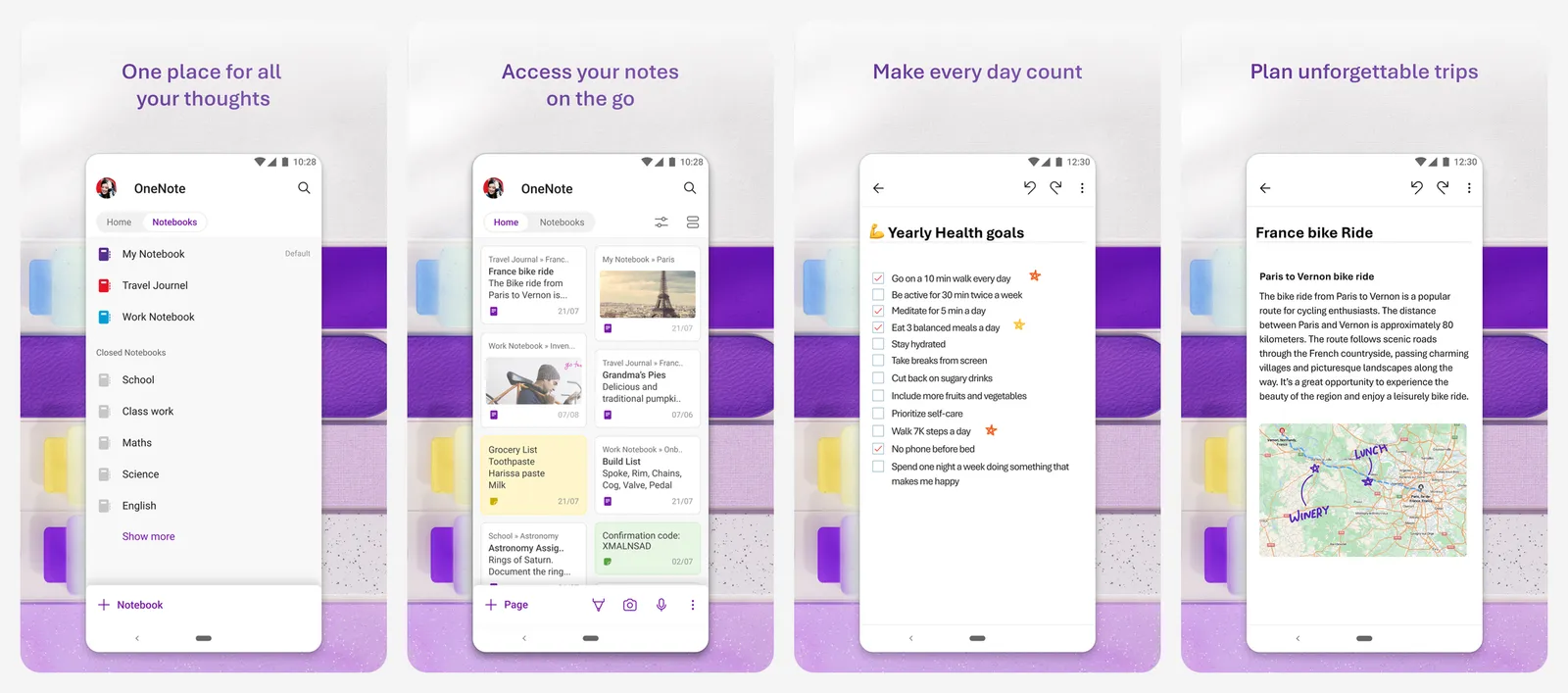
There is no note or device limit. Notes sync through OneDrive, and a free Microsoft account includes 5 GB of OneDrive storage. Microsoft 365 plans add much more storage if you fill it.
- Import from Evernote: the weak spot. Microsoft retired its Evernote-to-OneNote Importer in September 2022 and no longer supports it, so moving a large Evernote library means copying notes by hand or through a third-party tool.
- Best for: students and Windows users, and anyone starting a fresh notebook.
If you are moving away from Microsoft too, see our Microsoft Office alternatives.
- Replaces
- Evernote notebooks, web clips and handwritten notes
- Runs on
- Android, iPhone, iPad, Windows, Mac, web
- Licence
- Free, storage on OneDrive
- Skip if
- You need a one-click Evernote import
- Price
- Free with a Microsoft account
2. Apple Notes: Best for iPhone and Mac Users
- iPhone and iPad
Built in, imports ENEX on Mac
If you only use Apple devices, Apple Notes is already installed and it is good enough for most people: folders, tags, checklists, tables, document scanning, locked notes and fast iCloud sync.
The big plus for Evernote users: Notes on the Mac imports Evernote's ENEX format directly, and on macOS 13 or later it brings the tags across too.
How to import Evernote into Apple Notes:
- On your Mac, open Notes and select an iCloud folder in the sidebar.
- Choose File and then Import to Notes.
- Select your ENEX files (or a folder of them) and click Import.
- The notes land in an Imported Notes folder that you can rename or move.
Your notes use iCloud storage, so a large library with many attachments may need a paid iCloud+ plan.
- Replaces
- Evernote on Apple devices
- Runs on
- iPhone, iPad, Mac, iCloud.com
- Licence
- Free, part of iOS, iPadOS and macOS
- Skip if
- You use Windows or Android
- Price
- Free, iCloud storage plans optional
3. Google Keep: Best for Quick Notes and Lists
- Android
- iPhone and iPad
Sticky-note style, free
Google Keep is not a full Evernote replacement, and that is the point. It is a wall of colorful cards for shopping lists, ideas, voice memos and reminders, and it opens instantly on your phone.
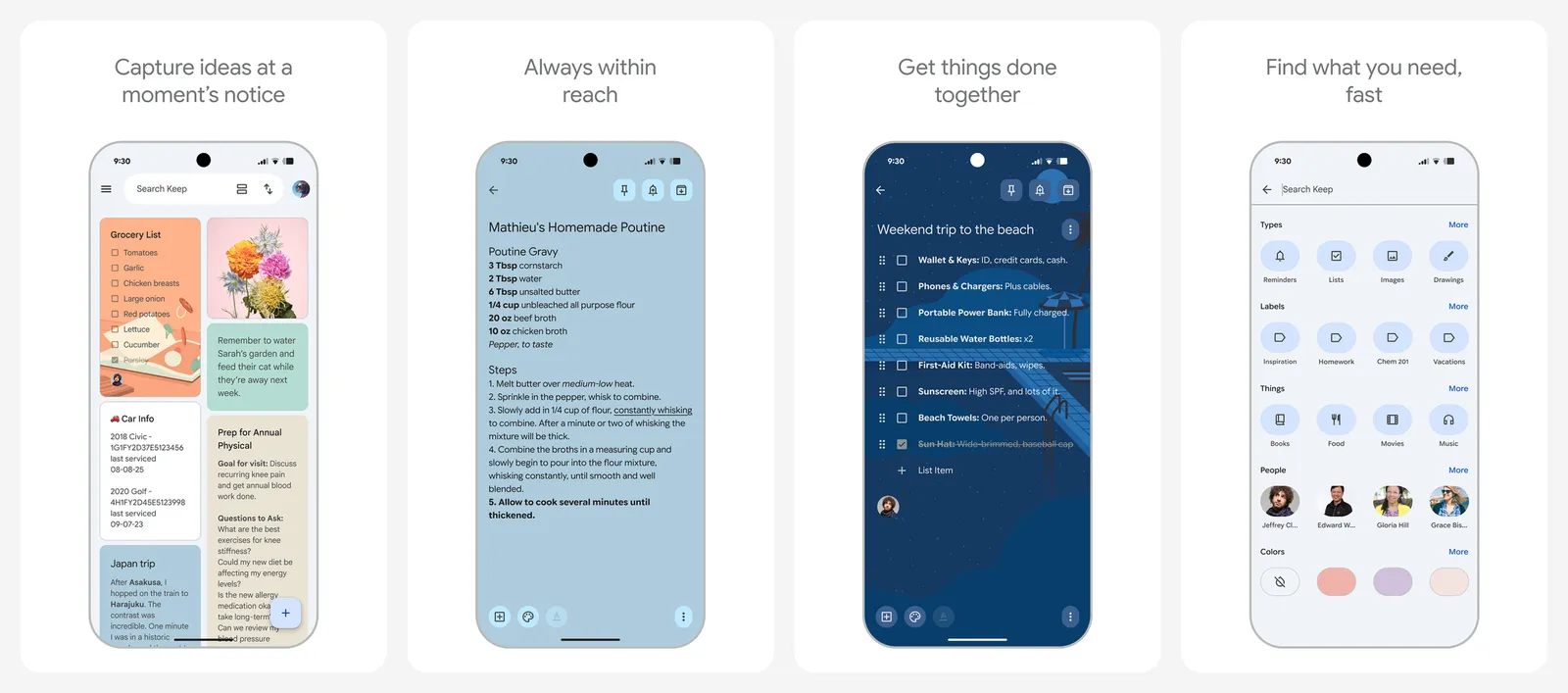
Keep is free with your Google account and uses the up to 15 GB of storage every Google account includes. If you run out, Google One starts at $1.99 a month for 100 GB.
- Organization: labels and colors, no notebooks.
- Import from Evernote: there is no Evernote import option, so Keep works best as a fresh start for short notes, paired with another app for your archive.
If you are leaving Google's cloud too, our Google Drive alternatives cover where else to keep files.
- Replaces
- Evernote quick notes, lists and reminders
- Runs on
- Android, iPhone, web
- Licence
- Free with a Google account
- Skip if
- You keep long documents or a big archive
- Price
- Free, Google One from $1.99 a month
Evernote alternatives you control
4. Obsidian: Best for Owning Your Notes
- Android
- iPhone and iPad
Free, local Markdown files
Obsidian stores every note as a plain Markdown file in a folder on your device. No company holds your notes hostage: if Obsidian disappeared tomorrow, you would still have a folder of readable text files.
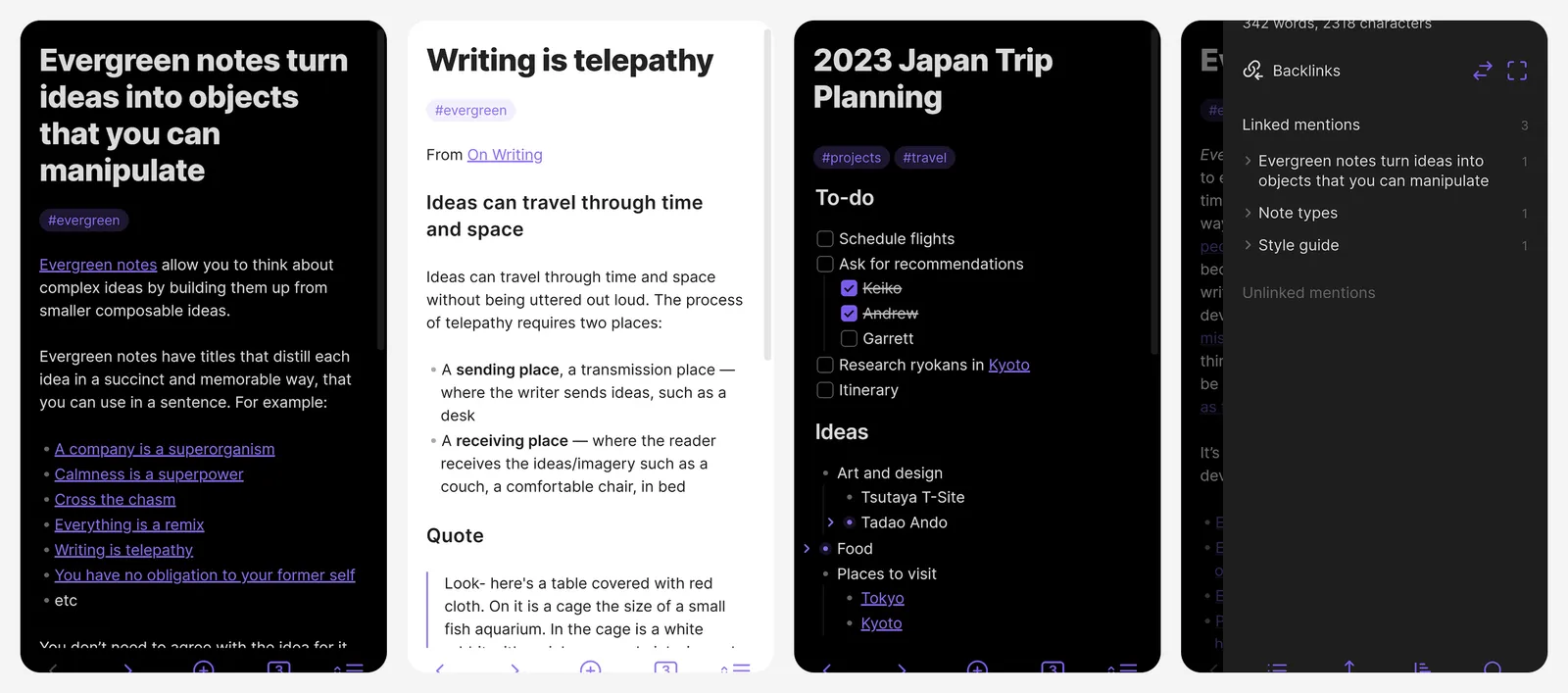
It is free without limits, including for work use. Links between notes, a graph view and thousands of community plugins make it popular for research and long-term notes.
- Sync: optional Obsidian Sync costs $4 a month billed yearly or $5 month to month. You can also sync the folder yourself with iCloud or another service.
- Publish: $8 a month billed yearly, if you want to put notes on the web.
How to import Evernote into Obsidian:
- Export your notebooks as ENEX (see above).
- In Obsidian, open Settings, then Community plugins, and install and enable Importer.
- Open Importer, set the file format to Evernote (.enex), and select your file.
- Click Import to preview the result, then Import again to finish.
Obsidian says the ENEX export does not keep the tag hierarchy. You can rebuild nested tags afterwards by renaming them in the form ParentTag/ChildTag.
- Replaces
- Evernote as a long-term knowledge base
- Runs on
- Windows, Mac, Linux, Android, iPhone
- Licence
- Free for personal and commercial use
- Skip if
- You want web clips to look exactly like the original page
- Price
- Free, Sync from $4 a month
5. Joplin: Best Free Open-Source Evernote Alternative
- Android
- iPhone and iPad
Open source, encrypted sync
Joplin is the open-source app that feels most like classic Evernote: notebooks, tags, a web clipper, to-dos and attachments, with apps for every major platform.
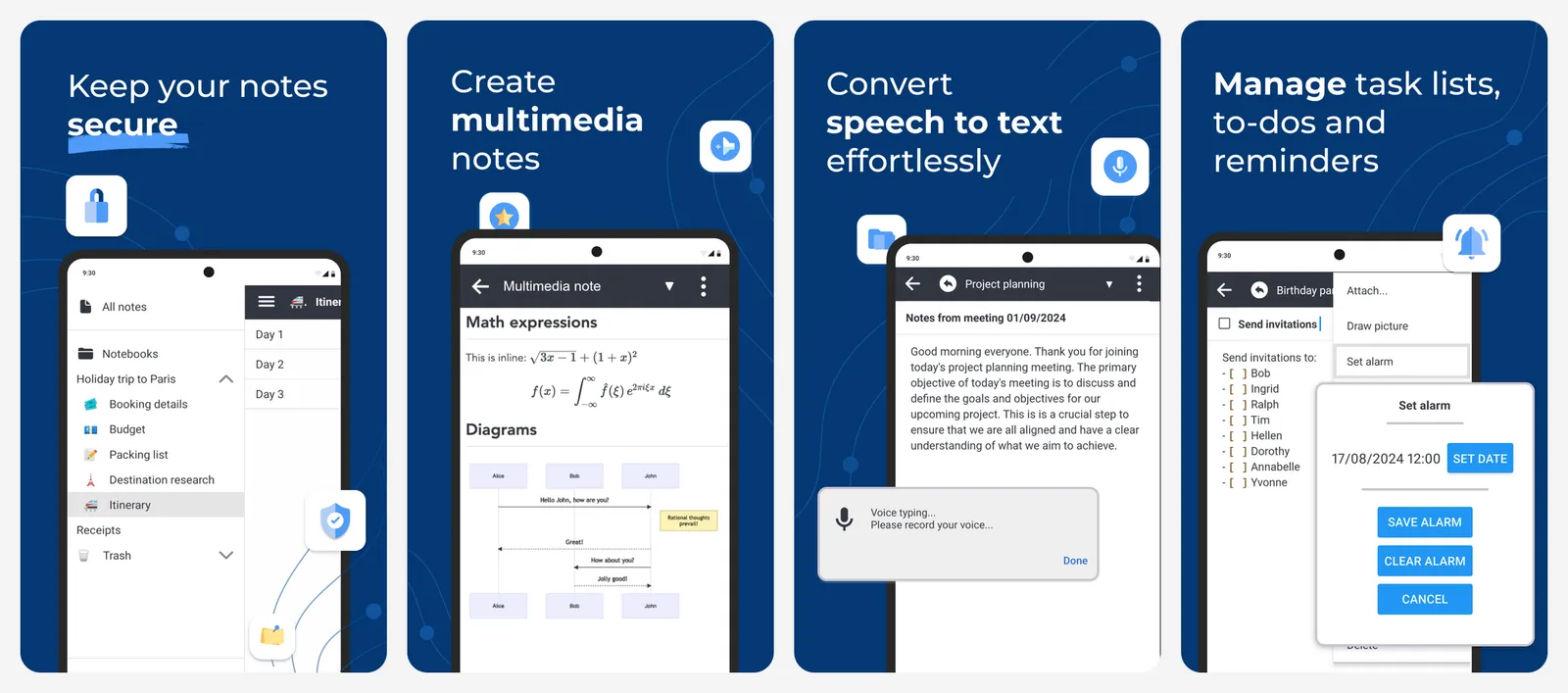
Sync is flexible. You can sync free through your own Dropbox or OneDrive, or pay for Joplin Cloud. Joplin supports end-to-end encryption, so the sync service cannot read your notes.
| Joplin Cloud plan | Price | Storage | Max note or attachment |
|---|---|---|---|
| Basic | €2.99 a month (€28.69 a year) | 2 GB | 10 MB |
| Pro | €5.99 a month (€57.48 a year) | 30 GB | 200 MB |
How to import Evernote into Joplin: in the desktop app, choose File, then Import, then ENEX, and select your file. Each ENEX file becomes a new notebook. Joplin converts notes to Markdown by default, which can drop colors and fonts in complex notes but always keeps the full text. If formatting matters, Joplin can import ENEX as HTML instead.
- Replaces
- Evernote notebooks and web clipping
- Runs on
- Windows, Mac, Linux, Android, iPhone
- Licence
- Open source
- Skip if
- You want a polished, modern design
- Price
- Free, Joplin Cloud from €2.99 a month
6. Standard Notes: Best for Encrypted Notes
- Android
- iPhone and iPad
End-to-end encrypted, free tier
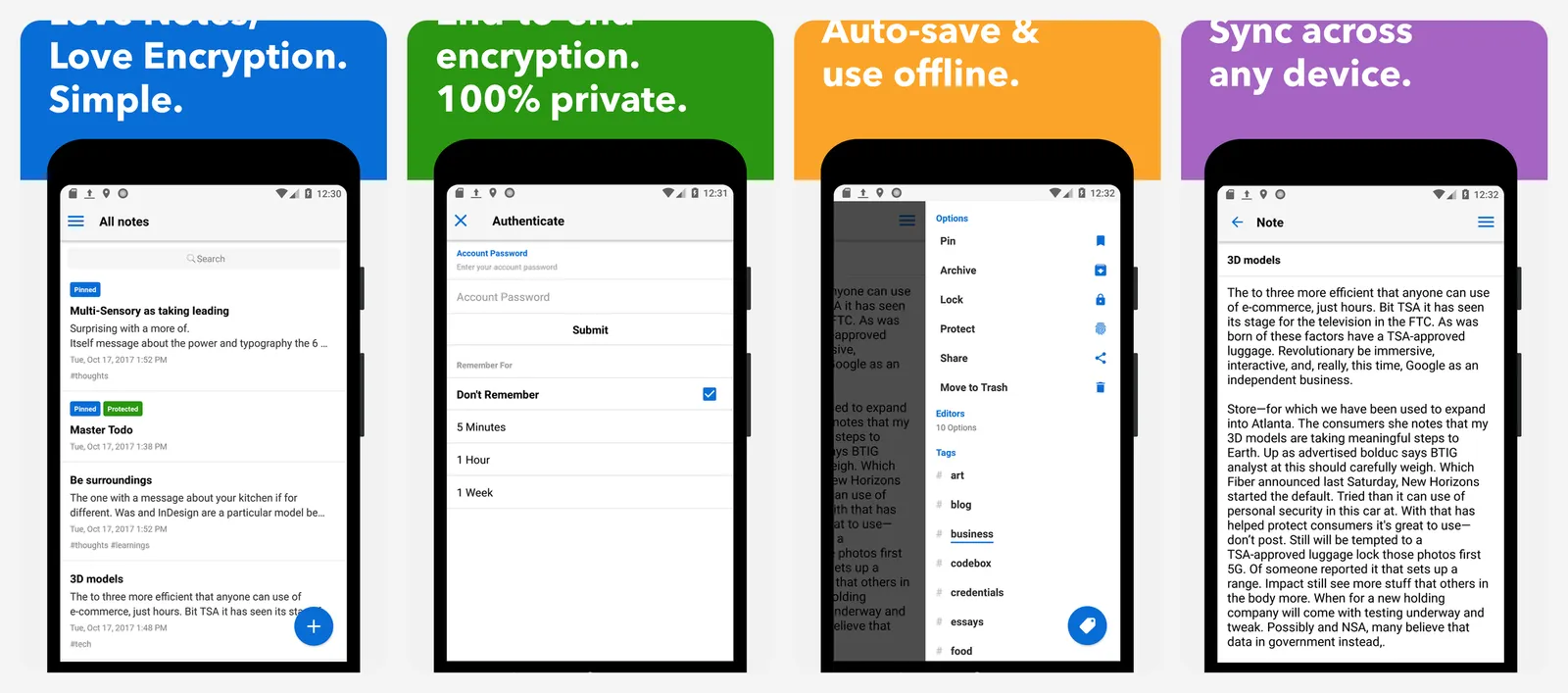
Standard Notes encrypts everything on your device before it syncs, so the company cannot read your notes. The free plan is genuinely usable: end-to-end encryption, sync on unlimited devices, offline access, tags, per-note passwords, two-factor login and daily encrypted email backups.
| Plan | Price | Adds |
|---|---|---|
| Free | $0 | Encrypted sync on unlimited devices |
| Productivity | $90 a year | Super notes, spreadsheets, folders, Web Clipper, 1-year history |
| Professional | $120 a year | 100 GB encrypted file storage, sharing with up to 5 accounts |
Import from Evernote: Standard Notes has a built-in Evernote importer. Open the Account menu, choose Import, pick Evernote and select your ENEX files. It handles notes up to 3 MB each, so split big exports into smaller batches.
- Replaces
- Evernote for private journals and sensitive notes
- Runs on
- Android, iPhone, Windows, Mac, Linux, web
- Licence
- Free tier, paid yearly plans
- Skip if
- You rely on rich formatting on the free plan
- Price
- Free, Productivity $90 a year
Evernote look-alikes and all-in-one workspaces
7. Notion: Best All-in-One Workspace
- Android
- iPhone and iPad
Imports straight from Evernote
Notion is more than a notes app: pages can hold databases, task boards, calendars and wikis. That makes it a strong Evernote replacement if you also want to manage projects in the same place.
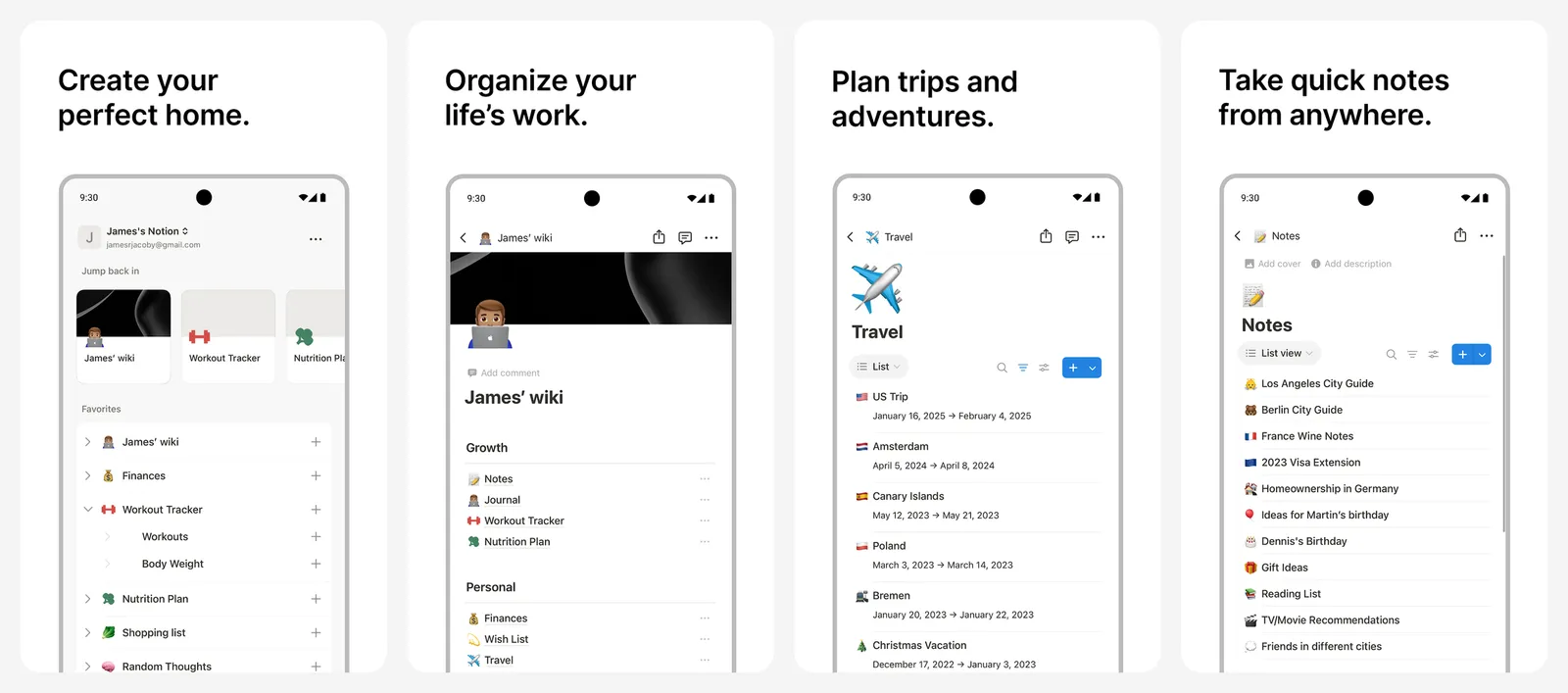
For individuals, the free plan has unlimited pages and blocks, with file uploads up to 5 MB each and 7 days of page history. Plus costs $10 per member per month, with up to 20% off yearly.
How to import Evernote into Notion: no ENEX file needed.
- In Notion, go to Settings, then Import, then Evernote (or type /evernote on a page).
- Sign in to Evernote and authorize Notion.
- Pick the notebooks to move and where they should go.
- Start the import. Each notebook becomes a page with its notes in a list database.
Notion says imports are reliable up to about 5,000 notes, images may need cleanup, and created dates can look wrong. Already on Notion and not sure it fits? Our Notion alternatives list has other options.
- Replaces
- Evernote plus a to-do app and a wiki
- Runs on
- Android, iPhone, Windows, Mac, web
- Licence
- Free plan, paid per member
- Skip if
- You want fast, simple notes offline
- Price
- Free, Plus $10 a month
8. UpNote: Best Cheap Evernote Look-Alike
- Android
- iPhone and iPad
$39.99 lifetime Premium
UpNote looks and feels like a cleaner, faster Evernote: notebooks, tags, a rich text editor and sync across phone and desktop. It is the easiest switch if you liked Evernote's layout and just want a fair price.
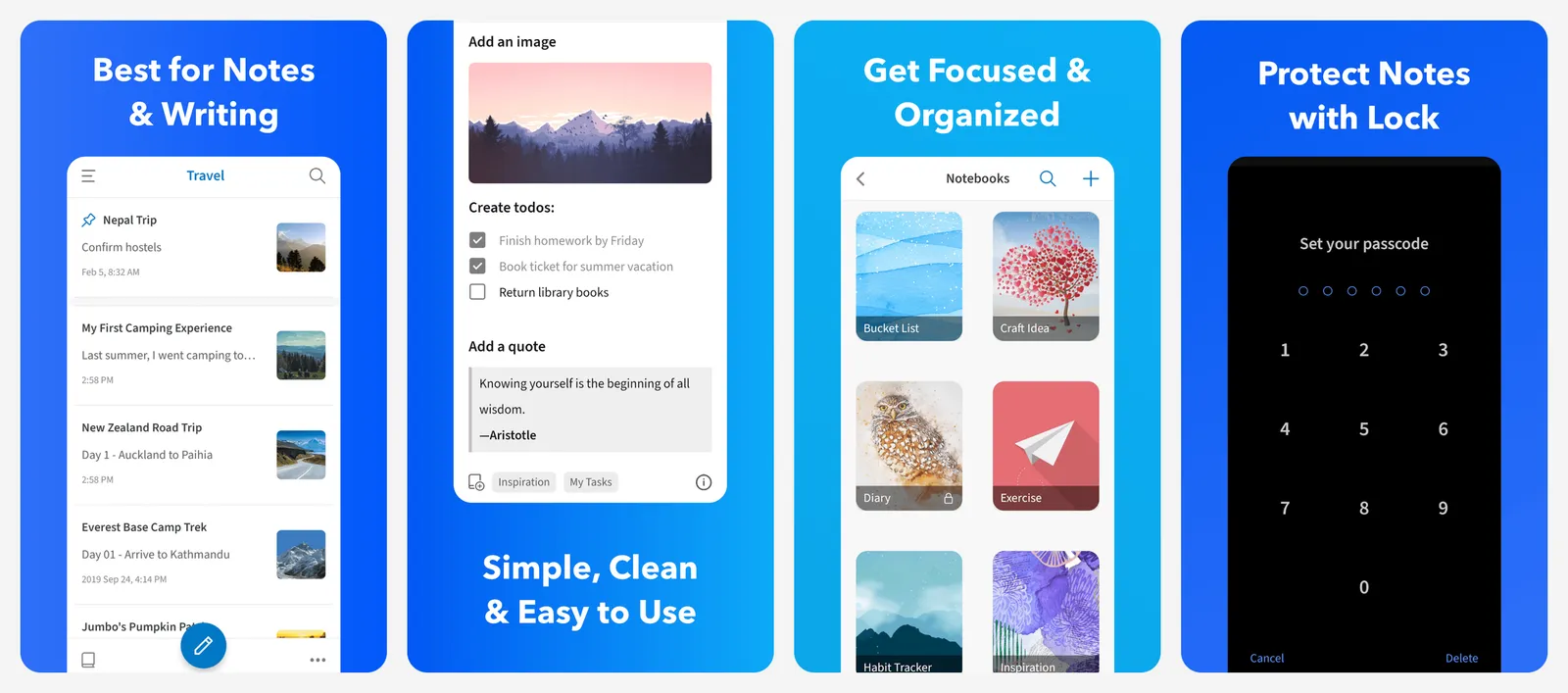
- Free: up to 50 notes with basic features, so it is really a trial.
- Premium: $1.99 a month or $39.99 for a lifetime upgrade, bought through the iPhone, Android or Mac app. Prices vary by region.
- Import: UpNote has an Evernote import guide on its site.
The lifetime price is the main reason to choose it: about two months of Evernote Personal buys UpNote for good.
- Replaces
- Evernote's notebook-and-tag layout
- Runs on
- Android, iPhone, Windows, Mac, Linux
- Licence
- Free tier, subscription or one-time
- Skip if
- You need more than 50 notes for free
- Price
- 50 notes free, $1.99 a month or $39.99 lifetime
9. Bear: Best Evernote Alternative for Apple Fans
- iPhone and iPad
Beautiful Markdown notes
Bear is a polished Markdown notes app for iPhone, iPad and Mac, organized with nested hashtags instead of notebooks. It is one of the nicest apps to write in.
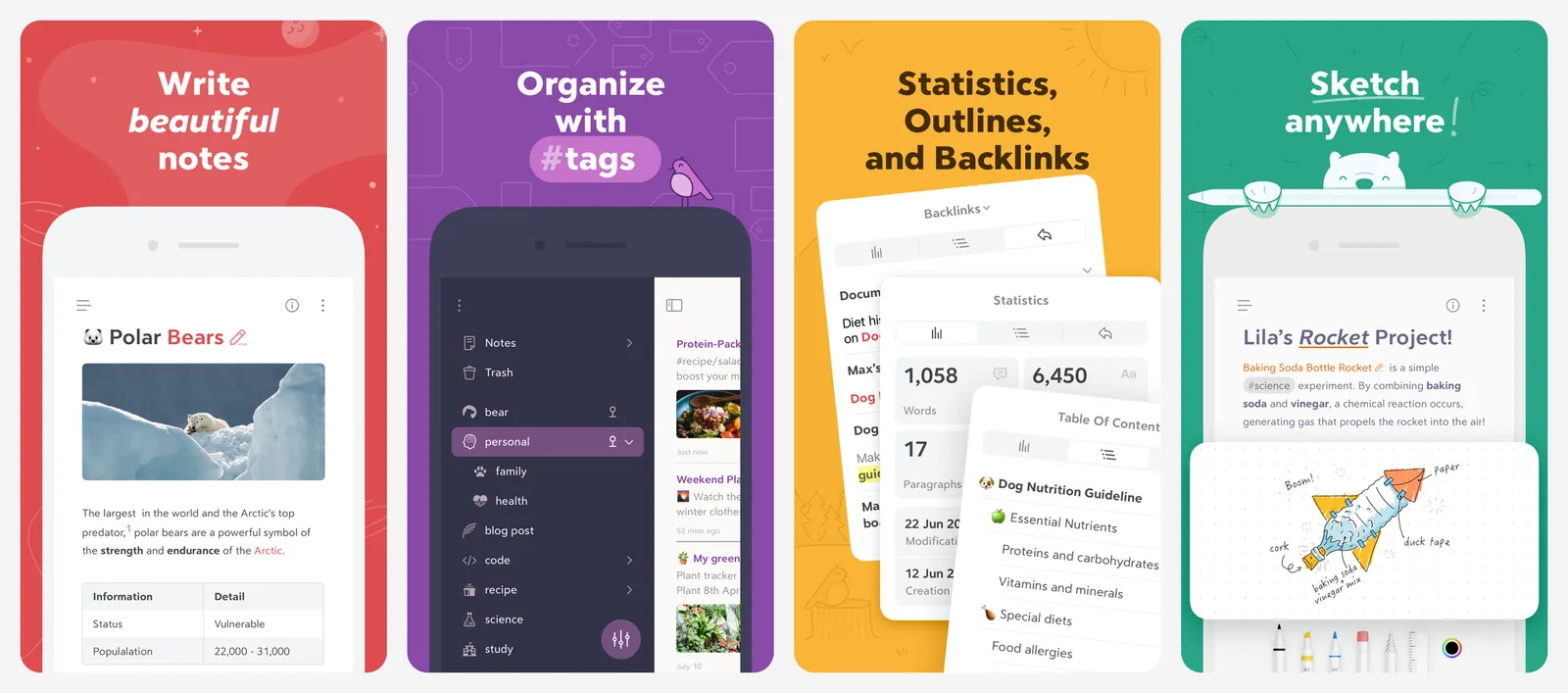
The free app works on a single device. Bear Pro adds iCloud sync between iPhone, iPad and Mac, and costs $2.99 a month or $29.99 a year on the US App Store, with a 14-day free trial.
How to import Evernote into Bear: on the Mac, choose File, then Import From, then Evernote, and select your ENEX file. On iPhone, the importers are in the sidebar's ••• menu. Bear suggests adding a tag in Evernote before you export, because ENEX files do not include notebook names.
For more Mac and iPad options, see our picks for the best note-taking apps for Mac and the best note-taking apps for iPad.
- Replaces
- Evernote for writing and personal notes on Apple devices
- Runs on
- iPhone, iPad, Mac
- Licence
- Free app, Pro subscription for sync
- Skip if
- You use Windows or Android
- Price
- Free, Pro $2.99 a month or $29.99 a year
Which Evernote alternative should you pick?
- Free, no limits, every platform: OneNote.
- Only Apple devices: Apple Notes (free) or Bear (prettier, paid sync).
- Short notes and lists: Google Keep.
- Notes you own for decades: Obsidian.
- Open source with your own sync: Joplin.
- Privacy first: Standard Notes.
- Projects and notes together: Notion.
- Evernote's layout for less: UpNote.
What is the best free alternative to Evernote?
What are the limits of Evernote's free plan?
How do I export my notes from Evernote?
Which apps can import Evernote ENEX files?
Is OneNote better than Evernote?
Is Obsidian free?

Sumit
ContributorHi, I'm Sumit, Being an introvert I have always been obsessed with technology-computers and reading dozens of posts to learn, find answers out of my curiosity. I love to write as I explore more.