On this page
- Quick facts
- What the “Has Been Read” mod adds
- Is the “Has Been Read” mod updated for Build 42?
- How to install the “Has Been Read” mod
- Options
- Items and recipes
- Known conflicts and issues
- FAQs
- Does the “Has Been Read” mod still work in Build 42?
- Does the “Has Been Read” mod work on an existing save?
- Can it mark novels, magazines and comics?
- Does it work in multiplayer?
- Why do my maps show as unread after reconnecting?
- Credit
Yes, the “Has Been Read” mod works on Build 42. The author states it is confirmed to work with Build 41 and Build 42 Stable, including multiplayer, and the current download ships a Build 42.15+ version (3.8.1). It adds no items or recipes: it only puts marks on books and media in your inventory so you can tell what you still need to read.
Quick facts
| Works on Build 42? | Yes (checked November 28, 2026) |
| Mod version | 3.8.1 for Build 42.15 and later |
| Last updated | October 10, 2026 |
| Workshop ID | 2544353492 |
| Mod ID | P4HasBeenRead |
| Author | PePePePePeil |
| Requires | Nothing (no dependency mods) |
| Multiplayer | Yes, per the author |
What the “Has Been Read” mod adds
The mod adds marks to the icons of books, magazines, maps, fliers, brochures, CDs and VHS tapes. An unread item shows a "Not Read" mark (?), and a partly read book shows a "Not Completed" mark (!). A finished item keeps its normal icon, or shows an optional "Already Read" mark (v) if you turn it on.
A blue "Current Target" dot (o) marks skill books suited to your character's current skill level, and CDs or VHS tapes that can still give experience or teach recipes. You can also put your own Item Mark on an item from its right-click menu, for example to remember which books you already keep at base, and the mod can apply that mark automatically when you pick an item up.
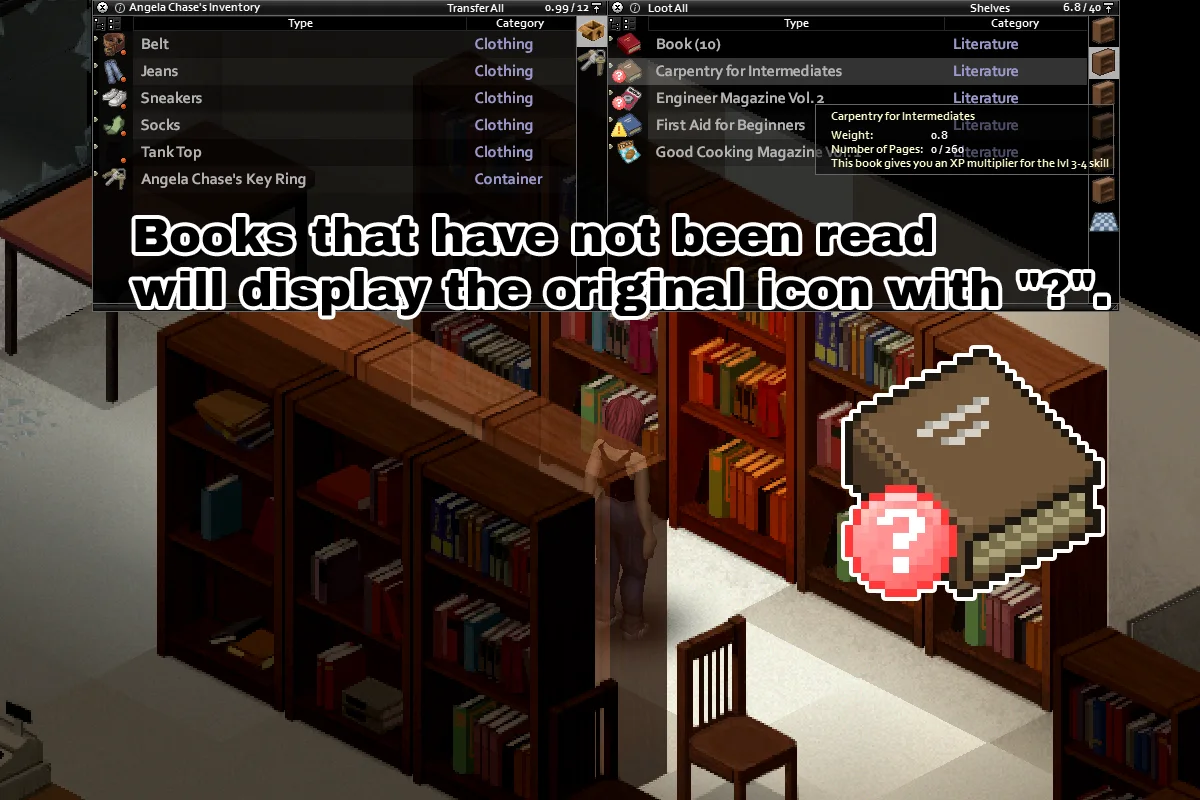
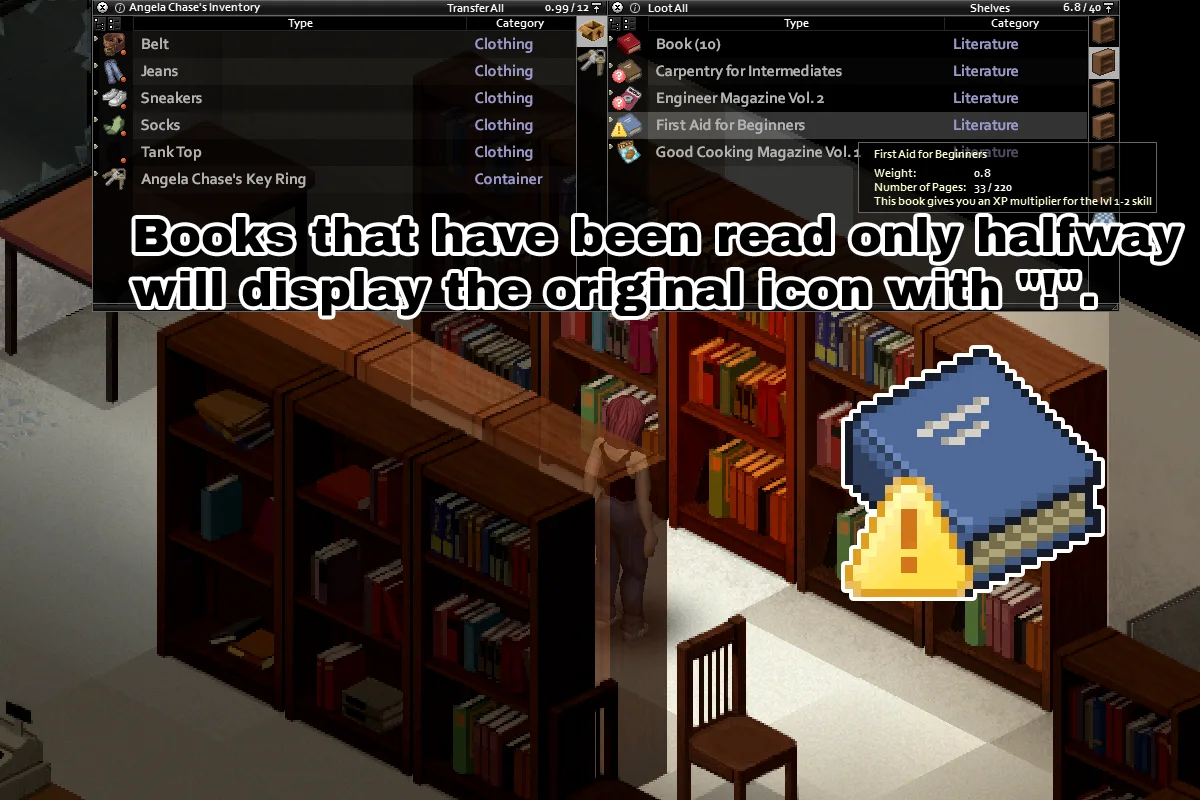
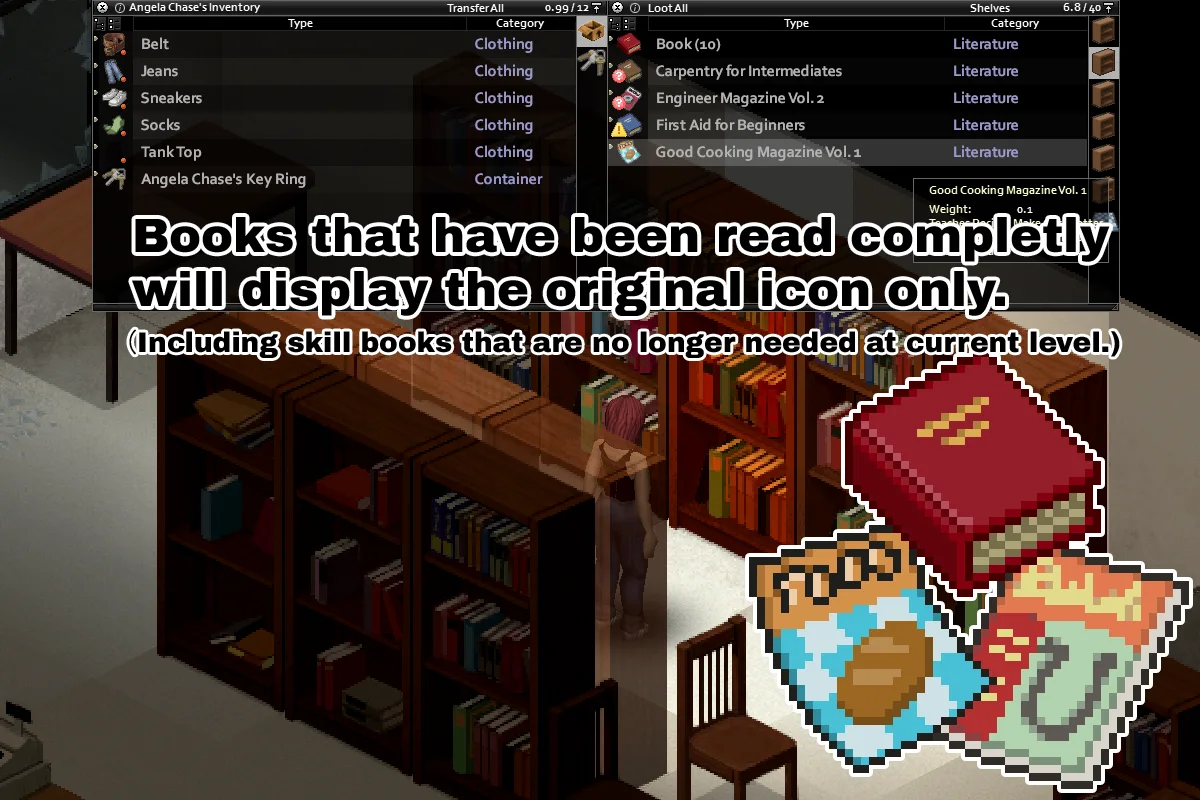
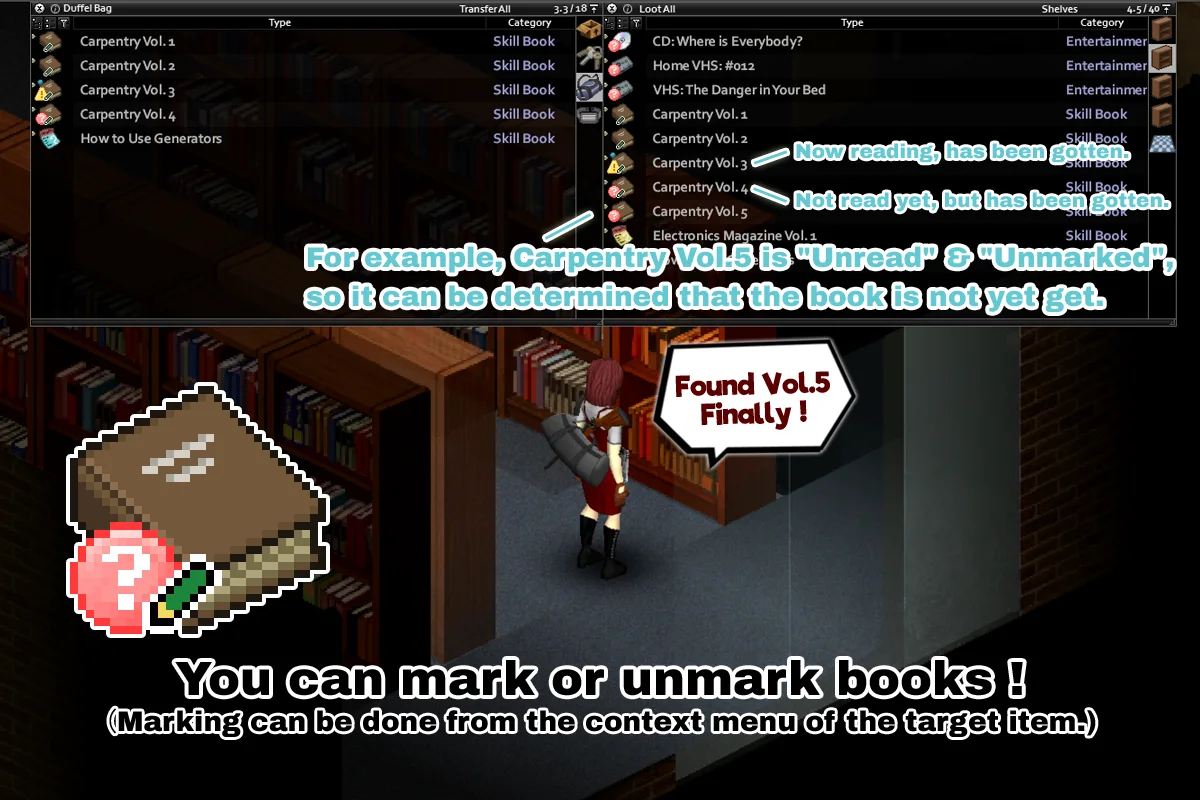
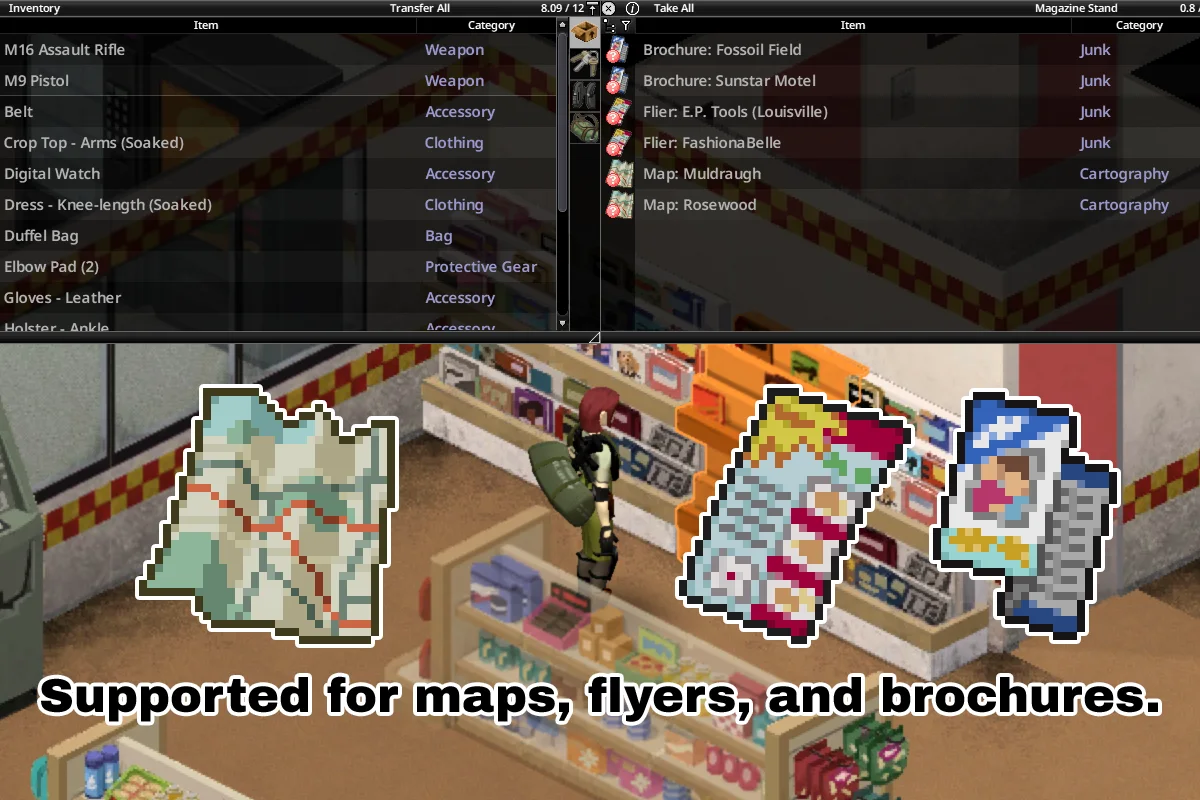
Unread (?), half-read (!) and finished marks, Item Marks, and map and flier support. Images: PePePePePeil, “Has Been Read” Steam Workshop page.
Pros
- Confirmed for Build 42 Stable, single player and multiplayer
- Adds no items or recipes, only icon marks
- Pick which item types get marks: books, maps, CDs, VHS
Cons
- Maps can show as unread after reconnecting in 42.20 multiplayer
- CDs and VHS tapes only get the Not Read mark
Is the “Has Been Read” mod updated for Build 42?
Yes. The Workshop description says the mod is "confirmed to work with Build 41 and Build 42 Stable, including multiplayer". The mod files back this up: the current download carries three Build 42 versions, and the game loads the newest one your build supports.
| Mod folder | Mod version | For game version |
|---|---|---|
| 42.15 | 3.8.1 | 42.15.0 and later |
| 42.13 | 3.0.1 | 42.13.0 and later |
| 42 | 2.14.1 | 42.0.0 and later |
Recent updates from the author's change notes:
- 3.8.1 (October 9, 2026): better support for books added by other mods.
- 3.8.0 (October 7, 2026): better compatibility with CleanUI, and a fix for icons showing on the wrong inventory rows.
- 3.5.0 (August 1, 2026): added support for Build 42.20.
How to install the “Has Been Read” mod
- Open the “Has Been Read” Workshop page and click Subscribe.
- Start Project Zomboid, open Mods from the main menu and turn on Has Been Read.
- Start a new game, or check that the mod is in your save's active mod list before you load it.
The author gives no load-order notes. The mod needs no other mods.
Options
All options are in the game's mod options for “Has Been Read”:
| Option | What it does |
|---|---|
| Items for Status and Current Target Marks | Picks which item types can show marks: Skill Book, Recipe Magazine, Map, Flier, Brochure, Titled Literature, CD, VHS and Home VHS |
| Show Status Marks | Turns the ?, ! and v marks on or off one by one |
| Show "Current Target" mark | Turns the blue dot on or off |
| Show Item Marks | Shows a pencil on marked items and an eraser on unmarked ones. Turning both off also turns off Item Marks |
| Auto-Mark Items | Marks a supported item when you move it into your inventory or a bag you carry |
| Temporary Auto-Mark Toggle | Adds a right-click entry to pause or resume auto-marking |
Items and recipes
The mod adds no items and no crafting recipes. Its download contains no item or recipe script files, only interface code and translations.
Known conflicts and issues
From the author's Workshop page:
- Maps in Build 42.20 multiplayer: the base game does not keep the read status of map items after you reconnect, so maps can show as unread. The author's fix is to untick "Map" under "Items for Status and Current Target Marks". Map areas you already revealed are not affected.
- CDs and VHS tapes only support the "Not Read" mark. A partly watched or partly heard tape counts as unread.
- Multiplayer rollbacks: a Workshop bug report describes rollbacks on a 42.13.1 server after marking many books. The author traced it to player data hitting a size limit in the base game, which base-game features such as "Unwanted" item marks also fill, so it can happen without this mod.
No conflicts with other mods are reported as of November 28, 2026. Version 3.8.0 specifically improved compatibility with CleanUI.
FAQs
Does the “Has Been Read” mod still work in Build 42?
Yes. The author states it works on Build 42 Stable, single player and multiplayer, and the latest version (3.8.1, October 2026) is built for Build 42.15 and later.
Does the “Has Been Read” mod work on an existing save?
The author does not address this directly. The mod adds no items or world objects, and in Build 42 maps, fliers, brochures and titled literature you read before installing it are recognized because the mod uses the game's own reading history.
Can it mark novels, magazines and comics?
Yes. "Titled Literature" and "Recipe Magazine" are both on the list of item types the marks can cover, and version 3.8.1 added read, in-progress and completed marks for any literature that uses the game's page progress.
Does it work in multiplayer?
Yes, per the author. Read status and Item Marks are saved for each character, so every player on a server sees their own marks.
Why do my maps show as unread after reconnecting?
That is a base-game behavior in Build 42.20 multiplayer, not a bug in the mod. Turn off "Map" in the mod's item list if the marks bother you.
Credit
All content belongs to PePePePePeil. Subscribe on the Steam Workshop: “Has Been Read”.
More Build 42 mods with checked status: Best Project Zomboid Build 42 mods.

Amit loves new tech and apps that make life easier, he writes about apps, games and useful websites on TheTechBasket.