Life360 is one of the top-grossing apps on the US App Store. The free app shares your family's location, but the useful extras sit behind a membership. On the US App Store, Silver is listed at $9.99, Gold at $16.99 and Platinum at $24.99. Silver gives you only 2 places with alerts and 2 days of location history. Gold is where unlimited place alerts and 30 days of history start.
Money is only half the reason people leave. Privacy is the other half. In December 2021, The Markup reported that Life360 was selling precise location data to about a dozen data brokers. Life360 then said it would stop. It still has data deals today (details below). If you just want to see that your kid got to school or your partner is on the way home, free tools from Google, Apple and others do that job. This guide lists 9 of them, for Android, iPhone and mixed families.
Last checked: September 26, 2026. Prices are US App Store or Google Play prices unless stated. Features and prices can differ by country. We did not test these apps; every detail comes from the developer's own pages, help centres and store listings.
- Mixed Android and iPhone family: Google Maps location sharing is free, works on both, and can alert you when someone arrives or leaves a place.
- All-iPhone family: Apple Find My is already on every iPhone, with arrival and leaving alerts and no ads.
- Young kids on Android: Google Family Link shows the child's device on a map and alerts you at saved places. Parents can use Android or iPhone.
- Quick, temporary sharing: WhatsApp live location (up to 8 hours, end-to-end encrypted) or Glympse (a link anyone can open, no sign-up to view).
- Closest Life360 clone: GeoZilla has circles, place alerts and history, but the full set needs a paid plan and it may share data for ads.
- Most private: OwnTracks or Traccar send your location only to a server you run.
- Dead: Zenly shut down on February 3, 2023.
Every Life360 alternative at a glance
Search by app, feature or platform. "Sells or shares data" is what each company says in its own policy or store listing, not our own audit.
Tap any name in the table to jump to its full entry below.
| App | Price | Android plus iPhone | Place alerts (geofence) | Location history | Ads | Sells or shares data (per its policy) | Account needed |
|---|---|---|---|---|---|---|---|
| Life360 (for comparison) | Free, memberships $9.99 to $24.99 | Yes | 2 places on Silver, unlimited on Gold | 2 days Silver, 30 days Gold | Yes (Play label) | Sells audience segments, shares with partners (see below) | Yes |
| Google Maps location sharing | Free | Yes | Yes, up to 5 per person | No, live only | Some in Maps | Google says it never sells personal info | Google account (link viewers need none) |
| Apple Find My | Free | iPhone only | Yes, up to 25 | No, live only | No | Apple says it does not sell personal data | Apple Account |
| Google Family Link | Free | Parent: both. Child: Android only | Yes, arrives and leaves | Not offered | No | Google says it never sells personal info | Google accounts for parent and child |
| WhatsApp live location | Free | Yes | No | No, up to 8 hours live | Only in the Updates tab | Live location is end-to-end encrypted | Phone number |
| Glympse | Free, paid business extras | Yes | No | No | Yes (Play label) | Says it does not sell your data | None to view a share |
| GeoZilla | Free tier, Premium subscription | Yes | Limited free, unlimited on Premium | Yes, 2 weeks on Premium | Not labelled on Play | Says it does not sell, but may share data for ads | Yes |
| Samsung Find | Free | Galaxy only | Yes, location notifications | Not stated | No | Play label: no data shared | Samsung account |
| OwnTracks | Free, open source | Yes | Yes, regions | Yes, on your own server | No | Stays on your server | Your own server |
| Traccar | Free self-hosted, hosting from $9.95 a month | Yes | Yes, geofences | Yes, reports | No | Stays on your server | Server account |
What Life360 does with your data
This is the part most people ask about, so here is what the record says, with dates.
- December 2021: The Markup reported that Life360 was selling precise location data from its users to around a dozen data brokers, including X-Mode, SafeGraph and Cuebiq.
- January 27, 2022: Life360 told The Markup it would phase out those broker deals. It kept two partners: Arity (owned by Allstate), which gets precise location data for driving features like crash detection, and Placer.ai, which gets aggregated data.
- January 2025: The Texas attorney general sued Allstate and Arity over driving data collected through software inside apps, and named Life360 as one of those apps. Life360 itself was not a defendant.
- June 2025: The Capitol Forum reported that Life360 sells thousands of audience segments (for example, visitors of a brand) through LiveRamp's Data Marketplace. Life360 said it does not share precise location with LiveRamp.
So "Life360 stopped selling location data" is only partly true. It stopped selling raw precise data to brokers. It still earns money from location-based data through partners. Life360's privacy settings let you turn off sharing with individual partners, so check them if you stay.
The best free Life360 alternatives
Google Maps location sharing
- Android
- iPhone and iPad
This is the best free pick for most families, and the only big-name option that works the same on Android and iPhone. Open Google Maps, tap your profile picture, and share your real-time location with a contact. You can share for a set time or until you turn it off.
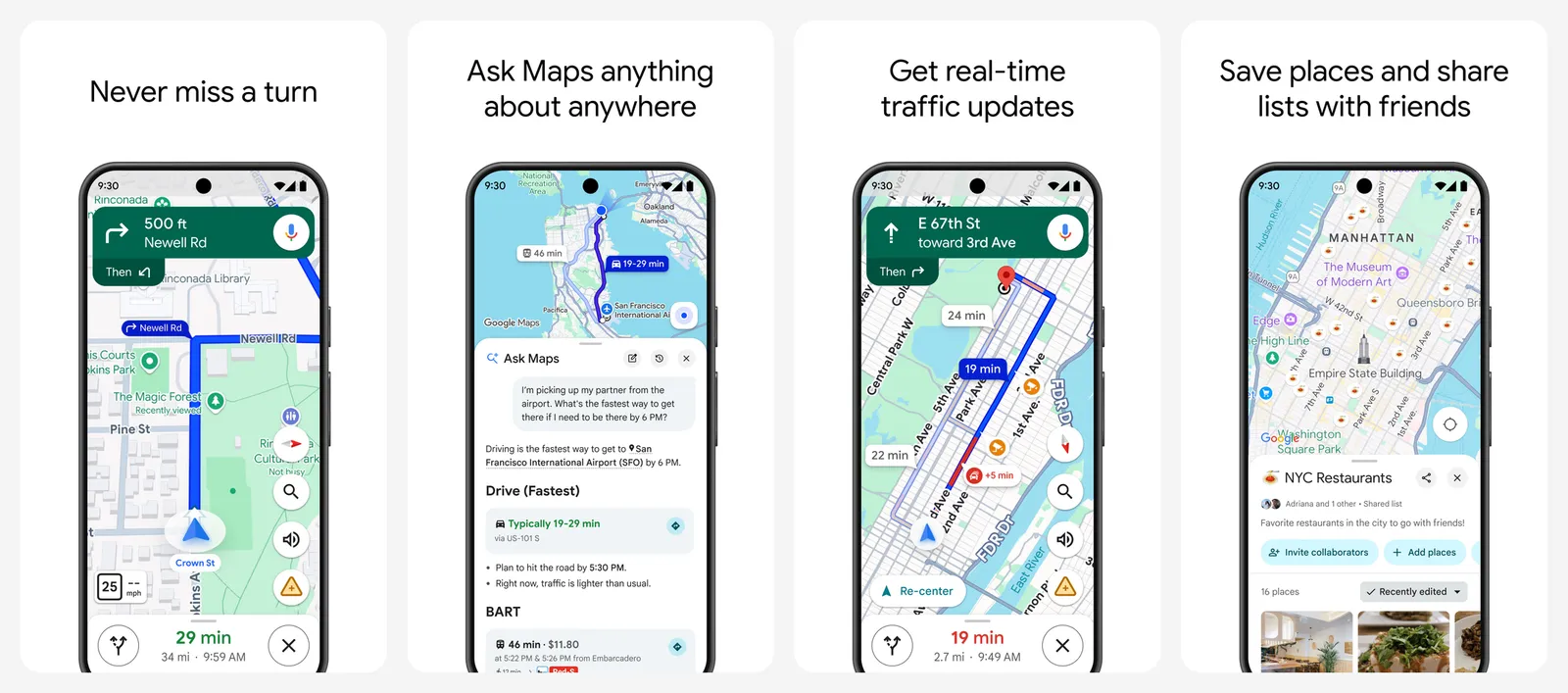
It also has place alerts. For each person sharing with you, you can add up to 5 notifications for when they arrive at or leave a place. The other person gets an email telling them you set it up, and they can block it. Notifications are not available if the sharer is under 13 (or the age of consent in their country). To share with someone who has no Google account, send a link. It shows your location in any browser for up to 24 hours.
On Android, the same people sharing also appears in Find Hub (Google renamed Find My Device to Find Hub in 2025).
What you lose vs Life360: no location history for family members, no crash detection, no driving reports, and no single family "circle" screen.
- Replaces
- Life360 live map and place alerts
- Runs on
- Android, iPhone, any browser for link viewers
- Licence
- Free Google service
- Skip if
- You need location history of family members or crash detection
- Price
- Free
Apple Find My
- iPhone and iPad
If everyone in your family has an iPhone, you already have a solid Life360 replacement. The People tab in Find My shows everyone who shares with you, and it works with Family Sharing.
You can get a notification when someone arrives at or leaves a place, or when they are not at a place during a set schedule. You choose once or every time. Recurring alerts need the other person to approve them first, and they need two-factor authentication turned on. Apple allows up to 25 of these notifications. Apple says it does not sell personal data.
The catch is Android. Find My cannot share people's locations with Android users. One Android phone in the family means you need Google Maps or another cross-platform app.
What you lose vs Life360: no Android support, no location history, no driving reports or crash-dispatch service.
- Replaces
- Life360 on an all-Apple family
- Runs on
- iPhone, iPad, Mac
- Licence
- Built into iOS, iPadOS and macOS
- Skip if
- Anyone in the family uses Android
- Price
- Free
Google Family Link
- Android
- iPhone and iPad
Family Link is Google's parental control app. Besides screen time and app approvals, it shows where your child's Android phone is on a map. You can save family places and turn on alerts for when the child arrives or leaves.
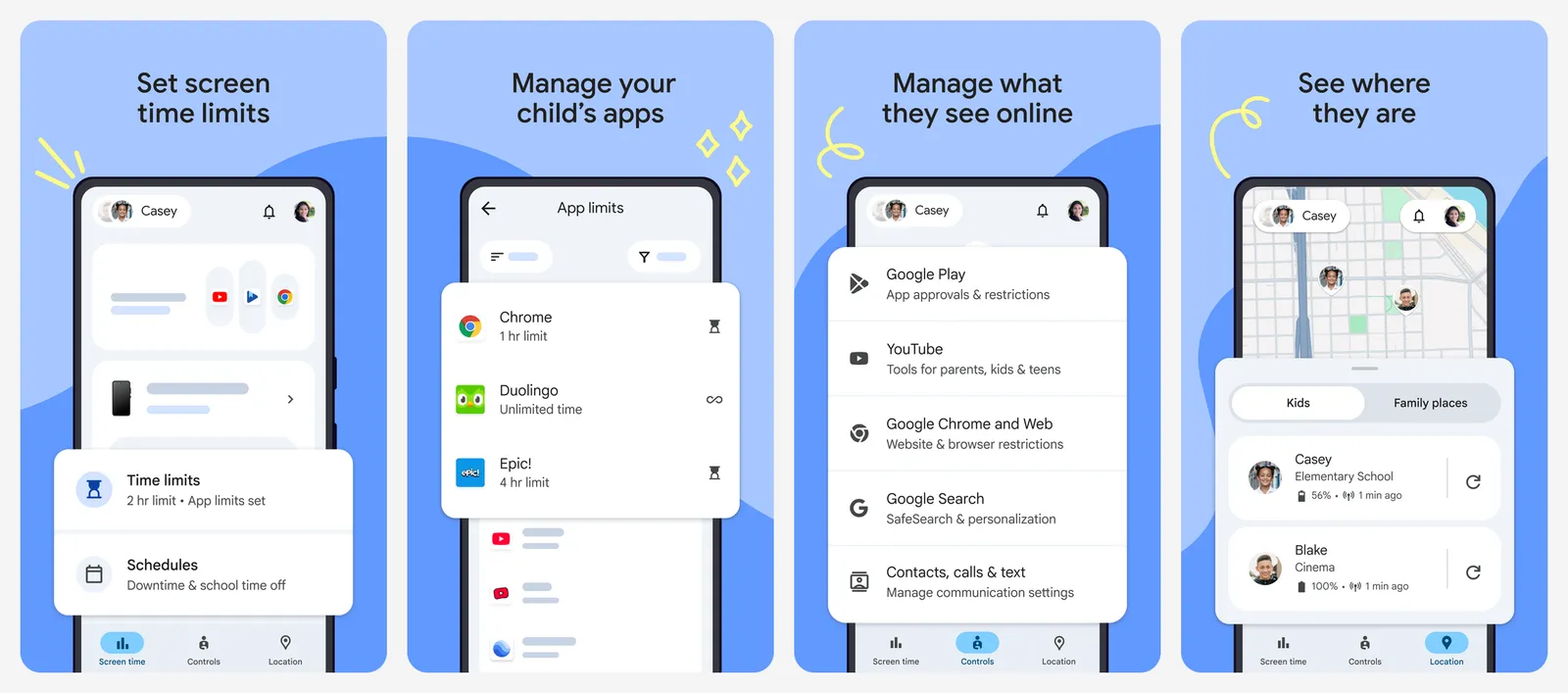
The parent can use Android or iPhone. The child's device must be Android (or a compatible Fitbit) for location to work. Location works best when the child's phone has mobile data, and alerts switch off if the phone's location accuracy setting is turned off.
What you lose vs Life360: no iPhone support for the child, built for kids rather than adults or grandparents, no driving features.
- Replaces
- Life360 for parents of younger kids
- Runs on
- Parent: Android or iPhone. Child: Android phone or compatible Fitbit
- Licence
- Free Google service
- Skip if
- Your child has an iPhone
- Price
- Free
WhatsApp live location
- Android
- iPhone and iPad
Most families already have a WhatsApp group. Open the chat, tap attach, choose Location, then Share live location. You pick 15 minutes, 1 hour or 8 hours, and you can stop early.
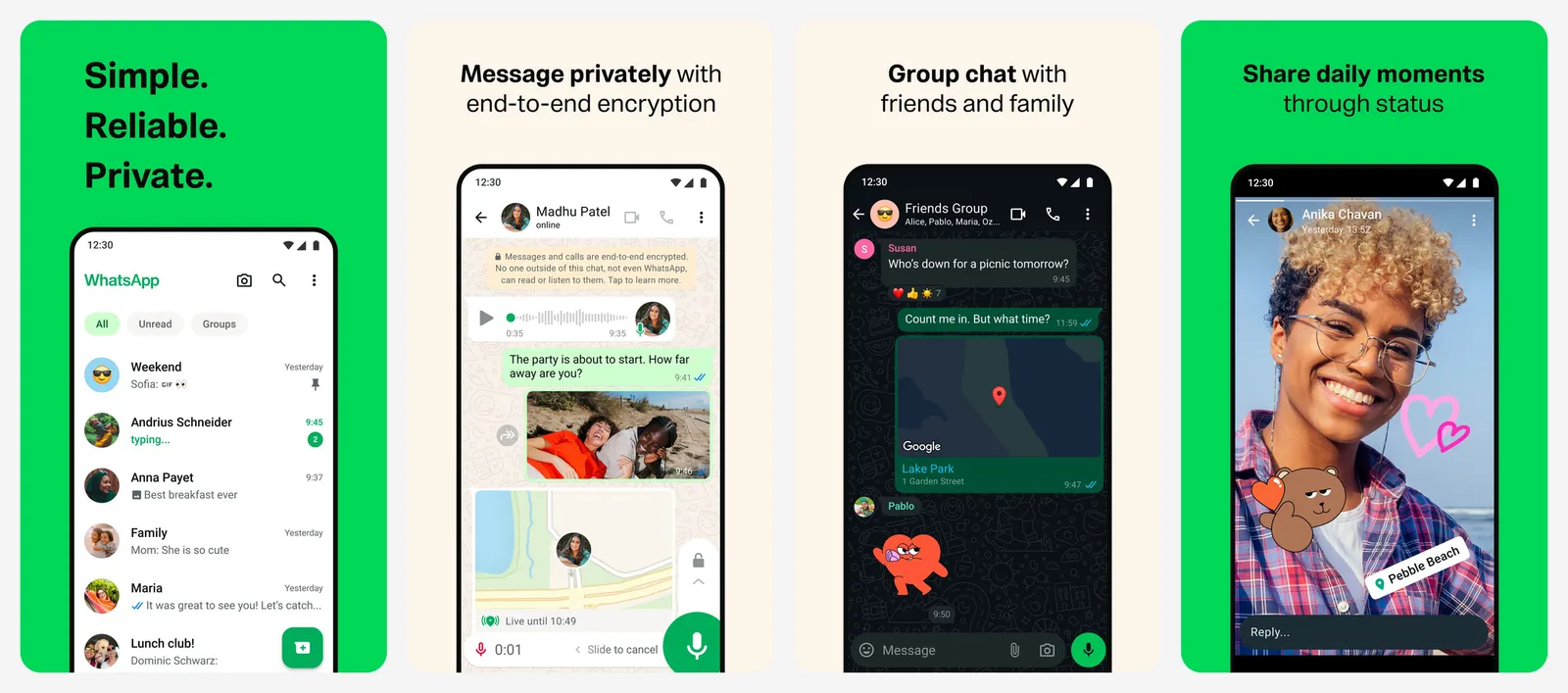
WhatsApp says live location is end-to-end encrypted, so only the people in that chat can see it. That makes it one of the more private options here. It needs only your phone number. It is best for a night out, a road trip or a teen walking home, not for all-day tracking.
What you lose vs Life360: sharing ends after 8 hours at most, no place alerts, no history, no always-on family map.
- Replaces
- Life360 for trips and meetups
- Runs on
- Android, iPhone
- Licence
- Free app
- Skip if
- You want always-on sharing
- Price
- Free
Glympse
- Android
- iPhone and iPad
Glympse has done temporary location sharing since 2008. You send a link, and the other person watches you move on a map in any browser. They do not need the app or an account. Every share expires on its own.
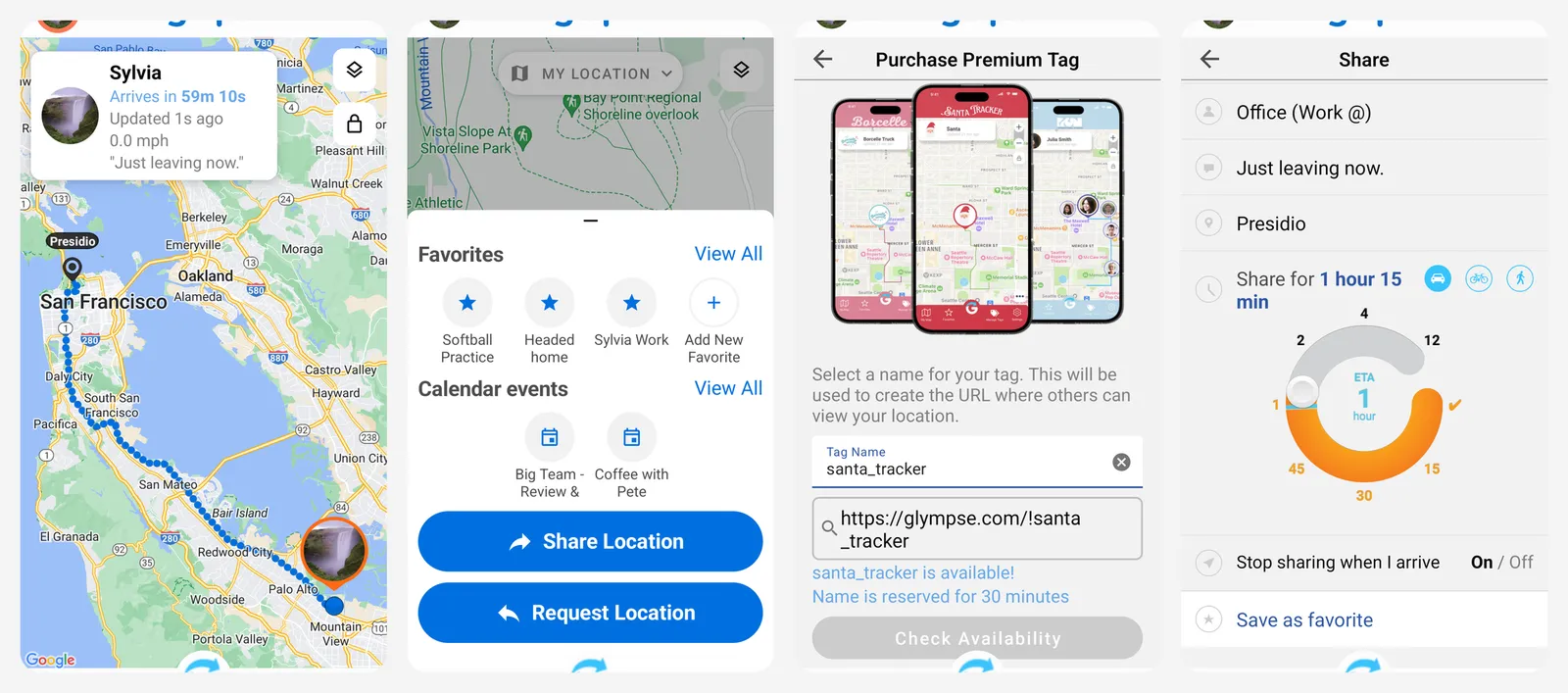
It also has private groups for families, carpools and sports teams, where members can share and request locations. Glympse says it does not sell your data or require sign-ups to view locations. The Android version contains ads, and the paid upgrades are mostly branding tools for businesses.
What you lose vs Life360: no geofence alerts, no history, sharing is designed to be temporary.
- Replaces
- Life360 for sharing an ETA
- Runs on
- Android, iPhone, any browser for viewers
- Licence
- Free app with in-app purchases
- Skip if
- You want place alerts or history
- Price
- Free, paid Premium extras for businesses
GeoZilla
- Android
- iPhone and iPad
GeoZilla looks and works the most like Life360. You create a family circle, invite people by phone number, link or QR code, and each person has to accept before sharing starts. It has arrival and departure alerts, a daily location timeline, low battery alerts, driving reports and SOS.
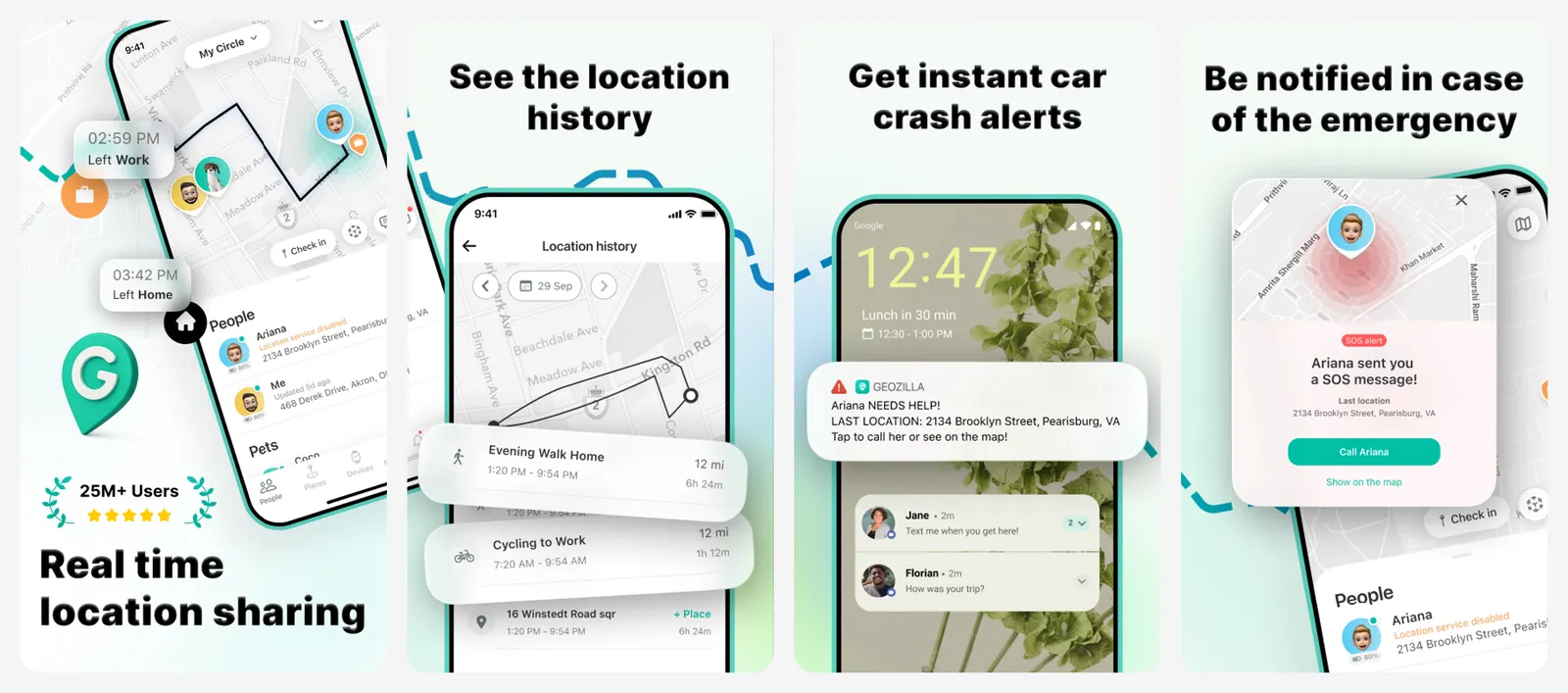
The free tier is limited. Premium adds unlimited location alerts, unlimited circles, 2 weeks of history for everyone and driver protection, and one purchase covers the whole family. On privacy, GeoZilla's policy says it does not sell personal information, but it may share data, including location and ad IDs, with third parties for advertising. Apple's label lists identifiers as data used to track you.
What you lose vs Life360: in practice not much in features, but you pay for Premium to get them, and the privacy trade-off is similar.
- Replaces
- Life360 circles, place alerts and history
- Runs on
- Android, iPhone, Wear OS
- Licence
- Freemium subscription
- Skip if
- You care about ad data sharing
- Price
- Free tier; Premium from $5.99 a week or $49.99 to $69.99 a year (US App Store)
Samsung Find
- Android
Samsung Find grew out of SmartThings Find. Its People tab lets you share your location with family and friends, set it for a limited time, and get location notifications. A family group holds you plus up to 5 more people. The Devices and Items tabs also find Galaxy phones, watches, Buds and SmartTags.
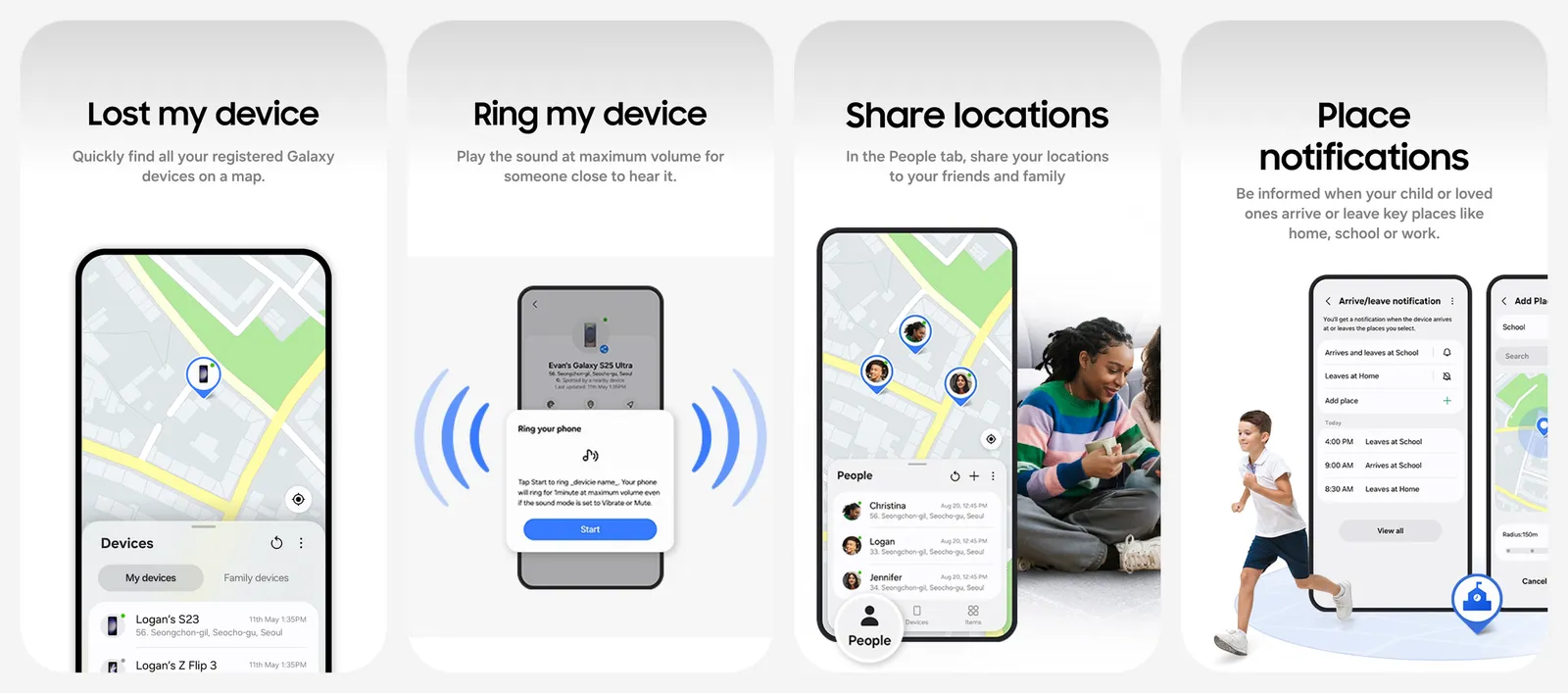
It needs a Samsung account, and the person you share with must have Samsung Find installed. The Google Play data safety label says no data is shared with third parties.
What you lose vs Life360: works only on Galaxy devices, no driving features.
- Replaces
- Life360 in an all-Samsung family
- Runs on
- Galaxy phones and tablets on One UI 2 or later
- Licence
- Free, preloaded on newer Galaxy phones
- Skip if
- Anyone uses an iPhone or a non-Samsung Android phone
- Price
- Free
OwnTracks
- Android
- iPhone and iPad
OwnTracks is a free, open source app that sends your location to a server you control, not to a company. Family members you authorise can see each other on a map. You can mark places as regions with a radius, and the app reports when a phone enters or leaves them. With the OwnTracks Recorder on your server, you keep a full location history.
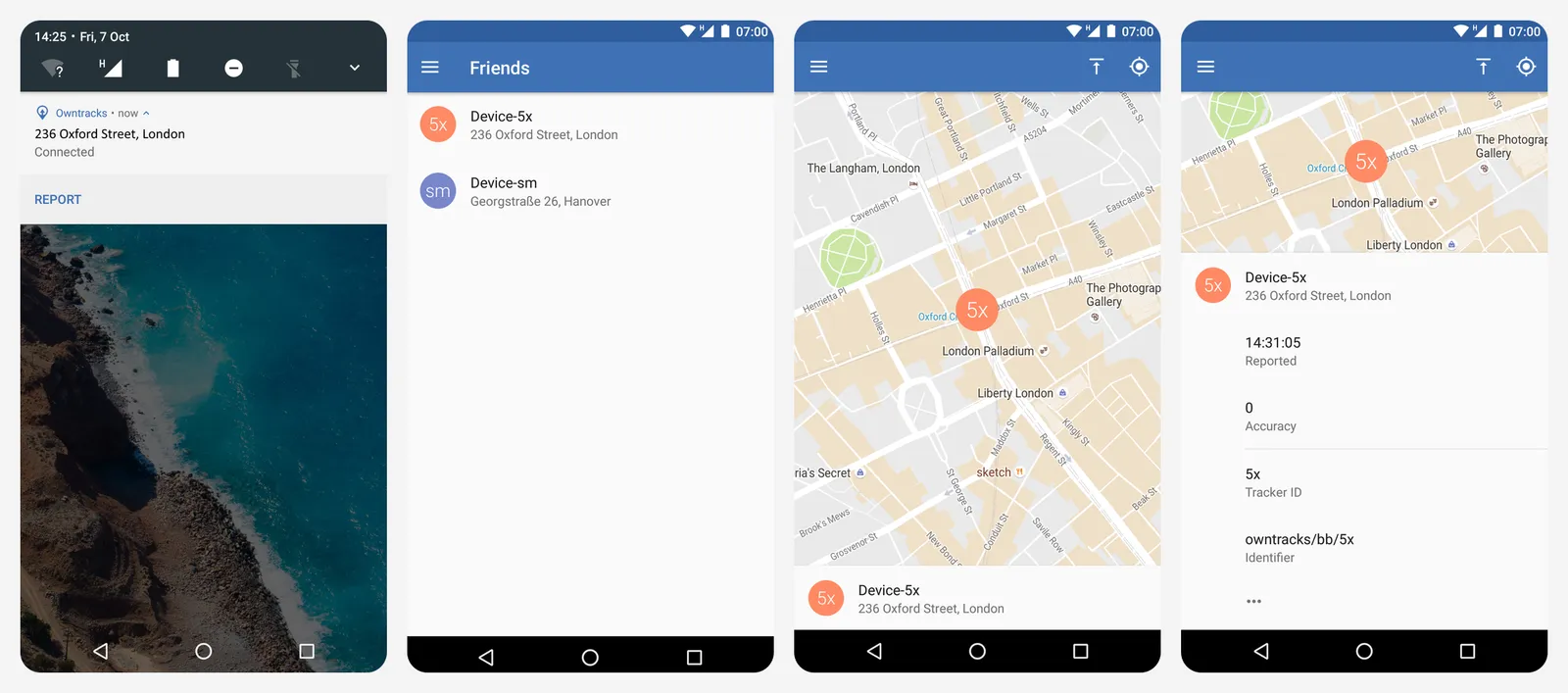
The trade-off is setup. Someone has to run the server (MQTT or HTTP) and keep it online. If your family already has a home server, it fits well next to the other tools in our open source privacy tools list.
What you lose vs Life360: easy setup, crash detection, SOS services, and a polished family app.
- Replaces
- Life360 for privacy-first families
- Runs on
- Android, iPhone
- Difficulty
- Needs a server you set up
- Licence
- Open source (Android app EPL-1.0)
- Skip if
- Nobody in the family wants to run a server
- Price
- Free
Traccar
- Android
- iPhone and iPad
Traccar is an open source GPS tracking platform. The Traccar Client app turns a phone into a tracker that reports to a Traccar server. The server gives you a live map, geofences with alerts, and trip reports with history. The Play listing says location goes only to your chosen server and no data is shared.
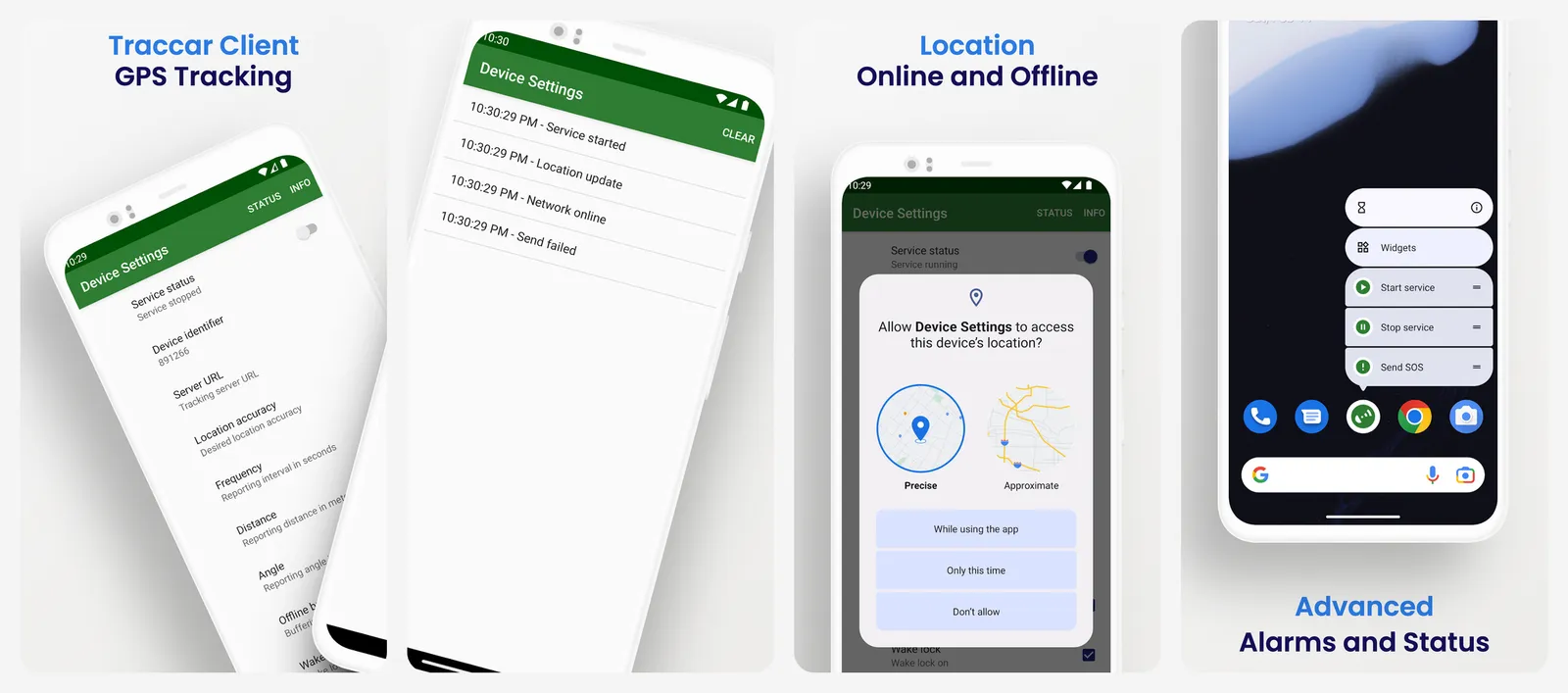
You can self-host it free, or pay Traccar's own developers for a hosted account (from $9.95 a month). The apps point to a public demo server by default, which is fine for testing but not for your family's location.
What you lose vs Life360: it is built for fleets and trackers, so the family experience is plain, and setup takes work.
- Replaces
- Life360 for tech-savvy families
- Runs on
- Android, iPhone, web
- Difficulty
- Needs a server, or a paid hosted account
- Licence
- Open source (Apache-2.0)
- Skip if
- You want a simple consumer app
- Price
- Free self-hosted; hosted account from $9.95 a month
Apps that no longer fit
- Zenly: the popular friend map app shut down on February 3, 2023. Snap, which owned it, put its effort into Snap Map inside Snapchat instead.
- Bark: Bark has location check-ins and arrive or leave alerts, but it is not free. Bark Jr is $5 a month or $49 a year, and Bark Premium is $14 a month or $99 a year.
- Tile and AirTag: these trackers are for keys, bags and pets, not people. Life360 has owned Tile since January 2022, so Tile is not a way to leave Life360. See our AirTag use cases for what they are good at.
Every app here is meant for people who know they are sharing. Tracking another adult without their knowledge is not okay, and in many countries it can be illegal. Hiding an app or a tracker on a partner's phone or car is a form of stalking. Tell family members what you share, and let teens and adults turn it off.
Who should still pay for Life360
- You want crash detection with emergency dispatch. Gold adds live agent support after a crash, plus 24/7 roadside assistance. None of the free apps here offer that.
- You want driving reports for a new teen driver. Gold includes individual driver reports.
- You need 30 days of history for everyone in one app on both Android and iPhone, without running a server.
- You value the extras like stolen phone protection, ID theft protection, or Tile tracker integration on the same map.
If you only need "where is everyone right now" and a ping when someone gets home, Google Maps, Find My or Family Link covers it for free.
Is there a completely free alternative to Life360?
Can an iPhone and an Android phone share location without Life360?
Does Life360 still sell location data?
What happened to Zenly?
Can Google Maps tell me when my child gets home?
What is the most private Life360 alternative?

Sumit
ContributorHi, I'm Sumit, Being an introvert I have always been obsessed with technology-computers and reading dozens of posts to learn, find answers out of my curiosity. I love to write as I explore more.