
On this page
- All gifts at a glance
- Before you buy
- Gifts under $25
- Keychron Desk Mat
- iFixit Moray Driver Kit
- A domain name
- Kagi search gift
- One month of Claude Pro
- Gifts under $50
- Keychron PBT keycap set
- iFixit Mako Driver Kit
- A Philosophy of Software Design (2nd edition)
- Gifts under $100
- Keychron C3 Pro 8K
- The Pragmatic Programmer (20th Anniversary Edition)
- Designing Data-Intensive Applications (2nd edition)
- Logitech MX Master 3S
- Elgato Stream Deck Neo
- Gifts $100 and up
- BenQ ScreenBar
- Keychron K2 Max
- Logitech MX Master 4
- Logitech ERGO K860
- Raspberry Pi 500 desktop kit
- Keychron Q11
- ZSA Voyager
- JetBrains All Products Pack
- Sony WH-1000XM6
- Subscriptions you cannot gift, and what to do instead
- More for developers
Most gift guides for programmers are full of "I turn coffee into code" mugs. A working developer already has a mug. What they want is a keyboard that feels better, a mouse that saves their wrist, a lamp that stops screen glare at night, a book that changes how they build things, or a year of a tool they use every day but never got round to paying for.
This guide sorts those gifts into four budgets: under $25, under $50, under $100, and $100 and up. Every price comes from the maker's own store or publisher where we could find one. For subscriptions, we checked whether you can really gift them, because many popular dev tools have no gift option at all. Where you cannot gift something, we say what to do instead.
Last checked: September 2026. Prices are US list prices from official stores unless we say otherwise. Hardware prices are moving a lot this year because of the memory shortage, and most of these products go on sale around Black Friday, so check the price before you buy.
- Under $25: a Keychron Desk Mat ($24.99), the iFixit Moray bit set ($19.95), or a domain name they can own (a .com is $11.08 a year at Porkbun).
- Under $50: a PBT keycap set ($32.99) or the iFixit Mako 64-bit driver kit ($39.95).
- Under $100: The Pragmatic Programmer ($54.99 list), Designing Data-Intensive Applications, 2nd edition (March 2026), or a Logitech MX Master 3S ($99.99).
- $100 and up: the Logitech MX Master 4 ($119.99), a BenQ ScreenBar ($109), a Raspberry Pi 500 desktop kit ($200), or a split keyboard.
- Giftable subscriptions: Claude (Pro or Max, 1 to 12 months) and Kagi have real gift options. GitHub Copilot and Raycast Pro do not.
All gifts at a glance
Search the table by name, budget or type. Tap any gift to jump to our full pick, with the price and a link to buy it.
| Gift | Type | Budget | US price |
|---|---|---|---|
| iFixit Moray Driver Kit | Tools | Under $25 | $19.95 |
| Keychron Desk Mat | Desk | Under $25 | $24.99 |
| A domain name | Online | Under $25 | $11.08/yr for a .com at Porkbun |
| One month of Kagi | Subscription | Under $25 | Professional is $10/mo |
| One month of Claude Pro | Subscription | Under $25 | Pro is $20/mo |
| Keychron PBT keycap set | Keyboard | Under $50 | $32.99 |
| iFixit Mako Driver Kit | Tools | Under $50 | $39.95 |
| A Philosophy of Software Design | Book | Under $50 | About $23 to $28 |
| Keychron C3 Pro 8K | Keyboard | Under $100 | $54.99 |
| The Pragmatic Programmer | Book | Under $100 | $54.99 list |
| Designing Data-Intensive Applications, 2nd ed. | Book | Under $100 | $69.99 list |
| Logitech MX Master 3S | Mouse | Under $100 | $99.99 list |
| Elgato Stream Deck Neo | Desk | Under $100 | $99.99 |
| BenQ ScreenBar | Light | $100+ | $109 |
| Keychron K2 Max | Keyboard | $100+ | $114.99 to $124.99 |
| Logitech MX Master 4 | Mouse | $100+ | $119.99 |
| Logitech ERGO K860 | Ergonomic keyboard | $100+ | $149.99 |
| Raspberry Pi 500 desktop kit | Computer | $100+ | $200 |
| Keychron Q11 | Split keyboard | $100+ | $204.99 |
| JetBrains All Products Pack | Subscription | $100+ | $299 first year |
| ZSA Voyager | Split keyboard | $100+ | $365 with shipping |
| Sony WH-1000XM6 | Headphones | $100+ | $459.99 list |
Before you buy
A few quick checks save you from buying something they cannot use.
- Mac, Windows or Linux? Most picks here work on all three, but check the keyboard layout. Keychron sells Mac and Windows keycaps in the box on most models.
- Look at their desk. If they already use a mechanical keyboard, keycaps or a desk mat are safer than a second keyboard. Keyboard people have strong opinions on switches.
- Subscriptions need your own account. Both Claude and Kagi only let you buy a gift if you have an active paid plan. If you do not, pick a hardware gift instead.
- Ask about work licences. If their employer already pays for JetBrains or GitHub Copilot, a personal subscription is wasted money.
Gifts under $25
Keychron Desk Mat
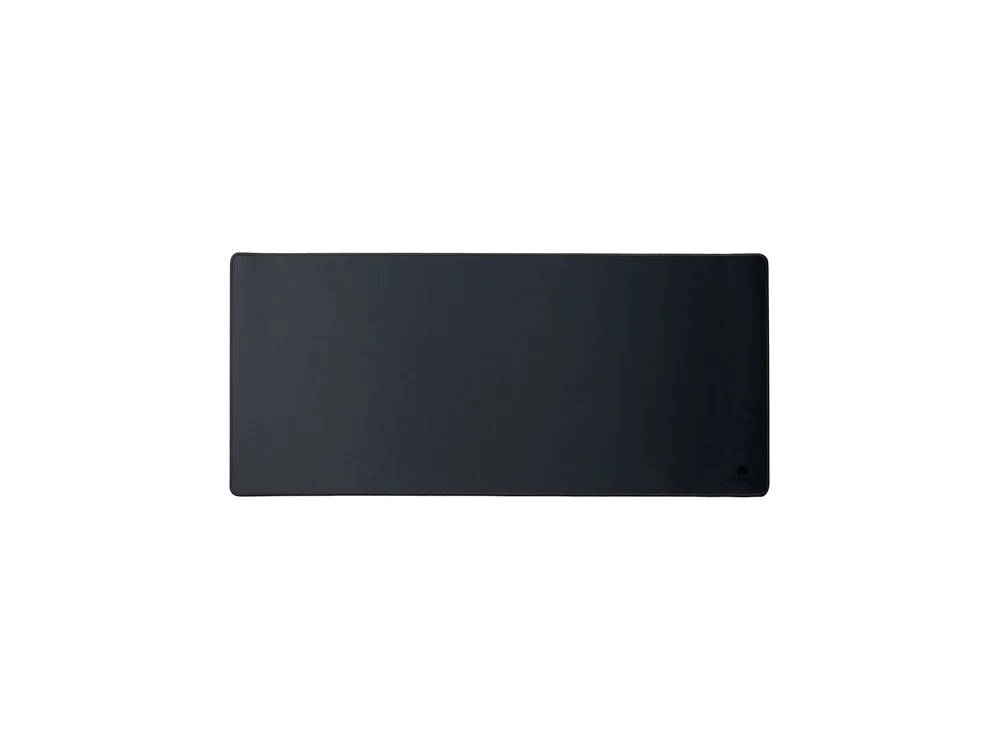
Image: Keychron
A large desk mat is the cheapest way to make a setup feel finished. It gives the mouse a consistent surface, stops the keyboard sliding, and protects the desk. Keychron's mat costs $24.99 in several prints, and it matches the look of its keyboards if they already own one. Plain black is the safe choice.
- Skip if
- Their desk is already covered
- Price
- $24.99
iFixit Moray Driver Kit
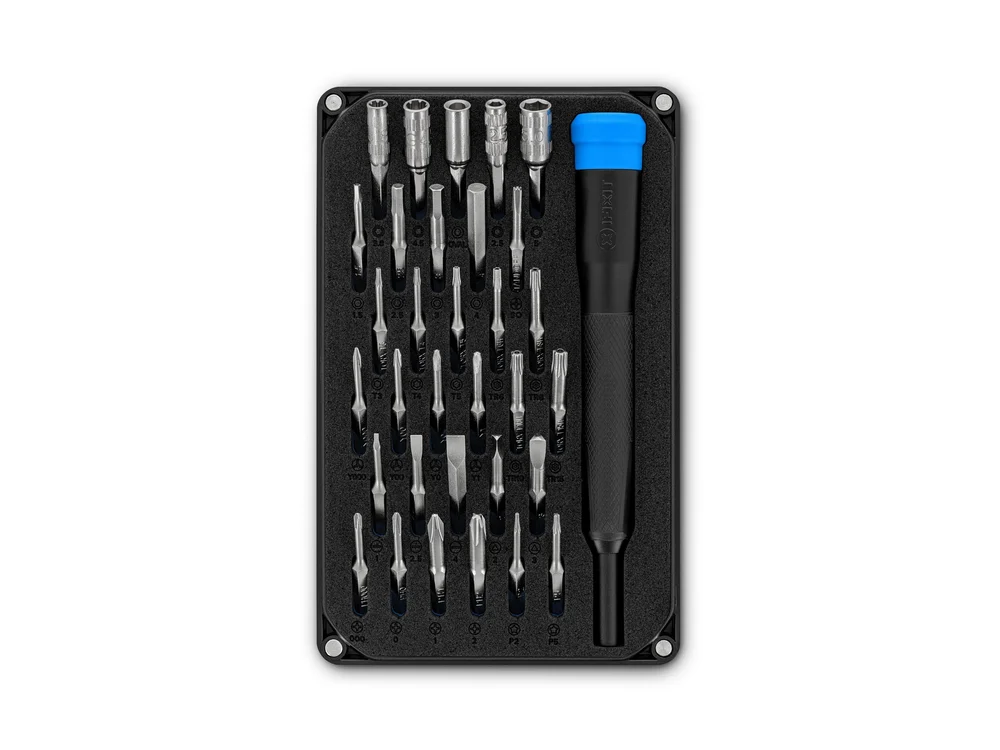
Image: iFixit
Developers are the people everyone asks to fix their laptop, console or controller. The Moray is iFixit's compact precision bit set for game consoles and small electronics, at $19.95. It is small enough to live in a laptop bag. If you want to spend a little more, the 64-bit Mako kit is in the next section.
- Skip if
- They already own a precision bit set
- Price
- $19.95
A domain name
Image: Porkbun
Almost every developer has a side project with no name, or wants a short domain for their portfolio and email. A .com at Porkbun costs $11.08 to register and the same to renew, so the gift does not turn into a price shock in year two. A .dev is $8.75 for the first year but renews at $12.87.
How to gift it: register the name in your own Porkbun account, then use Push Domain to move it into theirs for free. They need a Porkbun account, and new accounts must finish ID verification before they can receive a domain. Namecheap has the same free "change ownership" push if you prefer it. Check the name is free and that they like it before you buy.
- Skip if
- You do not know which name they want
- Price
- $11.08/yr for a .com at Porkbun
Kagi search gift
Image: Kagi
Kagi is a paid, ad-free search engine that many developers like because it lets you boost, lower or block sites (goodbye, content farms). The Professional plan with unlimited searches costs $10 a month.
How to gift it: open Settings, then Gifts in your Kagi account, pick an amount, pay by card, and you get a gift link to send. Kagi only lets people with an active subscription buy gifts.
- Skip if
- You do not have a paid Kagi plan yourself
- Price
- Professional plan is $10/mo
One month of Claude Pro
Image: Anthropic
Claude has a real gift option. You can gift Pro, Max 5x or Max 20x for 1, 3, 6 or 12 months, from the Gift Claude menu or claude.ai/gift. Pro costs $20 a month, so one month fits this budget and a longer gift moves up the list. The recipient redeems it at claude.ai/gift/redeem with a new or existing account, and does not need to add a card.
The rules: you need your own active Pro or Max plan to buy a gift, and you pay by card. The gift expires 365 days after purchase. If they already use AI coding tools, our guide to using Claude Code with free models is a free way to try things first.
- Skip if
- Their employer already pays for an AI assistant
- Price
- Pro is $20/mo
Gifts under $50
Keychron PBT keycap set
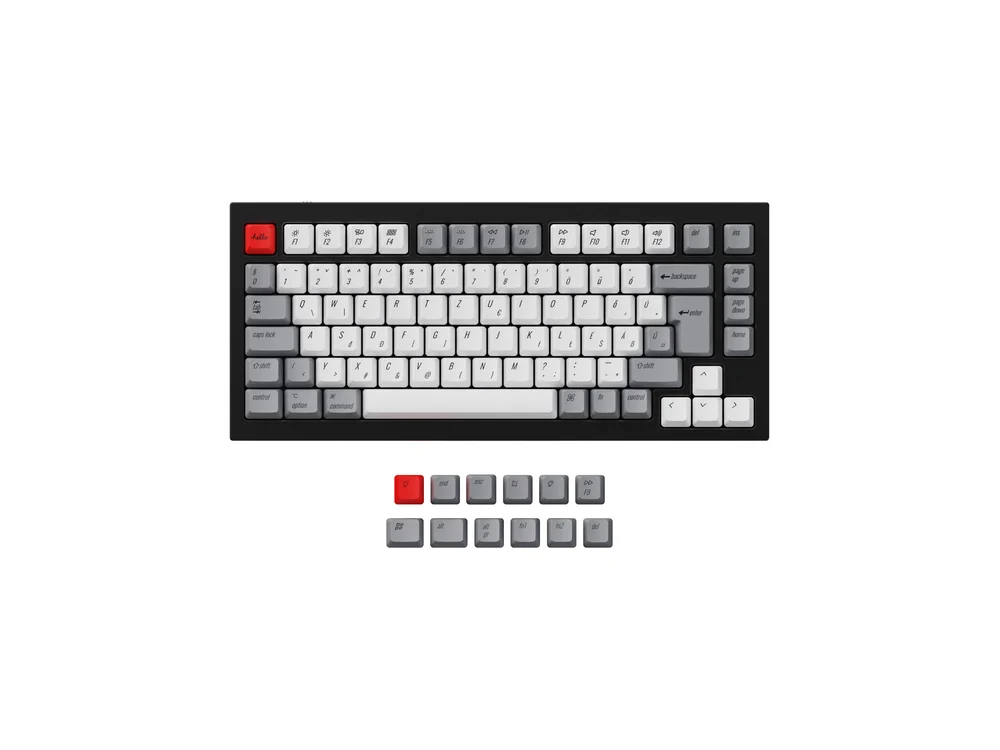
Image: Keychron
If they already own a mechanical keyboard, new keycaps are the gift that changes how it looks and feels without replacing it. Keychron's dye-sub PBT sets cost $32.99 in Retro, Blue and Carbon colours. PBT plastic does not go shiny with use the way cheaper ABS keycaps do. The sets fit standard MX-style keyboards, including Keychron's Q1, V1 and K2 families, but check the keyboard layout first.
- Skip if
- Their keyboard is low-profile or a laptop
- Price
- $32.99
iFixit Mako Driver Kit
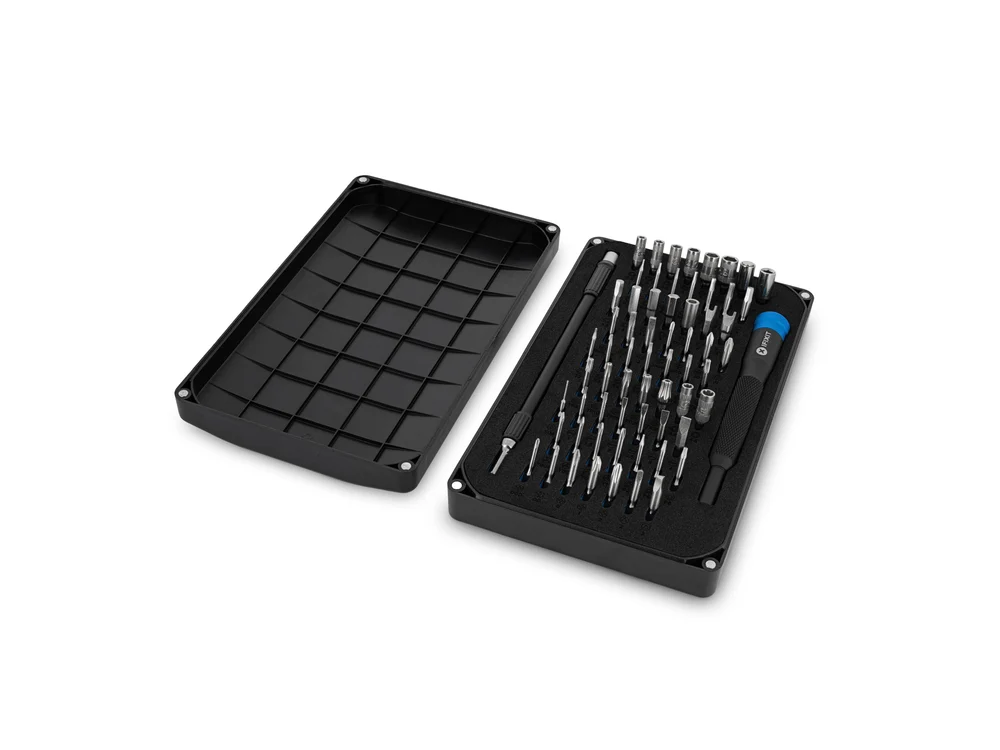
Image: iFixit
The bigger brother of the Moray: 64 precision bits and a driver for $39.95. It covers laptops, phones, consoles and most small electronics. For a developer who builds keyboards or tinkers with a Raspberry Pi, it gets used every month. Our buy it for life tech guide has more gear that is built to be opened and repaired.
- Skip if
- You already bought the Moray
- Price
- $39.95
A Philosophy of Software Design (2nd edition)
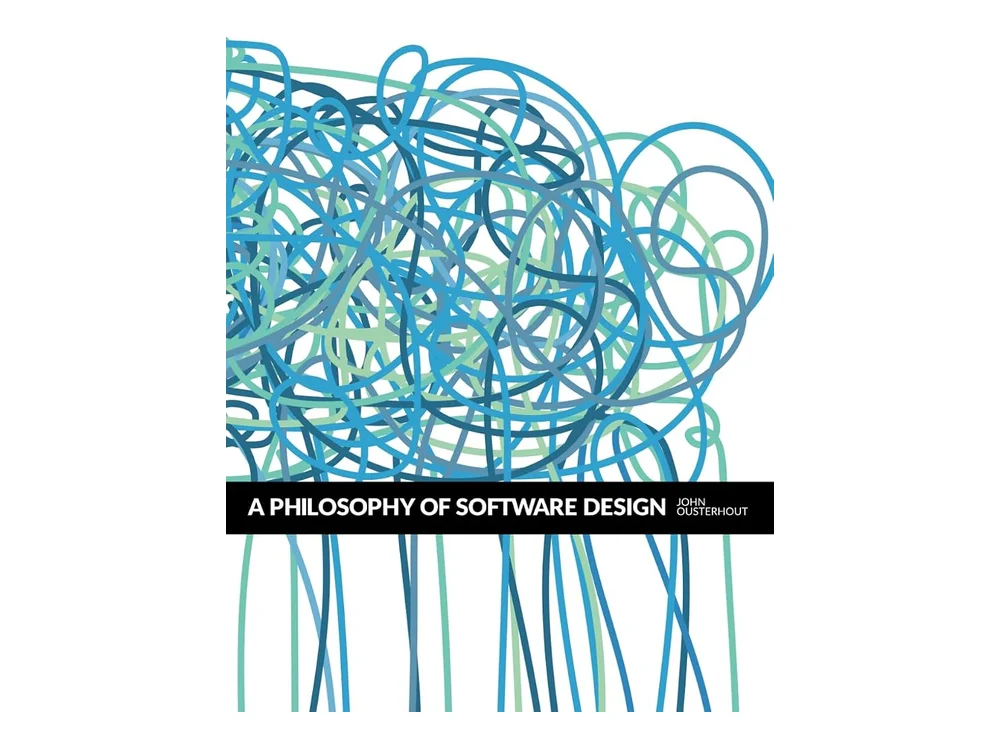
Image: Yaknyam Press
A short book by Stanford professor John Ousterhout about one idea: good design is about reducing complexity. It explains "deep modules", why too many small classes hurt, and how to write comments that help. It is short enough to finish on a weekend and useful at any level. Retailers list the paperback at around $23 to $28.
- Skip if
- They only read about new frameworks
- Price
- About $23 to $28 (paperback)
Gifts under $100
Keychron C3 Pro 8K
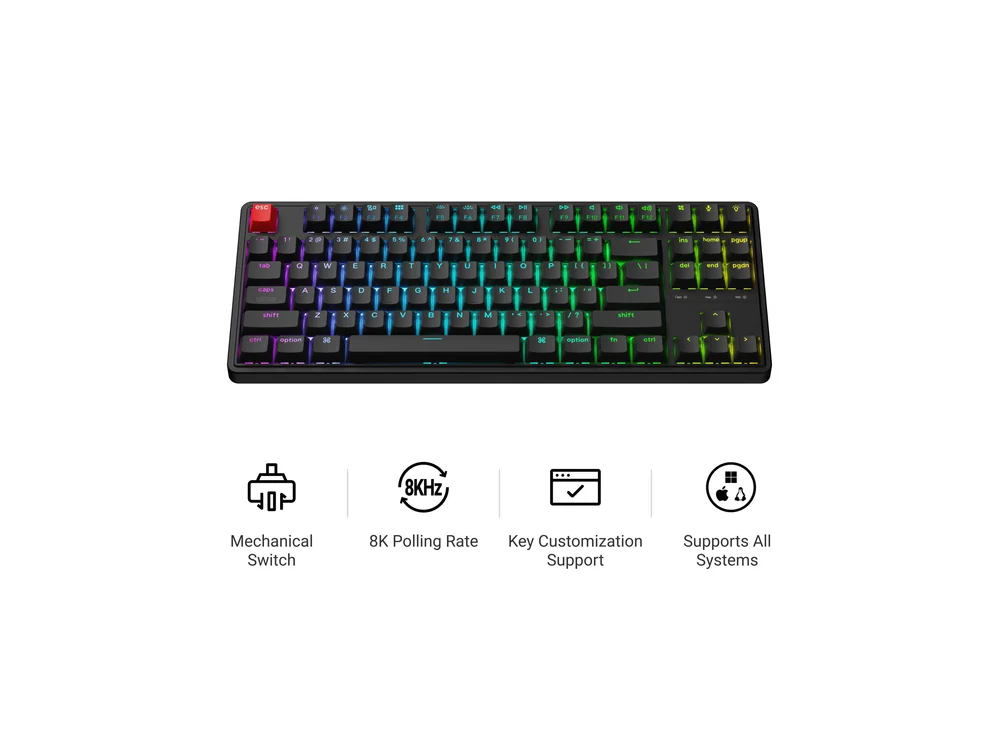
Image: Keychron
The cheapest good way into mechanical keyboards. The C3 Pro 8K is a wired tenkeyless (no number pad) board with hot-swappable switches, so they can change switches later without soldering. It runs QMK firmware, which means every key can be remapped in a web tool without installing a vendor app. It costs $54.99 with RGB lighting. Stock of each switch type changes, so check which ones are available.
- Skip if
- They want wireless
- Price
- $54.99
The Pragmatic Programmer (20th Anniversary Edition)
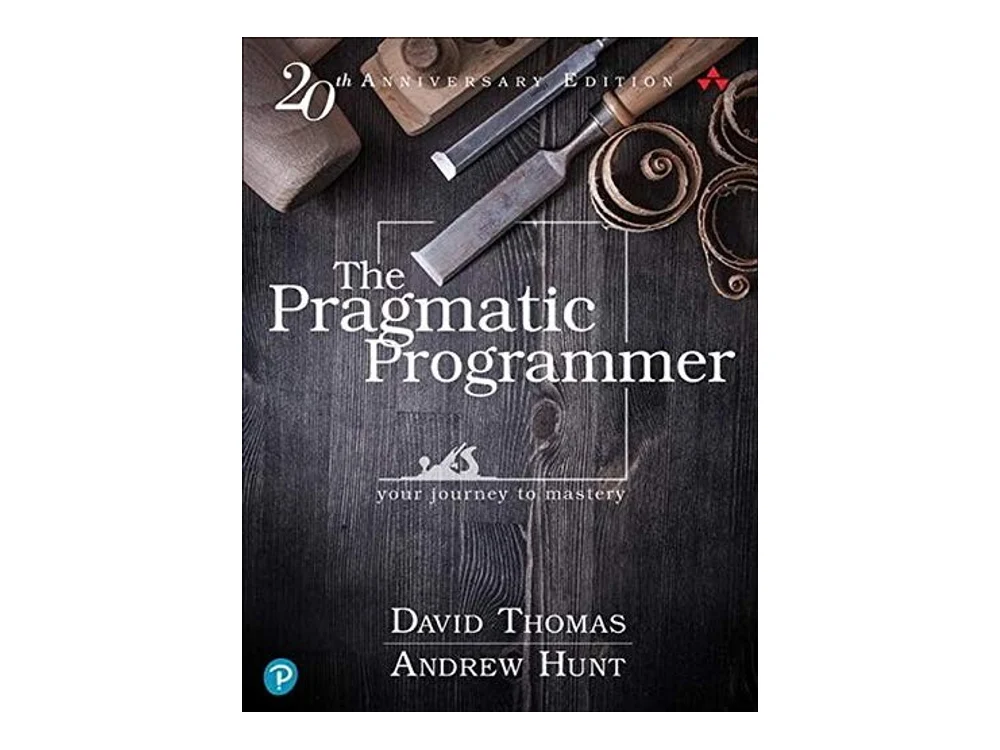
Image: Addison-Wesley
The classic by David Thomas and Andrew Hunt, updated for its 20th anniversary. It is less about any language and more about habits: taking responsibility, automating the boring parts, not repeating yourself, and treating your career as a craft. The hardcover lists at $54.99, and the publisher's own store was selling it for $43.99 when we checked. There is an ebook bundle too.
- Skip if
- They already have it on the shelf
- Price
- $54.99 list (hardcover)
Designing Data-Intensive Applications (2nd edition)

Image: O’Reilly Media
The first edition of this book became required reading for backend engineers. The second edition, by Martin Kleppmann and Chris Riccomini, came out from O'Reilly in March 2026 and brings the material up to date with cloud databases and newer systems. It explains how databases, replication, partitioning and streaming really work, and when each trade-off matters. Retailers list it at $69.99, and it is often cheaper online. If they own the first edition, this is still a good gift.
- Skip if
- They work only on front-end code
- Price
- $69.99 list
Logitech MX Master 3S
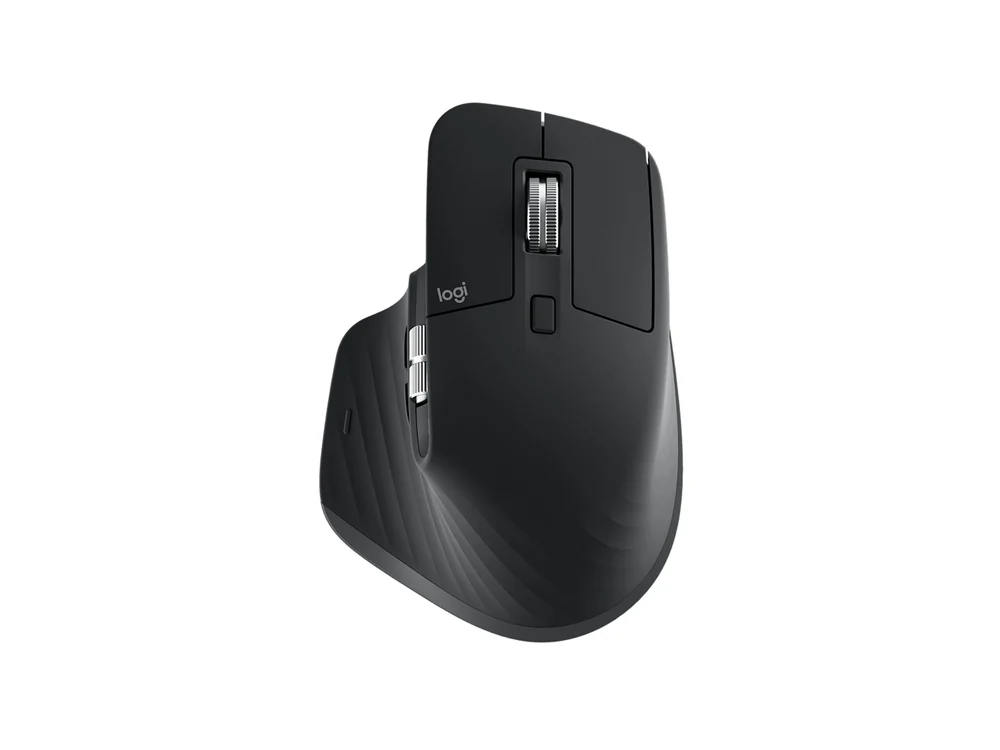
Image: Logitech
The mouse you see on half of all developer desks. A thumb rest, a side scroll wheel for wide files and timelines, quiet clicks, and USB-C charging. It pairs with three computers and switches with a button. List price is $99.99, and Logitech's own store had the Bluetooth edition at $89.99 when we checked.
- Skip if
- They game and want a light mouse
- Price
- $99.99 list
Elgato Stream Deck Neo
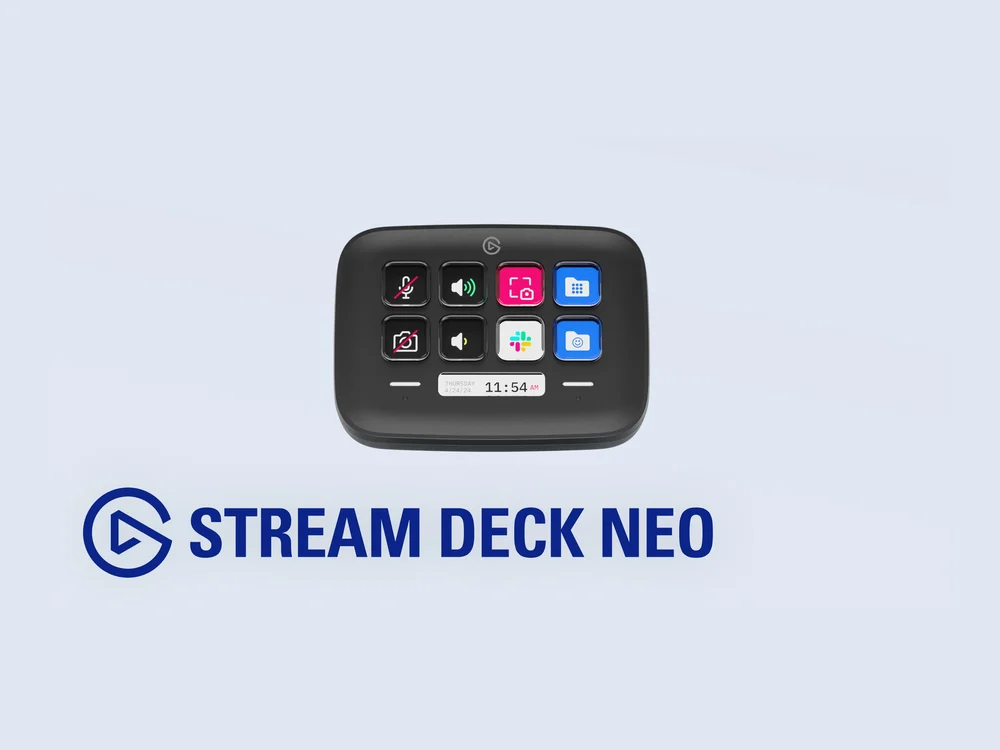
Image: Elgato
Eight programmable LCD keys and two touch points. Streamers use it for scene changes, but developers map it to the things they do fifty times a day: run tests, open the terminal, start a meeting, mute the mic, deploy a branch, or trigger a script. It costs $99.99. The 15-key Stream Deck is $149.99 if you want more buttons.
- Skip if
- They do not like extra gadgets on the desk
- Price
- $99.99
Gifts $100 and up
BenQ ScreenBar
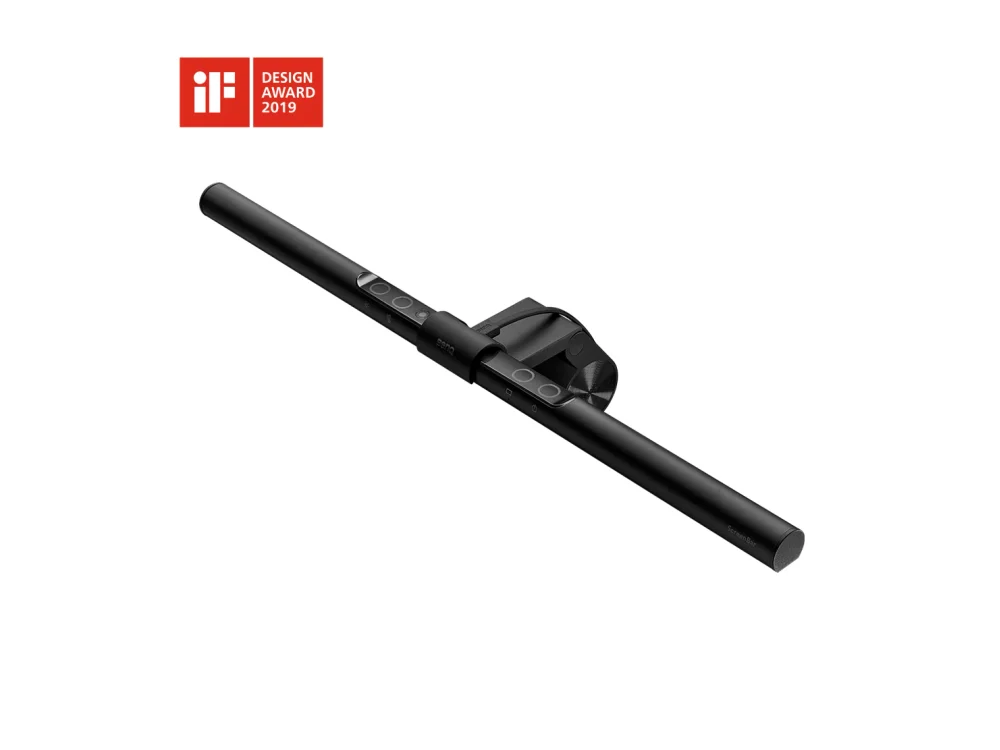
Image: BenQ
A light bar clips onto the top of the monitor and lights the desk without shining on the screen. For someone who codes late, it replaces a desk lamp and cuts the glare that makes a dark room tiring. The original ScreenBar costs $109 on BenQ's US store. The ScreenBar Pro ($139) adds wider light and auto-dimming, and the ScreenBar Halo 2 ($199) adds a backlight behind the monitor and fits curved screens.
- Skip if
- Their monitor is very thin or curved (see Halo 2)
- Price
- $109
Keychron K2 Max
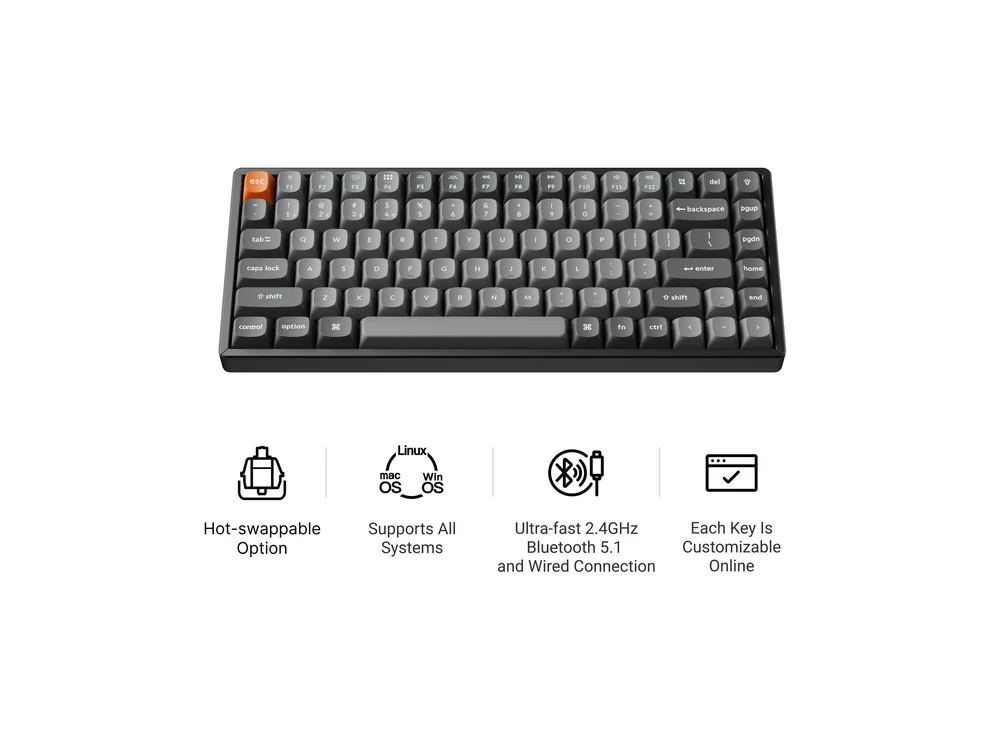
Image: Keychron
A compact 75% wireless mechanical keyboard that connects over Bluetooth, a 2.4 GHz dongle or a USB-C cable, and works on Mac and Windows. Switches are hot-swappable, and it runs QMK so keys can be remapped in the browser. Prices on Keychron's US store run from $114.99 (RGB) to $124.99 (RGB with aluminum frame). If you want a heavier all-metal board, the Keychron Q1 Max is $229.99.
- Skip if
- They need a number pad
- Price
- $114.99 to $124.99
Logitech MX Master 4
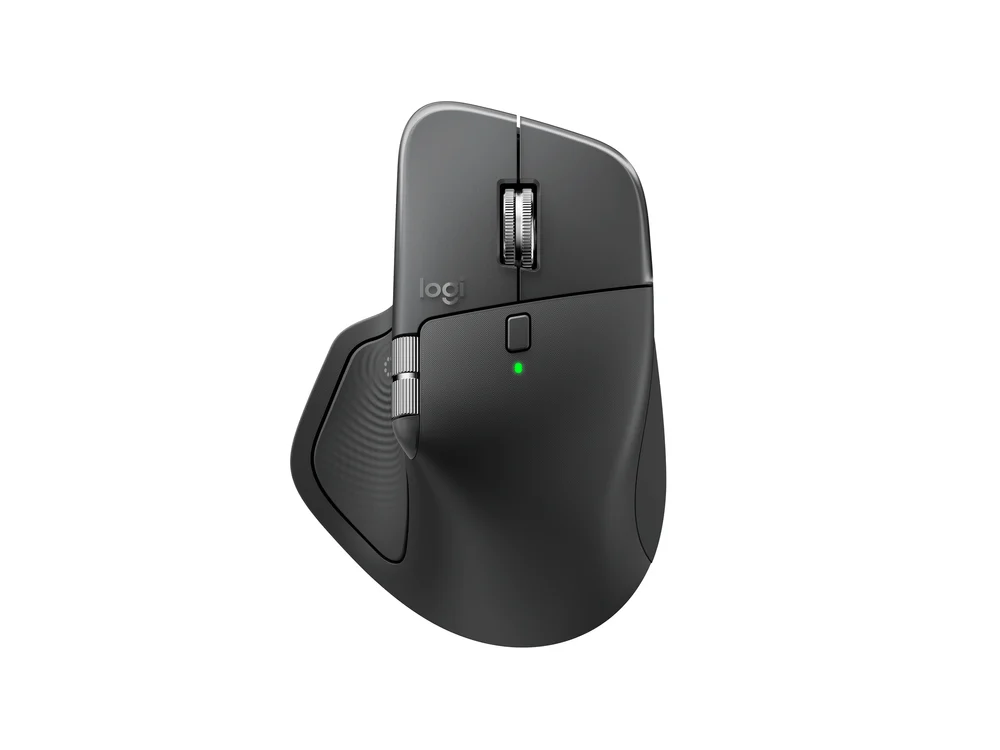
Image: Logitech
The newer model, launched in September 2025, adds haptic feedback under the thumb and a new shortcut menu, on the same comfortable shape. It costs $119.99 on Logitech's US store. If they already have the 3S, the upgrade is small. If they use an older or cheaper mouse, this is the one to get.
- Skip if
- The MX Master 3S already does the job
- Price
- $119.99
Logitech ERGO K860
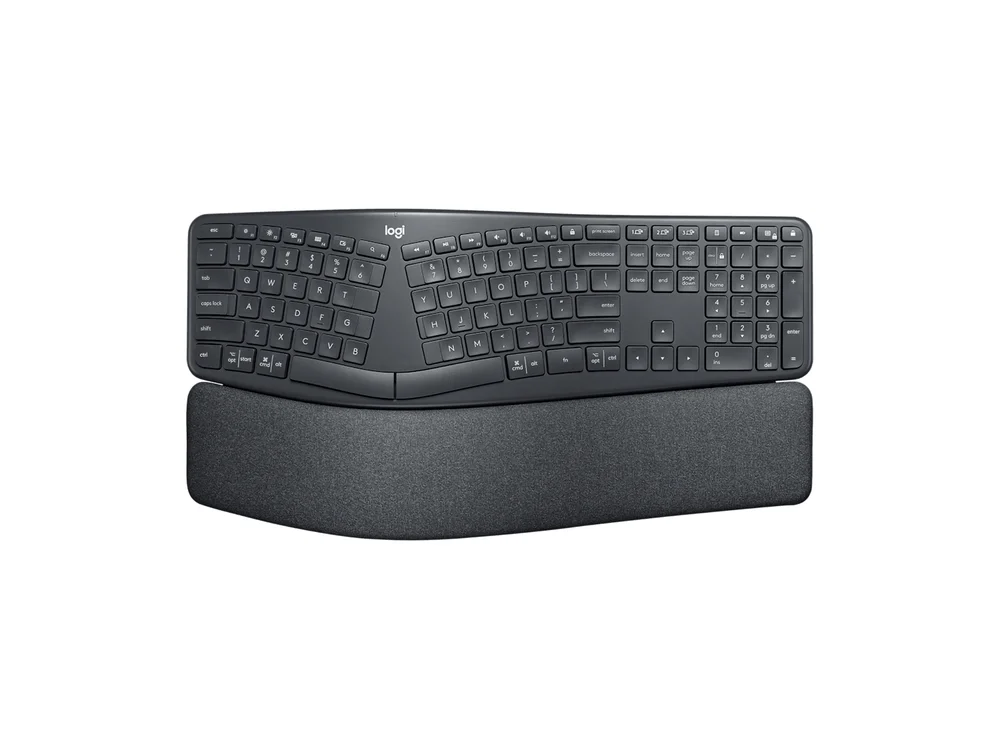
Image: Logitech
A curved, split-layout keyboard with a padded wrist rest, for someone whose wrists hurt after long days. The layout is split and angled but still in one piece, so the learning curve is gentle compared to a fully split board. It costs $149.99 on Logitech's store.
- Skip if
- They want mechanical switches
- Price
- $149.99
Raspberry Pi 500 desktop kit
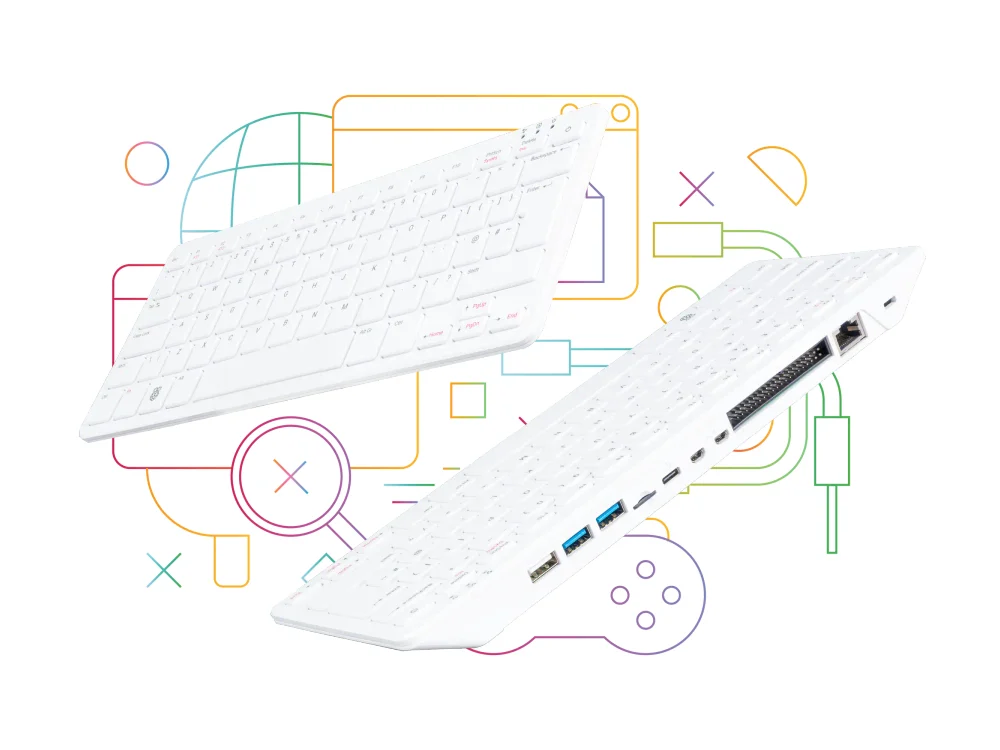
Image: Raspberry Pi
A Raspberry Pi 5 built into a keyboard. The desktop kit adds a mouse, power supply, HDMI cable and a beginner's guide, so it works out of the box with any monitor or TV. Official list prices are $200 for the kit and $180 for the unit alone. For a home server or a robot project, a bare Raspberry Pi 5 board is the better gift. Board prices rose several times in 2026 because of memory costs, and Raspberry Pi lists the 16GB model at $305, so check the current price for the size you want. Need ideas for what to build? See our Raspberry Pi project ideas.
- Skip if
- They already have a drawer of Pis
- Price
- $200 kit, $180 unit only
Keychron Q11
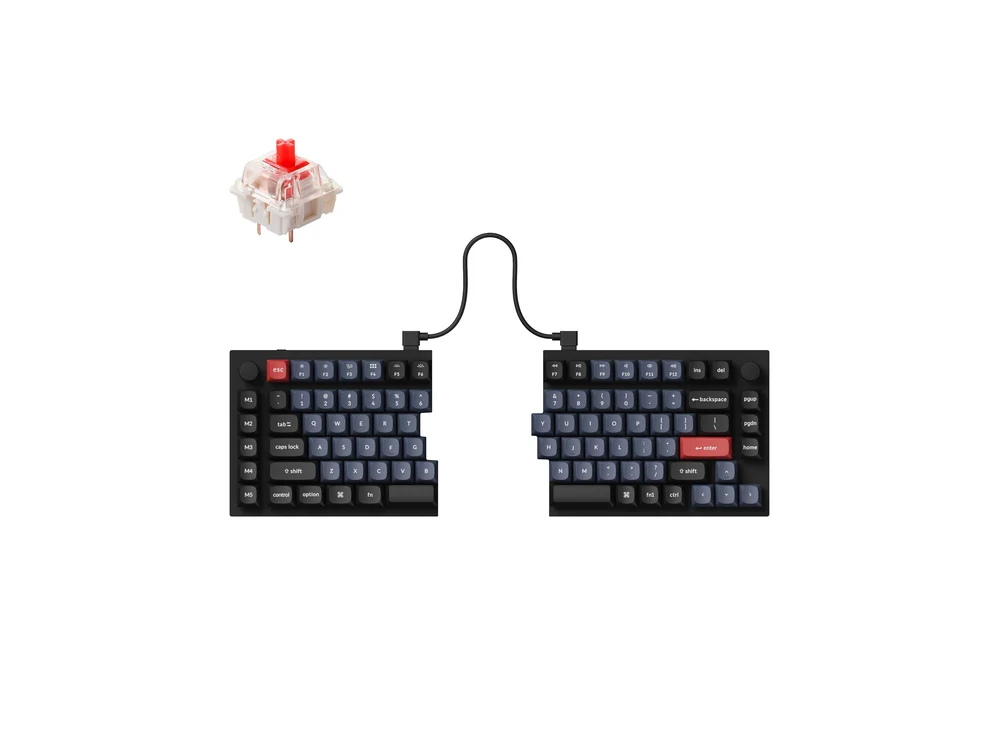
Image: Keychron
A split 75% keyboard: two halves they can place shoulder-width apart, so their wrists stay straight. Unlike most split boards, it keeps a normal key layout (staggered rows, a function row, arrow keys), so there is almost nothing new to learn. It has a full metal case, hot-swappable switches and a knob on each half. The assembled version is $204.99 on Keychron's US store.
- Skip if
- They switch desks a lot
- Price
- $204.99
ZSA Voyager
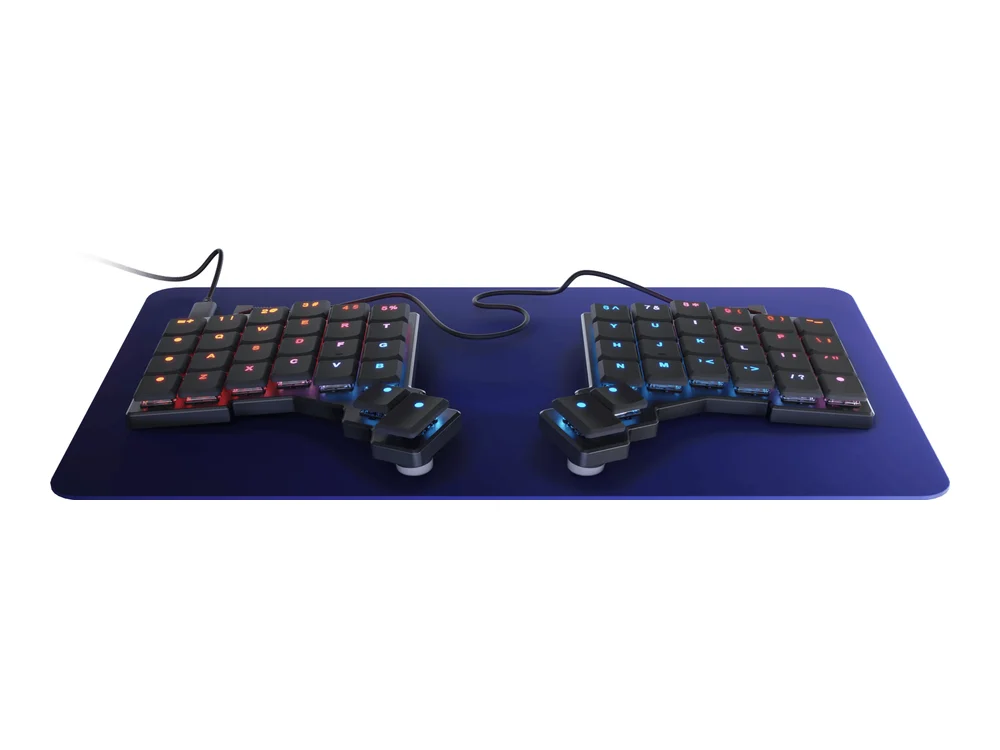
Image: ZSA
For the developer who is serious about ergonomics. The Voyager is a low-profile, fully split keyboard with a column layout and thumb keys, fully programmable in ZSA's free tool. It takes a few weeks to learn. It costs $365 including shipping, but not import duties outside the US. ZSA's order page has a gift option, so you can send it straight to them.
- Skip if
- They are not ready to relearn typing
- Price
- $365 with shipping
JetBrains All Products Pack

Image: JetBrains
A year of every JetBrains IDE (IntelliJ IDEA, PyCharm, WebStorm, GoLand, Rider and more) plus AI credits. The individual plan costs $299 for the first year, dropping to $239 in year two and $179 from year three. Single IDEs are cheaper: WebStorm for individuals is $79 for the first year.
Before you buy: WebStorm and some other JetBrains IDEs are free for non-commercial use now, so this gift is best for someone who uses JetBrains for paid work. How to gift it: JetBrains has said you can buy a personal licence as a gift by entering the recipient's name and email when you order. They receive the licence and accept the terms when they activate it. Ask JetBrains sales to confirm before paying, because personal licences cannot be moved to another person later.
- Skip if
- Their employer pays for JetBrains
- Price
- $299 first year (individual)
Sony WH-1000XM6
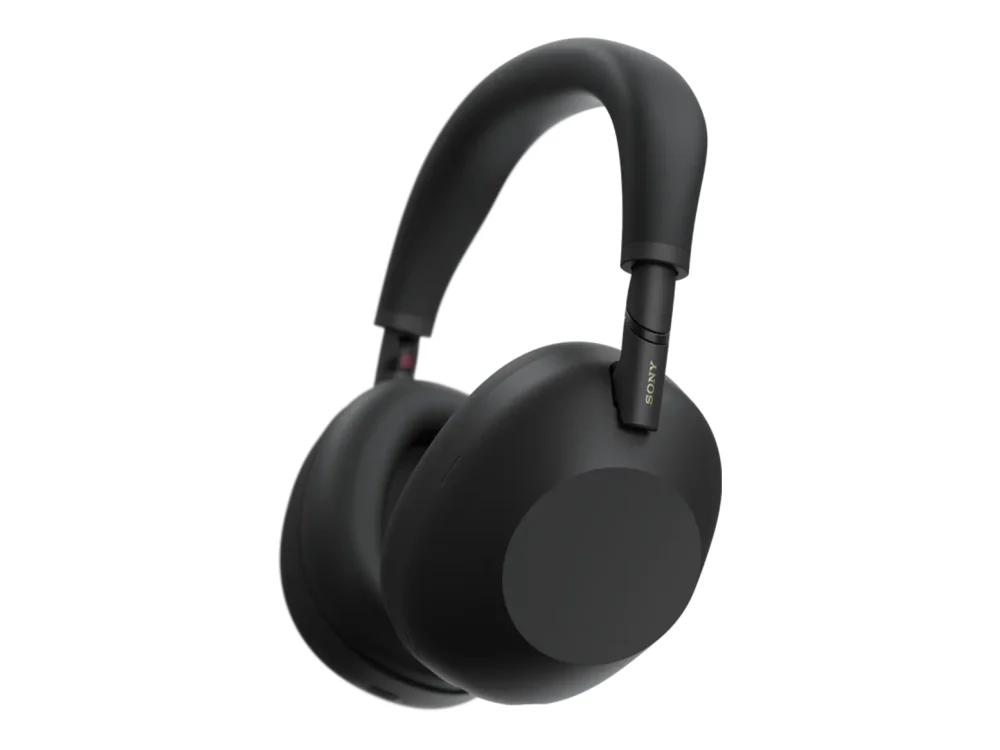
Image: Sony
Noise-cancelling headphones are the best gift for anyone who works in an open office, a coffee shop or a noisy home. Sony's WH-1000XM6 is one of the strongest noise-cancelling pairs you can buy. List price is $459.99, but it has been sold for around $398 at Amazon this year, so wait for a sale. For a wired pair that lasts for decades, see the Audio-Technica and Sennheiser picks in our buy it for life tech guide.
- Skip if
- They work in a quiet home office
- Price
- $459.99 list
Subscriptions you cannot gift, and what to do instead
Plenty of tools developers love have no gift option. Here is what we found on the official sites and support pages.
| Service | Can you gift it? | What to do instead | Price |
|---|---|---|---|
| Claude Pro or Max | Yes, 1 to 12 months | Buy from Gift Claude (you need Pro or Max yourself) | Pro $20/mo |
| Kagi | Yes, gift link | Settings, then Gifts (you need a paid plan yourself) | Professional $10/mo |
| JetBrains | Yes, with the recipient's name and email at checkout | Confirm with JetBrains sales first | From $79/yr (WebStorm) |
| GitHub Copilot | No | They must buy it on their own account, or start on the free plan | Pro $10/mo, Pro+ $39/mo |
| Raycast Pro | No | A Pro user can send one of their 10 referral codes, which gives a 30-day free trial | Pro $10/mo or $96/yr |
| Master.dev (formerly Frontend Masters) | No gift option found | Watch for its $100-off yearly sales, or give a gift card they can spend on it | $39/mo |
If you want to pay for a tool with no gift option, the simple honest route is a general gift card or cash with a note that says what it is for. Do not share your own login or card with them: most terms of service forbid account sharing, and a shared card causes billing headaches later.
More for developers
- Shopping on a tighter budget? Our tech gifts under $50 list covers gadgets for anyone, not just developers.
- Waiting for sales? See which tools and courses discount in our Black Friday deals for developers, and which never do.
- Want free tools they will actually use? Start with our best open source developer tools and best VS Code extensions.
What is a good gift for a developer under $50?
Can you gift a Claude Pro subscription?
Can you gift GitHub Copilot?
Which keyboard should I buy for a programmer?
Is a Raspberry Pi still a good gift in 2026?

Sumit
ContributorHi, I'm Sumit, Being an introvert I have always been obsessed with technology-computers and reading dozens of posts to learn, find answers out of my curiosity. I love to write as I explore more.