On this page
- All 8 Google Maps alternatives at a glance
- Big-name map apps
- Apple Maps: Best Google Maps Alternative on iPhone
- Waze: Best for Daily Driving and Traffic Alerts
- HERE WeGo: Best Free Offline Maps With Transit
- Private, open source map apps
- Organic Maps: Best Private Offline Map App
- CoMaps: Best Community-Run Map App
- OsmAnd: Best for Hiking and Detailed Offline Maps
- Magic Earth: Best Privacy-First Navigation for Drivers
- Best for public transport
- Citymapper: Best for City Transit
- Which Google Maps alternative should you pick?
- Who should stay with Google Maps
The best free Google Maps alternatives are Apple Maps on iPhone, Waze for daily driving, HERE WeGo for free offline maps with transit, and Organic Maps or CoMaps if you want a private map with no ads and no tracking. OsmAnd and Magic Earth are strong too, but they keep some features (car screens, unlimited offline maps) behind a paid plan.
Google Maps is free and very good, so why switch? The usual reasons are privacy (it is tied to your Google account), wanting a full map that works with no signal, wanting fewer ads and promoted places, or just preferring a different driving experience. This list covers 8 apps for Android and iPhone. For each one we note the price, offline support, CarPlay and Android Auto, transit, ads and whether you need an account. Every detail comes from the official website, help pages or app store listing. We have not run our own tests.
All 8 Google Maps alternatives at a glance
Search by app, platform or feature. Tap any name to jump to its full entry below.
| App | Price | Platforms | Offline maps | CarPlay / Android Auto | Transit directions | Ads | Account needed |
|---|---|---|---|---|---|---|---|
| Apple Maps | Free | iPhone, iPad, Mac, Apple Watch, web | Yes | CarPlay | Yes | Yes, search ads (US and Canada) | No |
| Waze | Free | Android, iPhone | No | Both | No | Yes | No |
| HERE WeGo | Free | Android, iPhone | Yes, free | Both | Yes, 1,900+ cities | None listed | No |
| Organic Maps | Free | Android, iPhone, Linux (beta) | Yes, 100% offline | Both | Metro routes | No | No |
| CoMaps | Free | Android, iPhone | Yes, offline-first | Both | Subway layer and directions | No | No |
| OsmAnd | Free, Maps+ $14.99 a year or $69.99 once, Pro $39.99 a year | Android, iPhone, web | Yes, 7 free downloads on Android, 5 on iPhone | Both, with Maps+ or Pro | Public transport profile | Free iPhone version shows ads | No (Cloud needs an account) |
| Magic Earth | Free, Premium $19.99 in-app | Android, iPhone | Premium only | Both, Premium only | Yes | No | No |
| Citymapper | Free, Club removes ads | Android, iPhone | No | Not stated | Yes, the main focus | Yes | No |
Big-name map apps
1. Apple Maps: Best Google Maps Alternative on iPhone
- iPhone and iPad
Built into every iPhone
Apple Maps is already on your iPhone, and it has caught up with Google Maps in most of the ways that matter day to day. You get driving, walking, cycling and transit directions, real-time transit updates, lane guidance, speed and red-light camera alerts, and incident reports from other drivers.
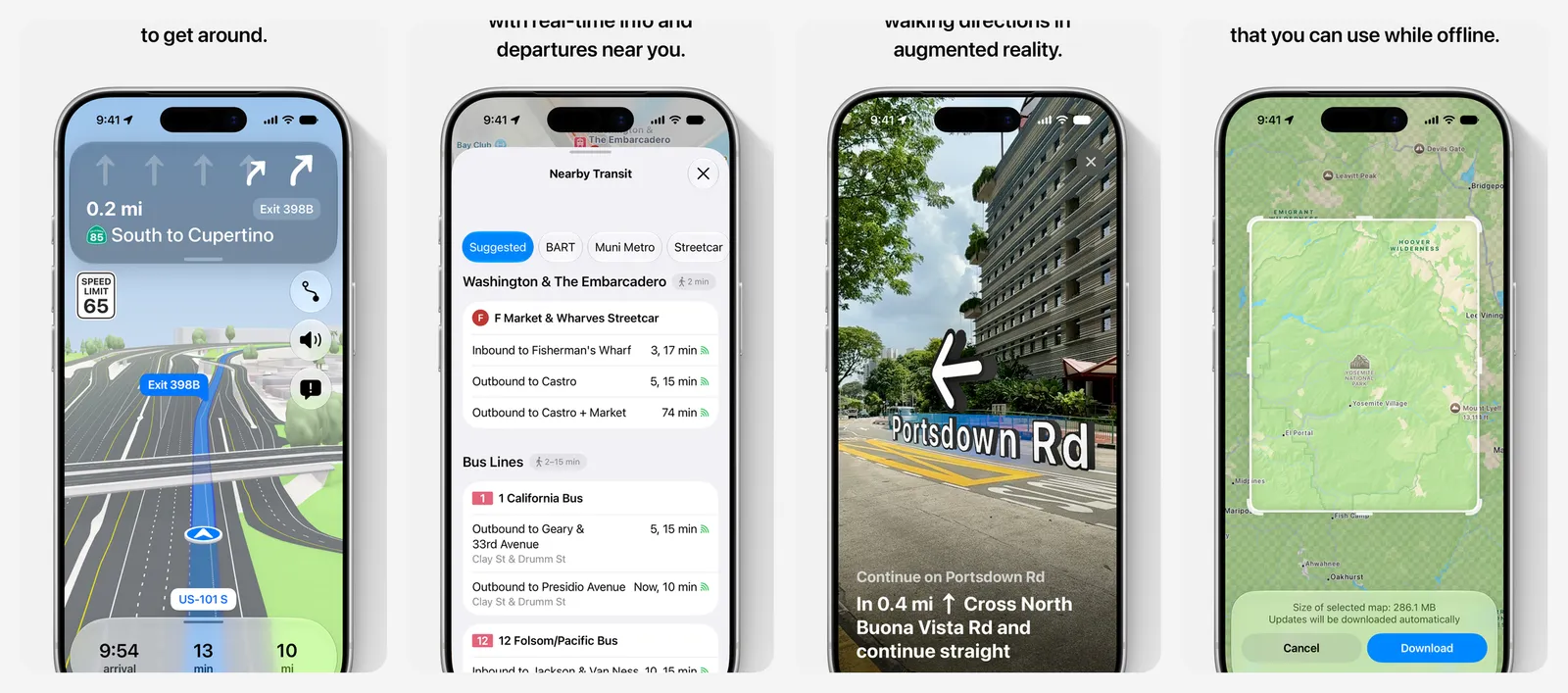
Offline maps are built in. You can download an area to your iPhone or Apple Watch and still get turn-by-turn directions for driving, walking, cycling or transit, plus place details like opening hours. Multi-stop routes support up to 15 stops, and routes you plan on a Mac sync to your iPhone. On CarPlay it is the default map. There is also a web version at maps.apple.com.
One change to know about: Apple now sells ads in Maps. According to Apple's own ads page, ads appear in search results and in Suggested Places, and they are available in the United States and Canada. Apple says they run without tracking.
What you lose vs Google Maps: Android support, and the depth of Google's business reviews and Street View coverage in many countries.
- Replaces
- Google Maps on Apple devices
- Runs on
- iPhone, iPad, Mac, Apple Watch, web
- Licence
- Free, search ads in the US and Canada
- Skip if
- You use Android
- Price
- Free
2. Waze: Best for Daily Driving and Traffic Alerts
- Android
- iPhone and iPad
Community traffic alerts
Waze is owned by Google, so it does not help much with privacy, but it is the best pick if you mainly drive. Millions of drivers report crashes, roadworks, police, potholes and speed cameras in real time, and Waze reroutes you around jams aggressively.
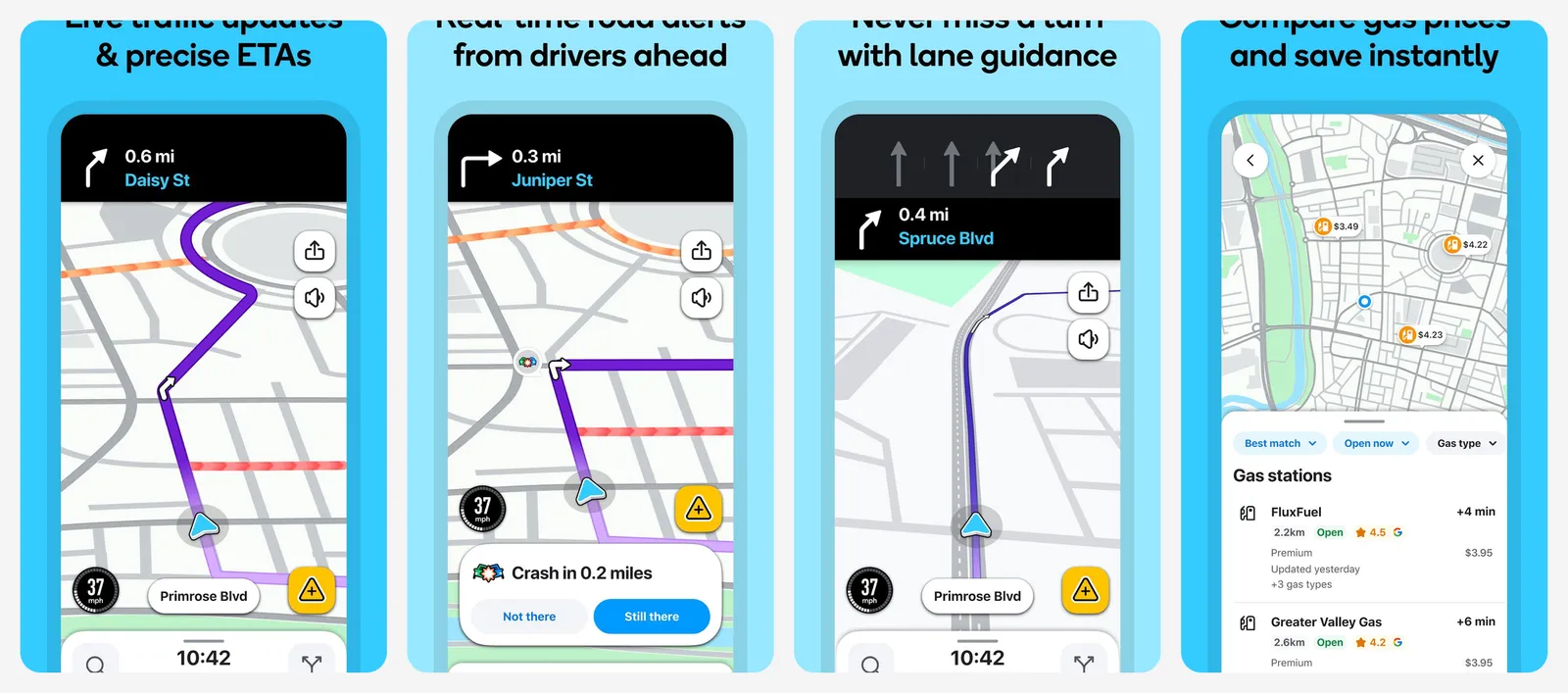
The Play Store listing also lists toll prices, fuel prices, EV charging stations, parking prices and lane guidance, and you can control your music app without leaving the map. It works on both Android Auto and Apple CarPlay. The app is free and shows ads.
Waze is a driving app only. It has no walking, cycling or transit directions, and it does not work offline. We compared the two apps feature by feature in Waze vs Google Maps, so we will not repeat that here.
What you lose vs Google Maps: offline maps, walking and transit directions.
- Replaces
- Google Maps for car commutes
- Runs on
- Android, iPhone
- Licence
- Free with ads
- Skip if
- You walk, cycle or take transit, or drive where signal is weak
- Price
- Free
3. HERE WeGo: Best Free Offline Maps With Transit
- Android
- iPhone and iPad
Free offline maps
HERE WeGo comes from HERE Technologies, a long-running mapping company. The app is free, and its standout feature is offline maps: you can download a whole region, country or even a continent and navigate with no internet at all.
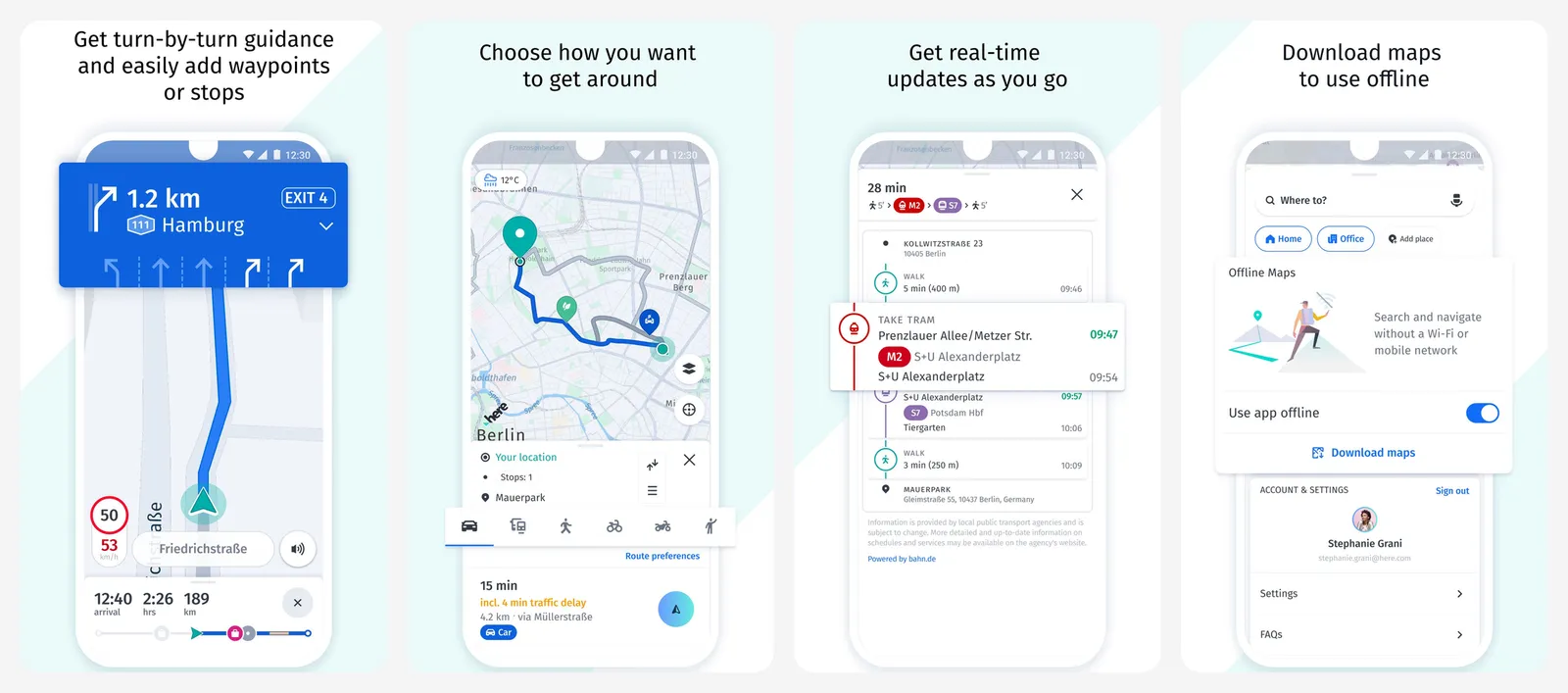
It covers driving, walking and public transport, with transit directions in more than 1,900 cities according to the app listing. It can also guide you to parking at your destination, and you can add waypoints to a route. The iPhone app works with Apple CarPlay, and HERE's own update notes mention Android Auto support on Android. The Google Play listing does not flag ads or in-app purchases.
What you lose vs Google Maps: business details, reviews and Street View.
- Replaces
- Google Maps offline areas and transit
- Runs on
- Android, iPhone
- Licence
- Free, no ads listed
- Skip if
- You want rich reviews and photos of places
- Price
- Free
Private, open source map apps
4. Organic Maps: Best Private Offline Map App
- Android
- iPhone and iPad
No ads, no tracking
Organic Maps is the cleanest answer to "Google Maps without Google." It is free, open source and funded by donations. The official site promises no ads, no tracking and no data collection, and says the app has been checked by the Exodus Privacy project.
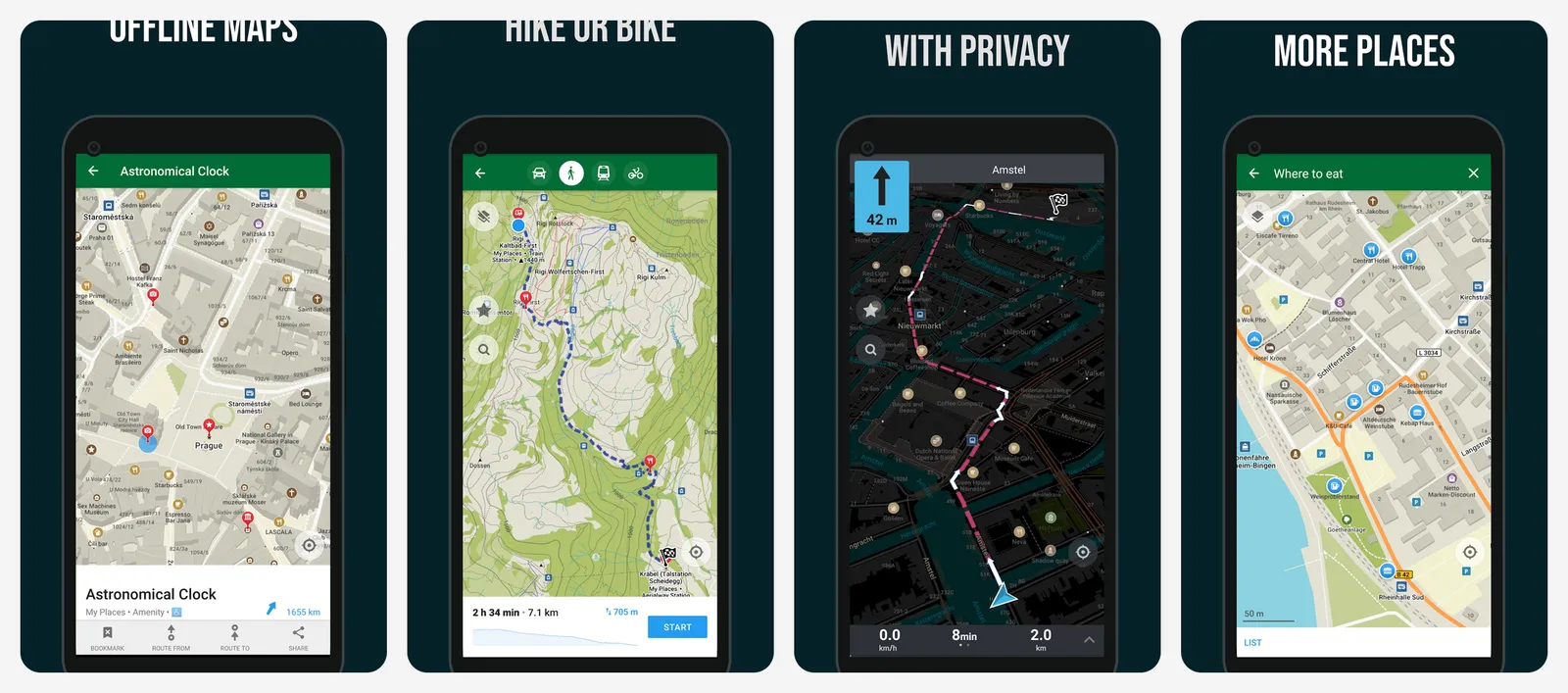
Everything works offline, including search and navigation. You download country or region maps for free, with no limit, and the maps are built from OpenStreetMap, a volunteer-made world map. The app listing says map data updates every two weeks. You get voice-guided directions for walking, cycling and driving, metro routes, hiking and cycling trail layers, and Wikipedia articles for places. It supports both Android Auto and Apple CarPlay.
What you lose vs Google Maps: live traffic, business reviews and photos. OpenStreetMap detail also varies by area.
- Replaces
- Google Maps offline areas, hiking and city maps
- Runs on
- Android, iPhone, Linux (beta)
- Licence
- Free and open source (Apache 2.0)
- Skip if
- You need live traffic
- Price
- Free
5. CoMaps: Best Community-Run Map App
- Android
- iPhone and iPad
Not-for-profit fork
CoMaps is a newer fork of Organic Maps (which itself came from Maps.me), run by a community that promises open decision-making, open finances and a not-for-profit model. It uses the same OpenStreetMap data and has a very similar feel.
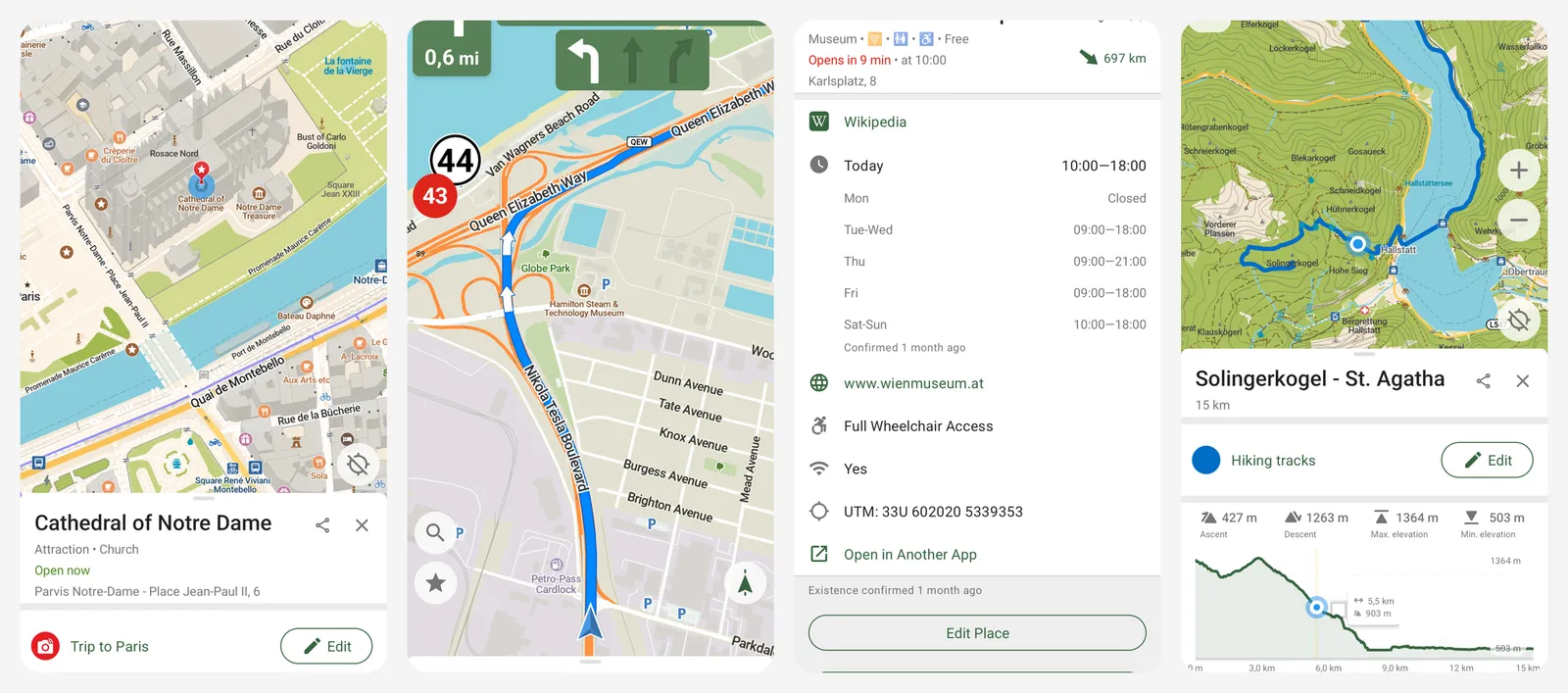
The app listings describe it as ad-free, with no tracking and no personal data collected. All features are designed to work offline. You get an outdoor mode with hiking trails, campsites, water sources and contour lines, offline Wikipedia articles, a subway transit layer with directions, track recording, and GPX and KML import and export. It supports Android Auto on Android and CarPlay on iPhone, and the iPhone app syncs bookmarks and tracks through iCloud.
What you lose vs Google Maps: live traffic and reviews. It also has a smaller user base than Organic Maps so far.
- Replaces
- Google Maps for offline travel and hiking
- Runs on
- Android, iPhone
- Licence
- Free and open source
- Skip if
- You want a large, long-established project
- Price
- Free
6. OsmAnd: Best for Hiking and Detailed Offline Maps
- Android
- iPhone and iPad
Power-user offline maps
OsmAnd is the most powerful app on this list. It is open source, built on OpenStreetMap, and made for people who want control: navigation profiles for cars, motorcycles, bikes, 4x4s, pedestrians and boats, route planning by incline, GPX track recording, and map styles for touring, skiing, off-road and more.
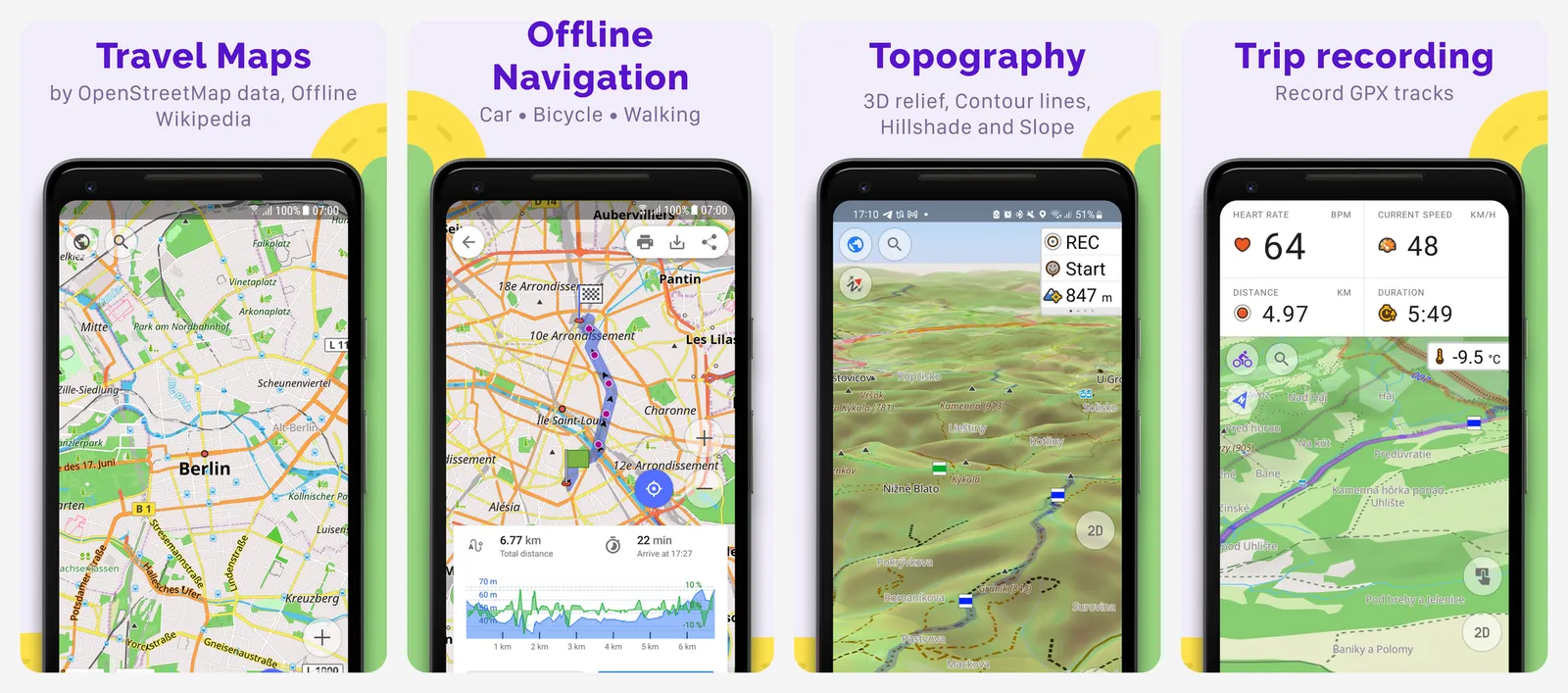
The free version has limits. OsmAnd's own purchase pages say free users get 7 map downloads on Android and 5 on iPhone (a map update counts as a download), and the free iPhone version shows ads. Android Auto and CarPlay need a paid plan.
- Maps+: $14.99 a year or $69.99 one time. Unlimited map downloads, monthly updates, Android Auto or CarPlay, contour lines, terrain and nautical depths.
- OsmAnd Pro: $5.99 a month or $39.99 a year. Adds OsmAnd Cloud backup, frequent live map updates, a weather plugin and 3D relief.
What you lose vs Google Maps: simplicity. OsmAnd has a steep learning curve and no live traffic.
- Replaces
- Google Maps for outdoor trips and route planning
- Runs on
- Android, iPhone, web
- Licence
- Open source, free tier with limits
- Skip if
- You want a simple app that just works
- Price
- Free (Maps+ $14.99 a year or $69.99 once; Pro $5.99 a month or $39.99 a year)
7. Magic Earth: Best Privacy-First Navigation for Drivers
- Android
- iPhone and iPad
Freemium, privacy-first
Magic Earth makes one of the strongest privacy promises of any navigation app: it says it does not track you, does not profile you and does not trade in personal data. Maps are based on OpenStreetMap, and it has 2D, 3D and satellite views, speed camera alerts, lane assistance, a head-up display mode and public transport directions.
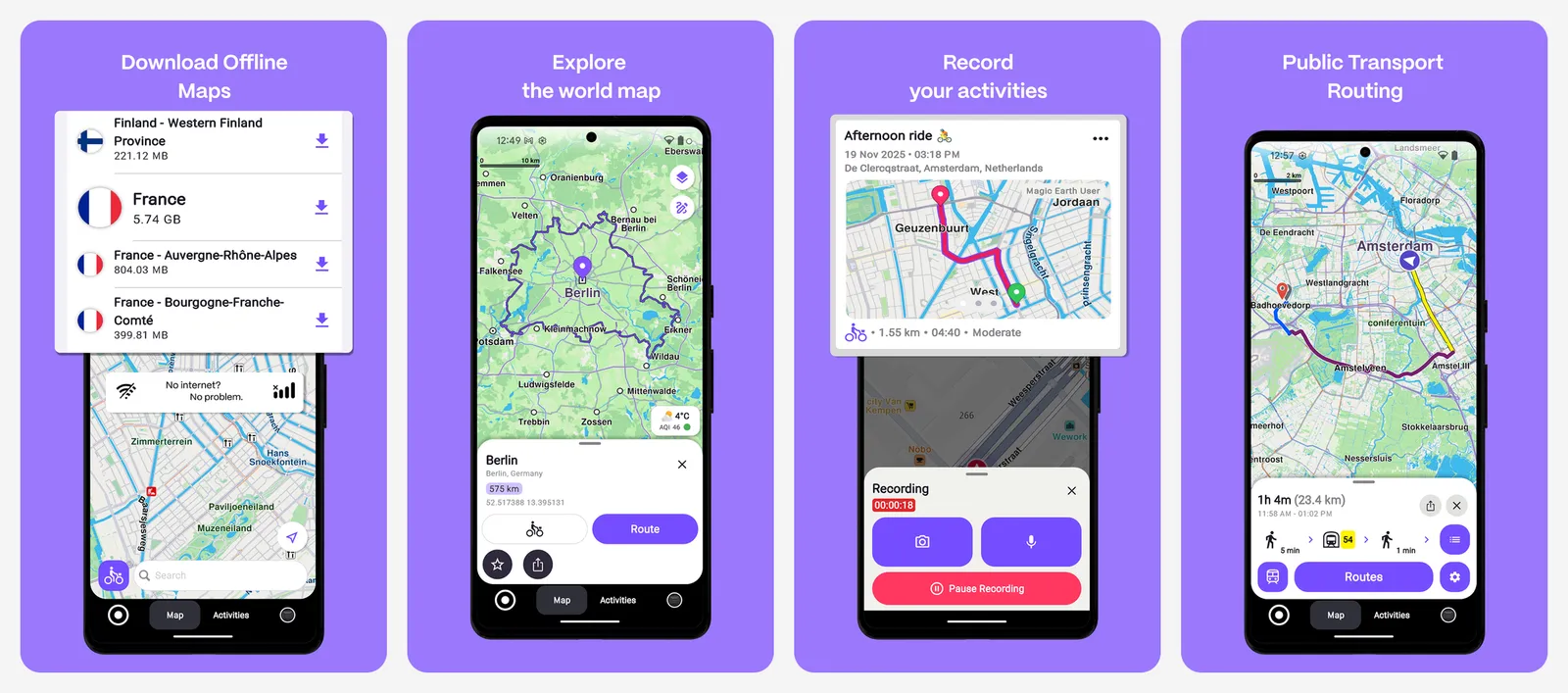
It used to be completely free, which is why older lists still call it free. It is now freemium. The free plan covers map browsing, search, favourites and turn-by-turn navigation. Offline maps, traffic-aware navigation, activity recording, CarPlay and Android Auto now need Magic Earth Premium, according to the official pricing page. The US App Store lists Premium at $19.99, and the website mentions a 14-day free trial.
What you lose vs Google Maps: offline maps and car screen support unless you pay.
- Replaces
- Google Maps driving and transit
- Runs on
- Android, iPhone, Apple Watch
- Licence
- Free core features, Premium subscription with 14-day trial
- Skip if
- You want offline maps or CarPlay for free
- Price
- Free (Premium $19.99 in-app on the US App Store)
Best for public transport
8. Citymapper: Best for City Transit
- Android
- iPhone and iPad
Transit planner
Citymapper is not a full Google Maps replacement. It is a better transit app for the big cities it covers. It compares every way to get somewhere at once: bus, subway, train, ferry, taxi, ride share, bike share, e-scooters and walking.
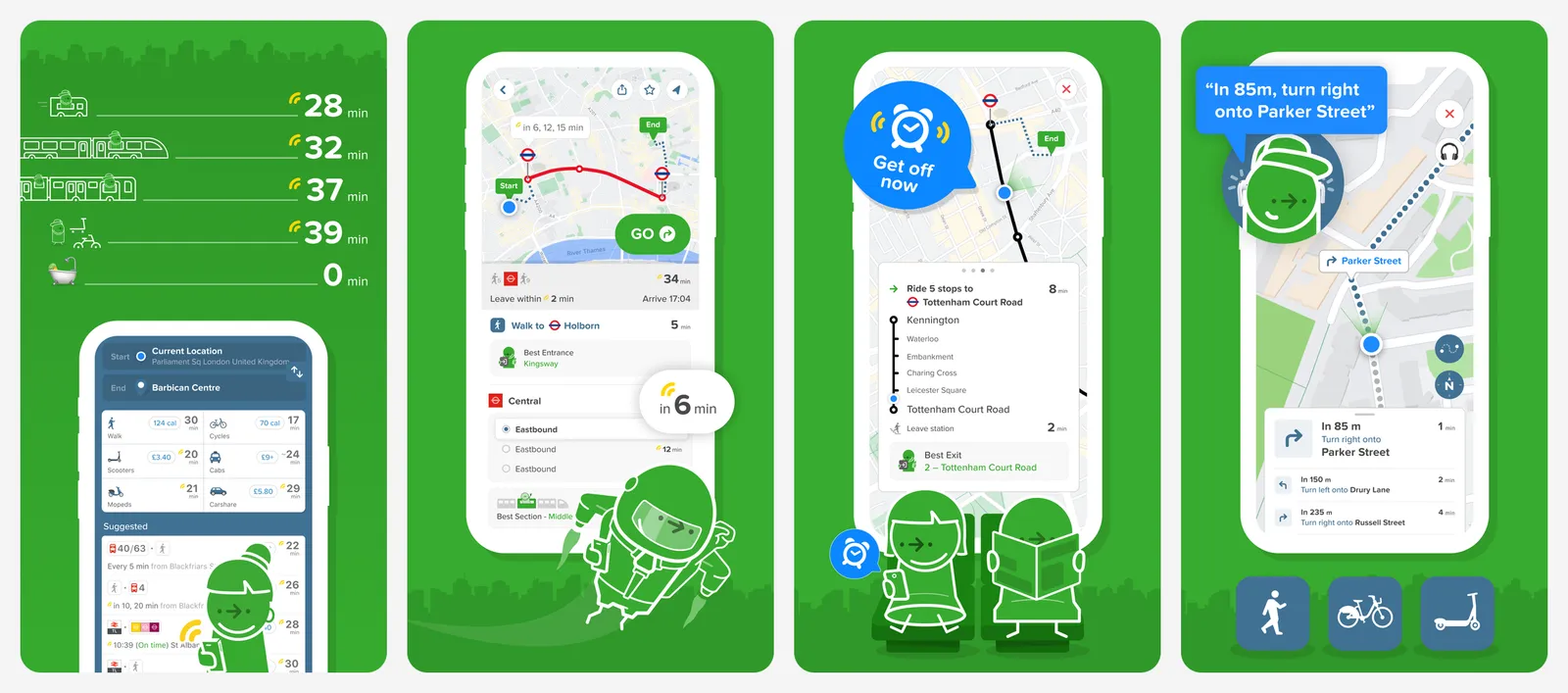
You get live arrival times, disruption alerts, the best train car to board, the best station exit, and an alert when it is time to get off. You can also share your live trip with friends. The app is free with ads. Citymapper Club removes them, and the US App Store lists Club purchases at $1.49 and $9.99.
Check that your city is listed in the app before you rely on it.
What you lose vs Google Maps: coverage outside supported cities, driving navigation and offline maps.
- Replaces
- Google Maps transit directions
- Runs on
- Android, iPhone
- Licence
- Free with ads, optional Club subscription
- Skip if
- Your city is not supported, or you mostly drive
- Price
- Free (Citymapper Club removes ads)
Which Google Maps alternative should you pick?
Pick based on what you use Google Maps for most:
- Driving to work every day: Waze for alerts, or Apple Maps if you are on iPhone and want a calmer drive.
- Travel abroad with no data plan: HERE WeGo (free offline maps plus transit) or Organic Maps.
- Privacy: Organic Maps or CoMaps. Neither needs an account or collects data.
- Hiking, cycling and off-road: OsmAnd, or the outdoor mode in CoMaps for something simpler.
- Car screens without paying: Apple Maps (CarPlay), Waze, HERE WeGo, Organic Maps and CoMaps. OsmAnd and Magic Earth need a paid plan for it.
- Living in a big city without a car: Citymapper, with Apple Maps or HERE WeGo as a backup.
If you drive with Android Auto, our list of the best Android Auto apps covers music, messaging and parking apps that pair well with any of these. For more privacy-focused swaps beyond maps, see our list of open source privacy tools.
Who should stay with Google Maps
What is the best free alternative to Google Maps?
Which map app works best offline?
Is there a Google Maps alternative that does not track you?
Which Google Maps alternatives work with CarPlay and Android Auto?
Does Apple Maps have ads now?
Is Magic Earth still free?

Sumit
ContributorHi, I'm Sumit, Being an introvert I have always been obsessed with technology-computers and reading dozens of posts to learn, find answers out of my curiosity. I love to write as I explore more.