On this page
- All 9 Otter.ai alternatives at a glance
- Phone recorders with transcripts built in
- Google Recorder: Best Free Otter Alternative on Pixel
- iPhone Voice Memos and Notes: Best Free Transcription on iPhone
- Samsung Voice Recorder: Best Free Transcription on Galaxy
- Free meeting note takers
- Fireflies: Best Free Meeting Transcription Bot
- tl;dv: Best Free Plan for Recording Meetings
- Notta: Best for Many Languages
- Transcribe on your own computer
- MacWhisper: Best Private Transcription on Mac
- Whisper: Best Free Open Source Transcription
- Built into your meeting app
- Google Meet, Zoom and Teams: Best If You Already Pay
- How to get your transcripts out of Otter
The best free Otter.ai alternative may already be on your phone. Google's Recorder app on Pixel, Voice Memos and Notes on iPhone, and Samsung's Voice Recorder all turn speech into searchable text at no extra cost. For online meetings, Fireflies and tl;dv have more generous free plans than Otter, and MacWhisper or Whisper transcribe on your own computer with no minute limits.
Otter's free Basic plan is tight. Otter's pricing page lists 300 transcription minutes a month, a 30-minute cap per conversation and only 3 file imports for the life of the account. A one-hour lecture or meeting does not fit. Otter Pro raises that to 1,200 minutes a month and 90 minutes per meeting, at $16.99 a month or $8.33 a month billed yearly.
This list covers 9 alternatives, with the free minutes, languages, export options and what each one needs to run. Every detail comes from official sites, help pages and app store listings. We have not run our own accuracy tests.
All 9 Otter.ai alternatives at a glance
Search by app, platform or feature. The first row is Otter Basic, for comparison. Tap any name to jump to its full entry.
| App | Price | Free limit | Works with | Languages | Export |
|---|---|---|---|---|---|
| Otter Basic (for comparison) | Free, Pro $16.99 a month | 300 min a month, 30 min per conversation, 3 imports total | Web, Android, iPhone, meeting bot | English, Spanish, French, German, Japanese, Chinese | Varies by plan |
| Google Recorder | Free | No stated limit | Pixel phones | Many, varies by Pixel model | Text file, Google Docs, audio, share link |
| iPhone Voice Memos and Notes | Free, built in | No stated limit | iPhone, iPad, Mac | English and several more | Copy text, share audio |
| Samsung Voice Recorder | Free (basic Galaxy AI) | No stated limit | Galaxy phones on One UI 6.1+ | 16+ languages | Share from the app |
| Fireflies | Free, Pro $10 a seat a month billed yearly | Unlimited transcription, 400 min storage | Zoom, Meet, Teams and more | 100+ | Download needs Pro |
| tl;dv | Free, Pro €18 a seat a month billed yearly | Unlimited recordings, 3-hour max, kept 3 months | Zoom, Meet, Teams | Not stated on help page | Transcripts stay in the app |
| Notta | Free, Pro $97.99 a year | 120 min a month, 3 min per conversation | Web, Android, iPhone, meetings | 58 | Export needs Pro |
| MacWhisper | Free, Pro €64 one-time | No minute limit, runs on your Mac | Mac (plus an iPhone app) | 100 | SRT, VTT, DOCX, PDF and more |
| Whisper (open source) | Free, MIT licence | No limit, your hardware | Windows, Mac, Linux (command line) | Multilingual | TXT, SRT, VTT and more |
| Meet, Zoom and Teams built-in | Mostly paid | Zoom free: summaries for 3 hosted meetings a month | Each app's own meetings | Varies | Inside each app |
Phone recorders with transcripts built in
1. Google Recorder: Best Free Otter Alternative on Pixel
- Android
Live transcripts on Pixel
Google's Recorder app transcribes as you record and labels the text so you can jump to the part you need. It is free on Pixel phones, with no ads and no in-app purchases.
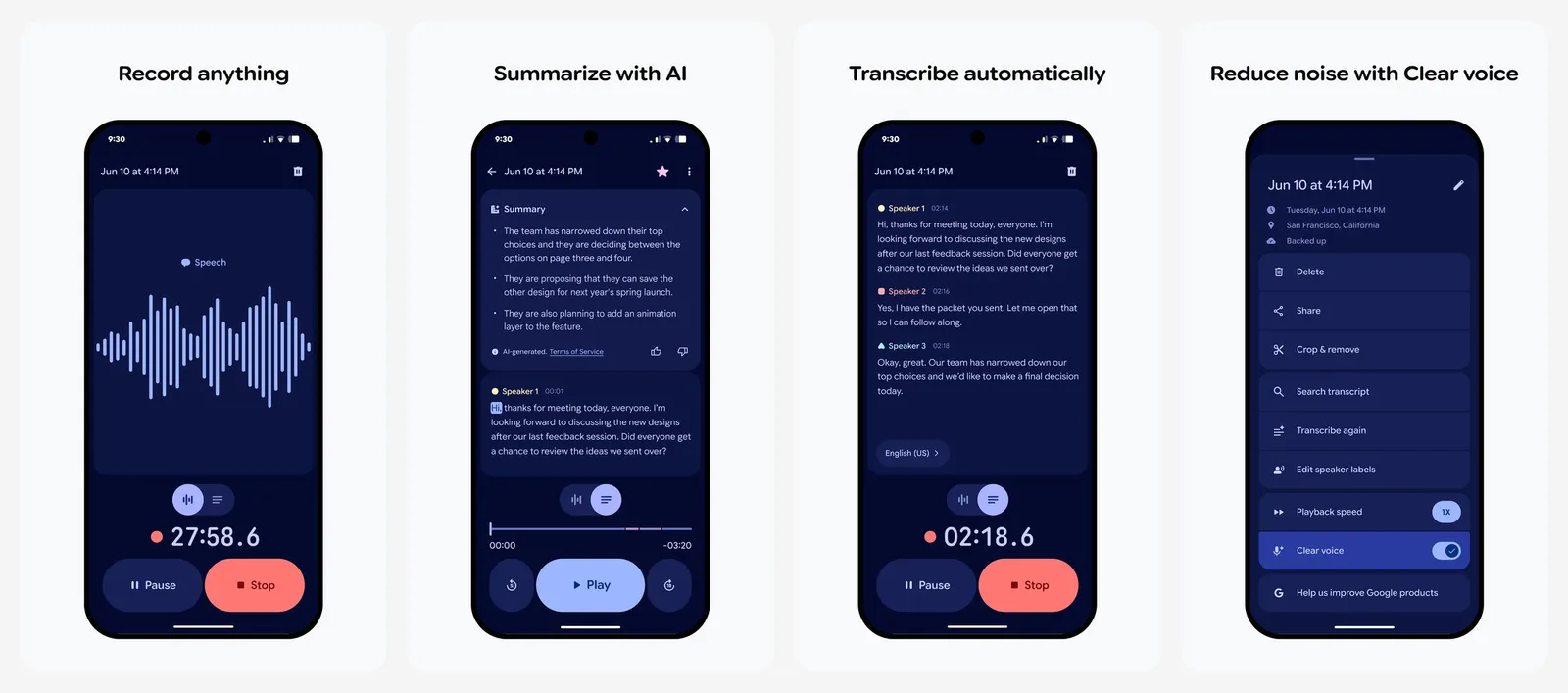
Features depend on your Pixel. Google's help page says real-time transcription works on Pixel 3 to 5a in a short list of languages, mostly English plus French, German and Japanese. Pixel 6 and later add more, including Hindi, Italian, Mandarin and Spanish, along with speaker labels and automatic language detection. Pixel 8 and later can summarise recordings of 5 minutes to an hour in seven languages. A re-transcribe option covers a much wider set of languages, but Google says it may process audio on its servers.
Export is better than Otter's free plan. You can share the transcript as a .txt file, send it to Google Docs or Gemini Notebook (formerly NotebookLM), share the audio file, or back up a recording to recorder.google.com and share a link. You can also search a recording for words, music or applause.
What you lose vs Otter: a meeting bot for Zoom or Meet, and anything outside Pixel phones.
- Replaces
- Otter for lectures and in-person meetings
- Runs on
- Google Pixel phones (Pixel 3 and later)
- Licence
- Free, no ads, no in-app purchases
- Skip if
- You do not own a Pixel
- Price
- Free
2. iPhone Voice Memos and Notes: Best Free Transcription on iPhone
- iPhone and iPad
Built-in transcripts
On iOS 18 and later, Voice Memos can show a text transcript of a recording, during recording or after. Tap the transcript button to read it or copy the text. The Notes app can also record audio straight into a note and transcribe it, and the Phone app can record and transcribe calls.
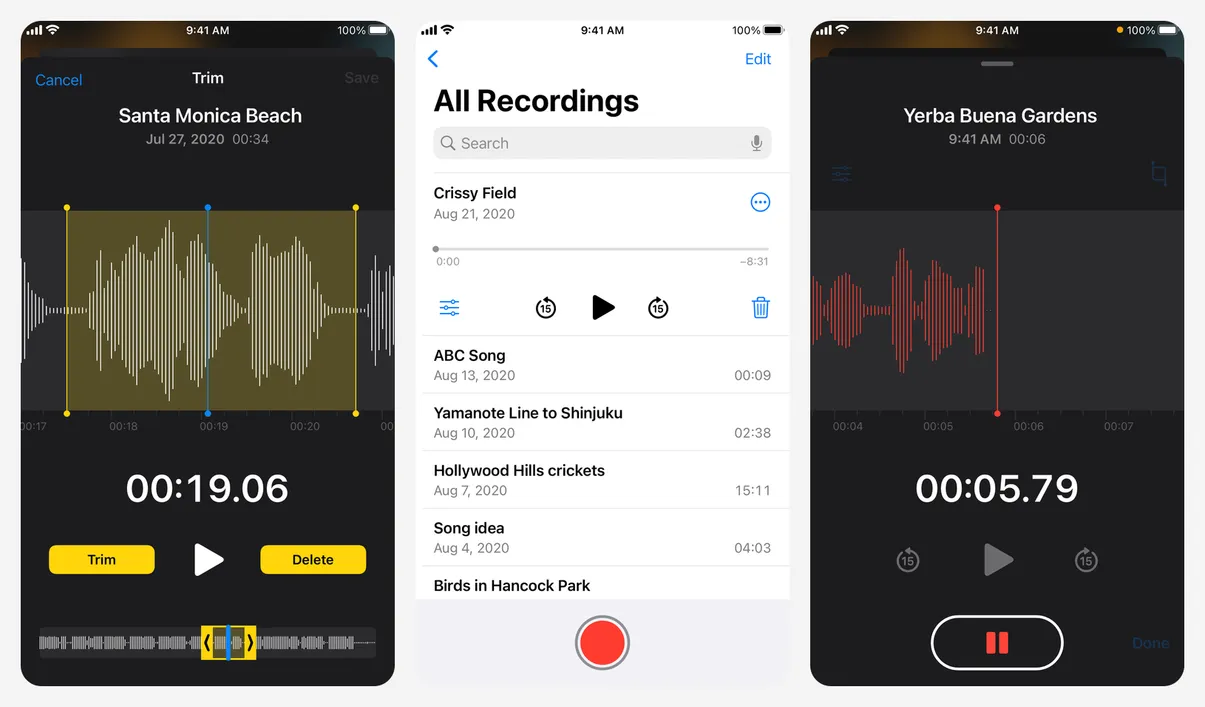
Apple's feature availability page lists audio transcription in Notes for English plus French, German, Italian, Japanese, Korean, Mandarin, Cantonese, Portuguese and Spanish. Call transcription covers fewer languages. On iPhones that support Apple Intelligence, Notes can also summarise a transcript.
What you lose vs Otter: speaker labels and easy export to a document. You copy and paste the text yourself.
- Replaces
- Otter's phone recorder
- Runs on
- iPhone and iPad on iOS 18 or iPadOS 18 and later; Mac
- Licence
- Free, part of iOS
- Skip if
- You need a meeting bot that joins calls
- Price
- Free
3. Samsung Voice Recorder: Best Free Transcription on Galaxy
- Android
Galaxy AI Transcript assist
Samsung's Voice Recorder app has Transcript assist, part of Galaxy AI. It turns a recording into text, writes a summary, and can translate the transcript. Summaries can also suggest a calendar event, reminder or contact from what was said.
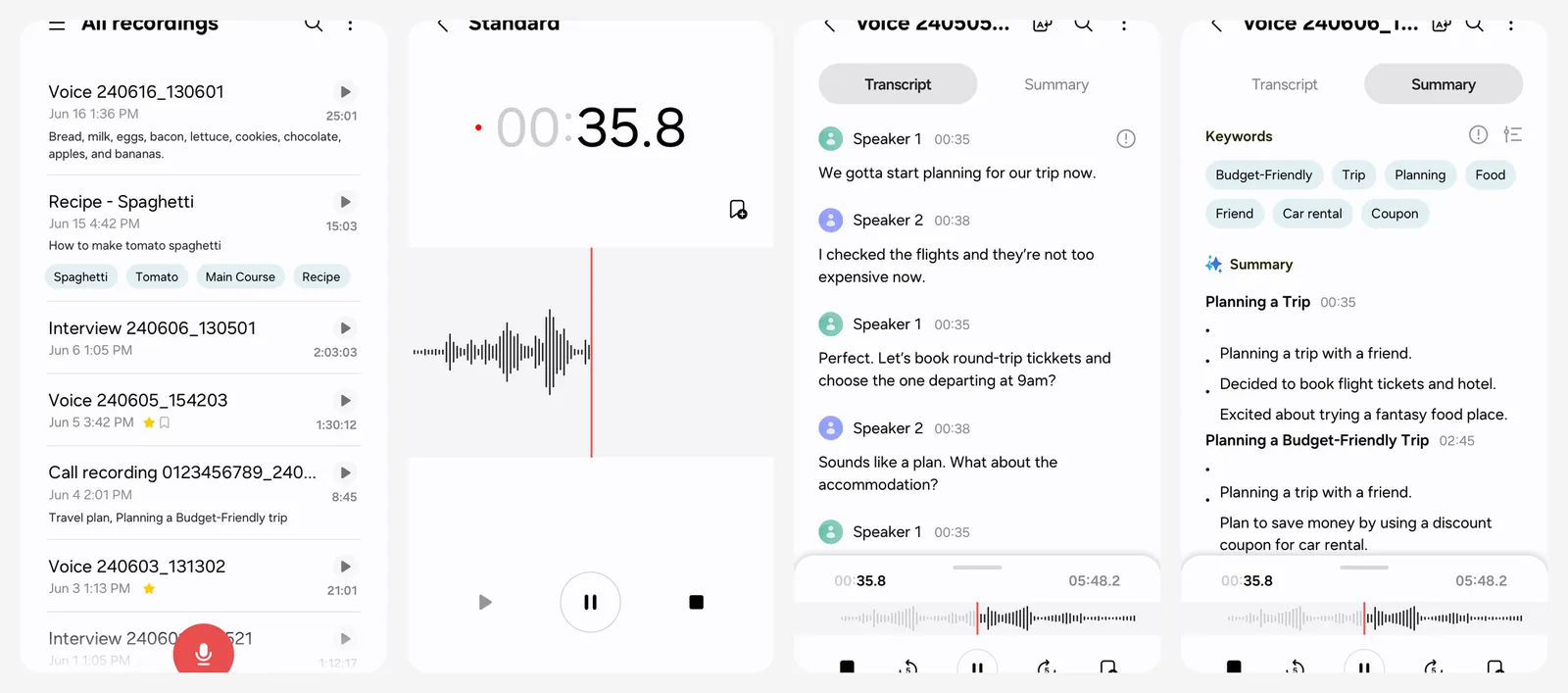
Samsung's US support page lists English, Spanish, Chinese, French, German, Italian, Japanese, Korean, Portuguese (Brazil), Thai, Polish, Arabic, Hindi, Vietnamese, Russian and Indonesian. It works on select phones and tablets running One UI 6.1 or later. Samsung says Galaxy AI basic features it provides are free, while enhanced and third-party AI features may cost extra. Turn on summaries in Settings, then Galaxy AI, then Transcript assist.
What you lose vs Otter: cross-platform access. Your transcripts stay on your Galaxy device unless you share them.
- Replaces
- Otter on Samsung phones
- Runs on
- Select Galaxy phones and tablets on Android 14 with One UI 6.1 or later
- Licence
- Free, built into Galaxy phones
- Skip if
- You use a non-Samsung phone
- Price
- Free (Galaxy AI basic features)
Free meeting note takers
4. Fireflies: Best Free Meeting Transcription Bot
- Android
- iPhone and iPad
Unlimited free transcription
Fireflies sends a note-taking bot into your Zoom, Google Meet or Teams calls and writes a transcript. Its free plan lists unlimited transcription, transcription in more than 100 languages, and real-time notes, so you are not counting minutes the way you do on Otter.
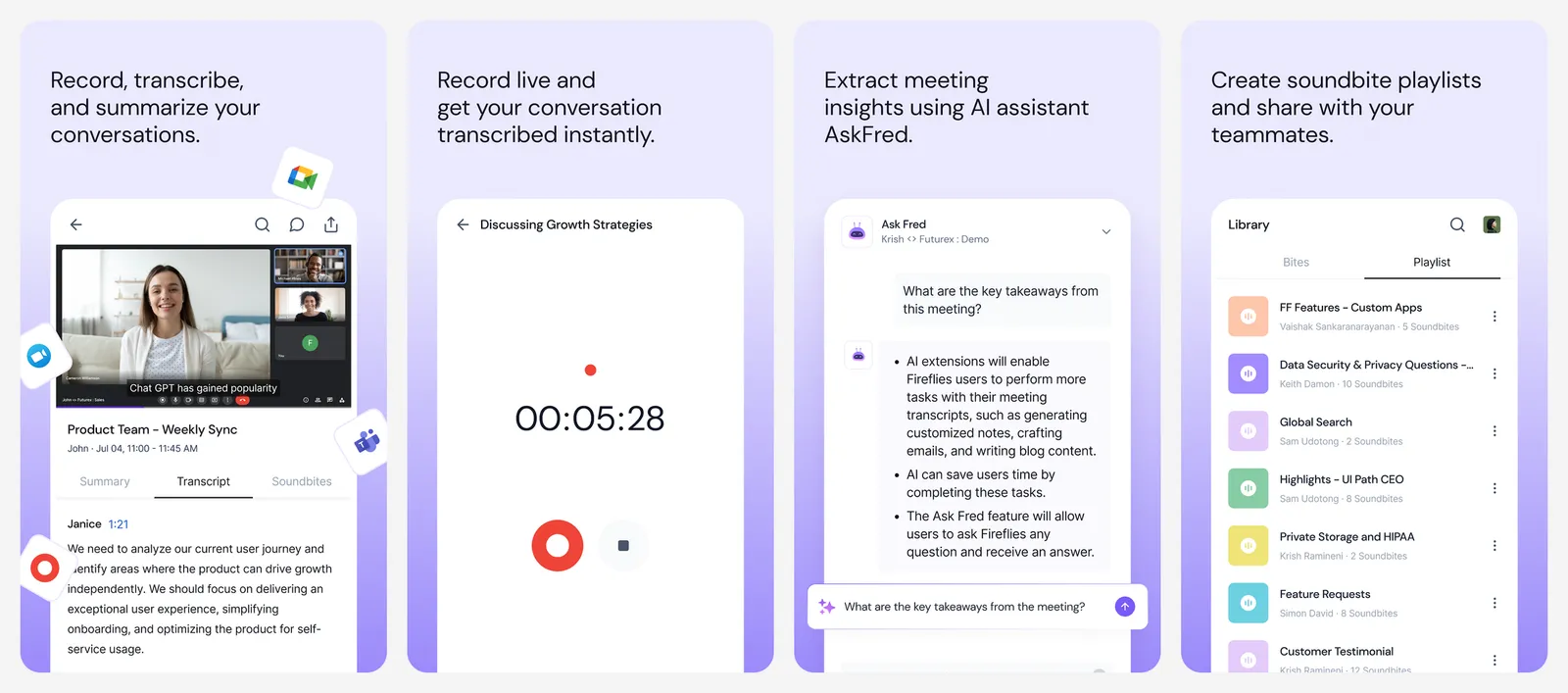
The limits are on storage and AI. Free accounts get 400 minutes of storage per team, limited AI summaries and 20 AI credits. Downloading transcripts, summaries and recordings, and video recording, start on Pro at $10 a seat a month billed yearly. Fireflies' own FAQ says English is the main language, with others in beta.
What you lose vs Otter: a big archive. With 400 minutes of storage, you need to clear out old meetings.
- Replaces
- Otter's meeting assistant
- Runs on
- Web, Android, iPhone; joins Zoom, Google Meet, Teams and more
- Licence
- Free forever plan
- Skip if
- You want to download recordings for free
- Price
- Free (Pro $10 a seat a month billed yearly, $18 monthly)
5. tl;dv: Best Free Plan for Recording Meetings
Unlimited recordings
tl;dv records and transcribes video meetings. Its help centre says the free plan has unlimited recordings, transcripts and timestamped notes, with a 3-hour maximum per meeting. That beats Otter's 30-minute cap by a long way.
AI notes are the catch. Your first 10 meetings get full AI summaries. After that, only the first 10 minutes of each meeting get automatic AI notes. Free recordings are stored for 3 months, though transcripts and notes stay available after a recording is archived. Pro is €18 a seat a month billed yearly.
What you lose vs Otter: full AI summaries after your first 10 meetings, unless you pay.
- Replaces
- Otter's meeting recording
- Runs on
- Google Meet, Zoom, Microsoft Teams
- Licence
- Free plan
- Skip if
- You need recordings kept longer than 3 months
- Price
- Free (Pro €18 a seat a month billed yearly, €29 monthly)
6. Notta: Best for Many Languages
- Android
- iPhone and iPad
58 transcription languages
Notta's strength is language support. Its Play listing says it transcribes 58 languages and translates text into 42, and it works on phones, the web and in online meetings.
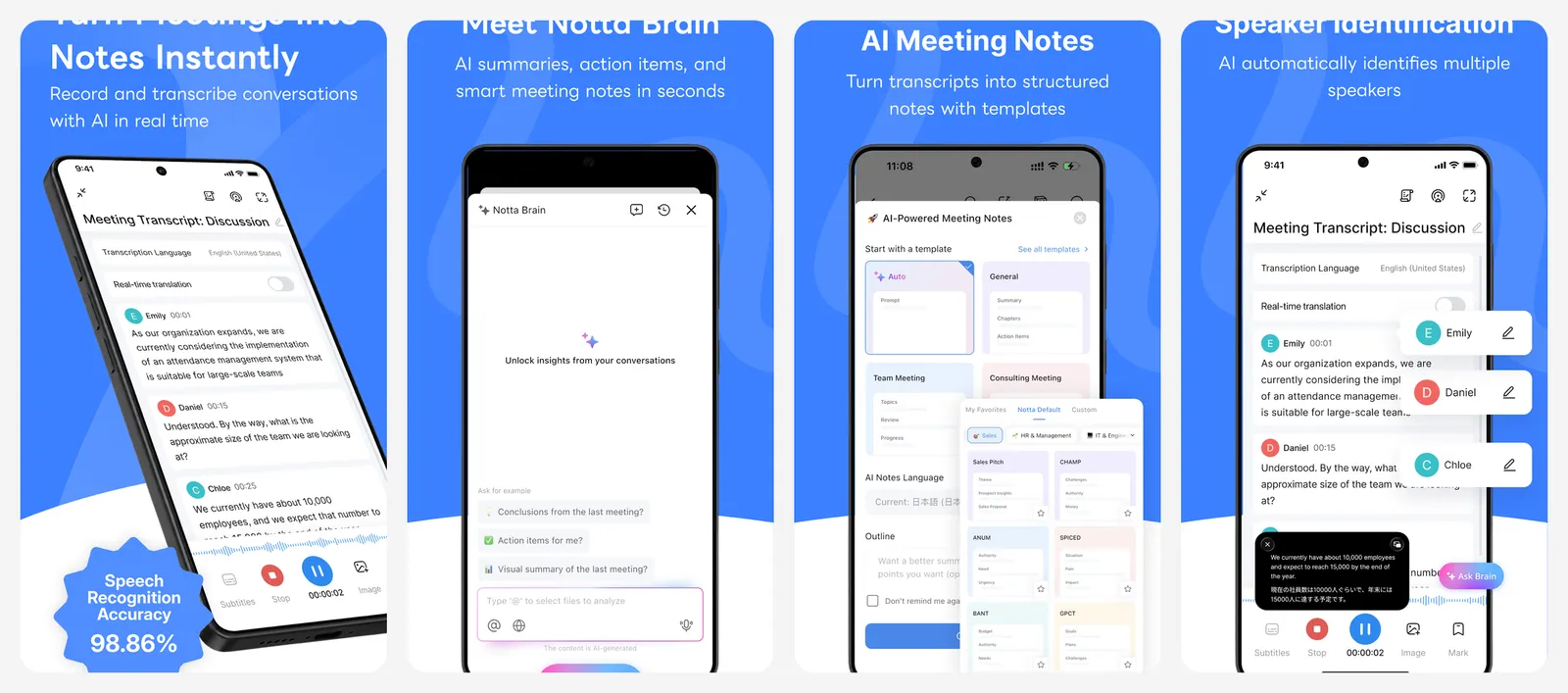
The free plan is a trial more than a tool: 120 transcription minutes a month, up to 3 minutes per conversation and 10 AI summaries a month. Export is not part of the free plan. Pro is $97.99 a year.
What you lose vs Otter: length. Three minutes per conversation is fine for voice notes, not for meetings.
- Replaces
- Otter for non-English audio
- Runs on
- Web, Android, iPhone, online meetings
- Licence
- Free plan with in-app purchases
- Skip if
- You record long sessions on the free plan
- Price
- Free (Pro $97.99 a year)
Transcribe on your own computer
7. MacWhisper: Best Private Transcription on Mac
On-device, no minute limit
MacWhisper runs OpenAI's Whisper speech model and other models on your Mac. Its developer says all transcription happens on your device and no data leaves your machine, which suits interviews and other sensitive audio. Drag in an audio or video file, or record from your microphone.
There are no monthly minutes to run out of. The developer lists 100 languages, speaker search, filler word removal and exports to SRT and VTT subtitles plus CSV, DOCX, PDF, Markdown and HTML. MacWhisper is free forever in its basic form, and Pro is a one-time €64 licence with lifetime updates. The developer warns about copycat sites, so download from macwhisper.com.
What you lose vs Otter: live meeting notes shared with your team, and Windows support.
- Replaces
- Otter file imports
- Runs on
- Mac; an iPhone and iPad app is also available
- Licence
- Free version, one-time Pro licence
- Skip if
- You use Windows
- Price
- Free (Pro €64 one-time)
8. Whisper: Best Free Open Source Transcription
Open source speech model
Whisper is OpenAI's open source speech recognition model. OpenAI released the code and model weights under the MIT licence, so it is free to use with no account and no limits beyond your own hardware. It handles multilingual speech recognition, translation into English and language detection.
You install it with pip install -U openai-whisper and run it on an audio file from the command line. It can write plain text and subtitle files. Larger models are more accurate but slower, so a computer with a good graphics card helps. MacWhisper above is an easy app built on the same model, and our guide to automated subtitle generation covers other subtitle tools.
What you lose vs Otter: a friendly interface, speaker labels and meeting integration.
- Replaces
- Otter for bulk transcription
- Runs on
- Windows, Mac, Linux with Python
- Licence
- MIT licence (code and model weights)
- Skip if
- You are not comfortable with the command line
- Price
- Free
Built into your meeting app
9. Google Meet, Zoom and Teams: Best If You Already Pay
Notes inside the call
If you already pay for a meeting app, you may not need a separate note taker:
- Google Meet: Take notes for me writes meeting notes for you. Google says it is available to Google AI Pro and Ultra subscribers and eligible Workspace business customers, for meetings they host, in select languages.
- Zoom: Zoom's AI assistant page lists meeting summaries for 3 hosted meetings a month on the free Basic tier. Paid plans include more.
- Microsoft Teams: the free version of Teams has live captions that only you can see. Microsoft does not list meeting transcripts or recaps for Teams Free.
Comparing meeting apps themselves? See our list of Zoom alternatives.
What you lose vs Otter: one place for all your notes. Each app keeps its own.
- Replaces
- Otter's meeting bot
- Runs on
- Each app's own meetings
- Licence
- Included with some plans
- Skip if
- You use a free personal account and need full notes
- Price
- Mostly paid; limited free in Zoom
How to get your transcripts out of Otter
Before you switch, save what you have:
- Open a conversation in Otter on the web and use its export option to save the transcript.
- Download the audio if your plan allows it, so you can re-transcribe it elsewhere with MacWhisper or Whisper.
- Repeat for every conversation you want to keep, and check the files open before you delete your Otter account.
- Exported the transcripts you need
- Saved the audio for important recordings
- Removed the Otter bot from your calendar so it stops joining meetings
What is the best free alternative to Otter.ai?
How many free minutes does Otter.ai give?
Can my iPhone transcribe voice recordings for free?
Is Fireflies really free?
Which transcription app works offline and keeps audio private?
Does Samsung Voice Recorder transcribe for free?

Sumit
ContributorHi, I'm Sumit, Being an introvert I have always been obsessed with technology-computers and reading dozens of posts to learn, find answers out of my curiosity. I love to write as I explore more.