On this page
- All 9 Google Translate alternatives at a glance
- Free translation apps for everyday text
- DeepL: Best for natural-sounding text
- Microsoft Translator: Best free app for offline travel
- Apple Translate: Best for iPhone and privacy
- Papago: Best for Korean, Japanese and Chinese
- Yandex Translate: Best for Russian and Eastern European languages
- Reverso: Best for seeing phrases in context
- AI chatbots that translate with tone
- ChatGPT: Best for tone, context and rewriting
- Gemini: Best AI translator for Android users
- Private, offline translation on desktop
- Firefox: Best for private web page translation
- Which Google Translate alternative should you pick?
- Who should keep using Google Translate
The best free Google Translate alternatives are DeepL for natural-sounding text, Microsoft Translator for offline travel, Apple Translate for iPhone users who want everything on the device, and Papago for Korean and other Asian languages. ChatGPT and Gemini are worth adding when you need to control tone, not just swap words.
Google Translate is still free, has no ads in its Android app and covers more languages than anything else here. People switch for other reasons. Some want translations that read less like a machine wrote them. Some want a private, offline option that never sends text to a server. Others need context: how a phrase is really used, or how to say it politely.
This list covers 9 free alternatives. For each one we list the price, the free limits, the language count, and whether it works offline, with the camera and with your voice. Every detail comes from the official website, help page or app store listing. We did not run our own accuracy tests, so treat "best for" as a guide to features, not a quality score.
All 9 Google Translate alternatives at a glance
Tap any name in the table to jump to its full entry below.
| App | Price | Free limits | Languages | Offline | Camera | Voice | Platforms |
|---|---|---|---|---|---|---|---|
| Google Translate (for comparison) | Free | None listed | 100+ | Yes, 59 languages | Yes | Yes | Android, iPhone, iPad, web |
| DeepL | Free, paid plans from $10.49 a month in-app | 50,000 characters and 1 file a month | 100+ | No | Yes | Yes | Android, iPhone, iPad, web, Windows, Mac |
| Microsoft Translator | Free | None listed | 100+ | Yes, language packs | Yes | Yes | Android, iPhone, iPad, web |
| Apple Translate | Free, built in | None | 19 | Yes, on-device mode | Yes | Yes | iPhone, iPad |
| Papago | Free | None listed | 14 | Yes | Yes | Yes | Android, iPhone, web |
| Yandex Translate | Free | None listed | 100 | 6 languages to English | Yes, online only | 4 languages | Android, iPhone, web |
| Reverso | Free with ads, Premium $4.99 a month in-app | Ads on free | 17 | History and favorites only | No | Yes | Android, iPhone, web |
| ChatGPT | Free, Go $8 or Plus $19.99 a month in-app | Usage limits on free | Not published as one list | No | Yes, photo upload | Yes | Android, iPhone, web, Windows, Mac |
| Gemini | Free, Google AI Plus $4.99 a month in-app | Limits reset every 5 hours | Not published as one list | No | Yes, photo and live camera | Yes | Android, iPhone, web |
| Firefox | Free | None | 52 | Yes, runs locally | No | No | Windows, Mac, Linux |
Free translation apps for everyday text
1. DeepL: Best for natural-sounding text
- Android
- iPhone and iPad
100+ languages
DeepL is the pick most people try first when Google's output sounds stiff. It now lists 100+ languages, from Spanish and Japanese to Swahili, Tamil and Welsh, and the app translates typed text, photos, live camera shots, dictation and files.
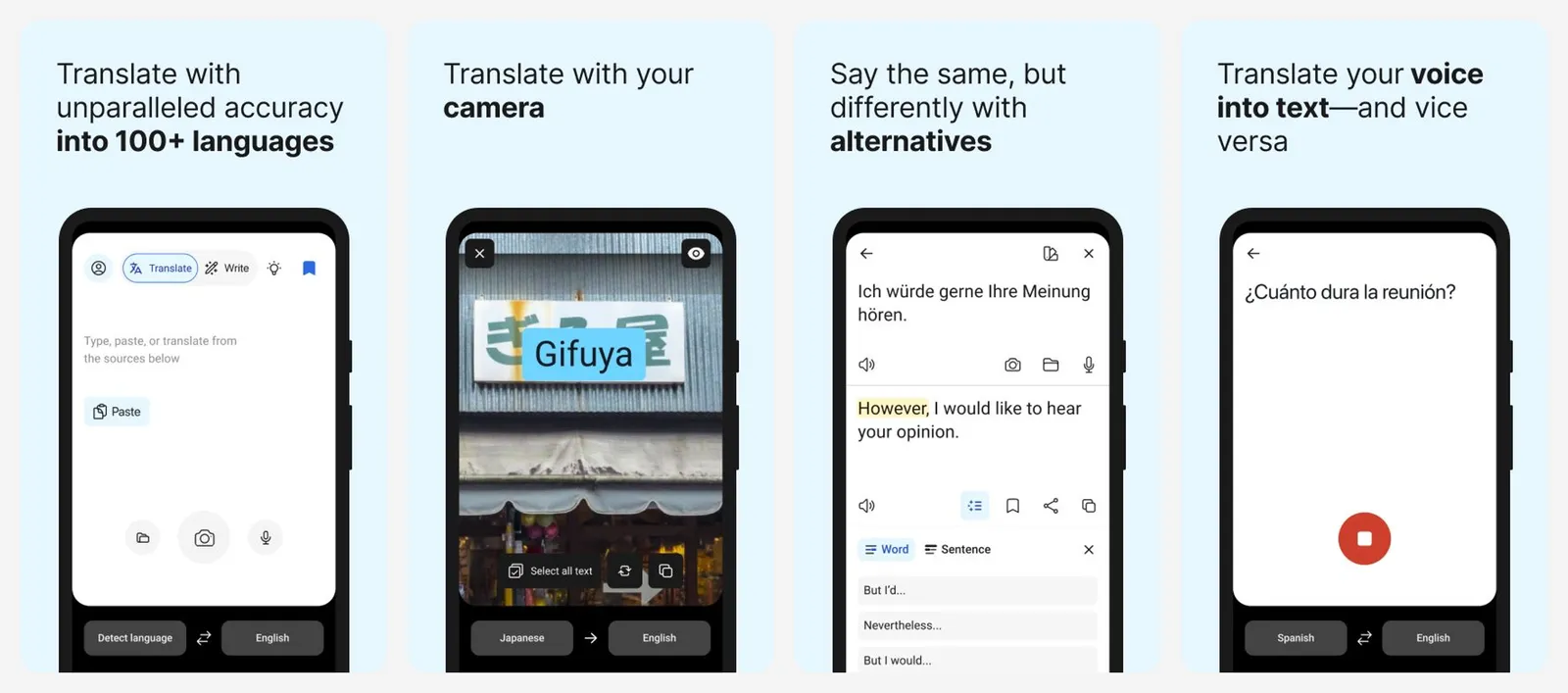
DeepL's plan comparison lists the free version at 50,000 characters a month and 1 file translation a month (up to 5 MB). That is plenty for messages and short articles, but not for translating long reports every day. Core features in the app work without an account. Formal or informal tone and glossaries need a paid plan, and the US App Store lists paid plans from $10.49 a month. The Google Play listing shows no ads.
What you lose vs Google Translate: offline mode, and unlimited free use.
- Replaces
- Google Translate for emails, articles and documents
- Runs on
- Android, iPhone, iPad, web, Windows, Mac
- Licence
- Free version with monthly limits
- Skip if
- You need offline translation
- Price
- Free (paid plans from $10.49 a month in the US App Store)
2. Microsoft Translator: Best free app for offline travel
- Android
- iPhone and iPad
Free, no ads
Microsoft Translator is the closest like-for-like swap. It translates text, speech and the text in images across 100+ languages, and its Google Play listing shows no ads and no in-app purchases.
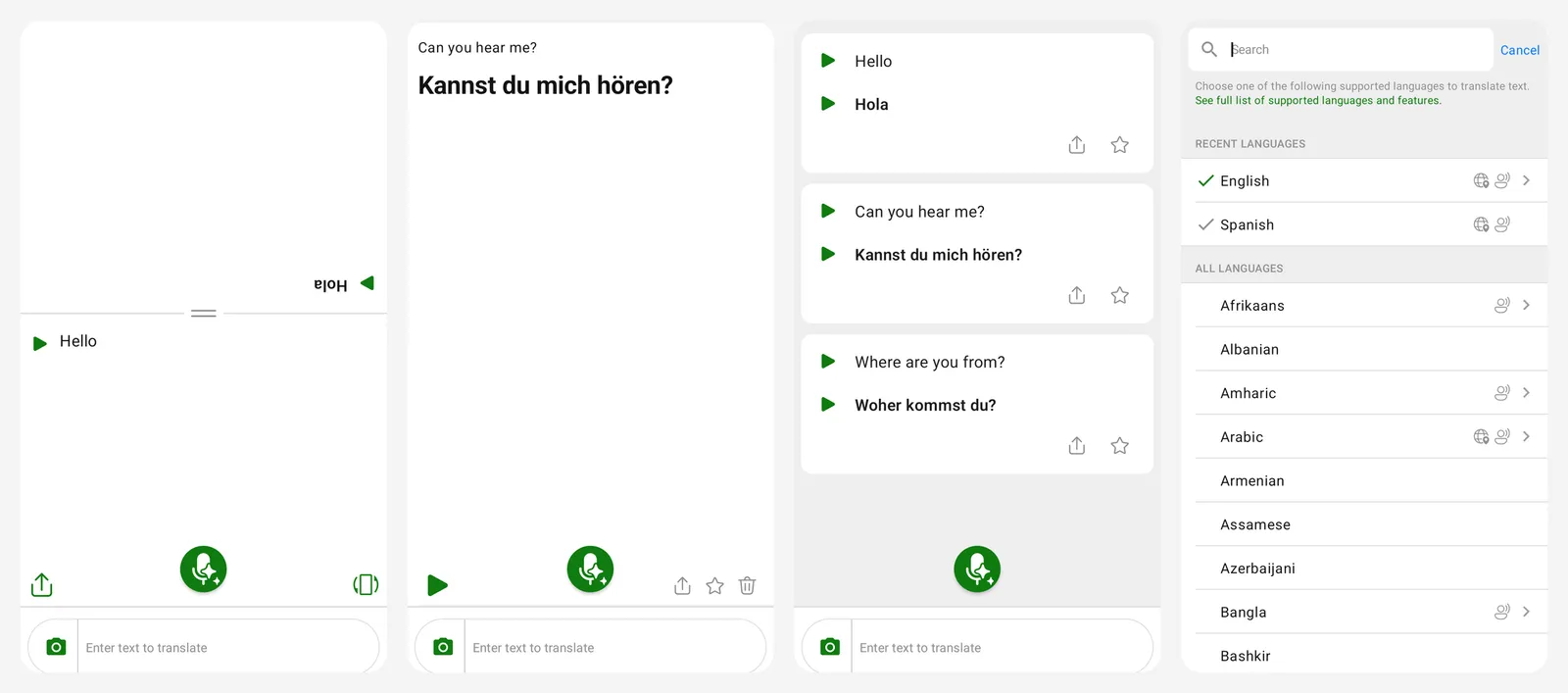
The big reason to install it before a trip is offline packs. Microsoft's app page says you can download offline translation packs and translate while off the grid. One change to know about: the listing says the multi-device conversation feature has been retired, so it is now a one-phone app.
What you lose vs Google Translate: Google's longer language list.
- Replaces
- Google Translate offline and camera mode
- Runs on
- Android, iPhone, iPad, web (Bing Translator)
- Licence
- Free, no in-app purchases listed
- Skip if
- You relied on its multi-device conversation feature, which has been retired
- Price
- Free
3. Apple Translate: Best for iPhone and privacy
- iPhone and iPad
Built into iPhone
Apple Translate comes with every recent iPhone and iPad, so there is nothing to sign up for. It handles typed text, voice, the camera, photos from your library and two-person conversations, with a face-to-face view so each person reads their own side.
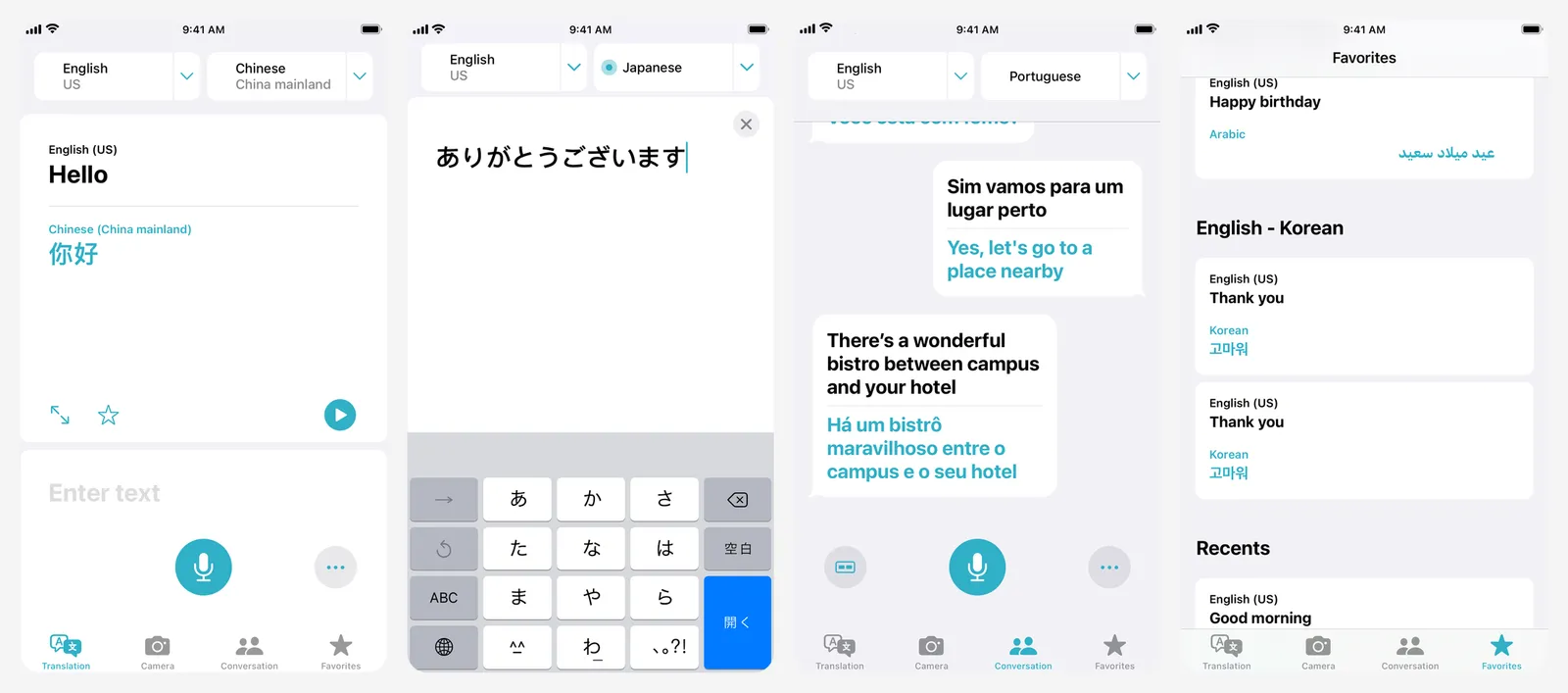
Its strongest feature is On-device mode. Apple's listing says it enables a fully offline experience for downloaded languages, so your translations stay private without turning off the internet. The App Store lists 19 languages (21 counting US and UK English and both Chinese scripts), with Hindi added in iOS 27. Live Translation with AirPods works in five languages and needs iOS 26 or later with AirPods 4 (ANC) or AirPods Pro 2 and later.
What you lose vs Google Translate: most of the language list, and any Android or web version.
- Replaces
- Google Translate on iPhone
- Runs on
- iPhone, iPad
- Licence
- Free with iOS and iPadOS
- Skip if
- You need a language outside its list of 19
- Price
- Free (built in)
4. Papago: Best for Korean, Japanese and Chinese
- Android
- iPhone and iPad
By Naver
Papago comes from Naver, the Korean search company, and is a favorite of K-drama fans and travellers in Korea. It supports 14 languages: Korean, English, Japanese, Chinese (Simplified and Traditional), Spanish, French, Vietnamese, Thai, Indonesian, Russian, German, Italian and Arabic.
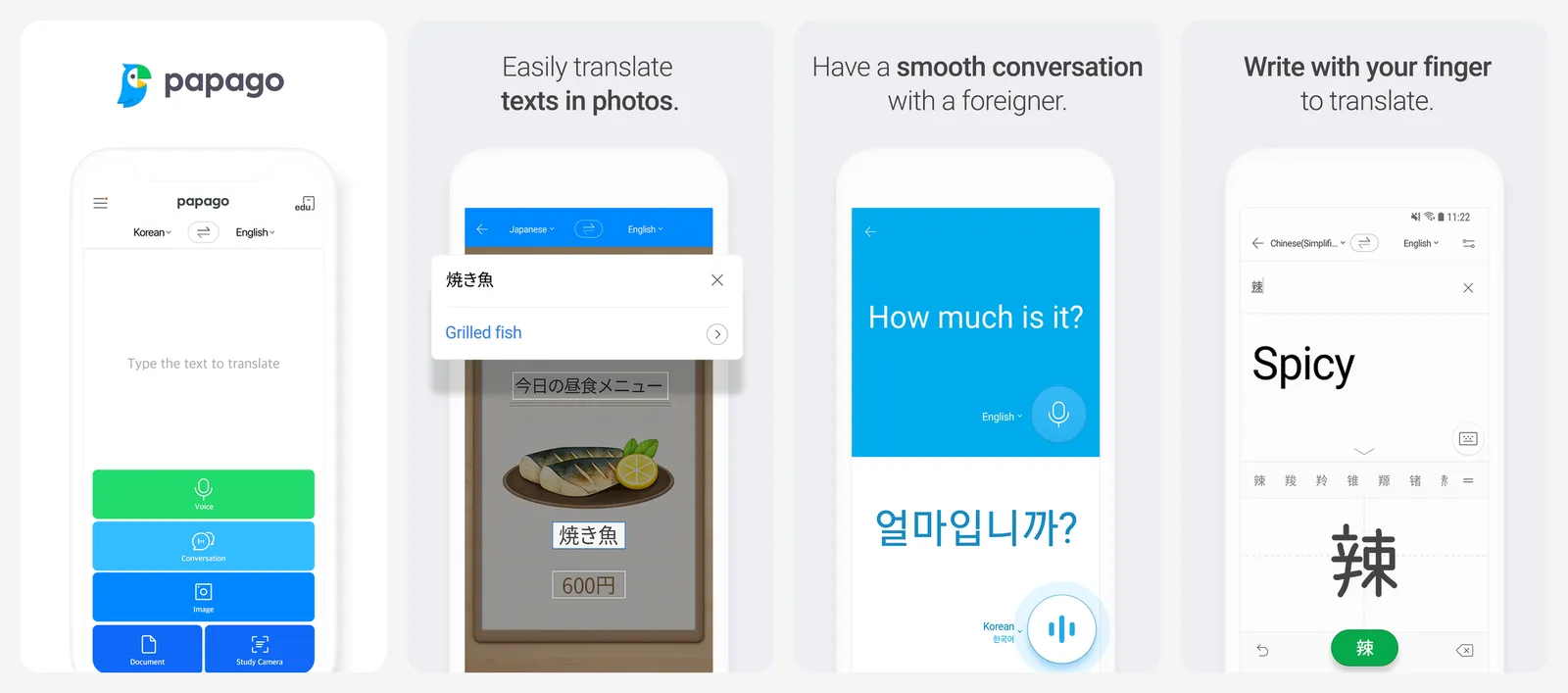
The free app packs a lot in: text, image, voice and conversation translation, handwriting input, website and document translation, and an offline mode. Papago Mini on Android translates text you copy in any other app. The Google Play listing shows no ads and no in-app purchases.
What you lose vs Google Translate: coverage. Papago is a specialist with 14 languages.
- Replaces
- Google Translate for Asian languages
- Runs on
- Android 9 or later, iPhone, web
- Licence
- Free, no in-app purchases listed
- Skip if
- You need European languages beyond the main ones
- Price
- Free
5. Yandex Translate: Best for Russian and Eastern European languages
- Android
- iPhone and iPad
100 languages
Yandex Translate covers 100 languages online, including smaller ones such as Bashkir, Chuvash, Tatar, Udmurt and Yakut that few other apps offer. It can also translate whole websites inside the app.
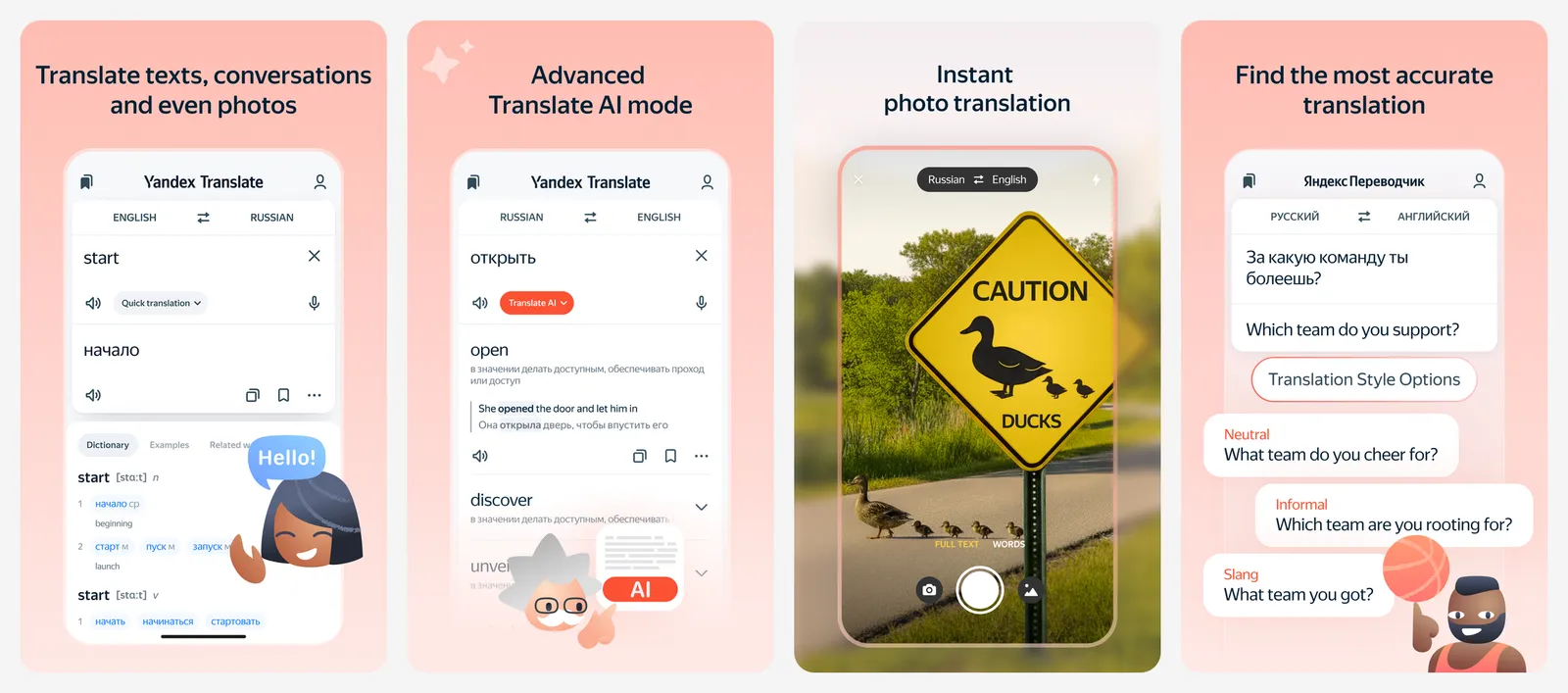
Offline support is narrow: the listing says you can download French, German, Italian, Russian, Spanish and Turkish for offline translation into English. Camera translation reads text in 45 languages but only works online, and voice input covers Russian, Ukrainian, English and Turkish. The Google Play listing shows no ads and no in-app purchases.
What you lose vs Google Translate: broad offline and voice support.
- Replaces
- Google Translate for Russian, Ukrainian and Turkish
- Runs on
- Android, iPhone, web
- Licence
- Free, no ads or in-app purchases listed
- Skip if
- You need camera translation offline
- Price
- Free
6. Reverso: Best for seeing phrases in context
- Android
- iPhone and iPad
Real example sentences
Reverso shows each translation inside real sentences taken from official documents, film subtitles and product descriptions. That makes it easy to see whether a phrase sounds natural or would embarrass you.
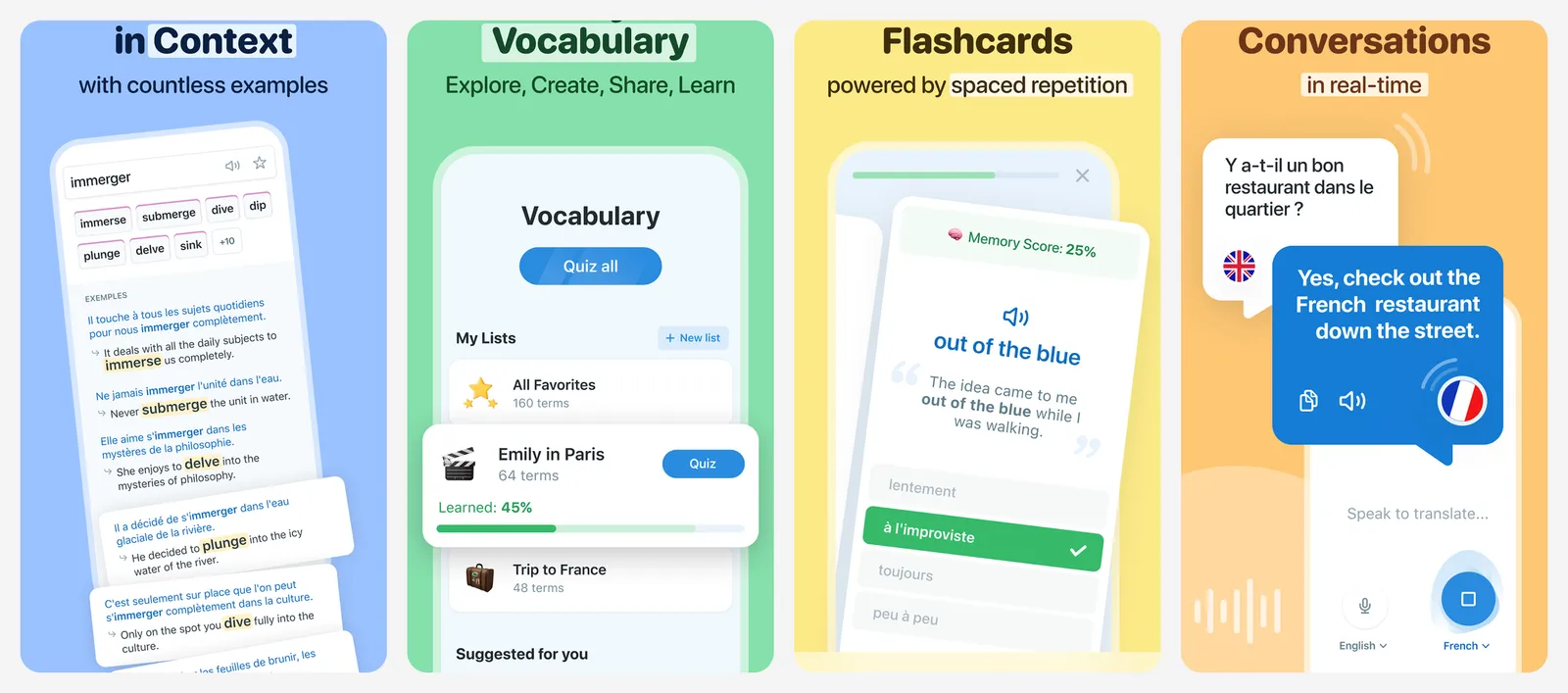
The iPhone listing names 17 languages, including Spanish, French, German, Arabic, Japanese, Chinese, Korean, Hebrew and Ukrainian. You can search by voice, hear pronunciation, and turn saved words into flashcards and quizzes. Favorites and history stay available offline. The Android app shows ads, and Premium costs $4.99 a month or $39.99 a year in the US App Store.
What you lose vs Google Translate: camera translation and full-text translation of long passages.
- Replaces
- Google Translate for single words and idioms
- Runs on
- Android, iPhone, web
- Licence
- Free with ads, optional Premium
- Skip if
- You need to translate long documents or signs
- Price
- Free with ads (Premium $4.99 a month or $39.99 a year in the US App Store)
AI chatbots that translate with tone
7. ChatGPT: Best for tone, context and rewriting
- Android
- iPhone and iPad
AI translation
ChatGPT does more than swap words. You can ask it to translate an email into polite business Japanese, explain a slang phrase, or keep a joke working in Spanish. OpenAI also runs a dedicated ChatGPT Translate page on the web at chatgpt.com/translate.
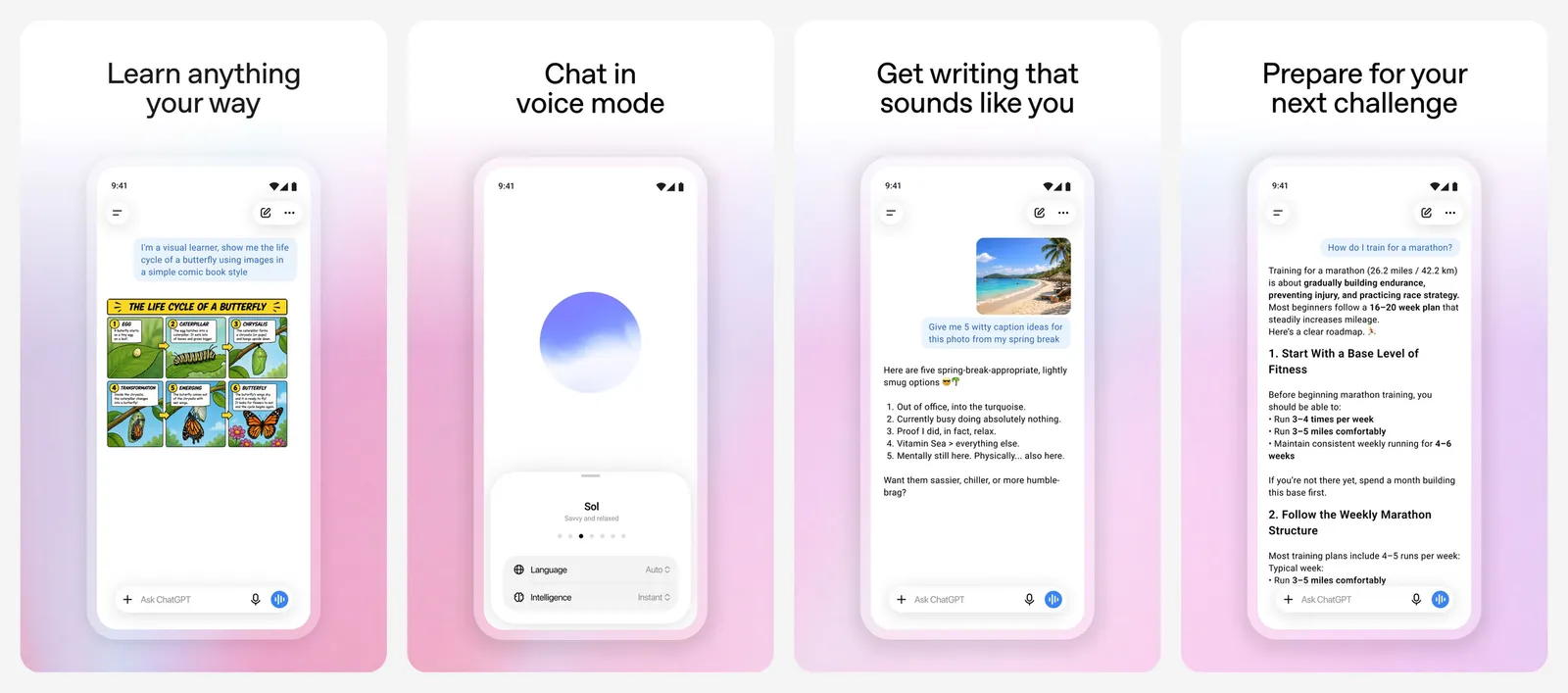
In the app you can type, speak or upload a photo of a sign or menu. The free plan has usage limits, and the Google Play listing notes that the app contains ads. Paid plans in the US App Store start with Go at $8 a month and Plus at $19.99 a month. Check important translations, such as legal or medical text, with a human: chatbots can sound confident and still be wrong. For more chatbots, see our ChatGPT alternatives.
What you lose vs Google Translate: offline use, Tap to Translate and instant results as you type.
- Replaces
- Google Translate for emails and messages that must sound right
- Runs on
- Android, iPhone, web, Windows, Mac
- Licence
- Free plan with usage limits
- Skip if
- You need offline use or a fixed language list
- Price
- Free (Go $8 a month, Plus $19.99 a month in the US App Store)
8. Gemini: Best AI translator for Android users
- Android
- iPhone and iPad
Google's AI assistant
Gemini is Google's AI assistant, and on many Android phones it is already one button press away. Like ChatGPT, it can translate and then adjust the result: shorter, more formal, more casual, or explained word by word.
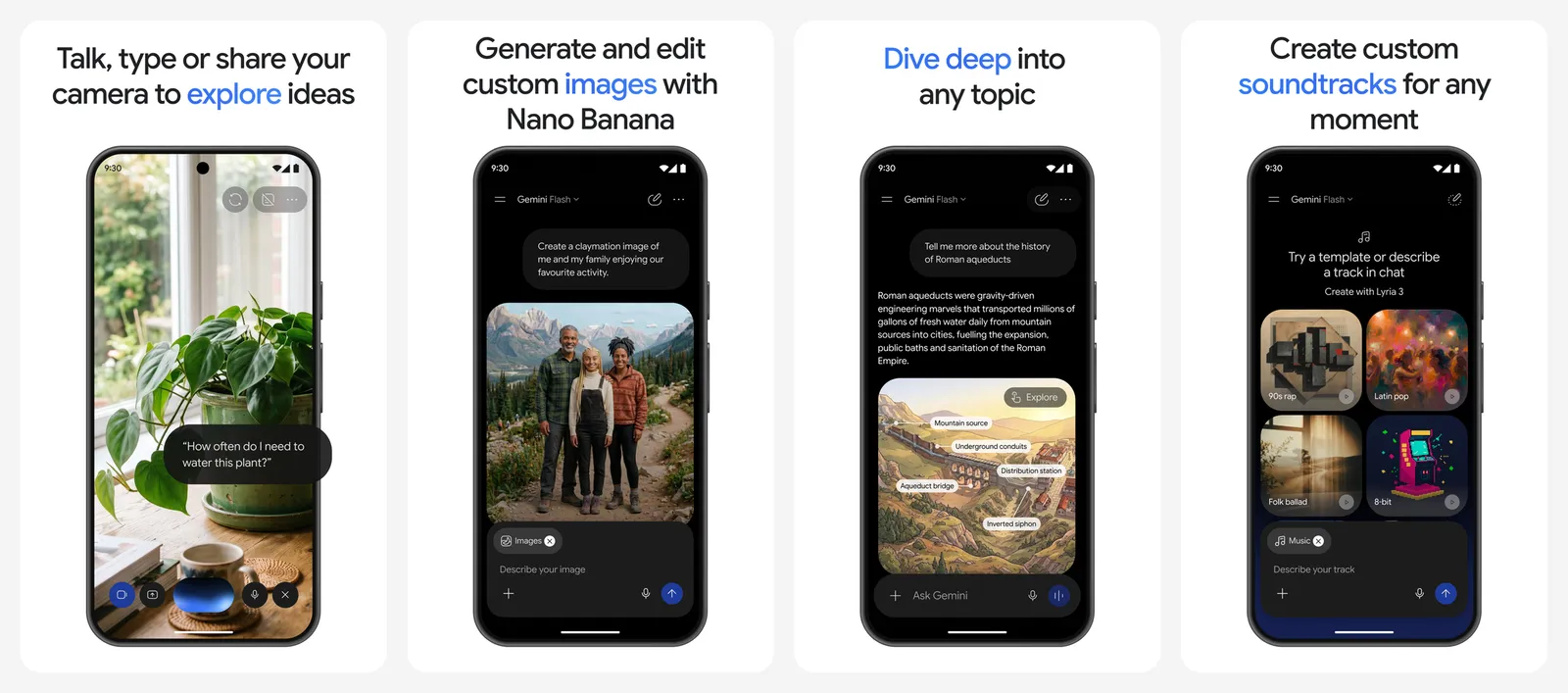
With Gemini Live you can share your camera and talk through what you see, which helps with menus and labels. Google's help page says free users get standard limits that refresh every 5 hours until a weekly limit is reached. Paid plans in the US App Store start at $4.99 a month for Google AI Plus. The Google Play listing shows no ads.
What you lose vs Google Translate: offline mode and a dedicated translation layout.
- Replaces
- Google Translate when you need explanations or rewrites
- Runs on
- Android, iPhone, web
- Licence
- Free with usage limits
- Skip if
- You want a simple word-for-word tool
- Price
- Free (Google AI Plus $4.99 a month, Google AI Pro $19.99 a month in the US App Store)
Private, offline translation on desktop
9. Firefox: Best for private web page translation
Translates in the browser
If most of what you translate is web pages, Firefox has a built-in translator that works differently from Google's. Mozilla says the translation models are downloaded to your browser and translations are done locally, and that Mozilla does not record which pages you translate.
Mozilla's page lists 52 supported languages, with more in development. It is free, needs no account and is a good fit if you want to keep work documents and private pages off translation servers. If you are thinking of switching browsers entirely, our Chrome alternatives list compares the options.
What you lose vs Google Translate: camera, voice and a phone app for translation.
- Replaces
- Google Translate in Chrome
- Runs on
- Windows, Mac, Linux
- Licence
- Free, open source browser
- Skip if
- You need to translate photos or speech
- Price
- Free
Which Google Translate alternative should you pick?
- For travel: Microsoft Translator on Android, Apple Translate on iPhone. Download the offline languages before you leave.
- For work emails and documents: DeepL, then ask ChatGPT or Gemini to adjust tone if needed. For grammar checks after translating, see our Grammarly alternatives.
- For Korea, Japan or China: Papago.
- For learning how phrases are really used: Reverso.
- For privacy: Apple Translate in On-device mode, or Firefox for web pages.
Who should keep using Google Translate
What is the best free alternative to Google Translate?
Is DeepL free?
Which translator app works offline for free?
Is ChatGPT better than Google Translate?
How many languages does Apple Translate support?
Which translator is the most private?

Sumit
ContributorHi, I'm Sumit, Being an introvert I have always been obsessed with technology-computers and reading dozens of posts to learn, find answers out of my curiosity. I love to write as I explore more.