On this page
- What happened to SMS Organizer?
- SMS Organizer alternatives compared
- The best SMS Organizer alternatives
- Google Messages: Best Free SMS Organizer Replacement
- Mezo SMS: Closest Match to SMS Organizer
- Truecaller: Best for Spam SMS in India
- Samsung Messages: Best on Galaxy Phones Outside the US
- Fossify Messages: Best Private and Open Source SMS App
- Textra: Best Customizable SMS App
- Pulse SMS: Best for Texting From Your Computer
- Apps to skip
- How to spot a real bank SMS without SMS Organizer
- How to switch from SMS Organizer
- How to choose
Microsoft is shutting down SMS Organizer, its Android SMS app that sorted bank, OTP and bill messages for millions of users in India. Since May 2026 the app shows a sunset notice asking users to move to another messaging app, and its latest Play Store update (November 14, 2026) adds only a "Sunset banner". Microsoft has not announced a shutdown date.
Your messages are safe when you switch. Android keeps SMS in a shared system store, not inside SMS Organizer, so any new default SMS app shows your full history. What you lose are the extras SMS Organizer built on top: the expense passbook, the travel and bill reminders and the live train status. No single app replaces all of them, so this list tells you which app covers which job.
What happened to SMS Organizer?
SMS Organizer started as a Microsoft Garage project in 2017. It read your SMS on the phone and sorted them into Personal, Transactional and Promotional tabs. It also built a passbook of bank and wallet balances from transaction alerts and set reminders for bills, flights, trains and movie tickets.
The app stopped getting feature updates in September 2024. In May 2026, users started to see an in-app notice that the app is being retired. The notice gives no end date, and Microsoft has not published a statement about it. The Play listing still says the app can back up your messages to Google Drive, and the latest update (November 14, 2026) only adds the sunset banner.
Until Microsoft removes it, SMS Organizer keeps working. But a retired SMS app gets no security fixes, and OTP and bank alerts are the messages you least want to lose. Switching now, while you can still back up from inside the app, is the safe move. Our step-by-step guide covers that: how to back up SMS Organizer and switch apps.
SMS Organizer alternatives compared
| App | Inbox sorting | Spam blocking | Backup | Ads | Price |
|---|---|---|---|---|---|
| Google Messages | Filters (unread, known, unknown senders) | Yes, automatic | Google account backup | No | Free |
| Mezo SMS | Personal, Promotional, Transaction, Unknown, OTP tabs | Yes, automatic | Google Drive backup | Not listed | Free |
| Truecaller | Personal, Other, Spam | Yes, automatic | Not listed | Yes (Premium removes) | Free, Premium paid |
| Samsung Messages | Conversation categories | Yes, spam filter | Samsung Cloud, Smart Switch | No | Free, Galaxy only |
| Fossify Messages | None | Number and keyword blocking | Export to file | No | Free, open source |
| Textra | None | Blocklist | None built in | Yes (paid removes) | Free, paid upgrade |
| Pulse SMS | None | Spammer blacklist | Pulse account backup | Yes | Free, paid sync |
Only Mezo SMS copies SMS Organizer's expense tracking and travel reminders. With any other app, for expense tracking, your bank's own app or a budget app does that job. Google Play lets approved money-management and UPI apps read transaction SMS without being your default SMS app.
The best SMS Organizer alternatives
1. Google Messages: Best Free SMS Organizer Replacement
- Android
10B+ installs, rated 4.5
Google Messages is the default SMS app on Pixel phones and many other Android phones, so most readers can switch to it without installing anything. It is free, has no ads and was updated on November 20, 2026.
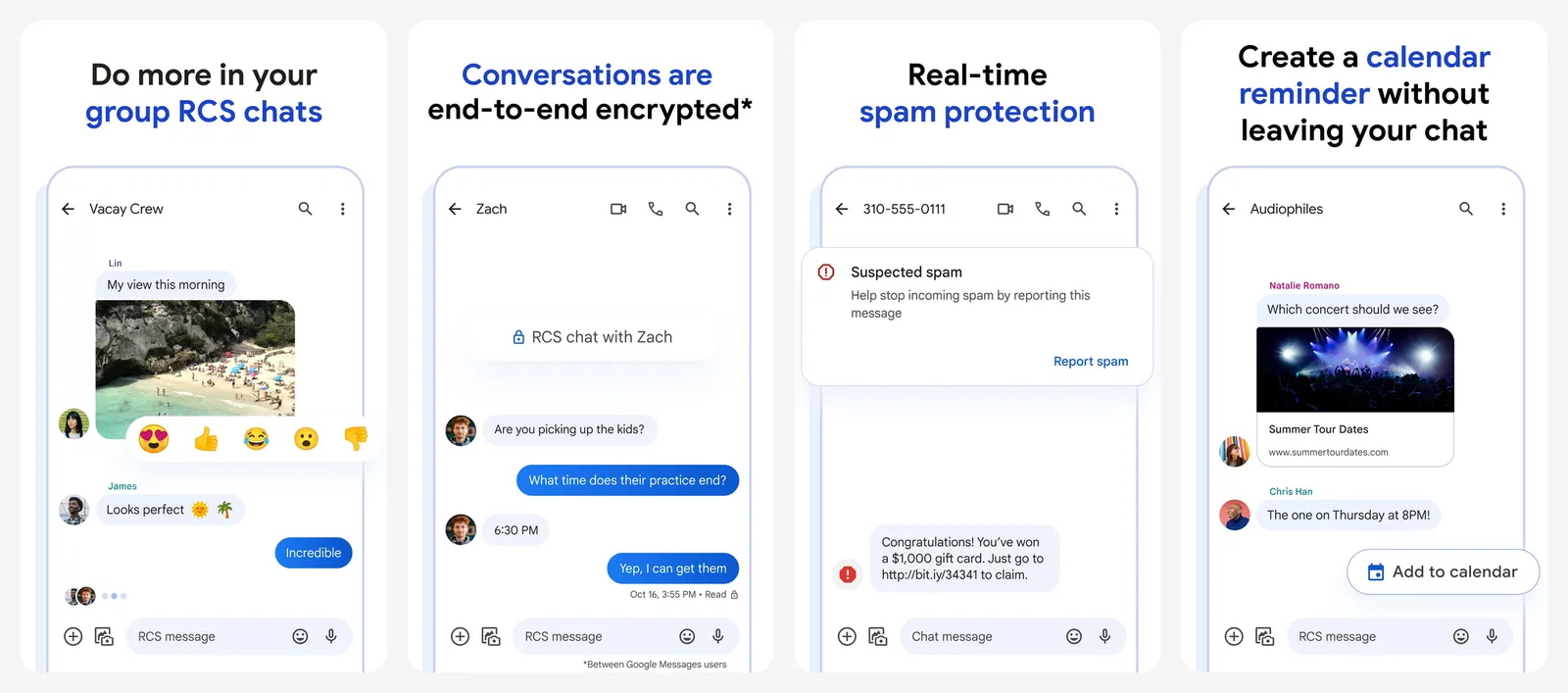
Spam protection is on by default: suspected spam goes to a separate Spam and blocked folder. The inbox filters let you show only unread messages, known senders, unknown senders, starred messages or one SIM, which is the closest built-in match to SMS Organizer's tabs. Google first launched its organized inbox in India, and in a March 2022 update it added an option to delete OTP messages automatically after 24 hours.
Backup is the strongest of any app here. Your Google account backup covers SMS and MMS, plus RCS chats in Google Messages, inside the free 15 GB. You do not need a Google One plan. The catch: restore only runs when you set up a new phone. Google Messages is also one of the few SMS apps with RCS, the chat standard that adds typing indicators, read receipts and high-quality media over the internet.
What you lose vs SMS Organizer: the Transactions and Promotions tabs, the passbook and the reminders.
- Replaces
- SMS Organizer inbox and spam filter
- Runs on
- Most Android phones
- Licence
- Free, no ads
- Skip if
- You need Personal, Transactions and OTP tabs exactly like SMS Organizer
- Price
- Free
2. Mezo SMS: Closest Match to SMS Organizer
- Android
50K+ installs, rated 4.6
Mezo SMS is the only app here built to work like SMS Organizer. Its Play listing says it is designed for India, and it was updated on November 20, 2026.
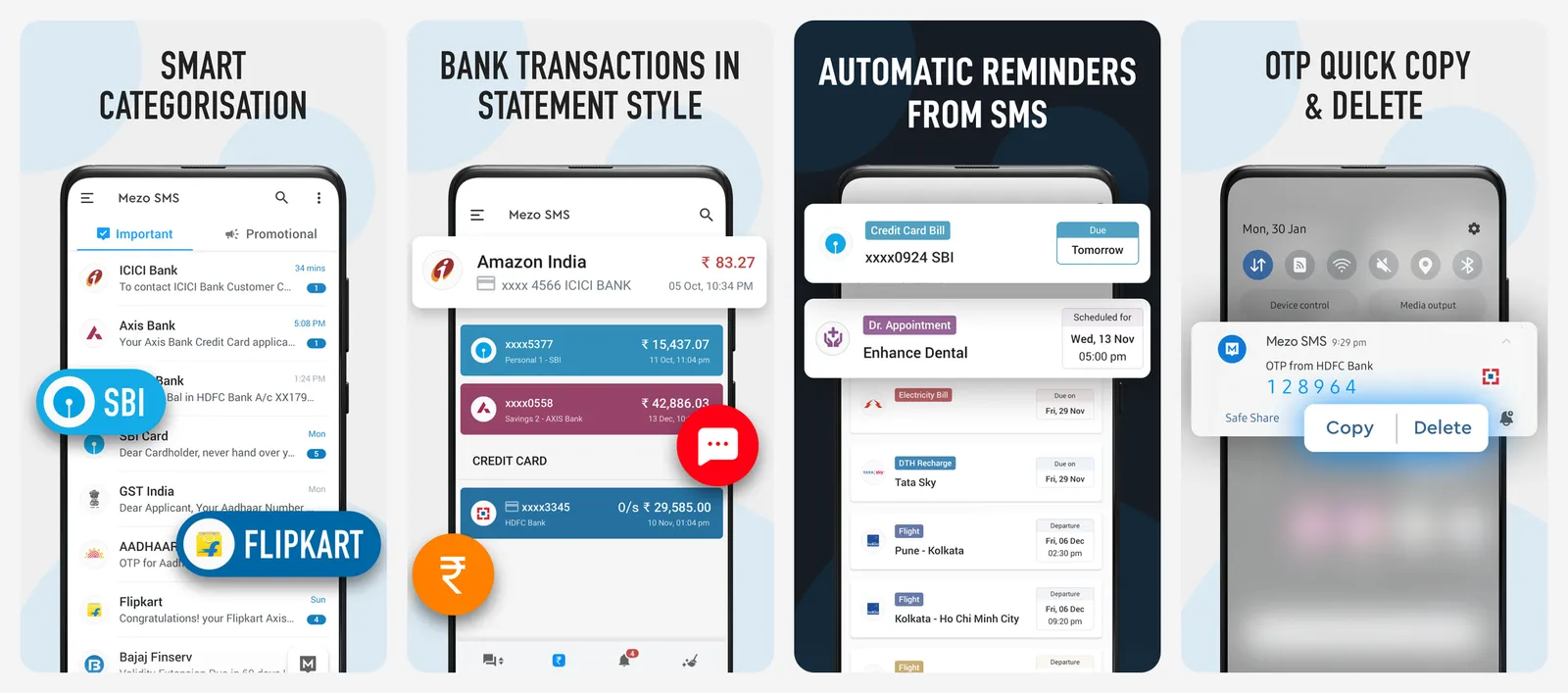
It sorts your SMS into Personal, Promotional, Transaction, Unknown and OTP tabs, highlights OTPs for quick copying and reminds you of flights, trains and bus rides. A built-in money manager tracks expenses from your bank SMS, the job SMS Organizer's passbook did. You can back up to Google Drive, and on a dual-SIM phone you can see which SIM each message came to and pick the SIM when you send. The listing says sorting runs on the phone, without sending your messages to a third-party server.
The trade-off is scale. Mezo has about 50,000 installs, against hundreds of millions for Google Messages, and its Play data safety section says the app may share location data with third parties and that data is not encrypted. Read that section before you give it your bank and OTP messages.
What you lose vs SMS Organizer: very little on features. You trade a Microsoft app for one from a much smaller developer.
- Replaces
- SMS Organizer tabs, reminders and expense tracker
- Runs on
- Android phones
- Licence
- Free
- Skip if
- You prefer an app from a large, established developer for your OTP and bank messages
- Price
- Free
3. Truecaller: Best for Spam SMS in India
- Android
1B+ installs, rated 4.4
Truecaller is best known as a caller ID app, but it can also be your default SMS app. For readers in India who mainly used SMS Organizer to keep spam out of the inbox, it is the closest fit.
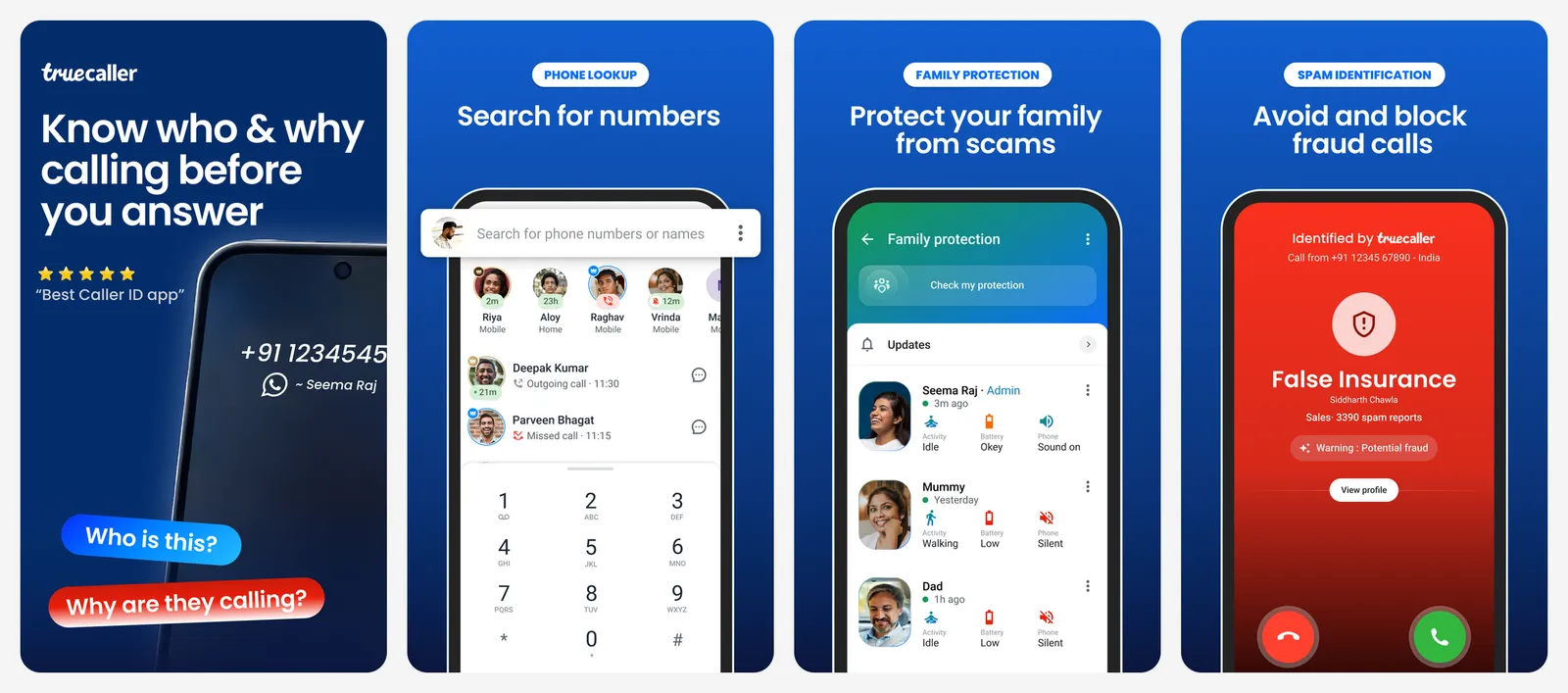
Its Play listing promises to identify unknown SMS senders, block spam messages automatically and sort SMS into Personal, Other and Spam. That three-way split is simpler than SMS Organizer's tabs, but it covers the main job: keeping spam out of the messages you read.
The free app shows ads. Truecaller Premium removes them. Privacy is the main reason to skip it: Truecaller builds its caller ID database partly from the contacts of its users. Our Truecaller alternatives guide covers that in detail.
What you lose vs SMS Organizer: a clean, ad-free inbox, the passbook and the reminders.
- Replaces
- SMS Organizer spam filter
- Runs on
- Android phones
- Licence
- Free with ads
- Skip if
- You do not want an app that builds its caller database from users' address books
- Price
- Free, Premium paid
4. Samsung Messages: Best on Galaxy Phones Outside the US
Preinstalled on Galaxy phones
If you own a Samsung Galaxy phone outside the US, Samsung Messages is already installed. Set it as the default SMS app and your existing SMS appear at once.
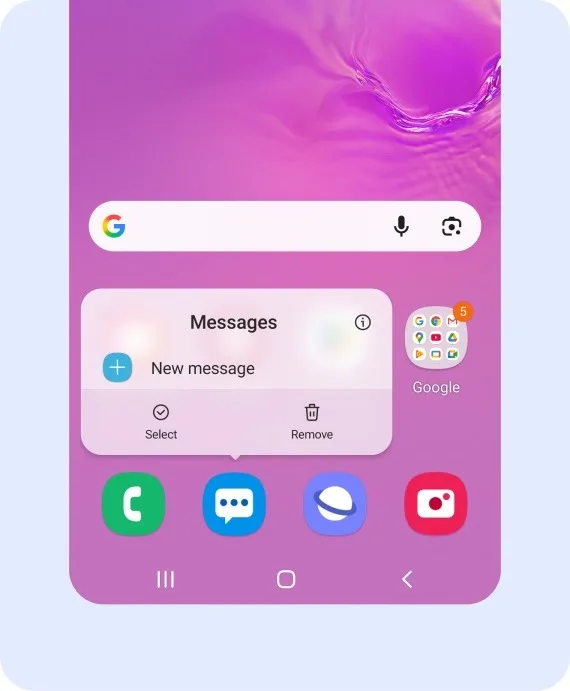
It has a spam protection switch and a Spam and blocked folder. You can also turn on conversation categories to group chats into tabs that you name yourself, for example Banks or Family. That is manual, so it takes a few minutes to set up, but it gives you SMS Organizer-style tabs.
In the US, Samsung discontinued Samsung Messages in July 2026 on Android 12 and later, and the Galaxy S26 and newer phones cannot download it. That change applies to the US market only.
What you lose vs SMS Organizer: automatic sorting (categories are manual), the passbook and the reminders.
- Replaces
- SMS Organizer on Galaxy phones
- Runs on
- Samsung Galaxy phones
- Licence
- Free, no ads
- Skip if
- You live in the US, where Samsung retired the app in 2026
- Price
- Free
5. Fossify Messages: Best Private and Open Source SMS App
- Android
Open source, rated 4.7
Fossify Messages is a community-run fork of Simple SMS Messenger. Its source code is public under the GPL-3.0 licence, and it is on Google Play, F-Droid and IzzyOnDroid. Version 1.10.2 came out on October 24, 2026, and the project is actively maintained.
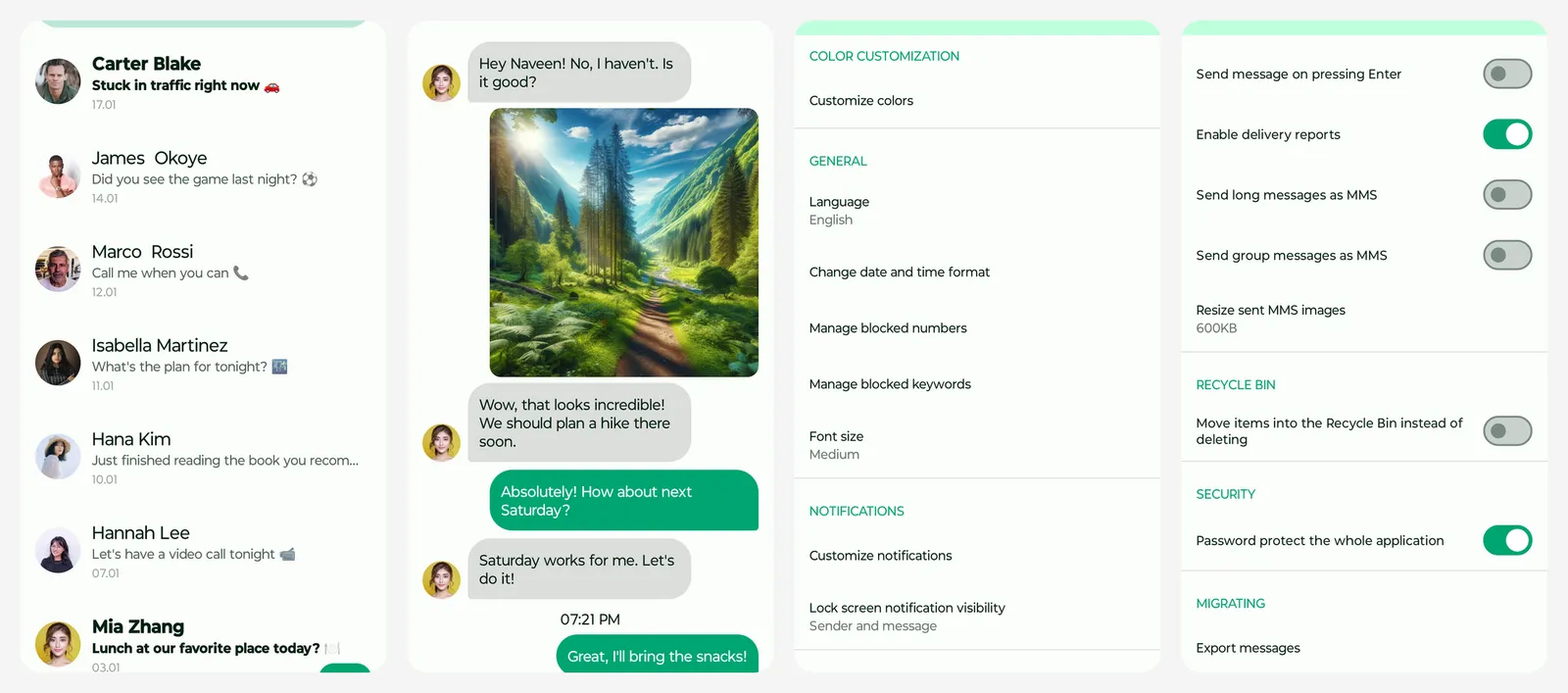
It has no ads and no account. You can block unknown senders, block messages that contain specific words or phrases (useful for loan and betting spam), and export or import all your SMS to a file you keep. That export also makes it a good tool for moving messages between phones.
There is no automatic sorting. If you got used to SMS Organizer keeping OTPs and bank alerts in their own tabs, Fossify will feel bare.
What you lose vs SMS Organizer: all automatic sorting, the passbook and the reminders.
- Replaces
- SMS Organizer backup and blocking
- Runs on
- Android phones
- Licence
- GPL-3.0 (open source), no ads
- Skip if
- You want automatic sorting of bank and OTP messages
- Price
- Free
6. Textra: Best Customizable SMS App
- Android
10M+ installs, rated 4.2
Textra is a long-running SMS app that focuses on speed and looks. It was updated on November 18, 2026.
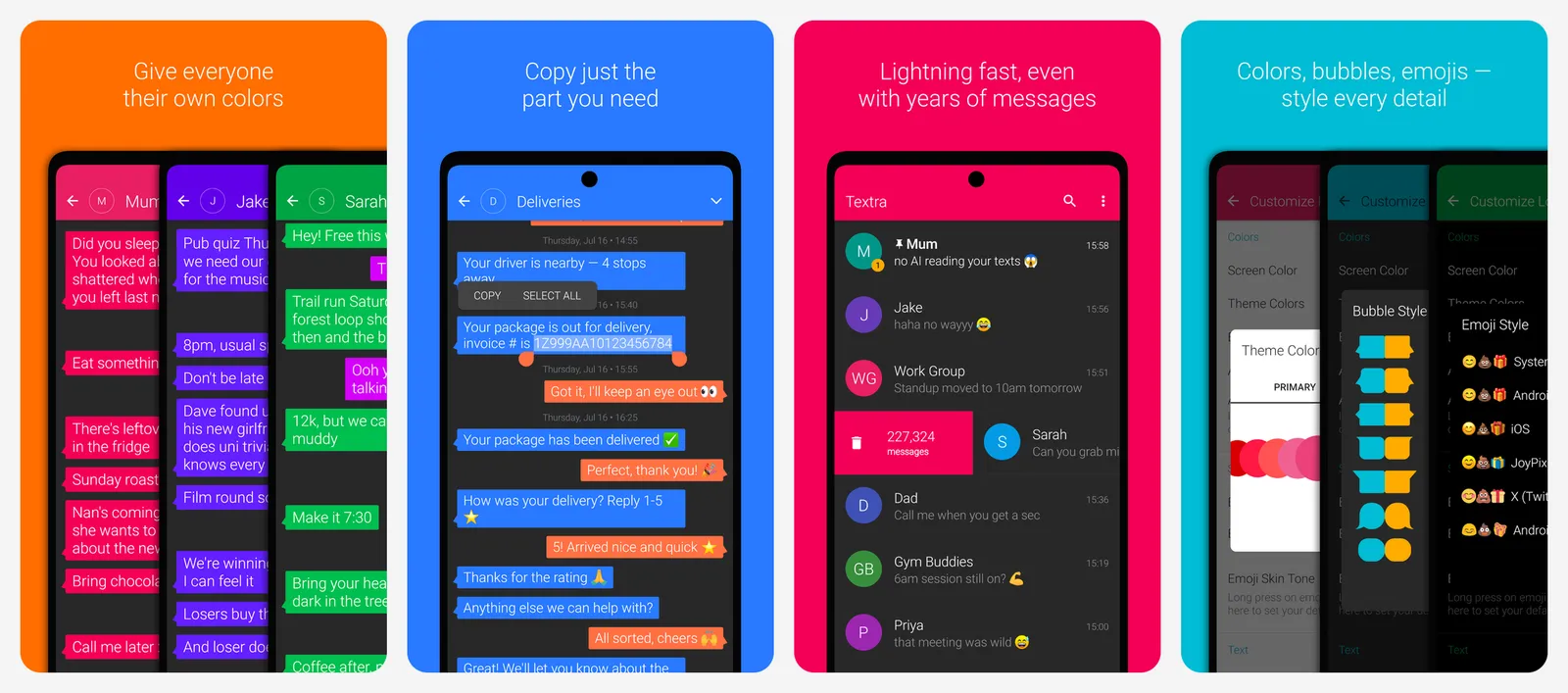
You can set themes and bubble colours per conversation, schedule an SMS for later, add a send delay to cancel a message, pin chats to the top and block numbers. It also shows iPhone reactions as emoji instead of "Loved ..." text messages.
The free version shows ads, and an in-app purchase removes them. It has no inbox sorting and no built-in backup, so pair it with a backup app.
What you lose vs SMS Organizer: automatic sorting, backup, the passbook and the reminders.
- Replaces
- SMS Organizer as a daily SMS app
- Runs on
- Android phones
- Licence
- Free with ads
- Skip if
- You want spam sorted for you automatically
- Price
- Free, paid upgrade
7. Pulse SMS: Best for Texting From Your Computer
- Android
1M+ installs, rated 3.7
Pulse SMS lets you send and receive texts from a computer, tablet or browser. It has apps for Windows, macOS, Linux, Chrome, Firefox and Android TV, plus a web app. Maple Media is the developer listed on Google Play, and the app was updated on October 23, 2026.
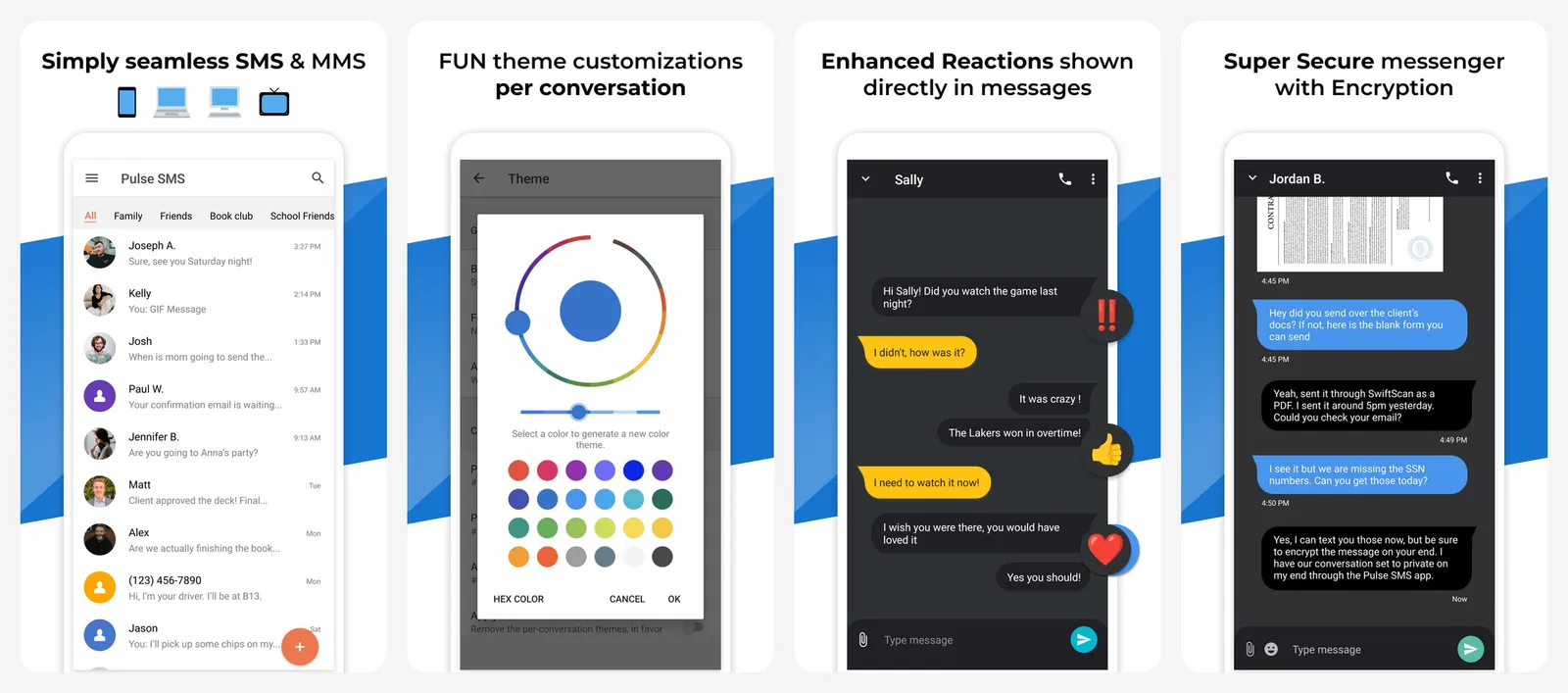
With a Pulse account, your messages back up and restore automatically, and the listing says the sync is end-to-end encrypted. Note that Pulse deletes backups after 60 days without use. It also has a spammer blacklist and delayed sending.
The phone app is free with ads. Syncing to other devices needs a paid subscription.
What you lose vs SMS Organizer: automatic sorting, the passbook and the reminders.
- Replaces
- SMS Organizer backup
- Runs on
- Android phones
- Licence
- Free with ads, paid subscription for sync
- Skip if
- You only text from your phone
- Price
- Free, paid sync
Apps to skip
- QKSMS: it was a popular open source SMS app, but its last Play Store update was February 24, 2021. An SMS app that handles OTPs should still get security fixes.
- Small "SMS organizer" clones: several new apps on Play copy the SMS Organizer name. In November 2026, none had more than about 600 installs. Do not give an unknown developer full access to your bank and OTP messages.
How to spot a real bank SMS without SMS Organizer
SMS Organizer's tabs did one quiet job: they told you which messages came from real businesses. In India you can now read that from the sender name itself. Since May 2025, under TRAI rules, telecom operators add a one-letter suffix to every registered business SMS header:
| Suffix | Meaning | Example use |
|---|---|---|
| -T | Transactional | OTPs and bank debit or credit alerts |
| -S | Service | Order updates, bill reminders, account notices |
| -P | Promotional | Offers and ads |
| -G | Government | Messages from approved government senders |
A bank alert from a header ending in -T or -S comes through the registered channel. A "bank" message from a 10-digit mobile number, or a "KYC update" from a -P header, is a red flag: do not tap its link. This works in any SMS app.
How to switch from SMS Organizer
- Back up first. In SMS Organizer, run a Google Drive backup. For a file you control, also export your SMS with a backup app. Our backup and switch guide has every step.
- Install the new app from the Play Store, if it is not already on your phone.
- Set it as the default SMS app. Open the app and accept its prompt, or go to Settings > Apps > Default apps > SMS app. Menu names differ a little by phone brand.
- Check your history. Your old SMS show up in the new app because they live in Android's system store.
- Turn on spam protection in the new app, then uninstall SMS Organizer when you no longer need its backups.
How to choose
- You want it to just work: Google Messages. It is free, ad-free and already on most phones.
- You want SMS Organizer back, tabs and all: Mezo SMS, after you read its data safety section.
- Spam is your main problem: Truecaller, if you accept its ads and privacy trade-off.
- You have a Galaxy phone in India or another non-US market: Samsung Messages, with conversation categories for your banks.
- Privacy comes first: Fossify Messages, and keep its SMS export file as your backup.
- You text from a laptop all day: Pulse SMS.
For tidying other inboxes, see our guide to blocking spam emails. For what Google is changing in its app, see our Google Messages update coverage.
What happened to SMS Organizer?
Will I lose my messages when SMS Organizer shuts down?
What is the best SMS Organizer alternative?
Which SMS app sorts OTP and bank messages like SMS Organizer?
What is the most private SMS app for Android?

Amit loves new tech and apps that make life easier, he writes about apps, games and useful websites on TheTechBasket.