On this page
- All picks at a glance
- Productivity: tasks and notes
- Things 3
- Todoist
- Obsidian
- Drafts
- Privacy and security
- Bitwarden
- Proton VPN
- Signal
- AdGuard
- 2FAS Authenticator
- Music, podcasts, video and reading
- Spotify
- Overcast
- Libby
- Infuse
- Camera, photos and video
- Halide Mark III
- Snapseed
- VN Video Editor
- Home screen and utilities
- Widgetsmith
- LocalSend
- Health and learning
- Cronometer
- Gentler Streak
- Duolingo
- Mochi
- Maps and travel
- Google Maps
- Flighty
- AI assistants
- ChatGPT
- Claude
- Gemini
- Money
- Copilot Money
- YNAB
- Messaging
- Telegram
- Pay once or pay every month?
- FAQs
- What apps should I install first on a new iPhone?
- Do I need a password manager if I have Apple Passwords?
- Do I need an antivirus app on iPhone?
- Are free iPhone apps safe?
- How do I cancel an app subscription on iPhone?
Your iPhone already has good apps for passwords, notes, reminders, maps, photos and health. So the real question is not "which apps should I download?" It is "where does Apple's own app fall short, and what fixes it?"
That is how this list works. For each job we name the built-in app first, say when it is enough, and then give the one or two App Store apps that do the job better. Each section also links to our full guide on that topic, so you can go deeper.
Every pick passed the same checks:
- Still updated: the App Store listing shows a recent update.
- Fair pricing: a real free tier, a one-time price or a subscription that is worth it.
- Privacy: no data collection the job does not need.
- A way out: you can export your data if you leave.
- Works with iOS: widgets, Share Sheet and Shortcuts where they help.
All picks at a glance
| App | Job | Price |
|---|---|---|
| Things 3 | Tasks | $9.99 once |
| Todoist | Tasks on every platform | Free, Pro $59.99 a year |
| Obsidian | Notes | Free (Sync is paid) |
| Drafts | Quick capture | Free, Pro $19.99 a year |
| Bitwarden | Password manager | Free, Premium $19.80 a year |
| Proton VPN | VPN | Free, Plus is paid |
| Signal | Private messaging | Free |
| AdGuard | Safari ad blocker | Free, Premium is paid |
| 2FAS Authenticator | 2FA codes | Free |
| Spotify | Music | Free with ads, Premium $12.99 a month |
| Overcast | Podcasts | Free with ads |
| Libby | Library ebooks and audiobooks | Free with a library card |
| Infuse | Your own video files | Free, Pro $16.99 a year |
| Halide Mark III | Pro camera | Free trial, then paid |
| Snapseed | Photo editing | Free |
| VN Video Editor | Video editing | Free, Pro is paid |
| Widgetsmith | Custom widgets | Free, Premium $19.99 a year |
| LocalSend | Send files to any device | Free |
| Cronometer | Food and nutrition | Free, Gold $59.99 a year |
| Gentler Streak | Fitness and recovery | Free, Premium $39.99 a year |
| Duolingo | Languages | Free, Super is paid |
| Mochi | Flashcards | Free, Pro $5 a month |
| Google Maps | Navigation | Free |
| Flighty | Flight tracking | Free, Pro $59.99 a year |
| ChatGPT | AI assistant | Free, Plus $19.99 a month |
| Claude | AI assistant for writing | Free, Pro $20 a month |
| Gemini | AI assistant for Google users | Free, AI Pro $19.99 a month |
| Copilot Money | Budgeting | $95 a year |
| YNAB | Zero-based budgeting | $109 a year |
| Telegram | Groups and channels | Free |
Productivity: tasks and notes
Built in: Reminders and Notes. Both are free, sync with iCloud and are much better than they used to be. Reminders has lists, tags and grocery sorting. Notes has folders, checklists, a document scanner and PDF markup. If you only use Apple devices and keep things simple, stop here.
Add an app when you want a calmer planning system, or when you need your tasks on a Windows PC or Android phone too.
1. Things 3
- iPhone and iPad
Best for Apple-only users · TASKS
Things 3 is the most pleasant task app on the iPhone. You sort tasks into Today, Upcoming, Anytime and Someday, group them into projects and areas, and plan your day in a few taps. It syncs for free between your Apple devices.
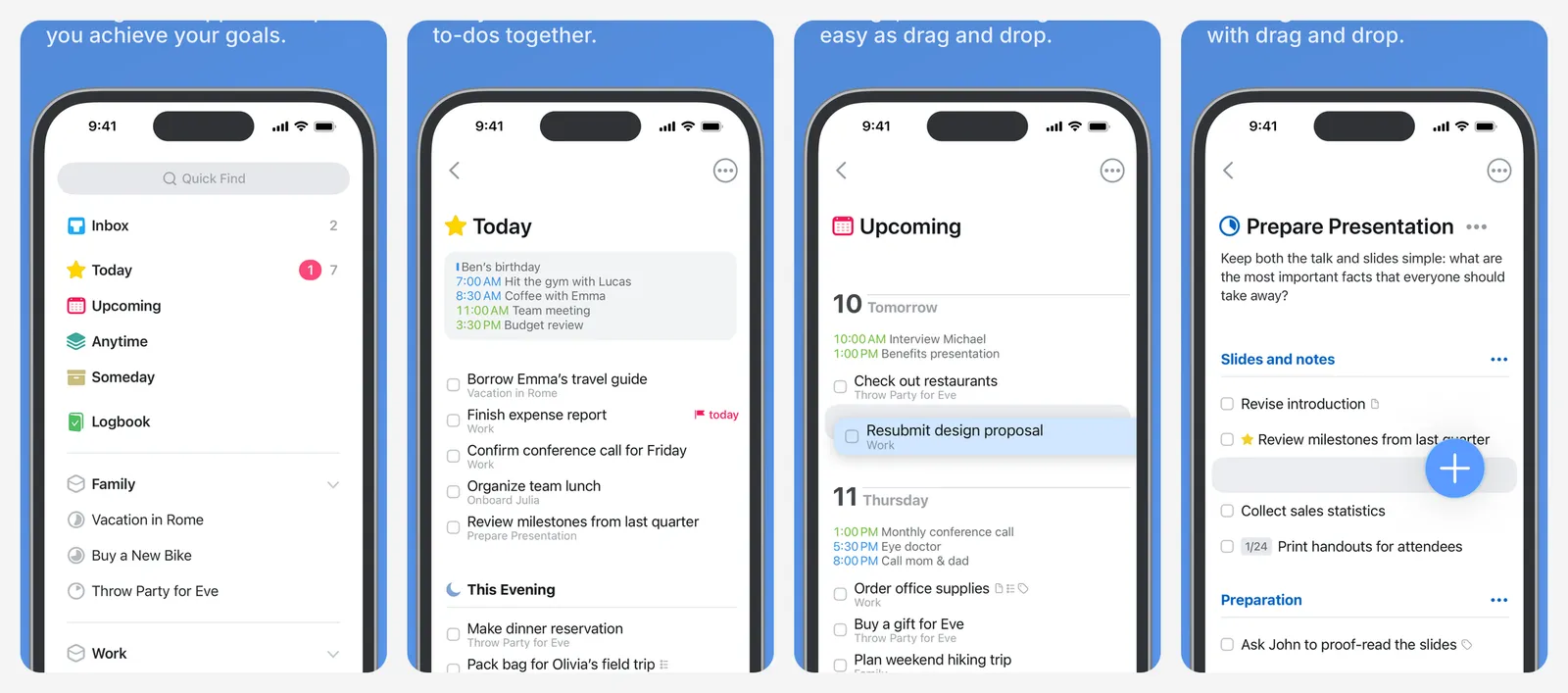
You pay once with no subscription: $9.99 on iPhone. The iPad and Mac apps are separate one-time purchases. It has no Android, Windows or web app, and no shared lists for families or teams.
- Replaces
- Apple Reminders
- Runs on
- iPhone, iPad, Mac, Apple Watch
- Skip if
- You need your tasks on Windows, Android or the web
- Price
- $9.99 once on iPhone (no subscription)
2. Todoist
- iPhone and iPad
- Android
- Web browser
Best on every platform · TASKS
Todoist understands plain-English dates like "every other Friday at 5pm" and works on every platform, so your list follows you from an iPhone to a work PC. It has widgets, Siri and Shortcuts support and shared projects.
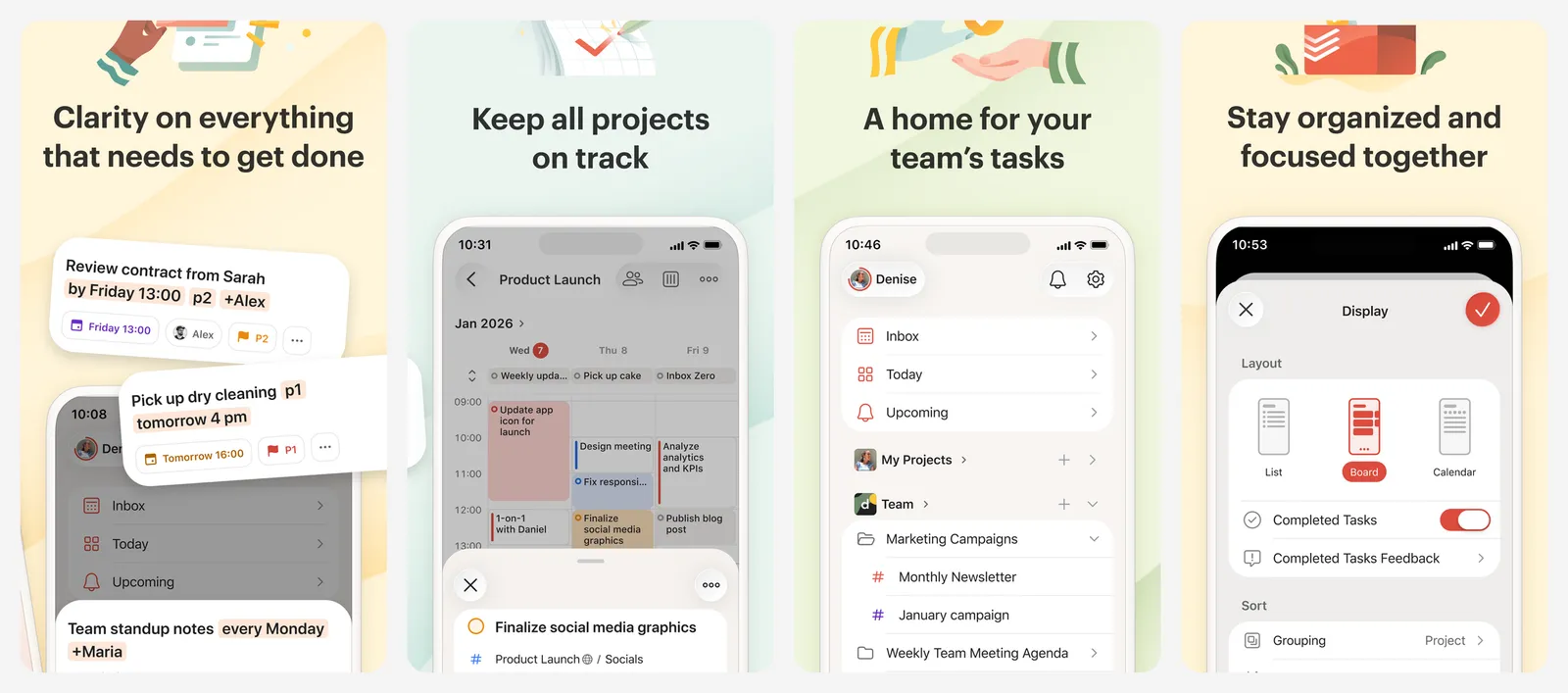
The free plan allows 5 personal projects, which is enough for most people. Pro raises that to 300 and adds more filters and a longer history.
- Replaces
- Apple Reminders
- Runs on
- iPhone, iPad, Mac, Windows, Android, web
- Skip if
- You only use Apple devices and like paying once
- Price
- Free (Pro $6.99 a month or $59.99 a year)
3. Obsidian
- iPhone and iPad
- Android
Notes you own · NOTES
Obsidian stores your notes as plain Markdown files, so you are never locked in. You can link notes to each other and add community plugins. It is free with no account and no limits.
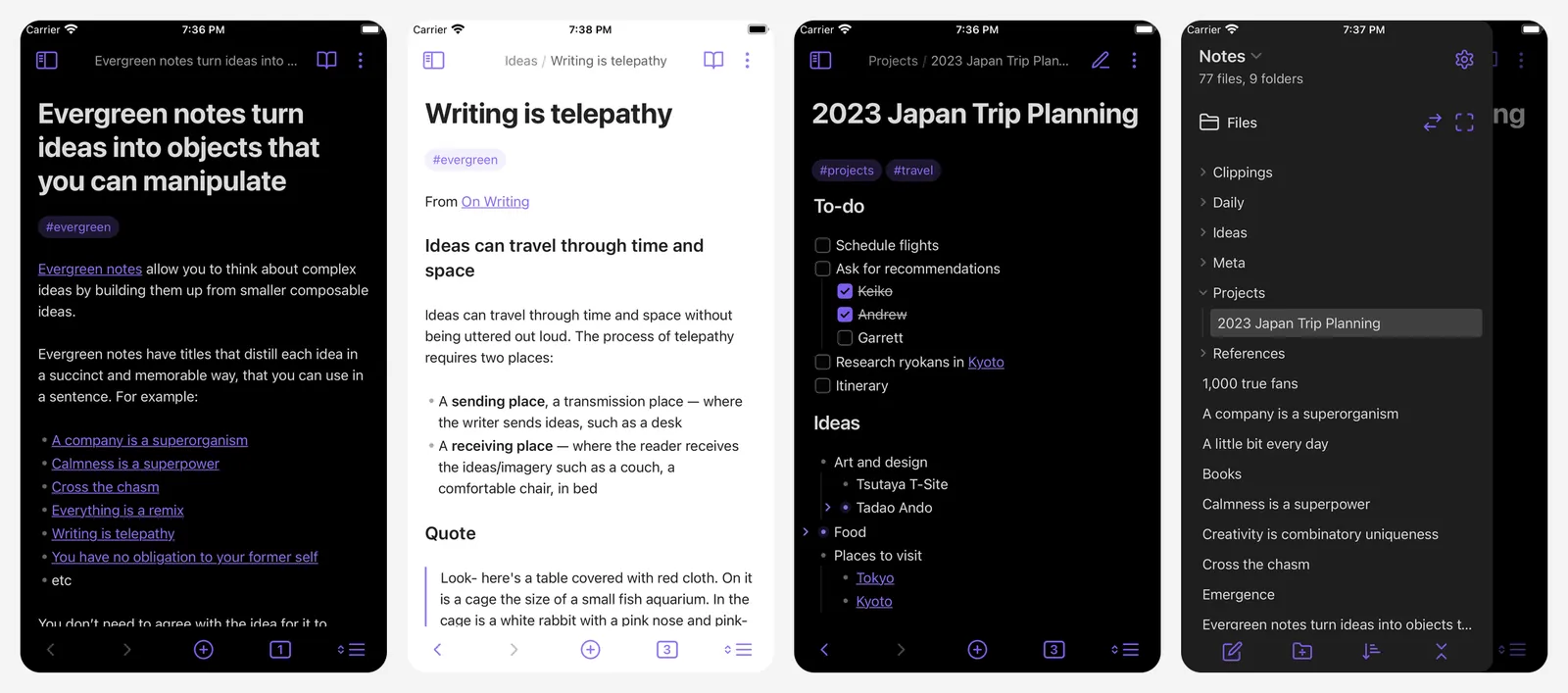
On iPhone the easiest setup is to keep your notes folder in iCloud Drive, which makes it free to sync with a Mac. Paid Sync is there if you also use Windows or Android.
- Replaces
- Apple Notes for long notes and research
- Runs on
- iPhone, iPad, Mac, Windows, Linux, Android
- Skip if
- You want handwriting or to collaborate live
- Price
- Free (Sync $4 a month billed yearly, or $5 monthly)
4. Drafts
- iPhone and iPad
Write first, file later · CAPTURE
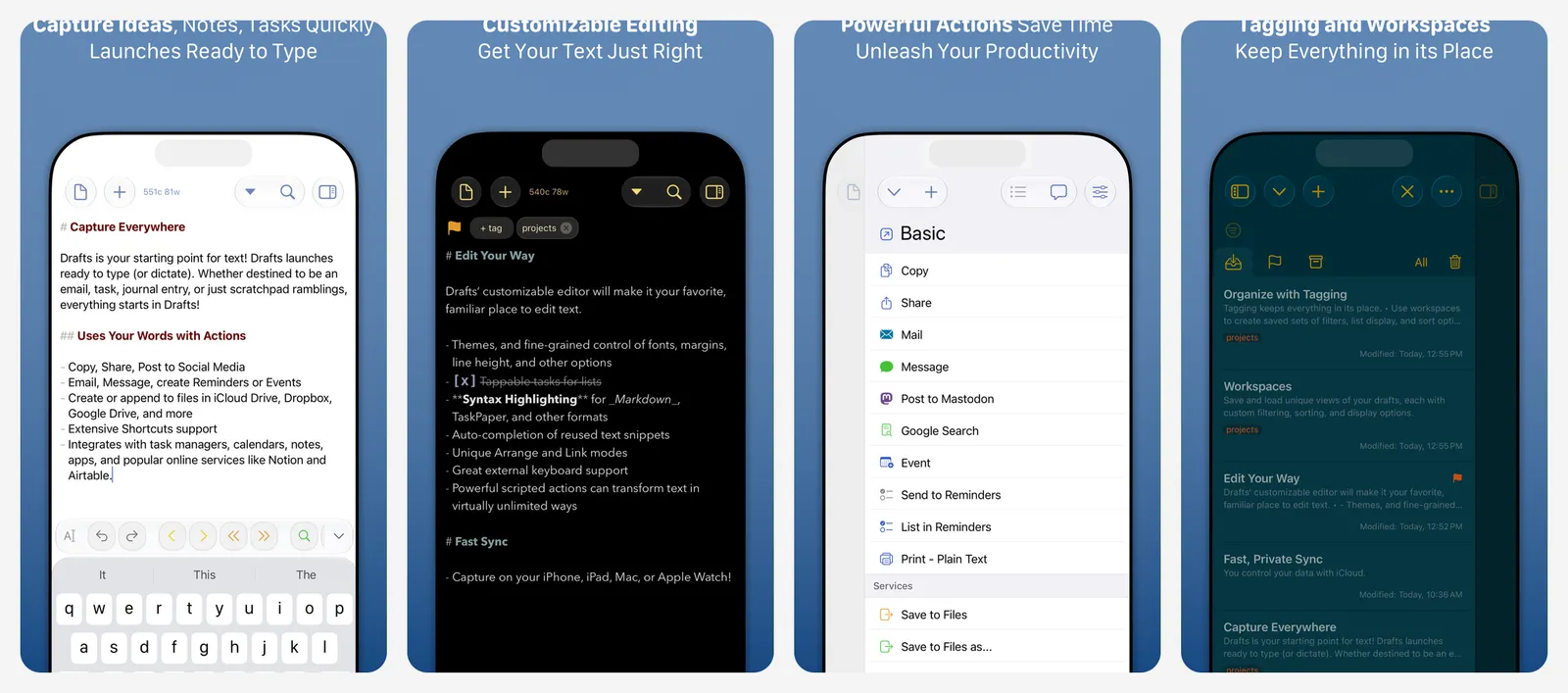
Drafts always opens to a blank page, so you can type a thought in one second. After that you send it where it belongs: a message, an email, a task in Todoist or a note in another app. Pro adds custom actions, themes and more automation.
- Replaces
- Opening Notes and hunting for the right folder
- Runs on
- iPhone, iPad, Mac, Apple Watch
- Skip if
- Apple Notes Quick Note already works for you
- Price
- Free (Pro $1.99 a month or $19.99 a year)
Go deeper: our guide to to-do list apps, the best Todoist alternatives, note-taking apps for iPad, note-taking apps for Mac and the best Notion alternatives.
Privacy and security
Built in: the Passwords app, which stores passwords, passkeys and 2FA codes and syncs them with iCloud Keychain. It is free, safe and good enough for most iPhone owners. Also turn on Advanced Data Protection in iCloud settings if you want end-to-end encryption for most of your iCloud data.
5. Bitwarden
- iPhone and iPad
- Android
- Web browser
Passwords on every platform · PASSWORDS
Bitwarden is the pick if you also use a Windows PC, an Android phone or Chrome or Firefox. The free plan has unlimited passwords and devices, and it fills logins on iPhone through AutoFill, just like Apple Passwords.
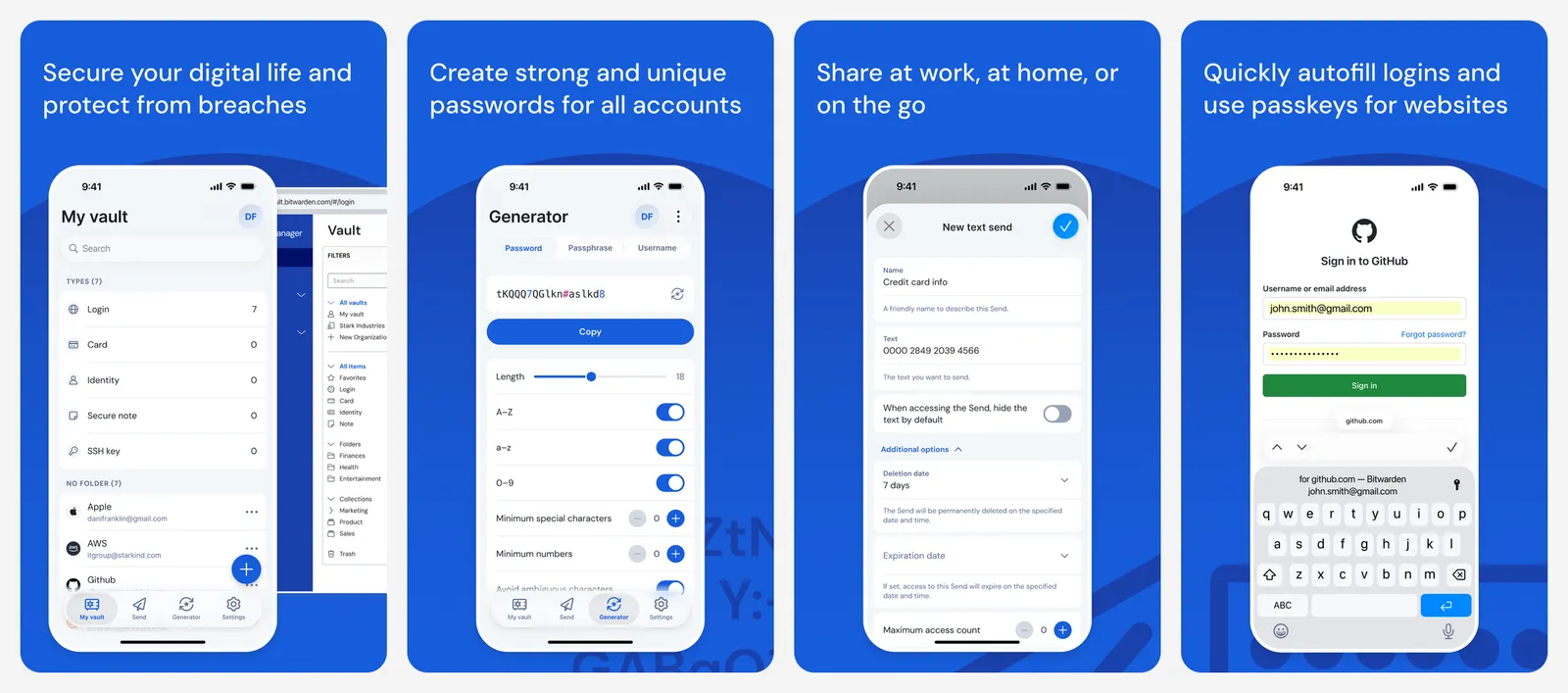
It is open source and checked by outside security firms. Premium adds a 2FA code generator, file attachments and security reports.
- Replaces
- Apple Passwords
- Runs on
- iPhone, iPad, Mac, Windows, Android, every browser
- Licence
- Open source
- Skip if
- You only use Apple devices and Safari
- Price
- Free (Premium $19.80 a year, paid on the web)
6. Proton VPN
- iPhone and iPad
- Android
Best free VPN · VPN
Proton VPN's free plan has no data cap, no ads and a no-logs policy. Use it on hotel, airport and café Wi-Fi. The free plan covers one device and picks the server for you from a small set of countries.
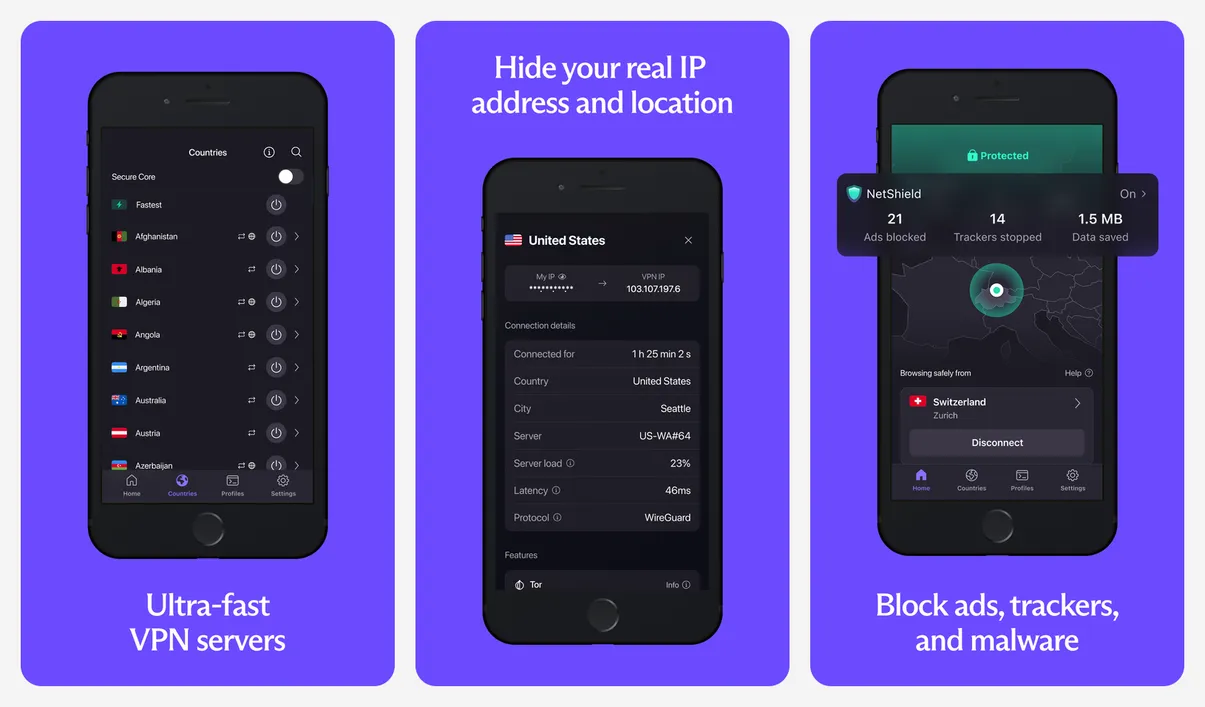
Buy Plus on Proton's website if you can. The same plan costs more as an in-app purchase.
- Replaces
- Free VPN apps full of ads
- Runs on
- iPhone, iPad, Mac, Windows, Android
- Licence
- Open source apps
- Skip if
- You need streaming or a chosen country without paying
- Price
- Free (Plus $9.99 a month on the web, or $3.99 a month on a 1-year plan; more in the app)
7. Signal
- iPhone and iPad
- Android
Private messaging · CHAT
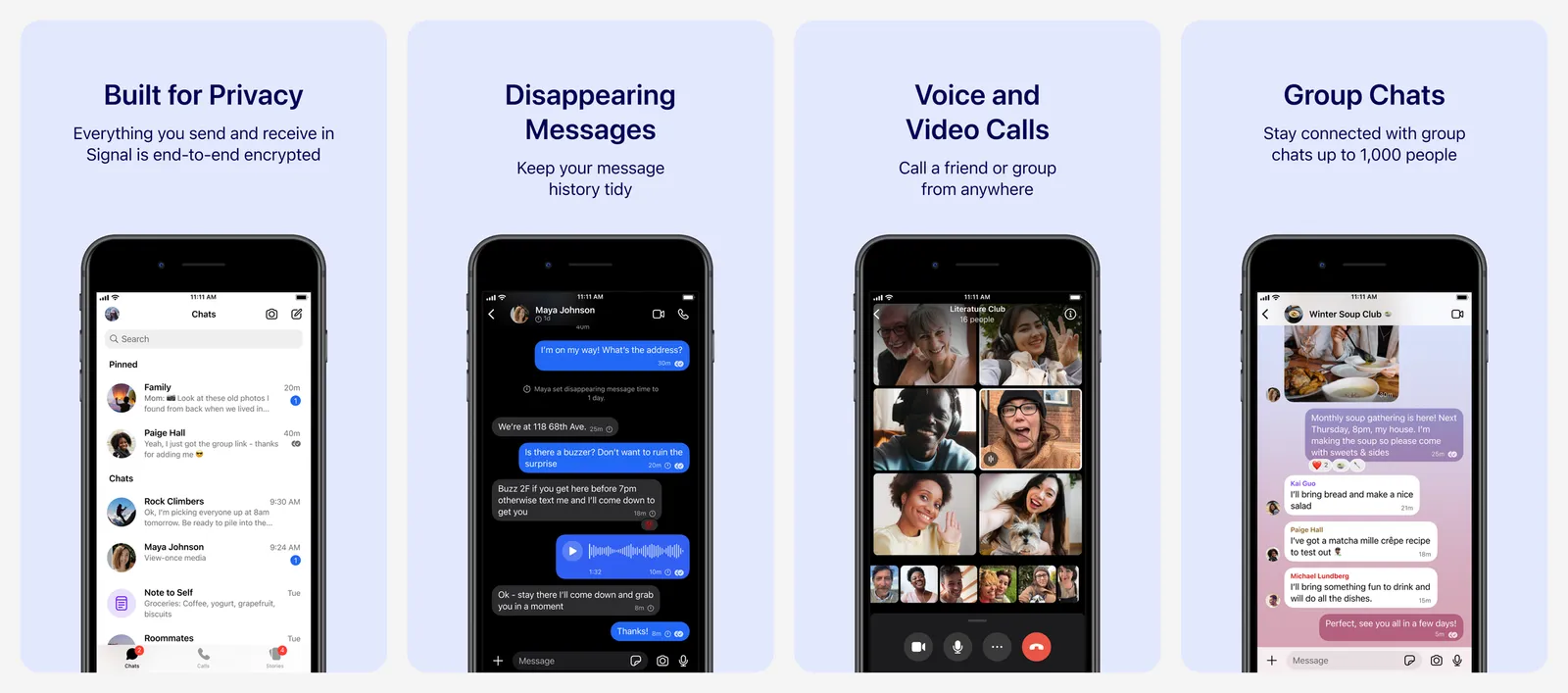
iMessage is encrypted, but only between Apple devices. Signal encrypts every chat and call with anyone, on any phone, and keeps almost no data about you. It is run by a non-profit with no ads.
- Replaces
- iMessage and WhatsApp for private chats
- Runs on
- iPhone, iPad, Mac, Windows, Linux, Android
- Licence
- Open source
- Skip if
- Your contacts will not install it
- Price
- Free (optional paid backups $1.99 a month)
8. AdGuard
- iPhone and iPad
Block ads in Safari · ADS
AdGuard adds a content blocker to Safari, so web pages load faster with fewer ads and trackers. The free version blocks ads in Safari, which is what most people need. Premium unlocks extra protection features.
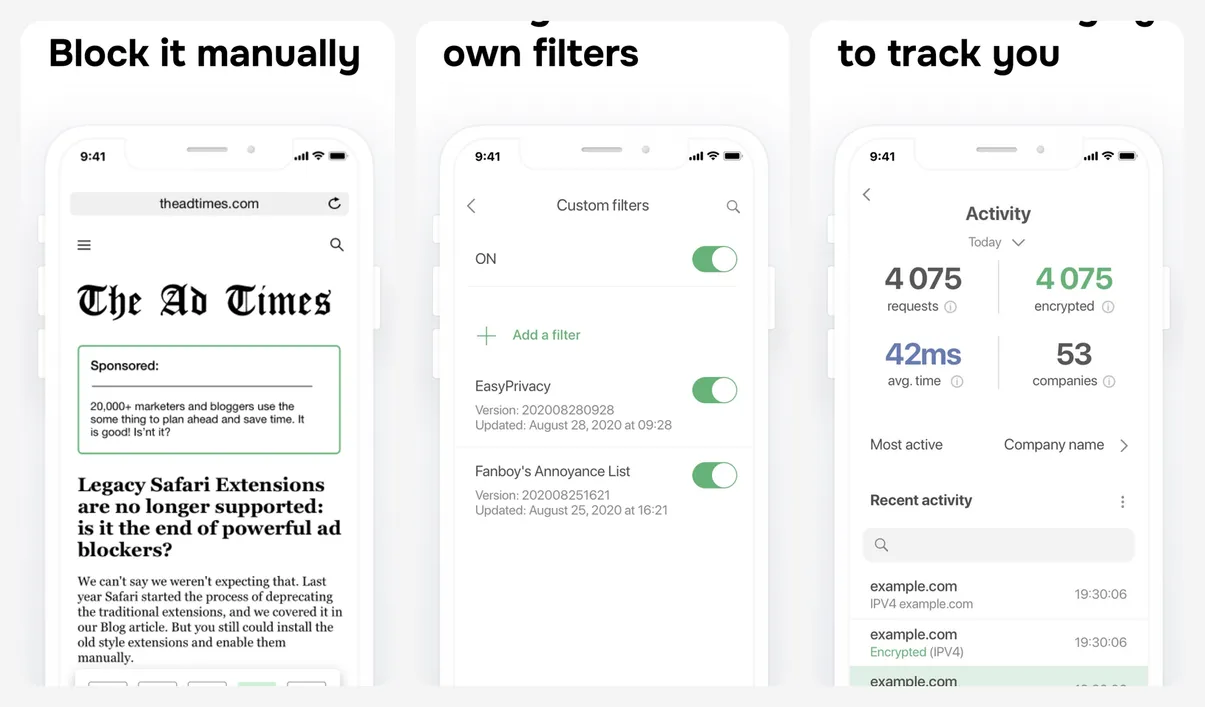
After you install it, turn it on in Settings > Apps > Safari > Extensions.
- Replaces
- Safari with no blocker
- Runs on
- iPhone, iPad, Mac
- Skip if
- You already use a private browser with a blocker
- Price
- Free (Premium from $2.99 a month or $29.99 a year)
9. 2FAS Authenticator
- iPhone and iPad
- Android
Free 2FA codes · 2FA
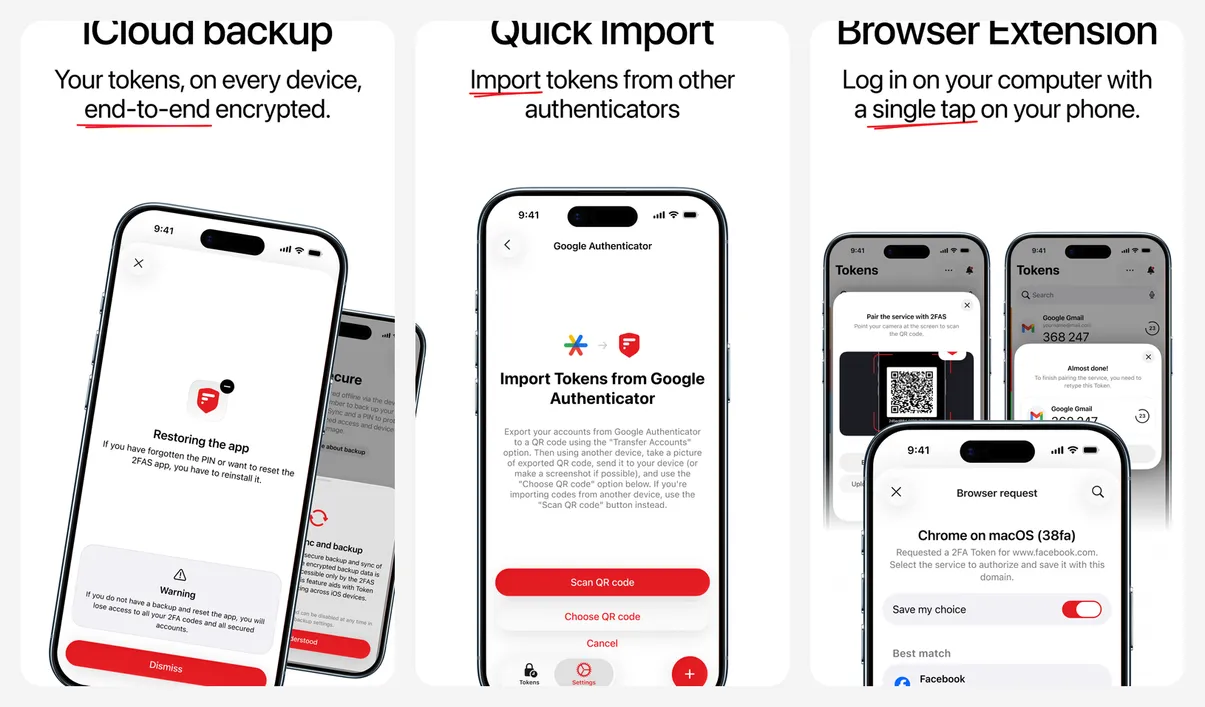
2FAS stores your two-factor codes with an encrypted iCloud backup, a home screen widget and a browser extension that sends codes from your phone to your computer. It is free with no paid tier. It needs iOS 18.6 or later, so on an older iPhone use Apple Passwords for codes instead.
- Replaces
- Google Authenticator
- Runs on
- iPhone (iOS 18.6 or later), Android
- Licence
- Open source
- Skip if
- You keep your 2FA codes in Apple Passwords
- Price
- Free (no in-app purchases)
Go deeper: how to lock apps on iPhone, the best private browsers, open source privacy tools and the best Truecaller alternatives for spam calls.
Music, podcasts, video and reading
Built in: Apple Music (paid), Podcasts and Books. Apple Podcasts is free and fine. Apple Music is a good choice if you are already paying for Apple One.
10. Spotify
- iPhone and iPad
- Android
- Web browser
Best music discovery · MUSIC
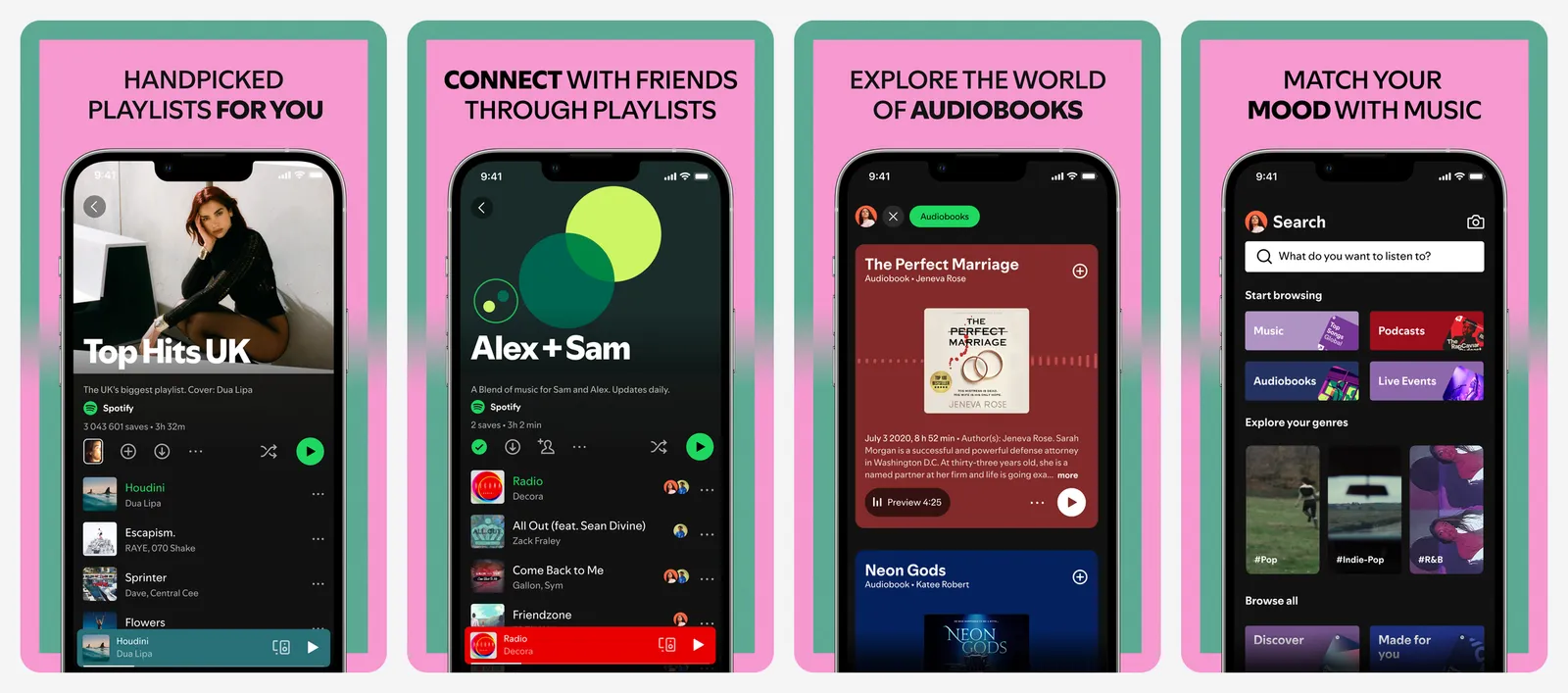
Spotify has the best playlists and recommendations and works on almost every speaker and car. Free users can now pick and play songs, with ads. Premium went up to $12.99 a month in the US in 2026. You cannot subscribe inside the iPhone app, so sign up on Spotify's website.
- Replaces
- Apple Music
- Runs on
- iPhone, Android, desktop, web, speakers, cars
- Skip if
- You already pay for Apple One
- Price
- Free with ads (Premium $12.99 a month, Student $6.99, paid on the web)
11. Overcast
- iPhone and iPad
Best podcast app on iPhone · PODCASTS
Overcast is made by one independent developer and built only for Apple devices. Smart Speed cuts silences without making voices sound fast, and Voice Boost makes quiet shows easier to hear in a car. The free version has all core features with small ads. If you also use Android, Pocket Casts works on both.
- Replaces
- Apple Podcasts
- Runs on
- iPhone, iPad, Apple Watch, web
- Skip if
- You also listen on Android
- Price
- Free with ads (Premium removes them)
12. Libby
- iPhone and iPad
- Android
- Web browser
Free library books · BOOKS
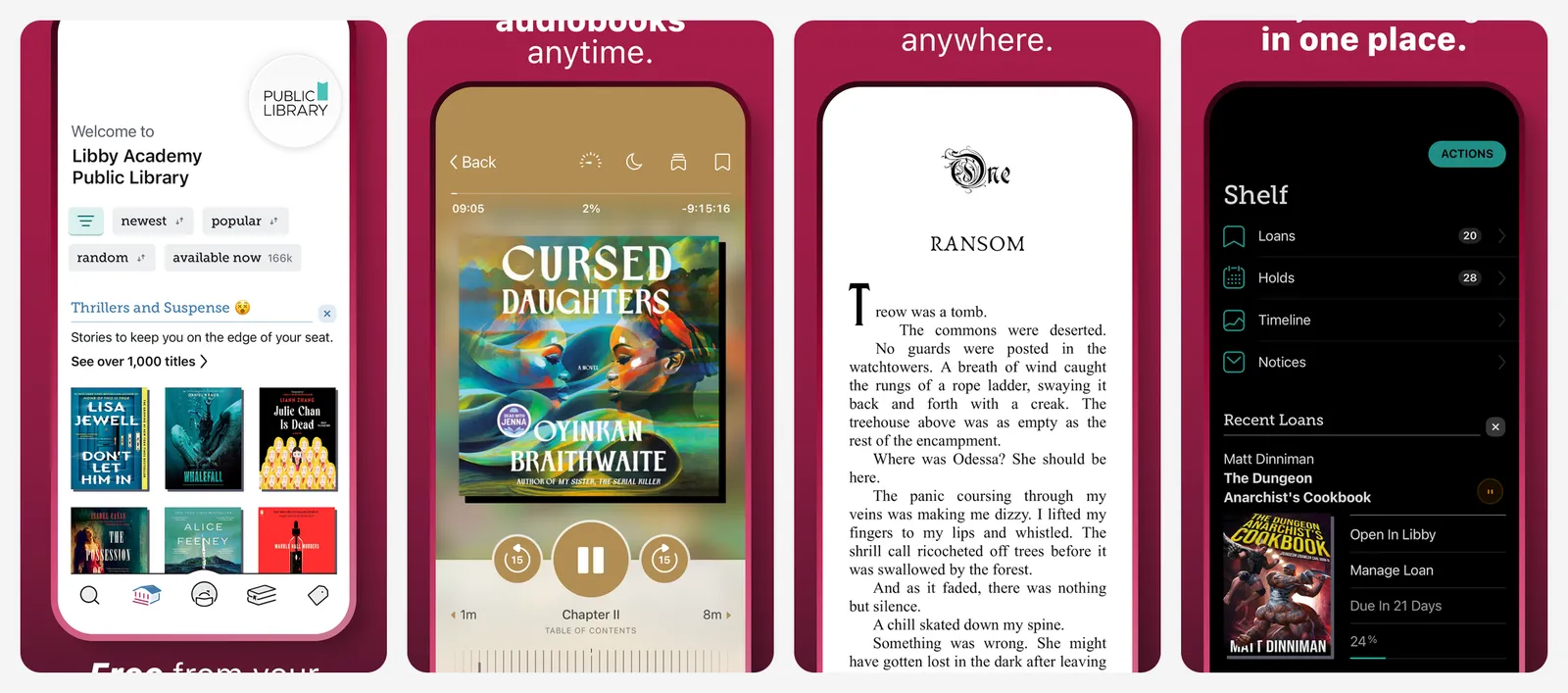
Libby lets you borrow ebooks, audiobooks and magazines from your public library for free. Add your library card, search, borrow and read or listen in the app. Popular titles have a waitlist.
- Replaces
- Buying every ebook and audiobook in Apple Books
- Runs on
- iPhone, iPad, Android, web
- Skip if
- Your library is not part of the OverDrive network
- Price
- Free with a library card
13. Infuse
- iPhone and iPad
Play your own video files · VIDEO
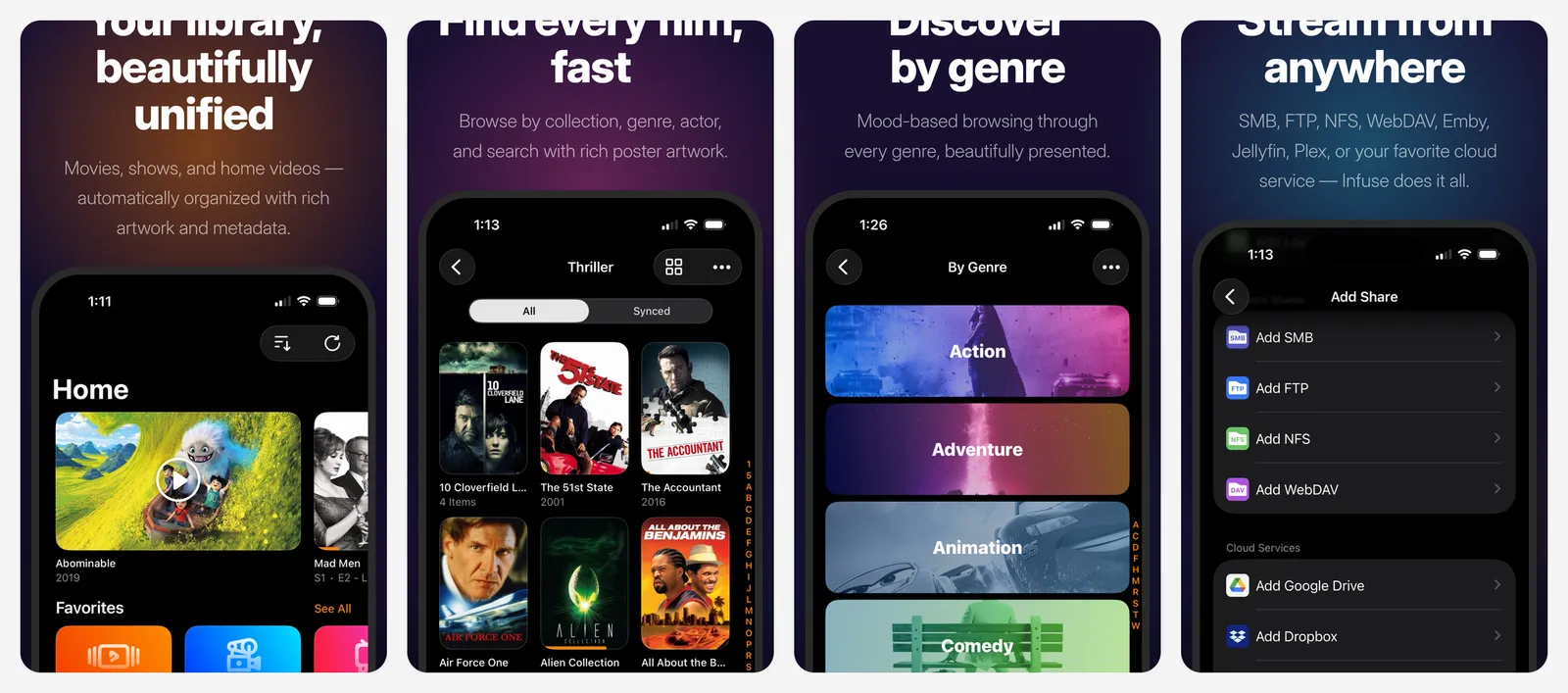
Infuse plays almost any video file from your iPhone, a network drive or a home media server, and adds posters, descriptions and subtitles. The free version covers common files. Pro adds more formats, surround sound and streaming from cloud services.
- Replaces
- The Files app for videos
- Runs on
- iPhone, iPad, Apple TV, Mac
- Skip if
- You only watch streaming services
- Price
- Free (Pro $1.99 a month, $16.99 a year or $99.99 lifetime)
Go deeper: YouTube Music vs Spotify, Audible alternatives, the best manga apps and what to cast from your phone.
Camera, photos and video
Built in: the Camera and Photos apps are excellent, and Photos has good editing tools and Clean Up to remove objects on newer iPhones. These apps are for when you want more control.
14. Halide Mark III
- iPhone and iPad
Manual camera control · CAMERA
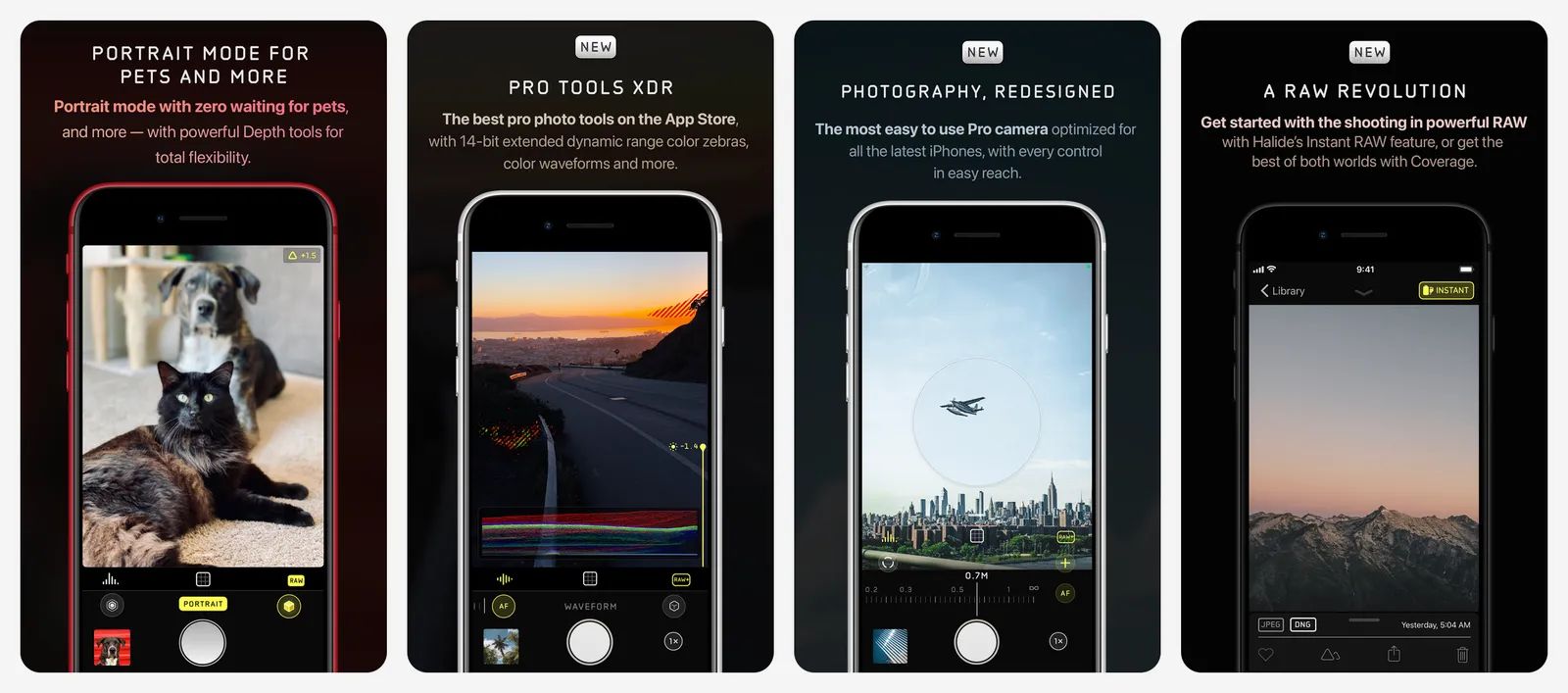
Halide gives you manual focus, shutter speed, ISO and RAW photos, with clear tools that show what is in focus and how bright each part of the shot is. Mark III replaced Mark II in May 2026, and Mark II owners got the upgrade for free.
- Replaces
- Apple Camera for careful shots
- Runs on
- iPhone
- Skip if
- You only take quick snaps
- Price
- 7-day free trial, then $69.99 lifetime or a subscription
15. Snapseed
- iPhone and iPad
- Android
Best free photo editor · EDIT
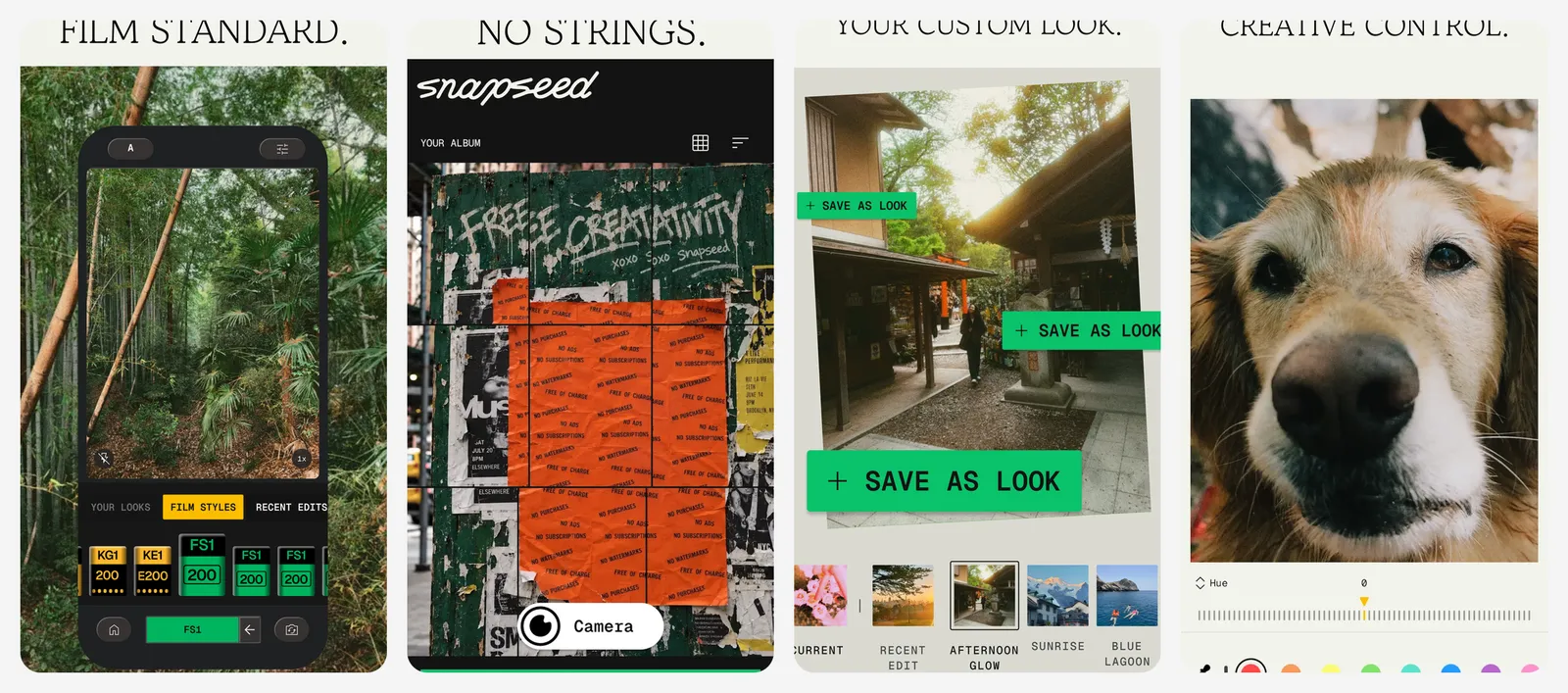
Snapseed is Google's photo editor, and it is completely free with no ads, no watermark and no subscription. It does curves, selective edits, healing, perspective fixes and RAW files. It got a full redesign in 2026.
- Replaces
- Lightroom mobile
- Runs on
- iPhone, iPad, Android
- Skip if
- Apple Photos editing is already enough
- Price
- Free (no in-app purchases)
16. VN Video Editor
- iPhone and iPad
- Android
Free editor, no watermark · VIDEO EDIT
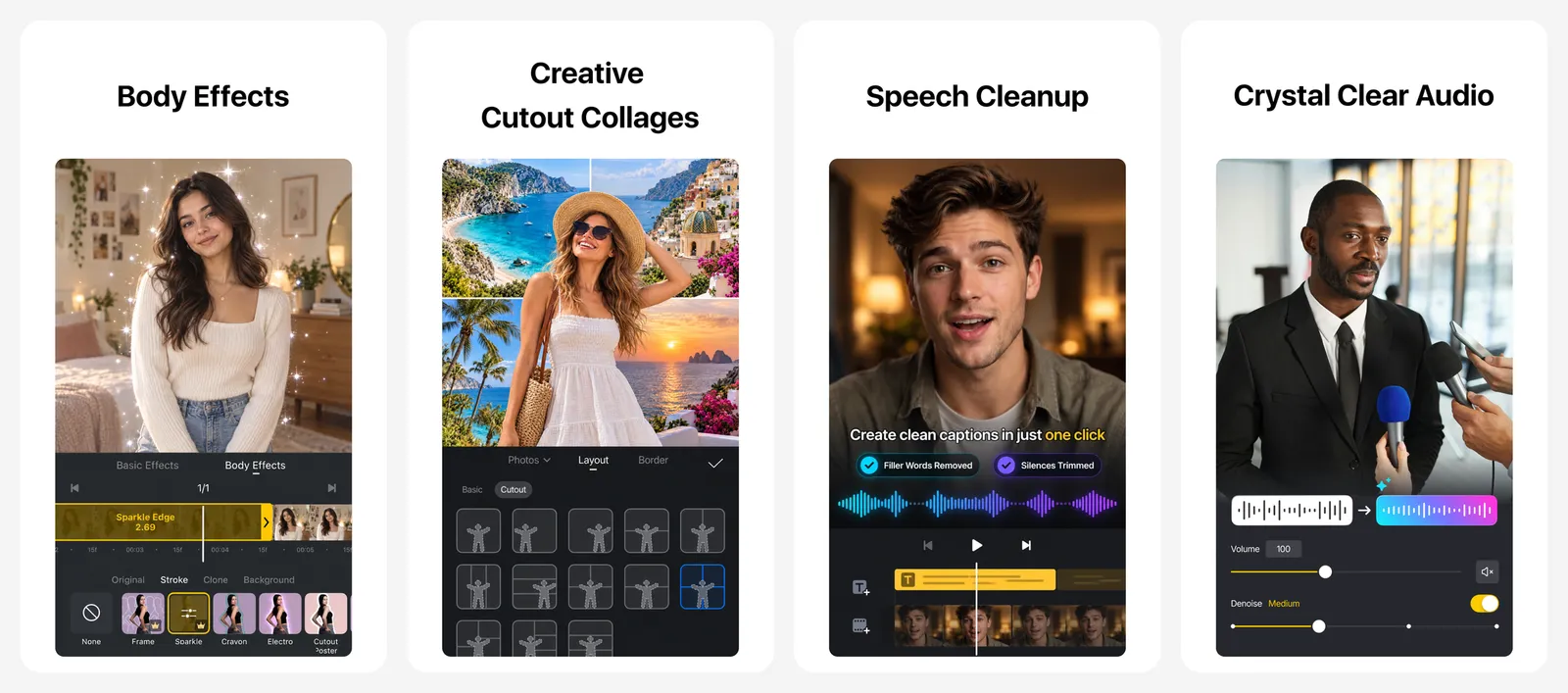
iMovie is fine for simple clips, but it has no keyframes and few text options. VN adds a multi-track timeline, keyframes, speed curves and text, and exports with no watermark. Pro adds extra effects and AI tools.
- Replaces
- iMovie
- Runs on
- iPhone, iPad, Android, Mac, Windows
- Skip if
- iMovie already does what you need
- Price
- Free (VN Pro is paid)
Go deeper: the best photo editing apps, AI photo editors, Lightroom alternatives, CapCut alternatives, Procreate alternatives and Google Photos alternatives.
Home screen and utilities
Built in: Shortcuts is the most useful free app on your iPhone. It can run a set of steps with one tap, like "text my partner I'm leaving work and start directions home". Files also has a document scanner: tap the three dots and choose Scan Documents.
17. Widgetsmith
- iPhone and iPad
Custom widgets · WIDGETS
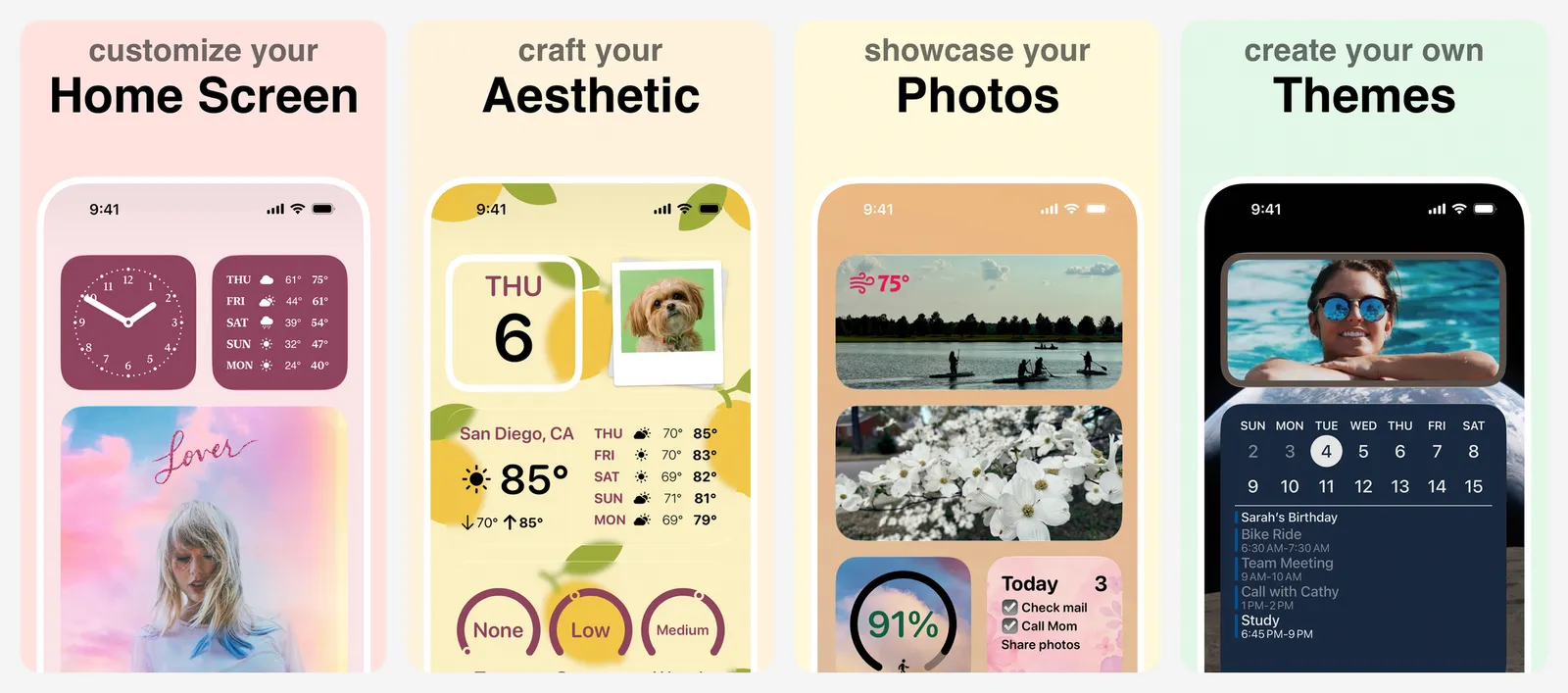
Widgetsmith lets you design home screen, Lock Screen and StandBy widgets with your own fonts, colours and photos, and change them by time of day. Premium adds weather and tide widgets and more styles.
- Replaces
- Apple's fixed widget styles
- Runs on
- iPhone, iPad, Apple Watch
- Skip if
- You are happy with the stock widgets
- Price
- Free (Premium $1.99 a month or $19.99 a year)
18. LocalSend
- iPhone and iPad
- Android
AirDrop to any device · SHARING
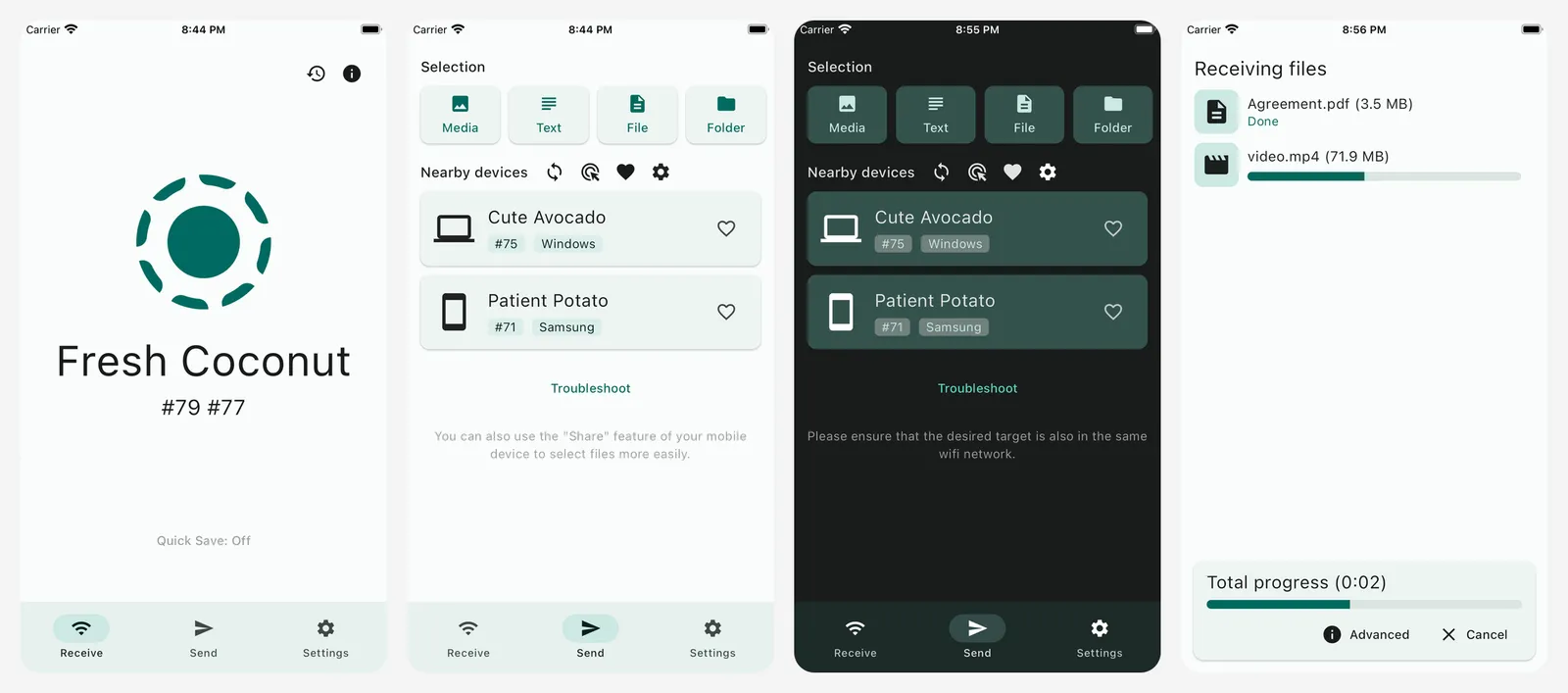
AirDrop only works between Apple devices. LocalSend sends files between your iPhone and a Windows PC or an Android phone on the same Wi-Fi. It needs no account and no internet, and files never go through a server.
- Replaces
- AirDrop when the other device is not Apple
- Runs on
- iPhone, iPad, Mac, Windows, Linux, Android
- Licence
- Apache-2.0 (open source)
- Skip if
- You only share with other Apple devices
- Price
- Free
Go deeper: the best widget apps for iPhone and our iPhone home screen customization guide.
Health and learning
Built in: Health and Fitness track steps, workouts, sleep and Activity rings. These apps add food tracking and a better view of training and recovery.
19. Cronometer
- iPhone and iPad
- Android
- Web browser
Food and nutrient tracker · NUTRITION
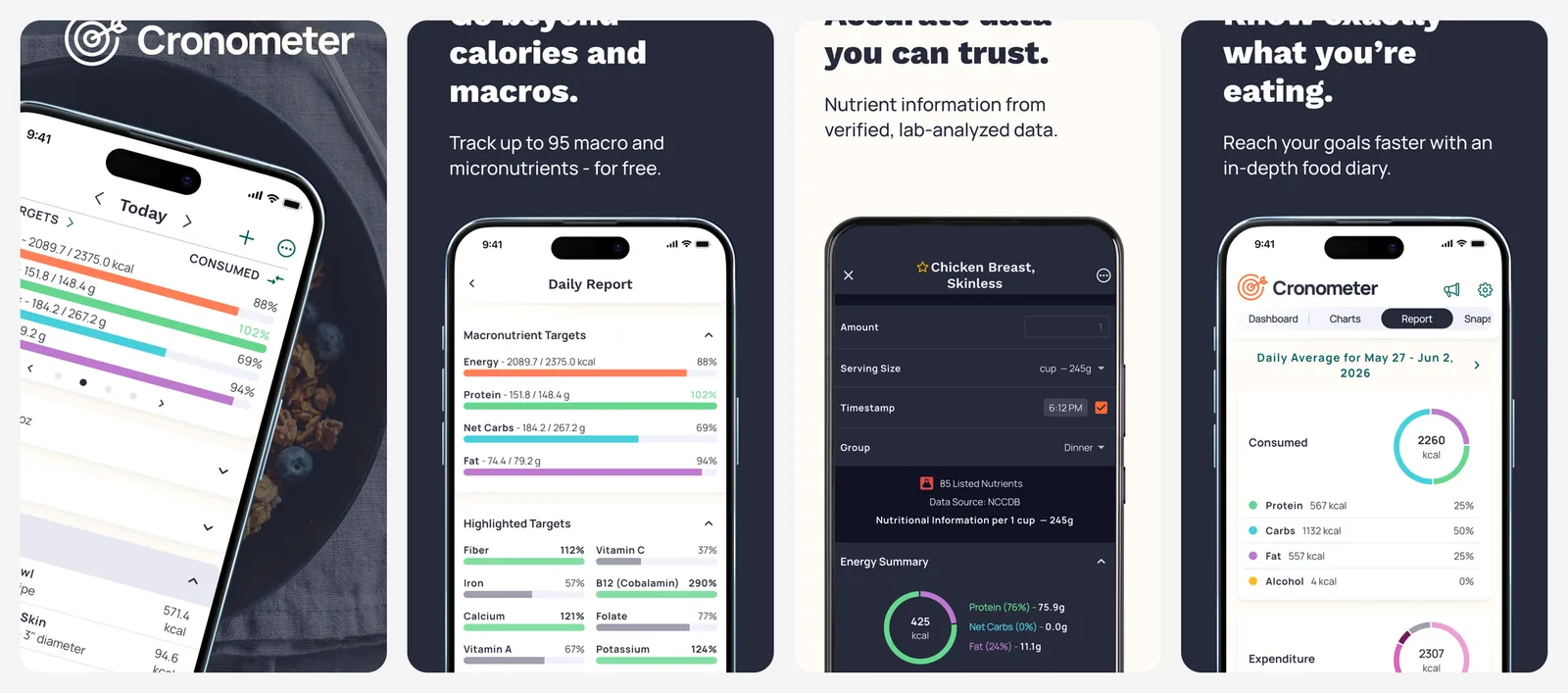
Cronometer tracks calories, macros and more than 80 vitamins and minerals from a checked food database, and it syncs with Apple Health. The barcode scanner is free. Free charts cover the last 7 days. Gold removes ads and adds longer reports.
- Replaces
- MyFitnessPal
- Runs on
- iPhone, Android, web
- Skip if
- You only want to count steps
- Price
- Free (Gold $10.99 a month or $59.99 a year)
20. Gentler Streak
- iPhone and iPad
Training that respects rest · FITNESS
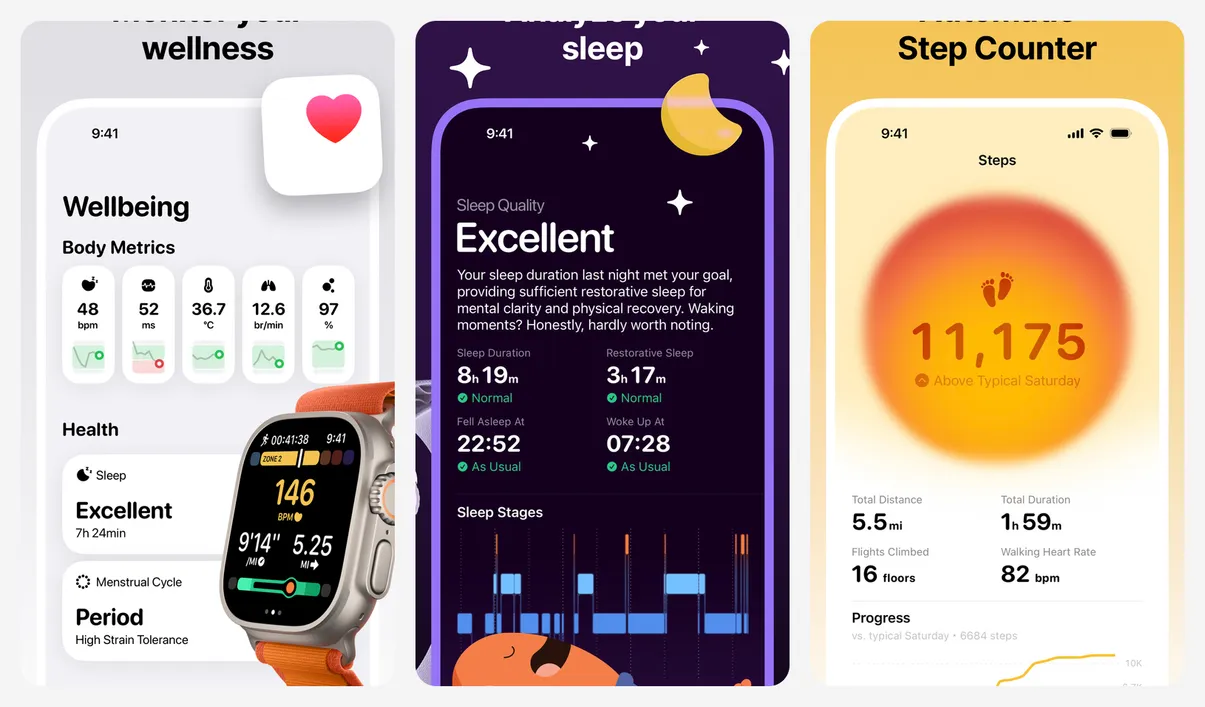
Gentler Streak reads your Apple Health data and tells you when to push and when to rest, instead of asking you to close every ring every day. It is a good fit if you train often and want to avoid burnout.
- Replaces
- Chasing Activity rings every day
- Runs on
- iPhone, Apple Watch
- Skip if
- You want strict training plans
- Price
- Free (Premium $8.99 a month or $39.99 a year)
21. Duolingo
- iPhone and iPad
- Android
- Web browser
Daily language habit · LANGUAGE
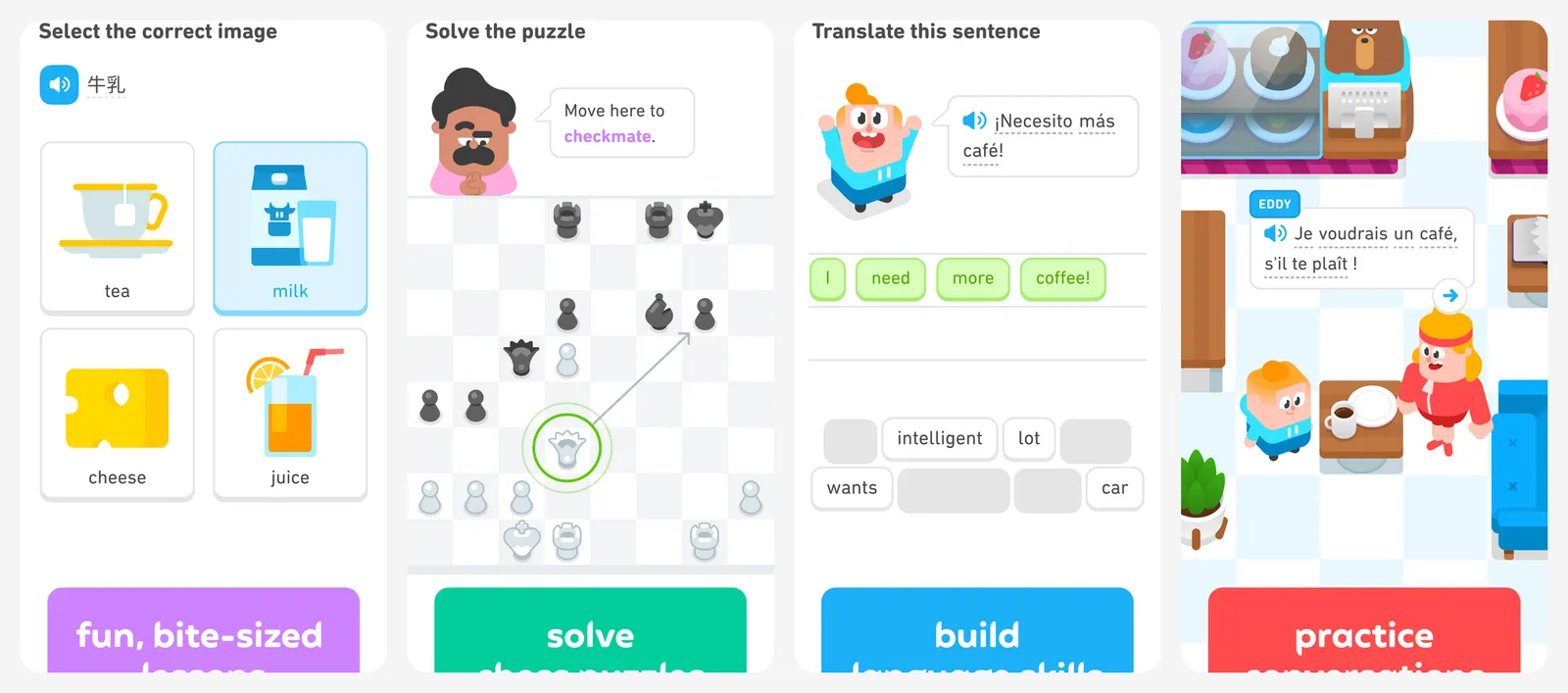
Duolingo turns practice into a short daily game with streaks. The free plan limits how many lessons you can do in a row. Use it as a daily habit next to a real course.
- Replaces
- Language textbooks for beginners
- Runs on
- iPhone, iPad, Android, web
- Skip if
- You want long lessons on the free plan
- Price
- Free (Super is paid)
22. Mochi
- iPhone and iPad
- Web browser
Free flashcards · FLASHCARDS
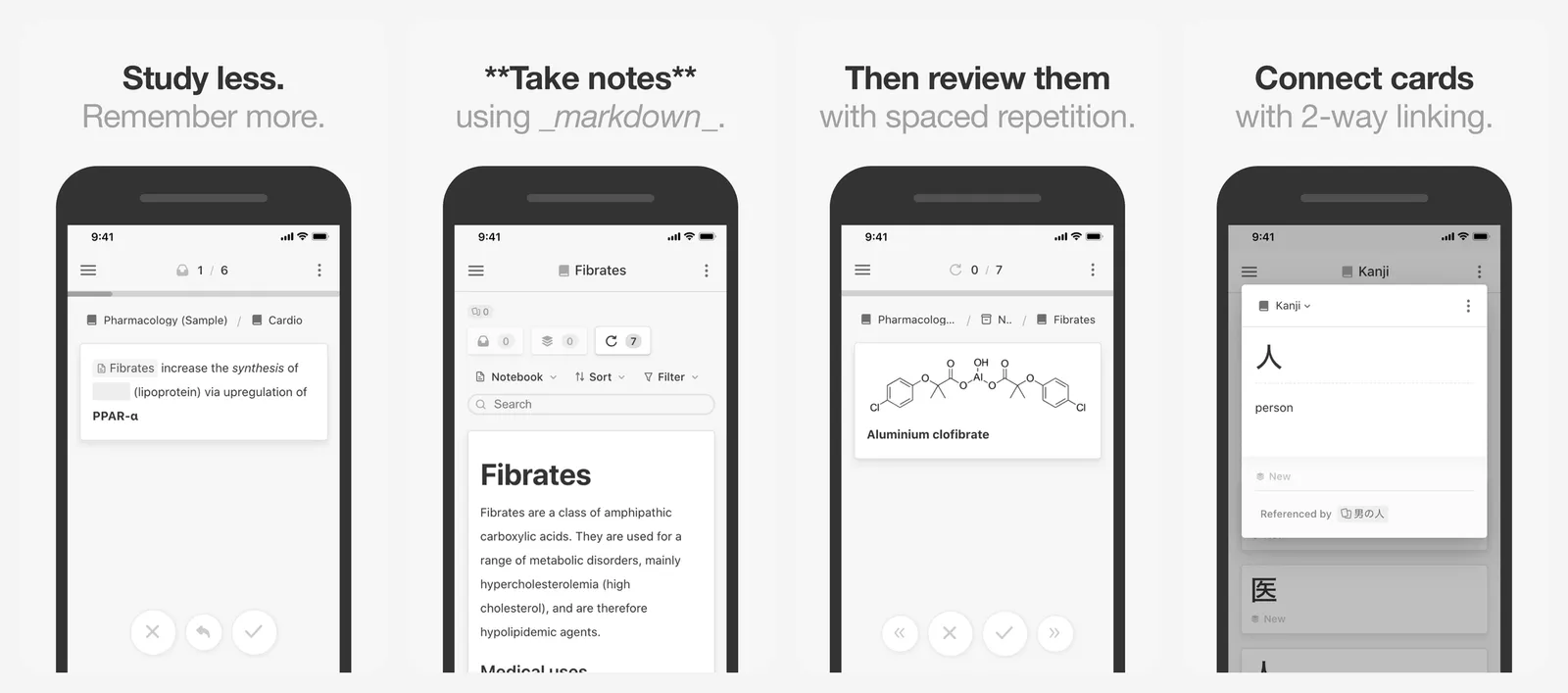
Mochi uses spaced repetition, like Anki, to show each card just before you would forget it. It is free offline with unlimited cards and can import Anki decks. Pro adds sync between devices. AnkiMobile is still a fair $24.99 one-time buy if you use Anki on a computer.
- Replaces
- AnkiMobile ($24.99)
- Runs on
- iPhone, Mac, Windows, Linux, web
- Skip if
- You already own AnkiMobile
- Price
- Free (Pro $5 a month for sync)
Go deeper: walking apps for iPhone, MyFitnessPal alternatives, Strava alternatives, medicine tracking apps, Duolingo alternatives and Anki alternatives.
Maps and travel
Built in: Apple Maps is now very good for driving and walking in the US and Europe, and Wallet holds your boarding passes. Keep these two as well.
23. Google Maps
- iPhone and iPad
- Android
- Web browser
Best place info · MAPS
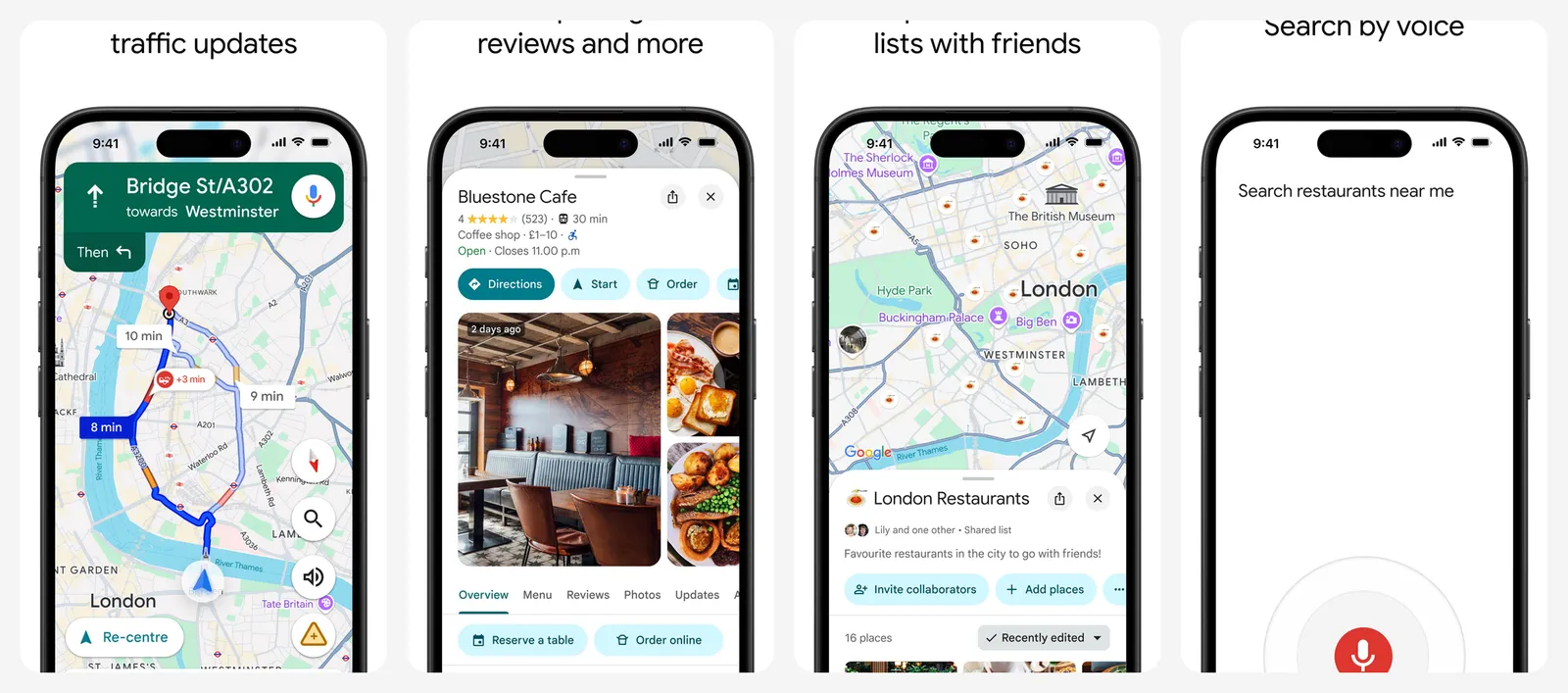
Google Maps has more reviews, photos and opening hours for shops and restaurants, and better coverage outside the US and Europe. Download offline maps before a trip abroad.
- Replaces
- Apple Maps where its data is weak
- Runs on
- iPhone, Android, web, CarPlay
- Skip if
- Apple Maps already covers your area well
- Price
- Free
24. Flighty
- iPhone and iPad
Best flight tracker · FLIGHTS
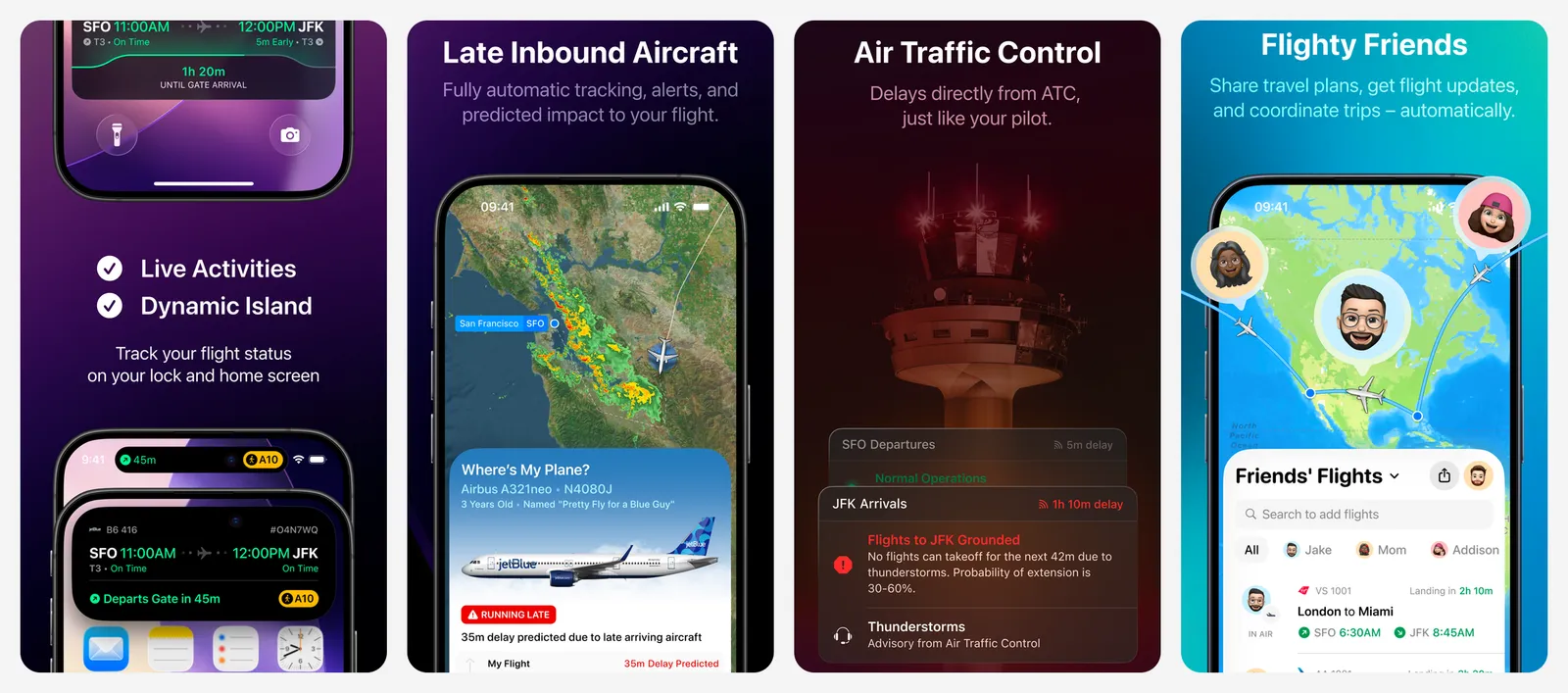
Flighty tracks your flights with Live Activities on the Lock Screen and often warns you about delays before the airline does. Every Pro feature is free for your first flight, so try it on your next trip before you pay.
- Replaces
- Checking the airline app for delays
- Runs on
- iPhone, iPad, Mac, Apple Watch
- Skip if
- You fly once a year
- Price
- Free (Pro $59.99 a year)
In a big city? Citymapper is the best app for buses, trains and the metro.
Go deeper: Waze vs Google Maps and Life360 alternatives for family location sharing.
AI assistants
Built in: Siri and Apple Intelligence on newer iPhones, which can also hand questions to ChatGPT. For longer chats, install one of these and keep the one you like best. You do not need more than one paid plan.
25. ChatGPT
- iPhone and iPad
- Android
- Web browser
Most features · AI
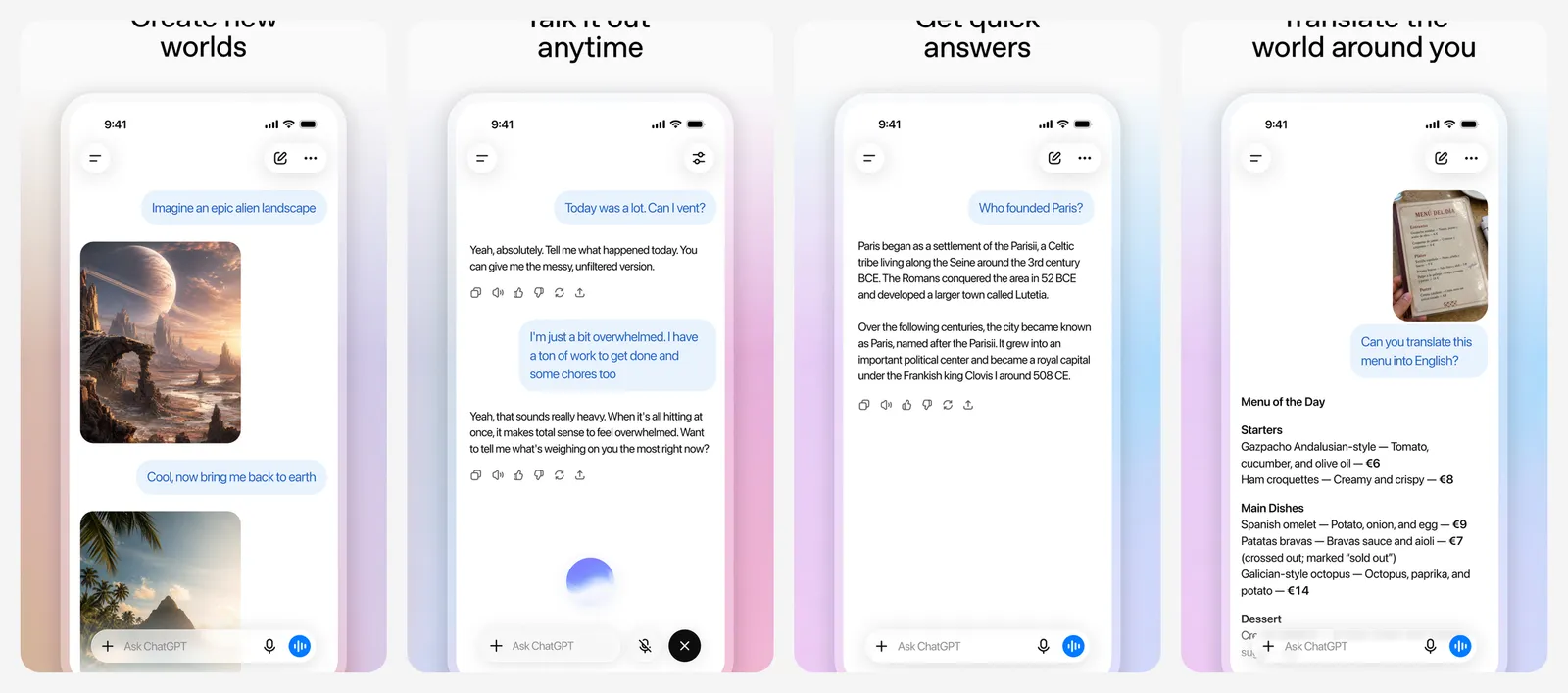
ChatGPT has the widest set of tools: voice chat, image making, web search and file analysis. It also works inside Apple Intelligence. The free plan now shows ads, and paid plans remove them and raise the limits.
- Replaces
- Siri for long questions
- Runs on
- iPhone, iPad, Mac, Windows, Android, web
- Skip if
- You do not want ads on the free plan
- Price
- Free (Plus $19.99 a month in the app)
26. Claude
- iPhone and iPad
- Android
- Web browser
Best for writing and long files · AI
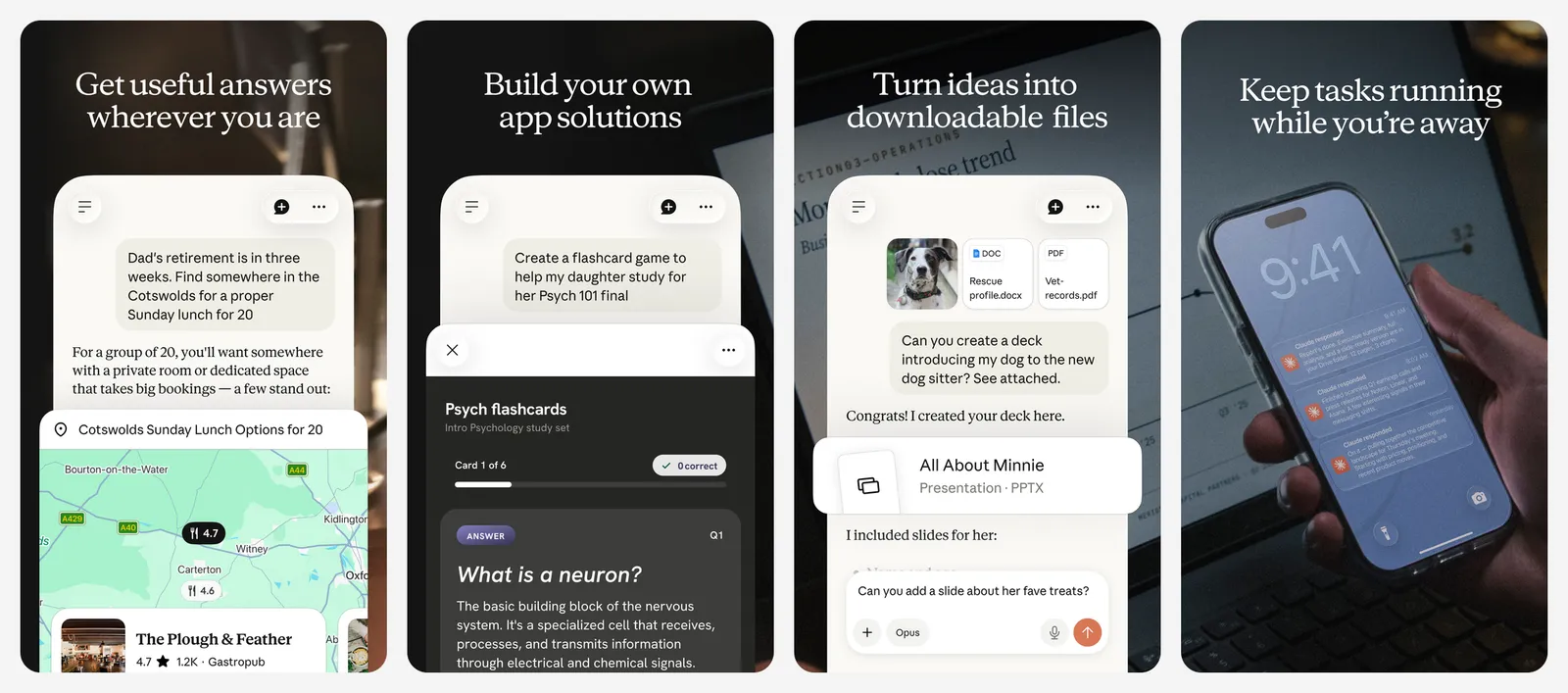
Claude, from Anthropic, is strong at writing, summarising long documents and explaining things in plain words. You can share a PDF or a photo of a page from the Share Sheet. It needs iOS 18 or later. Some plans cost more in the app than on Claude's website.
- Replaces
- Copy-pasting into a web chat
- Runs on
- iPhone, iPad, Mac, Windows, Android, web
- Skip if
- You want image generation
- Price
- Free (Pro $20 a month; the yearly plan is cheaper on the web)
27. Gemini
- iPhone and iPad
- Android
- Web browser
Best for Google users · AI
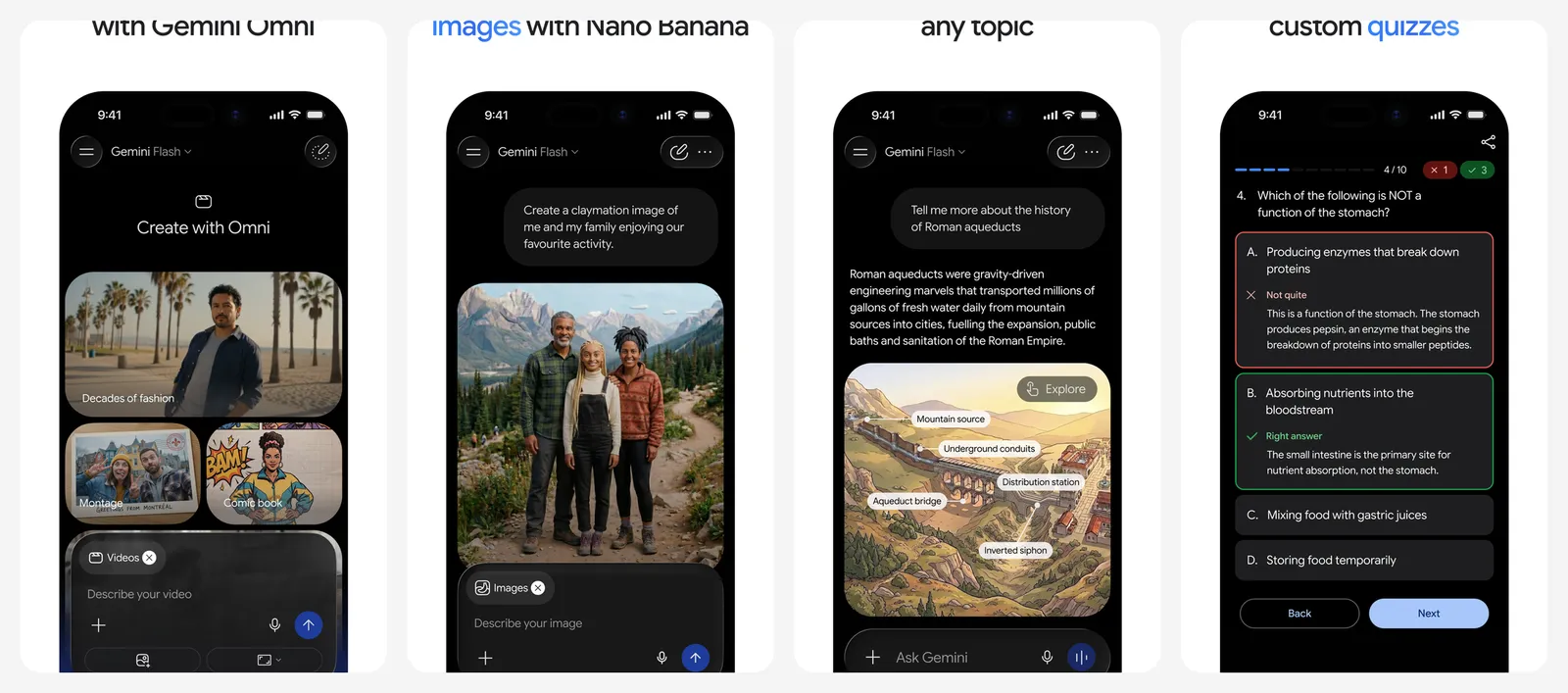
Gemini can read your Gmail, Calendar and Drive if you allow it, which makes it the best pick if your life runs on Google. Paid Google AI plans add newer models and extra Google storage.
- Replaces
- Siri for questions about your Gmail and Docs
- Runs on
- iPhone, Android, web
- Skip if
- You do not use Google apps
- Price
- Free (Google AI Pro $19.99 a month)
Go deeper: Perplexity Pro vs ChatGPT Plus compares the two most popular paid AI plans.
Money
Built in: Wallet and Apple Card only show Apple's own card. These apps pull in all your bank accounts and cards.
28. Copilot Money
- iPhone and iPad
Best-looking budget app · BUDGET
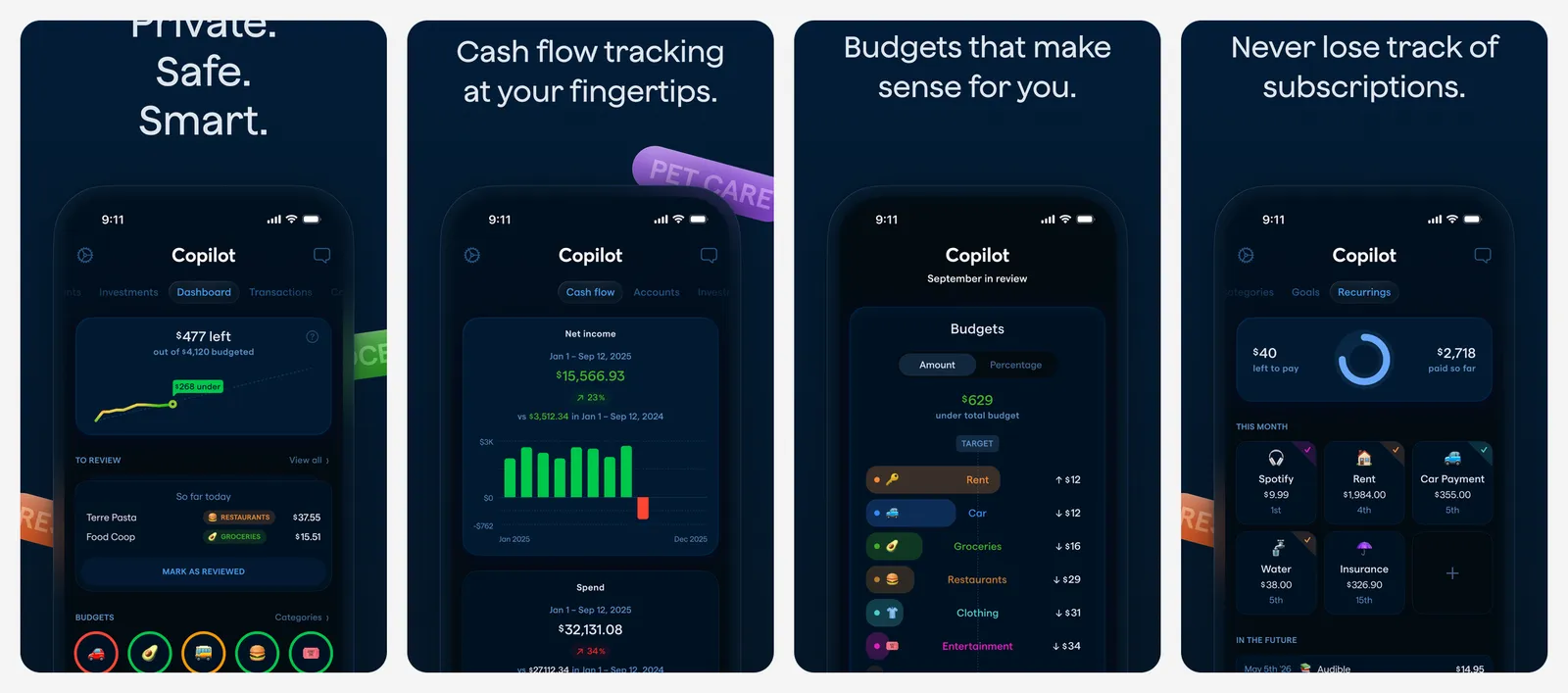
Copilot Money links your bank accounts and cards, sorts spending into categories and learns from your changes. It is designed for Apple devices and is quick to check every day. It works with US banks.
- Replaces
- A budget spreadsheet
- Runs on
- iPhone, iPad, Mac
- Skip if
- You do not want to pay for budgeting
- Price
- $13 a month or $95 a year (free trial)
29. YNAB
- iPhone and iPad
- Android
- Web browser
Give every dollar a job · BUDGET
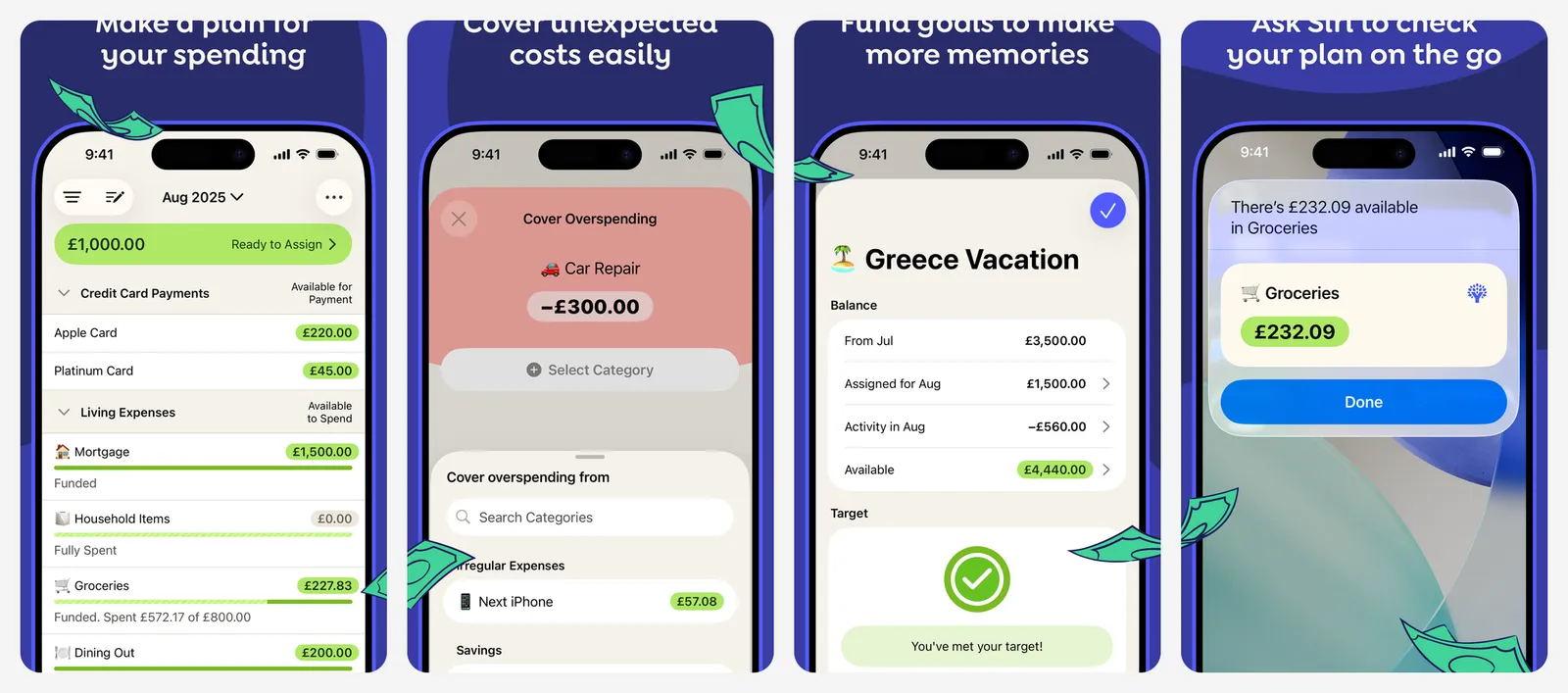
YNAB (You Need A Budget) uses zero-based budgeting: you plan where each dollar goes before you spend it. It takes a few weeks to learn, but it changes how you plan your money. It works on Android too, so couples can share one budget.
- Replaces
- Tracking spending after the fact
- Runs on
- iPhone, iPad, Android, web
- Skip if
- You want a passive spending tracker
- Price
- $14.99 a month or $109 a year (free trial)
Messaging
Built in: iMessage and FaceTime. WhatsApp is probably already on your phone, and Signal is above.
30. Telegram
- iPhone and iPad
- Android
- Web browser
Big groups and channels · GROUPS
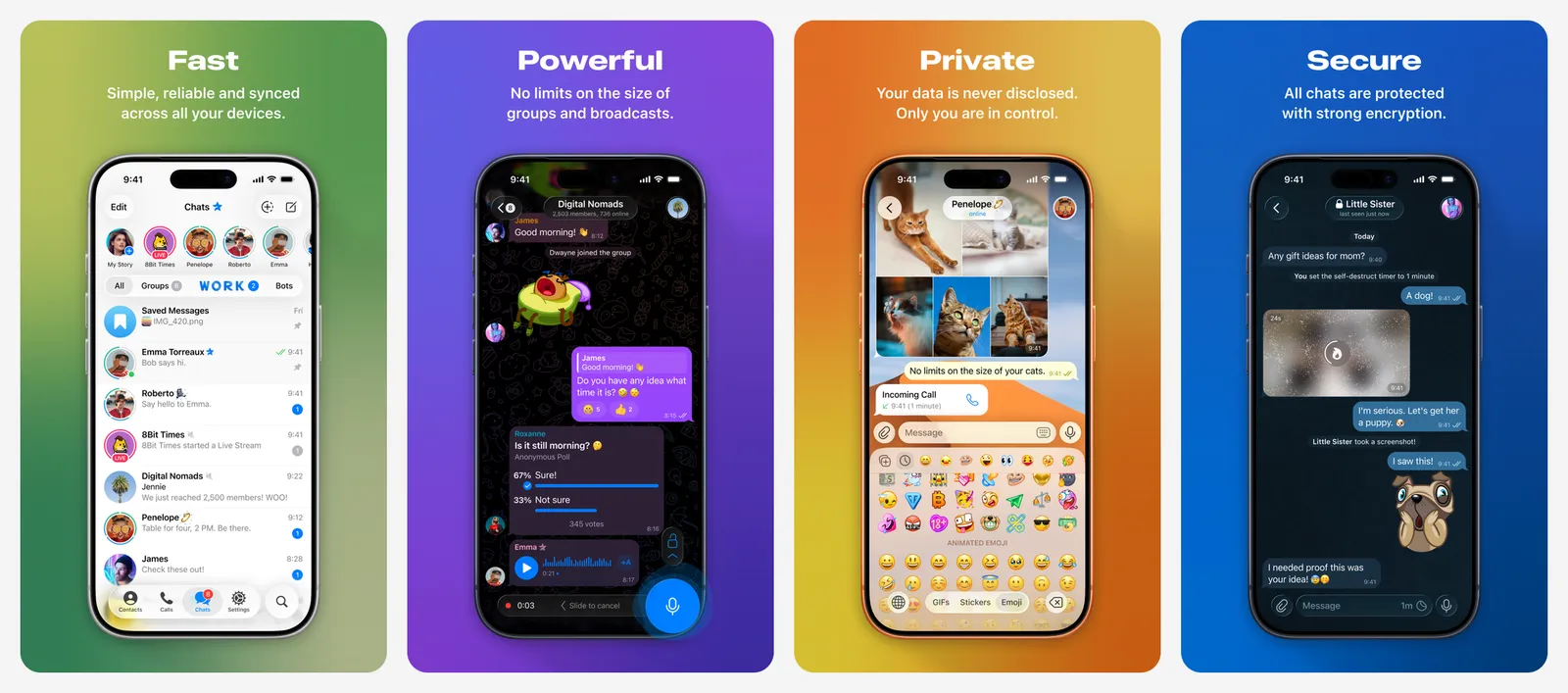
Telegram is great for large groups, channels, bots and sending big files, and it syncs across all your devices. Normal chats are not end-to-end encrypted. Use Secret Chats, or Signal, for private talks.
- Replaces
- iMessage for large groups and big files
- Runs on
- iPhone, iPad, Mac, Windows, Android, web
- Skip if
- You need end-to-end encryption by default
- Price
- Free (Premium $4.99 a month or $35.99 a year)
Pay once or pay every month?
Many iPhone apps now ask for a subscription. A few tips before you pay:
- Check the website price. Spotify, Bitwarden and Proton VPN are cheaper, or only sold, on their own websites.
- Look for a lifetime option. Infuse and Halide sell one, and it often pays for itself in two to three years.
- Cancel trials early. Go to Settings > your name > Subscriptions and cancel the day you start a trial. You keep access until the trial ends.
Want to cut costs further? See free alternatives to popular paid apps.
FAQs
What apps should I install first on a new iPhone?
Set up Apple's Passwords app, iCloud backup and Find My first. Then add apps for what you do most: Google Maps for travel, Spotify for music, Libby for books and a task app like Things 3 or Todoist.
Do I need a password manager if I have Apple Passwords?
Not if you only use Apple devices and Safari. Apple Passwords is free and secure. Choose Bitwarden if you also use Windows, Android or a browser like Chrome or Firefox.
Do I need an antivirus app on iPhone?
No. iPhone apps run in a sandbox and cannot scan other apps, so "antivirus" apps on the App Store cannot do much. Keep iOS updated, use a password manager and turn on two-factor authentication instead.
Are free iPhone apps safe?
Apps on the App Store are reviewed by Apple, but free apps still need to make money. Read the App Privacy label on each listing to see what data the app collects before you install it.
How do I cancel an app subscription on iPhone?
Open Settings, tap your name, then Subscriptions. Pick the app and tap Cancel Subscription. If you subscribed on the developer's website, cancel there instead.

Amit loves new tech and apps that make life easier, he writes about apps, games and useful websites on TheTechBasket.