On this page
- Roblox face IDs list (October 2026)
- Face decal IDs vs Avatar Shop faces
- How to use a Roblox face ID
- Why some face IDs stop working
- Find more face IDs yourself
- FAQs
- Are Roblox face IDs the same as decal IDs?
- Can I use Avatar Shop faces like Super Super Happy Face by ID?
- Are face IDs free?
- Why is my face blank after I paste the ID?
- How do I make my own Roblox face?
When a Roblox game asks for a "face ID", it almost always wants a decal ID: the number of an uploaded image that gets painted onto your character's head. That is what Brookhaven, Berry Avenue and most roleplay games accept for custom faces, and it is what this list gives you. Classic faces you buy in the Avatar Shop, like the official Super Super Happy Face, are a different thing, and most games will not apply them by ID.
Roblox face IDs list (October 2026)
Use the search box to filter by name or style (cute, anime, blush, sad).
| Image | Face | Style | ID |
|---|---|---|---|
 | Cute Face | Cute | 852800813 |
 | Super super happy face [ cute ] | Cute | 11819921165 |
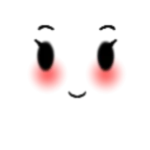 | Cute face | Cute | 686692241 |
 | Cute face C: | Cute | 628567343 |
 | Cute Excited Face | Cute | 78747779661303 |
 | cute face | Cute | 9142553030 |
 | Super Super Happy Face | Happy | 100477190456148 |
 | Super Super Happy Face | Happy | 130564231750760 |
 | Super happy face mask | Happy | 13118612237 |
 | Happy face | Happy | 258080647 |
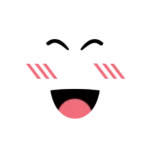 | ⚠️DECAL⚠️ Super Super Happy Face | Happy | 5015860984 |
 | Happy Face (FREE TO TAKE) | Happy | 186355854 |
 | anime face | Anime | 3241672660 |
 | Funny Anime Face | Anime | 66054947 |
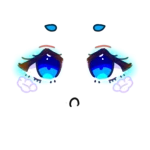 | Anime Face/ Queen of Clouds | Anime | 2513175982 |
 | Anime Face | Anime | 586643392 |
 | Anime Face,Blue eyes | Anime | 54172038 |
 | Anime Face | Anime | 672612370 |
 | Aesthetic Butterfly Gaze Face! | Aesthetic | 6842102844 |
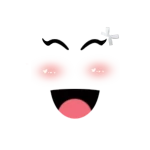 | aesthetic pink happy face | Aesthetic | 5888244981 |
 | Aesthetic blush face | Aesthetic | 6571150836 |
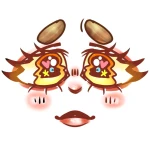 | Orange/Yellow Aesthetic Face. CD-Fyxii | Aesthetic | 4475121688 |
 | Super Super Aesthetic Face | Aesthetic | 6834829584 |
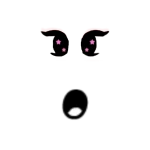 | Aesthetic galaxy gaze face | Aesthetic | 6465699837 |
 | blush Face | Blush | 901513475 |
 | 📦 [FACE] Extras - Blush 3 | Blush | 3523974778 |
 | Sad blush face :( | Blush | 12748865890 |
 | Errr....Blush...(FACE) | Blush | 497386616 |
 | blush face | Blush | 4739359383 |
 | blush flower face | Blush | 6133700416 |
 | Sad Face | Sad | 198003297 |
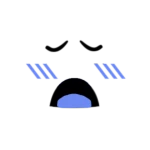 | Super Super Sad Face | Sad | 2992391464 |
 | 8 bit sad face help get puplished | Sad | 121590621 |
 | "Neutrally Sad" Face | Sad | 125043746 |
 | sad face | Sad | 1164188713 |
 | Sad Face | Sad | 166085692 |
 | Angry face | Angry | 304904078 |
 | Angry Face | Angry | 198005287 |
 | Angry Girl Face | Angry | 126611265 |
 | Angry face | Angry | 37700587 |
 | Very angry Face (FREE TO TAKE) | Angry | 172160570 |
 | angry face | Angry | 41675659 |
 | Funny Face | Funny | 253606004 |
 | Funny Face | Funny | 624116369 |
 | funny face | Funny | 1304527170 |
 | Funny face | Funny | 9208983491 |
 | Funny face. | Funny | 169900042 |
 | Kermit funny face | Funny | 866390770 |
Face decal IDs vs Avatar Shop faces
If your avatar uses a dynamic head (the newer heads with moving expressions), a flat face decal may not show. Switch to a classic head in the game's avatar menu first.
How to use a Roblox face ID
In Brookhaven:
- Open the avatar editor from the menu on the left of the screen.
- Find the face section and the box for a custom ID.
- Paste the face ID and confirm.
In Berry Avenue:
- Open the Avatar menu on the right side of the screen.
- Go to the Equipped tab and choose Import ID.
- Paste the ID and press Add.
In Catalog Avatar Creator: face decals do not go through the item search. Use it to try Avatar Shop faces instead, and use the IDs on this page in games with a custom face box.
In Roblox Studio:
- Select the character's Head and open the Decal named
faceinside it. - In Properties, paste the ID into Texture. Studio swaps the decal ID for the image ID behind it.
- In a script, use the image ID, not the decal ID, with
rbxassetid://in front. Pasting the decal into Texture once in Properties shows you the image ID to copy.
You can preview any face at create.roblox.com/store/asset/<ID>.
Why some face IDs stop working
- The decal was moderated. Roblox removes images that break its rules, and the ID then loads blank.
- The game wants an image ID. A few games ask for the image ID behind a decal. If a decal ID fails, try the game's other face box or a different game.
- Your avatar has a dynamic head. Flat face decals may not appear on animated heads.
- The ID was mistyped. Copy and paste instead of typing.
Faces in the table are re-checked against the Creator Store regularly, so removed decals drop off the list.
Find more face IDs yourself
- Open the Creator Store and choose Decals.
- Search a style plus the word face (cute face, anime face, blush face).
- Open a decal and copy the number in the address bar after
/asset/.
Pick a face to go with your hair from our Roblox hair IDs list, and dress the rest of your avatar with our Roblox outfit ideas. For more pictures, see our Roblox decal IDs and Roblox image IDs guides. Our Roblox gear IDs and Roblox song IDs lists cover tools and music.
FAQs
Are Roblox face IDs the same as decal IDs?
In most games, yes. When Brookhaven or Berry Avenue asks for a face ID, it wants the ID of a decal, an uploaded image. Every face on this page is a decal from the Creator Store.
Can I use Avatar Shop faces like Super Super Happy Face by ID?
Usually not. Shop faces are items you buy for your real avatar, and most games cannot equip them from a number. Use the decal versions in the table instead, which look the same in game.
Are face IDs free?
Yes. Decals on the Creator Store are free to use, and games that take a custom face ID do not charge for it.
Why is my face blank after I paste the ID?
The decal was moderated, the game wants an image ID instead, or your avatar has a dynamic head. Try another ID from the table on a classic head to check.
How do I make my own Roblox face?
Draw the face on a transparent PNG, upload it as a decal from the Creator Hub, and wait for it to pass moderation. Then use its ID like any face on this page.

Amit loves new tech and apps that make life easier, he writes about apps, games and useful websites on TheTechBasket.