On this page
- All 9 Kindle alternatives at a glance
- Free ebook apps for phones and tablets
- Kobo Books: Best Kindle App Alternative
- Libby: Best Free Way to Read Ebooks
- Google Play Books: Best for Android and the Web
- Apple Books: Best Kindle Alternative on iPhone and Mac
- Moon+ Reader: Best Reader for Your Own Ebook Files
- E-readers that replace a Kindle
- Kobo E-Readers: Best Kindle Device Alternative
- Boox: Best E-Reader That Runs Android Apps
- Free tools for your own ebook library
- KOReader: Best Free Open Source Reading App for E-Readers
- Calibre: Best Free Ebook Library Manager
- Which Kindle alternative should you choose?
- Who should stay with Kindle
The best Kindle alternatives are Kobo (both the free app and its e-readers) for buying ebooks, Libby for borrowing them free from your library, and Google Play Books or Apple Books if you just want to read on your phone. For your own EPUB files, Moon+ Reader, KOReader and Calibre are free and give you far more control than Amazon does.
Why leave Kindle? The app is free, but Kindle books are locked to Amazon's ecosystem. On February 26, 2025, Amazon ended the "Download & Transfer via USB" option, so you can no longer download backup copies of the Kindle books you bought to your computer. Libby's "Send to Kindle" only works with US libraries.
This list covers 9 options: five reading apps, two e-reader brands and two free tools for your own files. For each one we note the price, platforms, supported formats, library borrowing and sync. Every detail comes from the official website, help pages or app store listing. We have not run our own tests.
All 9 Kindle alternatives at a glance
Search by name, platform or feature. Tap any name to jump to its full entry below.
| Name | Type | Price | Platforms | Your own EPUB files | Library borrowing | Sync |
|---|---|---|---|---|---|---|
| Kobo Books app | Reading app and store | Free app, Kobo Plus optional | Android, iPhone, iPad, web reader | On Kobo e-readers and the desktop app | Through Kobo e-readers | Kobo account |
| Libby | Library app | Free with a library card | Android, iPhone, iPad | No | Yes, the main purpose | Libby across devices |
| Google Play Books | Reading app and store | Free app, pay per book | Android, iPhone, iPad, web | Yes, EPUB and PDF | No | Google account |
| Apple Books | Reading app and store | Free app, pay per book | iPhone, iPad, Mac | Yes, EPUB and PDF | No | iCloud |
| Moon+ Reader | Reader for your files | Free with ads, Pro $11.99 | Android | Yes, plus MOBI, AZW3, FB2 and more | No | Pro feature |
| Kobo e-readers | E-reader | From $159.99 | Kobo device | Yes, EPUB, PDF, MOBI, comics | Built-in Libby | Kobo account |
| Boox e-readers | Android e-reader | Go 7 from $269.99 | Android with Google Play | Yes | Any library app | Depends on the app |
| KOReader | Open source reader | Free | Kobo, PocketBook, Android, Linux, jailbroken Kindle | Yes, EPUB, PDF, DjVu, CBZ and more | No | Optional plugins |
| Calibre | Library manager | Free | Windows, Mac, Linux | Yes, converts dozens of formats | No | Built-in content server |
Free ebook apps for phones and tablets
1. Kobo Books: Best Kindle App Alternative
- Android
- iPhone and iPad
Ebook and audiobook store
Kobo is the closest thing to Kindle without Amazon. It sells millions of ebooks and audiobooks, and the free app keeps your bookmarks, highlights and notes in sync across your phone, tablet, Kobo e-reader and the Kobo web reader.
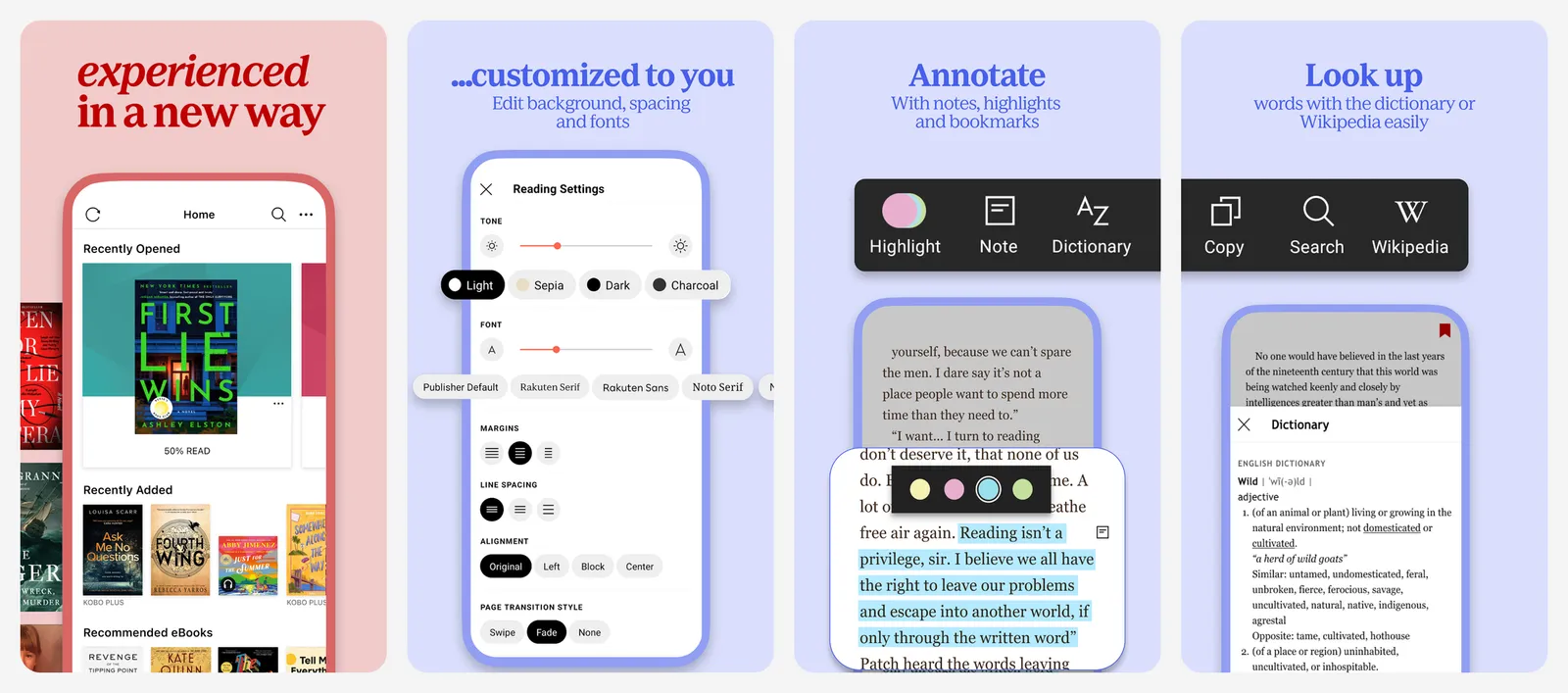
The app has night mode, custom fonts, a sleep timer for audiobooks and text-to-speech on selected ebooks. A guest mode lets you browse and save previews without an account. On iPhone it works with CarPlay for audiobooks.
Kobo Plus is Kobo's answer to Kindle Unlimited. The app listing says it gives you unlimited access to more than 3 million ebooks and 400,000 audiobooks, with read-only, listen-only or combined plans. Prices vary by country, and Kobo's help page says US customers get a 14-day free trial.
What you lose vs Kindle: Amazon exclusives, including most Kindle Unlimited titles.
- Replaces
- The Kindle app and Kindle store
- Runs on
- Android, iPhone, iPad, Kobo web reader
- Licence
- Free app; books bought per title or through Kobo Plus
- Skip if
- You need books that are only sold on Amazon
- Price
- Free (Kobo Plus subscription optional)
2. Libby: Best Free Way to Read Ebooks
- Android
- iPhone and iPad
Free library ebooks
Libby, made by OverDrive, lets you borrow ebooks, audiobooks and magazines from your public library for free. All you need is a library card. You can stream titles or download them to read offline, and your place syncs across your devices.
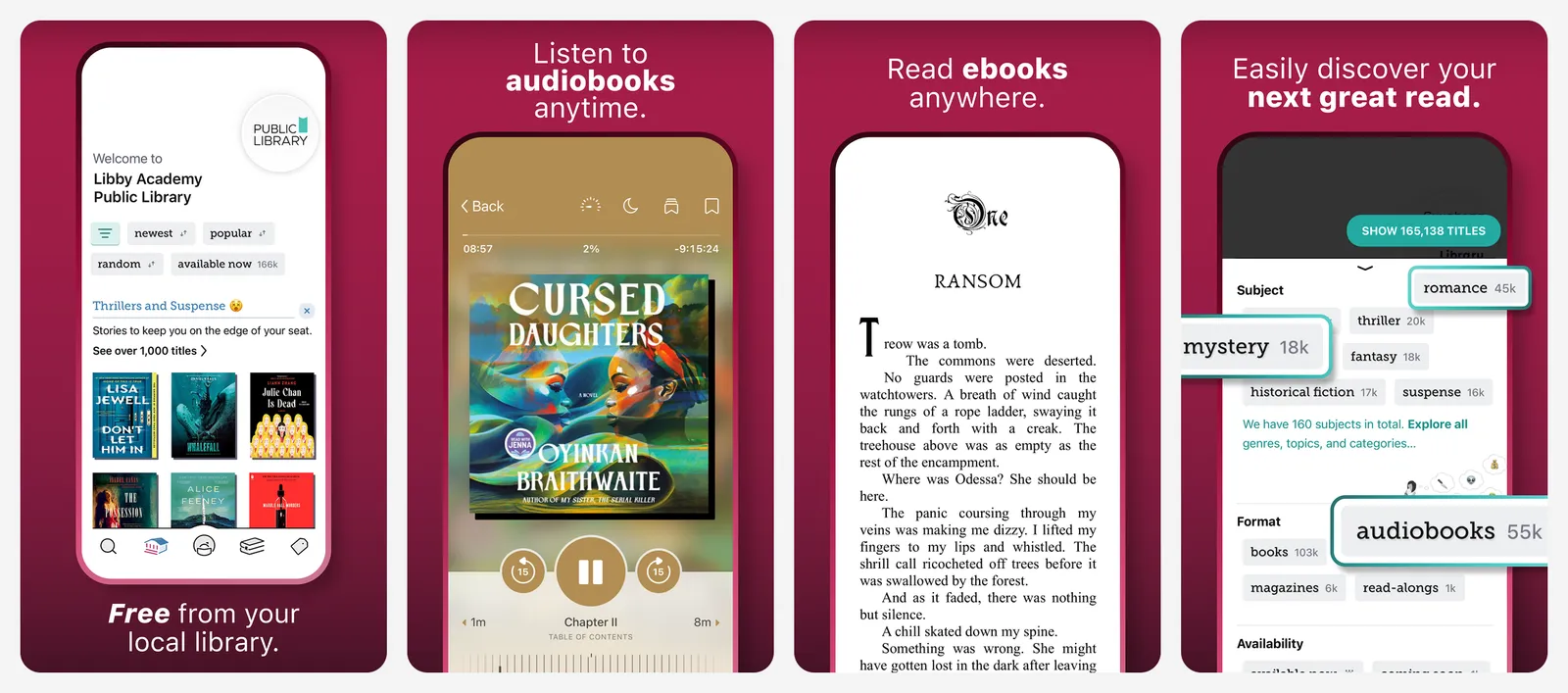
The built-in reader lets you change font size, layout and background colour, define words, and add highlights, notes and bookmarks. The audiobook player goes from 0.6x to 3.0x speed and works with Android Auto and CarPlay.
You can also send borrowed ebooks to a Kindle, but only with US libraries. Kobo e-readers have Libby built in, so you can also borrow library books straight on a Kobo.
Libby is one of several free swaps in our list of subscriptions you can replace for free.
What you lose vs Kindle: instant access to everything. Popular books often have a waiting list.
- Replaces
- Buying ebooks on Kindle
- Runs on
- Android, iPhone, iPad
- Licence
- Free with a public library card
- Skip if
- Your library does not offer digital books
- Price
- Free
3. Google Play Books: Best for Android and the Web
- Android
- iPhone and iPad
Pay per book, no subscription
Google Play Books sells ebooks, audiobooks, comics and manga with no subscription: you buy only the books you want. It runs on Android, iPhone, iPad and computers, and you can download books to read offline.
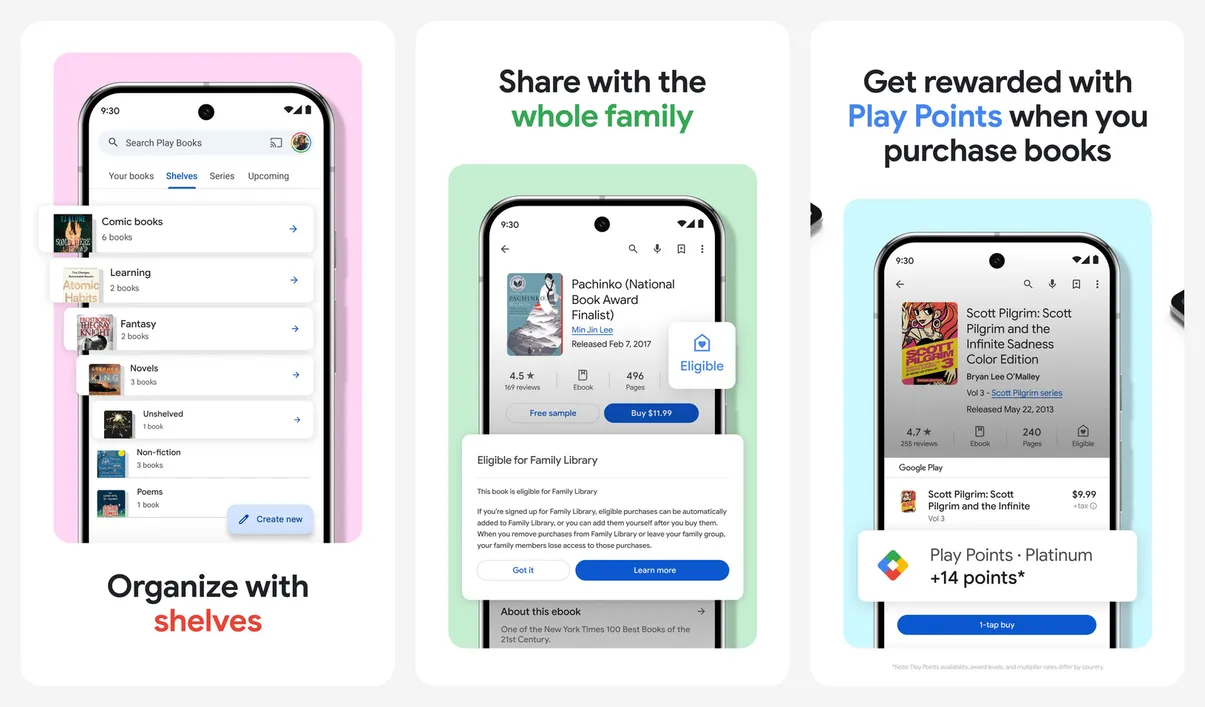
The useful part for Kindle refugees is uploads. Google's help page says you can add your own PDF and EPUB files to your library from an Android phone, a computer or an iPhone, and read them on every device. Notes sync to Google Drive. You also get custom shelves, Bubble Zoom for comics and manga, and audiobooks in Android Auto and CarPlay. Buying books earns Google Play Points in countries where Play Points is available.
What you lose vs Kindle: e-ink devices. Google does not make an e-reader, so this is phone, tablet and computer only.
- Replaces
- Kindle app on Android
- Runs on
- Android, iPhone, iPad, web
- Licence
- Free app, no subscription
- Skip if
- You want an e-ink device
- Price
- Free (pay per book)
4. Apple Books: Best Kindle Alternative on iPhone and Mac
- iPhone and iPad
Built into Apple devices
Apple Books comes with every iPhone, iPad and Mac. You buy ebooks and audiobooks with no subscription, sample any book first, and track what you have read with reading goals.
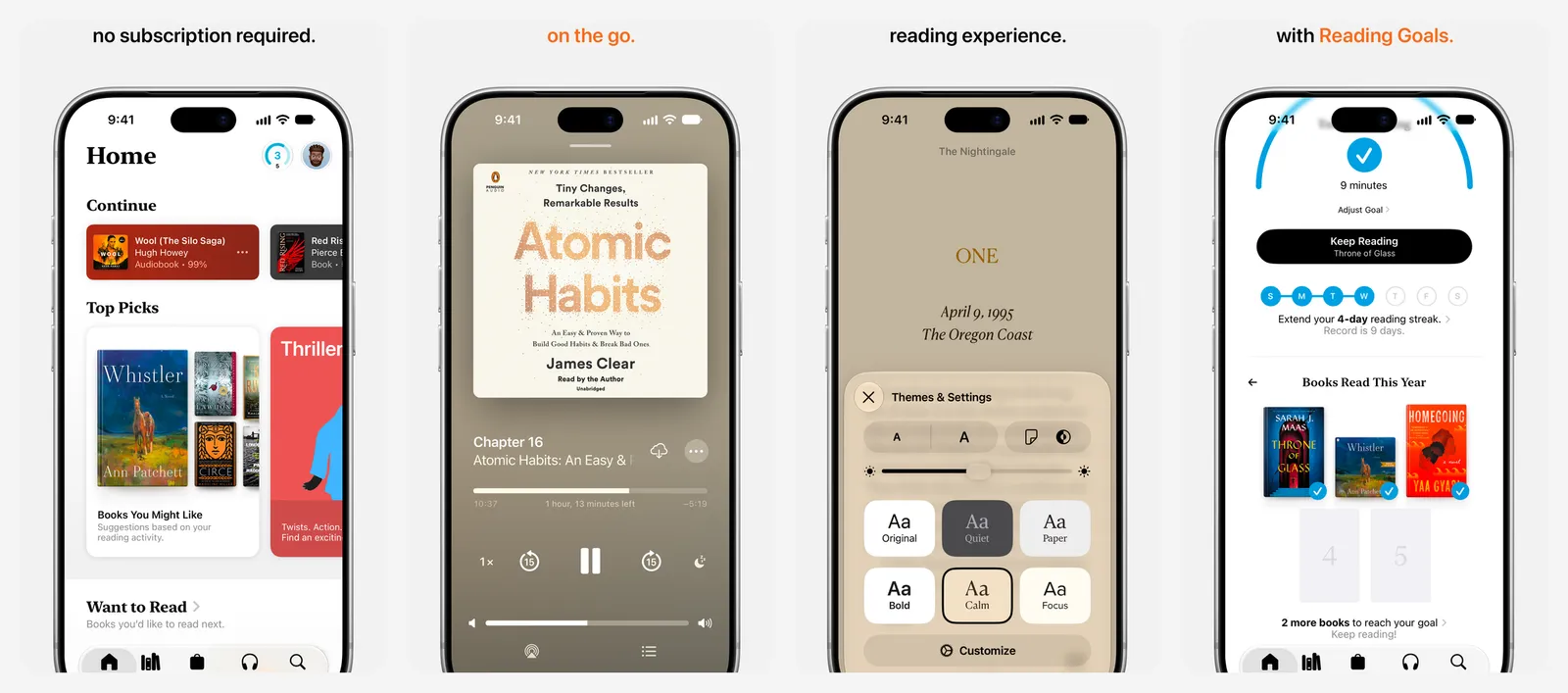
Reading themes let you change fonts, background colours, line height and letter spacing, and you can switch to vertical scrolling. You can also add your own DRM-free EPUB files and PDFs, and your library and reading position sync across your Apple devices.
What you lose vs Kindle: any app for Android or Windows, and e-ink reading.
- Replaces
- Kindle app on Apple devices
- Runs on
- iPhone, iPad, Mac
- Licence
- Free app, no subscription
- Skip if
- You use Android or Windows
- Price
- Free (pay per book)
5. Moon+ Reader: Best Reader for Your Own Ebook Files
- Android
Android ebook reader
Moon+ Reader is not a bookstore. It is a reader for the ebook files you already own, and it opens almost everything: EPUB, PDF, DJVU, AZW3, MOBI, FB2, CBZ, CBR, DOCX, TXT, Markdown and more. It can also connect to online catalogues and a personal Calibre server.
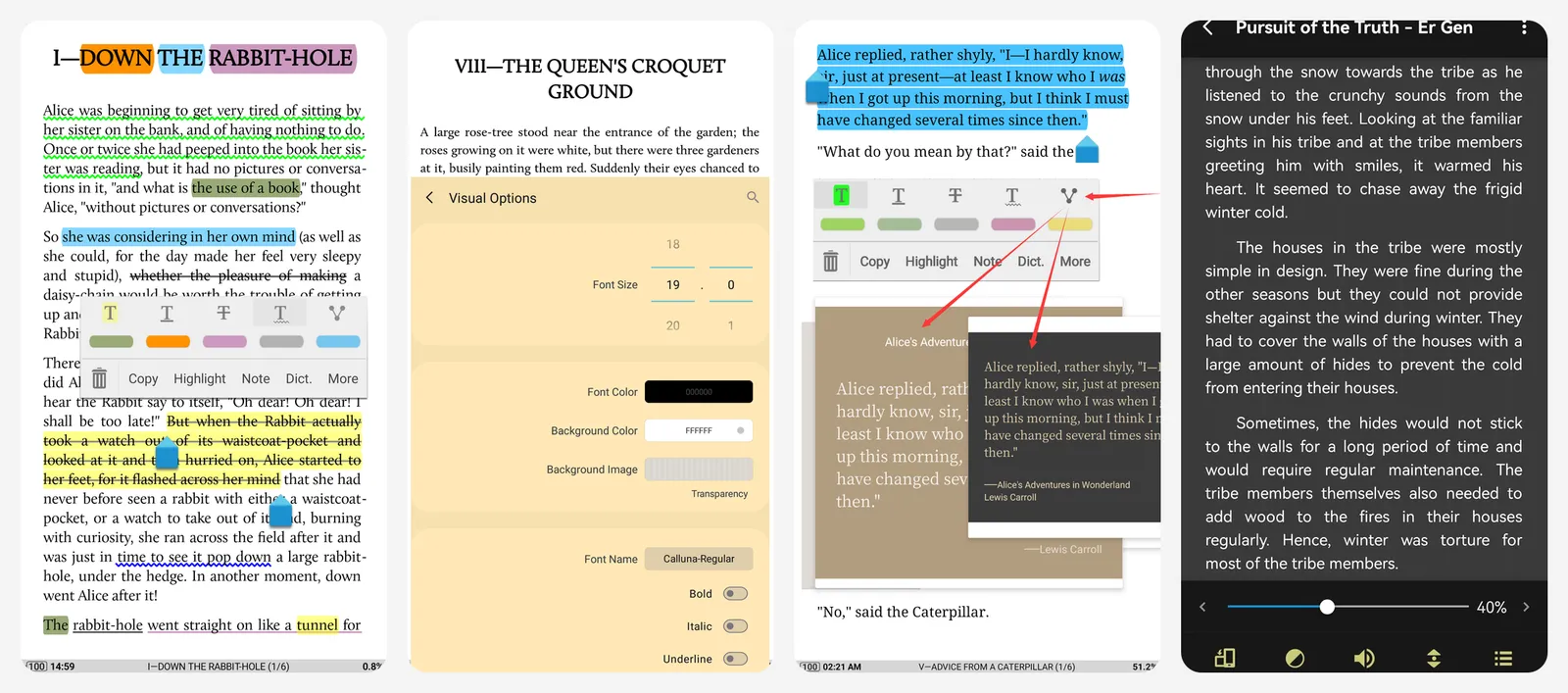
You get deep control over the layout, with 10+ themes, day and night modes, five auto-scroll modes, gesture controls and page-turn animations. The free version shows ads. Moon+ Reader Pro is a separate app that costs $11.99 one time on the US Google Play Store. It removes ads and adds text-to-speech controls, PDF annotations and reading statistics with sync. It is also one of our paid Android apps worth buying.
What you lose vs Kindle: a store. You bring your own books, and DRM-protected Kindle books will not open.
- Replaces
- Kindle app for personal documents
- Runs on
- Android
- Licence
- Free version with ads; Pro is a one-time paid app
- Skip if
- You use an iPhone
- Price
- Free with ads (Pro $11.99 one time)
E-readers that replace a Kindle
6. Kobo E-Readers: Best Kindle Device Alternative
EPUB and Libby built in
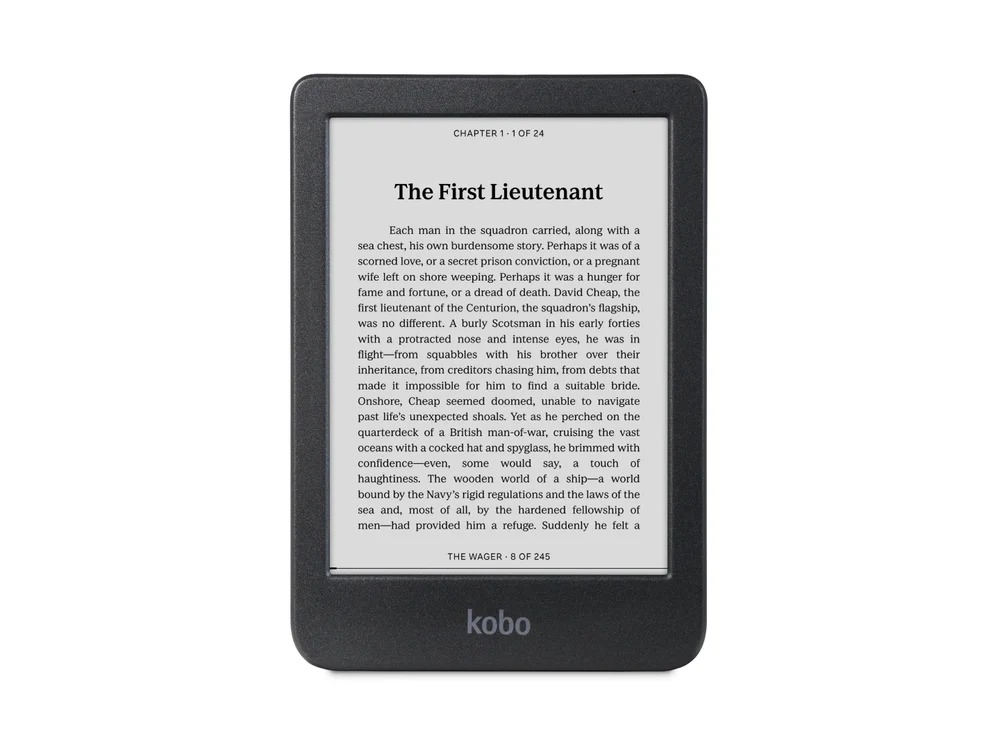
Image: Kobo
If you want to replace the Kindle device itself, Kobo is the obvious choice. Kobo e-readers open EPUB, PDF and MOBI files and CBZ and CBR comics. They also borrow library ebooks through built-in Libby.
Current US prices on Kobo's official store:
- Kobo Clara BW: $159.99. 6-inch black-and-white E Ink Carta 1300 screen, IPX8 waterproof, 16GB storage and up to 53 days of battery life.
- Kobo Clara Colour: $179.99. 6-inch colour E Ink Kaleido 3 screen, IPX8 waterproof, 16GB storage.
- Kobo Libra Colour: $259.99. 7-inch colour screen with page-turn buttons, 32GB storage and Kobo Stylus 2 support for notes.
- Kobo Elipsa 2E: $399.99. 10.3-inch screen for reading PDFs and writing notes with a stylus.
All of them play Kobo audiobooks over Bluetooth and connect straight to the Kobo store over Wi-Fi.
What you lose vs Kindle: your existing Kindle library. Amazon's DRM keeps Kindle books on Kindle devices and apps.
- Replaces
- Kindle Paperwhite, Kindle Colorsoft and Kindle Scribe
- Runs on
- Kobo e-reader
- Licence
- Buy once, no subscription required
- Skip if
- Your library of Kindle books matters more than the device
- Price
- Clara BW $159.99, Clara Colour $179.99, Libra Colour $259.99, Elipsa 2E $399.99
7. Boox: Best E-Reader That Runs Android Apps
Android e-ink tablet
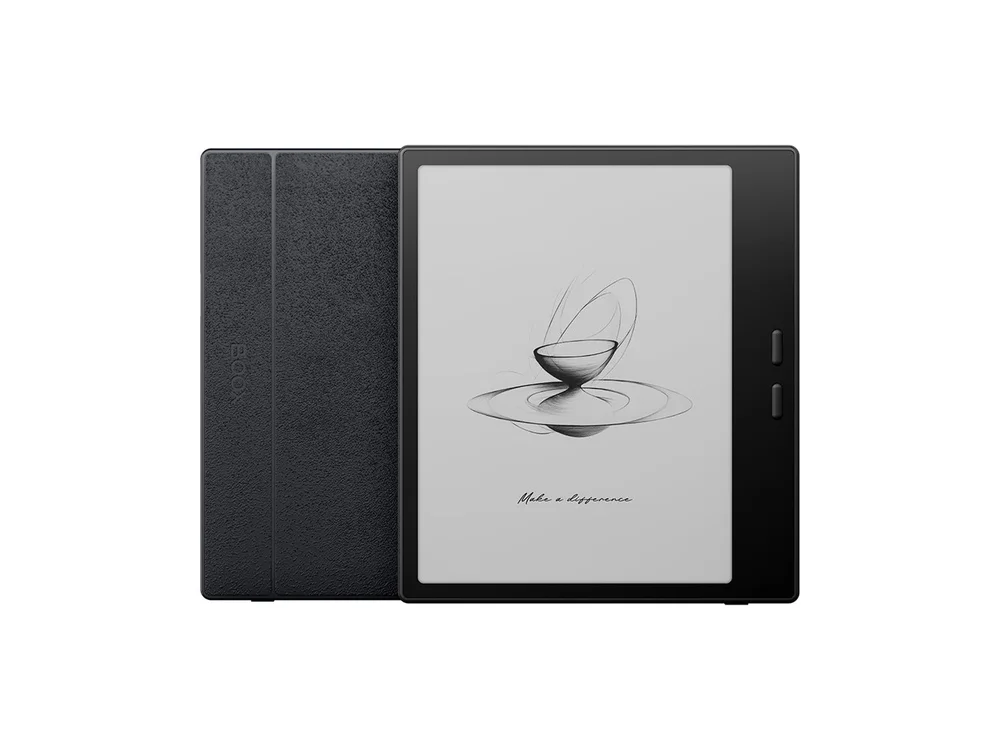
Image: Boox
Boox makes e-ink devices that run full Android with the Google Play Store. That is the big difference from Kindle and Kobo: you are not tied to one store. You can install Kobo, Libby, Google Play Books, Moon+ Reader, and even the Kindle app, and read all of them on an e-ink screen.
Prices on Boox's official US store (standard bundle):
- Boox Go 6 (Gen II): $199.99. 6-inch black-and-white.
- Boox Go 7: $269.99. 7-inch black-and-white with page-turn buttons.
- Boox Go Color 7 (Gen II): $289.99. 7-inch colour.
Stylus bundles cost more. Boox also sells phone-sized and 10-inch models for note-taking.
What you lose vs Kindle: simplicity and battery life. A general Android device needs more setup and charging than a single-purpose e-reader.
- Replaces
- Kindle Paperwhite and Kindle Colorsoft
- Runs on
- Android with Google Play
- Licence
- Buy once
- Skip if
- You want the simplest possible e-reader
- Price
- Go 6 (Gen II) $199.99, Go 7 $269.99, Go Color 7 (Gen II) $289.99
Free tools for your own ebook library
8. KOReader: Best Free Open Source Reading App for E-Readers
Open source reader
KOReader is a free, open source reader that you install on top of an e-reader's own software. It runs on Kobo, PocketBook, Cervantes and reMarkable devices, on Android, and on Linux computers. It also runs on Kindle, but only on a jailbroken one, according to the project's own install guide.
It opens EPUB, PDF, DjVu, XPS, CBT, CBZ, FB2, PDB, TXT, HTML, RTF, CHM, DOC, MOBI and ZIP files, and it is especially good with PDFs and scanned documents, which most stock e-reader software handles poorly. It is funded by donations.
What you lose vs Kindle: an easy setup and a store. KOReader is for files you already own.
- Replaces
- The built-in reader on your e-reader
- Runs on
- Kobo, PocketBook, reMarkable, Android, Linux, jailbroken Kindle
- Licence
- Open source (AGPL-3.0)
- Skip if
- You do not want to tinker
- Price
- Free
9. Calibre: Best Free Ebook Library Manager
Desktop library manager
Calibre is the free desktop app most ebook readers end up using. Its own site calls it "completely free and open source". It organises your whole ebook library, converts between dozens of file types, edits EPUB and Kindle-format books, and sends books to almost any e-reader by cable or wirelessly.
It also has a built-in web server, so you can read your library from a phone or tablet on the same network, and it can turn news sites and RSS feeds into ebooks automatically. Version 9.17 came out on October 23, 2026, so it is actively maintained.
What you lose vs Kindle: nothing for DRM-free books. It cannot open DRM-protected store books.
- Replaces
- Kindle's Send to Kindle and library management
- Runs on
- Windows, Mac, Linux
- Licence
- Free and open source
- Skip if
- You only read store books inside one app
- Price
- Free
Which Kindle alternative should you choose?
- Want free books: start with Libby and your library card.
- Want a store and a subscription like Kindle Unlimited: Kobo with Kobo Plus.
- Read on your phone only: Google Play Books on Android, Apple Books on iPhone.
- Want an e-ink device that opens EPUB: a Kobo Clara BW or Clara Colour.
- Want e-ink and every app, including Kindle: a Boox Go 7 or Go Color 7.
- Have a big folder of EPUB and PDF files: Calibre on your computer, plus Moon+ Reader or KOReader to read them.
Prefer to listen? Our list of Audible alternatives covers free library audiobooks and cheaper audiobook stores. If you read a lot of PDFs, our Adobe Acrobat alternatives list covers free PDF readers and editors.
Who should stay with Kindle
What is the best alternative to Kindle?
Can I read Kindle books on a Kobo or other e-reader?
Can you still download Kindle books to your computer?
Is there a free alternative to Kindle Unlimited?
Which ebook apps let me add my own EPUB files?
How much does a Kobo e-reader cost?

Sumit
ContributorHi, I'm Sumit, Being an introvert I have always been obsessed with technology-computers and reading dozens of posts to learn, find answers out of my curiosity. I love to write as I explore more.