Short answer
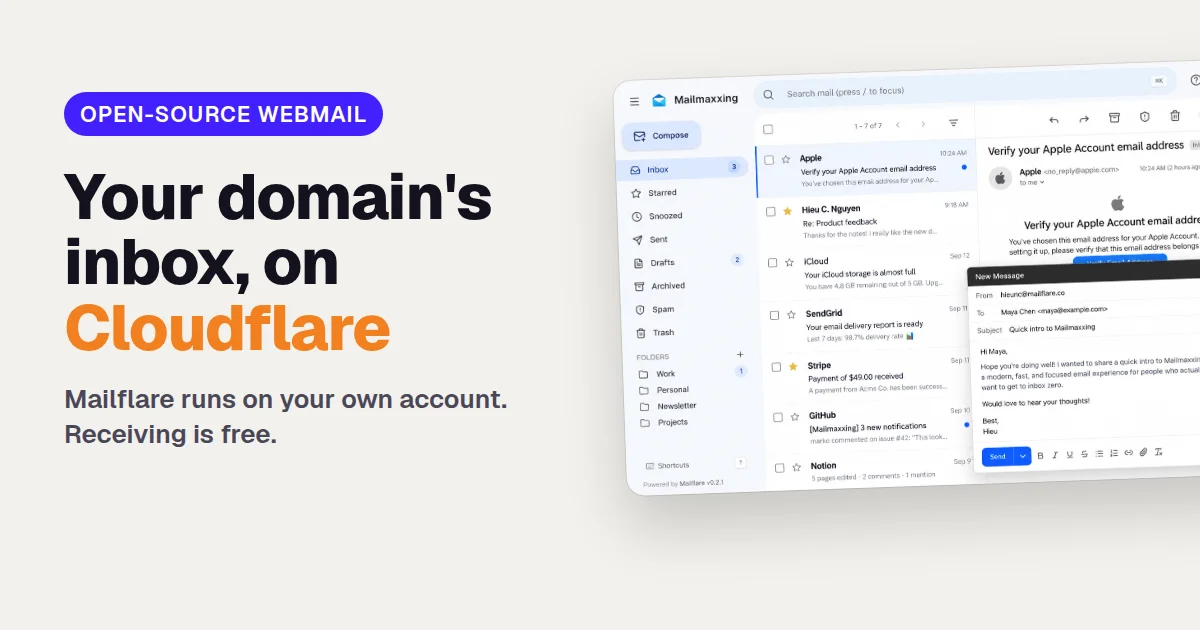
Yes, you can run the inbox for your own domain on your own Cloudflare account, with no mail server to manage. The open-source app Mailflare does it: receiving mail is free on any plan, and sending to anyone costs $5 a month on Workers Paid, with 3,000 emails included. The catch is that Cloudflare's terms allow transactional sending only and say Cloudflare is not an inbox service, so read them before you move your main email there.
Prices, limits and terms on this page were checked on November 28, 2026 against Cloudflare's own pricing page and terms, and the Mailflare repository on GitHub.
The problem it solves
You bought a domain. You want [email protected] to be a real inbox, not just a forward to Gmail. Today that usually means one of two things:
- Pay a hosted provider per user, per month. Fine for one person. It adds up fast for a family, a club or a small team, because every new address is another seat.
- Run your own mail server. Full control, but you now look after a server, its updates, its spam filter and its IP reputation. One bad week and your mail lands in spam or stops arriving.
Mailflare takes a third path. Cloudflare already handles the hard, always-on parts (receiving mail for your domain, sending it out, storing files). Mailflare is the app on top: the inbox you open in a browser. You pay Cloudflare for what you use, not per seat, and there is no server for you to patch.
Where this came from
The idea spread through a Reddit thread on r/CloudFlare posted on November 28, 2026 by u/Apprehensive-Ad-1333, who shared their own project, cfw-mailbox. In an edit, the poster pointed readers to a bigger, more complete project instead: Mailflare.
Mailflare is built by Hieu Nguyen (@hieunc229 on GitHub). The repository was created on May 26, 2026, had 7,845 stars on November 28, 2026, and was last updated on November 27, 2026.
What Mailflare does
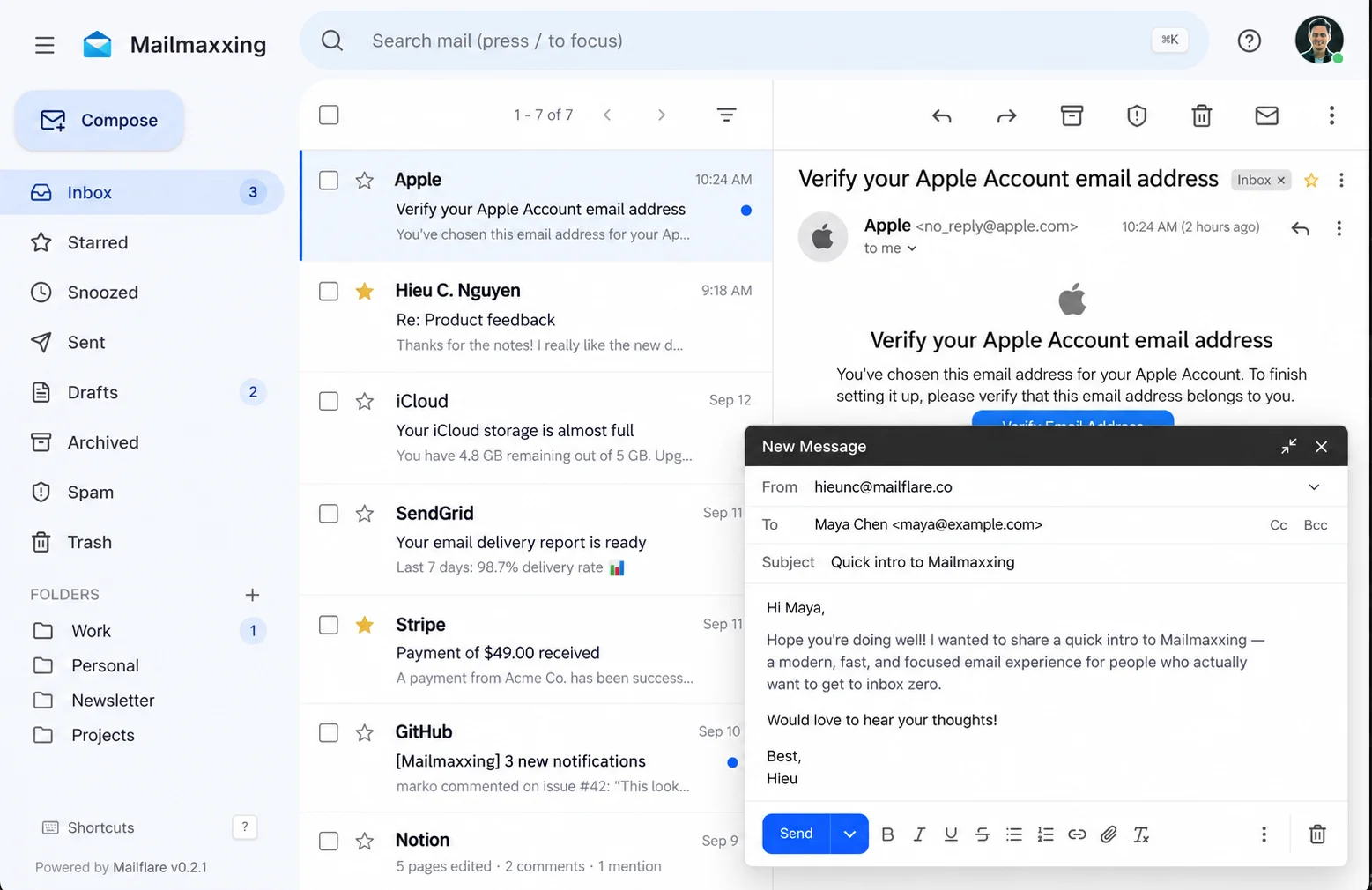
From the project's README (checked November 28, 2026):
- Mailboxes on your own domain, with routing rules.
- Sending, through Cloudflare Email Sending, or through Resend or Amazon SES instead.
- Calendar and booking links.
- Drive for files.
- AI agents through MCP (a standard way for AI assistants to use apps).
- Import from IMAP, Gmail Takeout or mbox files, so you can bring old mail with you.
- 34 languages.
It runs on Cloudflare Workers. It can also run as one Docker container or on Vercel, so you are not locked to Cloudflare if you change your mind later. It also exports mbox and JSON backups.
How the pieces fit
On Cloudflare, Mailflare uses these parts of your account:
| Cloudflare part | What it does in Mailflare |
|---|---|
| Workers | Runs the whole web app |
| Email Routing | Receives mail sent to your domain |
| Email Sending | Sends your mail (optional: Resend or Amazon SES can do this instead) |
| D1 | The database for messages, folders and settings |
| R2 | Stores raw messages, attachments, drive files and backups |
| Queues | Handles incoming and outgoing mail in the background |
| Cron Triggers | Runs scheduled jobs, such as daily backups |
Source: Mailflare's wrangler.jsonc.example file in the repository, read November 28, 2026.
What it costs
Two bills can apply: Cloudflare's (for the services your account uses) and Mailflare's (only if you need more than one account). Your domain registration is separate and depends on your registrar.
Cloudflare prices
These come from Cloudflare's Email Service pricing page (last updated November 24, 2026). On that same date, Cloudflare's changelog announced "Email Sending is now available on the Workers Free plan", with the limit shown below.
| What you want to do | Workers Free | Workers Paid ($5 a month) |
|---|---|---|
| Receive mail (Email Routing) | Unlimited, free | Unlimited, free |
| Send to addresses you verified in your own account | Free | Free |
| Send to anyone | Not possible | 3,000 emails a month included, then $0.35 per 1,000 |
| Store mail and files in R2 | 10 GB-month free | 10 GB-month free, then $0.015 per GB-month |
R2 storage prices are from Cloudflare's R2 pricing page, read November 28, 2026. R2 does not charge for data going out.
The free plan line is the one people misread. "Sending on the free plan" means you can send to your own verified addresses, for example a test mail from your new domain to your personal Gmail. It does not let you reply to a stranger. For that you need Workers Paid. Mailflare's own README agrees: Cloudflare's own sending "needs the $5/month Paid Worker plan".
What a normal setup costs
| Setup | Monthly cost | What you get |
|---|---|---|
| Receive only, Workers Free | $0 | A working inbox for your domain. You can read mail, not reply to others. |
| Receive on Cloudflare, send with Resend's free tier | $0 | Resend Free allows 3,000 emails a month, 100 a day, 3 domains (Resend pricing, read November 28, 2026) |
| Receive and send on Cloudflare, Workers Paid | $5 | Send to anyone, 3,000 emails a month included |
For most people who want a real inbox they can reply from, plan on $5 a month. Compare that with a per-seat plan: the $5 covers the account, not each address.
Mailflare licences
Mailflare is free and open source, but the free edition has a limit. From Mailflare's pricing page (updated November 2026):
| Edition | Price | What you get |
|---|---|---|
| Community | $0 | One account: email, calendar, booking, drive, AI agents |
| Team | $249 once | Unlimited team accounts and shared mailboxes with permissions |
| Mailflare Cloud (hosted by the author) | From $4 a month for 1 user | The same app, hosted for you |
So a single person pays Cloudflare only. A team where each person needs their own login adds the one-time Team licence. In the free edition, forwarding at the account level is also turned off.
The catch: Cloudflare's terms
This is the part to read before you move your main email.
Cloudflare's Developer Platform service-specific terms (last updated September 28, 2026) say Email Service may be used to send "messages sent in response to a specific customer interaction to facilitate an agreed-upon transaction", which Cloudflare calls Transactional Emails. Unsolicited mail is not allowed, and Cloudflare's Email Service FAQ answers "No" to marketing email. Personal one-to-one mail is not named either way.
The same terms also say: "Cloudflare does not provide durable storage or 'Inbox' services nor does it guarantee successful email inbox placement."
In plain words: Cloudflare sells Email Sending for apps that send receipts, sign-in codes and alerts. Using it as the outbox of a personal or team inbox sits in a grey area that the terms do not clearly allow. If Cloudflare decides your use breaks the terms, your sending can be limited. The terms also let Cloudflare put an account under review, slow its sending, or start new accounts in a sandbox when bounce or complaint rates run high.
Two ways to lower that risk:
- Send through Resend or Amazon SES instead. Mailflare supports both, and Cloudflare then only receives your mail.
- Keep it for personal or low-stakes mail first. Move a side domain before your main business address.
What Cloudflare can see
Your mail lives in your own D1 database and R2 bucket, but those sit on Cloudflare's servers.
- R2 encrypts stored data with AES-256-GCM, and Cloudflare manages the keys (R2 data security). This is not end-to-end encryption.
- Cloudflare's terms say it "may use automated tools to scan the content of emails (including headers, body, and attachments) to detect malware, phishing, and spam."
- If you send through Resend or Amazon SES, that provider also handles your outgoing mail.
The app, the data and the bill are all in your own account, but Cloudflare runs the hardware.
Day-one security checklist
Mailflare has solid sign-in options: passwords hashed with bcrypt, an authenticator app (TOTP), passkeys, recovery codes, and a fresh check before sensitive changes such as a new forward rule or a password change. Some protection only works if you set it up. Do these on the day you deploy:
- Open
/setupright after deploy. Setup creates the first admin when no admin exists, and registration closes after the first account. Until you claim it, anyone who finds the URL could become admin. - Turn on an authenticator app or a passkey for every account.
- Limit the Cloudflare API token to your domains. Mailflare stores a token (
CF_TOKEN) that can edit DNS, zone settings and Email Routing rules. The README lists "All zones". Pick "Specified Domains" instead, so a hacked app cannot change DNS for every domain you own. - Keep the rate-limit bindings in
wrangler.jsonc. Mailflare's docs warn that without one configured, "nothing limits guesses" at login. - Add Turnstile keys (Cloudflare's bot check). It is off until you set
TURNSTILE_SECRET_KEY, and then protects login, sign-up and password reset. - Publish DMARC with
p=quarantineorp=rejectonce SPF and DKIM pass. Mailflare can write these DNS records for you. - Set a Workers spending limit so a bug or abuse cannot run up a bill (Workers limits).
- Turn on the suppression list (Admin, Email, Deliverability). It is off by default and stops repeat sends to addresses that bounce.
- Turn on daily backups (Admin, Backups) and copy them off Cloudflare now and then. Treat them as secret: the docs note some provider secrets, such as the Resend webhook secret, are stored in plain text in the database.
- Keep a recovery route for important accounts (bank, domain registrar) on an address that does not depend on this setup.
Inbound spam gets two filters. Cloudflare Email Routing rejects mail that fails both SPF and DKIM, or fails the sender's DMARC policy. Mailflare then scores each message from 0 to 100 and, on the default Strict setting, moves anything at 55 or above to Spam. There is no antivirus: risky file types (programs, macro Office files, archives) sit behind an "I understand the risk" click, but the docs say it "does not find malware in an ordinary-looking PDF or image". For more on keeping junk out of your main inbox, see how to block spam emails in Gmail.
Alternatives
Mailflare has the longest feature list of the Cloudflare-based options (calendar, drive, JMAP, 2FA, spam filter), but it is not the only one. All facts below are from each project's GitHub page, checked November 28, 2026.
| Project | Runs on | Licence | Good for | Watch out for |
|---|---|---|---|---|
| GentleMail | Workers, D1, R2, Email Service | MIT | Never asks for a Cloudflare API token, uses a one-time setup token | Small project, needs Workers Paid ($5) |
| cloud-mail | Workers, D1, KV, R2; sends via Cloudflare or Resend | MIT | Most stars (16,622), many mailboxes, Turnstile on sign-up | Docs mainly in Chinese |
| cfw-mailbox | Workers, Durable Objects, R2, Cloudflare Access | No licence file | Sign-in through Cloudflare Access, many users and domains | Very new, no licence means no clear reuse rights |
| agentic-inbox | Workers, Durable Objects, R2, Workers AI, Access | Apache-2.0 | Made by Cloudflare, AI agent built in | No update since April 23, 2026 |
| HQBase | Workers, D1 | AGPL-3.0 | Shared team mailboxes, audit history | Team focus, slower activity lately |
If the Cloudflare terms are a dealbreaker, the other route is a real mail server on a VPS you rent. Open-source options include Stalwart (IMAP, JMAP, SMTP, calendar and contacts in one Rust server), mox (one Go program), Mail-in-a-Box (a full setup on a fresh Ubuntu server) and mailcow (a Docker stack with an admin panel). These give you normal IMAP and SMTP and no vendor sending terms, but you look after the server and its IP reputation yourself. For other apps you can run on your own server, see our list of self-hosted alternatives to popular SaaS apps.
Who should try it
- Yes: one person or a family with a spare domain, who is happy with $0 to $5 a month and can fix things when they break.
- Try it on a side domain first: small teams. Budget for the $249 Team licence if everyone needs a login, and decide whether to send through Resend or SES to stay clear of the terms question.
- No: a business whose main income depends on email arriving every time, or anyone who has no time to fix mail when it stops. A hosted provider is the safer choice there.
Cloudflare's free tiers cover many other projects too. See our guide to the best free tiers for developers.
FAQs
Is Mailflare free?
Can I send email for free on Cloudflare?
Does Cloudflare allow using Email Sending as a personal inbox?
Can I use Outlook or Apple Mail with Mailflare?
Does Mailflare work for a team?
What is the first thing to do after I deploy Mailflare?

Amit loves new tech and apps that make life easier, he writes about apps, games and useful websites on TheTechBasket.