Things 3 is one of the best-loved to-do apps on Apple devices. It has won two Apple Design Awards, and it is a one-time purchase with no subscription. But you pay per device type. On the US App Store, Things 3 is $9.99 for iPhone (Apple Watch included), $19.99 for iPad and $49.99 for Mac. Owning all three costs $79.97.
The bigger problem is where Things does not run. There is no Android app, no Windows app and no web version. If you switch to an Android phone, use a Windows PC at work, or just want to check your list from any browser, Things cannot follow you. Some people also find the price steep just to try it on iPhone, since only the Mac version has a free trial (15 days).
This list covers 8 task managers that work where Things does not, plus free options for iPhone users. For each one we note the price, the free plan limits, how you organise tasks, whether it understands dates like "tomorrow 5pm", whether it works offline, and whether you need an account. Every detail comes from the official website, help pages or app store listing. We have not run our own tests.
If you came here from Todoist rather than Things, see our separate list of Todoist alternatives.
Last checked: September 26, 2026. Prices are US App Store or official US prices. In-app prices can differ by country and by account.
- Best overall: TickTick runs on Android, iPhone, Windows, Mac, Linux and the web, and reads dates from what you type. Premium is $49.99 a year.
- Closest to Things for projects: Todoist has projects, sections, natural language dates and offline support. The free plan caps you at 5 personal projects.
- Best free cross-platform app: Microsoft To Do is completely free on Android, iPhone, Windows, Mac and the web, with lists and list groups.
- Best for Gmail users: Google Tasks is free and lives inside Gmail and Google Calendar, but it is very basic.
- Best open source: Tasks.org on Android and Super Productivity on every platform. Both work offline with no account.
- Free on iPhone: Apple Reminders now reads natural language dates in iOS 27 and has groups, sections and tags.
- Watch out: Any.do puts recurring tasks behind Premium.
All 8 Things 3 alternatives at a glance
Search by app, platform or price.
Tap any name in the table to jump to its full entry below.
| App | Price | One-time vs subscription | Platforms | Areas or projects | Natural language dates | Works offline | Account needed |
|---|---|---|---|---|---|---|---|
| Things 3 (for comparison) | $9.99 iPhone, $19.99 iPad, $49.99 Mac | One-time, per platform | iPhone, iPad, Mac, Apple Watch, Vision Pro | Areas and projects | Yes, in the date field only | Yes | Only to sync (free Things Cloud) |
| TickTick | Free, Premium $4.99 a month or $49.99 a year | Subscription (optional) | Android, iPhone, iPad, Windows, Mac, Linux, web | Folders and lists | Yes (Smart Date Parsing) | Not stated | Yes |
| Todoist | Free, Pro $6.99 a month or $59.99 a year in-app | Subscription (optional) | Android, iPhone, iPad, Windows, Mac, web | Projects, sub-projects and sections (5 projects free) | Yes (Smart Quick Add) | Yes, in mobile and desktop apps | Yes |
| Microsoft To Do | Free | Free | Android, iPhone, iPad, Windows, Mac, web | Lists and list groups | Yes on Windows and iPhone (English on Windows) | Not stated | Microsoft account |
| Google Tasks | Free | Free | Android, iPhone, web (Gmail, Calendar, Drive side panels) | Lists only | Not stated | Not stated | Google account |
| Any.do | Free, Premium $4.99 a month billed yearly or $7.99 monthly | Subscription (optional) | Android, iPhone, Windows, Mac, web | Lists | Yes, iPhone only (Smart Type) | Not stated | Yes |
| Tasks.org | Free, optional $2.49 a month cloud sync or name your price | Free and open source | Android (desktop in alpha) | Lists, tags, filters, unlimited subtasks | Not stated | Yes | No |
| Super Productivity | Free | Free and open source | Windows, Mac, Linux, Android, iPhone, web | Projects and tags | Yes (short syntax, for example @tomorrow) | Yes | No |
| Apple Reminders | Free | Free | iPhone, iPad, Mac, Apple Watch, iCloud.com in any browser | Lists, groups, sections and tags | Yes, in iOS 27 | Yes | Apple Account to sync |
Task managers for Android, Windows and the web
TickTick
- Android
- iPhone and iPad
TickTick runs almost everywhere: Android, iPhone, iPad, Windows, Mac, Linux, the web and a browser extension. Type "call the bank tomorrow 3pm" and Smart Date Parsing sets the date for you. You can group lists into folders, which works much like Things areas. It also has a habit tracker, a Pomodoro timer and an Eisenhower Matrix built in.
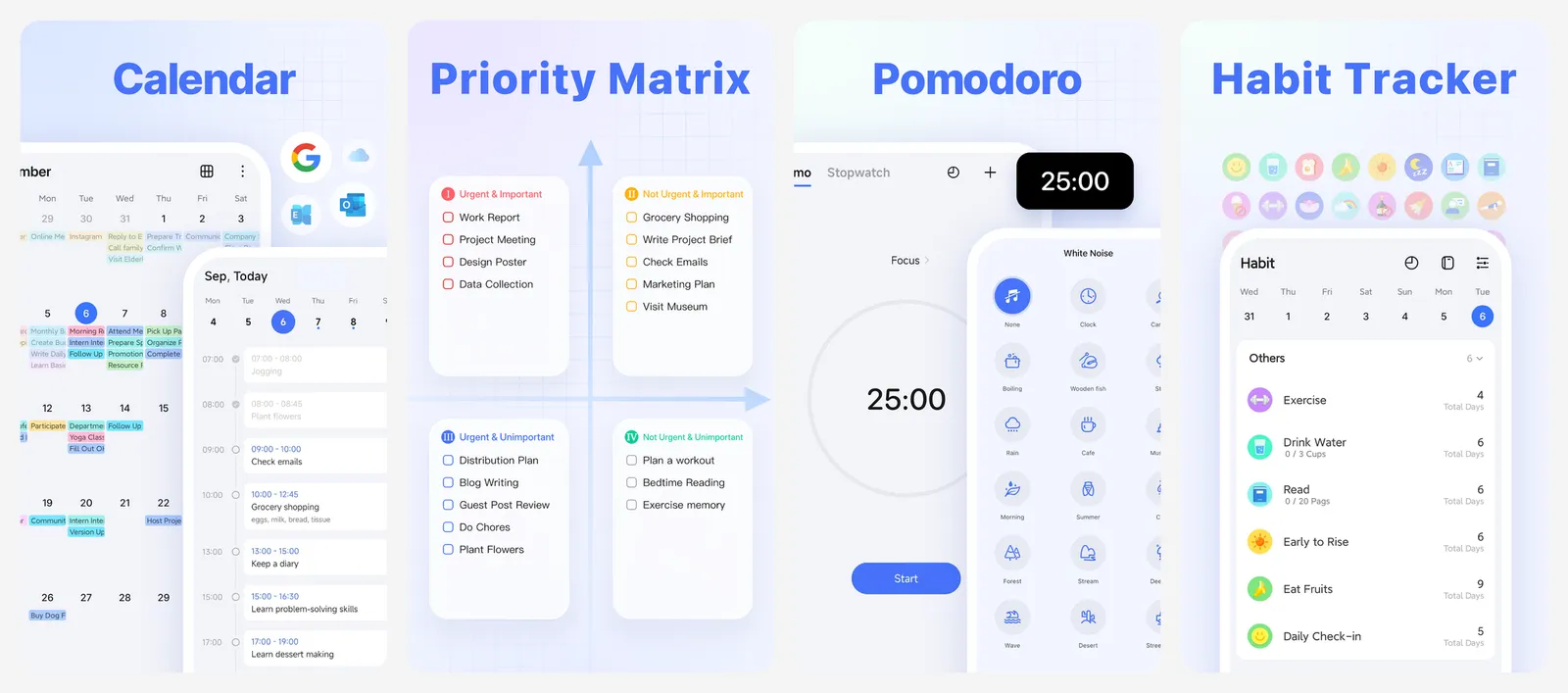
The free plan is generous but capped. You get 9 lists, 99 tasks per list and 5 reminders per task. Premium lifts that to 299 lists and 999 tasks per list, and adds calendar views and task durations. It costs $49.99 a year on the US App Store, and TickTick's website sometimes shows a discount.
What you lose vs Things: the one-time price and some of the calm, focused design. TickTick packs in a lot of extra features.
- Replaces
- Things Today, Upcoming and quick entry
- Runs on
- Android, iPhone, iPad, Windows, Mac, Linux, web
- Licence
- Free plan, optional Premium subscription
- Skip if
- You want a calm app with nothing but tasks
- Price
- Free (Premium $4.99 a month or $49.99 a year)
Todoist
- Android
- iPhone and iPad
Todoist is the closest match to how Things organises work. You get projects, sub-projects and sections, plus labels and filters. Smart Quick Add understands dates, priorities and projects as you type, and it is on the free plan. Todoist also works offline in its mobile and desktop apps and syncs when you reconnect.
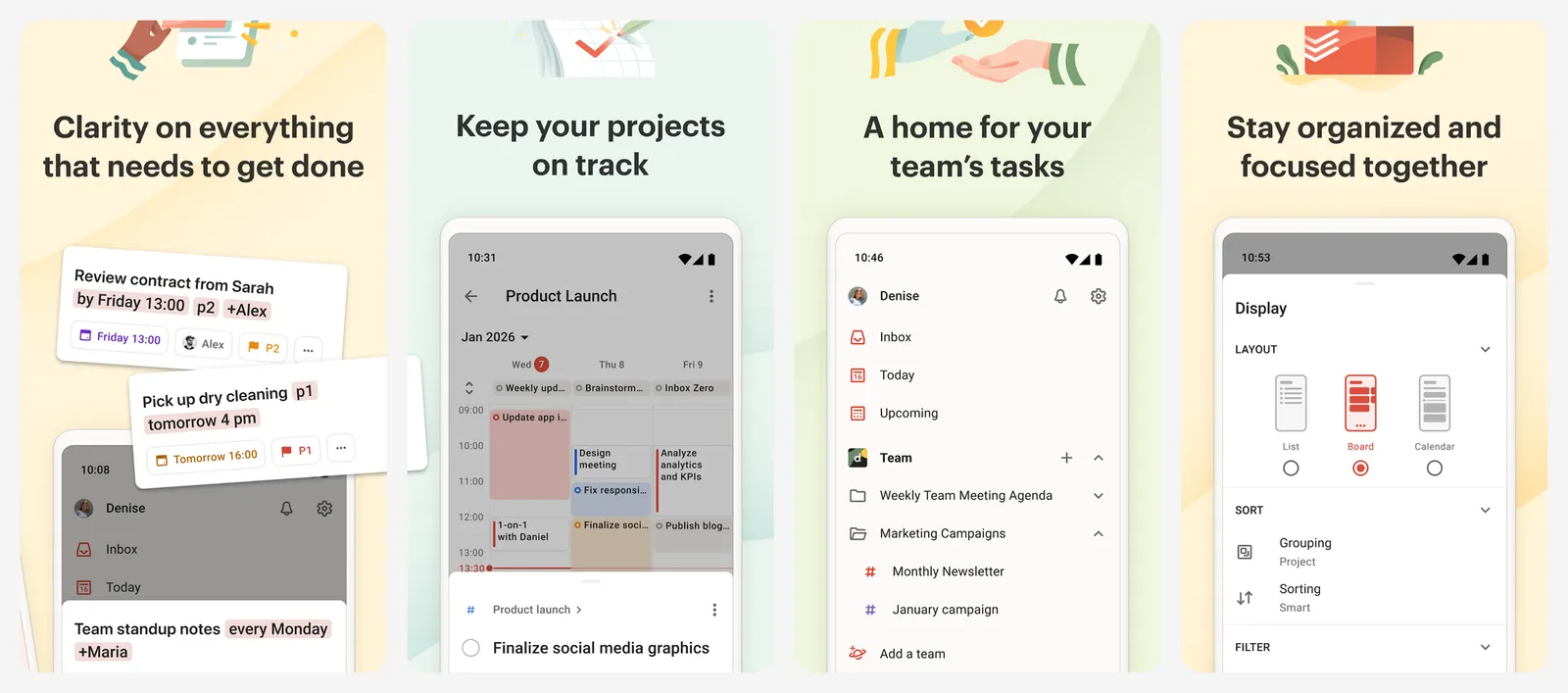
The free Beginner plan limits you to 5 personal projects, 3 filter views and one week of activity history. Pro raises that to 300 projects and adds a calendar layout, task durations and custom reminders. Pro is $6.99 a month or $59.99 a year on the US App Store, which works out to $5 a month on the yearly plan.
If Todoist itself is what you want to leave, see our Todoist alternatives list.
What you lose vs Things: a real Areas layer and a one-time price. Todoist is a subscription for anything past 5 projects.
- Replaces
- Things projects and quick entry
- Runs on
- Android, iPhone, iPad, Windows, Mac, web
- Licence
- Free Beginner plan, optional Pro subscription
- Skip if
- You need more than 5 projects and will not pay
- Price
- Free (Pro $6.99 a month or $59.99 a year in-app)
Microsoft To Do
- Android
- iPhone and iPad
Microsoft To Do is free on Android, iPhone, iPad, Windows, Mac and the web. There is no paid tier. My Day works like the Things Today list: a daily plan with suggested tasks. You can break tasks into steps, add files up to 25MB, set recurring due dates and share lists with other people.
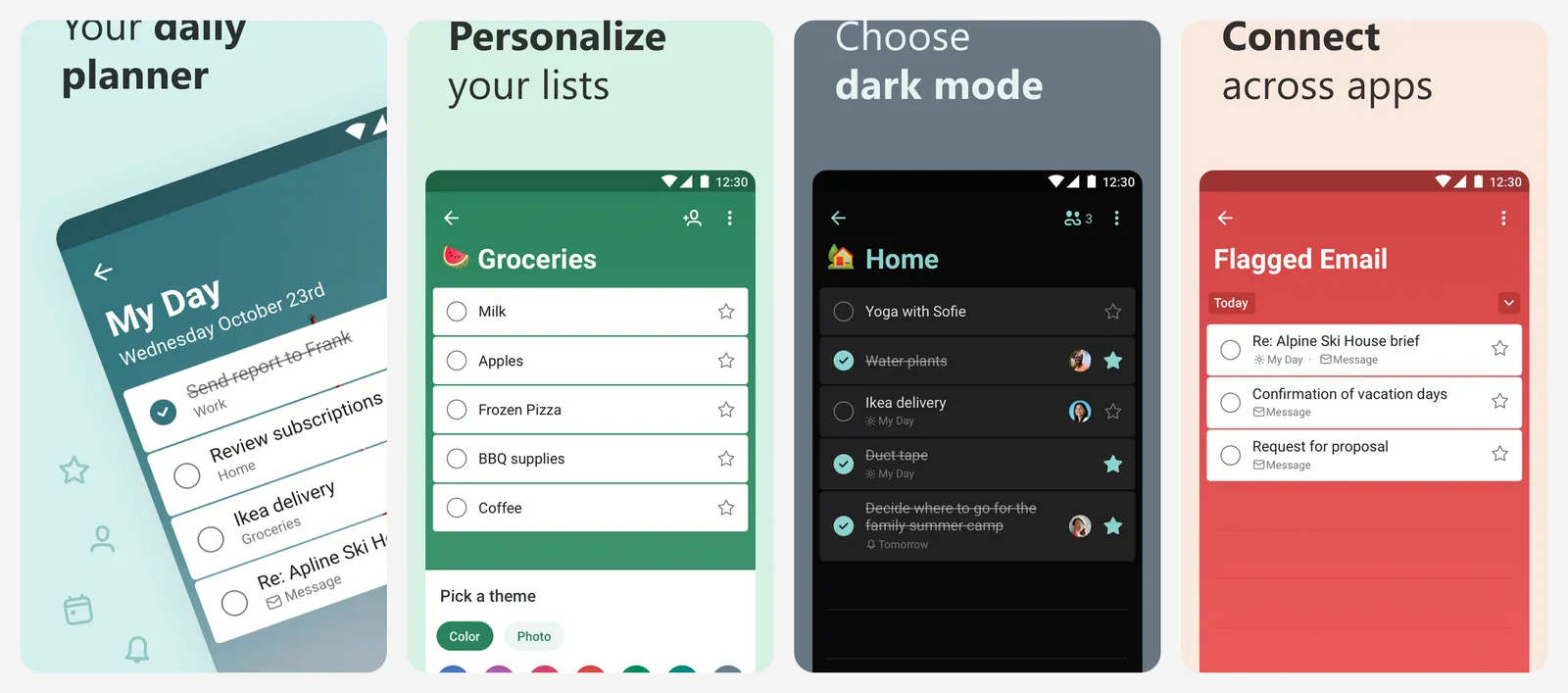
List groups let you bundle lists, which is the nearest thing to Things areas. Smart due date recognition picks up words like "tomorrow" or "daily" as you type, but Microsoft only lists it for the Windows app (English only) and the iPhone app. You need a Microsoft account, and tasks sync with Outlook.
What you lose vs Things: projects with headings, deadlines separate from start dates, and natural language on every device.
- Replaces
- Things Today view
- Runs on
- Android, iPhone, iPad, Windows, Mac, web
- Licence
- Free, no paid tier
- Skip if
- You need projects with headings and deadlines
- Price
- Free
Any.do
- Android
- iPhone and iPad
Any.do mixes a to-do list with a calendar and a daily planner. It syncs with Apple, Google and Outlook calendars. The free Personal plan includes tasks, lists, reminders, the calendar and sync across devices. Smart Type reads dates and times from what you type, but Any.do says it only works on iOS for now.
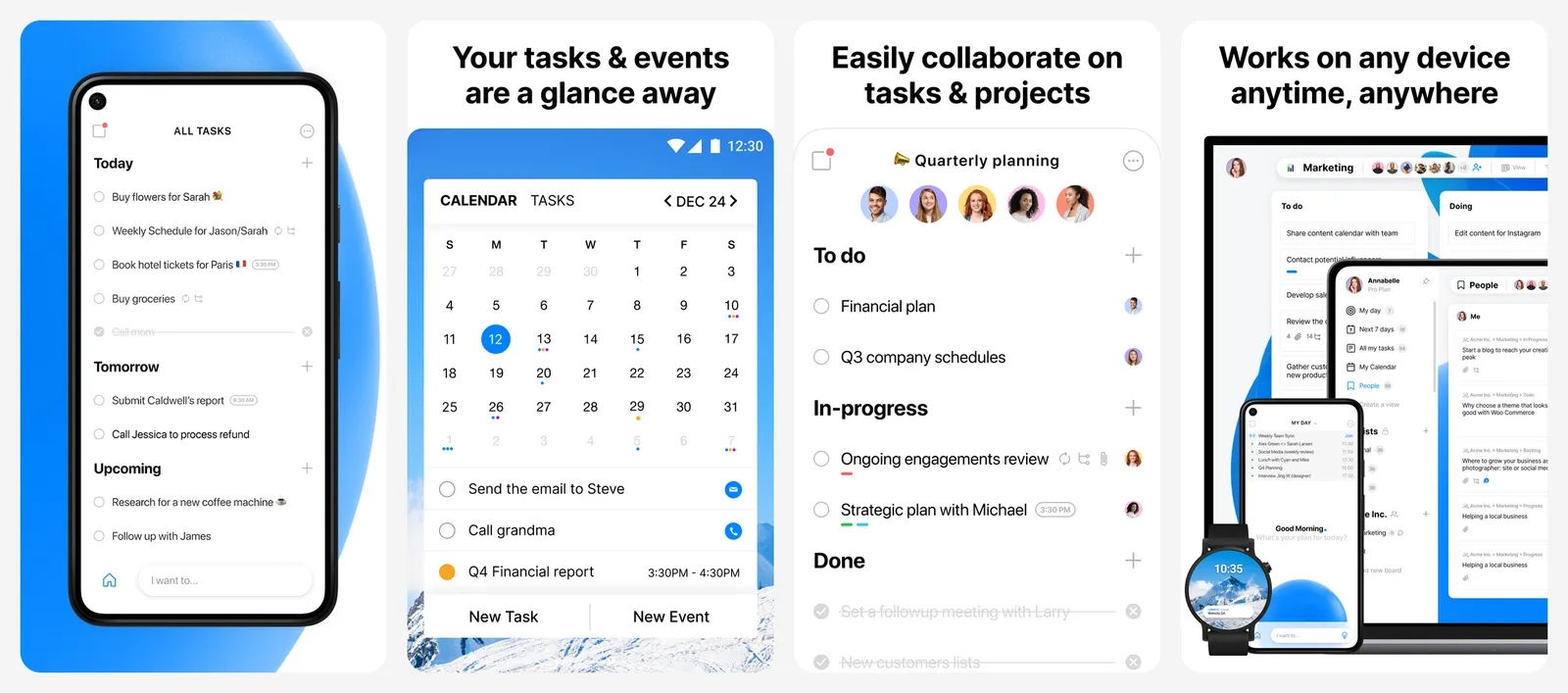
The big catch: recurring tasks are a Premium feature, along with location reminders, WhatsApp reminders and AI tools. Premium is $4.99 a month billed yearly or $7.99 month to month on the website. The US App Store lists different in-app prices ($9.99 a month or $59.99 a year).
What you lose vs Things: free repeating tasks and a real projects and areas structure.
- Replaces
- Things Today with calendar events
- Runs on
- Android, iPhone, Windows, Mac, web
- Licence
- Free Personal plan, optional Premium subscription
- Skip if
- You rely on repeating tasks and will not pay
- Price
- Free (Premium $4.99 a month billed yearly or $7.99 monthly)
Google Tasks
- Android
- iPhone and iPad
Google Tasks is free and already there if you use Gmail. It sits in the side panel of Gmail, Google Calendar, Drive and Docs, and has its own apps for Android and iPhone. You can turn an email into a task, add subtasks, due dates and repeats, and see dated tasks on your calendar.
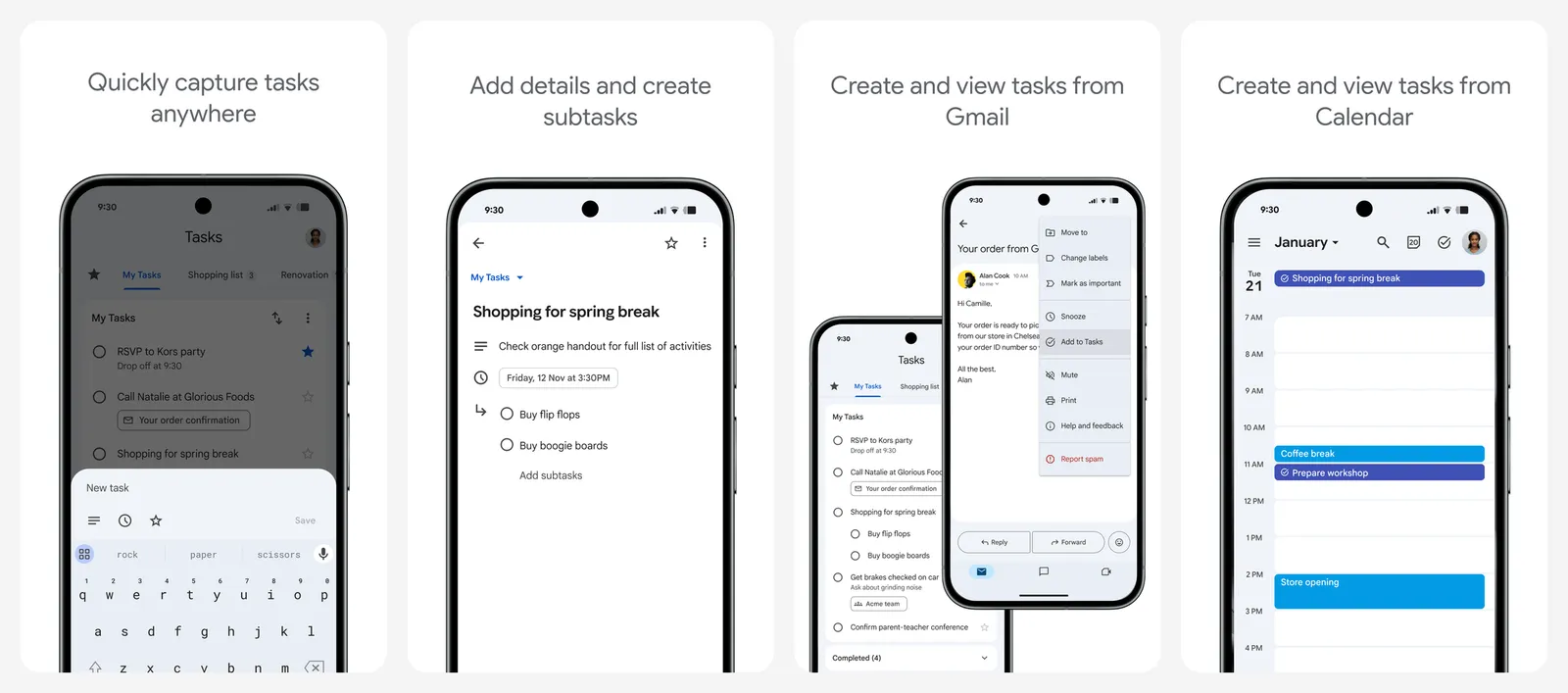
It is very basic on purpose. You get lists and nothing above them: no tags, no areas, no projects. You need a Google account.
What you lose vs Things: almost all structure. Think of it as a shared shopping list, not a full task manager.
- Replaces
- Things for simple lists
- Runs on
- Android, iPhone, web (inside Gmail, Calendar, Drive and Docs)
- Licence
- Free, no paid tier
- Skip if
- You want tags, projects or natural language input
- Price
- Free
Open source and offline-first picks
Tasks.org
- Android
Tasks.org is a free, open source to-do app for Android, licensed under GPLv3. It works fully offline with no account. The free version has unlimited tasks, lists, tags and reminders, location reminders, filters and subtasks nested as deep as you like.
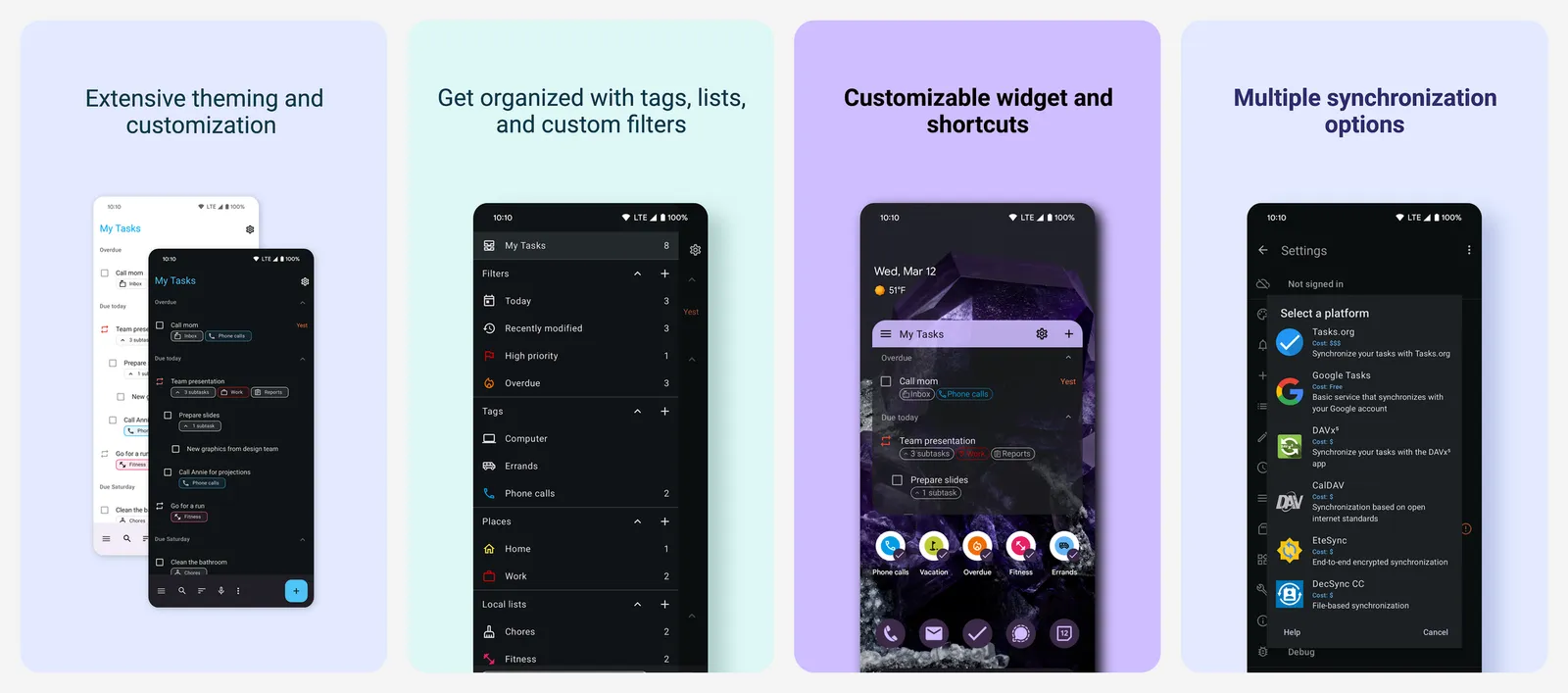
You choose how to sync. It can sync with Google Tasks and Microsoft To Do for free, or with CalDAV, DAVx5, EteSync or a self-hosted server. The optional Tasks.org Cloud plan ($2.49 a month or $29.99 a year) adds its own sync, list sharing and email to task. A name-your-price tier from $0.99 a year unlocks the desktop app, themes and self-hosted sync.
What you lose vs Things: an iPhone app and a polished design. Tasks.org looks like a classic Android app.
- Replaces
- Things on an Android phone
- Runs on
- Android (desktop app in alpha)
- Licence
- Free and open source (GPLv3)
- Skip if
- You also need an iPhone app
- Price
- Free (optional cloud sync $2.49 a month or $29.99 a year)
Super Productivity
- Android
- iPhone and iPad
Super Productivity is free and open source under the MIT licence, with no paid app tier. It runs on Windows, Mac, Linux, Android, iPhone and in the browser. There is no account to create. Your tasks stay on your device, and it works offline by default.
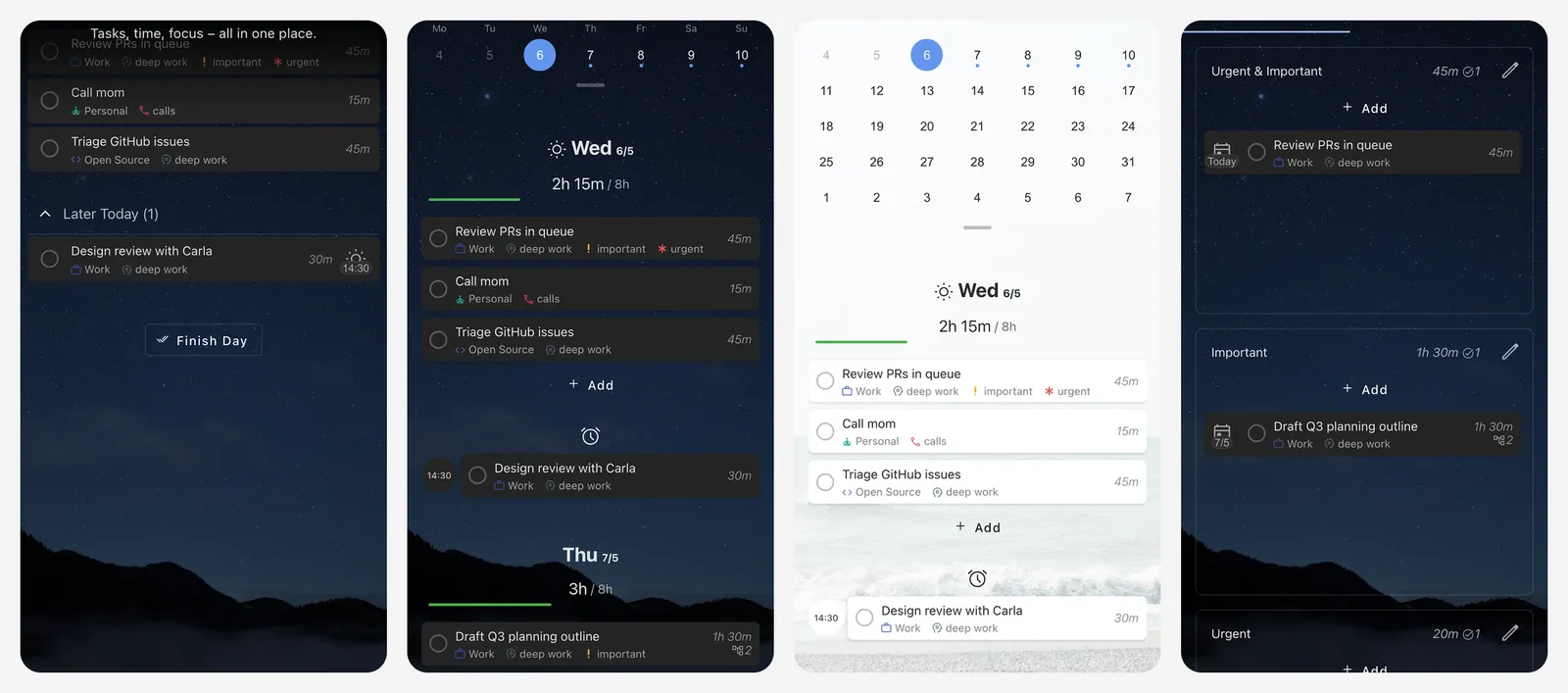
You organise work with projects, tags, subtasks, notes and repeating tasks. Short syntax lets you add dates as you type, for example "@tomorrow 9am". It also has built-in time tracking, timeboxing and Pomodoro modes, plus integrations with Jira, GitHub and GitLab. Sync is optional through Dropbox, WebDAV or its own SuperSync. Version 19.1.0 came out on September 19, 2026, so it is actively maintained.
What you lose vs Things: the minimal feel. Super Productivity is built for people who track their work time, and there is a lot to set up.
- Replaces
- Things on Windows and Linux
- Runs on
- Windows, Mac, Linux, Android, iPhone, web
- Licence
- Free and open source (MIT)
- Skip if
- You want a simple list without timers and tracking
- Price
- Free
Free option for iPhone, iPad and Mac
Apple Reminders
- iPhone and iPad
If you are staying on Apple devices and just do not want to pay for Things, start here. Reminders is free and already on your iPhone, iPad, Mac and Apple Watch. You can put lists into groups, split lists into sections, add tags and build smart lists. You can also share lists and assign reminders to people.
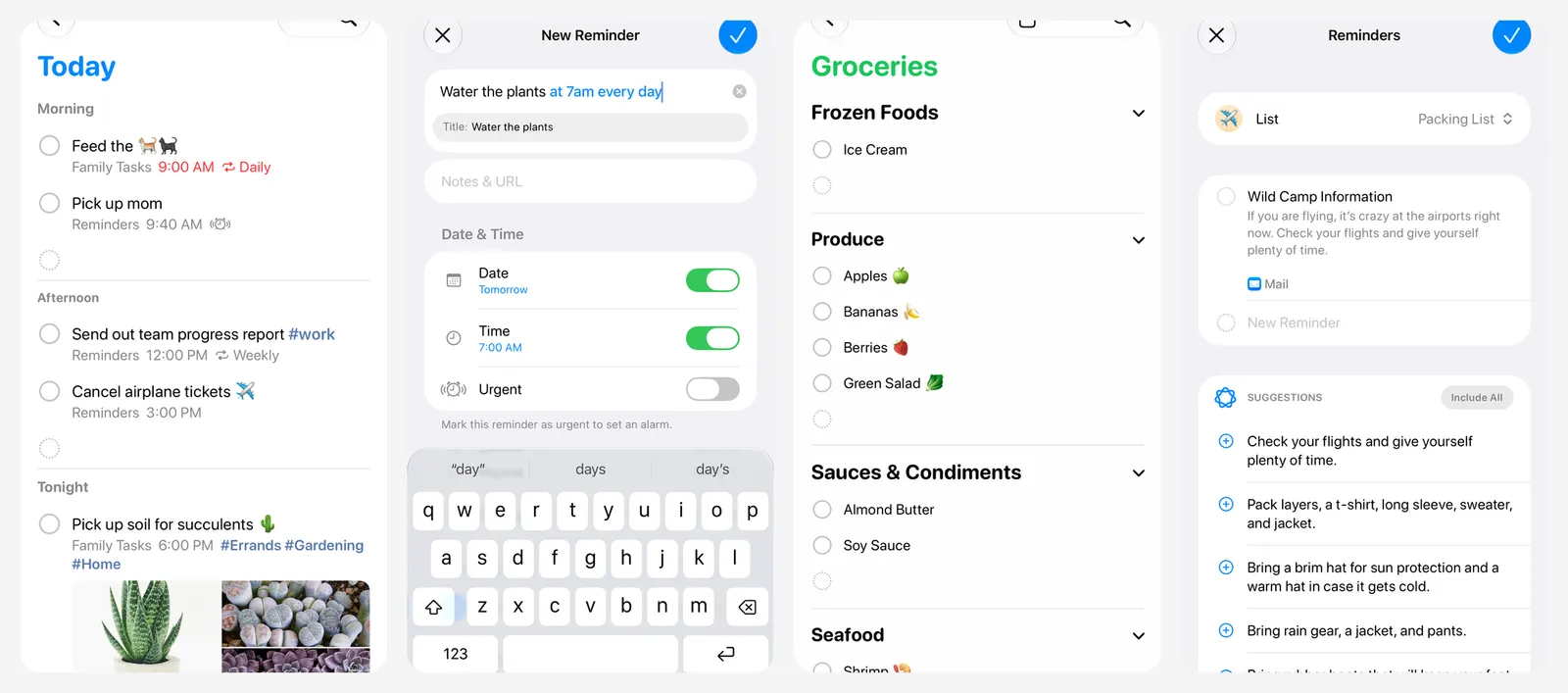
iOS 27, released on September 14, 2026, added natural language input. You can type "send the photos to John tomorrow at 4pm" and Reminders fills in the time. On a Windows PC you can reach your reminders at iCloud.com in a browser.
What you lose vs Things: the Anytime and Someday lists, separate deadlines, and Things' polished design. There is no Android app.
- Replaces
- Things on iPhone for free
- Runs on
- iPhone, iPad, Mac, Apple Watch, iCloud.com
- Licence
- Free, built into Apple devices
- Skip if
- You use Android or want a Windows app
- Price
- Free
Some people leave Things because they want notes, documents and tasks in one app. That is a different kind of tool. See our list of Notion alternatives for all-in-one workspaces.
Who should still pay for Things 3
Things 3 still makes sense for some people:
- Anyone who only uses Apple devices and never needs Android, Windows or a browser. That is exactly where Things is strongest.
- People who hate subscriptions. Things is a one-time purchase per platform, with free Things Cloud sync. That is why it is on our list of buy once software. Over a few years it can cost less than TickTick or Todoist Premium.
- People who want a calm, focused app. Things sticks to tasks, with a clear Areas and Projects structure and Today, Upcoming, Anytime and Someday views.
If you only need one device, you can even skip Things Cloud and keep everything local. For everyone else, TickTick, Todoist or Microsoft To Do will follow you to any phone or computer.
Is Things 3 available on Android or Windows?
How much does Things 3 cost?
What is the best free alternative to Things 3?
Which Things 3 alternative is closest to Areas and Projects?
Which task managers work offline without an account?

Sumit
ContributorHi, I'm Sumit, Being an introvert I have always been obsessed with technology-computers and reading dozens of posts to learn, find answers out of my curiosity. I love to write as I explore more.