CapCut is one of the most popular video editors on phones. The basic app is free, but more and more of it now sits behind a subscription. On the US App Store, CapCut Pro is $19.99 a month, and a cheaper Standard plan is $9.99 a month. That is a lot for trimming clips and adding captions.
Price is not the only reason people look elsewhere. CapCut is owned by ByteDance, the company behind TikTok. Its June 2025 terms update gave it a broad, perpetual licence to content you upload, which upset many creators. Many effects, templates and AI tools are marked Pro. And CapCut is still banned in India, as it has been since 2020, so Indian readers need one of these apps anyway.
The good news: several free editors now match CapCut for everyday work. This list covers 10 of them for Android, iPhone, Windows and Mac. For each one we note the price, what is behind the paywall, whether it adds a watermark or shows ads, and whether you need an account. Every detail comes from the official website or app store listing. We have not run our own tests.
Last checked: September 26, 2026. Prices are US App Store or official US prices. In-app prices can differ by country and by account.
- Best overall on phone: VN is free with no watermark, has a multi-track timeline and runs on Android, iPhone, Mac and Windows.
- Best for Reels and Shorts: Edits (Instagram) and YouTube Create (Google) are completely free with no watermark. Both need an account.
- Best simple editor: YouCut has no watermark on free exports. InShot adds one unless you watch an ad or pay.
- Best on desktop: DaVinci Resolve is a free, pro-grade editor for Windows, Mac and Linux. Shotcut is free and open source.
- Apple users: iMovie is free on iPhone, iPad and Mac with no ads or paid tier.
- Watch out: KineMaster puts a watermark on every free export, and Clipchamp caps free exports at 1080p.
All 10 CapCut alternatives at a glance
Search by app, platform or price.
Tap any name in the table to jump to its full entry below.
| App | Price | One-time vs subscription | Platforms | Watermark | Ads | Works offline | Account needed |
|---|---|---|---|---|---|---|---|
| VN | Free, VN Pro optional | Subscription (optional) | Android, iPhone, iPad, Mac, Windows | No | Yes (Android listing) | Yes, for editing | No |
| YouCut | Free, Pro from $6.99 a month | Subscription or $59.99 lifetime | Android, iPhone, Mac (M1 or later) | No | Yes, but no banner ads while editing | Yes, for editing | No |
| InShot | Free, Pro from $4.99 a month | Subscription or $49.99 lifetime | Android, iPhone, iPad, Mac (M1 or later) | Yes, remove per video by watching an ad | Yes ($3.99 to remove) | Yes, for editing | No |
| Edits | Free | Free (paid Edits Plus announced, no price yet) | Android, iPhone | No | No | Not stated | Instagram account |
| YouTube Create | Free | Free | Android, iPhone (select countries) | None mentioned | No | Not stated | Google account |
| iMovie | Free | Free | iPhone, iPad, Mac | No | No | Yes | Apple ID to download |
| DaVinci Resolve | Free, Studio $295 | Free or one-time | Windows, Mac, Linux, iPad | No | No | Yes | No |
| Shotcut | Free | Free and open source | Windows, Mac, Linux | No | No | Yes | No |
| Clipchamp | Free, Premium with Microsoft 365 | Subscription (Microsoft 365 Personal $99.99 a year) | Web, Windows | No | No | No | Microsoft account |
| Canva | Free, Pro from $14.99 a month | Subscription | Web, Windows, Mac, Android, iPhone, iPad | Only on premium elements | No | No | Canva account |
Free video editors for Android and iPhone
VN Video Editor
- Android
- iPhone and iPad
VN is the closest thing to CapCut's editor without the paywall pressure. You get a multi-track timeline, keyframes, masks, speed curves, auto captions and background removal. Exports go up to 4K at 60fps, and the official site promises no watermark.
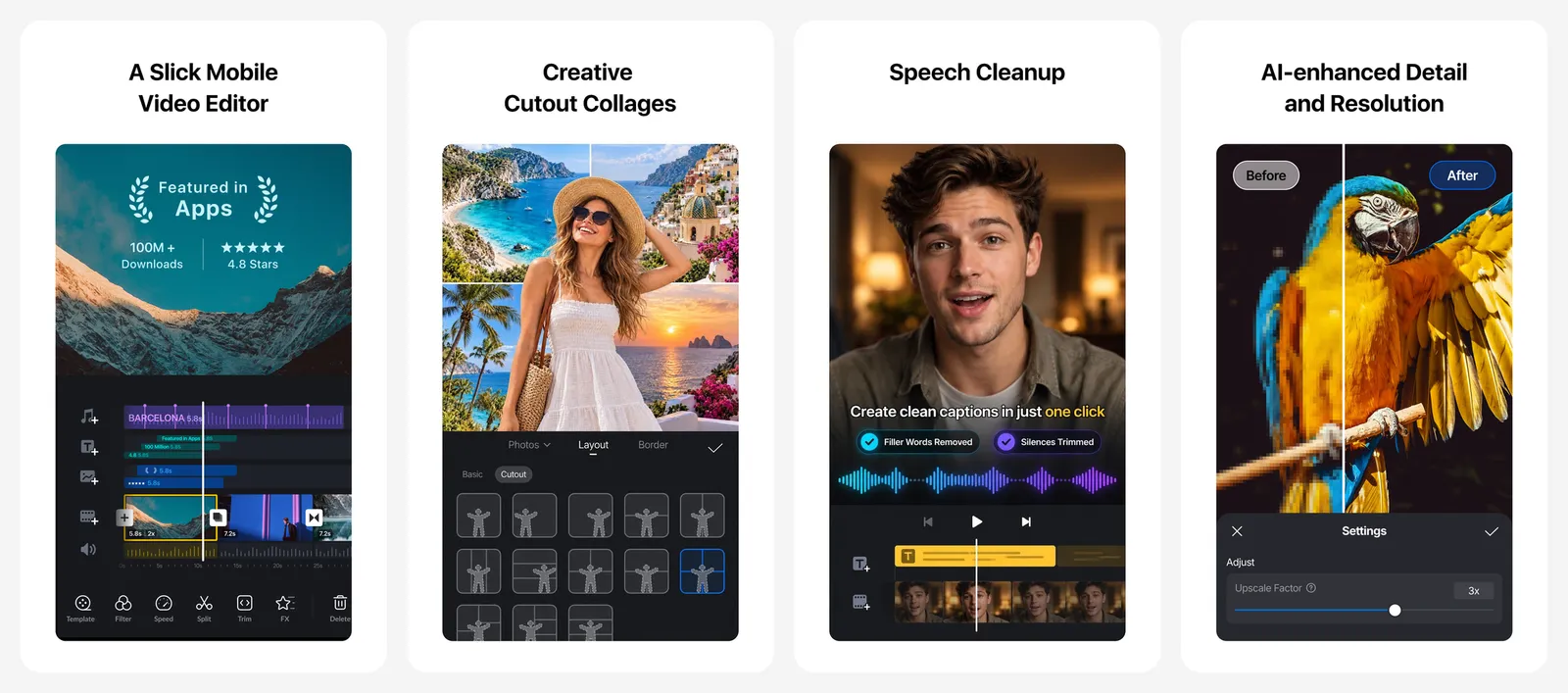
It also runs on Mac and Windows, so you can start a project on your phone and finish it on a bigger screen. VN Pro is optional. The Android listing says the app contains ads.
What you lose vs CapCut: a smaller library of trending effects, transitions and templates.
- Replaces
- CapCut timeline editing
- Runs on
- Android, iPhone, iPad, Mac, Windows
- Licence
- Free with no watermark, optional VN Pro subscription
- Skip if
- You mainly want trendy one-tap templates
- Price
- Free (VN Pro $7.99 or $69.99 in-app)
YouCut
- Android
- iPhone and iPad
YouCut comes from the same company as InShot. Its big promise is on the Play listing: free, with no watermark. It covers trimming, merging, speed changes from 0.2x to 100x, music, filters, chroma key and auto captions, with exports up to 4K.
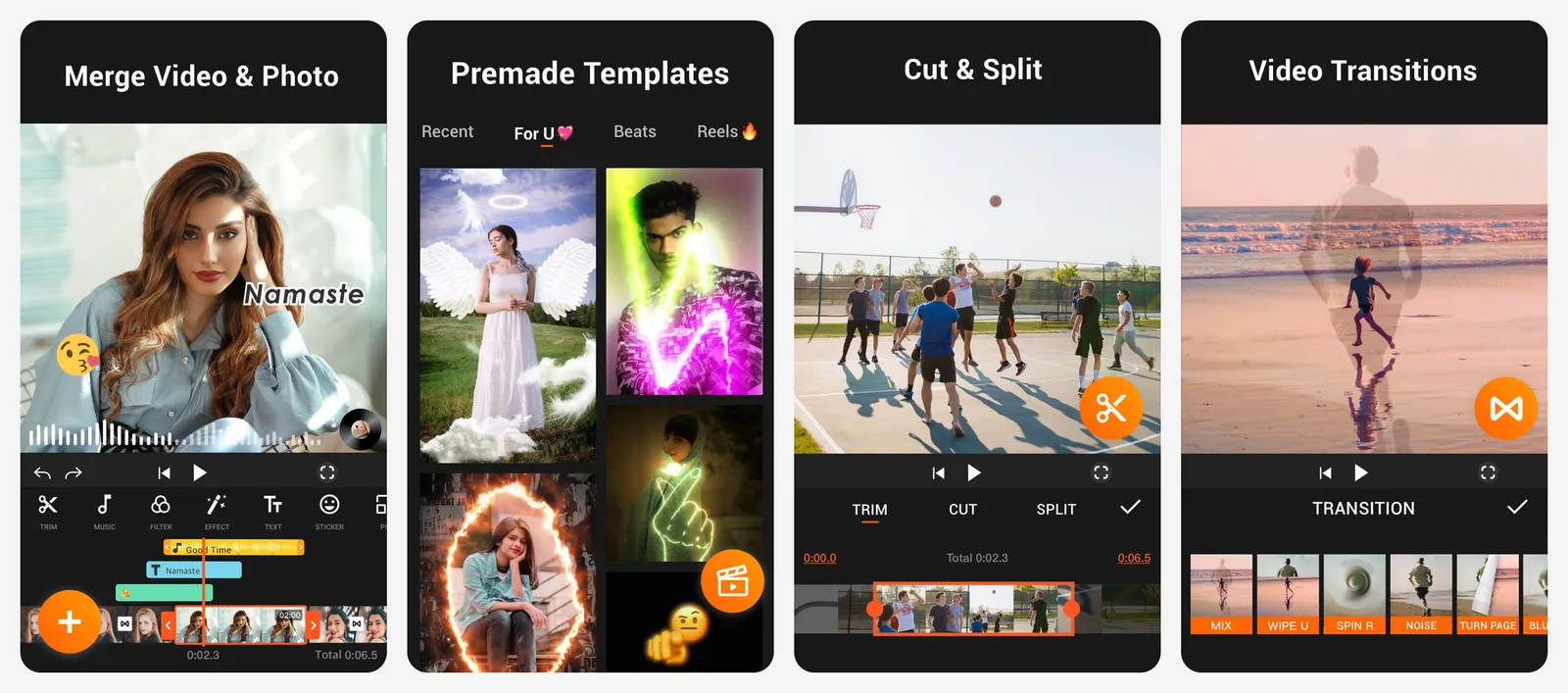
The listing says there are no banner ads while you edit, but the app does contain ads elsewhere. Pro removes ads and unlocks extra effects. A $59.99 lifetime option exists if you hate subscriptions.
What you lose vs CapCut: fewer templates and a less flexible multi-layer timeline.
- Replaces
- CapCut basic trims, merges and music
- Runs on
- Android, iPhone, Mac (M1 or later)
- Licence
- Free, optional subscription or one-time lifetime
- Skip if
- You need keyframes and advanced masking
- Price
- Free (Pro $6.99 a month, $25.99 a year or $59.99 lifetime)
InShot
- Android
- iPhone and iPad
InShot is one of the most downloaded editors on Android, with over 500 million installs. It is quick for vertical videos: trim, add music, text, transitions and AI captions, then export up to 4K at 60fps.
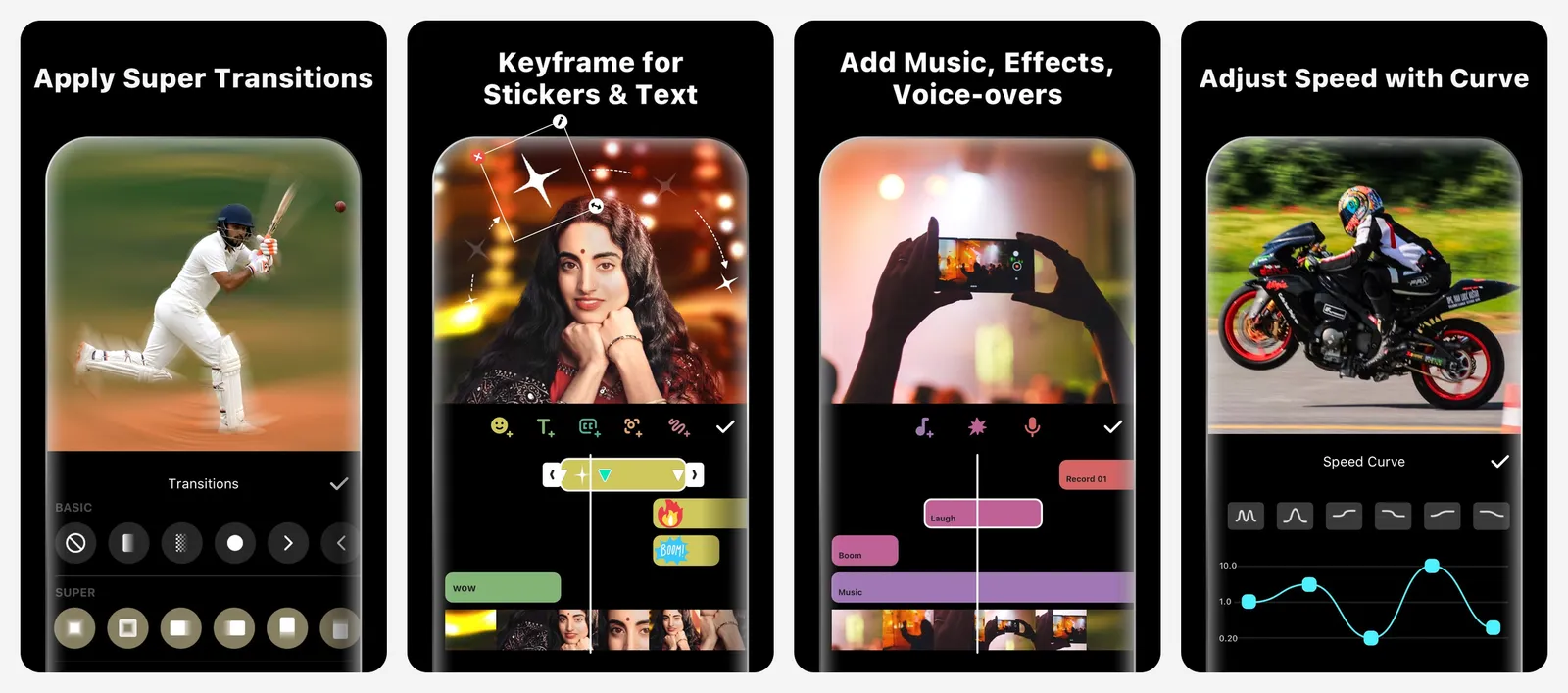
The catch is the watermark. Free exports carry an InShot logo. You can remove it for one video by watching an ad, but it comes back on the next project. Pro removes it for good. The lifetime Pro price ($49.99) is cheaper than three months of CapCut Pro.
What you lose vs CapCut: a clean free export. You either watch an ad per video or pay.
- Replaces
- CapCut quick social edits
- Runs on
- Android, iPhone, iPad, Mac (M1 or later)
- Licence
- Free with watermark, optional subscription or lifetime
- Skip if
- You refuse to watch ads or see a watermark
- Price
- Free (Pro $4.99 a month, $19.99 a year or $49.99 lifetime)
Edits by Instagram
- Android
- iPhone and iPad
Edits is Meta's direct answer to CapCut. It is free, exports in 4K with no watermark, and lets you share to any platform, not just Instagram. You get frame-accurate trimming, green screen, AI animation for photos, captions, effects and a Reels insights dashboard.
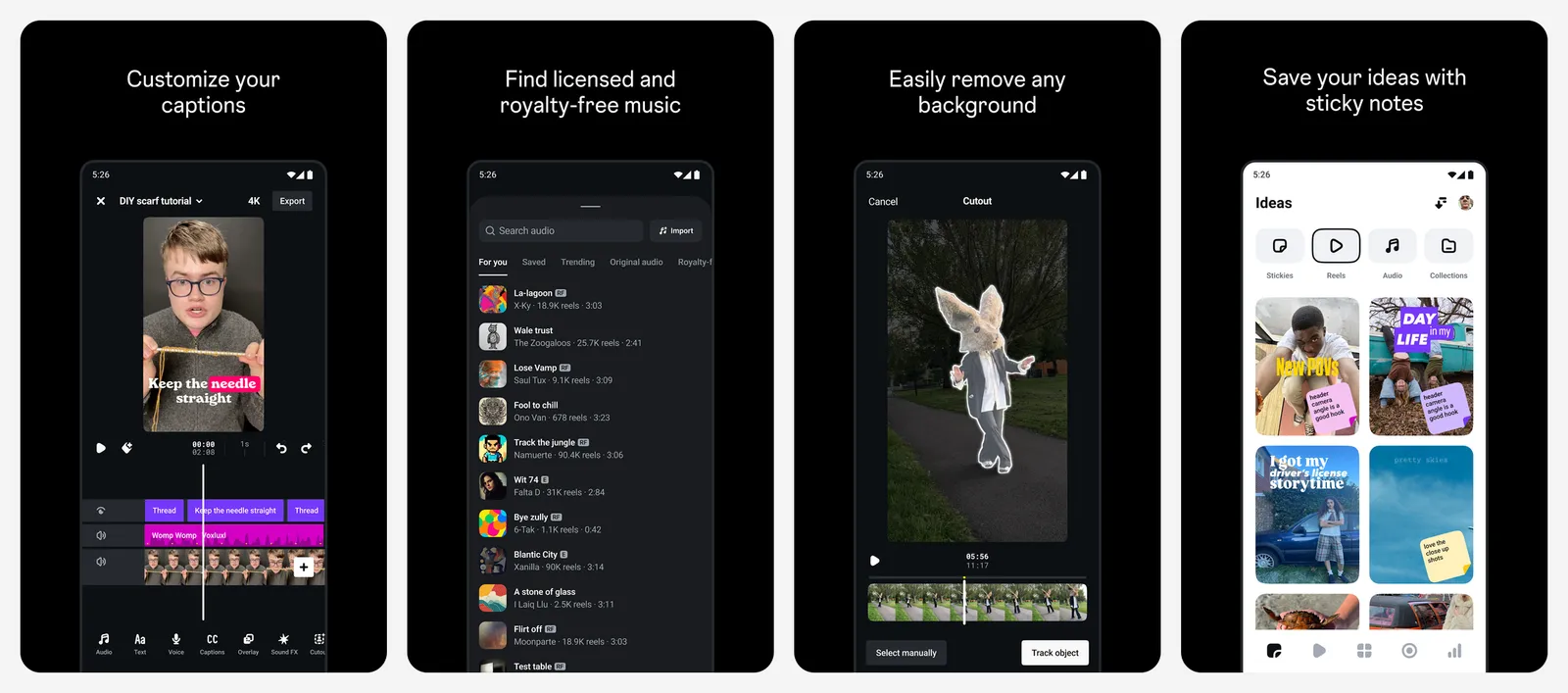
You must log in with an Instagram account. Meta announced a paid Edits Plus tier in September 2026 with more storage and more AI use, but has not shared a price. The core editor is expected to stay free.
What you lose vs CapCut: privacy from Meta, since everything runs through your Instagram login.
- Replaces
- CapCut for Reels
- Runs on
- Android, iPhone
- Licence
- Free, no watermark; paid Edits Plus tier announced
- Skip if
- You do not have or want an Instagram account
- Price
- Free
YouTube Create
- Android
- iPhone and iPad
YouTube Create is still available and still updated, despite rumours. Google's help page says it is free and has no ads. It edits Shorts and long videos, with auto captions, audio cleanup, 40+ transitions and the royalty-free YouTube music library. Exports go up to 4K at 60fps.
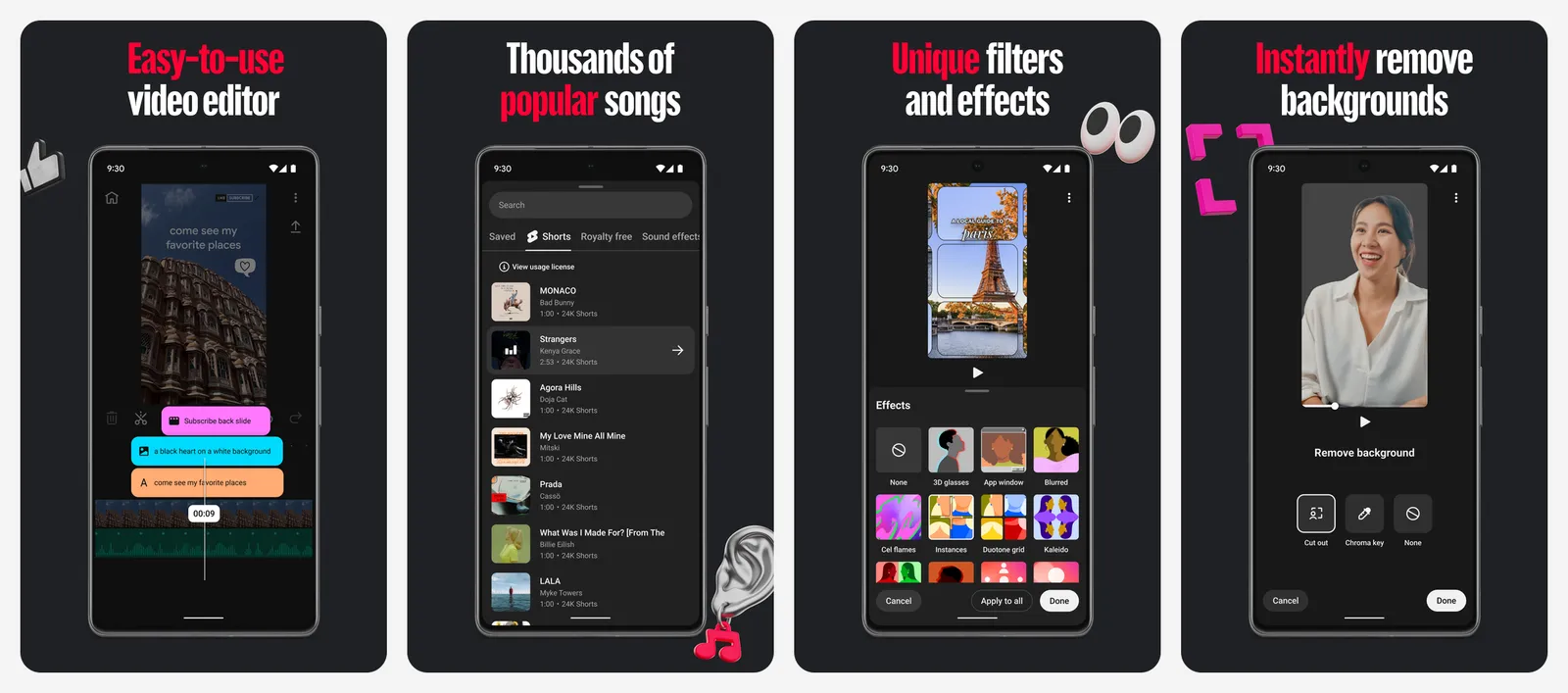
You need a Google sign-in. It is only in about 20 countries, including the US, UK, Canada, Australia, India, Germany, France and Brazil.
What you lose vs CapCut: availability in every country, and a deep effects library.
- Replaces
- CapCut for YouTube Shorts
- Runs on
- Android (4 GB RAM or more), iPhone XR or later on iOS 17+
- Licence
- Free, no ads
- Skip if
- Your country is not on the supported list
- Price
- Free
KineMaster is a capable mobile editor on Android and iPhone, but every free export carries a watermark. Removing it needs Premium, which starts at $9.99 a month or $49.99 a year on the US App Store. That puts it close to CapCut's own pricing, so we left it off the main list.
Free video editors for Mac, Windows and Linux
iMovie
- iPhone and iPad
iMovie is free on iPhone, iPad and Mac, with no ads and nothing to unlock. Magic Movie builds a video for you in a few taps. Storyboards and trailer templates guide you through a project. You also get green screen, picture in picture, split screen and cinematic mode editing, with export up to 4K at 60fps.
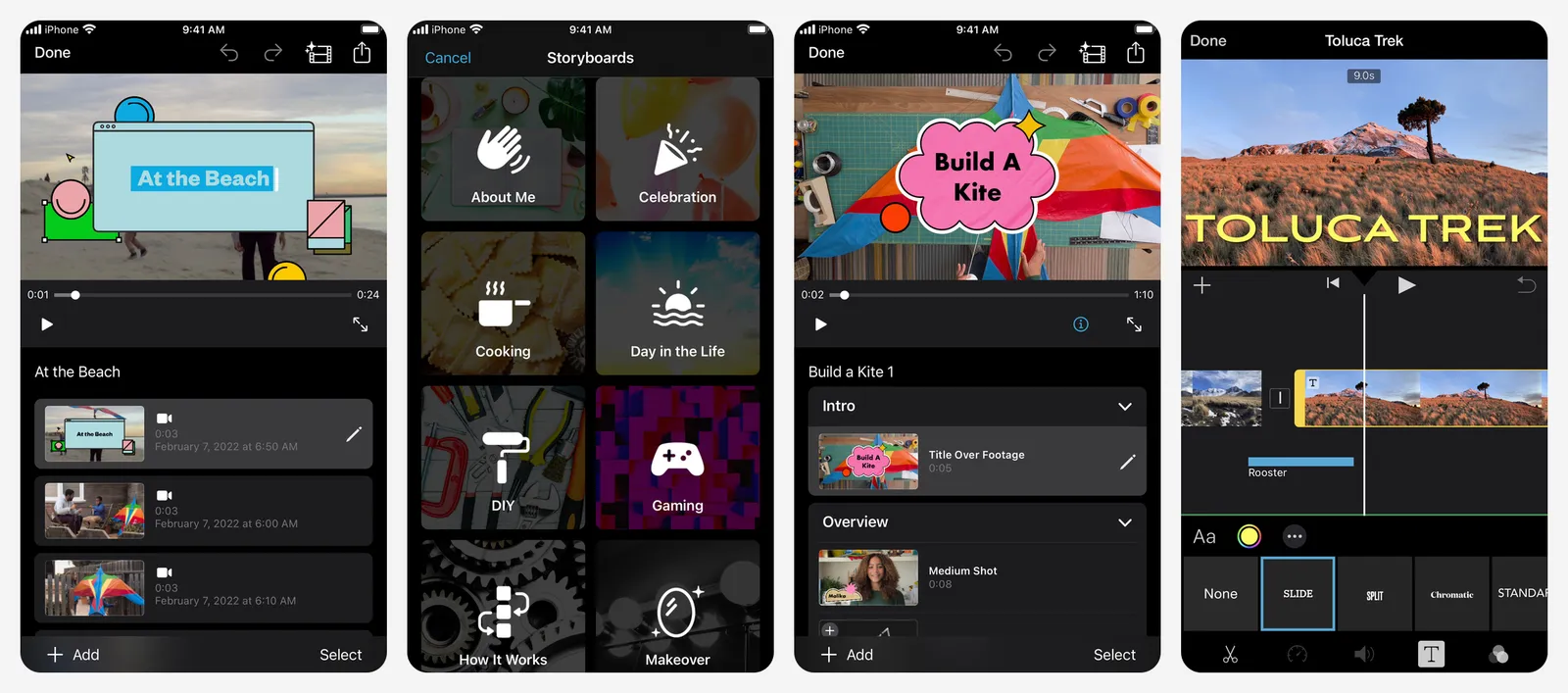
It is simple on purpose. There are no keyframes and fewer overlay options than CapCut.
What you lose vs CapCut: trendy effects, AI tools and anything outside Apple devices.
- Replaces
- CapCut on Apple devices
- Runs on
- iPhone, iPad, Mac
- Licence
- Free, no ads, no paid tier
- Skip if
- You use Android or Windows
- Price
- Free
DaVinci Resolve
- iPhone and iPad
DaVinci Resolve 21 is used on real films and TV shows, and the free version is no toy. It edits most 8-bit formats up to Ultra HD 3840 x 2160 at 60fps, with pro colour grading, audio tools and effects built in. There is no watermark.
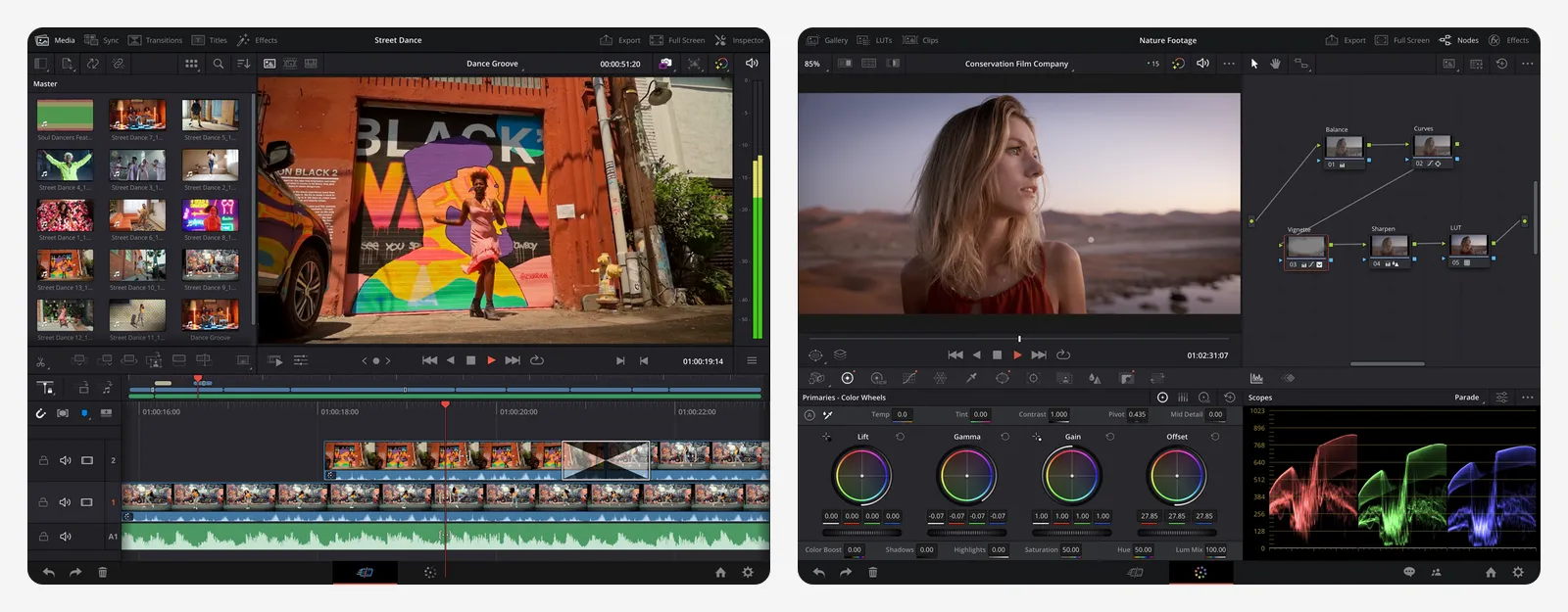
Studio adds the AI Neural Engine (magic mask, text-based editing, AI noise reduction), 10-bit video and resolutions above 4K. It is a one-time $295, which is why it also sits on our list of buy once software. The iPad version is free too, with a separate $94.99 Studio upgrade.
What you lose vs CapCut: ease of use. Resolve has a real learning curve and needs a decent GPU.
- Replaces
- CapCut desktop and CapCut Pro
- Runs on
- Windows, Mac, Linux, iPad
- Licence
- Free version with no watermark; Studio is a one-time licence
- Skip if
- You have an older, low-power PC
- Price
- Free (Studio $295 one-time, iPad Studio $94.99)
Shotcut
Shotcut is a free, open source editor for Windows, Mac and Linux. There is no account, no ads and no watermark. It edits most formats directly on the timeline without importing, and supports up to 4K. Version 26.8.1 came out on August 1, 2026, so it is actively maintained.
What you lose vs CapCut: templates, stickers and AI tools. The interface feels dated.
- Replaces
- CapCut desktop
- Runs on
- Windows 10/11, macOS 12 or later, Linux
- Licence
- Free and open source
- Skip if
- You want a polished, modern interface
- Price
- Free
Clipchamp
Clipchamp is Microsoft's editor. It runs in a browser and as a Windows app. The free plan exports watermark-free video up to 1080p and includes free stock, filters, AI subtitles, AI voiceovers and silence removal.
Premium adds 4K export, premium stock and a brand kit, but it only comes bundled with Microsoft 365 Personal or Family. You need a Microsoft account. The iPhone app was retired in June 2026, and there has never been an Android version.
What you lose vs CapCut: phone editing and 4K on the free plan.
- Replaces
- CapCut web editor
- Runs on
- Web browser, Windows
- Licence
- Free with 1080p export; 4K needs Microsoft 365
- Skip if
- You edit on your phone
- Price
- Free (Premium with Microsoft 365 Personal, $99.99 a year)
Canva
- Android
- iPhone and iPad
Canva is a design tool first, but its video editor is good for short promos, reels and slideshows built from templates. The free plan has no watermark on free content. Premium photos, videos and templates show a watermark unless you pay for Pro or buy the item.
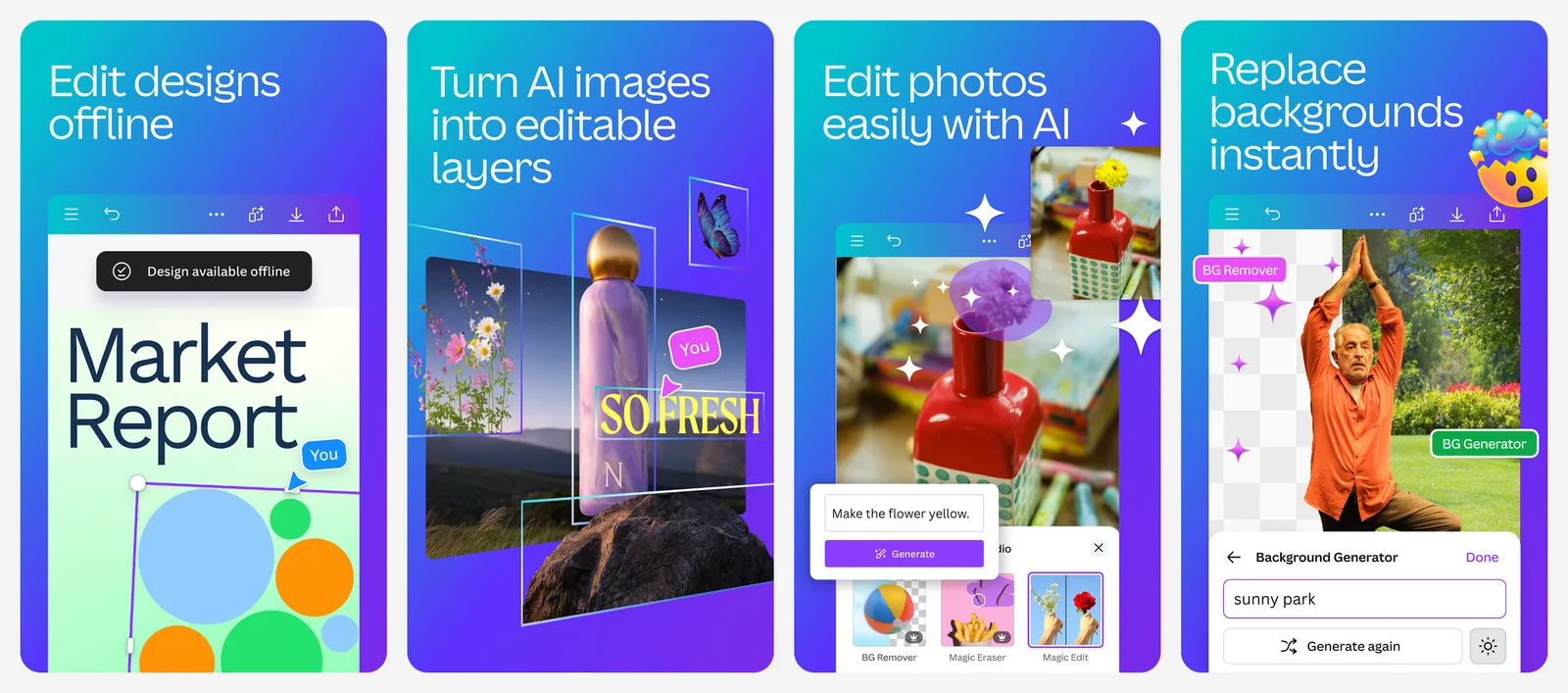
Pro prices vary by account. The US App Store lists Pro from $14.99 a month or $119.99 a year. You need a Canva account and an internet connection. If Canva itself is the app you want to replace, see our list of Canva alternatives.
What you lose vs CapCut: a real timeline for longer, detailed edits.
- Replaces
- CapCut templates for promos and social posts
- Runs on
- Web, Windows, Mac, Android, iPhone, iPad
- Licence
- Free plan, Pro subscription for premium content
- Skip if
- You edit long videos with many cuts
- Price
- Free (Pro from $14.99 a month or $119.99 a year in-app)
Who should still pay for CapCut Pro
CapCut Pro still makes sense for some creators:
- Daily TikTok creators who rely on trending templates and effects the day they appear.
- People who use CapCut's AI tools heavily, such as AI captions, auto cutouts and AI video features, and would miss them in a free app.
- Anyone editing on phone, web and desktop who wants one account and one project library everywhere.
For everyone else, VN, Edits, YouTube Create or DaVinci Resolve cover most of the same work for free.
What is the best free alternative to CapCut?
How much does CapCut Pro cost?
Is CapCut banned in India?
Which video editors have no watermark for free?
Is YouTube Create still available?
Is Instagram Edits free?

Sumit
ContributorHi, I'm Sumit, Being an introvert I have always been obsessed with technology-computers and reading dozens of posts to learn, find answers out of my curiosity. I love to write as I explore more.