On this page
- Quick comparison
- The best AI photo editors
- Google Photos
- Adobe Lightroom
- Adobe Photoshop
- Snapseed
- Picsart
- Canva
- Photoroom
- Remini
- Facetune
- TouchRetouch
- Pixelcut
- YouCam Perfect
- Already on your phone: Apple Clean Up and Samsung Photo Assist
- How to pick the right one
- What these apps do with your photos
- More AI and photo guides
A few years ago, removing a stranger from a holiday photo meant a desktop, Photoshop, and twenty minutes with the clone tool. Now you circle them with your finger and they are gone.
Almost every photo app now claims to be "AI-powered", so the label alone tells you very little. This list sorts the 12 apps that are actually worth installing on both Android and iPhone by the job you want done: removing objects, fixing blurry faces, swapping backgrounds, or making product shots. For each one you get what the AI does, what it costs, and what it does with your photos.
- Best free pick: Google Photos. Magic Eraser, Unblur, and Portrait Light cost nothing, and it is probably already on your phone.
- Best for photographers: Adobe Lightroom. Pro color editing plus Generative Remove, but the AI tools need Premium.
- Best for big edits by prompt: Adobe Photoshop. Generative Fill on a phone, if your phone can handle it.
- Best for background removal and product shots: Photoroom.
- Best for old or blurry face photos: Remini.
- Totally free with no ads: Snapseed, though its AI is light.
Quick comparison
Search the table for an app, or scan the columns for what matters to you. Ratings are from the US Google Play Store and US App Store.
| App | Best for | Main AI tools | Free AI? | Paid from (US) | Play rating | App Store rating |
|---|---|---|---|---|---|---|
| Google Photos | Everyday fixes | Magic Eraser, Unblur, Magic Editor, Help me edit | Yes (Magic Editor capped) | $1.99/mo (storage plans) | 4.4 | 4.8 |
| Adobe Lightroom | Photographers | Generative Remove, Adaptive Presets, Lens Blur | Mostly paid | $1.99/mo | 4.5 | 4.8 |
| Adobe Photoshop | Big creative edits | Generative Fill, Tap Select, Remove Tool | Some | $4.99/mo | 4.5 | 4.5 |
| Snapseed | Free manual editing | One-tap masking, Healing, Expand | Yes, all free | Free | 4.8 | 4.9 |
| Picsart | Social edits | AI Enhance, Object Remover, AI Replace, AI Expand | Limited | $11.99/mo | 4.0 | 4.7 |
| Canva | Photos into graphics | Magic Edit, Magic Eraser, Background Remover | Some | $14.99/mo | 4.8 | 4.9 |
| Photoroom | Product photos | Background remover, AI backgrounds, AI shadows | Limited | $9.99/mo | 4.7 | 4.8 |
| Remini | Blurry and old faces | AI Enhance, AI Photos | Limited | $4.99/week | 4.1 | 4.6 |
| Facetune | Selfie retouching | AI retouch, reshape, AI headshots | Limited | $5.99/mo | 4.4 | 4.6 |
| TouchRetouch | Wires and small objects | Erase AI, Line Removal, Mesh Removal | Paid app | $1.99/week | 4.3 | 4.7 |
| Pixelcut | Cheap background removal | Background Remover, Magic Eraser, Upscale | Limited | $4.99/mo | 4.2 | 4.7 |
| YouCam Perfect | Beauty and portrait edits | AI Object Remover, AI Enhance, AI Lighting | Limited | $5.99/mo | 3.9 | 4.8 |
Ratings and prices were checked on September 25, 2026. App Store prices often differ slightly between users because developers test different prices, so treat "from" prices as a guide and check the in-app plan screen before you pay.
The best AI photo editors
Google Photos
- Android
- iPhone and iPad
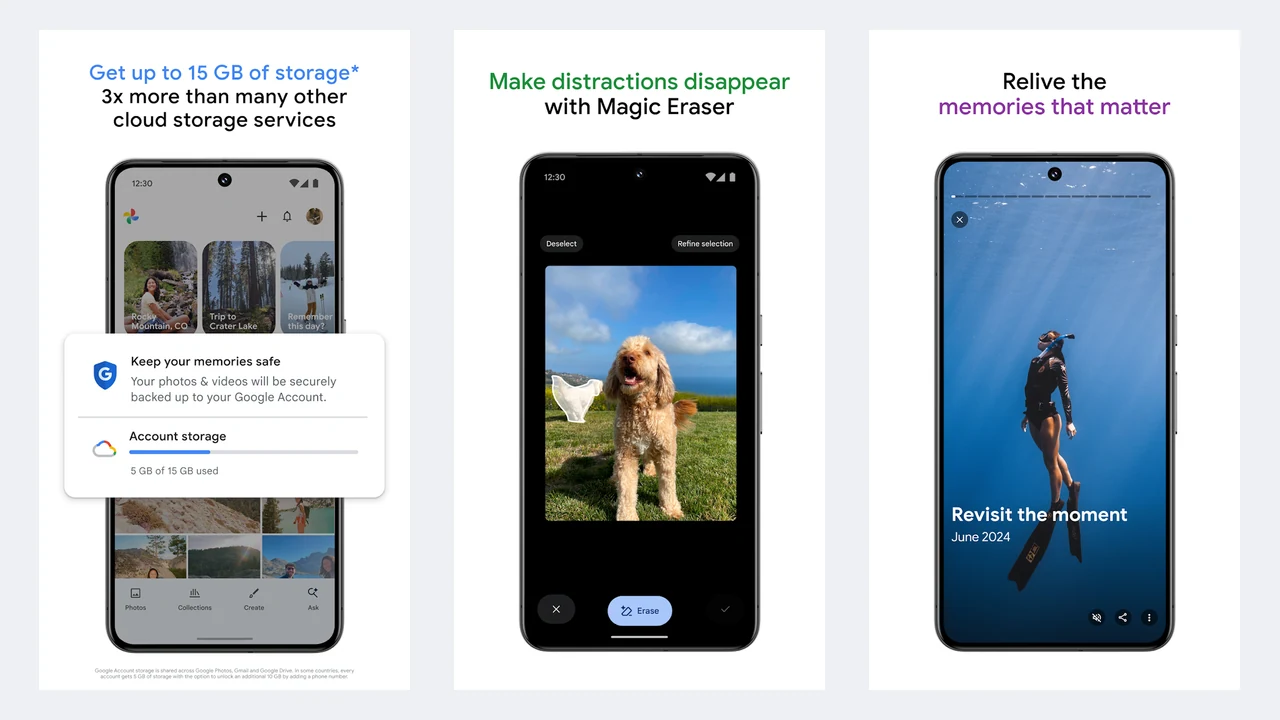
Image: Google / Google Play
The best AI photo editor for most people is probably already installed on your phone. Google Photos has turned into a genuinely strong editor, and the everyday tools cost nothing.
- Magic Eraser removes people, bins, and other distractions. Tap or circle them.
- Unblur sharpens shaky or slightly out-of-focus shots, including old ones.
- Portrait Light adds light to faces after you take the photo.
- Magic Editor lets you move, resize, or remove objects, and fills the gap with generative AI (AI that creates new pixels rather than copying nearby ones).
- Help me edit lets you type or say what you want, such as "remove the people in the background" or "make the sky brighter", and Gemini makes the edit.
Magic Eraser, Unblur, and Portrait Light are free with no monthly limit. Magic Editor is the catch: on phones that are not Pixels, Google limits you to 10 saves a month unless you pay for a 2TB or larger Google One plan. Help me edit rolled out to US Android users first and later reached iPhone in the US. It needs an English (US) account and Face Groups turned on.
Editing runs on Google's servers. Google says it does not use your Google Photos library to train AI models outside Google Photos, and never uses it for ads.
- Runs on
- Android and iOS 18+
- Skip if
- You do not want your photos in Google's cloud
- Price
- Free, storage plans from $1.99/mo
Adobe Lightroom
- Android
- iPhone and iPad
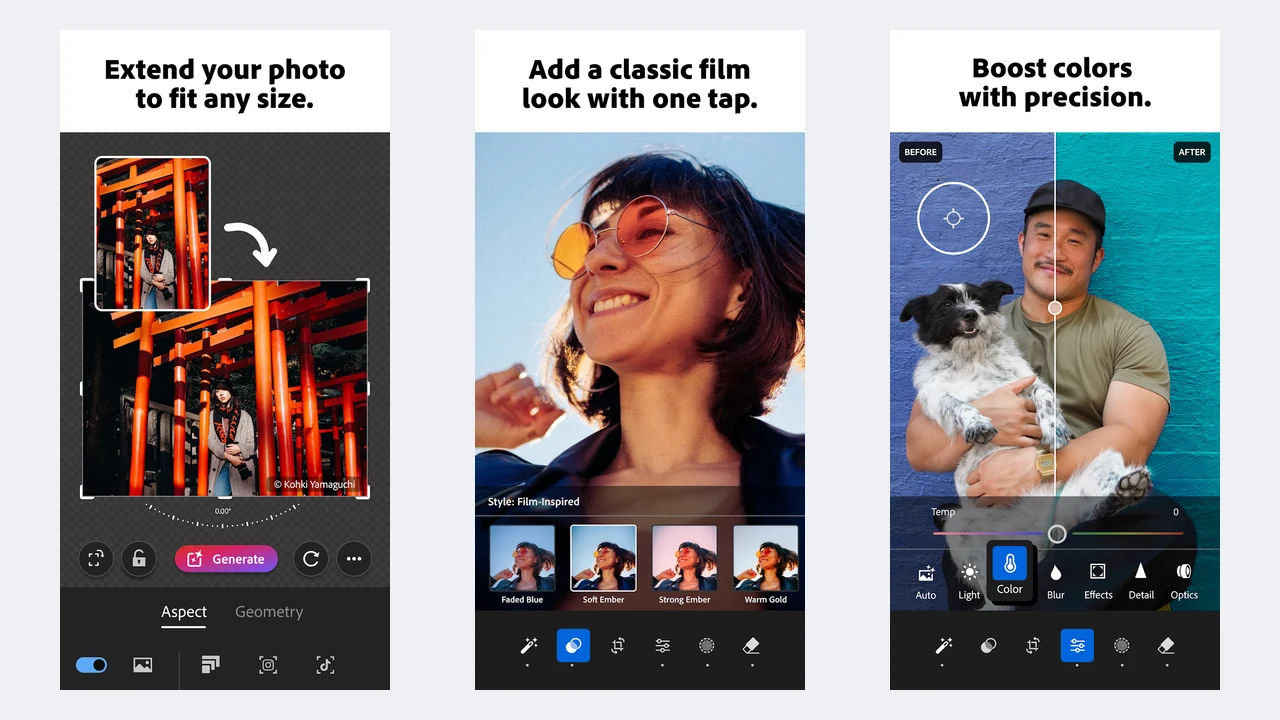
Image: Adobe / Google Play
If you care about how your photos look, not just what is in them, Lightroom is the pick. It has the best color and light controls of any phone app, and the AI tools slot into that workflow instead of replacing it.
- Generative Remove is Adobe's AI eraser. It handles bigger objects than older "heal" brushes, and it does not use up generative credits.
- Adaptive Presets apply a look to just the subject, just the sky, or just the background.
- Lens Blur adds a realistic background blur to shots taken without portrait mode.
- Quick Actions suggests edits for the photo in front of you.
The basic editor is free. Generative Remove, masking, Lens Blur, adaptive presets, healing, and RAW editing need Premium. In the US App Store that starts at $1.99 a month with 40GB of storage, or $6.99 to $7.99 a month with 100GB. Generative Remove needs an internet connection.
Adobe says it does not train its Firefly AI models on customer content.
- Runs on
- Android and iOS 18+
- Skip if
- You only want quick one-tap fixes
- Price
- Free, Premium from $1.99/mo
Adobe Photoshop
- Android
- iPhone and iPad
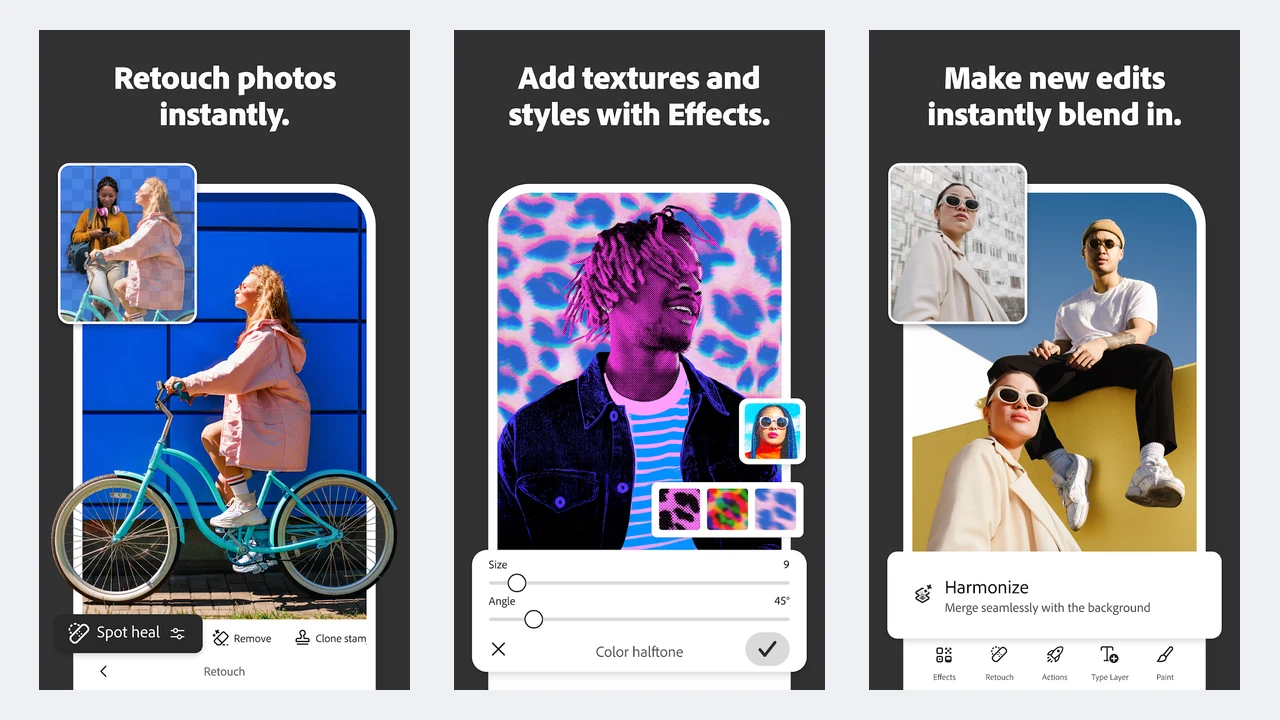
Image: Adobe / Google Play
This is the real Photoshop, with layers and masks, not the older and simpler Photoshop Express. It is the app to use when you want to add something that was not there: type "a hot air balloon in the sky" into Generative Fill and it appears, lit to match the scene.
- Generative Fill adds, replaces, or removes things from a text prompt.
- Tap Select and Object Select cut out a subject in one tap.
- Remove Tool, Content-Aware Fill, and the Spot Healing Brush handle cleanup.
- Generate Image creates a new image from a prompt.
The free tier includes layers, masks, Tap Select, spot healing, and some Generative Fill. Paid plans start at $4.99 a month in the US App Store, and the Play listing says premium includes 100 generative credits a month. On Android, Adobe asks for Android 11 or newer and at least 6GB of RAM (8GB recommended), so check your phone first.
It is harder to learn than a one-tap app, but nothing else on this list gives you this much control.
- Runs on
- Android 11+ with 6GB RAM, iOS 18+
- Skip if
- Your phone is older or low on RAM
- Price
- Free tier, paid from $4.99/mo
Snapseed
- Android
- iPhone and iPad
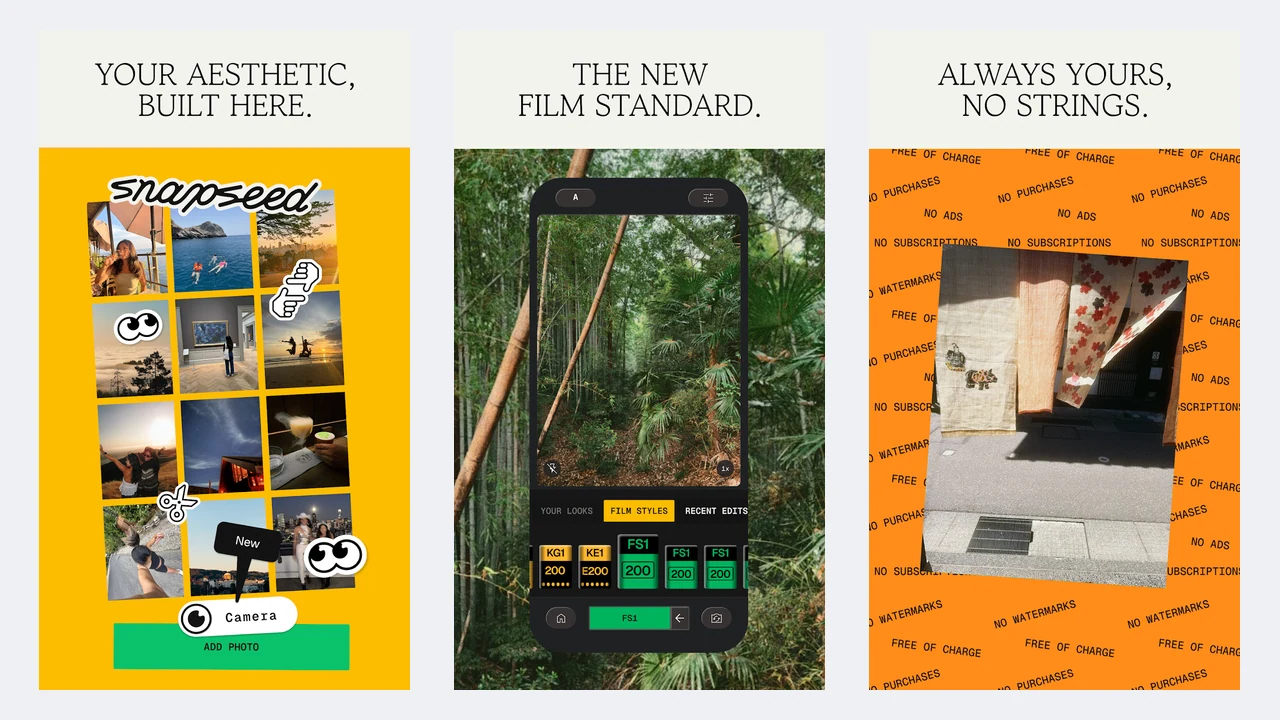
Image: Google / Google Play
Snapseed is the odd one out: it is completely free, with no subscriptions, purchases, ads, or watermarks. Google gave it a big redesign (Snapseed 4.0), which reached Android in May 2026.
Its smart tools are useful rather than flashy:
- One-tap masking picks out the subject or background so you can edit each separately.
- Healing removes small objects by copying nearby pixels. It is not generative, so it struggles with large objects.
- Expand extends the canvas.
Pick Snapseed if you want a capable free editor and only occasionally need AI help. For removing big things, pair it with Google Photos.
- Runs on
- Android and iOS 17+
- Skip if
- You need generative fill
- Price
- Free, no ads or subscriptions
Picsart
- Android
- iPhone and iPad
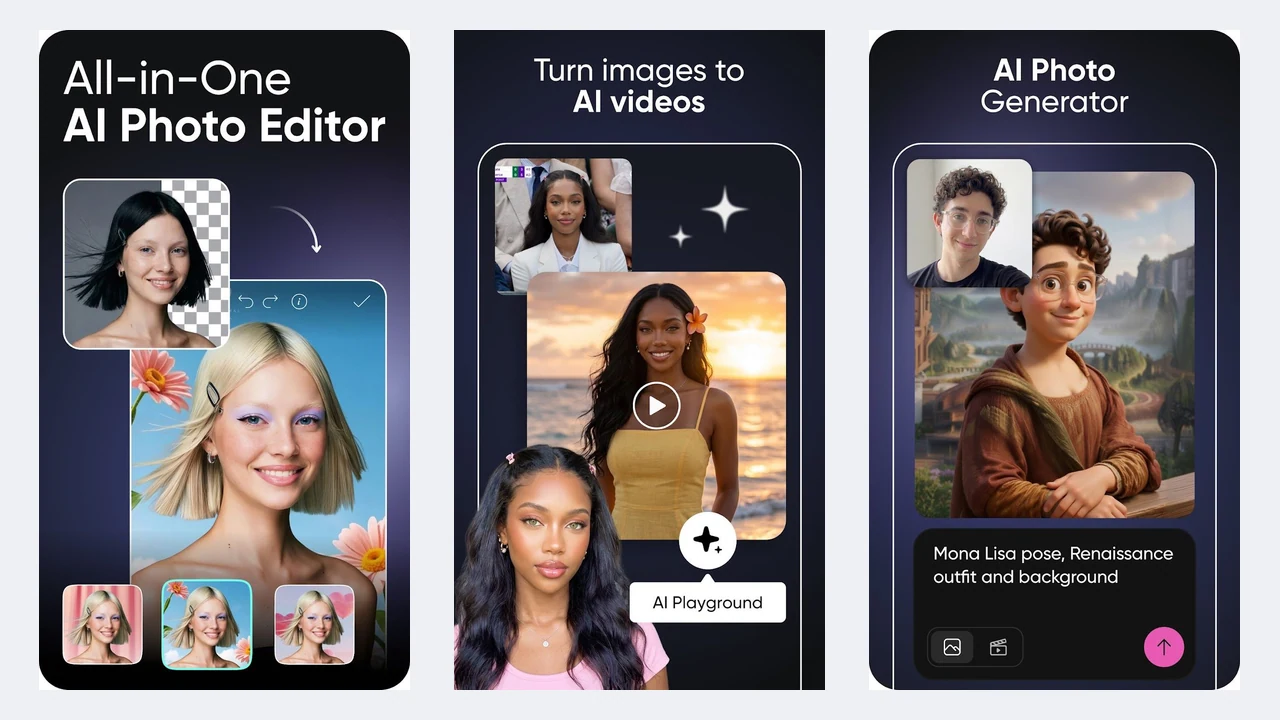
Image: Picsart / Google Play
Picsart packs almost every AI trick into one app, plus stickers, templates, and collage tools. It is built for Instagram and TikTok edits.
- Background Remover and Smart Background for cutouts and new scenes.
- Object Remover, AI Enhance, and AI Retouch for cleanup.
- AI Replace changes things like hair color, and AI Expand widens a photo.
- Aura is a chat-style assistant that edits and generates images for you.
The generative tools run on credits, and the free allowance is small. Paid plans in the US App Store start around $11.99 a month or $64.99 a year. The app is busy and pushes upgrades often, which shows in its lower Play Store rating (4.0).
Its privacy policy says it uses data to develop future products but is vague about whether your photos train its AI.
- Runs on
- Android and iOS 15+
- Skip if
- You dislike busy apps and upsells
- Price
- Free, Plus from $11.99/mo
Canva
- Android
- iPhone and iPad

Image: Canva / Google Play
Canva is a design app first, but its Magic Studio AI tools are handy when a photo is going into a post, poster, or thumbnail.
- Magic Edit swaps or adds things by prompt.
- Magic Eraser removes objects.
- Background Remover cuts out the subject in one tap (Pro only).
- Magic Resize reshapes a design for different platforms (Pro only).
It is excellent at turning a photo into a finished graphic, and weak at editing the photo itself: there are no serious color or light tools. Pro starts at $14.99 a month in the US App Store.
Check your privacy settings. Canva lets personal account holders control whether their content is used to improve its AI, and reports suggest the setting may be on by default.
- Runs on
- Android and iOS 15+
- Skip if
- You want deep photo editing
- Price
- Free, Pro from $14.99/mo
Photoroom
- Android
- iPhone and iPad

Image: Photoroom / Google Play
If you sell on eBay, Etsy, Vinted, or Shopify, this is the app. Snap a product on your kitchen table, and Photoroom cuts it out, drops it onto a clean or AI-generated background, and adds a realistic shadow.
- AI background remover with very clean edges.
- AI Backgrounds, AI Shadows, and Recolor.
- AI Fashion Models, Ghost Mannequin, and Flat Lay for clothing.
- Batch editing to process a whole catalog at once.
Pro costs $9.99 a month or $89.99 a year in the US App Store. It is not a general photo editor, so do not expect it to fix a holiday shot.
By default, Photoroom uses uploaded images to train its models. You can turn this off in your account settings.
- Runs on
- Android and iOS 18+
- Skip if
- You edit people, not products
- Price
- Free, Pro from $9.99/mo
Remini
- Android
- iPhone and iPad
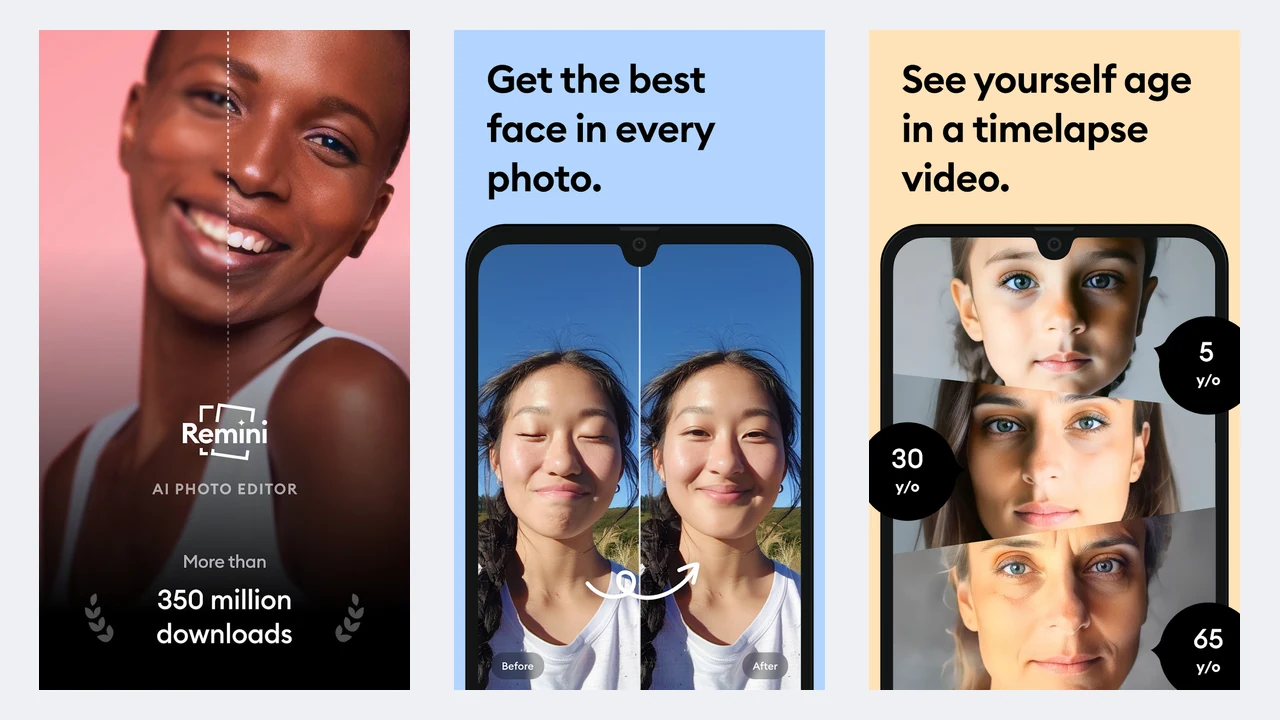
Image: Bending Spoons / Google Play
Remini does one thing very well: it takes a blurry, low-resolution, or scanned old photo and rebuilds the faces in sharp detail. It is the app to use on a grainy family photo from the 1990s.
- Enhance unblurs, upscales, and restores faces.
- AI Photos generates new pictures of you in different styles.
Two warnings. First, the pricing is weekly: Lite starts around $4.99 a week in the US App Store, which adds up fast, so cancel before a trial ends if you only need a few photos fixed. Second, the AI invents detail, so faces can come out a little too smooth, or slightly unlike the real person.
Photos are processed on Remini's servers. Its support page says uploads are kept for up to 7 days for free users and up to 20 days for subscribers.
- Runs on
- Android and iOS 15+
- Skip if
- You hate weekly subscriptions
- Price
- Limited free, from $4.99/week
Facetune
- Android
- iPhone and iPad
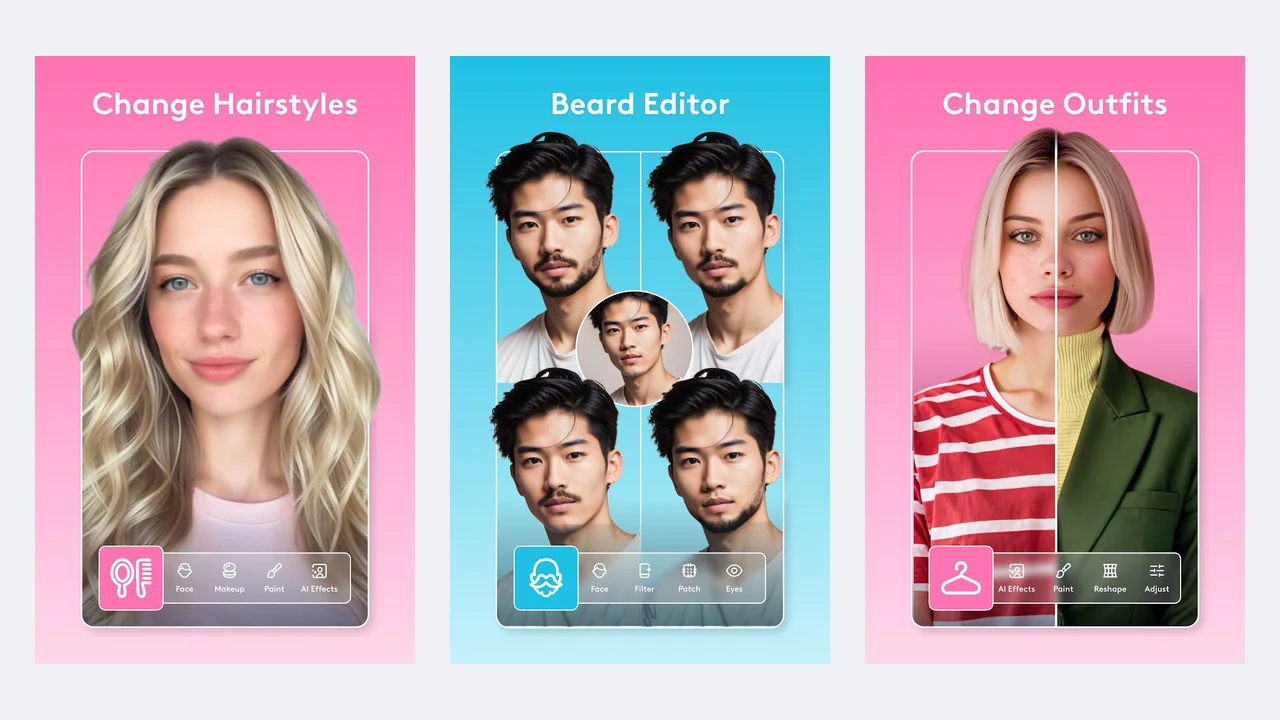
Image: Lightricks / Google Play
Facetune is the best-known portrait retouching app, and it now works on video too.
- AI retouch smooths skin, whitens teeth, and brightens eyes.
- Reshape, hair color, and try-on for looks and outfits.
- Background blur and swap.
- AI headshot generator for profile photos.
The free version is limited, and paid plans start around $5.99 a month in the US App Store. A light touch goes a long way here: heavy retouching is easy to spot.
Its developer, Lightricks, says face data is processed on your phone and not stored on its servers. Content used for cloud effects is kept for up to 30 days, and your photos are used to train AI only if you agree, which you can withdraw in settings.
- Runs on
- Android and iOS 17+
- Skip if
- You edit landscapes, not people
- Price
- Limited free, from $5.99/mo
TouchRetouch
- Android
- iPhone and iPad
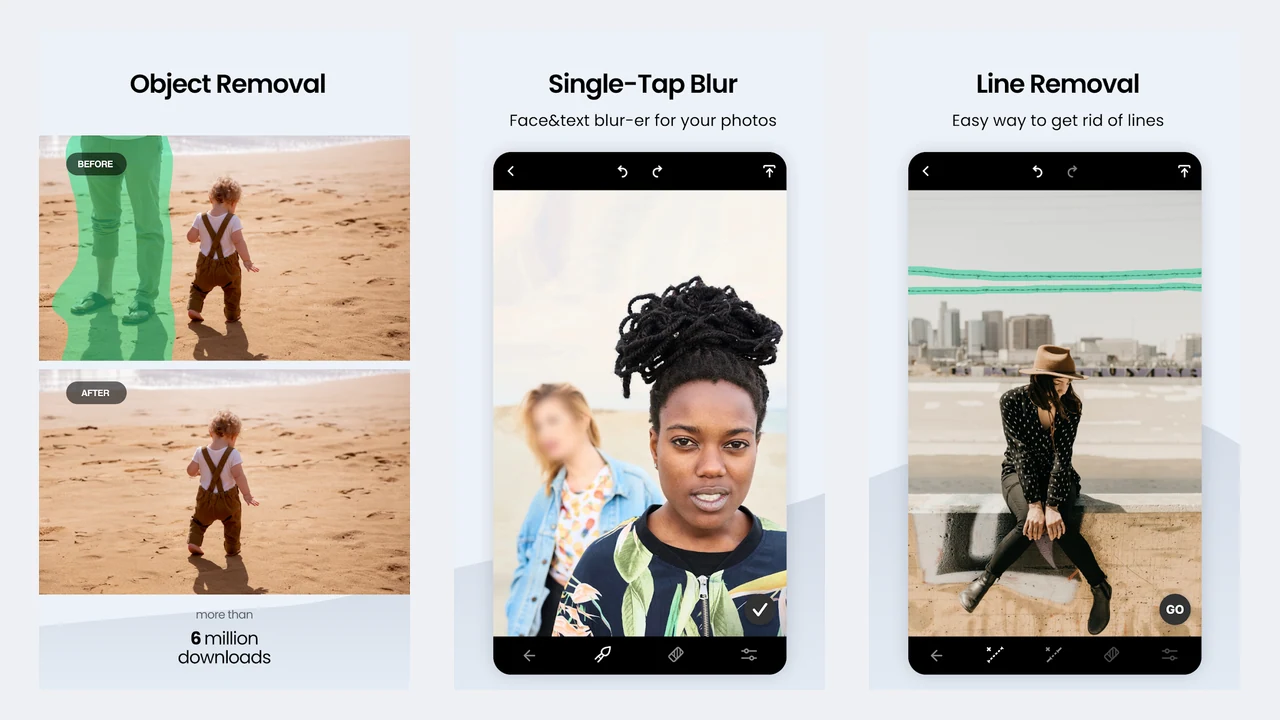
Image: ADVA Soft / Google Play
TouchRetouch is a single-purpose tool, and that is its strength. When a generative eraser leaves smudges around power lines or a chain-link fence, this is the app that gets them out cleanly.
- Erase AI automatically finds signs, bins, and traffic lights.
- Line Removal traces and removes wires and cables.
- Mesh Removal clears fences and grids.
- Blemish removal and a Clone Stamp for fine work.
It saves at full quality and keeps your photo's EXIF data (the camera and location details stored in the file). Its automatic removal works best on plain backgrounds like sky. US pricing starts around $1.99 a week, with yearly plans from $14.99.
- Runs on
- Android and iOS 16+
- Skip if
- You want an all-in-one editor
- Price
- From $1.99/week or $14.99/yr
Pixelcut
- Android
- iPhone and iPad
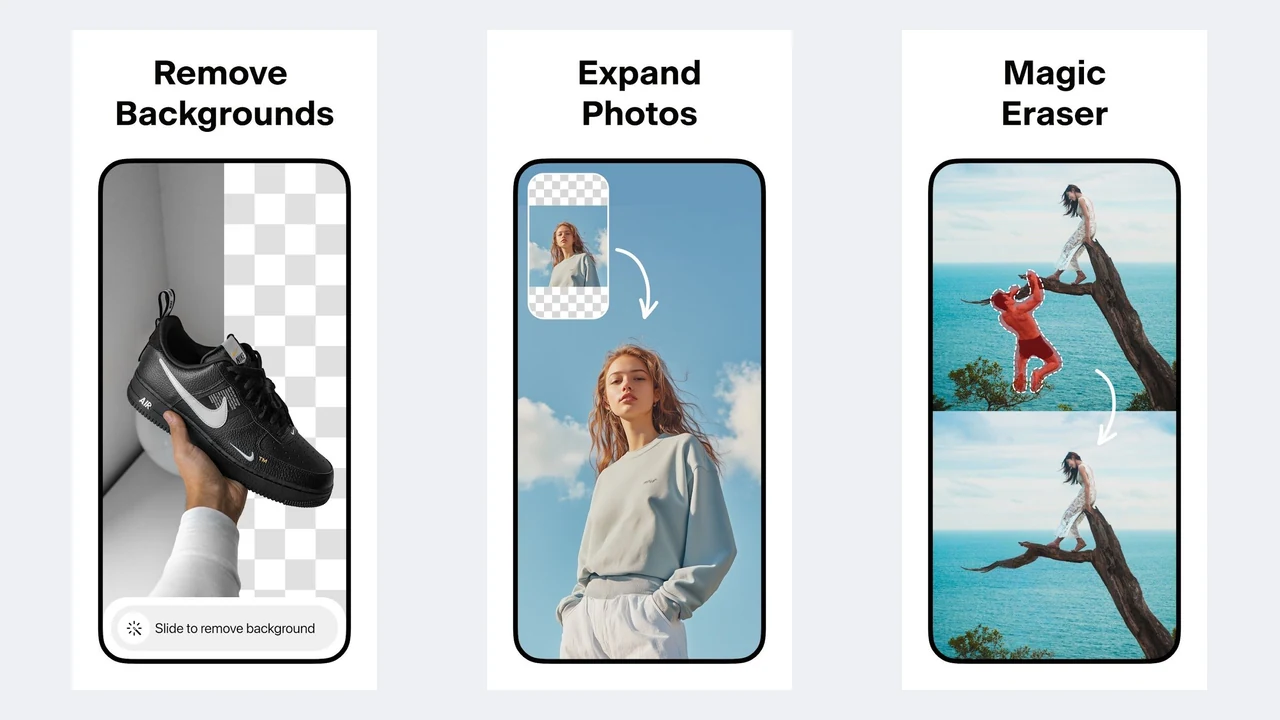
Image: Pixelcut / Google Play
Pixelcut is a cheaper alternative to Photoroom for sellers and small businesses. The free plan includes limited background removal and upscaling with no watermark, which is enough for the occasional listing.
- Background Remover and Magic Eraser.
- AI Photoshoot places products in generated scenes.
- Upscale increases image resolution.
- Magic Writer drafts product descriptions.
On the web, Pro is $10 a month (or $8 a month billed yearly) with 600 AI credits. In-app prices in the US App Store start around $4.99 a month.
- Runs on
- Android and iOS 15+
- Skip if
- You already pay for Photoroom
- Price
- Free tier, Pro from $4.99/mo
YouCam Perfect
- Android
- iPhone and iPad
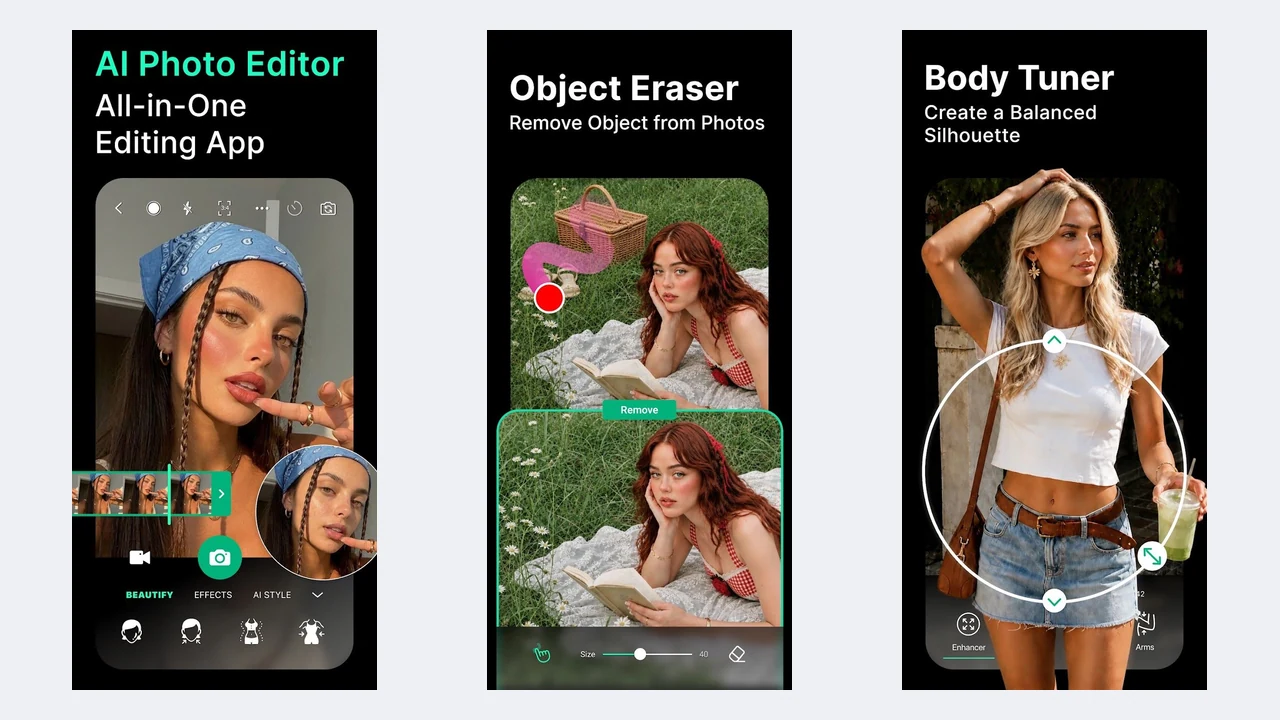
Image: Perfect Corp / Google Play
YouCam Perfect mixes Facetune-style beauty tools with general AI cleanup, so you can retouch a portrait and remove a photobomber in the same app.
- AI Object Remover, AI Photo Enhance, and AI Photo Repair.
- AI Photo Lighting and AI Remove Background.
- Body Reshape and AI Wardrobe.
- An AI Agent that edits by text prompt.
It is rated 4.8 on the App Store but only 3.9 on Google Play, where users complain about frequent upgrade prompts. Premium starts around $5.99 a month in the US App Store.
- Runs on
- Android and iOS 16+
- Skip if
- Upsells annoy you
- Price
- Limited free, from $5.99/mo
Already on your phone: Apple Clean Up and Samsung Photo Assist
Before you install anything, check what your phone already has. Both of these are free, but each works on one brand only.
- Apple Photos Clean Up (iPhone): removes objects in the Photos app. It needs Apple Intelligence, which means an iPhone 16 model, iPhone 15 Pro or 15 Pro Max, or an iPad with an A17 Pro or M1 chip or newer, running iOS 18.1 or later. It runs on the device, not in the cloud.
- Samsung Photo Assist (Galaxy phones): part of Galaxy AI in the Gallery app. You can move, resize, or erase objects and let the AI fill in the gap. It needs One UI 6.1 or later on a supported Galaxy phone, a Samsung account, and an internet connection. Images edited with generative AI get a small Galaxy AI watermark.
- Pixel phones get the full Google Photos toolkit with no Magic Editor limit.
How to pick the right one
Match the app to the job, not the hype:
- Remove a person or object: Google Photos (free), then Lightroom or Photoshop if the result looks smudged. Use TouchRetouch for wires and fences.
- Fix a blurry photo: Google Photos Unblur for mild blur, Remini for faces in very low-quality or old photos.
- Replace or remove a background: Photoroom or Pixelcut for products, Photoshop for creative scenes, Picsart for social posts.
- Retouch a selfie: Facetune or YouCam Perfect.
- Make a post or thumbnail: Canva.
- Pay nothing at all: Google Photos plus Snapseed covers most needs.
If you want a longer list of photo apps that includes filters, film looks, and special effects rather than just AI tools, see our best photo editing apps for Android and iOS.
What these apps do with your photos
Most AI edits do not happen on your phone. The photo is uploaded, processed on the company's servers, and sent back. That is fine for a sunset, but think twice before uploading photos of your kids or ID documents to an app you do not know.
- Adobe (Lightroom, Photoshop): says it does not train Firefly AI on customer content.
- Google Photos: says it does not use your library to train AI models outside Google Photos.
- Lightricks (Facetune): trains on your photos only with your consent.
- Photoroom: trains on uploads by default. Turn it off in account settings.
- Canva: controlled by a privacy setting in your account. Check it.
- Remini: keeps uploads for up to 7 days (free) or 20 days (paid).
- On-device options: Apple Clean Up runs on the iPhone itself.
Policies change, so check the app's privacy settings when you install it, not just once.
More AI and photo guides
- Writing prompts for Google's AI? Our best prompts for Gemini work with the same Gemini model behind Google Photos' Help me edit.
- Want to animate your photos? See our list of AI video generators.
- Need to find where a photo came from? Here is how to reverse image search on desktop and mobile.
What is the best free AI photo editor for Android and iPhone?
Which app is best for removing objects from photos?
Do AI photo editors work offline?
Do these apps use my photos to train AI?
What is the best app to fix a blurry photo?
Is Photoshop on Android the same as Photoshop Express?

Sumit
ContributorHi, I'm Sumit, Being an introvert I have always been obsessed with technology-computers and reading dozens of posts to learn, find answers out of my curiosity. I love to write as I explore more.