On this page
- All 9 Picsart alternatives at a glance
- Free photo editors with no ads
- Snapseed: Best Free Picsart Alternative With No Ads
- Photoshop Express: Best Free App for One-Tap Selfie Fixes
- Lightroom Mobile: Best Free Picsart Alternative for Colour and Presets
- Free apps for templates, collages and stickers
- Adobe Express: Best Free Picsart Alternative for Templates
- Canva: Best Free Picsart Alternative for Posters and Stories
- PicCollage: Best Free Picsart Alternative for Collages and Stickers
- Free AI editors for cutouts and effects
- Photoroom: Best Free Picsart Alternative for Background Removal
- Fotor: Best Free Picsart Alternative for AI Effects
- Pixlr: Best Cheap Picsart Alternative for AI Fill
- Which free Picsart alternative should you pick?
- Who should still pay for Picsart
The best free Picsart alternatives are Snapseed for photo fixes with no ads at all, Adobe Express and Canva for templates and graphics, and PicCollage for collages and stickers. For background removal and product photos, Photoroom is the strongest free pick.
Picsart is free to download, but the Android listing says it contains ads, and many of its AI tools, templates and stickers sit behind a subscription. On the US App Store, Picsart Plus is $11.99 a month or $64.99 a year, and Picsart Pro is $13.99 a month or $83.99 a year. There are weekly plans too. The app has also grown into a busy all-in-one tool, which is more than many people need for a quick edit.
This list covers 9 free apps for Android and iPhone that replace the parts of Picsart people use most: filters and retouching, cutouts, collages, stickers, text and templates. For each one we note the price, whether it shows ads or adds a watermark, and what the paid plan unlocks. Every detail comes from the official website or app store listing. We have not run our own tests.
All 9 Picsart alternatives at a glance
Search by app, platform or price. Tap any name to jump to its full entry.
| App | Price | Paid plan (US App Store) | Ads | Watermark on free exports | Best for |
|---|---|---|---|---|---|
| Snapseed | Free | None | No | No | Photo fixes with no catches |
| Adobe Express | Free | Premium $9.99 a month or $99.99 a year | No | Not stated | Templates, cutouts and social posts |
| Canva | Free | Pro $14.99 a month or $119.99 a year | No | Only on premium elements | Designs, posters and stories |
| PicCollage | Free | VIP subscription (7-day trial) | Yes | Yes, VIP removes it | Collages, stickers and cards |
| Photoroom | Free (100 exports a month) | Pro and Max subscriptions | No | Not stated | Background removal and product photos |
| Fotor | Free | Pro $8.99 a month or $47.99 a year | Yes | Not stated | AI effects and enhancement |
| Photoshop Express | Free | Premium $4.99 a month or $34.99 a year | No | No | Selfie fixes and quick collages |
| Lightroom mobile | Free | Premium $7.99 a month or $49.99 a year | No | No | Colour, light and presets |
| Pixlr | Free | Plus from $1.99 a month (billed yearly, official site) | Yes | Not stated | AI fill and object removal |
Free photo editors with no ads
1. Snapseed: Best Free Picsart Alternative With No Ads
- Android
- iPhone and iPad
Google's free editor
If what you like about Picsart is editing the photo itself, Snapseed does it with no strings attached. Google's listing promises 30+ tools and filters with "no subscriptions, purchases, ads, or watermarks".
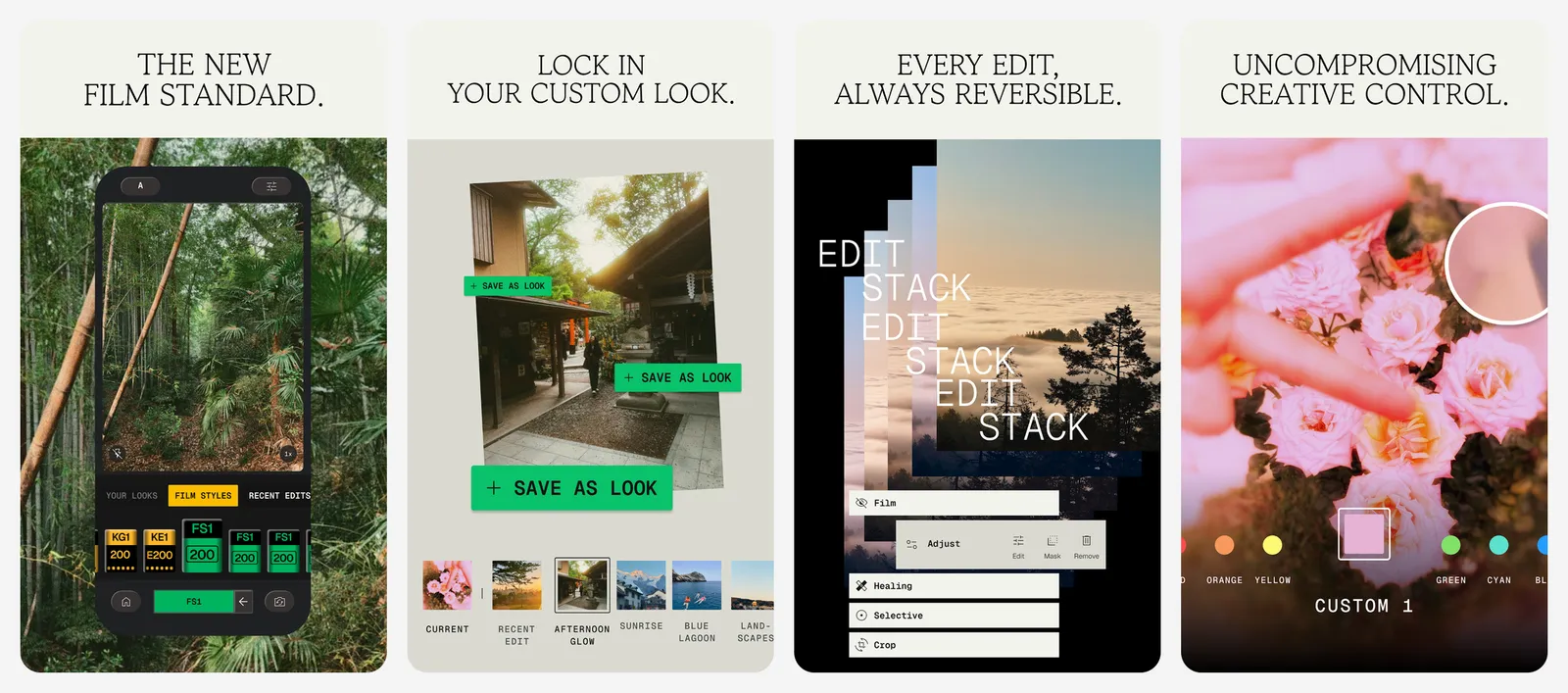
You get film looks, healing, portrait tools, double exposure, one-tap smart masking, batch editing and RAW support. Every change is non-destructive. It has over 100 million downloads on Google Play. We cover it in more depth in our Lightroom alternatives list.
What you lose vs Picsart: stickers, templates, collages and AI generation.
- Replaces
- Picsart filters, retouch and adjustments
- Runs on
- Android, iPhone (iOS 17 or later)
- Licence
- Free, no subscriptions, purchases, ads or watermarks
- Skip if
- You want stickers, templates or collages
- Price
- Free
2. Photoshop Express: Best Free App for One-Tap Selfie Fixes
- Android
- iPhone and iPad
Adobe's simple editor
Photoshop Express covers the everyday Picsart jobs in a cleaner app: blemish removal, an airbrush face editor, red-eye fixes, filters, text, stickers, a collage maker and AI background replacement. The Google Play listing shows no ads.
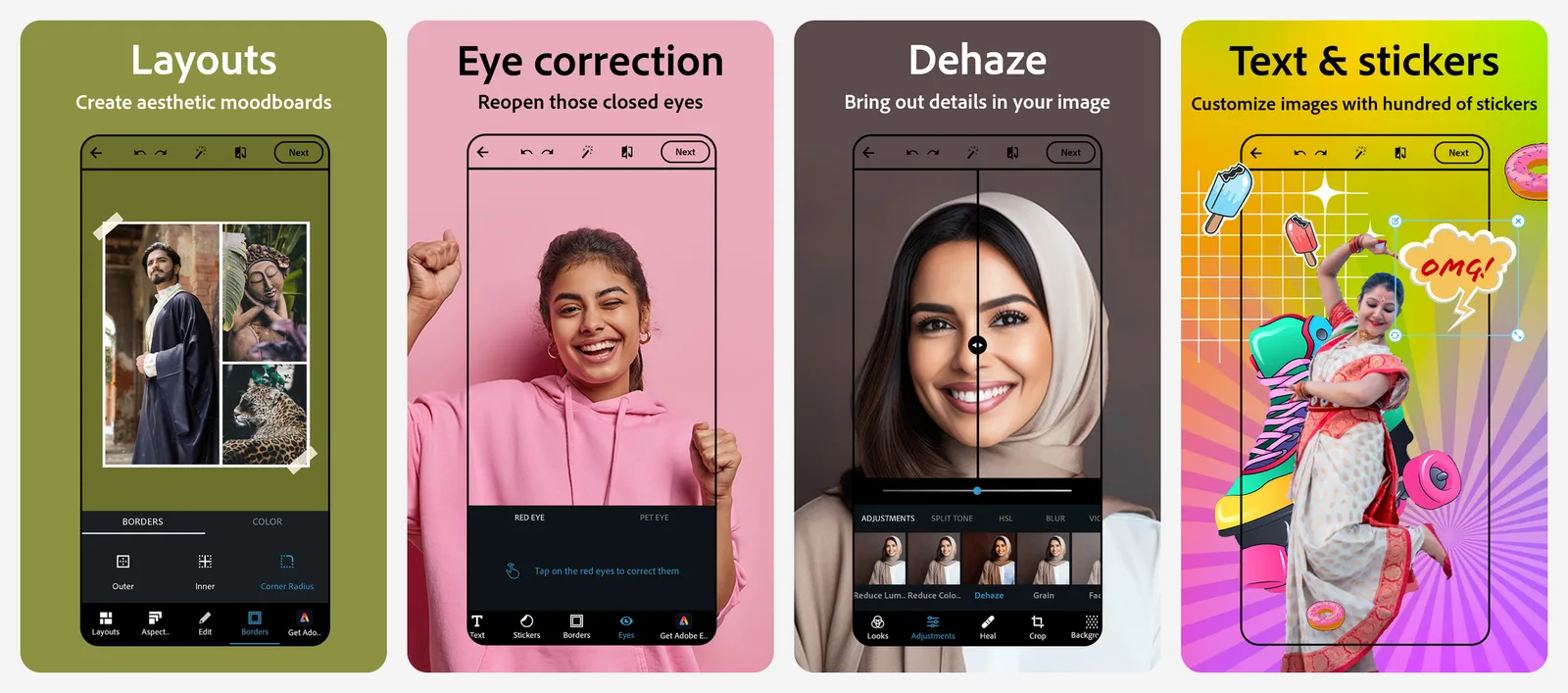
Premium unlocks extra features and finer controls for $4.99 a month or $34.99 a year on the US App Store. We list more Adobe and non-Adobe editors in our Photoshop alternatives guide.
What you lose vs Picsart: the huge sticker library and AI generation tools.
- Replaces
- Picsart retouch, filters and collages
- Runs on
- Android, iPhone
- Licence
- Free app, optional Premium
- Skip if
- You want trendy AI effects and avatars
- Price
- Free (Premium $4.99 a month or $34.99 a year)
3. Lightroom Mobile: Best Free Picsart Alternative for Colour and Presets
- Android
- iPhone and iPad
Adobe's free tier
If you mostly use Picsart filters to make photos look better, Lightroom's free mobile app does that job with more control. Light, colour, curves and presets are free for photos taken on your phone.
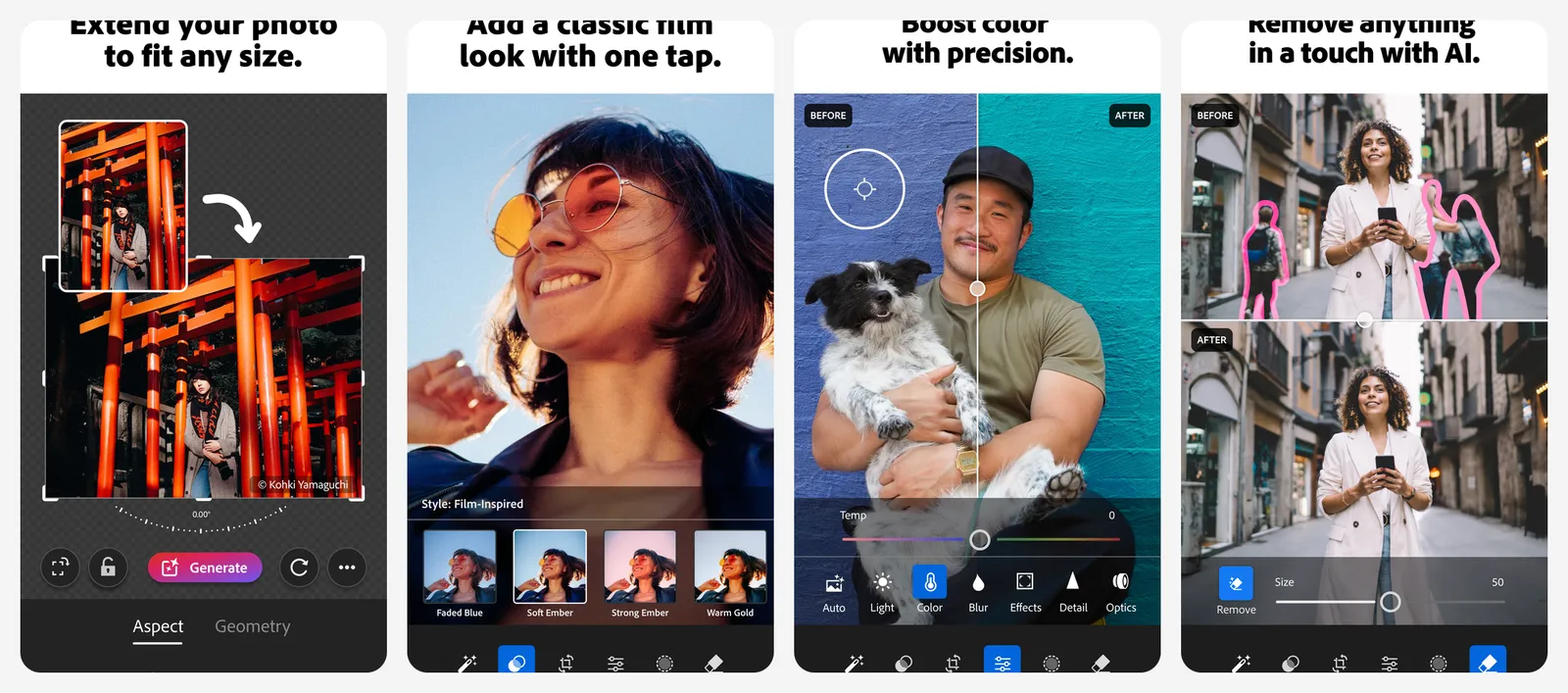
Masking, healing and cloud sync need Premium, which is $7.99 a month or $49.99 a year with 100GB storage on the US App Store. Our Lightroom alternatives guide spells out exactly what stays free.
What you lose vs Picsart: everything beyond photo editing, such as stickers, text and templates.
- Replaces
- Picsart filters and colour edits
- Runs on
- Android, iPhone, iPad (iOS 18 or later)
- Licence
- Free app, optional Premium
- Skip if
- You want stickers, text and collages
- Price
- Free (Premium $7.99 a month or $49.99 a year)
Free apps for templates, collages and stickers
4. Adobe Express: Best Free Picsart Alternative for Templates
- Android
- iPhone and iPad
Templates and quick design
Adobe Express is the most complete free replacement for Picsart's design side. The free plan includes 100,000+ static and video templates, a background remover, object removal, text effects, a simple video editor and 5GB of storage. Its free AI use is limited to a small number of daily image generations.
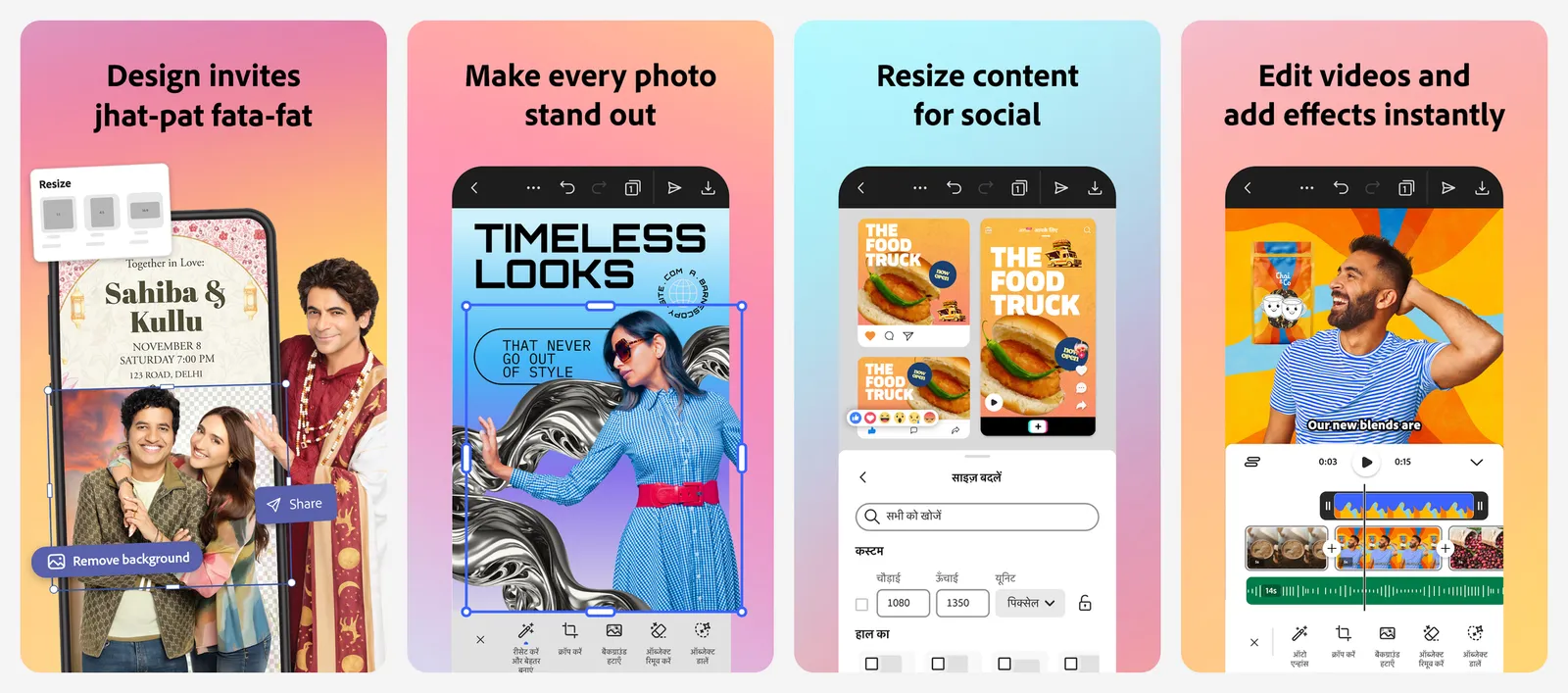
The Play listing shows no ads. Premium is US$9.99 a month on Adobe's site, or $99.99 a year on the US App Store. It adds 250 generative credits a month, premium templates, Adobe Stock assets, Adobe Fonts, 100GB storage and brand kits. It also includes Photoshop Express Premium on mobile. See how it compares with Canva in our Canva alternatives list.
What you lose vs Picsart: Picsart's playful sticker packs and AI avatar tools.
- Replaces
- Picsart templates, cutouts and story maker
- Runs on
- Android, iPhone (iOS 18 or later), web
- Licence
- Free plan, optional Premium
- Skip if
- You only want to edit photos, not make designs
- Price
- Free (Premium $9.99 a month or $99.99 a year)
5. Canva: Best Free Picsart Alternative for Posters and Stories
- Android
- iPhone and iPad
Design-first editor
Canva is the go-to if you use Picsart for Instagram stories, posters, invites or thumbnails. The free plan has templates, photo filters, text and basic photo editing, and your designs sync between phone and computer.
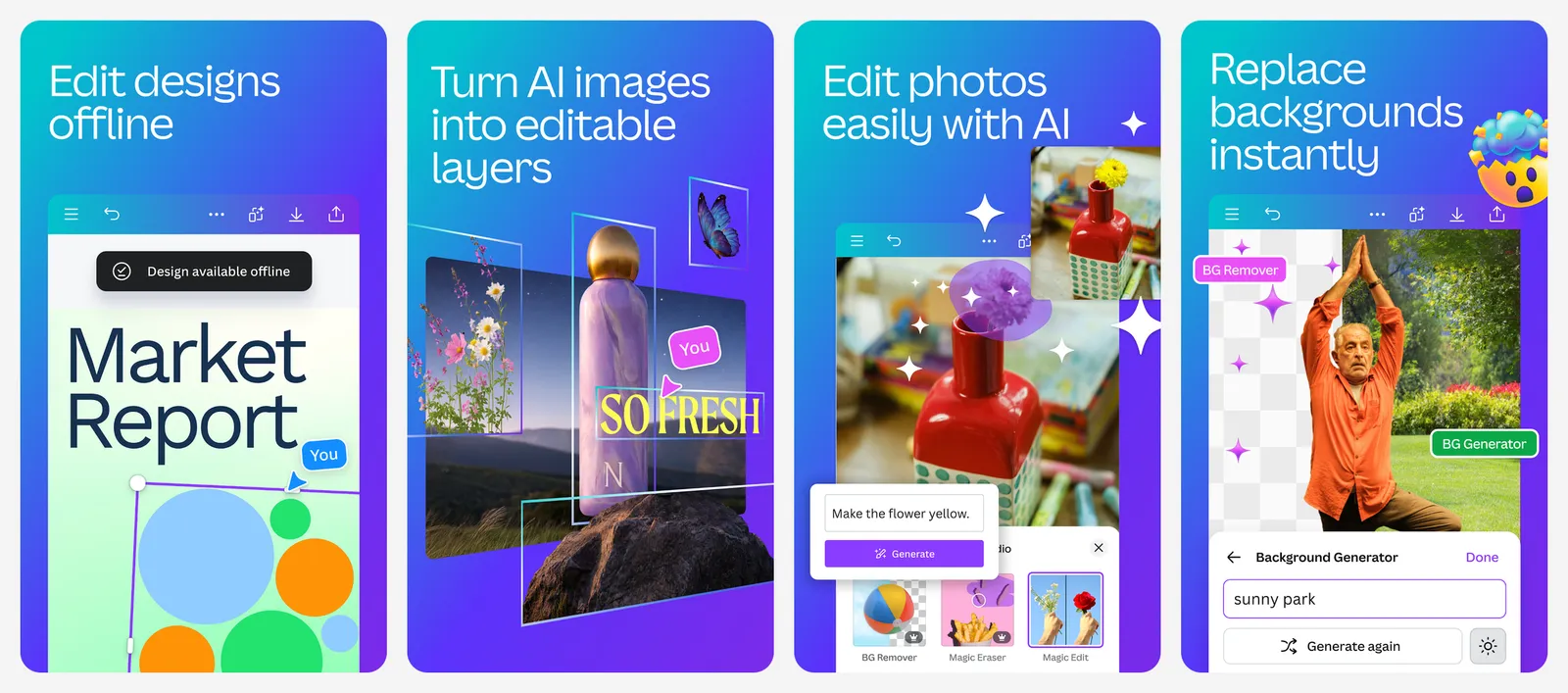
Free content exports without a watermark. Premium photos, elements and templates show a watermark unless you pay for Pro. On the US App Store, Pro is $14.99 a month or $119.99 a year. You need a Canva account. If Canva is the app you want to leave, see our Canva alternatives.
What you lose vs Picsart: fun photo effects, face retouching and sticker packs.
- Replaces
- Picsart templates and graphics
- Runs on
- Android, iPhone, iPad, web, Windows, Mac
- Licence
- Free plan, Pro subscription for premium content
- Skip if
- You want detailed photo retouching
- Price
- Free (Pro $14.99 a month or $119.99 a year)
6. PicCollage: Best Free Picsart Alternative for Collages and Stickers
- Android
- iPhone and iPad
Collages, cards and scrapbooks
PicCollage is the closest match to Picsart's playful side. It makes photo and video collages, grids, scrapbook pages, greeting cards and Instagram layouts, with stickers, doodles, fonts, frames and animated templates. It also has an AI background eraser and Magic Expand.
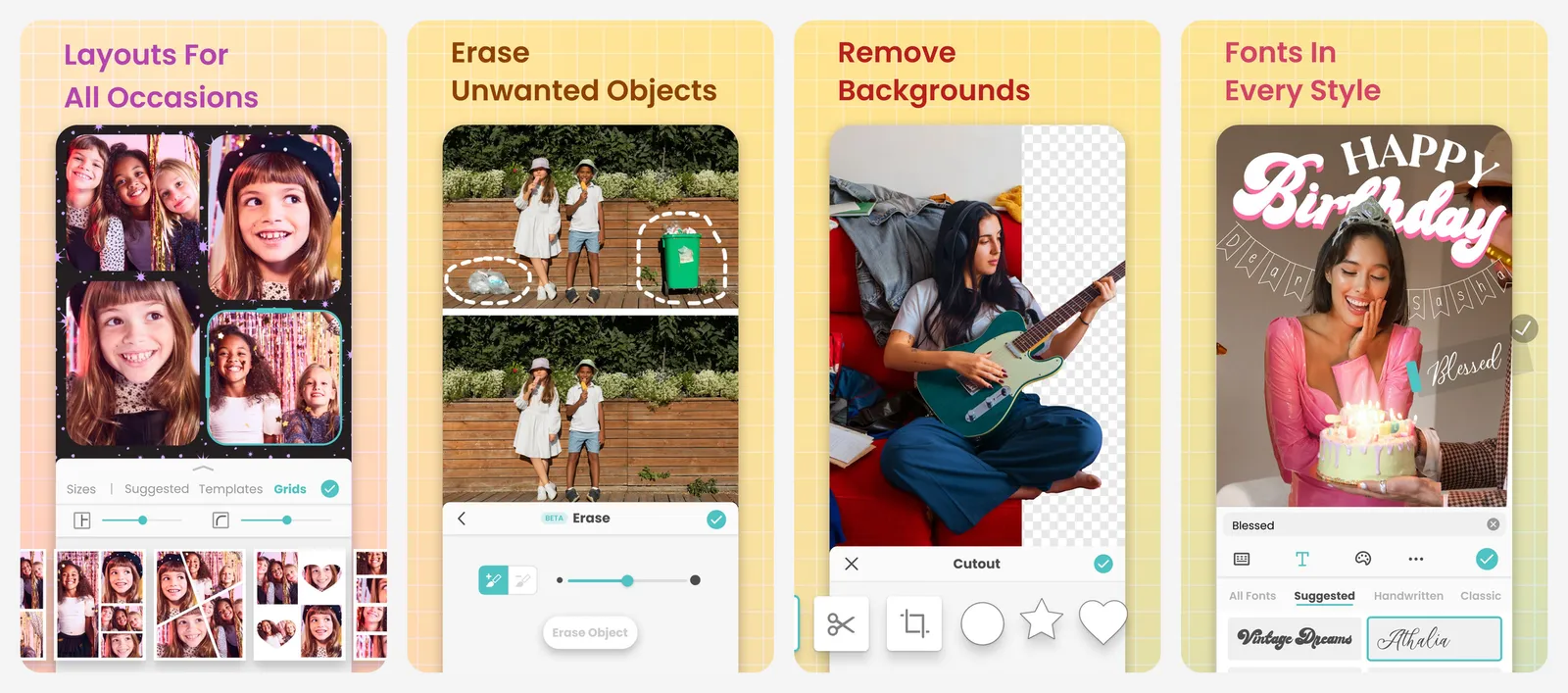
The free version shows ads and adds a watermark. PicCollage VIP removes both and unlocks all stickers, backgrounds, templates and fonts, with a 7-day free trial. The store listings do not show one clear VIP price, so check it in the app. It has over 100 million downloads on Google Play.
What you lose vs Picsart: AI generation, avatars and serious retouching.
- Replaces
- Picsart collages, stickers and frames
- Runs on
- Android, iPhone (iOS 18 or later)
- Licence
- Free with ads and watermark, optional VIP
- Skip if
- Watermarks and ads are deal breakers
- Price
- Free (VIP subscription, 7-day free trial)
Free AI editors for cutouts and effects
7. Photoroom: Best Free Picsart Alternative for Background Removal
- Android
- iPhone and iPad
Cutouts and product photos
If you use Picsart mainly to cut people or products out of photos, Photoroom does that job better. It removes and replaces backgrounds, adds AI shadows, batch edits whole sets of photos and exports sizes ready for Shopify, Amazon, Etsy, Instagram and other marketplaces.
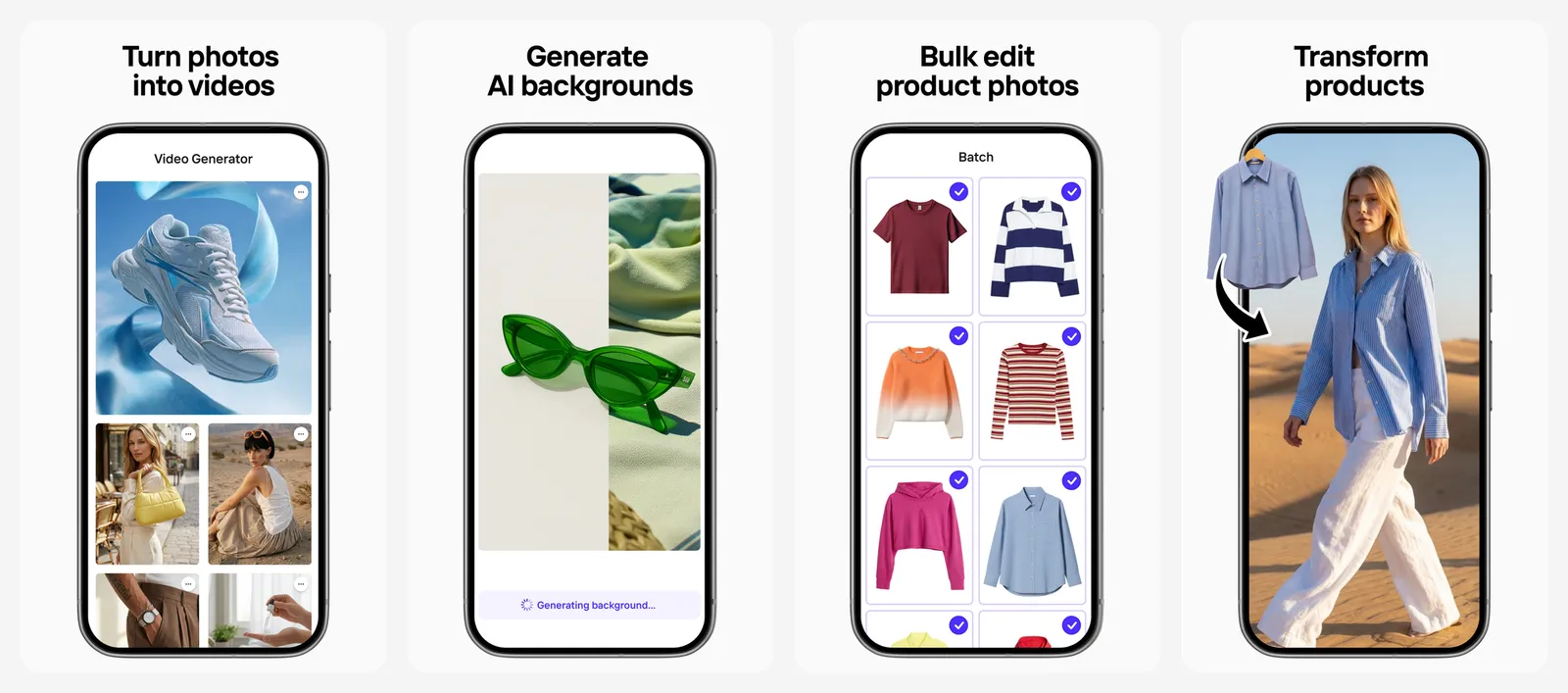
Photoroom's help centre says the free plan allows 25 exports a week and 100 a month, and the Play listing shows no ads. Paid Pro and Max plans raise the limits and add more AI credits. Pro includes 1,000 exports a month and Max 3,000. It has over 100 million downloads on Google Play.
What you lose vs Picsart: filters, stickers and fun effects. Photoroom is built for selling, not for selfies.
- Replaces
- Picsart background remover
- Runs on
- Android, iPhone (iOS 18 or later), web
- Licence
- Free plan with export limits, optional subscription
- Skip if
- You edit selfies and portraits, not products
- Price
- Free (100 exports a month), Pro and Max paid
8. Fotor: Best Free Picsart Alternative for AI Effects
- Android
- iPhone and iPad
AI editor and enhancer
Fotor is the closest to Picsart's AI-heavy direction. It has an AI photo enhancer, Magic Eraser, background remover, AI retouch, AI hairstyles, AI expand and old photo restoration, plus classic filters and adjustments.
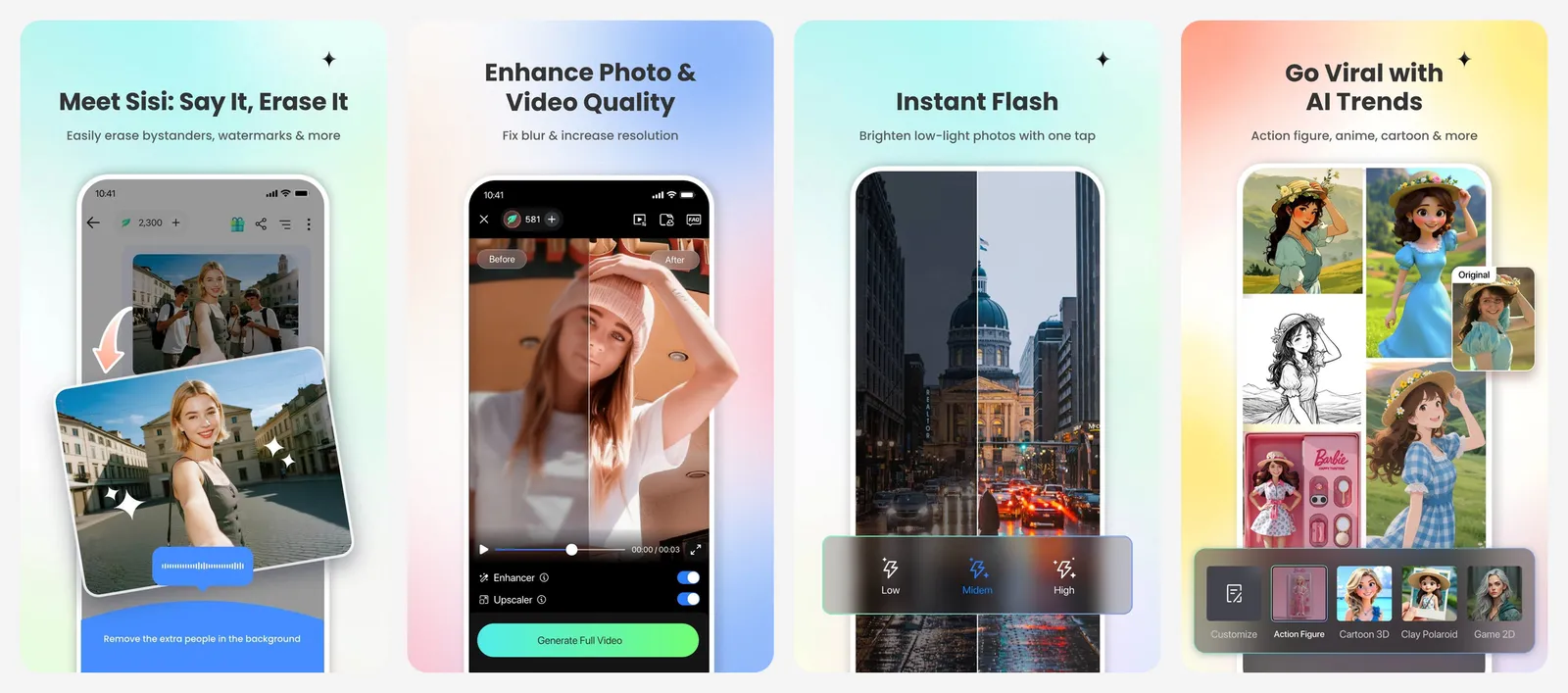
The free Basic plan comes with limited AI credits, and the Android app contains ads. Fotor Pro is $8.99 a month or $47.99 a year on the US App Store, with a weekly plan as well.
What you lose vs Picsart: the sticker and template library, and a clean, ad-free free tier.
- Replaces
- Picsart AI enhance, eraser and effects
- Runs on
- Android, iPhone, web
- Licence
- Free with ads and limited credits, optional Pro
- Skip if
- You dislike ads and credit limits
- Price
- Free (Pro $8.99 a month or $47.99 a year)
9. Pixlr: Best Cheap Picsart Alternative for AI Fill
- Android
- iPhone and iPad
AI editor on phone and web
Pixlr's phone app has AI Generative Fill, AI Remove Object and AI Remove Background, plus collages, social templates, double exposure, retouch tools, text and borders. The same account works in a browser on your computer.
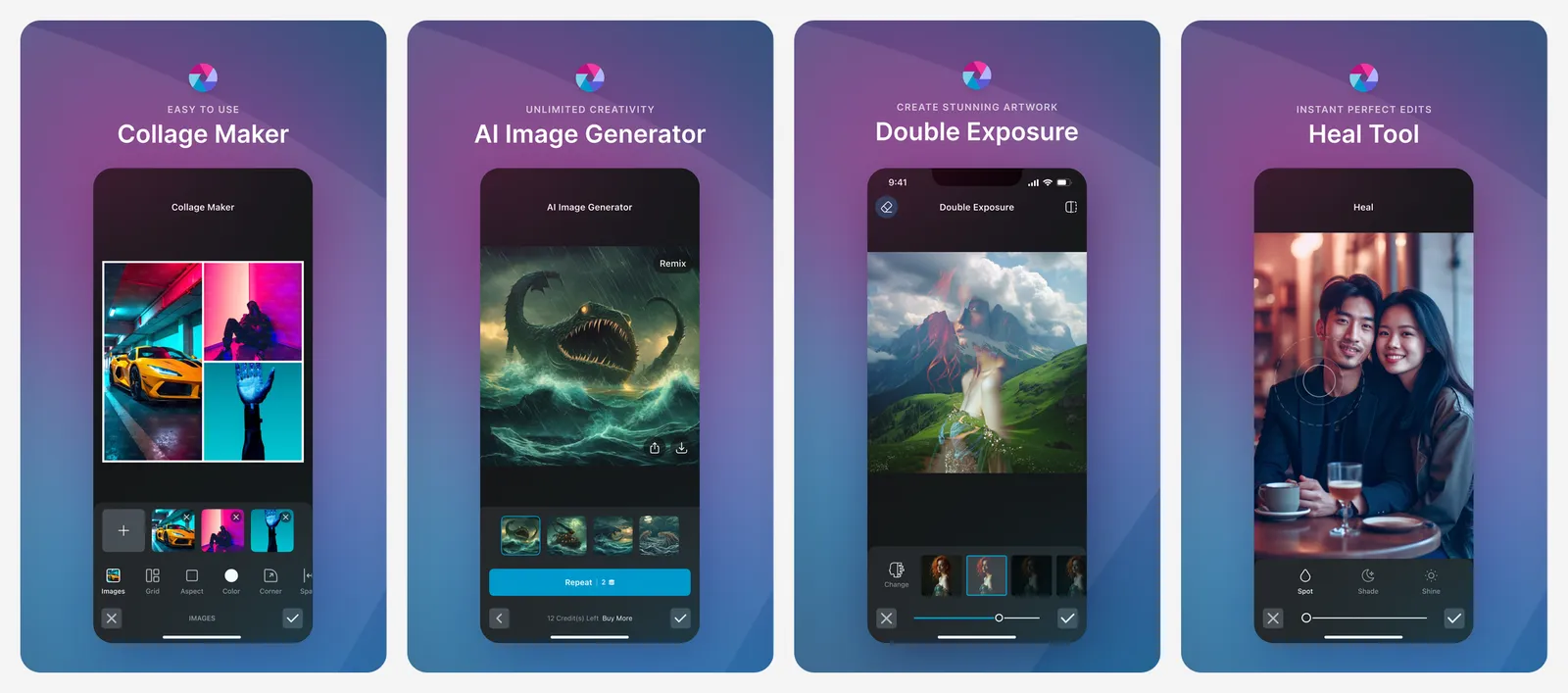
The free app shows ads. Its paid plans are among the cheapest here: Plus is $2.49 a month or $1.99 a month billed yearly on Pixlr's site, with ad-free use, unlimited saves and 80 AI credits a month.
What you lose vs Picsart: the depth of Picsart's sticker and template library.
- Replaces
- Picsart AI tools and collages
- Runs on
- Android, iPhone, web
- Licence
- Free with ads, optional subscription
- Skip if
- You refuse to see ads
- Price
- Free (Plus from $1.99 a month billed yearly)
Which free Picsart alternative should you pick?
- You want a clean editor with no ads at all: Snapseed.
- You make stories, posters and invites: Adobe Express or Canva.
- You love collages and stickers: PicCollage, if you can live with the watermark or pay for VIP.
- You cut out products or people: Photoroom.
- You want AI effects and enhancement: Fotor or Pixlr.
- You want one-tap selfie fixes: Photoshop Express.
For more AI-powered options, including Picsart itself, see our list of the best AI photo editors. If you want to sharpen or upscale old photos, our guide to AI photo enhancers compares the best tools for that job.
Who should still pay for Picsart
What is the best free alternative to Picsart?
How much does Picsart cost?
Does Picsart have ads?
Which photo editing apps have no watermark for free?
What is a good free Picsart alternative for removing backgrounds?
Is there a Picsart alternative without ads?

Sumit
ContributorHi, I'm Sumit, Being an introvert I have always been obsessed with technology-computers and reading dozens of posts to learn, find answers out of my curiosity. I love to write as I explore more.