Best Chromecast Apps in 2026: What to Cast From Your Phone, PC and Google TV Streamer

Almost every major video and music app can cast to a Chromecast or Google TV Streamer. The useful question is which ones cast well, play your own files, or mirror a screen when an app refuses to cooperate. This list covers apps worth keeping on your phone or laptop, checked in 2026. Google stopped selling Chromecast dongles in 2024; the Google TV Streamer replaced them, and every app here works on both.
For more living-room options, see free movie apps for Android and how to mirror Android to a PC when you need a bigger screen.
Set up and video apps
1. Google Home
Required
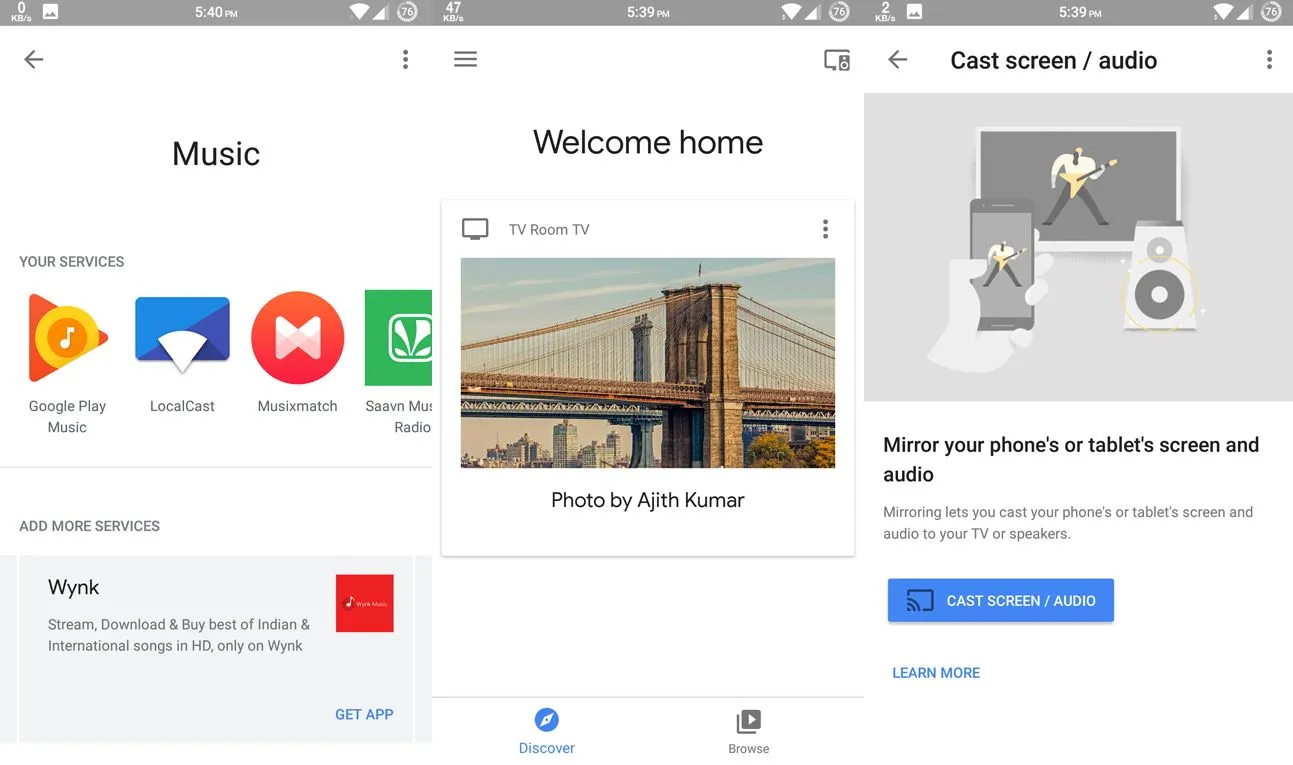
Google Home (iOS) sets up the Chromecast on Wi-Fi, names devices, and manages every Cast target in the house. It also casts your phone's entire screen on Android from the device page, which is the fallback when an app has no Cast button.
2. Netflix
Streaming
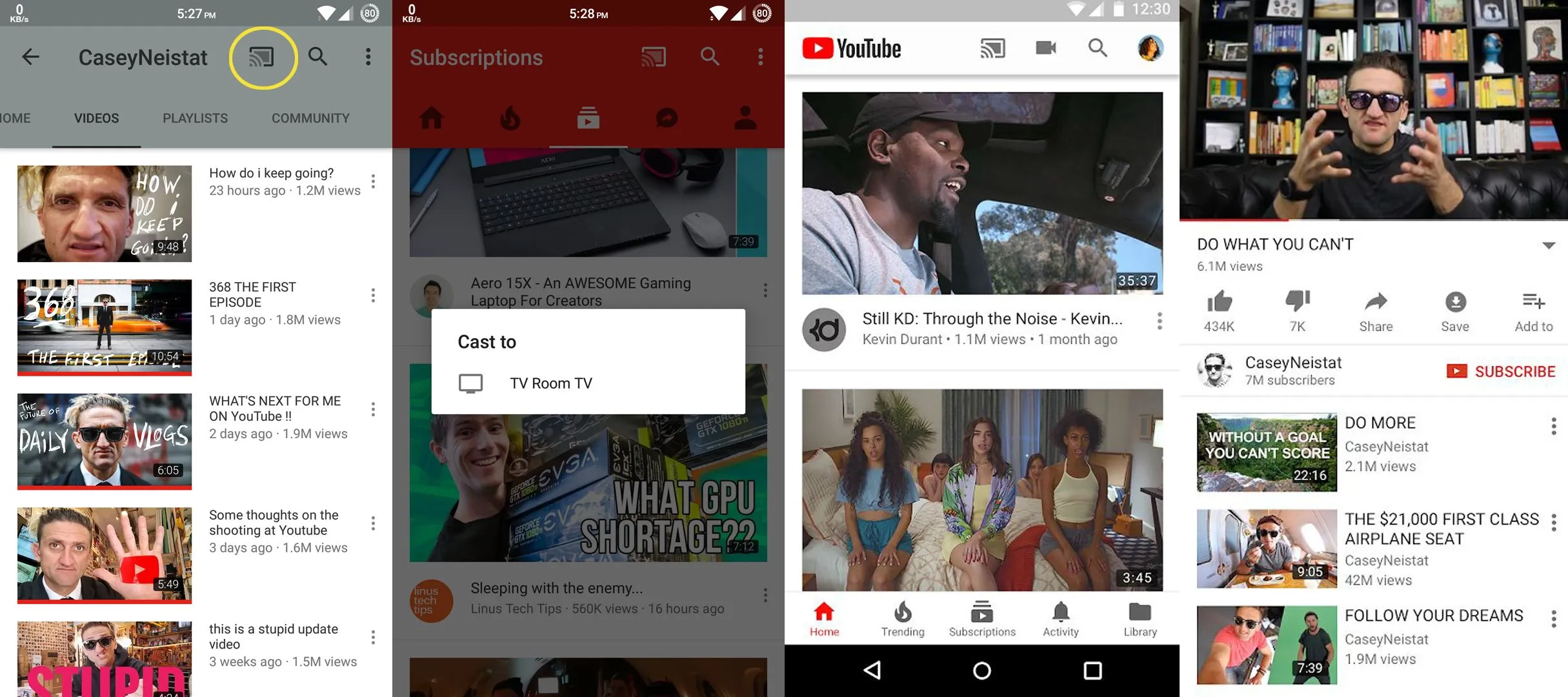
Cast from the phone app or Chrome browser. The Chromecast pulls the stream directly, so your phone becomes a remote and you can lock the screen. 4K and HDR work on Chromecast Ultra, Chromecast with Google TV, and the Google TV Streamer.
3. YouTube
Streaming
4. Google TV
Purchases
Google TV replaced Google Play Movies. Purchases and rentals live here, and the app aggregates watchlists across Netflix, Prime, and others. On the Google TV Streamer it is the home screen itself.
5. Amazon Prime Video
Streaming
Prime Video added Cast support years ago and now works from Android and iOS, including 4K on supported hardware.
6. Disney+, JioHotstar, and other streamers
Streaming
Disney+, Hulu, Max, Paramount+, Peacock, Apple TV, Crunchyroll, and in India JioHotstar, SonyLIV, and Zee5 all support Cast from their phone apps. Look for the Cast icon in the player. If one is missing, use the screen-mirroring fallback below.
7. Plex
Your files
Run the free Plex Media Server on a PC or NAS, then cast anything in your library from the Plex app. It transcodes on the fly when the Chromecast cannot play the source format. Jellyfin is the open source alternative and also casts.
8. VLC
Your files
VLC for Android casts local files from your phone. Desktop VLC on Windows, Mac, or Linux can render to a Chromecast from Playback, then Renderer. It transcodes unsupported formats at the cost of some CPU.
9. LocalCast
Your files
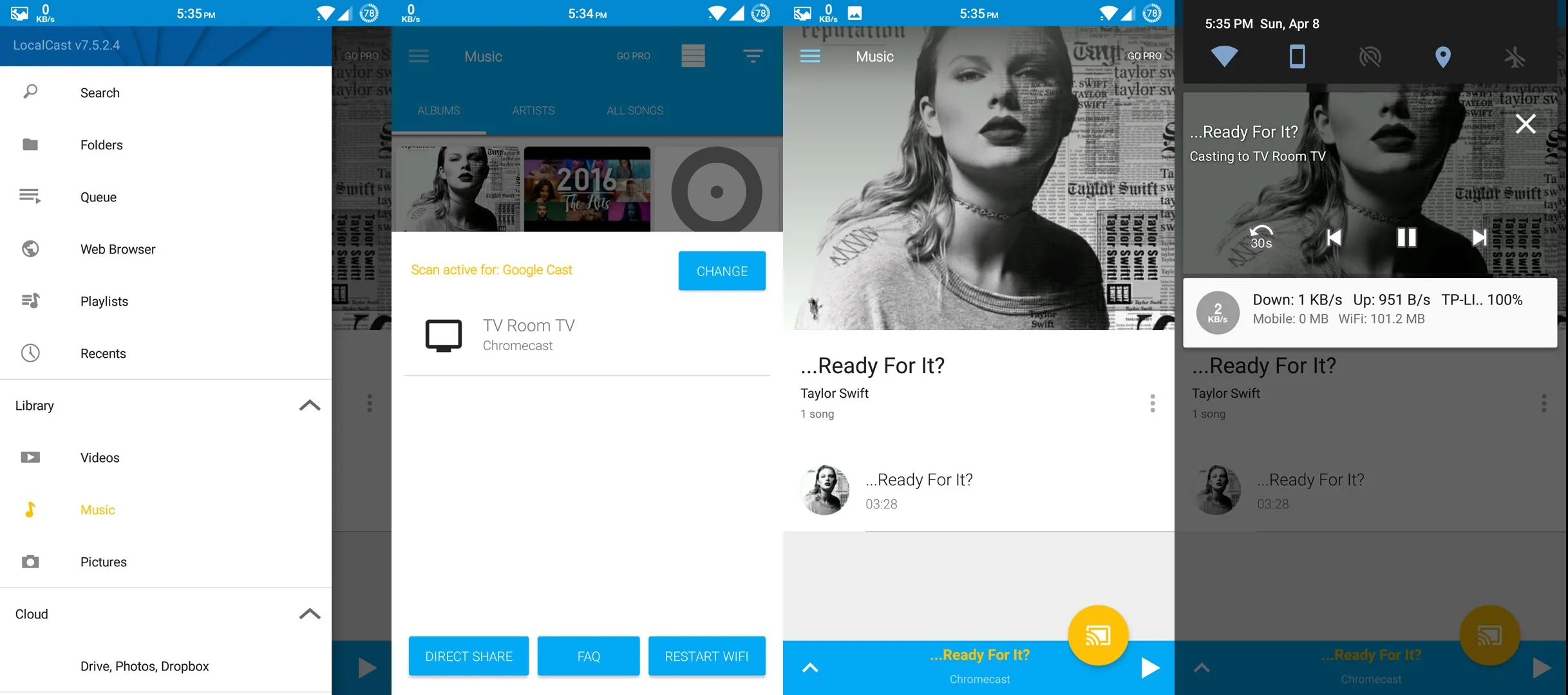
10. Google Chrome
Browser
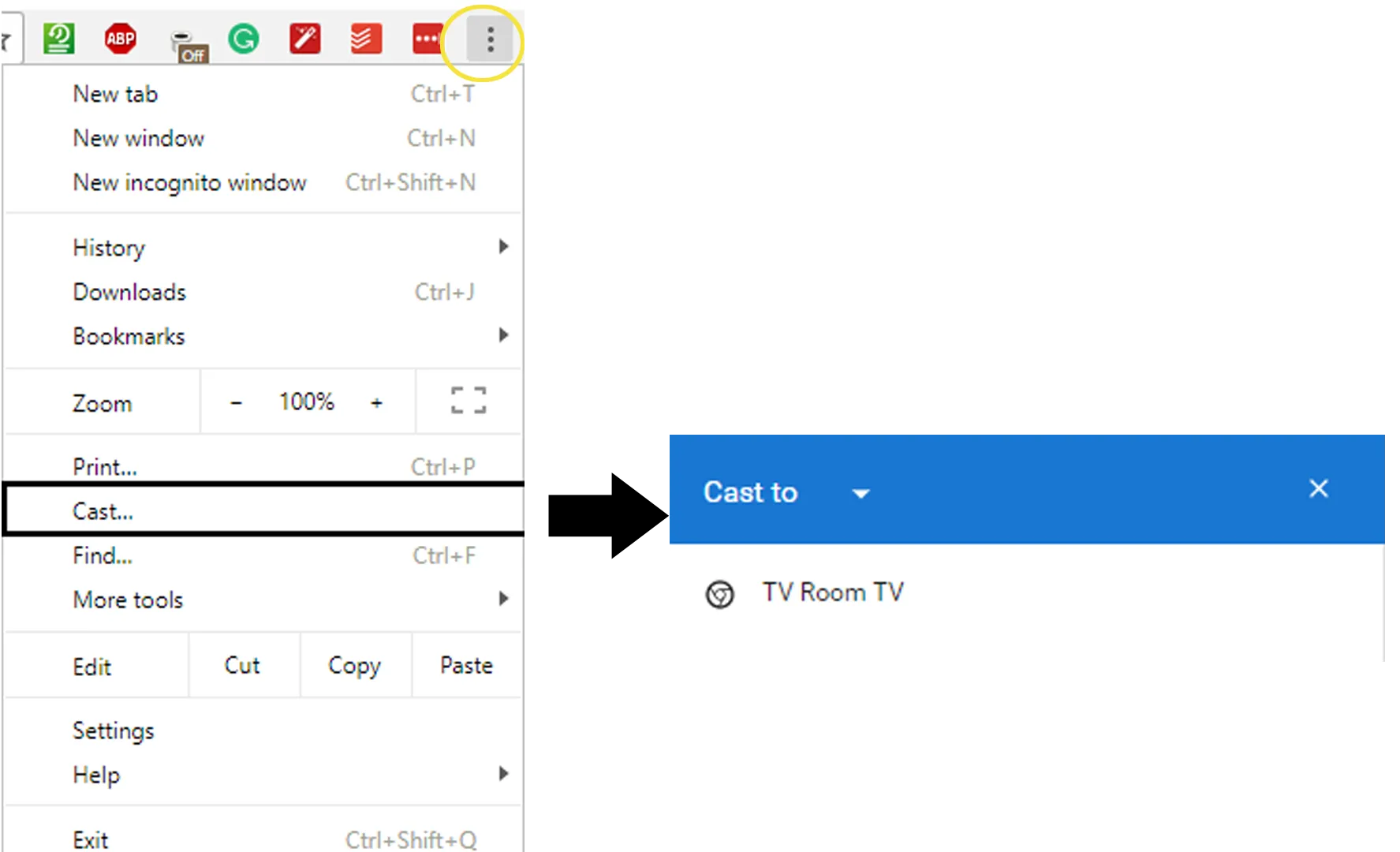
On a computer, Chrome's three-dot menu has Cast. Send a single tab (with audio), the whole desktop, or a local file by dragging it into a tab first. Tab casting gets a website's video onto the TV when the site has no Cast button. Edge and Brave offer the same feature.
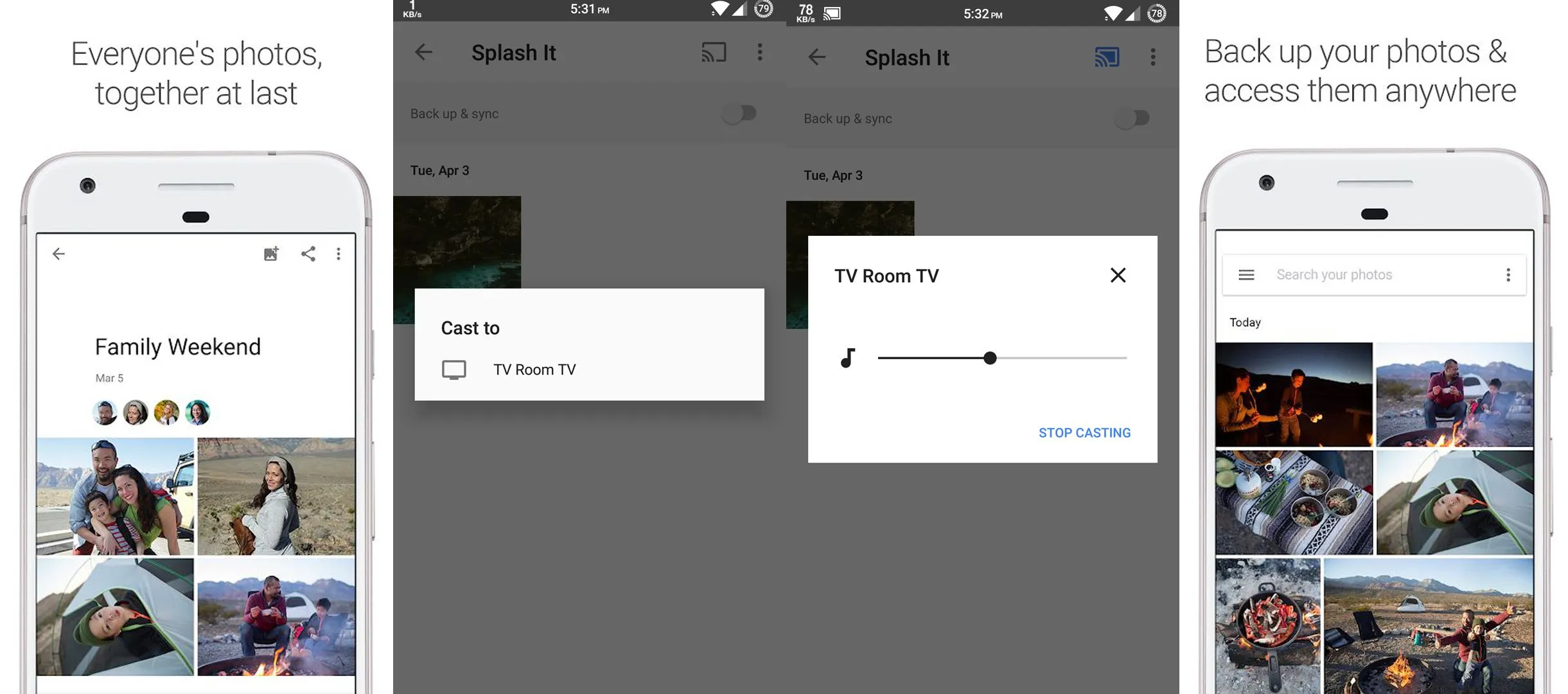
11. Google Photos
Photos
Music, podcasts, and extras
12. Spotify
Music
13. YouTube Music
Music
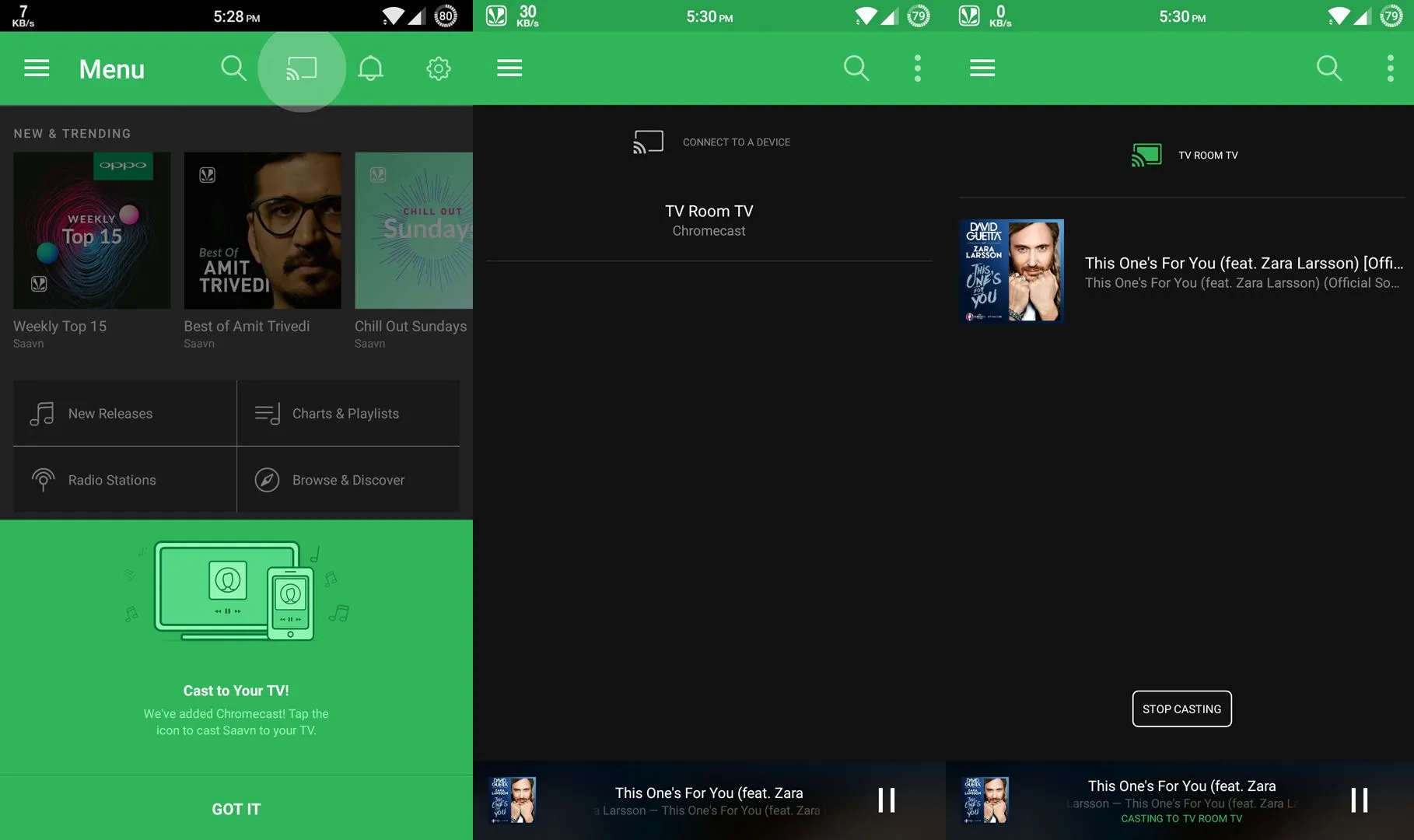
14. JioSaavn
Music
15. Musixmatch
Lyrics
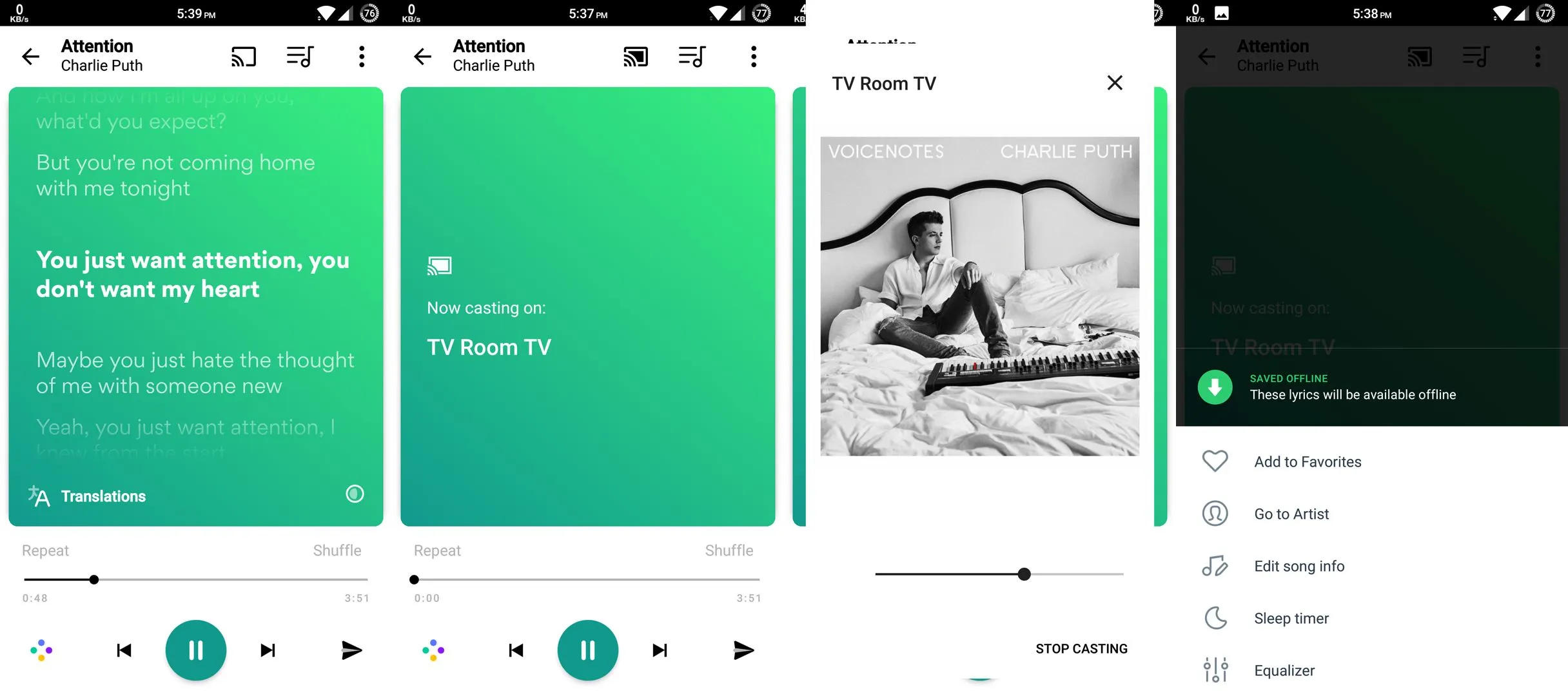
Casts synced lyrics to the TV for whatever plays on Spotify or YouTube Music. A free karaoke screen.
16. Pocket Casts
Podcasts
17. BubbleUPnP and Pulsar
Local files
For MP3 and FLAC on your phone or NAS, BubbleUPnP handles DLNA and Cast, and Pulsar is a simpler player with Cast built in.
When an app has no Cast button
What app do I need for Chromecast?
Do all apps work with Chromecast?
Which apps are free on Chromecast?
Is Chromecast discontinued?
Can I cast from an iPhone to Chromecast?

Sumit
ContributorHi, I'm Sumit, Being an introvert I have always been obsessed with technology-computers and reading dozens of posts to learn, find answers out of my curiosity. I love to write as I explore more.