On this page
- All 8 LastPass alternatives at a glance
- Free password managers that sync everywhere
- Bitwarden: Best Free LastPass Alternative
- Proton Pass: Best Free Manager With Email Aliases
- Already on your phone: built-in password managers
- Apple Passwords: Best for iPhone and Mac
- Google Password Manager: Best for Android and Chrome
- Open source and offline
- KeePassXC: Best Offline Manager for PC and Mac
- KeePassDX: Best Offline Manager for Android
- Freemium and paid options
- NordPass: Best Free Plan for One Device
- 1Password: Best Paid LastPass Replacement
- The LastPass breach, from LastPass's own notice
- How to move your passwords out of LastPass
The best free LastPass alternative for most people is Bitwarden: it syncs unlimited passwords and passkeys across unlimited devices at no cost. If you live inside one ecosystem, the password manager already built into your iPhone or your Android phone and Chrome is also free and good enough.
LastPass still has a free plan, but it is narrow. LastPass's own pricing page says the Free plan works on desktop or mobile devices, not both, and lets you share one password with one person at a time. Phone and laptop sync, the main reason to use a password manager, needs Premium.
Trust is the other reason people leave. In December 2022, LastPass confirmed that an attacker had copied a backup of customer vault data. This list covers 8 replacements, with the free limits, the platforms, passkey support and how each one imports your LastPass vault. Every detail comes from the official sites, help pages and app store listings. We have not run our own lab tests.
All 8 LastPass alternatives at a glance
Search by app, platform or feature. The first row is LastPass Free, for comparison. Tap any name to jump to its full entry.
| Password manager | Free plan | Devices on free | Platforms | Passkeys | Imports LastPass | Open source |
|---|---|---|---|---|---|---|
| LastPass Free (for comparison) | Yes, unlimited passwords | Desktop or mobile, not both | Web, browser extensions, Android, iPhone | Yes | n/a | No |
| Bitwarden | Yes, unlimited passwords and passkeys | Unlimited | Web, extensions, Windows, Mac, Linux, Android, iPhone | Yes, free | Yes, direct or CSV | Yes |
| Proton Pass | Yes, unlimited logins, 2 vaults, 10 aliases | Unlimited | Web, extensions, Windows, Mac, Linux, Android, iPhone | Yes, free | Yes | Yes |
| Apple Passwords | Yes, built in | All your Apple devices, plus Chrome and Edge on Windows | iPhone, iPad, Mac, Vision Pro, Windows (via iCloud) | Yes | CSV on a Mac | No |
| Google Password Manager | Yes, built in | Any device signed in to Chrome or Android | Chrome on all platforms, Android, iPhone (via Chrome) | Yes | CSV, up to 3,000 at a time | No |
| KeePassXC | Yes, fully free | Any, you sync the file | Windows, Mac, Linux | Yes | CSV | Yes, GPLv3 |
| KeePassDX | Yes, fully free, no ads | Any, you sync the file | Android | Yes | Opens KeePass files | Yes, GPLv3 |
| NordPass | Yes, unlimited passwords | One active session at a time | Web, extensions, desktop, Android, iPhone | Yes | Yes | No |
| 1Password | No, 14-day trial | Unlimited on paid plans | Web, extensions, Windows, Mac, Linux, Android, iPhone | Yes | Yes | No |
Free password managers that sync everywhere
1. Bitwarden: Best Free LastPass Alternative
- Android
- iPhone and iPad
Unlimited devices, free
Bitwarden fixes the exact thing LastPass Free takes away. Its free plan has unlimited passwords, unlimited devices, and passkey storage with no cap, so your phone, laptop and work PC all stay in sync.
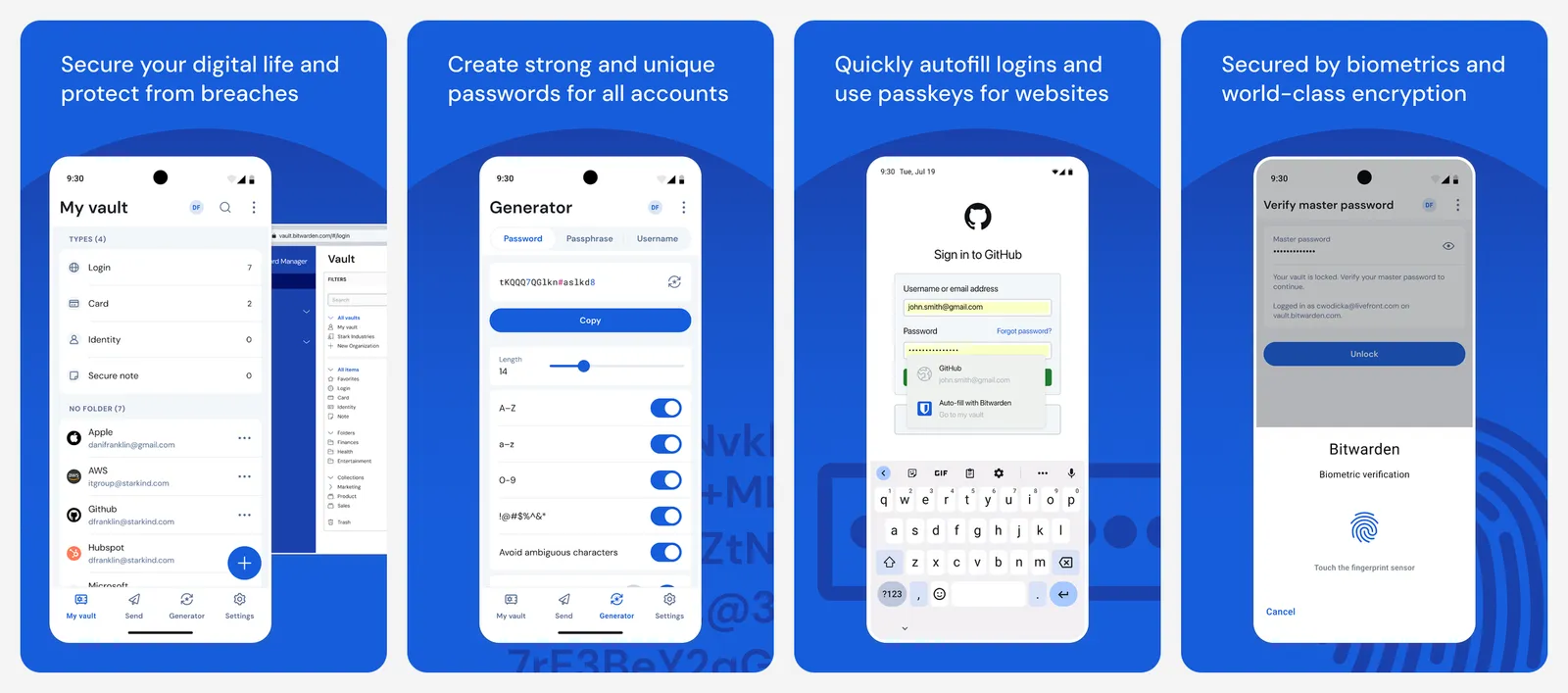
Free accounts can share with one other user, and Bitwarden Send lets you share an encrypted note or file with anyone. Premium is $19.80 a year and adds the built-in authenticator for 2FA codes, 5 GB of encrypted file attachments, Emergency Access and vault health reports. Families is $47.88 a year for up to 6 people.
Moving over is easy. In the Bitwarden browser extension or desktop app, Bitwarden can import straight from your LastPass account: you pick LastPass as the format, choose the direct import option and sign in with your LastPass email. You can also import a LastPass CSV file from the web vault under Tools, then Import.
What you lose vs LastPass Premium: built-in 2FA codes and file attachments, unless you pay for Premium (which still costs less).
- Replaces
- LastPass Free and Premium
- Runs on
- Web, browser extensions, Windows, Mac, Linux, Android, iPhone
- Licence
- Free plan, open source
- Skip if
- You want built-in 2FA codes without paying
- Price
- Free (Premium $19.80 a year, Families $47.88 a year)
2. Proton Pass: Best Free Manager With Email Aliases
- Android
- iPhone and iPad
Free, with hide-my-email
Proton Pass comes from the Swiss company behind Proton Mail. The free plan gives you unlimited logins, notes and credit cards on unlimited devices, with browser, mobile and desktop apps. Passkeys are supported on all devices.
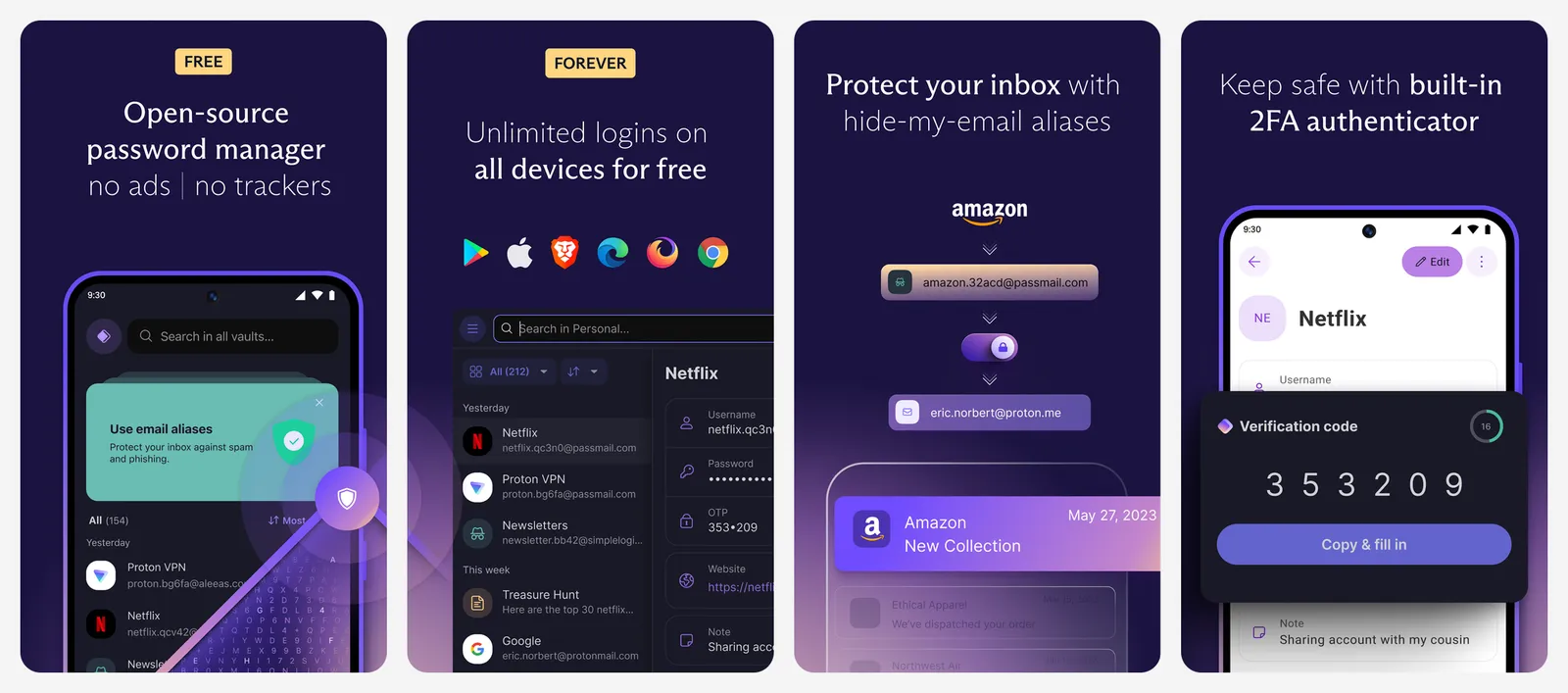
The extra is hide-my-email aliases. You get 10 on the free plan: when a site asks for an email, Proton Pass makes a random address that forwards to your real inbox, so a breach at that site does not expose your main address. The free plan has 2 vaults. Pass Plus, billed at $35.88 a year, adds more and includes a built-in 2FA authenticator.
Proton's import tool lists LastPass, 1Password, Bitwarden, Dashlane, KeePass, NordPass, Chrome, Safari and others as sources.
What you lose vs LastPass Premium: built-in 2FA codes on the free plan, and only 2 vaults to organise things.
- Replaces
- LastPass Free and Premium
- Runs on
- Web, browser extensions, Windows, Mac, Linux, Android, iPhone
- Licence
- Free plan, open source apps
- Skip if
- You need more than 2 vaults on the free plan
- Price
- Free (Pass Plus $35.88 a year)
Already on your phone: built-in password managers
3. Apple Passwords: Best for iPhone and Mac
Built into iOS 18 and macOS Sequoia
If every device you own is made by Apple, you may not need a separate app. Apple's Passwords app arrived with iOS 18, iPadOS 18, macOS Sequoia and visionOS 2. It holds your logins, passkeys, Wi-Fi passwords and verification codes, and it syncs through iCloud Keychain.
It can also act as your authenticator: open an account and choose Set Up Verification Code, and Passwords fills 2FA codes for you. Shared Groups let you share passwords and passkeys with family. On a Windows PC, iCloud for Windows adds iCloud Passwords to Chrome and Edge.
To move from LastPass, export a CSV from LastPass, then on a Mac open Passwords and choose File, then Import Passwords from File. Apple says imported passwords will not replace ones you already have, and you can review any that failed.
What you lose vs LastPass: Android support, and use in browsers other than Safari, Chrome and Edge.
- Replaces
- LastPass on Apple devices
- Runs on
- iPhone, iPad, Mac, Vision Pro; Chrome and Edge on Windows via iCloud for Windows
- Licence
- Free, part of Apple's software
- Skip if
- You also use an Android phone
- Price
- Free
4. Google Password Manager: Best for Android and Chrome
Built into Chrome and Android
Google Password Manager is built into Chrome on every platform and into Android. On iPhone, you can set Chrome as your AutoFill passwords provider. Sign in with your Google Account and your saved passwords and passkeys follow you to every device.
Password Checkup flags passwords that are weak, reused or found in a known breach. We explain how to run it in our guide to checking if your password was leaked. Google also offers on-device encryption, an extra layer so only you can read your saved passwords.
Import is CSV only. Go to passwords.google.com, then Settings, then Import, and pick the file. Google says you can import 3,000 passwords at a time and store up to 10,000 in your Google Account. The CSV needs url, username and password column names in its first line.
What you lose vs LastPass: secure notes, file storage and use in Firefox or Safari on a computer.
- Replaces
- LastPass for Chrome users
- Runs on
- Chrome on Windows, Mac, Linux and ChromeOS; Android; iPhone via Chrome
- Licence
- Free with a Google Account
- Skip if
- You use Firefox or Safari as your main browser
- Price
- Free
Open source and offline
5. KeePassXC: Best Offline Manager for PC and Mac
Local encrypted file
KeePassXC keeps your vault in an encrypted file on your own computer, not on a company's server. There is no account, no subscription and no cloud to breach. Version 2.8.0 came out on October 21, 2026.
It has a browser extension for autofill, and its user guide covers creating and signing in with passkeys. You can put the vault file in Dropbox, Google Drive, OneDrive or Syncthing to use it on other devices. KeePassXC imports CSV files, so a LastPass export works.
What you lose vs LastPass: easy sync and sharing. You manage the file yourself, and a lost file with no backup means lost passwords.
- Replaces
- LastPass on computers
- Runs on
- Windows, Mac, Linux
- Licence
- Free and open source (GPLv3)
- Skip if
- You want automatic cloud sync without setup
- Price
- Free
6. KeePassDX: Best Offline Manager for Android
- Android
Opens KeePass files on Android
KeePassDX is the Android partner for KeePassXC. It opens the same .kdbx vault files, so you can keep one vault on your PC and phone.
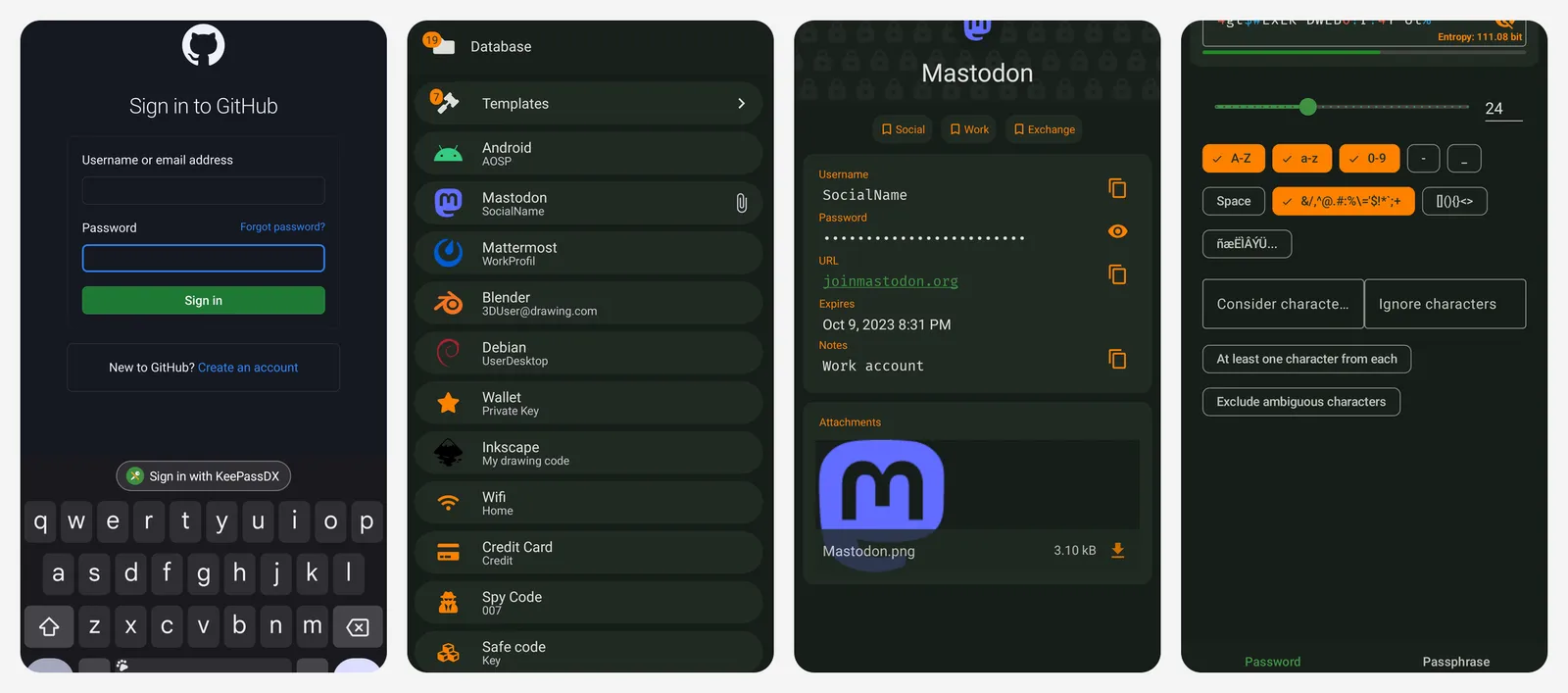
The developer lists passkeys with local storage of private keys, and Android autofill for passwords. It is open source and ad-free, and the developer says no security feature is held back for the paid Pro version, which exists as a way to donate.
What you lose vs LastPass: cloud sync and sharing are up to you, the same as KeePassXC.
- Replaces
- LastPass on Android
- Runs on
- Android
- Licence
- Free and open source (GPLv3), no ads
- Skip if
- You use an iPhone
- Price
- Free (optional Pro version as a donation)
Freemium and paid options
7. NordPass: Best Free Plan for One Device
- Android
- iPhone and iPad
Free on one device at a time
NordPass is made by Nord Security, the company behind NordVPN. Its App Store listing says the vault stores unlimited passwords, passkeys, Wi-Fi codes, cards and notes, with XChaCha20 encryption and a Data Breach Scanner.
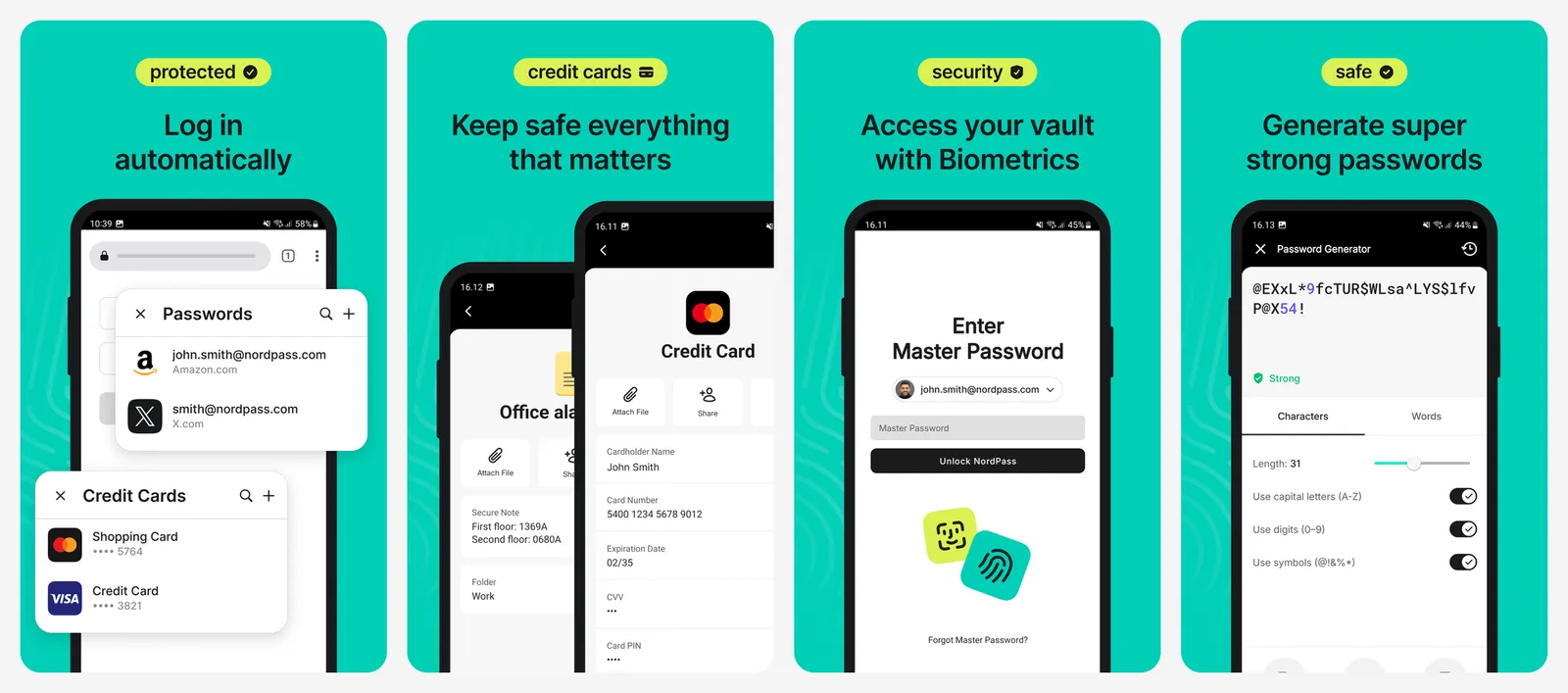
The catch is the session limit. NordPass's help centre says the free version allows one active session on one device; Premium keeps you signed in on unlimited devices at the same time. That is close to LastPass Free's one-device-type rule, so NordPass Free suits people who mostly use one device.
What you lose vs LastPass Premium: being signed in on your phone and computer at once, unless you pay.
- Replaces
- LastPass Free
- Runs on
- Web, browser extensions, Windows, Mac, Linux, Android, iPhone
- Licence
- Free plan, one active session
- Skip if
- You want your phone and laptop signed in at the same time
- Price
- Free (Premium is paid)
8. 1Password: Best Paid LastPass Replacement
- Android
- iPhone and iPad
Polished paid manager
1Password has no free plan, but it is the most common pick for people who want to pay for a polished app. A 14-day trial starts with no credit card. Individual is $2.99 a month for new customers in their first year on yearly billing, then $3.99. Families is $4.49, then $5.99.
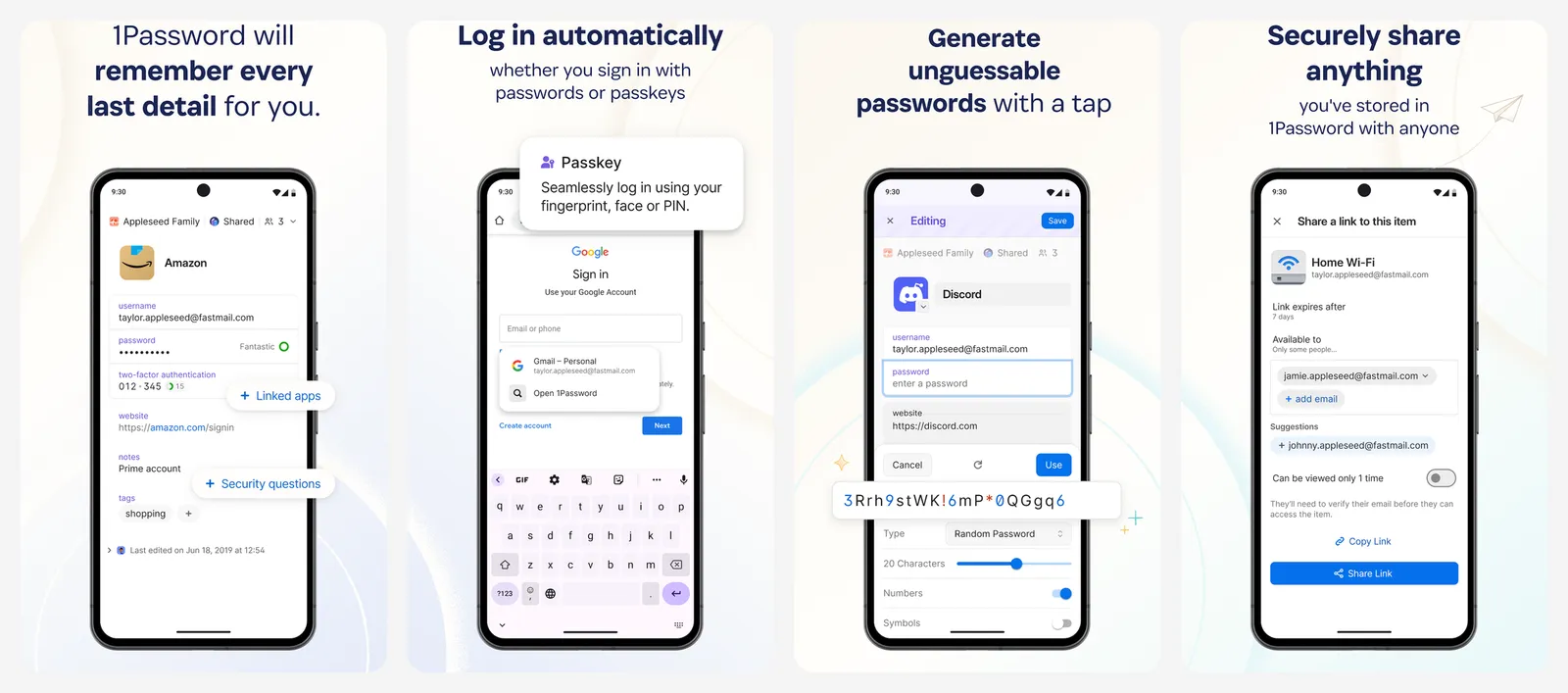
It supports passkeys, works on every major platform, and can import a LastPass export.
What you lose vs LastPass Free: the free price. You gain a better app, but you pay for it.
- Replaces
- LastPass Premium and Families
- Runs on
- Web, browser extensions, Windows, Mac, Linux, Android, iPhone
- Licence
- Paid only, 14-day free trial
- Skip if
- You want a free plan
- Price
- $2.99 a month for the first year, then $3.99 (Families $4.49, then $5.99), billed yearly
The LastPass breach, from LastPass's own notice
LastPass published the details in a security notice that it updated through 2022. In short:
- August 2022: an attacker used a compromised developer account to get into LastPass's development environment and took source code and technical information.
- November 30, 2022: LastPass said the attacker used that information to get into a third-party cloud storage service it shared with its affiliate GoTo.
- December 22, 2022: LastPass said the attacker copied a backup of customer vault data, plus account details such as names, email addresses, billing addresses, phone numbers and IP addresses.
In that backup, website usernames, passwords, secure notes and form data were encrypted with 256-bit AES. Website URLs were not encrypted. LastPass said users with its default master password settings did not need to act, and that users with weaker, non-default master passwords should consider changing the passwords for the websites they had stored.
If you used LastPass before 2023, the safe move is the same either way: change the passwords for your email, bank and other important accounts, starting with any you reused. Google Password Checkup and the Passwords app on iPhone can both tell you which saved passwords have shown up in a breach.
How to move your passwords out of LastPass
- Export from LastPass. In the web vault, open Advanced Options, then Export. LastPass emails you to confirm, then you click Export again. In the browser extension, newer versions use Account, Fix a problem yourself, Export vault items, Export data for use anywhere.
- Fix the file if needed. If the CSV shows on screen instead of downloading, copy it into a new file named
export.csv. Bitwarden notes that characters like&can come out as&, so search and fix those. - Import into the new manager. Bitwarden can pull directly from LastPass. Proton Pass, 1Password and NordPass import LastPass too. Apple Passwords (on a Mac) and Google Password Manager accept a CSV.
- Check what did not move. File attachments do not come across in a CSV, so download and re-upload them by hand.
- Delete the CSV and empty the trash. The export is a plain text file with every password in it.
- Delete your LastPass account once you have checked everything works.
- Exported the LastPass vault
- Imported and spot-checked 5 or 6 logins
- Moved file attachments by hand
- Deleted the CSV and emptied the trash
- Turned on 2FA for the new password manager
More privacy swaps: our list of WhatsApp alternatives covers private messaging, and Chrome alternatives covers browsers that collect less.
What is the best free alternative to LastPass?
Is LastPass still free?
Was LastPass hacked?
Is Dashlane free?
Is Bitwarden really free?
Can I use Apple Passwords on Windows or Android?
Do free password managers support passkeys?

Sumit
ContributorHi, I'm Sumit, Being an introvert I have always been obsessed with technology-computers and reading dozens of posts to learn, find answers out of my curiosity. I love to write as I explore more.