On this page
- Free AI image generators at a glance
- The best free AI image generators
- Google Gemini: Best Free AI Image Generator Overall
- ChatGPT: Best for Following Detailed Instructions
- Bing Image Creator: Most Free Images per Day
- Meta AI: Best Free Image Generator in Chat Apps
- Ideogram: Best for Text in Images
- Leonardo.Ai: Best Daily Allowance for Creators
- Adobe Firefly: Best for Commercially Safe Images
- Recraft: Best for Vector Art and Icons (Personal Use)
- Draw Things: Best Offline AI Image Generator
- Which free AI image generator should you use?
- Who should still pay
The best free AI image generator for most people is Google Gemini, because its Nano Banana 2 model is free with a Google account and handles both new images and edits to your own photos. If you need more images per day, Microsoft's Bing Image Creator gives 15 fast images a day and then keeps going at a slower speed.
"Free" means very different things across these tools. Some give you a few images a day, some a few a week, some make everything you create public, and some do not let you use the results commercially. This list covers 9 free AI image generators that work on the web, Android, iPhone or Mac, and for each one it lists the free limit, the watermark, the account you need and what you are allowed to do with the images. Every detail comes from the official website, help pages or app store listing. We have not run our own quality tests.
Free AI image generators at a glance
Tap any name to jump to its full entry. Search the table by tool, platform or limit.
| Tool | Free limit | Account | Images public on free plan? | Watermark | Commercial use on free plan | Platforms |
|---|---|---|---|---|---|---|
| Google Gemini | Limited, not published (refreshes over time) | Google account | No | Visible mark by default, plus invisible SynthID | Check Google's terms | Web, Android, iPhone |
| ChatGPT | Limited, not published | OpenAI account | No | Invisible C2PA metadata and SynthID | Check OpenAI's terms | Web, Windows, Mac, Android, iPhone |
| Bing Image Creator | 15 fast a day, then up to 200 prompts in 24 hours | Microsoft account | No | Optional visible watermark | Not stated | Web |
| Meta AI | Free for everyday use, not numbered | Meta account | No | Invisible Content Seal | Not stated | Web, Android, iPhone, WhatsApp, Instagram |
| Ideogram | 30 credits a week | Google, Apple or Microsoft sign-in | Yes | Not stated | Depends on Ideogram's terms | Web, iPhone |
| Leonardo.Ai | 150 tokens a day | Leonardo account | Yes | Not stated | Allowed, Leonardo keeps rights to use them | Web, Android |
| Adobe Firefly | Daily free generations, not numbered | Adobe account | No | Not stated | Adobe says Firefly model outputs can be used commercially | Web, Android, iPhone |
| Recraft | Limited free credits | Recraft account | Yes | Not stated | No (Recraft owns free images) | Web, iPhone |
| Draw Things | No limit when run on your device | None for local use | No | None added | Depends on the model's licence | iPhone, iPad, Mac |
The best free AI image generators
1. Google Gemini: Best Free AI Image Generator Overall
- Android
- iPhone and iPad
Nano Banana 2, free
Google's free plan includes image generation and editing in the Gemini app, using the Nano Banana 2 model. You can type a prompt for a new picture, or upload your own photo and ask Gemini to change it, such as "put this dog on a beach" or "make it look like a watercolour".
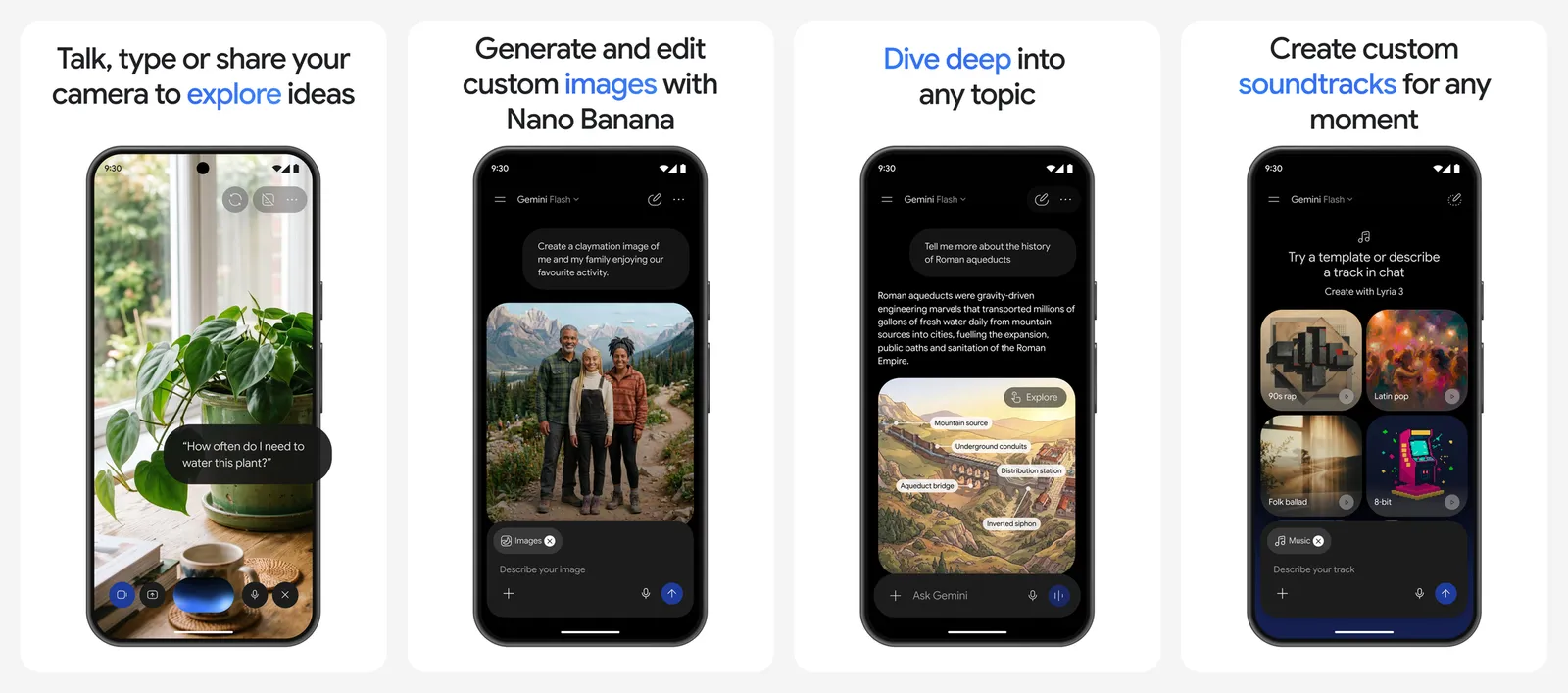
- Free limit: Google does not publish a number. Its help page says free users get standard limits that refresh every few hours, up to a weekly cap, and that limits can change with demand.
- What needs a paid plan: "Redo with Nano Banana Pro", Google's higher-quality model, needs a Google AI plan. Free users get limited Nano Banana Pro access only inside Google Flow, Google's creative studio.
- Watermark: Every image carries Google's invisible SynthID watermark. Google also adds a visible watermark by default. In India, South Korea and Vietnam only AI Ultra subscribers can switch the visible mark off.
- Paid plans (US): Google AI Plus is $4.99 a month and AI Pro is $19.99 a month, with 2x and 4x the free usage.
Gemini is the easiest place to start because you likely already have a Google account. It is also good at editing real photos without losing the face or the scene, which many free generators still get wrong. For tips on writing better requests, see our best prompts for Gemini.
- Runs on
- Web, Android, iPhone
- Skip if
- You need a guaranteed daily number of images
- Price
- Free, AI Plus $4.99/mo, AI Pro $19.99/mo
2. ChatGPT: Best for Following Detailed Instructions
- Android
- iPhone and iPad
Image creation in chat
ChatGPT can create images right inside a normal chat. The upside of that is conversation: you can say "make the jacket red and move the text to the top" and it keeps the rest of the picture.
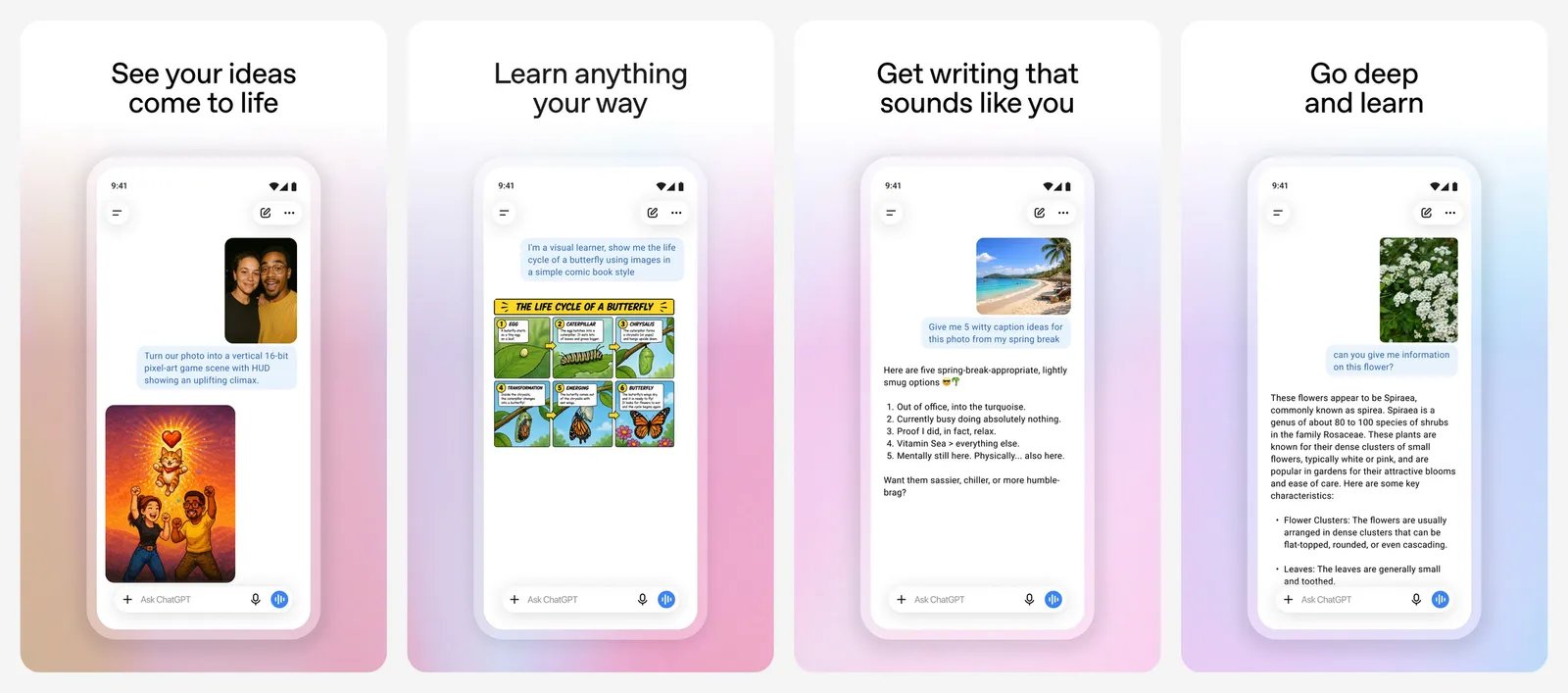
- Free limit: OpenAI lists image creation on the Free plan as "limited" and does not give a number. Paid plans get more.
- Ads: OpenAI is rolling out ads to Free and Go users in some countries, including the US, UK, Canada, Australia and New Zealand. Free users can switch to an ad-free mode, but that mode has lower limits and fewer tools, including image generation.
- Watermark: No visible watermark. OpenAI adds C2PA metadata (a label in the file that says which tool made it) and an invisible SynthID watermark.
- Paid plan: ChatGPT Go launched at $8 a month in the US and gives more image creation than Free.
Use ChatGPT when the prompt is long and specific, such as an infographic, a poster with exact wording or a product shot with a set layout. For the occasional picture alongside your chats, the free allowance is enough. If you are weighing ChatGPT's paid plan against a rival, our Perplexity Pro vs ChatGPT Plus comparison covers the extras.
- Runs on
- Web, Windows, Mac, Android, iPhone
- Skip if
- You want many images a day for free
- Price
- Free, Go from $8/mo (US)
3. Bing Image Creator: Most Free Images per Day
15 fast a day
Microsoft's Bing Image Creator is the most generous free option from a big company, and it publishes its limits clearly. It now uses Microsoft's own MAI-Image models.
- Free limit: 15 fast creations a day, which refill the next day. After that, standard-speed creation allows up to 200 prompts in 24 hours. Each "Edit image" click counts as a prompt.
- Models: MAI-Image-2.5-Flash and MAI-Image-2e. Editing an uploaded image uses MAI-Image-2.5-Flash only.
- Account: A free personal Microsoft account. Work or school accounts are not supported.
- Watermark: You can turn on an optional visible watermark.
- Storage: Creations are kept for up to 90 days, so download the ones you want.
There is no app screenshot here because Bing Image Creator runs in the browser. It is the best pick when you want to try a lot of prompts in one sitting without paying.
- Runs on
- Web browser
- Skip if
- You do not want a Microsoft account
- Price
- Free
4. Meta AI: Best Free Image Generator in Chat Apps
- Android
- iPhone and iPad
Muse Image, free
Meta AI makes images on meta.ai, in the Meta AI app and inside WhatsApp and Instagram, so you can create a picture without leaving a chat with friends. It runs on Meta's Muse Image model.
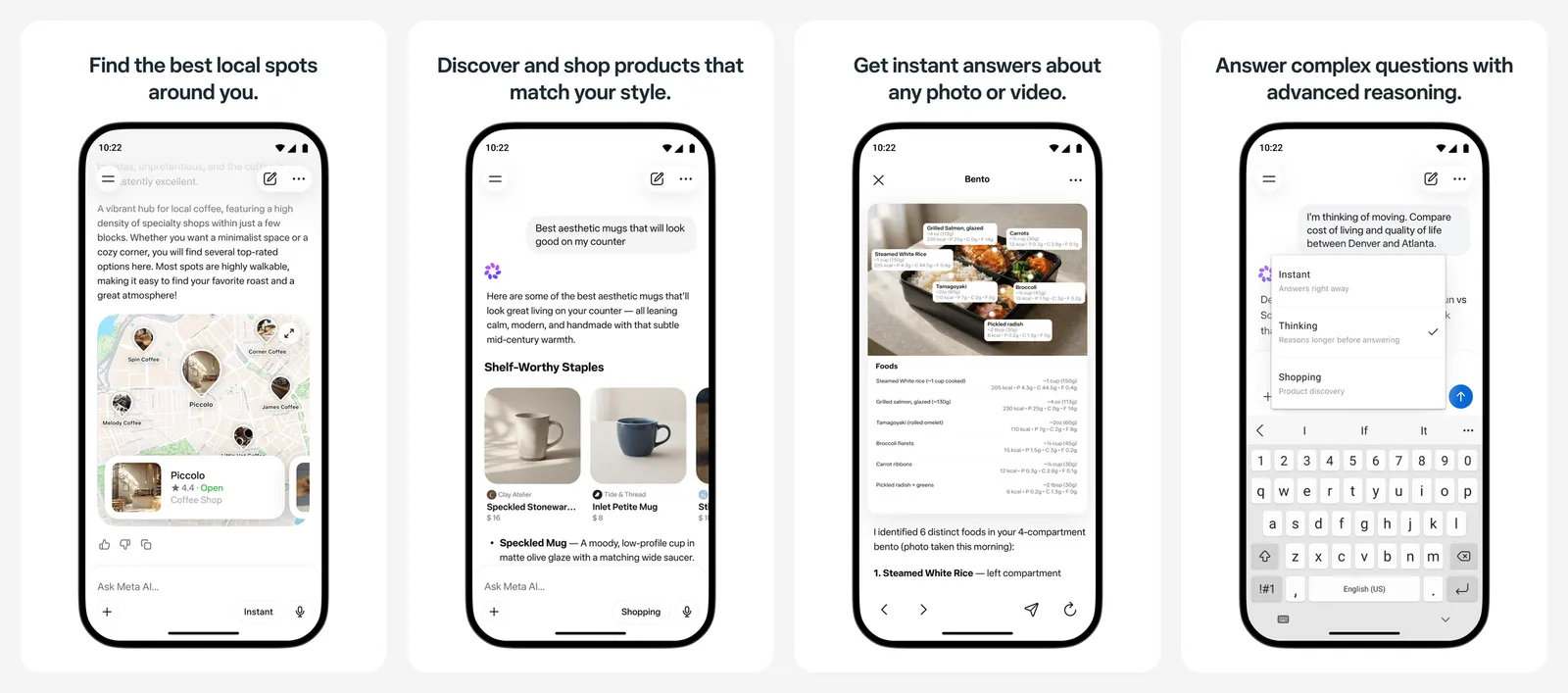
- Free limit: Meta says image creation is free for everyday use and that heavier use is part of its subscription plans. It does not give a number.
- Watermark: Images carry Content Seal, an invisible watermark that Meta says survives cropping, compression and screenshots.
- Extras: You can edit your own photos and restyle rooms, not just create from text.
It is the most convenient free pick if your friends or family already use WhatsApp, since anyone in the chat can ask for an image.
- Runs on
- Web, Android, iPhone, WhatsApp, Instagram
- Skip if
- You avoid Meta accounts
- Price
- Free, more with Meta subscriptions
5. Ideogram: Best for Text in Images
- iPhone and iPad
Posters, logos, captions
Ideogram is known for getting words right inside images, which many generators still garble. Posters, thumbnails, greeting cards and logo ideas are where it shines.
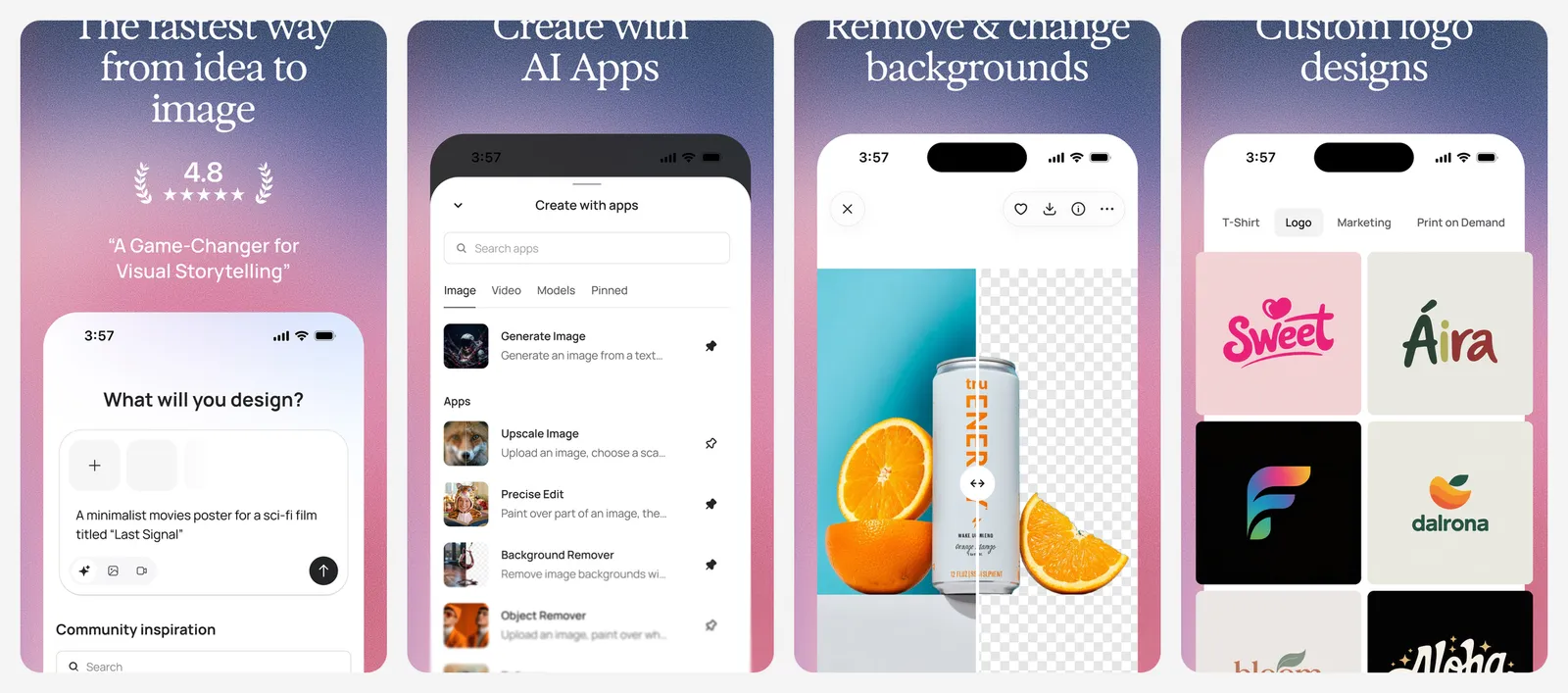
- Free limit: 30 credits a week, but only if you sign in with Google, Apple or Microsoft. Accounts made with an email and password get no free credits.
- Privacy: On the free plan, everything you generate is public. Paid plans keep new images private until you publish them.
- Commercial use: Ideogram's help page says it depends on its Terms of Service, so read them before you sell anything you make.
- Paid plans: Plus is $20 a month or $15 a month billed yearly, with 2,400 credits a month.
If a logo is the goal, our best AI logo makers guide compares Ideogram with tools that export proper SVG files.
- Runs on
- Web, iPhone
- Skip if
- Your images must stay private
- Price
- Free, Plus from $15/mo billed yearly
6. Leonardo.Ai: Best Daily Allowance for Creators
- Android
150 tokens a day
Leonardo.Ai gives free users a fresh allowance every day and many style controls, which makes it popular for game art, concept art and character designs.
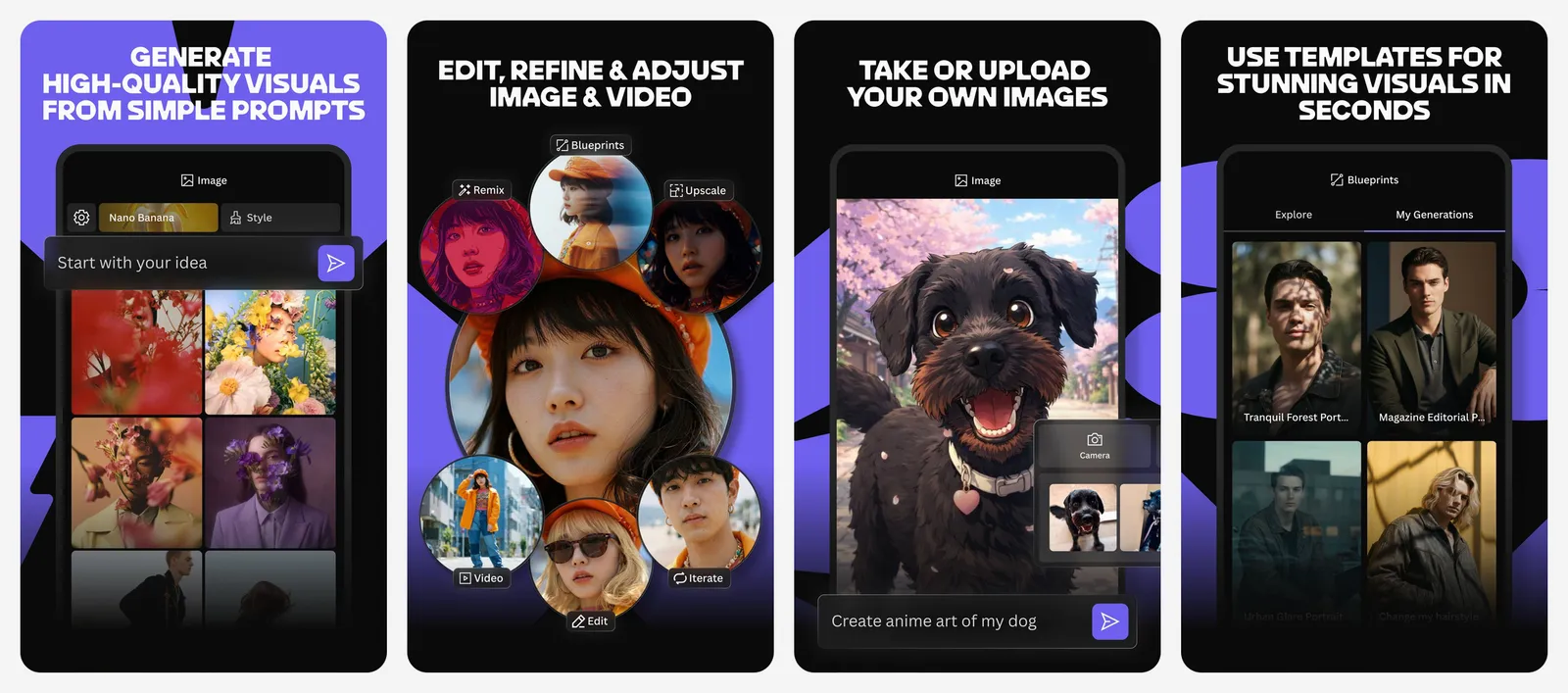
- Free limit: 150 tokens every day. Unused tokens expire and do not roll over. Each model and feature costs a different number of tokens, and the cost shows on the button before you generate.
- Privacy: Free content is public by default. It can be seen by other users and indexed by search engines.
- Commercial use: Leonardo's pricing page says free users may use their creations commercially, but Leonardo keeps the right to use and share what you create.
- Paid plans: From $10 a month billed yearly, with a monthly allowance that can roll over.
Pick Leonardo when you want to experiment every day and do not mind your work being public.
- Runs on
- Web, Android
- Skip if
- Your images must stay private
- Price
- Free, paid from $10/mo billed yearly
7. Adobe Firefly: Best for Commercially Safe Images
- Android
- iPhone and iPad
Daily free generations
Adobe Firefly is the pick for work images, because Adobe says outputs from its own Firefly models can be used commercially.
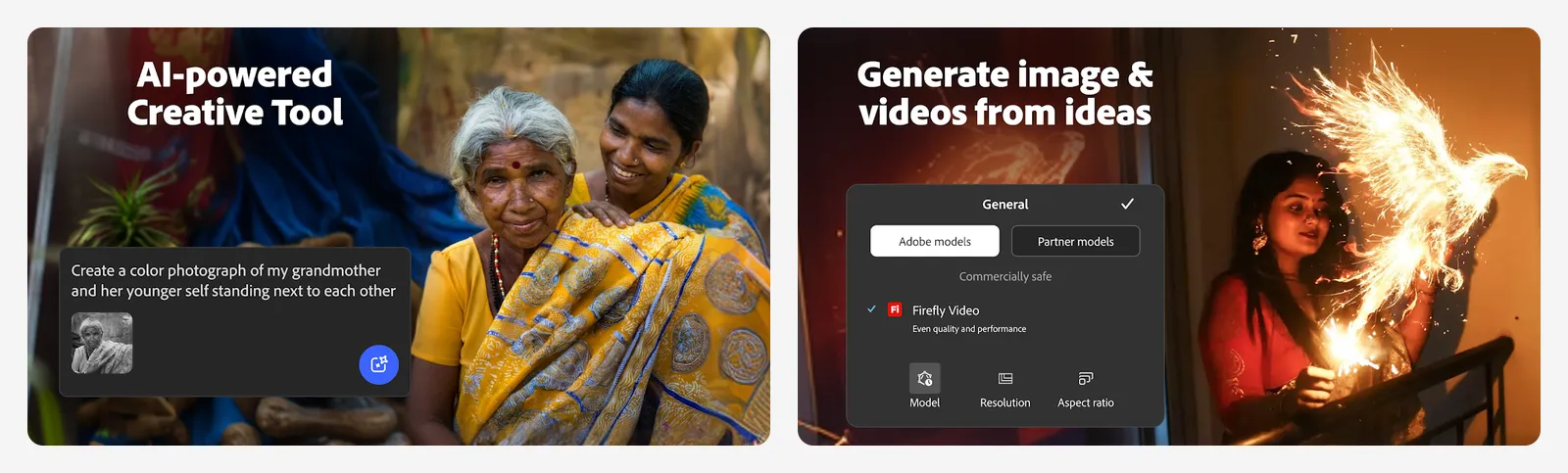
- Free limit: Adobe's free plan gives daily free generations across image, video and audio. Limits refresh every day, but Adobe does not publish the number.
- Other models: The free plan also includes some partner models, such as Google's Nano Banana. Nano Banana Pro needs a paid Firefly plan.
- Commercial use: Adobe says outputs from its own Firefly models can be used commercially. That promise covers Adobe's models, so check the terms before using a partner model's output for work.
- Apps: Firefly runs on the web and has free Android and iPhone apps for images and video.
If you also edit photos on your phone, see how Firefly's tools compare with Google Photos and others in our best AI photo editors list.
- Runs on
- Web, Android, iPhone
- Skip if
- You want a clear daily number
- Price
- Free daily generations, paid plans available
8. Recraft: Best for Vector Art and Icons (Personal Use)
- iPhone and iPad
Vectors and brand styles
Recraft is built for designers. It makes vector illustrations, icons and images in a consistent brand style, which most chat-style generators cannot do.
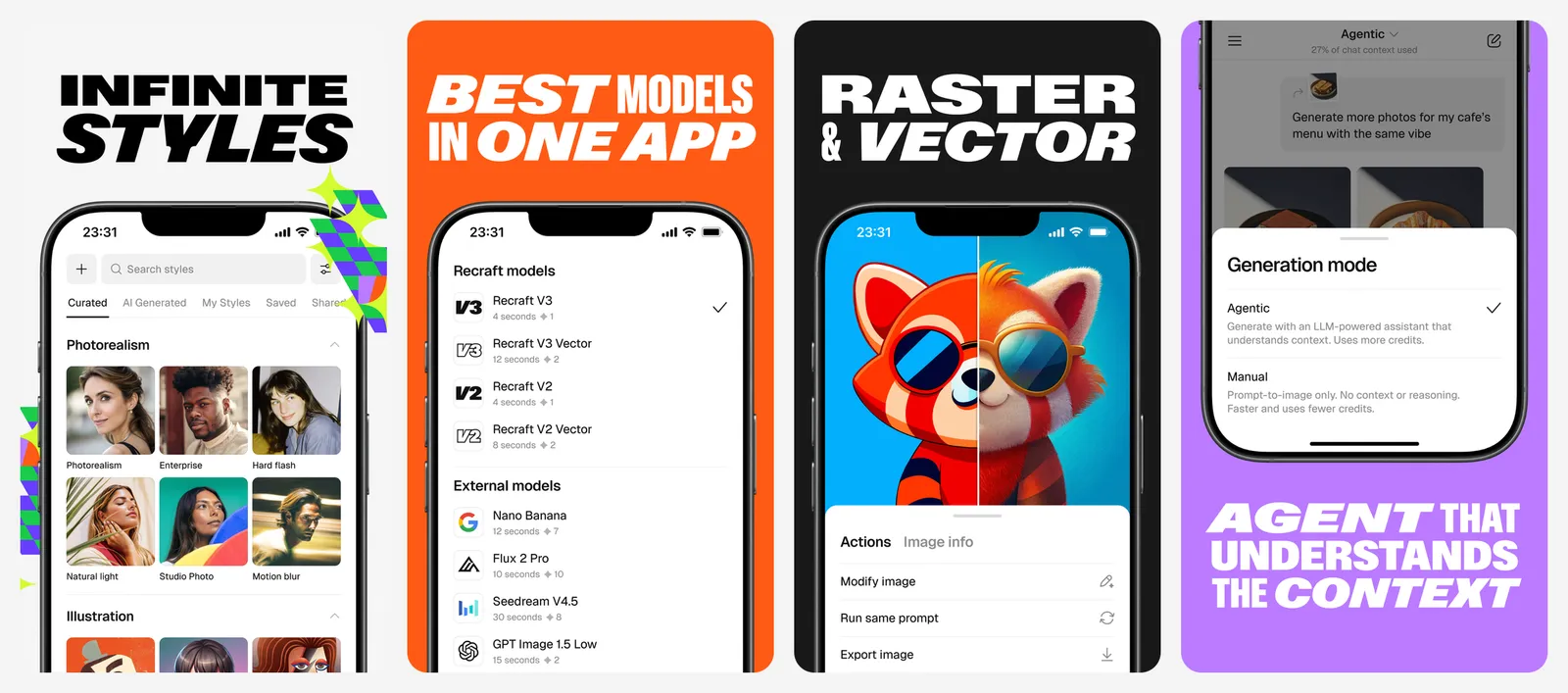
The free plan comes with a catch that is easy to miss. Recraft's pricing FAQ says images made on the free plan are owned by Recraft, are shown in its public community gallery and are not licensed for commercial use. Paid plans give you full ownership and commercial rights, and images made while subscribed stay yours after you cancel.
Use the free plan to test styles and make personal projects. Pay before you use anything on a product, a client job or a stock site.
- Runs on
- Web, iPhone
- Skip if
- You need commercial rights without paying
- Price
- Free plan, paid Basic, Pro and Teams plans
9. Draw Things: Best Offline AI Image Generator
- iPhone and iPad
Runs on your device
Draw Things runs open image models, such as FLUX.1, FLUX.2, SDXL and Qwen Image, directly on your iPhone, iPad or Mac. Nothing leaves your device, and there are no credits to run out.
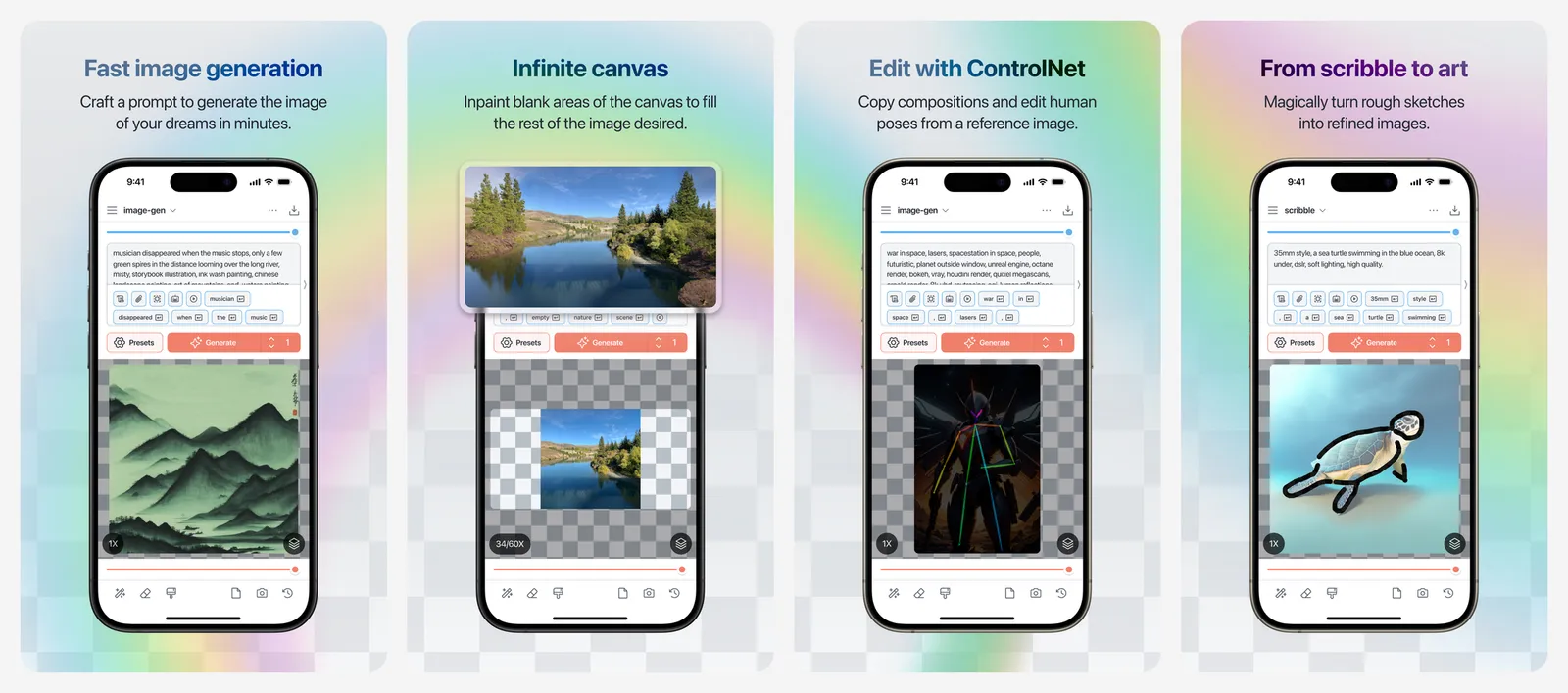
- Free limit: None for local creation. The App Store listing says there are no ads or token limits. Cloud compute is optional.
- Privacy: Prompts and images stay on your device, and it works offline.
- Control: Inpainting, outpainting, ControlNet and on-device LoRA training (a way to teach a model a specific face or style).
- Commercial use: It depends on the licence of the model you download, not on the app.
Speed depends on your hardware. It is fastest on Apple Silicon Macs and recent iPhones, and slow on older devices. It is the best choice if you want unlimited free images and are willing to learn a few settings.
- Runs on
- iPhone and iPad (iOS 15.4+), Mac
- Skip if
- You use Android or Windows
- Price
- Free, optional cloud compute
Which free AI image generator should you use?
Match the tool to the job:
- Quick images and photo edits: Google Gemini.
- Lots of tries in one session: Bing Image Creator.
- Words inside the picture: Ideogram.
- Images for work or a client: Adobe Firefly, or a paid plan of any tool here.
- Private, unlimited images: Draw Things on an iPhone, iPad or Mac.
- Images inside WhatsApp or Instagram: Meta AI.
Once you have an image, you can bring it to life with one of our AI video generators, or sharpen a small result with an AI photo enhancer and upscaler.
Who should still pay
What is the best free AI image generator?
Which AI image generator is free with no daily limit?
Can I use free AI images commercially?
Do free AI image generators add a watermark?
Is there a free AI image generator without sign up?
How many free images does ChatGPT give?

Sumit
ContributorHi, I'm Sumit, Being an introvert I have always been obsessed with technology-computers and reading dozens of posts to learn, find answers out of my curiosity. I love to write as I explore more.