On this page
- What Home MCP actually is
- What your agent can do with it
- What you need before you start
- How to set up Home MCP
- Create a Google Cloud project
- Enable the Home API
- Configure the OAuth consent screen
- Create an OAuth client ID
- Publish the app
- Add the server to your client
- Sign in and pick your home
- Safety limits and what is not ready
- The 15+ improvements in this week's update
- Voice assistant fixes
- App and widget fixes
- Camera stream fixes
- Availability
Google opened early access to Home MCP on September 16, 2026, a new bridge that lets AI agents talk directly to your smart home. The same week, the company shipped more than 15 fixes and improvements to the Google Home app and the Gemini for Home experience.
The MCP server is the bigger story. It turns Google Home into something an AI assistant can read and act on, instead of a set of devices you only tap inside an app. Google calls it the next step toward an agentic smart home, after a year of Gemini changes across Android.
What Home MCP actually is
MCP stands for Model Context Protocol. It is an open standard that lets an AI agent call tools and read data from another service. A simple way to picture it: MCP is a USB port for AI. Any agent that speaks MCP can plug into a system that exposes MCP tools.
Google Home MCP is a server that sits between your smart home and your AI agent. Google exposes five tools that a connected agent can call:
| Tool | What it does |
|---|---|
list_homes | Finds the homes and structures your account can access |
list_home_resources | Lists devices, rooms, traits, and command schemas |
list_home_states | Reads live device connectivity and trait values |
list_home_history | Queries past state changes and event logs over a time range |
run_home_actions | Runs parameterized control commands on a target device |
Any agent that supports MCP tools can use these. Google names Google Antigravity, Claude (Claude Cowork), Hermes, and OpenClaw as examples. The server covers Nest cameras and doorbells, Nest thermostats, Matter lights, and the rest of the Google Home ecosystem.
What your agent can do with it
Google shared several real-world examples from early testers:
- Cross-camera summaries. Ask what the kids did when they got home from school, and the agent pulls a summary from every camera plus the matching clips.
- Home history questions. Track how many loads of laundry ran in a week, or how long the lights were left on.
- Voice updates. If an agent finishes a background task, it can send an audio message over a Google Home speaker.
- Custom dashboards. The agent can build a smart home view tailored to one person.
The pitch is physical context. Google says the connection gives an agent "real-world physical context, allowing it to analyze and answer questions about home activity, summarize camera footage across rooms, manage devices on your behalf, or even create your own smart home dashboards using everyday language."
This goes well past the old voice control, where an assistant handled one simple command at a time. If you already use Google Assistant on your computer, talking to Google across devices will feel familiar, but the agent here is doing the reasoning and the follow-up work itself.
What you need before you start
Home MCP is not open to everyone yet. Google lists four requirements:
- An active Google Home setup with connected devices.
- An active Google Home Premium Advanced subscription. That plan costs $20 per month or $200 per year.
- Access to a Google Cloud project.
- An MCP-compatible AI client, such as Google Antigravity, Claude Cowork, or OpenClaw.
Early access is rolling out in US English only for now.
How to set up Home MCP
Setup runs through Google Cloud, then your AI client. Seven steps:
1. Create a Google Cloud project
Cloud
Open the Google Cloud console and create a new project. This project holds the Home API and your OAuth credentials.
1. Enable the Home API
Cloud
Go to APIs & Services, then Enabled APIs & Services, search for Home API, and click Enable.
1. Configure the OAuth consent screen
OAuth
Open APIs & Services, then OAuth consent screen. Pick the External audience and fill in your app name and contact email.
1. Create an OAuth client ID
OAuth
Choose Web application as the type, then add the redirect URI for your client. Antigravity uses https://antigravity.google/oauth-callback, Claude Cowork uses https://claude.ai/api/mcp/auth_callback, and OpenClaw uses a redirect URI from your local install.
1. Publish the app
OAuth
Under Google Auth Platform, then Audience, click Publish app so the client can complete the sign-in flow.
1. Add the server to your client
MCP
Enter the server URL https://home.googleapis.com/mcp, set transport to SSE, use the OAuth scope https://www.googleapis.com/auth/home.platform.v2, and paste your client ID and secret.
1. Sign in and pick your home
MCP
Complete the Google Home permissions flow in your browser, grant access, and select the home structure the agent can see.
Safety limits and what is not ready
Google built in guardrails, but it is upfront that an agent can misbehave.
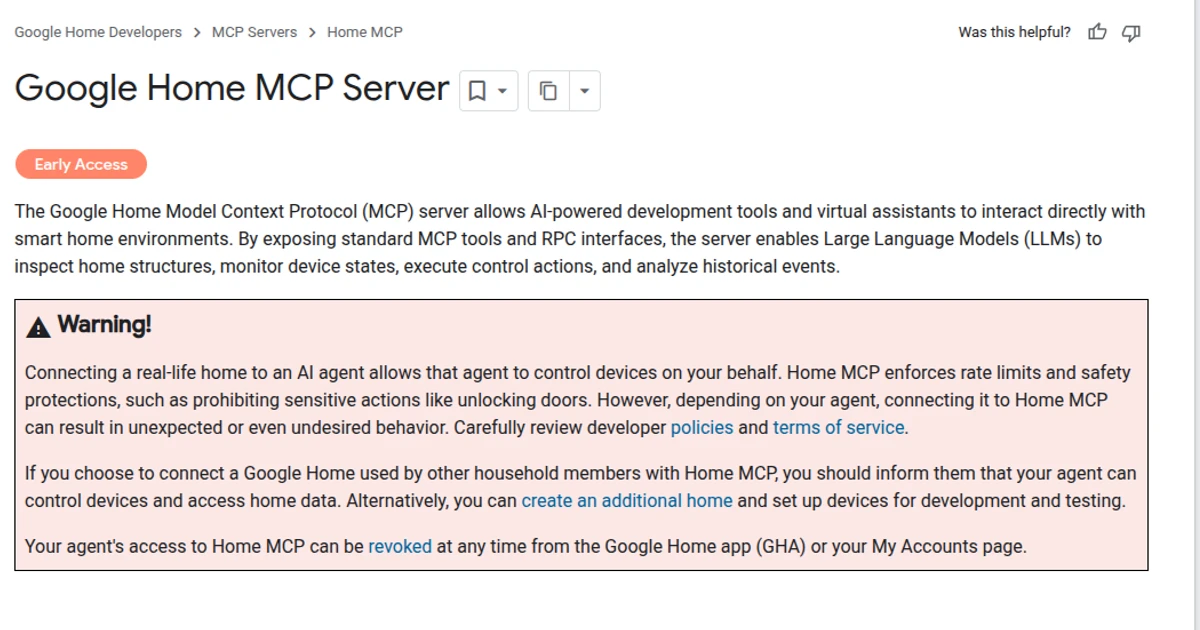
- Home MCP enforces rate limits and blocks sensitive actions such as unlocking doors.
- Google warns that connecting a real home to an agent can lead to unexpected or undesired behavior, and points users to its developer policies and terms of service.
- If other people share your home, Google says to tell them an agent can control devices and read home data. It also suggests creating a separate home for development and testing.
- Known issues: some traits are marked experimental and may not work as expected, and latency can run higher than normal. Google says it is working on both.
- Automations are not supported yet. Google says creating and managing automations through Home MCP is planned for a future release.
The 15+ improvements in this week's update
Alongside the MCP launch, Google shipped a batch of fixes. None are brand-new features, but they target long-standing annoyances.
1. Voice assistant fixes
Gemini · GEMINI FOR HOME
- Fewer unnecessary follow-up questions, and fewer awkward conversation endings.
- Fixed an intermittent bug that stopped Gemini from launching TV streaming providers on smart displays.
- Fewer interruptions during Live Mode.
- Fewer broadcast errors, so whole-home broadcasts are more reliable.
- Better recognition of personal playlists.
2. App and widget fixes
Home app · GOOGLE HOME APP
- Battery-efficient widgets. Widgets now pause background updates and polling when your screen is off, locked, or showing a screensaver, then refresh the moment you unlock.
- Smoother multi-account switching. Fewer "Home not found" errors and preference resets.
- More reliable device tiles. Online sensors, cameras, and smoke and carbon monoxide detectors no longer appear grayed out after you return from a controller screen.
- More reliable device setup. Wi-Fi pairing stalls during onboarding are fixed.
- Smoother Google TV startup. A startup crash on Google TV devices is fixed.
- More flexible in-app banners. The UI for triggering actions in announcement banners is improved.
- Better smoke alarm notifications. Alarms show current device status after an alarm has already been cleared.
3. Camera stream fixes
Cameras · CAMERA
- Android: live stream tiles no longer turn black after returning from full-screen view to the Favorites tab.
- Android: the video timeline now scrolls smoothly past unrecorded or offline gaps without freezing.
- iOS: tapping "Live" while watching a recorded event now switches cleanly into the live view instead of stalling.
Availability
Home MCP is in early access now for Google Home Premium Advanced subscribers in US English. The 15+ fixes are rolling out to the Google Home app and Gemini for Home early access as part of the September 16 release.
Is Google Home MCP free?
Which AI agents work with Home MCP?
Can my AI agent unlock my door?
Does Home MCP work outside the US?
Can I revoke my agent's access?
Cover image: home.google.com.

Amit loves new tech and apps that make life easier, he writes about apps, games and useful websites on TheTechBasket.