On this page
- All 9 Photoshop alternatives at a glance
- Free Photoshop alternatives for Windows, Mac and Linux
- GIMP: Best Free Photoshop Alternative Overall
- Affinity: Best Free Pro Editor for Windows and Mac
- Krita: Best Free Photoshop Alternative for Painting
- Paint.NET: Best Free Photoshop Alternative for Quick Windows Edits
- Free Photoshop alternatives in your browser
- Photopea: Best Free Photoshop Alternative Online
- Pixlr: Best Free Photoshop Alternative for Quick AI Edits
- Free Photoshop alternatives for Android and iPhone
- Photoshop on Mobile: Best Free Way to Keep Using Photoshop
- Photoshop Express: Best Free App for One-Tap Fixes
- Snapseed: Best Free Photo Editor With No Catches
- Which free Photoshop alternative should you pick?
- Who should still pay for Photoshop
The best free Photoshop alternatives are GIMP and Affinity on a computer, Photopea in a browser, and Snapseed or Adobe's own free Photoshop mobile app on a phone. GIMP and Affinity cover layers, masks and retouching at no cost. Photopea even opens PSD files without an install or an account.
Photoshop itself has no free plan. Adobe's FAQ says it is "available only through a Creative Cloud subscription". The Photoshop plan costs US$22.99 a month on an annual plan billed monthly, or US$263.88 a year prepaid. The Photography plan, which bundles Photoshop with Lightroom, is US$19.99 a month on an annual plan. If you only open Photoshop a few times a month, that is a lot to pay.
This list covers 9 free options for Windows, Mac, Linux, the web, Android and iPhone. For each one we note the price, what the paid upgrade adds, whether it shows ads, and where it runs. Every detail comes from the official website or app store listing. We have not run our own benchmark tests.
All 9 Photoshop alternatives at a glance
Search by app, platform or price. Tap any name to jump to its full entry.
| App | Price | Paid upgrade | Platforms | Ads | Best for |
|---|---|---|---|---|---|
| GIMP | Free | None | Windows, Mac, Linux | No | Layered editing and retouching |
| Affinity | Free | Canva AI tools need a Canva paid plan | Windows, Mac | No | Pro photo editing plus design |
| Photopea | Free | Premium removes ads | Any web browser | Yes | Opening PSD files anywhere |
| Krita | Free | Optional paid store versions | Windows, Mac, Linux, Android tablets (beta) | No | Digital painting |
| Paint.NET | Free | Optional paid Microsoft Store version | Windows | No | Quick edits on Windows |
| Pixlr | Free | Plus from $1.99 a month (billed yearly) | Web, Android, iPhone | Yes | Fast edits and AI tools in a browser |
| Photoshop on mobile | Free tier | $7.99 a month or $69.99 a year | Android, iPhone, web (paid plan) | No | Real Photoshop layers on a phone |
| Photoshop Express | Free | Premium $4.99 a month or $34.99 a year | Android, iPhone | No | One-tap fixes and collages |
| Snapseed | Free | None | Android, iPhone | No | Free photo editing with no catches |
Free Photoshop alternatives for Windows, Mac and Linux
1. GIMP: Best Free Photoshop Alternative Overall
Open source, all desktops
GIMP is the long-running free answer to Photoshop. It has layers, masks, selection tools, retouching tools such as healing and clone, colour adjustments and a big library of third-party plugins. It runs on Windows, Mac and Linux, and there is no account, no ad and no upsell.
The project is active. GIMP 3.2.6 came out on September 10, 2026. Menus and tool names still differ from Photoshop, so expect a week or two of relearning muscle memory.
GIMP is not a RAW developer on its own. If you shoot RAW, pair it with darktable or RawTherapee, which we cover in our list of free Lightroom alternatives.
What you lose vs Photoshop: AI tools like Generative Fill, and the polish of Adobe's interface.
- Replaces
- Photoshop for layered photo editing
- Runs on
- Windows, Mac, Linux
- Licence
- Free and open source (GPLv3)
- Skip if
- You want Photoshop's exact menus and shortcuts
- Price
- Free
2. Affinity: Best Free Pro Editor for Windows and Mac
Free since Canva bought Serif
Affinity used to be a set of paid one-time apps. Canva now offers it as one free app that combines photo editing, vector design and page layout. The official page lists the price as "$0, free" and its FAQ says "Affinity really is free."
For Photoshop users it is the closest feel on this list: non-destructive layers, adjustment layers, masks, retouching and RAW development in one place. You sign in with a free Canva account to download it. After activation you do not need to stay online. The only paid part is Canva's AI tools inside Affinity, which need a Canva Pro, Business, Enterprise or Education plan.
It runs on Windows and macOS today. Affinity says an iPad version is "coming soon" but gives no date. It also shows up on our lists of Canva alternatives and buy once software.
What you lose vs Photoshop: Adobe's generative AI tools and plugin ecosystem.
- Replaces
- Photoshop and Illustrator
- Runs on
- Windows, macOS (iPad version announced)
- Licence
- Free; Canva AI features need a Canva paid plan
- Skip if
- You need it on iPad or a phone today
- Price
- Free
3. Krita: Best Free Photoshop Alternative for Painting
- Android
Digital painting and illustration
If you use Photoshop to draw, paint or make comics rather than fix photos, Krita is the better free pick. It has strong brush engines, stabilisers for clean inking, drawing assistants, layer styles, filter and transform masks, animation with onion skinning, and it opens PSD files.
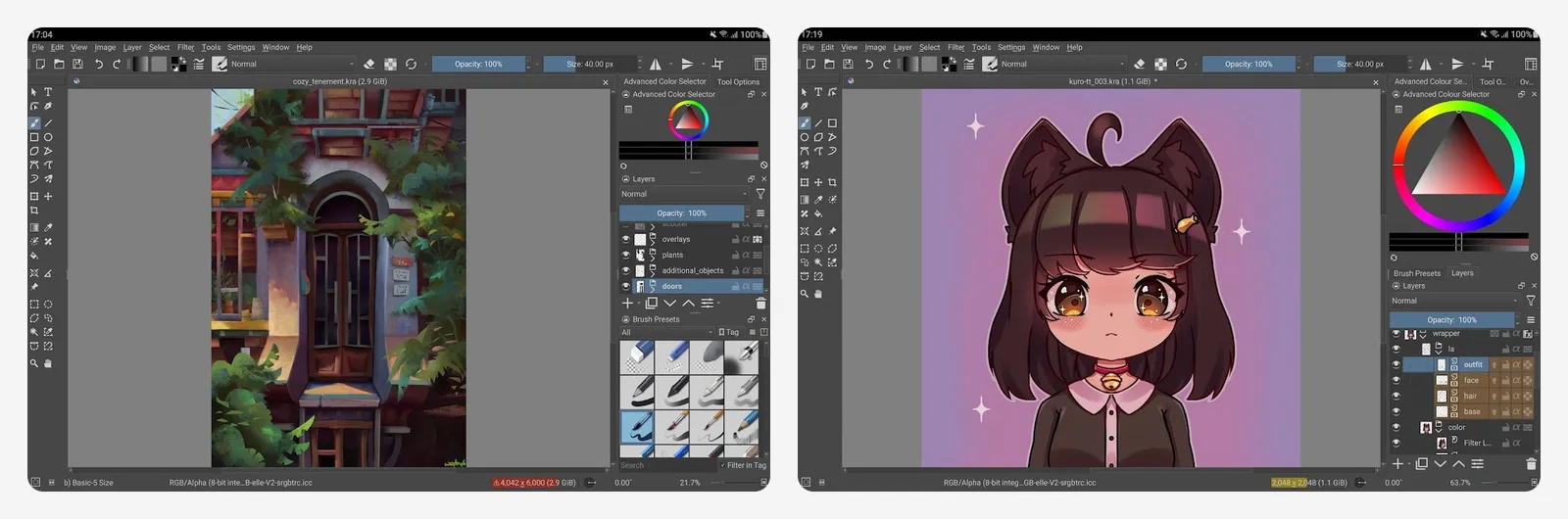
Krita 5.3.4.1 came out on October 7, 2026. Downloads from krita.org are free. Paid copies on Steam, the Epic Games Store, the Microsoft Store and the Mac App Store are the same app, and the money funds development. The Android version is still a beta made for tablets and Chromebooks, not phones, and there is no iPad or iPhone version.
For more drawing apps, see our list of Procreate alternatives.
What you lose vs Photoshop: photo-focused tools such as content-aware fill and smart object workflows.
- Replaces
- Photoshop for drawing and illustration
- Runs on
- Windows, Mac, Linux, Android tablets and Chromebooks (beta)
- Licence
- Free and open source (GPLv3)
- Skip if
- You mostly retouch photos
- Price
- Free (paid store versions optional)
4. Paint.NET: Best Free Photoshop Alternative for Quick Windows Edits
Light editor for Windows
Paint.NET sits between Microsoft Paint and Photoshop. It has layers, unlimited undo, effects and adjustments, and a community library of plugins that add more tools and file formats. It opens fast, which makes it handy for screenshots, crops, blurs and quick touch-ups.
It is Windows only. Version 5.1.12 came out on March 8, 2026. The download from the official site is free. A paid Windows Store version exists to support the developer.
What you lose vs Photoshop: advanced masking, AI tools and Mac support.
- Replaces
- Photoshop for crops, resizes and simple layered edits
- Runs on
- Windows only
- Licence
- Free download
- Skip if
- You use a Mac or Linux
- Price
- Free (paid Microsoft Store version optional)
Free Photoshop alternatives in your browser
5. Photopea: Best Free Photoshop Alternative Online
Opens PSD in any browser
Photopea looks and works a lot like Photoshop, and it runs in a browser on almost any device, including a Chromebook. PSD is its main format, with full support for opening and saving. It also handles PNG, JPG, WEBP, SVG, PDF, AI, TIFF and RAW formats such as DNG, CR2 and NEF.
Photopea says files never leave your device: there are no uploads. You do not need an account to start editing. The free version shows ads, and a Premium account removes them. Photopea shows the Premium price inside its Account window rather than on a public page.
What you lose vs Photoshop: AI features and the speed of a native app on very large files.
- Replaces
- Photoshop for opening and editing PSD files
- Runs on
- Any modern web browser
- Licence
- Free with ads, optional Premium account
- Skip if
- Ads bother you and you will not pay
- Price
- Free (Premium removes ads)
6. Pixlr: Best Free Photoshop Alternative for Quick AI Edits
- Android
- iPhone and iPad
Browser and phone editor
Pixlr runs in a browser and as a phone app, and it leans on AI. The Android app lists AI Generative Fill, AI Remove Object and AI Remove Background, plus collages, templates, double exposure, retouch tools and text. It has over 100 million downloads on Google Play.
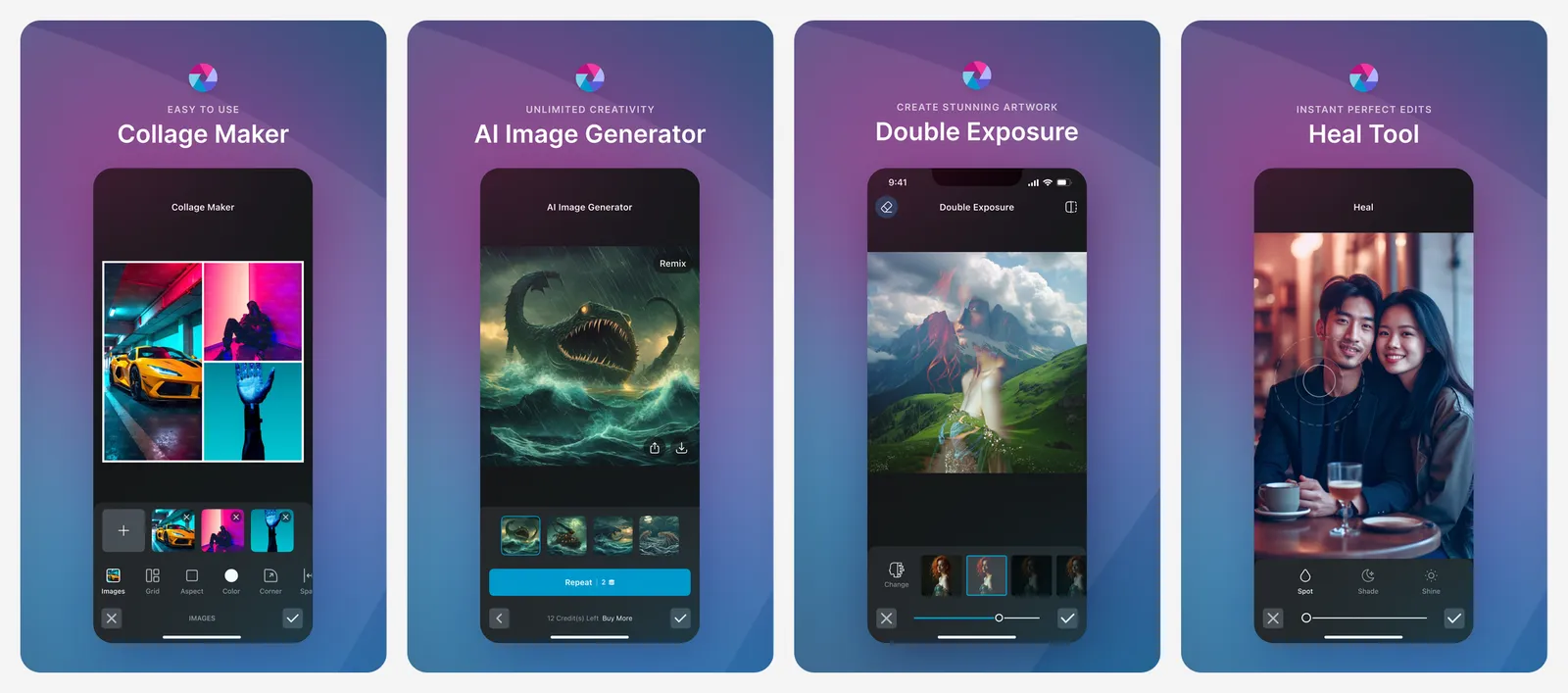
The free version shows ads. Plus costs $2.49 a month or $1.99 a month billed yearly, and adds ad-free use, unlimited saves and 80 AI credits a month. Premium is $9.99 a month or $7.99 a month billed yearly, with 1,000 AI credits. One subscription covers web, desktop and mobile.
What you lose vs Photoshop: depth. Pixlr is built for quick results, not detailed compositing.
- Replaces
- Photoshop for fast edits and AI cleanup
- Runs on
- Web, Android, iPhone
- Licence
- Free with ads, optional subscription
- Skip if
- You need precise, print-ready work
- Price
- Free (Plus from $1.99 a month billed yearly)
Free Photoshop alternatives for Android and iPhone
7. Photoshop on Mobile: Best Free Way to Keep Using Photoshop
- Android
- iPhone and iPad
Adobe's free tier
If you like Photoshop but not the bill, Adobe's own phone app has a free tier. Adobe describes it as "an image editor app with a wide selection of free photo editing tools", including layers, the Tap Select tool, the Spot Healing Brush, adjustment layers and background blur or removal.
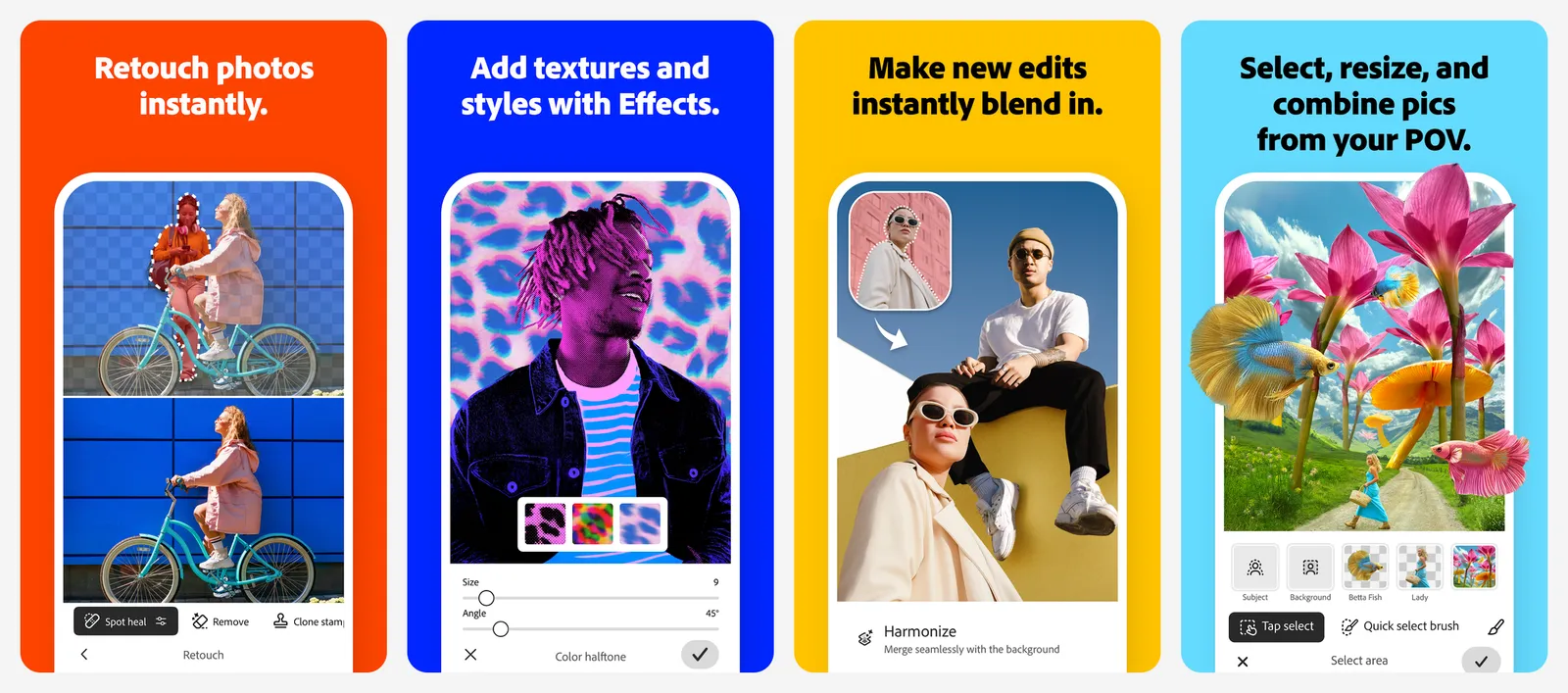
The paid Photoshop Mobile & Web plan adds the Remove Tool, Content Aware Fill, Object Select, the Magic Wand, advanced blend modes, 100 generative credits a month and export to PSD and TIFF. On the US App Store it costs $7.99 a month or $69.99 a year, a fraction of the desktop plan. The app has no ads. Our AI photo editors guide covers its AI tools in more depth.
What you lose vs Photoshop: the full desktop toolset, and most AI tools unless you pay.
- Replaces
- Photoshop desktop for light phone edits
- Runs on
- Android, iPhone and iPad (iOS 18 or later)
- Licence
- Free app, optional subscription
- Skip if
- You need desktop-grade tools for free
- Price
- Free (Photoshop Mobile & Web $7.99 a month or $69.99 a year)
8. Photoshop Express: Best Free App for One-Tap Fixes
- Android
- iPhone and iPad
Simple Adobe editor
Photoshop Express is Adobe's simpler editor, with over 100 million downloads on Google Play. It covers the jobs most people open Photoshop for: blemish removal, spot healing, clone stamp, red-eye fixes, filters, text, collages and AI background replacement. It also imports RAW, TIFF and PNG files.
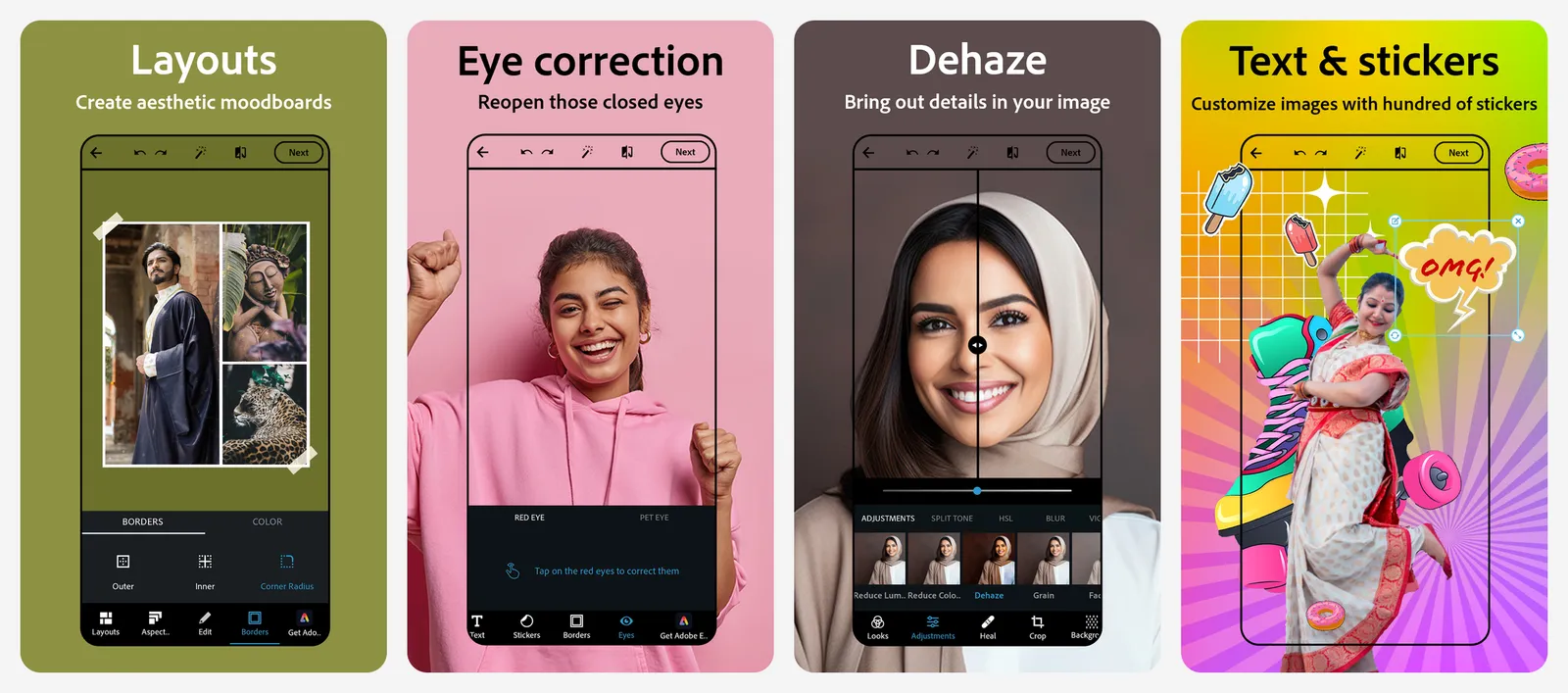
The Play listing shows no ads. Premium unlocks extra features and finer controls for $4.99 a month or $34.99 a year on the US App Store. An Adobe Express Premium plan also includes Photoshop Express Premium on mobile.
What you lose vs Photoshop: layers, masks and any real compositing.
- Replaces
- Photoshop for selfies, collages and social edits
- Runs on
- Android, iPhone
- Licence
- Free app, optional Premium
- Skip if
- You want layers and precise selections
- Price
- Free (Premium $4.99 a month or $34.99 a year)
9. Snapseed: Best Free Photo Editor With No Catches
- Android
- iPhone and iPad
Google's free editor
Snapseed from Google gives you 30+ tools with no subscriptions, purchases, ads or watermarks. It has healing, selective adjustments, curves, perspective fixes, one-tap smart masking, batch editing and RAW support, and every edit stays reversible.
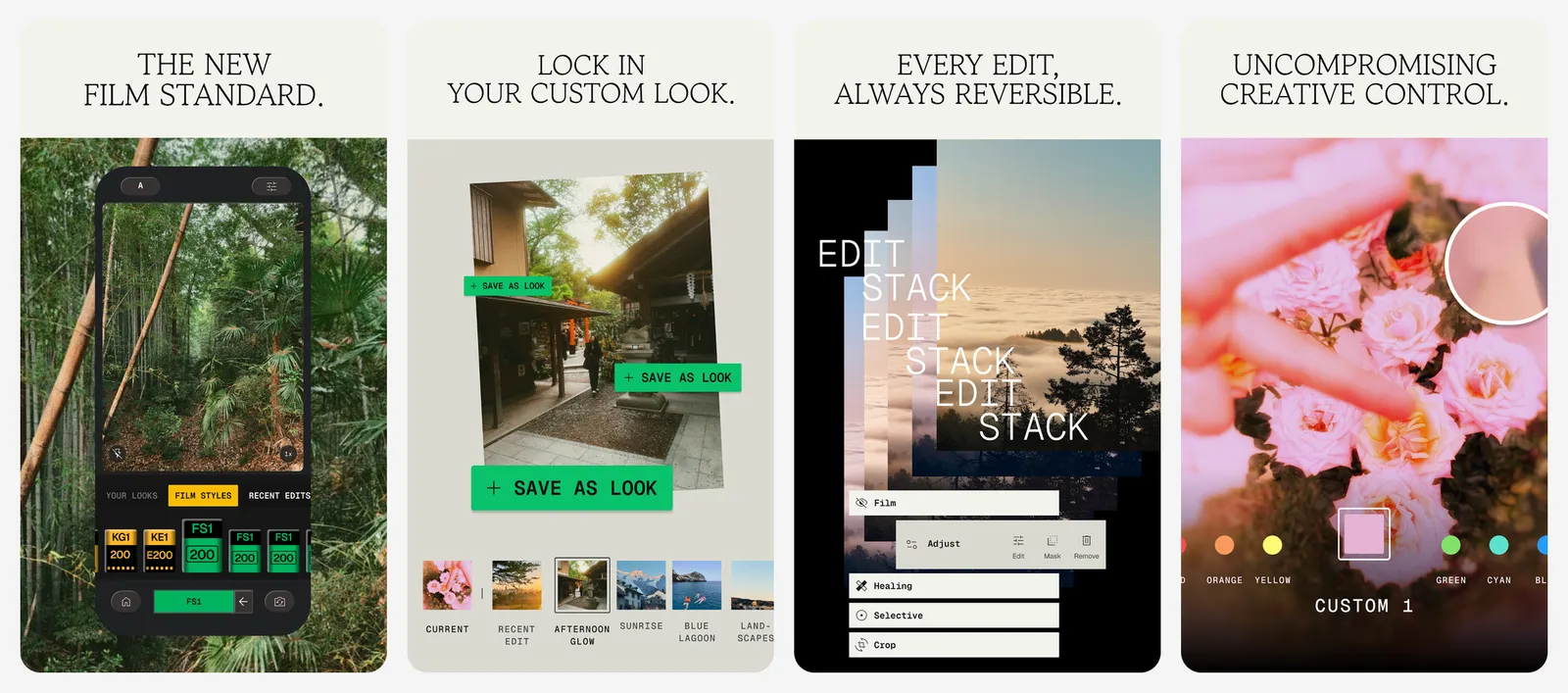
It is a photo editor, not a design tool, so there are no layers for combining images. We cover it in more detail in our Lightroom alternatives list.
What you lose vs Photoshop: layers, text design and generative AI.
- Replaces
- Photoshop for photo touch-ups on a phone
- Runs on
- Android, iPhone (iOS 17 or later)
- Licence
- Free, no subscriptions, purchases, ads or watermarks
- Skip if
- You need layers or generative AI
- Price
- Free
Which free Photoshop alternative should you pick?
- You edit photos on a Windows, Mac or Linux PC: start with GIMP. If its interface feels dated, try Affinity on Windows or Mac.
- You get PSD files from clients or designers: Photopea opens them in a browser without an install.
- You draw or paint: Krita on a computer or an Android tablet.
- You want quick fixes on Windows: Paint.NET opens in seconds.
- You edit on your phone: Snapseed for free photo fixes, Photoshop on mobile when you need layers.
- You want AI cleanup in a browser: Pixlr, with a cheap Plus plan if ads get in the way.
Who should still pay for Photoshop
Is there a free version of Photoshop?
What is the best free alternative to Photoshop?
Can I open PSD files without Photoshop?
Is Affinity really free now?
How much does Photoshop cost?
What is the best free Photoshop alternative for Android?

Sumit
ContributorHi, I'm Sumit, Being an introvert I have always been obsessed with technology-computers and reading dozens of posts to learn, find answers out of my curiosity. I love to write as I explore more.