On this page
- Can you really run an AI chatbot on your phone offline?
- What you need before you start
- Pick a model
- Pick an app
- PocketPal AI
- Google AI Edge Gallery
- Maid
- MNN Chat
- ChatterUI
- Method 1: Set up PocketPal AI (5 minutes)
- Method 2: Run Gemma 4 with Google AI Edge Gallery
- Method 3: Termux with llama.cpp or Ollama (power users)
- How to confirm nothing leaves your phone
- How fast is it?
- Fixing common problems
- The app crashes or closes when loading a model
- Replies are painfully slow
- The model will not download
- Answers are wrong or made up
- FAQs
Can you really run an AI chatbot on your phone offline?
Yes. A modern Android phone with 8 GB of RAM can run a small large language model (LLM, the kind of AI behind ChatGPT) entirely on its own chip. Once the model file is downloaded, you can switch on airplane mode and keep chatting. Your prompts never touch a server, there is no subscription, and it works on a plane, in a basement, or anywhere without signal.
The trade-off is size. Phone models have 1 to 4 billion parameters instead of the hundreds of billions behind cloud chatbots, so they are good at summarising, rewriting, brainstorming, quick explanations and simple coding help, and weaker at deep reasoning and recent facts. This guide shows you which app and model to pick for your phone, how to set each one up, and how to prove nothing leaves the device.
- Easiest: install PocketPal AI from the Play Store, download Qwen3.5 2B or Llama 3.2 1B inside the app, turn on airplane mode, chat.
- Best for Gemma 4: Google AI Edge Gallery runs Gemma 4 E2B on the GPU at around 50 tokens per second on a 2026 flagship.
- RAM decides everything: 6 GB phones stick to 1B to 2B models, 8 GB phones handle 2B to 4B, 12 GB or more can try 7B to 9B (slowly).
- Pick Q4_K_M files. They are about a third of the full size with little quality loss.
- Power users can run llama.cpp or Ollama inside Termux with one pkg install command.
What you need before you start
You do not need root, a custom ROM, or a gaming phone. You need enough memory, some free storage, and Wi-Fi for the one-time model download.
| Your phone's RAM | Models that run well | Realistic experience |
|---|---|---|
| 4 GB | Qwen3.5 0.8B, Llama 3.2 1B | Works, but short answers and frequent reloads |
| 6 GB | Llama 3.2 1B, Qwen3.5 2B, DeepSeek R1 1.5B | Comfortable for everyday chat |
| 8 GB | Gemma 4 E2B, Llama 3.2 3B, Phi-4 mini, Qwen3.5 4B | The sweet spot in 2026 |
| 12 GB or more | Gemma 4 E4B, Qwen3.5 9B | Best quality, noticeably slower on bigger models |
A simple rule: the model needs its file size in free RAM, plus another 0.5 to 1.5 GB for the app and the conversation. Google's own AI Edge Gallery enforces similar floors: 6 GB for 1B to 1.5B models, 8 GB for Gemma 4 E2B, and 12 GB for Gemma 4 E4B (from the app's model allowlist, version 1.0.19, September 2026).
Storage matters too. Plan for the model file plus about 1 GB of headroom, and more if you want to keep a few models around. If your phone is nearly full, clear some room first with our guide to freeing up space on Android.
Pick a model
Every model below is free to download from Hugging Face (the main public library of AI models). File sizes are for the Q4_K_M version, which is what you want on a phone.
| Model | Size on disk (Q4_K_M) | Best for | Licence |
|---|---|---|---|
| Qwen3.5 0.8B | 0.53 GB | Very old or low-RAM phones | Apache 2.0 |
| Llama 3.2 1B Instruct | 0.81 GB | Fast, simple chat on almost any phone | Llama 3.2 Community |
| LFM2.5 1.2B Instruct | 0.73 GB | Quick replies, small footprint | LFM 1.0 (custom) |
| DeepSeek R1 Distill Qwen 1.5B | 1.12 GB | Step-by-step "thinking" answers | MIT |
| Qwen3.5 2B | 1.28 GB | Best all-rounder for 6 GB phones | Apache 2.0 |
| SmolLM3 3B | 1.92 GB | Fully open model, good English | Apache 2.0 |
| Llama 3.2 3B Instruct | 2.02 GB | Better writing than the 1B | Llama 3.2 Community |
| Phi-4 mini Instruct (3.8B) | 2.49 GB | Maths, logic, short code | MIT |
| Qwen3.5 4B | 2.74 GB | Strongest small model for 8 GB phones | Apache 2.0 |
| Gemma 4 E2B | 3.11 GB (2.59 GB LiteRT) | Multilingual chat, images and audio in AI Edge Gallery | Apache 2.0 |
| Gemma 4 E4B | 4.98 GB (3.66 GB LiteRT) | Top quality on 12 GB phones | Apache 2.0 |
| Qwen3.5 9B | 5.68 GB | Flagships only, slow but capable | Apache 2.0 |
Sizes from the Hugging Face API (unsloth GGUF builds and Google's LiteRT builds), checked September 25, 2026.
If you are unsure, start with Qwen3.5 2B on a 6 GB phone or Gemma 4 E2B on an 8 GB phone. Both punch well above their size. Qwen3.5 is still the newest small Qwen: the later 3.6 and 3.8 releases only come in 27B and larger, which is far too big for a phone. For more on what Gemma 4 can do once it is running locally, see our Gemma 4 offline projects guide.
Models are normally stored with 16 bits per weight. Quantization squeezes each weight into fewer bits so the file shrinks and runs faster.
- Q4_K_M uses about 4.5 to 5 bits per weight and keeps the most sensitive layers at higher precision. It is roughly 30% of the original size with a small quality loss. This is the default choice for phones.
- Q8_0 is close to lossless but twice the size of Q4.
- Q2 and Q3 are smaller still, but answers get noticeably worse.
- Q4_0 QAT files from Google were trained to handle 4-bit from the start, so they lose less quality than a normal Q4_0.
Pick an app
These are the apps worth using in September 2026. All of them run the model on your phone; none need an account.
| App | Open source | Model format | Downloads models in-app | GPU / NPU |
|---|---|---|---|---|
| PocketPal AI | Yes (MIT) | GGUF | Yes, Hugging Face search | GPU (OpenCL) and Qualcomm NPU |
| Google AI Edge Gallery | Yes (Apache 2.0) | LiteRT (.litertlm) | Yes, curated list | GPU |
| Maid | Yes (MIT) | GGUF | Yes, curated list | Not stated |
| MNN Chat | Yes (Apache 2.0) | MNN | Yes, built-in catalogue | GPU (OpenCL, Vulkan) |
| ChatterUI | Yes (AGPL-3.0) | GGUF | Import a file | Not stated |
| Termux + llama.cpp | Yes (MIT) | GGUF | Manual download | Vulkan, OpenCL |
Versions and store listings checked on GitHub and Google Play, September 25, 2026.
PocketPal AI
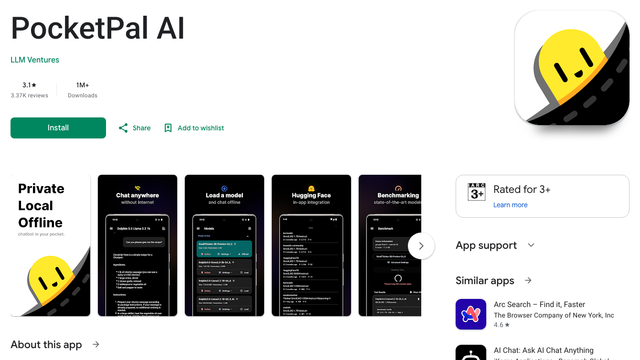
PocketPal is the one to install first. It runs any GGUF model through llama.cpp, lets you search Hugging Face from inside the app, and handles gated models (ones that need you to accept a licence) if you paste in a Hugging Face token. It can use the Adreno GPU and, on recent Snapdragon chips, the Hexagon NPU, falling back to the CPU when neither is available.
It is very actively maintained. Version 1.18.0 landed on September 25, 2026. The only data that leaves your phone is opt-in: benchmark uploads and feedback, per the project's README. There is also a built-in benchmark and a public device leaderboard if you want to see how your phone compares.
- Replaces
- ChatGPT app for private chats
- Runs on
- Depends on the model (see RAM table)
- Difficulty
- Easy
- Licence
- MIT (open source)
- Skip if
- You only want Google's Gemma models
Google AI Edge Gallery
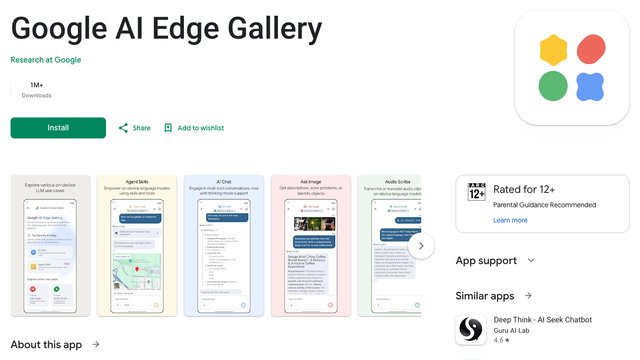
Google's own showcase app, still labelled an experimental beta, is the fastest way to run Gemma 4. It uses Google's LiteRT runtime, which is tuned for phone GPUs, and goes beyond plain chat: Ask Image describes photos, Audio Scribe transcribes voice clips, and Agent Skills lets the model call simple tools. All of it runs offline once the model is downloaded.
You pick models from a curated list, not any file you like. The app hides models your phone does not have enough RAM for. One privacy note: the app includes Firebase Analytics, so usage stats can be sent when you are online, even though your prompts are processed on the device. Airplane mode or a firewall rule stops that.
- Replaces
- Gemini for offline tasks
- Runs on
- 6 GB RAM, Android 12+
- Difficulty
- Easy
- Licence
- Apache 2.0 (open source)
- Skip if
- You want to load your own GGUF files
Maid
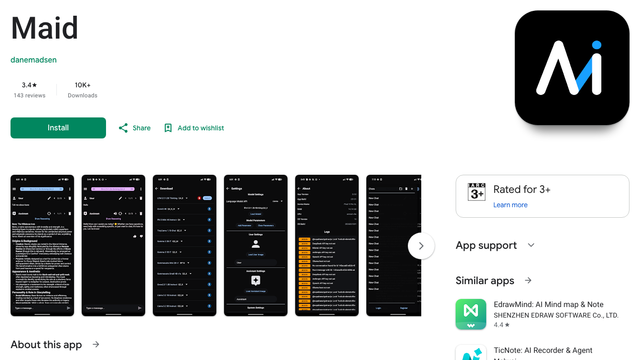
Maid (Mobile Artificial Intelligence Distribution) is a clean, no-frills llama.cpp front end with a curated Hugging Face model list. Its README promises no telemetry and no ads. The Play Store build (updated September 2, 2026) is newer than the last GitHub release, so install it from the Play Store.
- Runs on
- Depends on the model (see RAM table)
- Difficulty
- Easy
- Licence
- MIT (open source)
- Skip if
- You need GPU speed-ups
MNN Chat
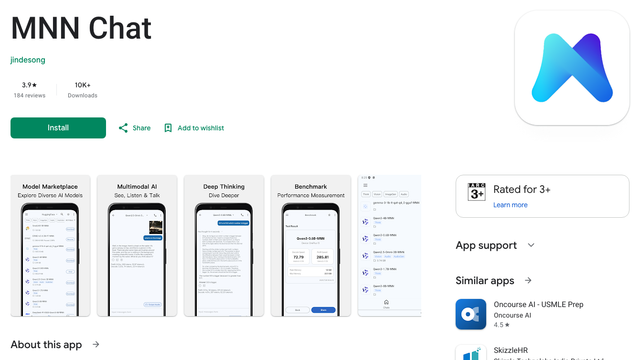
MNN Chat runs models converted to Alibaba's MNN format, with a built-in catalogue that includes Qwen3.5 and Gemma 4. It supports OpenCL and Vulkan GPU acceleration and has its own benchmark screen. The developers say they have only tested it on a OnePlus 13 and a Xiaomi 14 Ultra, and warn that low-spec phones may not work at all, so treat it as a flagship option.
- Runs on
- Recent flagship recommended
- Difficulty
- Easy
- Licence
- Apache 2.0 (open source)
- Skip if
- Your phone is older or low-end
ChatterUI
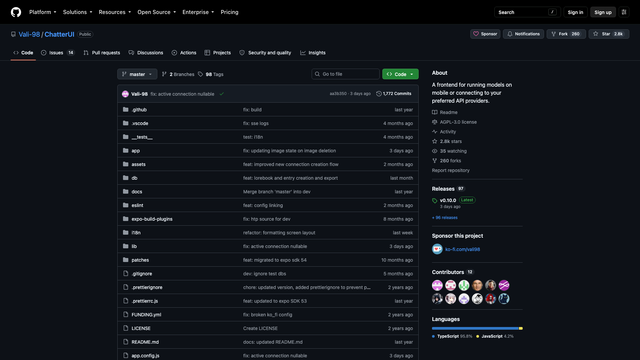
ChatterUI is for people who want character cards, custom system prompts and fine control over sampling settings. It is not on the Play Store: download the APK from its GitHub releases page (v0.10.0, September 22, 2026). Import a GGUF file you already downloaded. It also has a Remote Mode for cloud APIs, so make sure you are in local mode if privacy is the point.
- Runs on
- Depends on the model (see RAM table)
- Difficulty
- Medium
- Licence
- AGPL-3.0 (open source)
- Skip if
- You want a Play Store install
Layla is a paid alternative ($19.99 on the Play Store, with a free APK on its website). It is closed source and asks for 6 GB of RAM at minimum, 8 GB or more recommended. MLC Chat still shows up in older guides, but its last Android APK is from September 2024, so skip it.
Method 1: Set up PocketPal AI (5 minutes)
This is the quickest route and works on any phone that meets the RAM table above.
- Install PocketPal AI from the Google Play Store and open it.
- Tap the menu and open Models. You will see a short list of suggested models.
- Tap the + button, then Add from Hugging Face. Search for
Qwen3.5-2B GGUF(orLlama-3.2-1B GGUFon a 4 GB to 6 GB phone). - Pick the file ending in Q4_K_M.gguf and tap download. Stay on Wi-Fi: it is roughly 0.8 to 1.3 GB.
- When it finishes, tap Load next to the model. The first load takes a few seconds.
- Open PocketPal's Settings and turn on GPU acceleration if your phone offers it. If the app crashes or slows down, switch it back off.
- Go back to the chat screen and send a message.
Now test that it is truly offline: swipe down, turn on airplane mode (and make sure Wi-Fi is off too), force-close PocketPal, reopen it, and chat again. If it answers, you are running AI entirely on your phone.
Copy it to your phone's Downloads folder over USB, then in PocketPal choose + and Add local model. This also works when a download keeps failing inside the app.
Method 2: Run Gemma 4 with Google AI Edge Gallery
Pick this route if you have 8 GB of RAM or more and want Gemma 4's image and audio features.
- Install Google AI Edge Gallery from the Play Store (Android 12 or newer).
- Open AI Chat. Choose Gemma 4 E2B (8 GB phones) or Gemma 4 E4B (12 GB and up).
- If asked, sign in to Hugging Face and accept the Gemma licence. This is a one-time step for gated models.
- Download the model (about 2.6 GB for E2B, 3.7 GB for E4B).
- Tap the model settings and select GPU as the accelerator. On a Galaxy S26 Ultra, Gemma 4 E2B runs at about 52 tokens per second on the GPU versus 47 on the CPU, and the GPU version uses far less RAM (about 676 MB versus 1.7 GB), per Google's LiteRT model card.
- Turn on airplane mode and try Ask Image with a photo from your gallery.
Method 3: Termux with llama.cpp or Ollama (power users)
Termux is a Linux terminal for Android. Running llama.cpp there gives you the latest model support the day it ships, full control over every setting, and a local web chat you can open in your browser.
The Play Store version of Termux is outdated. Install it from F-Droid or the Termux GitHub releases. The llama.cpp and Ollama packages are 64-bit only, which covers every recent phone.
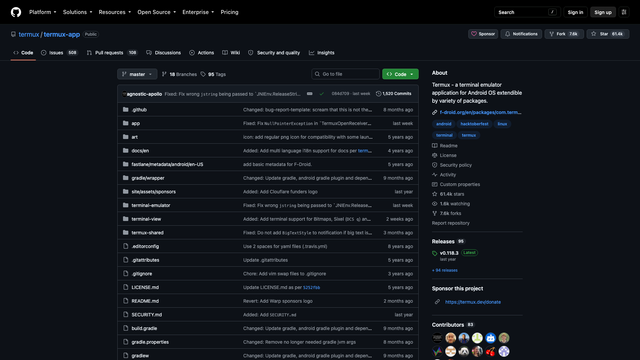
Install llama.cpp from the Termux package repository (version 0.5.0, built with Vulkan and OpenCL, as of September 25, 2026):
pkg update && pkg upgrade
pkg install llama-cpp
termux-setup-storage
Download a GGUF model in your phone's browser (it lands in Downloads), then start a chat:
llama-cli -m ~/storage/downloads/Qwen3.5-2B-Q4_K_M.gguf -cnvPrefer a proper chat window? Run the built-in server and open http://127.0.0.1:8080 in Chrome on the same phone:
llama-server -m ~/storage/downloads/Qwen3.5-2B-Q4_K_M.gguf --port 8080If you already use Ollama on a PC, it is in Termux too (version 0.31.1, a few releases behind upstream):
pkg install ollama
ollama serve &
ollama run llama3.2:1b
The ollama run step needs internet the first time to pull the model. After that it runs offline. If you run Ollama on a home server as well, our home lab apps guide covers that side.
How to confirm nothing leaves your phone
Airplane mode is the simple test, but a few extra checks make it airtight.
- Download the model, then turn on airplane mode with Wi-Fi and Bluetooth off.
- Force-stop the app from Settings, reopen it, and confirm it still answers.
- Check the app's Data safety section on its Play Store page.
- For permanent blocking, deny the app network access with a firewall app such as NetGuard (no root needed).
- If you use ChatterUI, confirm Remote Mode is off.
How fast is it?
Speed is measured in tokens per second (a token is roughly three quarters of a word). Anything above 10 feels like fast reading. Below 5 feels slow but usable.
| Phone and chip | Model and app | Output speed | Source |
|---|---|---|---|
| Galaxy S26 Ultra | Llama 3.2 1B Q4_K_M, llama.cpp | 49 to 56 tokens/s | on-device-llm benchmark, Sept 20, 2026 |
| Galaxy S26 Ultra | Gemma 4 E2B, LiteRT GPU | 52 tokens/s | LiteRT model card, Sept 2026 |
| Snapdragon 8 Elite (NPU) | Llama 3.2 3B, Qualcomm Genie | about 10 tokens/s | Grape Up, March 23, 2026 |
| Snapdragon 8 Elite (NPU) | Llama 3.1 8B, Qualcomm Genie | about 5 tokens/s | Grape Up, March 23, 2026 |
| Galaxy M55s, Snapdragon 7 Gen 1 (8 GB) | Gemma 4 E2B and 1B-class models, LiteRT CPU | 3.3 to 7 tokens/s | Urja Labs, June 23, 2026 |
Two things slow you down in practice. Long prompts: on the midrange phone above, a long pasted document pushed the wait for the first word to about 11 seconds. And heat: the same test saw Gemma 4 E2B drop from 7.0 to 5.8 tokens per second once the phone warmed up. Running a model is heavy work, so expect the phone to get warm and the battery to drain faster than normal. Plug in for long sessions, and see our battery-saving Android settings for everyday use.
Fixing common problems
The app crashes or closes when loading a model
Your phone ran out of memory. Pick a smaller model or a smaller quant (a 1B to 2B model at Q4), close other apps, and reduce the context length in the model settings. Check the RAM table above before you download.
Replies are painfully slow
The model is too big for your chip, the phone is throttling from heat, or GPU acceleration is off. Try a smaller model, turn on GPU (OpenCL in PocketPal, GPU in AI Edge Gallery), let the phone cool, and keep prompts shorter.
The model will not download
Gemma and Llama are gated: you must log in to Hugging Face, accept the licence on the model page, and add your token in the app. Also check you have enough free storage and a stable Wi-Fi connection. As a fallback, download the GGUF in your browser and import it as a local model.
Answers are wrong or made up
Small models hallucinate more than cloud models and know nothing after their training date. Step up a size if your RAM allows, lower the temperature setting, and double-check facts. For research with live sources, a cloud tool is still the better fit (see our Perplexity Pro vs ChatGPT Plus comparison).
FAQs
Can I run an LLM on Android without internet?
How much RAM do I need to run a local LLM on Android?
What is the best local LLM app for Android?
What is the best offline AI model for a phone?
Do I need to root my phone?
Is a local LLM on Android private?
Does running an LLM damage my phone or battery?

Sumit
ContributorHi, I'm Sumit, Being an introvert I have always been obsessed with technology-computers and reading dozens of posts to learn, find answers out of my curiosity. I love to write as I explore more.