On this page
- What a homescreen setup is made of
- How to recreate a setup
- Layout ideas that work without any setup file
- Setups to copy
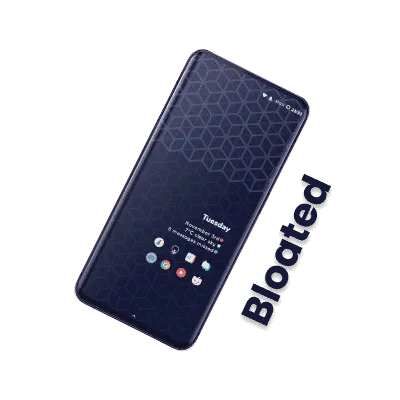
- Bloated
- Happy Error
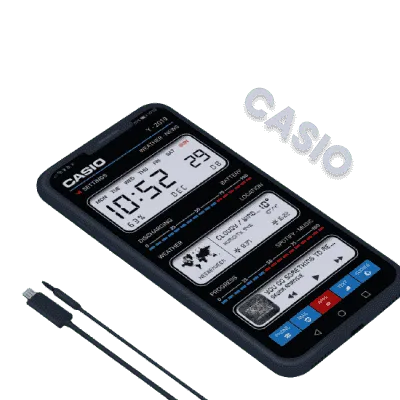
- Casio
- Orange
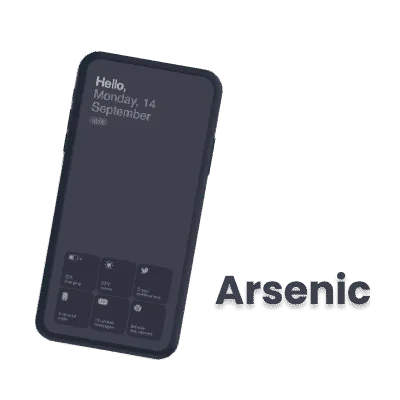
- Arsenic
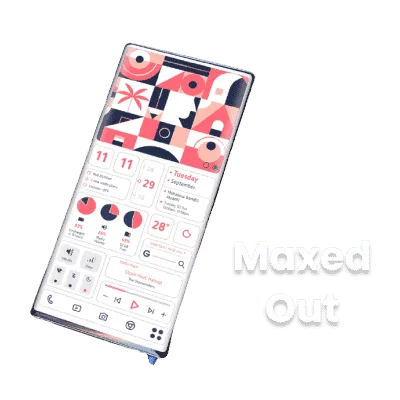
- Maxed Out
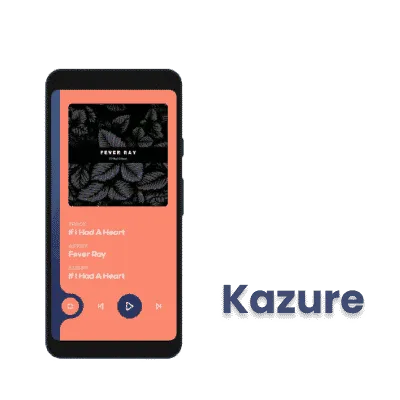
- Kazure
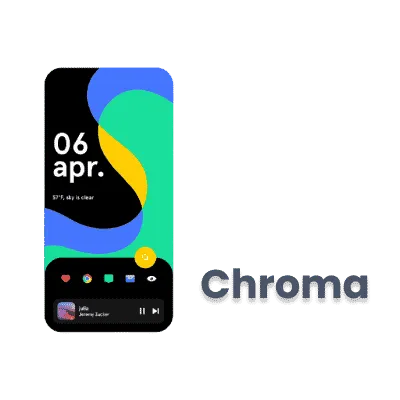
- Chroma
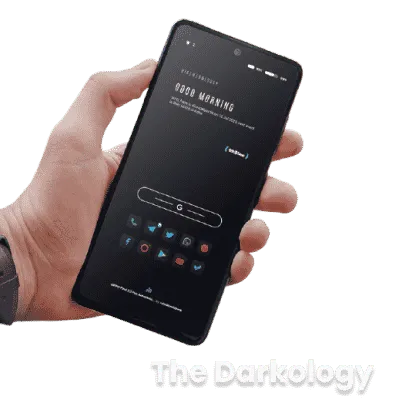
- The Darkology
- F*king Wallpaper
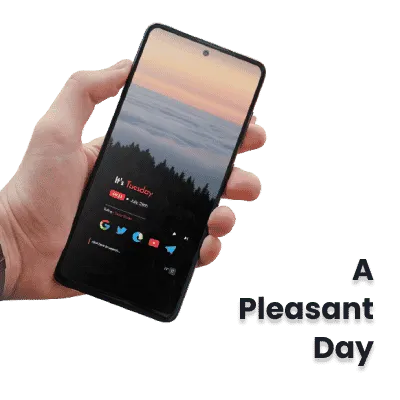
- A Pleasant Day
- Windows X
- Yellow Mountain
- Endless
- Clay
- Guardians of the Galaxy
- Share your own setup
- Get a wallpaper that fits your setup
- FAQs
An Android home screen is four things stacked together: a launcher that sets the grid, a wallpaper, an icon pack, and widgets. Change any one and the phone looks different; change all four and it looks like a different phone. The 16 setups below are complete builds from Reddit creators, and each one lists the exact wallpaper, widgets, font and file behind it, so you can copy the whole look or borrow one layer.
New to customizing? Start with how to customize your Android phone for launcher and widget basics, then come back and pick a setup. Every build here has a matching layer elsewhere on the site: icon packs for the icons, wallpaper apps and stock wallpapers for the background, and Android 17 for what the newest Android version adds.
What a homescreen setup is made of
| Layer | What it does | What to install |
|---|---|---|
| Launcher | Sets the grid, dock, gestures and folders | A launcher such as Nova, Lawnchair or Niagara, or your phone's stock one |
| Wallpaper | The backdrop, static or animated | A wallpaper app, a downloaded image, or a KLWP live wallpaper |
| Icon pack | Replaces every app icon with one style | An icon pack from Google Play, applied through the launcher |
| Widgets | Clocks, weather, music and shortcuts | KWGT for custom widgets, or the widgets your apps ship |
| Font | Changes the type on widgets and the wallpaper | A font file the setup lists, loaded inside Kustom |
Setups are not tied to one app. Creators build them with Kustom (KWGT and KLWP), Nova, Lawnchair, Niagara, Smart Launcher, Widgetopia or plain stock widgets, then share screenshots and files on Reddit, Telegram and Discord. The builds below lean on Kustom because it produces the most shareable files, but every card lists the launcher, icons and wallpaper too, so you can copy the look with any tool.
KWGT and KLWP come from the same developer. KWGT makes widgets that sit on top of any wallpaper. KLWP makes the whole wallpaper, with clocks and shortcuts drawn into it, so it needs a launcher with a clean, empty home page.
How to recreate a setup
- Install the launcher, the Kustom app the card names (KWGT or KLWP) and the icon pack.
- Set the wallpaper first. Colors in the widgets are picked to match it.
- Download the setup file, then open Kustom and import it. Cards without a setup file list only the parts.
- Install the font the card lists, then load it in Kustom if the widget looks wrong.
- Apply the icon pack in your launcher settings and match the icon grid to the screenshot.
- Move and resize the widgets to fit your screen. Tall and wide phones almost always need this.
Layout ideas that work without any setup file
You do not need a Kustom file to get a clean home screen. These layouts work on any launcher:
- Empty first page. One clock widget, a search bar and nothing else. The wallpaper carries the look.
- Bottom-heavy icons. Keep the icons you use every day in the lowest two rows so your thumb reaches them, and leave the top half for one large widget.
- One folder per job. Group apps by task, not by app type, so a folder is a shortcut to a habit.
- Dark and quiet. A dark wallpaper, monochrome icons and one accent color. It also suits AMOLED screens, where black pixels are off.
- Matching color. Pick the wallpaper first, then pull the accent for widgets and icons from it.
Setups to copy
Bloated
by u/Th3PahntomAMOLED
- Wallpaper
- Blue Hexagon (Crispy app)
The original KLWP file and the Bubblegum Glyphs icon pack are no longer online.
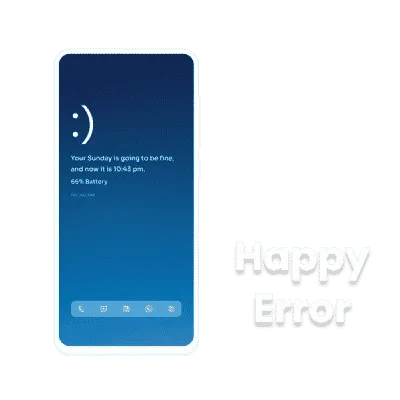
Happy Error
by u/debu_GKWGT widgets
- Icons
- Reev Lite
- Wallpaper
- Happy Blue (Crispy app)
- Widgets
- Top widgetBottom icon widget
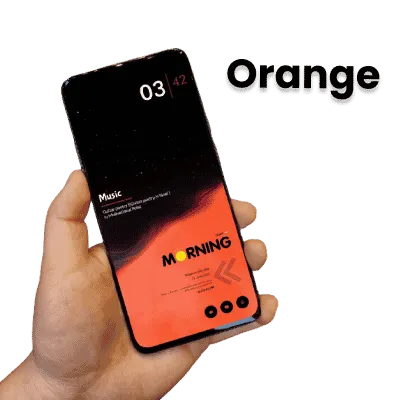
Orange
by u/aftaboooKWGT stack
- Wallpaper
- Orange (Crispy app)
- Widgets
- Moon KWGT
The minimo2 and Instinct KWGT packs are no longer on Google Play.
Kazure
by u/i_have_an_accountAnimated
- Icons
- Linebit Light
- Wallpaper
- Unsplash
Animations are the highlight.
Chroma
by u/CrazyRexWaffleNova + KWGT
- Icons
- Reev Lite
- Wallpaper
- Chroma (Crispy app)
- Font
- Apercu
Built with Nova Launcher; enable widget overlap to align layers.
The Darkology
by u/aftaboooDark KWGT
- Icons
- Nova Darkpaid
The Flow, Saturn and Abstract KWGT packs are no longer on Google Play.
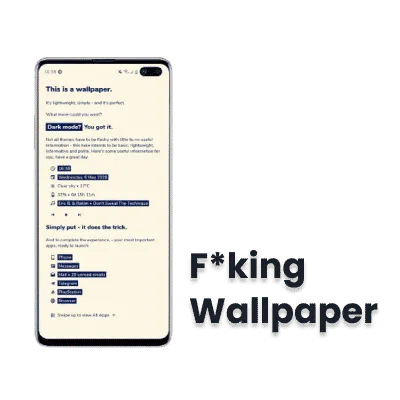
F*king Wallpaper
by u/digmotmagKLWP
- Setup file
- KLWP (explicit)
- Other
- Explicit preview
The wallpaper name matches the explicit art in the full version.
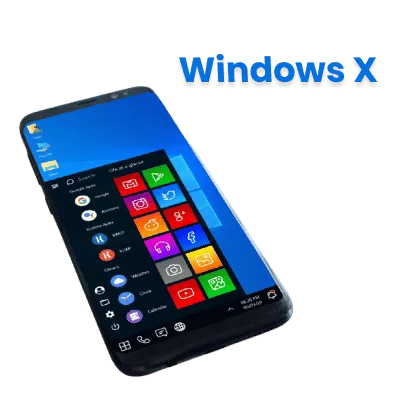
Windows X
by u/DrDisagreeDesktop style
- Wallpaper
- Windows X (Crispy app)
Best on 18:9 phones; some icons need manual nudging.
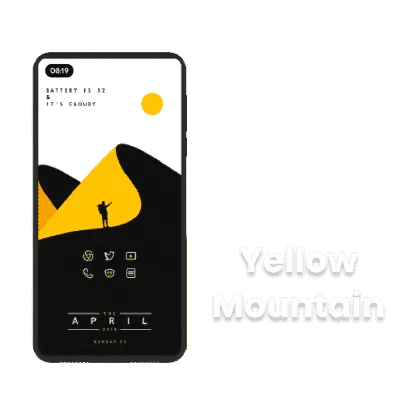
Yellow Mountain
by u/IamRed1999Color theme
Same developer sells red, blue, green, and orange variants. The Huk KWGT pack is no longer on Google Play.
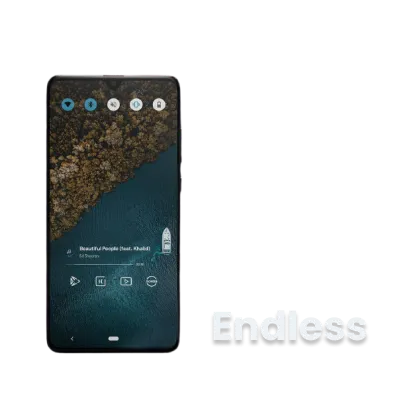
Endless
by u/ChiipmunkRaageNova backup
- Icons
- Linebit Lightpaid
- Wallpaper
- Bird's Eye (Crispy app)
- Widgets
- Four KWGT files
Nova layout with KWGT widgets; Nova backup included. Music widget uses Foxie for KWGT.
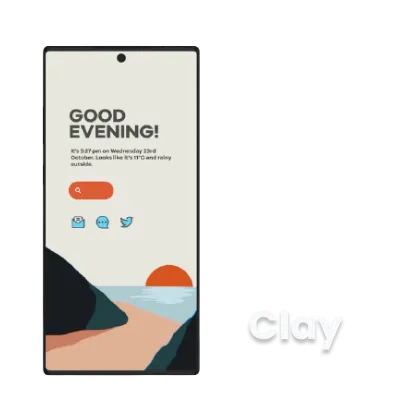
Clay
by u/CobaltPinkKWGT trio
- Icons
- Crayonpaid
- Wallpaper
- Clay (Crispy app)
- Widgets
- Three KWGT widgets
Three KWGT widgets plus wallpaper in the linked folder.
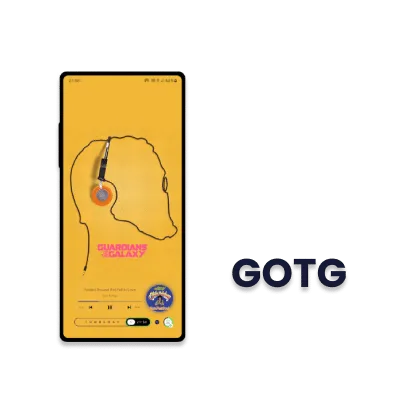
Guardians of the Galaxy
by u/ayamsk99Music widget
- Wallpaper
- GOTG pack (Crispy app)
- Widgets
- Music KWGT widget
- Other
- Wallpaper Changer
The dot beside the clock toggles auto wallpaper rotation.
Share your own setup
Built something? Post a screenshot with the launcher, icon pack, wallpaper and widget names, plus a backup or export file if the app supports one (Kustom export, Nova backup, Lawnchair backup). Communities such as r/androidthemes and r/androidcustomization take these posts, and creators who list every layer get copied the most.
Get a wallpaper that fits your setup
The wallpaper decides the colors of everything on top of it, so pick it before you tune widgets. Browse wallpaper apps for Android for endless backgrounds, or grab a phone's stock wallpapers for a clean, tested look that suits a minimal home screen. Every wallpaper on this site is also in our free Crispy app for Android, so you can preview them on your own home screen before you commit: Get Crispy Wallpapers. Newest sets: Pixel 11, iPhone 18 Pro and Nothing Phone 4a.
FAQs
What apps do I need for these Android homescreen setups?
How do I import a KLWP or KWGT file?
Why did my MediaFire link not work?
Do I need a paid icon pack?
Can I use these setups on any Android phone?
What is the difference between KLWP and KWGT?
What is the best Android home screen layout?
Will these setups work on Samsung and Pixel phones?
Do KLWP live wallpapers drain the battery?

Amit loves new tech and apps that make life easier, he writes about apps, games and useful websites on TheTechBasket.